

Strategic Business Unit (SBU) Reporting in Putler
Group distinct brands and stores into Strategic Business Units (SBUs) to view consolidated executive reports.
Do you have multiple businesses/ data sources connected to Putler?
Then you are in for an advance TREAT
Now you no longer need to go to settings and keeping checking/unchecking the data source or SBU (Strategic Business Unit) you want to view reports for.
I’m going to show you a way out of this repetitive, mundane task.
Steps to switch between SBU’s in a single click
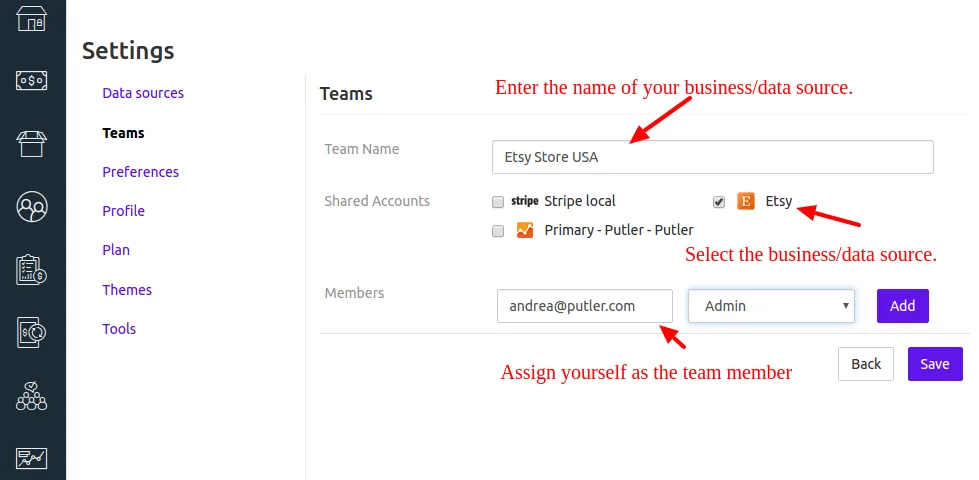
- Go to
Settings - Create a
team - Select the
data sourceor SBU you wish to analyse individually - Assign yourself as a team member
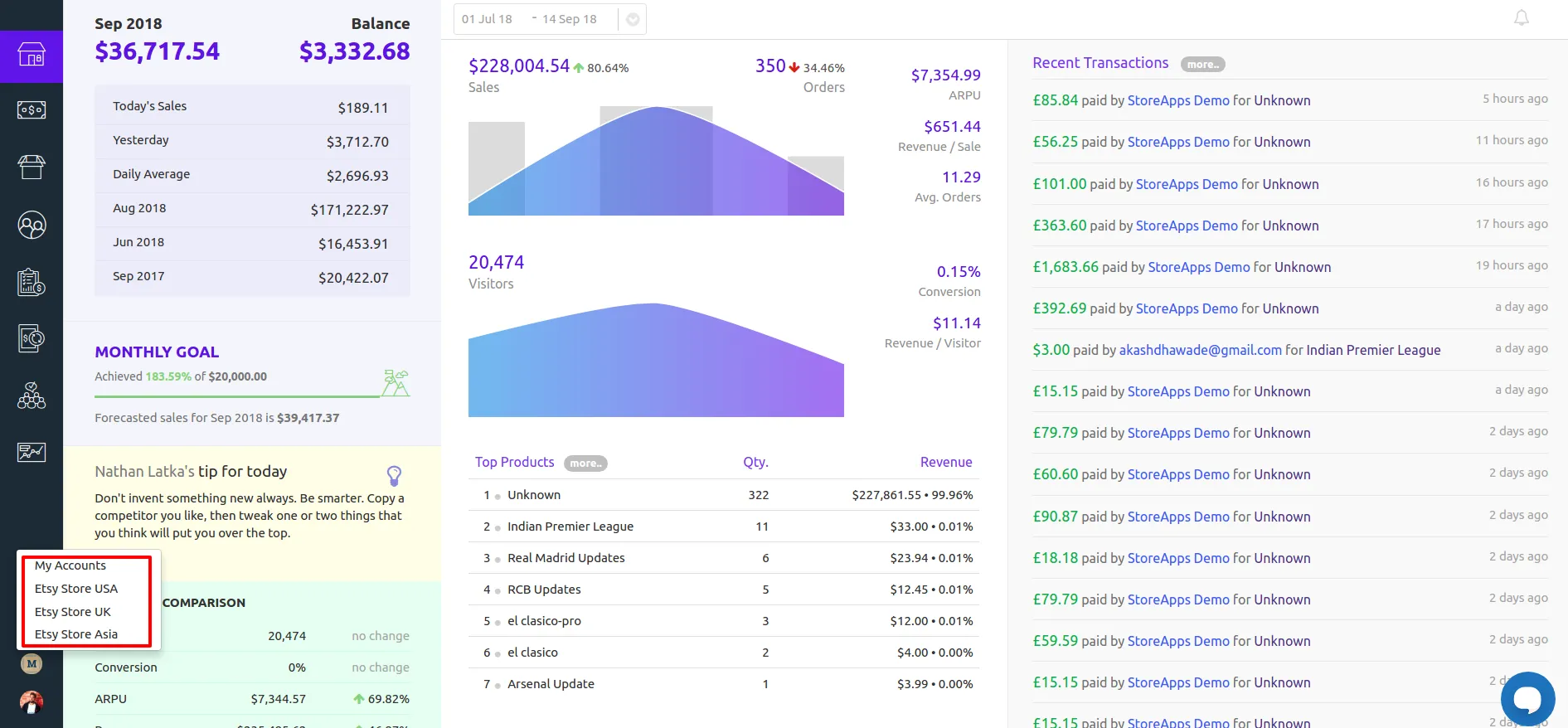
- Once you assign the
teamto yourself, it will appear right above your display picture. - You can then easily switch between accounts and view reports for your business/
data sourceindividually.
How to see aggregated, consolidated reports of all data sources?
Refer to Revenue by Business Unit (RBU) to view the sales revenue of all your teams in one place.