Inbound API - Putler
If your data source/ service is not directly integrated within Putler, you can take a look at this step-by-step documentation to connect it within Putler. Once connected, Putler will automatically start pulling in data from your respective data source/service.
If you need any help/ have any queries, do reach out to us.
Let's get started.
API Authentication
API authentication is handled with HTTP Basic access authentication.(email:token)
If you are not using HTTP basic-auth, you can authenticate using input parameters
Input Parameters
| Parameter | Description |
|---|---|
email | The email you use to login to Putler |
token | API key generated from Putler |
Obtaining your API Key
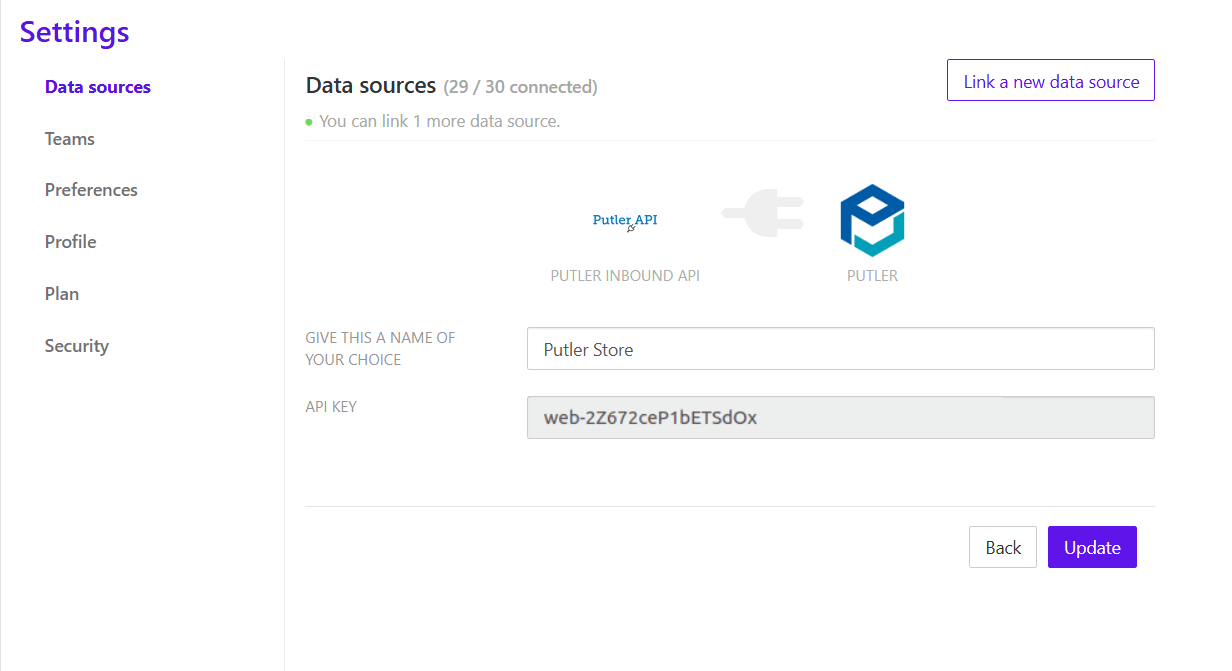
Create a new account in Putler of type "Putler Inbound API”. You will receive an API key to use in all requests.
API Resource
Validate
Validate API Key and Email
URL
http://api.putler.com/inbound/
HTTP Method
HEAD
If you are not using HTTP HEAD, you can validate using action input parameters
Input Parameters
| Parameter | Value |
|---|---|
action | validate |
Response
| Status Code | Description |
|---|---|
200 | Valid User |
401 | Unauthorised User |
💡 Note:
A 200 response here only validates credentials. It does not validate your data payload.
Store (Push Data)
Push transactions into Putler
URL
http://api.putler.com/inbound/
HTTP Method
POST
If you are not using HTTP POST, you can push transactions using action input parameters
Input Parameters
| Parameter | Value |
|---|---|
action | store |
Request Header
| Parameter | Value |
|---|---|
Content-Type | The MIME type of the request body.
|
While sending transactions in CSV, CSV file should have header fields
⚠️ Important: Data Structure
All data must be sent as an array of transactions, even if sending a single entry.
Transaction Model
Putler follows a flat transaction structure (similar to PayPal exports):
- One entry = one transaction row
- Orders and line items are separate entries
- Linked using
Transaction_ID
For a shopping cart order:
- 1 main transaction (order)
- 1 entry per product (line items)
All must be sent in one request
Request Fields
| Field | Required | Description |
|---|---|---|
Date | Yes | The date this order was created(MM/DD/YYYY) |
Time | Yes | The time this order was created in GMT- 24 hour format (HH:MM:SS) |
Type | Yes |
|
Transaction_ID | Yes | Transaction ID of the order |
Item_Title | Yes |
|
Quantity | Yes |
|
Source | Name of Payment gateway/ Shopping carts | |
Name | Customer name | |
Status | Status of the Order(Pending, Completed, Cancelled, Partially Refunded, Refunded) | |
Currency | A 3-character currency code of the currency being used in this transaction (default is USD) | |
Gross | Order total, including tax(default is 0.00) | |
Fee | Total Fees paid for this transaction (default is 0.00) | |
Net | Order total, inculding tax and excluding fees (default is 0.00) | |
From_Email_Address | Contact email address | |
Item_ID | Line item/Buy now/Subscription transaction -> The ID of the product | |
Shipping_and_Handling_Amount | The value of shipping and handling cost (default is 0.00) | |
Insurance_Amount | Total shipping insurance costs for this order (default is 0.00) | |
Discount | Amount of discount for this transaction (default is 0.00) | |
Sales_Tax | Total Tax paid for this transaction (default is 0.00) | |
Option_1_Name | For Line item -> Product Option/Attribute -1 name If there are more than 2 Option/Attribute, Send comma seperated list {Color:Red, Size:XL, Style:Simple} | |
Option_1_Value | For Line item -> Product Option/Attribute -1 value | |
Option_2_Name | For Line item -> Product Option/Attribute -2 name | |
Option_2_Value | For Line item -> Product Option/Attribute -2 value | |
Reference_Txn_ID | For Refund Transaction -> Transaction ID of parent Transaction | |
Balance | Account balance if any (default is 0.00) | |
Note | Any additional Order notes | |
Address_Line_1 | Line 1 of street address | |
Address_Line_2 | Line 2 of street address | |
Town_City | Name of city | |
State_Province | State/province name | |
Zip_Postal_Code | Zip or postal code | |
Country | Country full name | |
Contact_Phone_Number | Contact phone number | |
Subscription_ID | For Subscription transaction ->Subscription id |
Specifics on Shopping cart payment
- For more than 1 Line items
- Seperate Transactions for each line items
Eg: Order with 3 Line items, there will be 4 entries, viz. 1 entry for main order and 3 entries for each line items
Transaction Types
| Type | Usage |
|---|---|
| Shopping Cart Payment Received | Main order |
| Shopping Cart Item | Line item |
| Refund | Refund transaction |
| Web Accept Payment Received | Buy Now |
| Recurring Payment Received | Subscription |
Quantity Rules
- Main transaction → Sum of all line item quantities
- Line item → Quantity per product
💡 Note: If incorrect, Putler uses line item values internally.
Complete Example
[
    "Date": "05/01/2026",
    "Time": "12:00:00",
    "Type": "Shopping Cart Payment Received",
    "Status": "Completed",
    "Transaction_ID": "ORD123",
    "Name": "John Doe",
    "From_Email_Address": "john@example.com",
    "Currency": "USD",
    "Gross": "100.00",
    "Quantity": "5",
    "Item_Title": "Shopping Cart"
  ,

    "Date": "05/01/2026",
    "Time": "12:00:00",
    "Type": "Shopping Cart Item",
    "Status": "Completed",
    "Transaction_ID": "ORD123",
    "Item_Title": "Product A",
    "Quantity": "2"
  ,

    "Date": "05/01/2026",
    "Time": "12:00:00",
    "Type": "Shopping Cart Item",
    "Status": "Completed",
    "Transaction_ID": "ORD123",
    "Item_Title": "Product B",
    "Quantity": "3"

]
Refund Handling
Refunds must be sent as separate transactions.
Refund Example
[
    "Date": "05/02/2026",
    "Time": "14:00:00",
    "Type": "Refund",
    "Status": "Completed",
    "Transaction_ID": "ORD123_R1",
    "Reference_Txn_ID": "ORD123",
    "Gross": "-30.00",
    "Item_Title": "Product A",
    "Quantity": "1",
    "Name": "John Doe",
    "From_Email_Address": "john@example.com"
]
Refund Rules
Transaction_IDmust be uniqueReference_Txn_IDlinks to the original orderGrossmust be negative- Refund is a single entry (no line items required)
Refund Strategies
Option 1 (Recommended):
- Send refund separately → accurate reporting
Option 2:
- Update order amount/status → simpler but less accurate
Duplicate Handling
Transaction_IDis the unique identifier
Re-sending the same ID:
- Updates existing data
- Does NOT create duplicates
Status Values
| Status | Meaning |
|---|---|
| Pending | Not included in revenue |
| Completed | Included in revenue |
| Cancelled | Cancelled order |
| Refunded | Refunded |
| Partially Refunded | Partial refund |
Note: Paid orders should typically be sent as Completed.
Limits & Performance
- Max request size: 30 MB
- Recommended batch size: 1000–2000 rows
- Data appears in dashboard within 30–40 minutes
"Sample CSV with headers for Shopping cart payment"
"Date","Time","Source","Name","Type","Status","Currency","Gross","Fee","Net","From_Email_Address","Transaction_ID","Item_Title","Item_ID","Shipping_and_Handling_Amount","Option_1_Name","Option_1_Value","Quantity","Note","Address_Line_1","Address_Line_2","Town_City","State_Province","Zip_Postal_Code","Country","Contact_Phone_Number"
"10/24/13",16:02:00,"XYZ Gateway","Chirag B","Shopping Cart Payment Received","Completed","USD",409,0,409,"john@putler.com",46,"Shopping Cart",,10,,,3,"Order Note","Powai","Borivali","mumbai","MH",444554,"IN",95323135
"10/24/13",16:02:00,"XYZ Gateway","Chirag B","Shopping Cart Item","Completed","USD",149,,,"john@putler.com",46,"Product-1","P-45",0,"Color","Black",1,,"Powai","Borivali","mumbai","MH",444554,"IN",95323135
"10/24/13",16:02:00,"XYZ Gateway","Chirag B","Shopping Cart Item","Completed","USD",150,,,"john@putler.com",46,"Product-2","P-37",0,"Color","Red",2,,"Powai","Borivali","mumbai","MH",444554,"IN",95323135
"10/24/13",16:02:00,"XYZ Gateway","Chirag B","Shopping Cart Item","Completed","USD",100,,,"john@putler.com",46,"Product-3","P-19",0,"Color","Yellow",1,,"Powai","Borivali","mumbai","MH",444554,"IN",95323135
Specifics on Buy Now payment
Each transaction will have only 1 entry.
"Sample CSV with headers for Buy Now payment"
"Date","Time","Name","Type","Status","Currency","Gross","Fee","Net","From_Email_Address","Transaction_ID","Item_Title","Item_ID","Option_1_Name","Invoice_Number","Quantity","Balance","Address_Line_1","Address_Line_2","Town_City","State_Province","Zip_Postal_Code","Country","Contact_Phone_Number"
10/29/13,03:24:52,"Chirag B","Web Accept Payment Received","Completed","USD",29,-1.14,27.86,"john@putler.com","5EA652410Y693721T","Product-1","MUTD","Color:red, Size: XL, Style:Simple","RT-9871",1,819.57,"Street1","Street2","City","CA",95101,"United States",98512154552
Specifics on Refund Transaction
New entry for Each refunds
Required feilds: Reference_Txn_ID
"Sample CSV with headers for Refund Transaction"
"Date"," Time"," Name"," Type"," Status"," Currency"," Gross"," Fee"," Net","From_Email_Address","Transaction_ID","Item_Title","Item_ID"," Sales_Tax"," Reference_Txn_ID"," Quantity","Address_Line_1","Address_Line_2","Town_City","State_Province","Zip_Postal_Code"," Country"
10/29/13,13:05:29,"Chirag B","Shopping Cart Payment Received","Partially Refunded","USD",50.5,-1.76,48.74,"john@putler.com","5X16702303884432U","Shopping Cart",,0.5,,1,"Street1","Street2","City","CA",95101,"United States"
10/29/13,13:05:29,"Chirag B","Shopping Cart Item","Partially Refunded","USD",50,,,"john@putler.com","5X16702303884432U","Product-1","RM-7",,,1,"Street1","Street2","City","CA",95101,"United States"
10/29/13,14:05:38,"Chirag B","Refund","Completed","USD",-20,0.58,-19.42,"john@putler.com","5L671541UP2927356",,,,"5X16702303884432U",,,,,,,
Specifics on Subscription Transaction
Each subscription transaction will have only 1 entry
Required feilds: Subscription_ID
"Sample CSV with headers Sfor Subscription Transaction"
"Date","Time","Name","Type","Status","Currency","Gross","Fee","Net","From_Email_Address","Transaction_ID","Item_Title","Item_ID","Balance","Address_Line_1","Town_City","State_Province","Zip_Postal_Code","Country","Contact_Phone_Number","Subscription_ID"
10/29/13,03:36:11,"Chirag B","Recurring Payment Received","Completed","USD",2,-0.36,1.64,"john@putler.com","0G565730603123547","Weather Updates","MET-2013",821.21,"1Test address","San Jose","CA",95131,"United States",6543332132,"Sub-7562396"
Error Codes
| Status Code | Description |
|---|---|
400 | Authorization Failed |
401 | Unauthorised User |
404 | Unknown Action |
500 | Could not store transactions |
⚠️ Common Issues & Fixes
1. 400 Validation Failed
Possible reasons:
- Data not wrapped in an array
- Missing required fields
- Line items missing
- Incorrect
Type/Status - Invalid refund structure
2. Data not appearing
- Wait 30–40 minutes
- Check required fields
- Ensure correct format
3. Invalid fields
- Unknown fields are ignored silently
Examples:
- ❌
Order_ID - ❌
Payment_Method - ❌
From_Name
4. Refund not linked
Ensure:
Reference_Txn_ID = original Transaction_ID
Best Practices
- Always send:
- Order + line items together
- Use unique
Transaction_IDs - Batch large imports
- Send refunds separately for accuracy
- Ensure JSON body (not query params)
Need Help?
If you’re still facing issues:
- Double-check structure and required fields
- Reach out to Putler support.