

Every WooCommerce store owner has the same problem
Why don’t my numbers match?
WooCommerce says one thing. Your payment gateway says another.
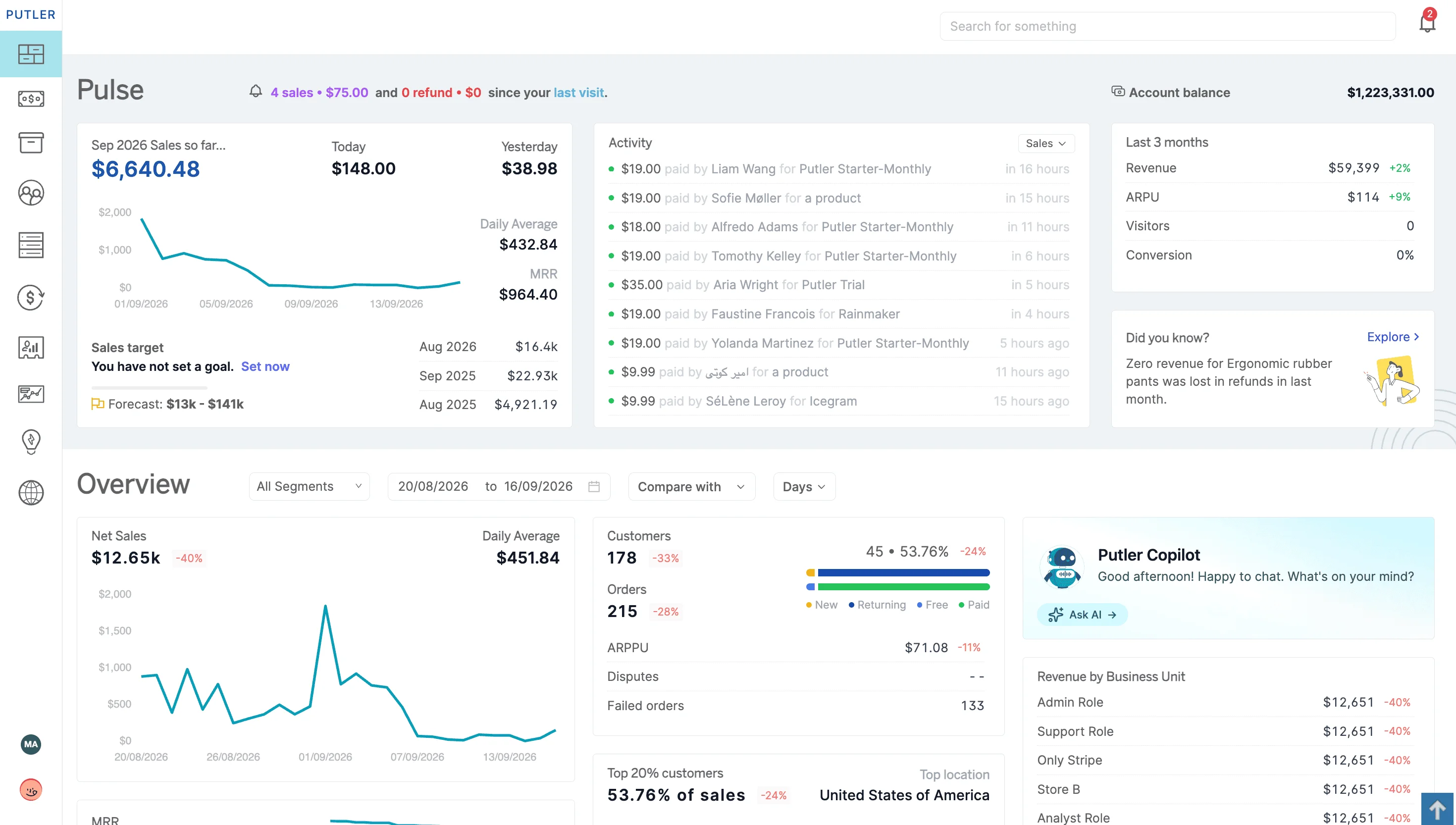
Putler brings your WooCommerce stores, gateways, and other supported sources into one reporting view, so you can see where they stop agreeing.
Works alongside WooCommerce. Not a replacement for it.
The problem
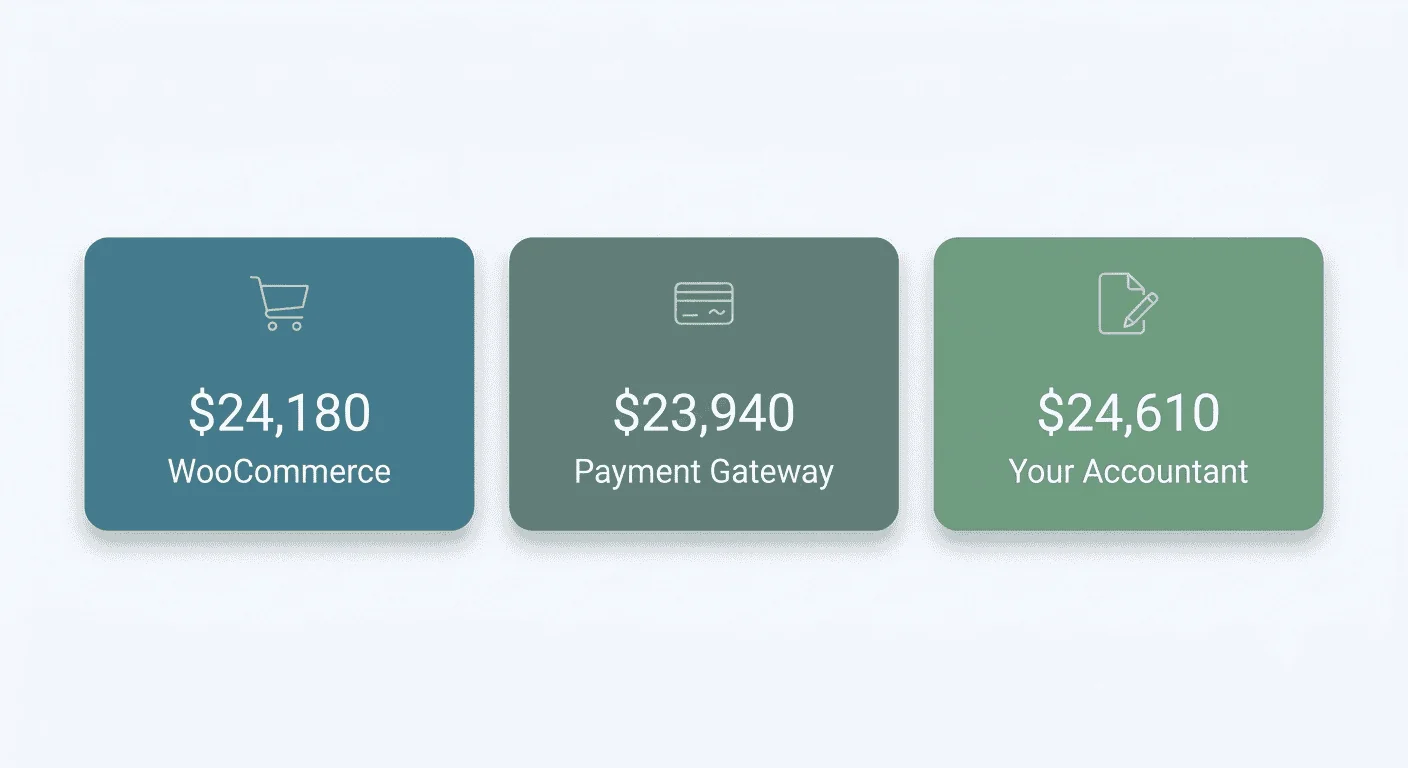
It starts with one number that doesn’t match.
WooCommerce tells you what you sold this month.
Stripe tells you something slightly different.
PayPal has its own total.
Then your accountant comes back with a fourth number and asks which one is right.
None of them are wrong, exactly.
They are counting different things at different moments: refunds, gateway fees, currency conversion, an order that settled after midnight, a renewal that landed in the next month.
So you open four tabs and a spreadsheet and line the columns up by hand.
It takes an afternoon. Next month you do it again.
“I have data everywhere and I still can’t answer a simple question.”
Revenue is the number you can quote from memory. Everything past that takes work. Which store is actually carrying the month. Whether that channel is pulling its weight or just looking busy. What is left once refunds and discounts have taken their cut.
The data exists. It is just sitting in four places that were never designed to be read together.
“I don’t trust the dashboards.”
That is the part that actually costs you.
Once two systems disagree, every report becomes something you verify before you act on it. You are not reading a dashboard any more, you are auditing one. Which means you do the work twice and believe it half as much.
And if you have already tried to fix this yourself, with a spreadsheet model, a script, or an AI tool pointed at your exports, you probably found the same thing. Getting an answer is easy. Getting the same answer twice is the hard part.
How Putler helps
One place to look.
The same answer every time.
WooCommerce Analytics is capable for understanding an individual store.
The challenge begins when sales are spread across several WooCommerce stores, payment gateways, marketplaces, currencies, or subscription sources.
Putler brings supported data into one reporting layer, so you can review the whole business and still drill down to a specific store.
See every WooCommerce store in one clearer view
WooCommerce already lets you run several stores in several ways.
- You can switch between stores in the official mobile app.
- You can run WordPress Multisite.
- You can add a paid multi-store extension for centralised product and order operations.
What none of those give you is a consolidated analytics roll-up across all of them.
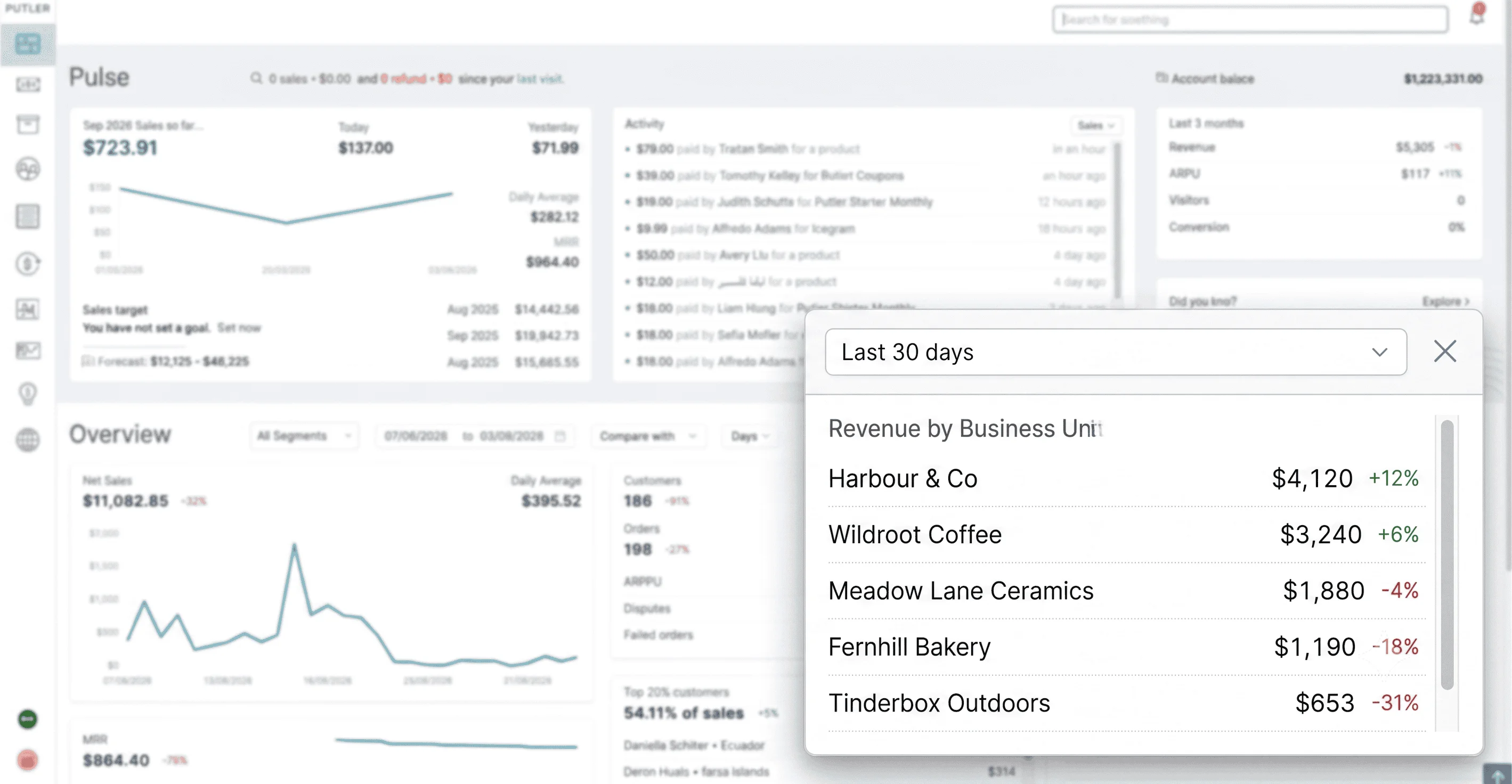
That is the specific gap Putler fills, and it has a name: Revenue by Business Unit.

Connect your stores and group them into teams.
- A team can be one store, or a brand that spans several of them, or whatever unit you actually think in when you think about the business.
- Your Home Dashboard puts those teams side by side and ranks them, so you can see which one is pulling ahead and which one has been quietly sliding for a month.
- Set the date range to whatever you need, last 7 days, last 30, or a custom window, and the equivalent previous period is already sitting beside it. You do not configure that. It is there.
If you run stores for clients rather than for yourself, the same grouping works by client just as well as by brand.
Connecting multiple accounts is included at every level of Putler’s pricing. There is no plan you have to reach first, since Putler bills on your store’s monthly revenue rather than on named tiers, and the number of data sources scales with that bracket. Teams you create and assign to yourself appear on the dashboard today; shared teams from other users are a future update.
Where the numbers stop agreeing
Instead of exporting from each system and lining the columns up yourself, your supported stores and gateways report into the same view over the same dates. When two sources tell a different story, you can see which one is telling it, over what period, rather than guessing.
Currency works the same way. Putler supports 36 currencies and converts using Fixer.io historical mid-market closing rates from the date of the transaction, so a report on last March still reads the way last March actually happened, not the way today’s rates would rewrite it.
Note: the historical mid-market rate can differ slightly from the rate your gateway applied, so a Putler total and a gateway total may not match to the cent.
“How much of that did I actually keep?”
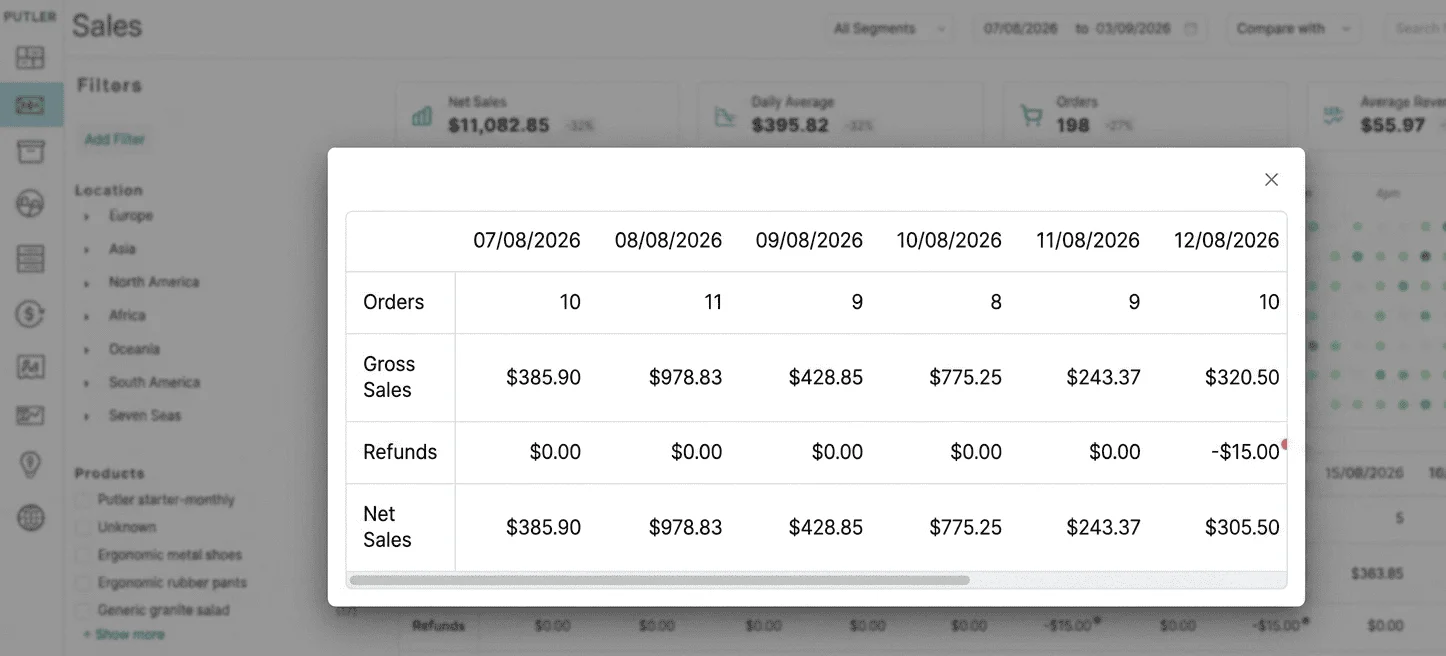
Putler shows net sales after refunds and discounts, so the top-line number you are looking at is not the one before customers changed their minds. Alongside it:
- total refunds
- the share of customers who refunded
- average revenue per sale
- average revenue per day
- revenue per customer
- what your top 20 percent of customers are actually worth
- average lifetime value, which is the predicted revenue a customer brings before they stop buying. That covers both subscription and one-off purchases.
Putler does not calculate COGS, and it does not calculate margin.
If you need landed product cost and gross margin, that belongs in your accounting or inventory tooling and Putler is not going to pretend otherwise. What Putler gives you is the revenue side, clean of refunds and discounts, across every supported source at once, which is usually the half you cannot get anywhere else.
“Who are my best customers?”
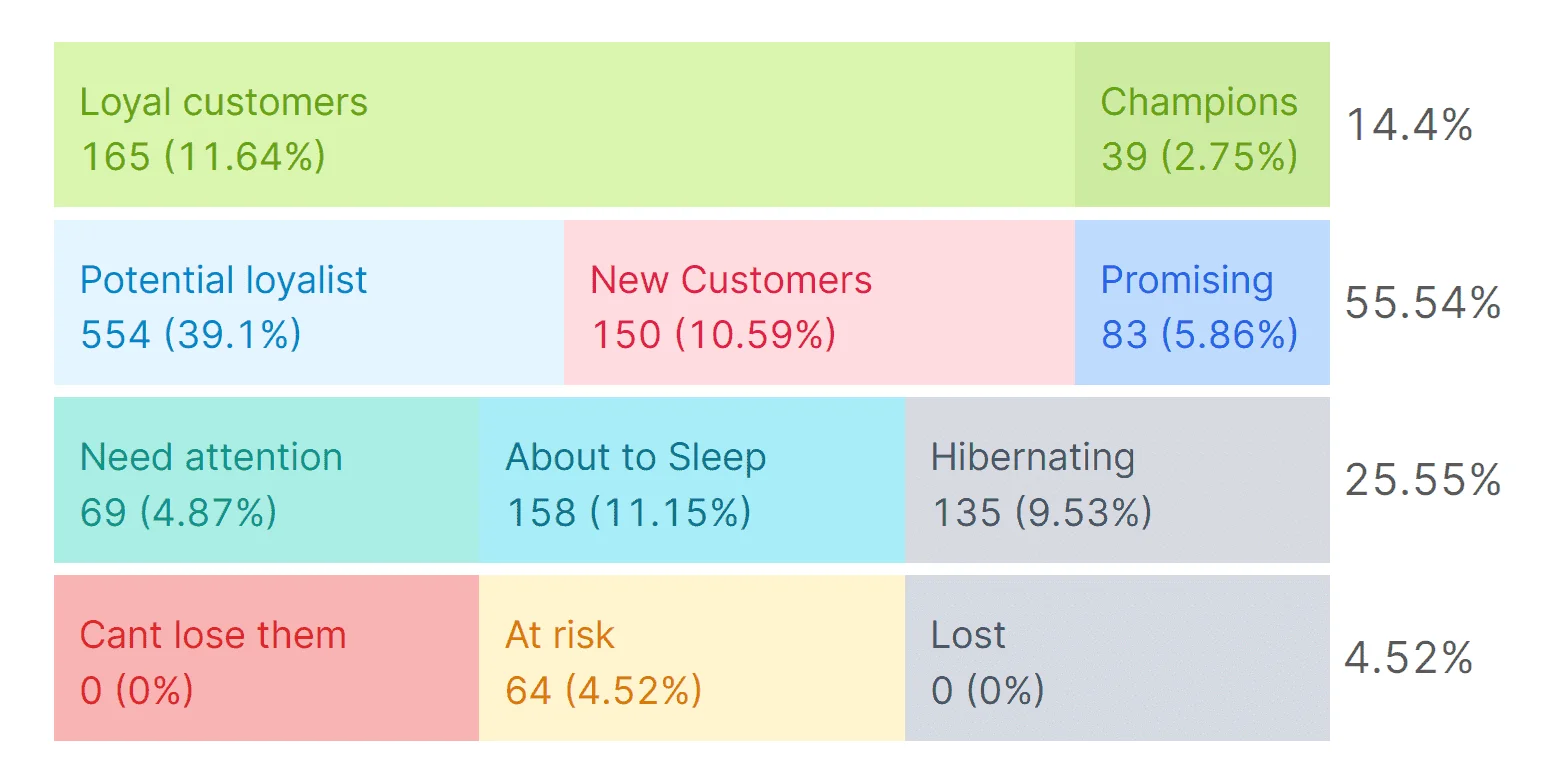
Open the customer view and they are already sorted, and the groups are named in language you can act on without a manual.
- Your Champions are the ones buying often and spending the most.
- Hibernating is where the customers who used to buy and have gone quiet end up.
- Can’t Lose Them is the group worth looking at first on any given Monday, the high value customers who have stopped showing up.
WooCommerce has real, substantial filtering, so this is not about segmentation that WooCommerce lacks. The difference is that nothing needs building. Putler sorts your customers into 11 named groups automatically, based on how recently someone bought, how often they buy, and how much they spend, refreshed daily.
So “who should I be talking to this month” stops being a filter-building exercise you keep meaning to get to, and becomes a question you answer in about a minute.
Exactly how current the numbers are
Main dashboards refresh roughly every 15 minutes. Customer groups refresh daily.
That is automated consolidation, not a live feed. If trust is the thing you are short of, you should have the cadence up front rather than working it out later when a number looks wrong.
What Putler does not do
Putler is a companion analytics layer. It does not run your store, keep your books, plan your inventory, or replace a custom data warehouse.
WooCommerce still runs the store. Your accounting tool is still the source of truth for accounting. Putler is where you go when you want to see the whole business at once, and it is honest about being exactly that.
Where Putler makes the most difference
The gap Putler fills is widest when your data is spread out. So the value shows up fastest if:
- You run more than one WooCommerce store, or one store alongside other sales channels.
- Money comes in through more than one gateway.
- You lose real time each month lining up numbers by hand before you trust them.
- You can quote revenue from memory and have to go looking for everything else.
If you are on a single store and a single gateway, WooCommerce Analytics already covers a lot of ground and we are not going to pretend otherwise.
There are still reasons to look.
A second read on numbers you are not fully certain about. Customer groups you do not have to build yourself. A store that is not going to stay single-source for much longer, and reporting that will already be in place when it does not.
The demo is open either way. Ten minutes with it will tell you more about the fit than another page of us describing it.
Look at it before you commit to it
The live demo needs no signup, no form, no trial to start. Click through it.
It is a real Putler account with sample data in it. Open the dashboards, the customer groups, the multi-store view, and see whether it answers the question you actually came here with.
When it looks like it fits, connect your own WooCommerce store and see your real numbers.