


Etsy Marketplace Insights shows what shoppers search for on Etsy and how many listings appear for those terms. Sellers can use it to compare keywords for a new product or find better wording for a listing they already sell.
Say you make ceramic pet ornaments with the pet’s name on the front. A popular search that mentions a real paw print might look promising in the report. Read the phrase as a buyer would before you add it to your listing. A shopper looking to press their own pet’s paw into clay expects a different product.
Here’s how to read the numbers, choose one tag to test, and check what happened in Etsy Stats.
What Etsy Marketplace Insights shows
Marketplace Insights uses Etsy search data. The tool shows three things that help you narrow a keyword list:
- Searches: How often shoppers searched for the phrase in the period shown. One shopper can search more than once.
- Listings: How many listings Etsy reports for the term. This gives you a sense of the supply buyers can choose from.
- Related search terms: Other phrases shoppers use for similar products. Look for wording that describes your item more closely.
A high search count tells you there is interest in a phrase. A low listing count tells you Etsy reports fewer listings for it. Neither count tells you how many units your listing would sell. If one keyword gets a bump around the holidays, check the trend before using that month to plan demand for the rest of the year.
If you already sell the item, start with words shoppers use to find your shop. In Etsy Stats, go to How shoppers found you → Etsy search. Take one relevant term from that list into Marketplace Insights and compare it with a more specific description.
How to use Etsy Marketplace Insights
- Sign in to Etsy in a desktop or mobile browser and open Shop Manager.
- Select Stats, then Marketplace Insights.
- Enter a phrase that describes one product you sell. Check its searches and listings, look at the trend, and scan the related terms.
- Repeat for two or three variants. Write down the phrase, both counts, and the date range for each so you can compare like with like.
The standard view covers the last 30 days. Etsy documents up to 15 free keyword searches per week, with the remaining allowance shown above the search bar. Free results are available for seven days after each original search. Etsy Plus subscribers get unlimited keyword searches. Etsy’s Marketplace Insights instructions
Some sellers may also see longer date ranges, price ranges based on recent purchases, or a search conversion rate. Etsy says it is testing these features. It is also testing saved searches, week-over-week trends, and sorting related terms by searches or listings. If your account shows search conversion, read it as how often that term leads to an order on Etsy. Your own shop’s conversion rate lives in Etsy Stats. Etsy’s updates for sellers
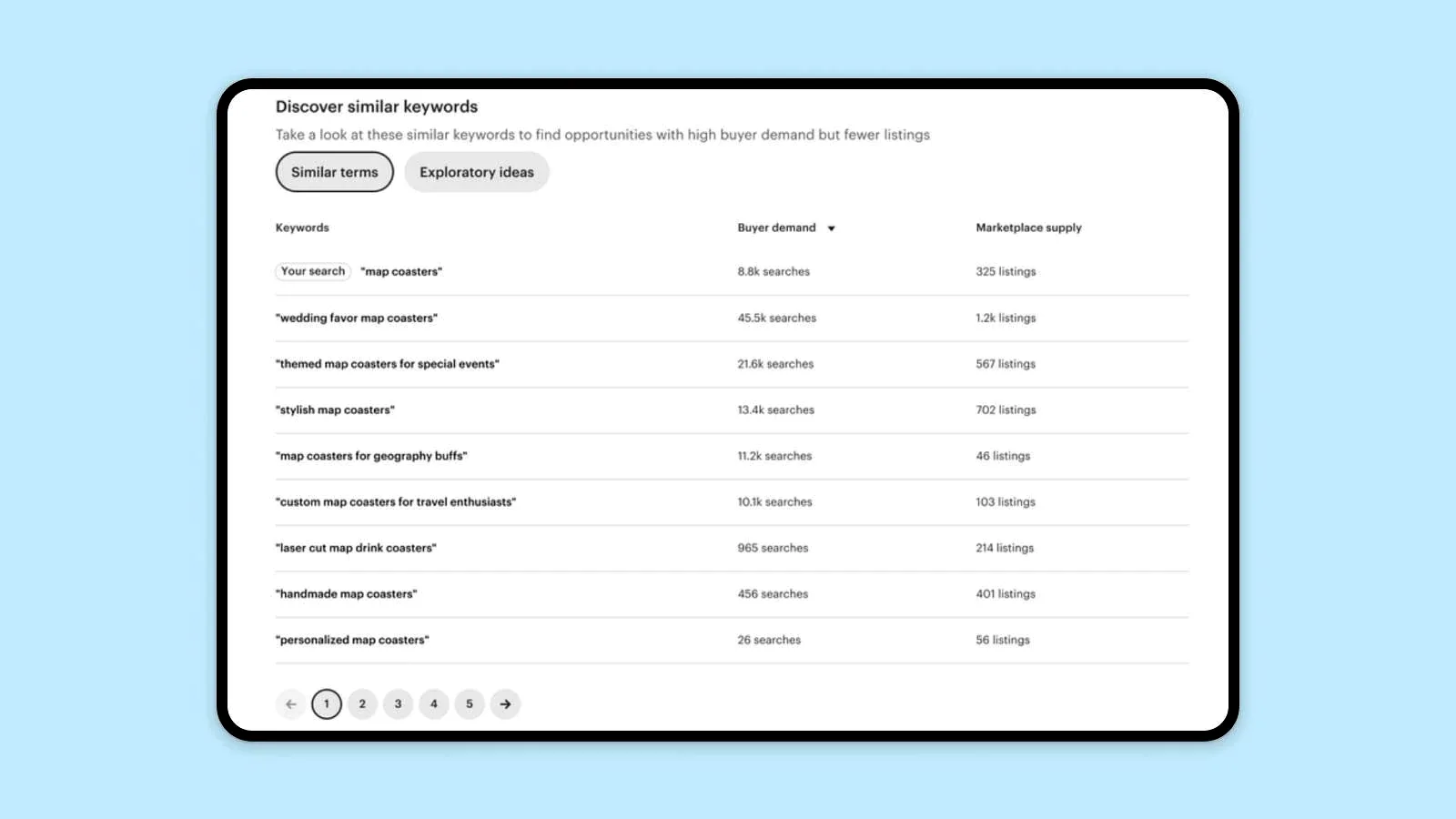
Etsy’s example shows how to read buyer demand and marketplace supply side by side. Source: Etsy Seller Handbook.
Make your free searches count
Use your first few lookups on one product: a plain product name, a phrase that describes its material or style, and a phrase that describes who it’s for. Use the related terms to find the next lookup. Save the promising terms, counts, and date range in your own notes before the free results expire.
If an Etsy count differs from a keyword tool’s number, check the source and time period. For example, a 30-day Etsy count and a third-party estimate based on Google searches measure different audiences. Keep each number with its source. Low activity in one short window is a reason to check a relevant alternative or a different season before you drop an idea. Etsy’s explanation of its search data
Choose one keyword for one listing
Back to the ceramic ornament. It comes with the pet’s name, and it has no space for the buyer to add a paw impression. Compare three searches for the same 30-day window. The numbers below are illustrative.
| Search term | Searches | Listings | Decision |
|---|---|---|---|
| Pet ornament | 2400 | 5200 | Relevant but broad |
| Custom pet ornament | 540 | 780 | Matches the product and its personalization |
| Actual paw print ornament | 900 | 230 | Implies a feature the item lacks |
Custom pet ornament is the best fit in this example. Someone searching for it can reasonably expect an ornament personalized for their pet. That paw-print term has more searches and fewer listings, yet it would bring shoppers looking for something this item cannot deliver.
Open the more relevant searches on Etsy and scan what shoppers can actually buy. Compare finished ornaments with kits, digital templates, or other products mixed into the results. That quick check helps you spot what the listing count includes. Use the results to understand the offers buyers see. Etsy can show different listings to different shoppers, so your own search is a poor way to check where your listing ranks. How Etsy Search works
If the wording is missing from your tags and attributes, replace one less descriptive tag with custom pet ornament. It fits Etsy’s 20-character limit. Record the listing, the old tag, the new tag, and the date you made the change. Keep the other tags, title, photos, and price steady during the comparison. Etsy’s guidance on keywords and tags
Example change log: Pet-name ornament · 15 October · replace holiday gift with custom pet ornament. Compare 1 to 14 October with 16 to 29 October. Both windows contain 14 complete days and leave out the edit date.
Check the same listing in Etsy Stats
From the Etsy dashboard, open Shop Manager → Stats and scroll to Shoppers viewed your listings. Find the ornament and write down its views and orders for an equal period on each side of the edit. If you need more context, Etsy also shows favorites and revenue for each listing. Use two complete windows of the same length and skip the edit day if the change happened partway through it. Etsy’s guide to shop and listing stats
For example, suppose the listing went from 42 views and two orders in the first 14 days to 58 views and two orders in the next 14. The listing was viewed more times, and the order count held steady. At that volume, keep watching before crediting the tag or changing the listing again. Check whether an ad, a sale, or a seasonal spike also landed in the second window.
If you keep seeing more views without more orders, open the listing as a shopper. Does the first photo show the name customization clearly? Can you tell what the price includes? If views stay flat, check the listing in Etsy’s Search Visibility dashboard before replacing another tag. Etsy’s guide to the Search Visibility page
If you have a similar ornament listing you didn’t edit, check it over the same dates. If views rose on both listings, the shop may have caught a wider increase in interest. If views rose only on the edited one, it’s worth watching for longer. Use an unchanged listing as a point of comparison and jot down anything that changed on either listing during the period.
Etsy Stats gives you traffic and listing data. If you connect Etsy to Putler, you can also review orders and product sales from that shop in Putler. For more on your shop’s traffic and sales metrics, see the Etsy analytics guide.
Use Marketplace Insights before you make a new product
Suppose the ornament results suggest a pet memorial version. Before ordering materials, inspect comparable finished products. Check what buyers receive at the displayed price, including personalization, size, and shipping. Use that range to estimate whether you could sell the ornament at a price that covers your costs.
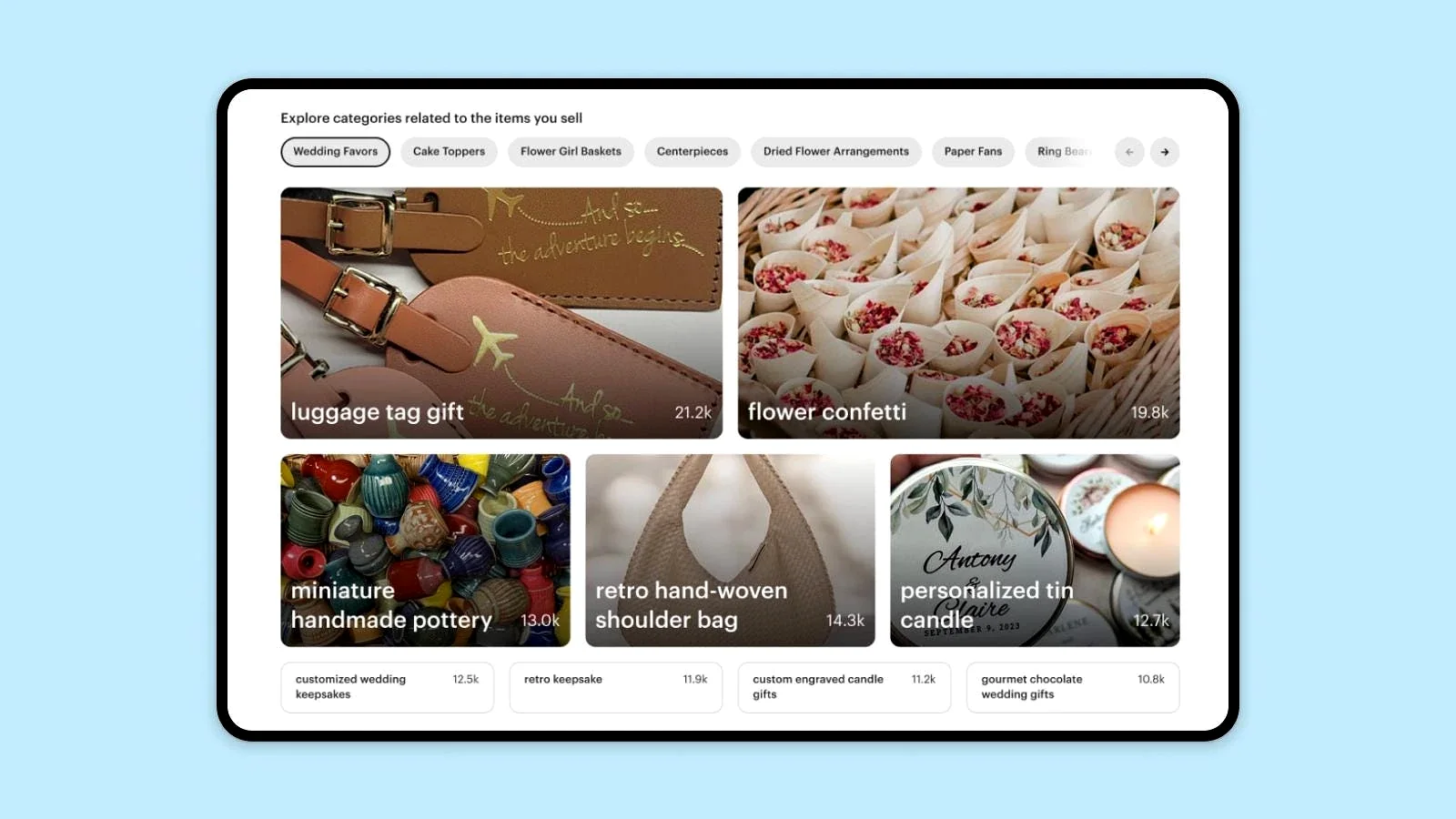
Etsy’s category example shows how to browse product ideas before looking up a specific term. Source: Etsy Seller Handbook.
Here’s a simple example. A $24 customer payment leaves $6 if materials, labor, and packaging cost $11, shipping costs $4, and your estimated Etsy fees total $3. That $6 is what remains before ads, returns, or other overhead. Use your own costs and applicable fees before deciding what you can afford to test. Etsy’s fee guide
Check whether interest is seasonal and whether you can make and deliver the item in time. Etsy’s own seasonal reports compare recent data with the same period a year earlier. If your view covers only 30 days, keep a dated record and check again before committing to a large batch. Confirm that the product and wording fit Etsy’s rules before you list it. Etsy’s seasonal trend report · Etsy’s Creativity Standards
If the product still looks viable, try a small batch or a made-to-order listing with a realistic processing time. Pick a date to review actual orders and what each order left you after costs. Use those results to decide whether to restock.
FAQ
Can you use Etsy Marketplace Insights in the seller app?
Etsy documents access to Marketplace Insights in desktop and mobile web browsers. On your phone, sign in to Etsy in a browser and go to Shop Manager → Stats → Marketplace Insights.
How many free searches do you get?
Etsy documents up to 15 free keyword searches per week. Check the counter above the search bar for your remaining allowance. Etsy’s Help page gives a weekly limit and says results remain available for seven days from the lookup. It doesn’t specify a universal reset day.
How is Marketplace Insights different from Etsy Stats?
Marketplace Insights shows searches and listing counts across Etsy. Etsy Stats shows activity for your own shop and listings, including views, orders, and revenue.