


To open your Etsy dashboard, sign in to Etsy.com and select Shop Manager, or use the Etsy Seller app on your phone. The dashboard shows shop tasks, orders, messages, and a snapshot of your performance.
Use this guide to find your seller dashboard, understand each section, and tell the difference between sales revenue and money available for deposit.
How to access your Etsy dashboard
On a desktop or mobile browser, sign in to the account that owns your shop and select Shop Manager. Etsy opens the shop dashboard. On a phone, the Etsy Seller app provides access to shop management tools. Use the browser when you need settings or downloads unavailable in the app.
- Desktop or mobile browser: Open Etsy Shop Manager. If prompted, sign in with your seller account.
- Etsy Seller app: Sign in with the same account you use for your shop. This is separate from the Etsy shopping app.
- Returning later: Bookmark the Shop Manager link so you can reach it directly.
If Shop Manager is missing
Check that you’re signed in to the account associated with your shop. A different buyer account won’t show that shop’s tools. If you’re still setting up a shop, complete the steps Etsy presents before expecting an active seller dashboard. For a page that won’t load, try the direct link in a browser and check Etsy’s support guidance before changing account settings.
Use the Etsy Shop Manager sections
Start with tasks that need action, then check Stats for trends. Etsy’s dashboard guide explains the overview; individual sections provide the detail needed to act.
Etsy dashboard
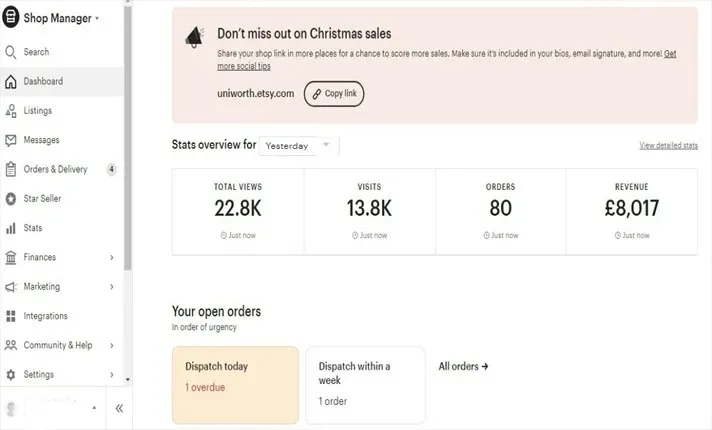
The Etsy dashboard opens when you enter Shop Manager. It’s a compact overview of your store’s pulse, with your most recent sales report front and center for a quick health check.
The dashboard also surfaces Today’s top tasks that prioritizes what needs attention first, such as an unanswered message or a listing about to expire. Below it you’ll find shop reminders, stats on views, visits, orders, and revenue, and links to timely Etsy education. It’s built to tell you what to deal with next.
Search
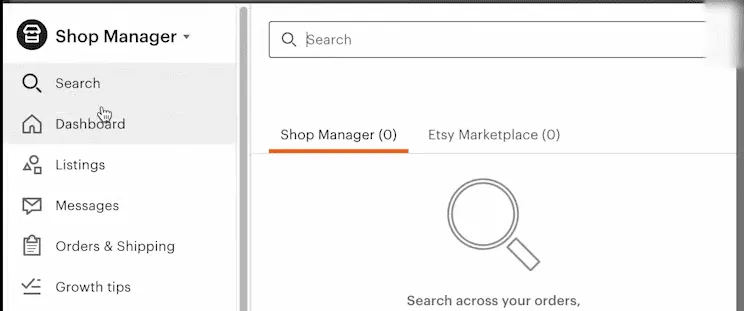
Use the search and filters available within the relevant section to find a listing, order, or conversation. The options vary by section; check that you are searching the right area before assuming a record is missing.
Listings
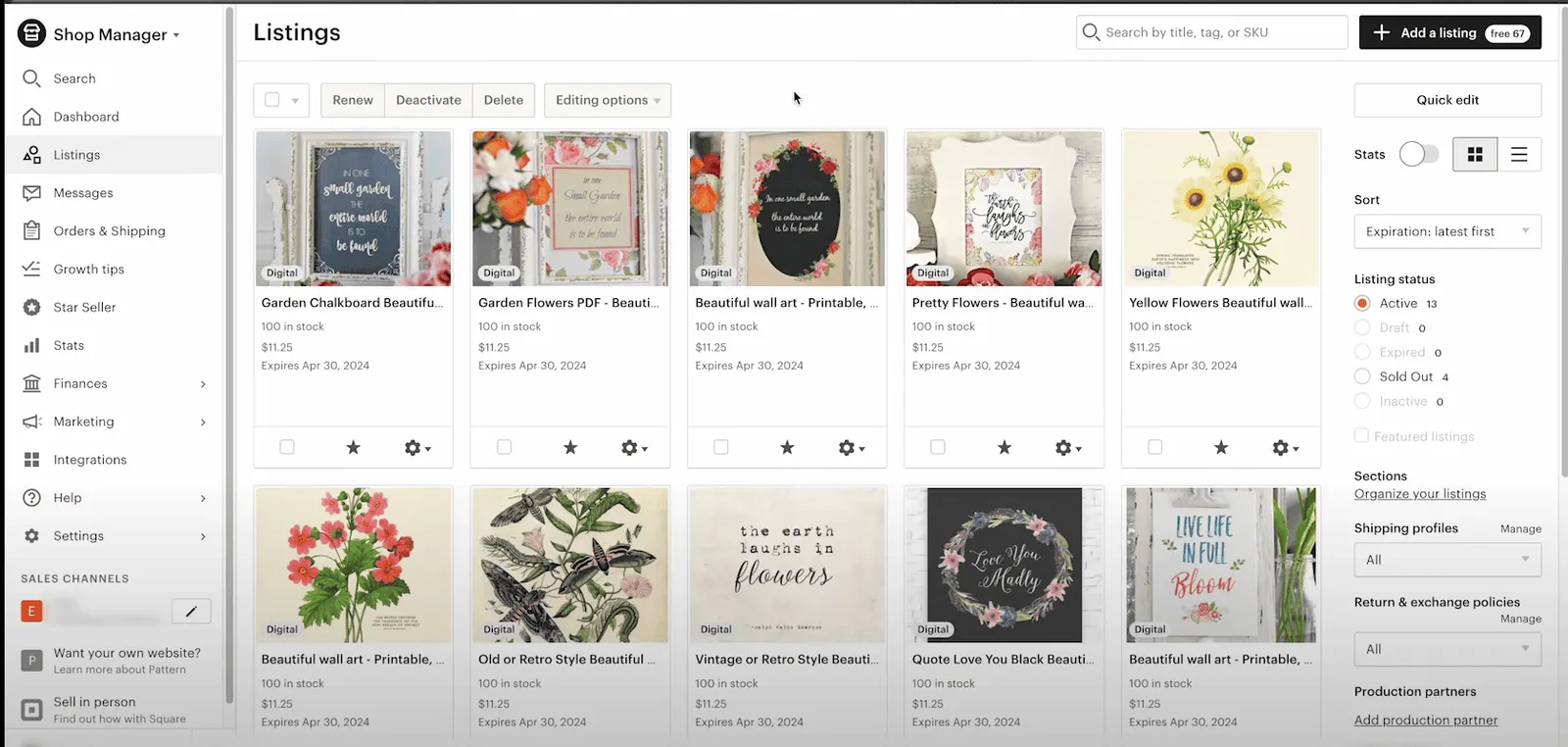
The listings page is the main event in the Etsy dashboard, a single place for all your product offerings. Select one or more items and a set of action buttons appears up top:
- Renew: Listings expire every 4 months if not sold, and renewing puts them back into rotation. Each renewal costs $0.20. There’s an “Automatic Renew” setting to skip doing it manually.
- Deactivate: Hides a listing temporarily without deleting it.
- Delete: Removes a listing. Use Deactivate when you only want to hide an item temporarily.
Clicking a listing opens an editing page loaded with details. This is the same place you create listings from scratch when you hit “Add a new listing.”
On the right side, filters like “Expired” resurface sleeping listings so you can renew in bulk. Select the listings you want to renew and use the available renewal action; review the fees before confirming. And the “Stats” button drops down an analytics report for any listing right from the Etsy dashboard.
Messages
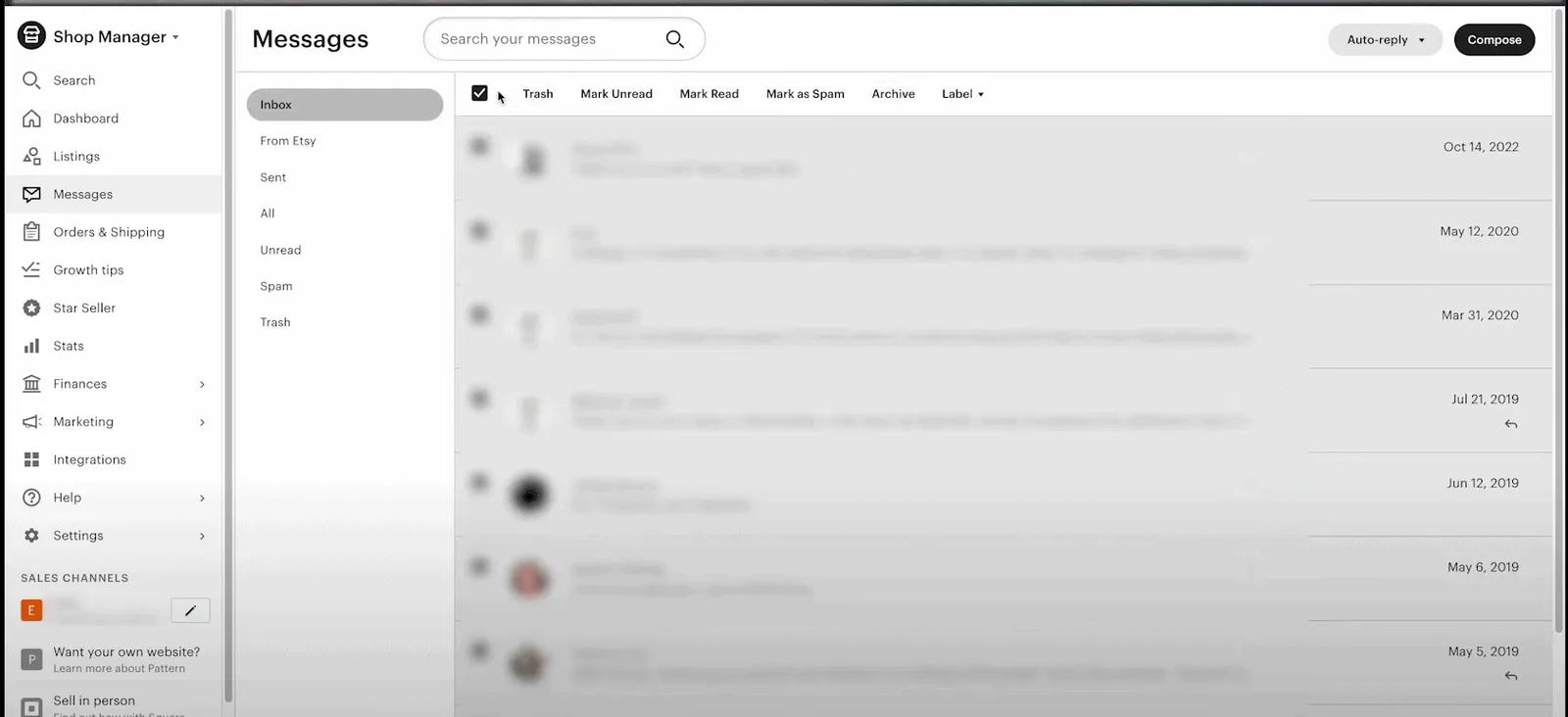
The Etsy Shop Manager also handles customer communication. This is where buyer questions and comments land, and it’s worth treating as more than an inbox. A short thank-you note after a purchase and a timely reply to questions both build the buyer relationship.
There’s a practical reason to stay on top of it too: replying to new messages within 24 hours is one of the criteria for keeping a Star Seller badge.
Orders and delivery
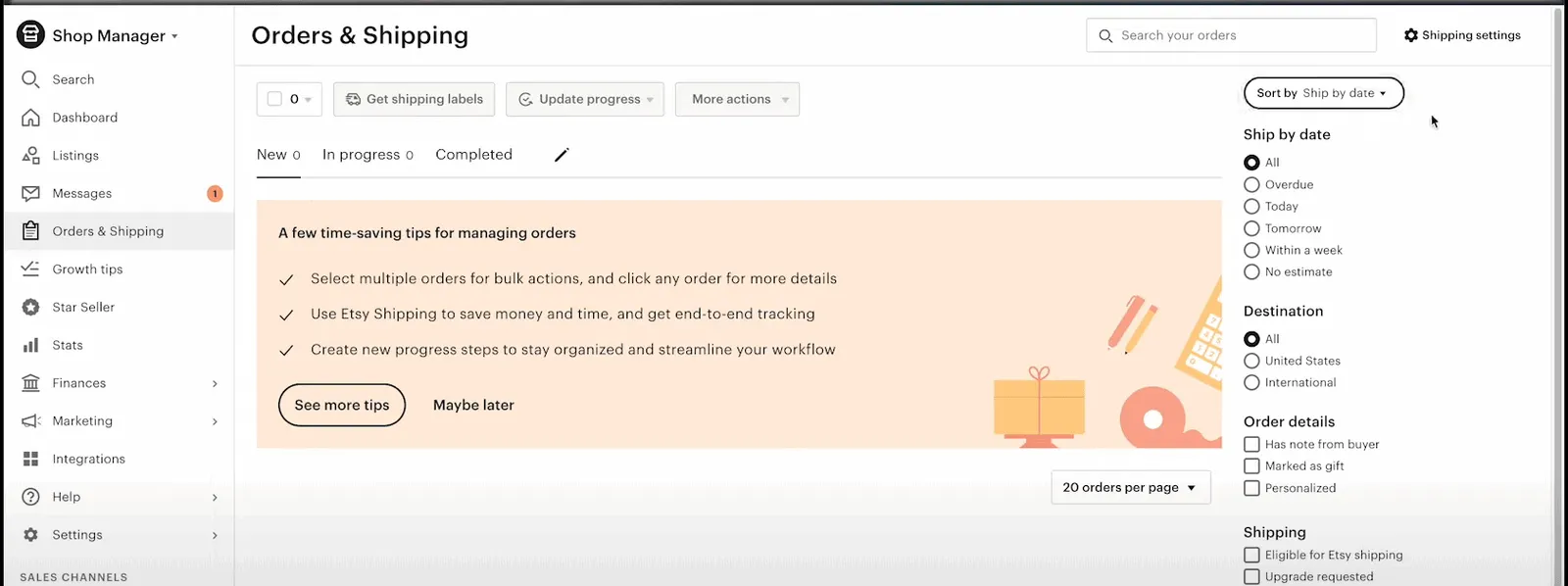
This page is command central for order management. When a new sale comes in, this is where the action happens. Once you’ve prepped and shipped an order, click it and mark it “Completed,” which notifies the buyer their package is on the way and flips the status on both ends.
Closing out orders properly keeps sales tracking and buyer communication clean. Marking orders shipped on time also protects your shop score, since late-shipment flags hurt it. For a deeper look at order management, see the complete guide to Etsy orders.
Finances
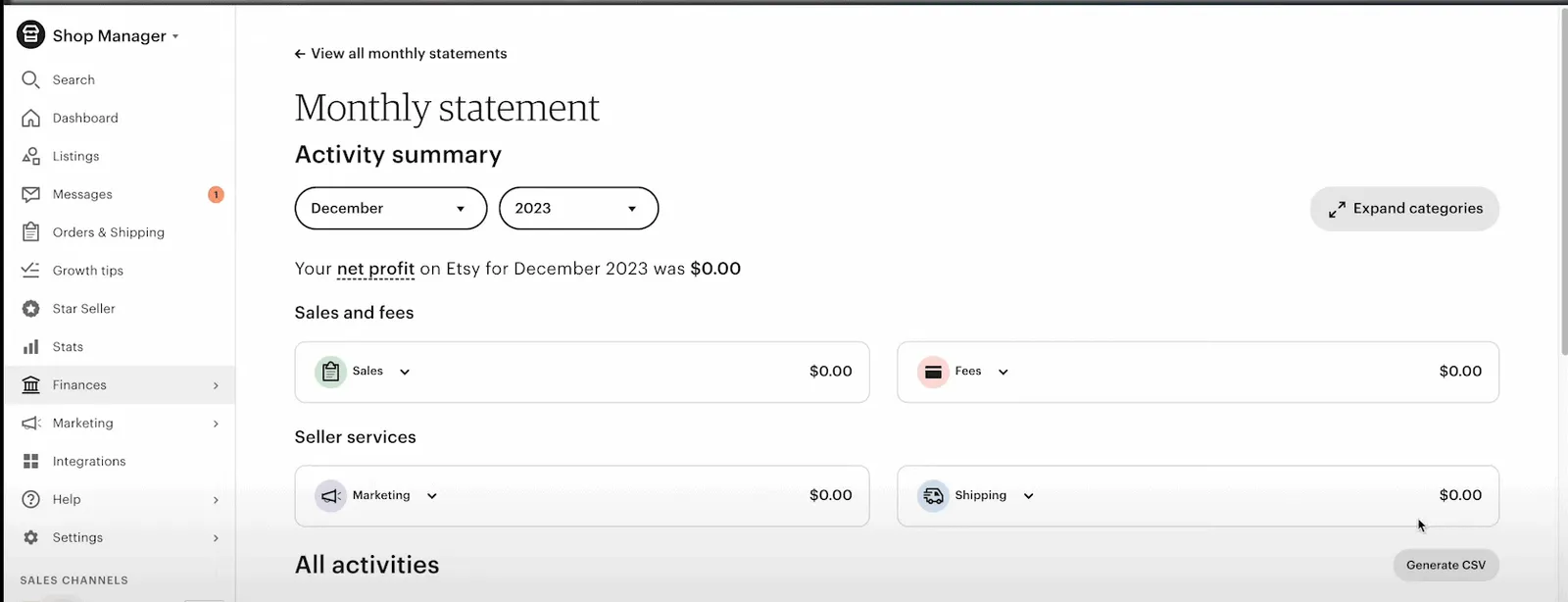
The Finances section splits into three parts.
Payment accounts: Here you can check your projected payout for the upcoming deposit, a detailed breakdown of each transaction with Etsy’s cut, a visual graph of income against expenses, and a customizable date range (the current month is the default).
Payment settings: The core money logistics you set up initially, organized into tabs:
- Payment methods for banking details
- Shop currency settings, which can differ from your payment account currency
- Billing info for anything Etsy invoices you
- Business address for correspondence
- Tax withholding setup (don’t skip this one)
Legal and tax info: Keep the details Etsy requests for your shop current. Requirements depend on your location and circumstances, so sellers outside the US should not assume this section is irrelevant. Follow any verification notice and deadline shown in Shop Manager. See Etsy’s seller information guidance for the process.
Marketing
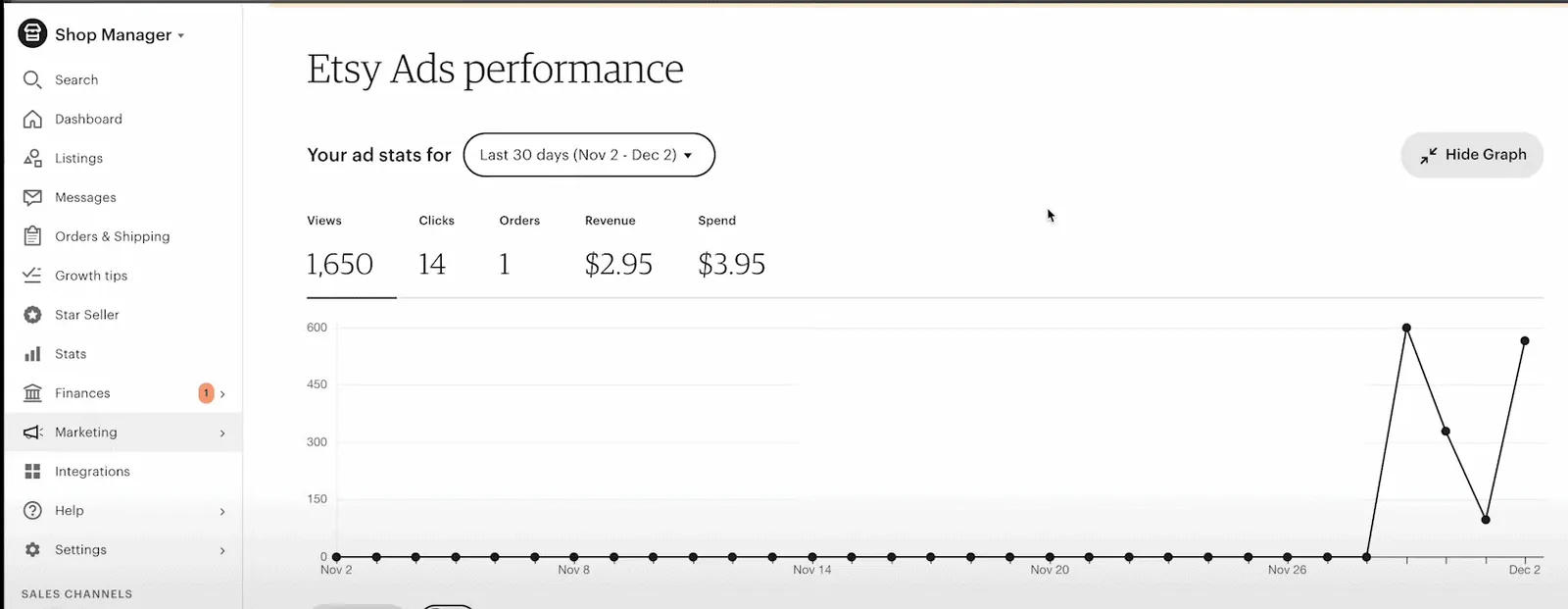
The Etsy seller dashboard includes built-in tools to boost your listings’ visibility.
Search terms and visibility: Review search terms in Stats to understand how shoppers found your listings. Use Etsy’s search visibility page for listing, shop, and customer service recommendations.
Sales and coupons: Run promotions and sales through Etsy, and create custom coupon codes to grab buyer attention.
Social media: Use the sharing options available in your account to promote listings. Check the supported networks before planning a campaign around a particular connection.
Integrations
Etsy connects with other platforms and tools through integrations, which cut down on repetitive admin. For example, accounting integrations like QuickBooks let your transaction history flow into your books without manual entry.
The integration options in the Etsy shop dashboard keep growing to cover analytics apps, inbox managers, and more, so you spend less time on admin and more on strategy.
Read your Etsy Stats
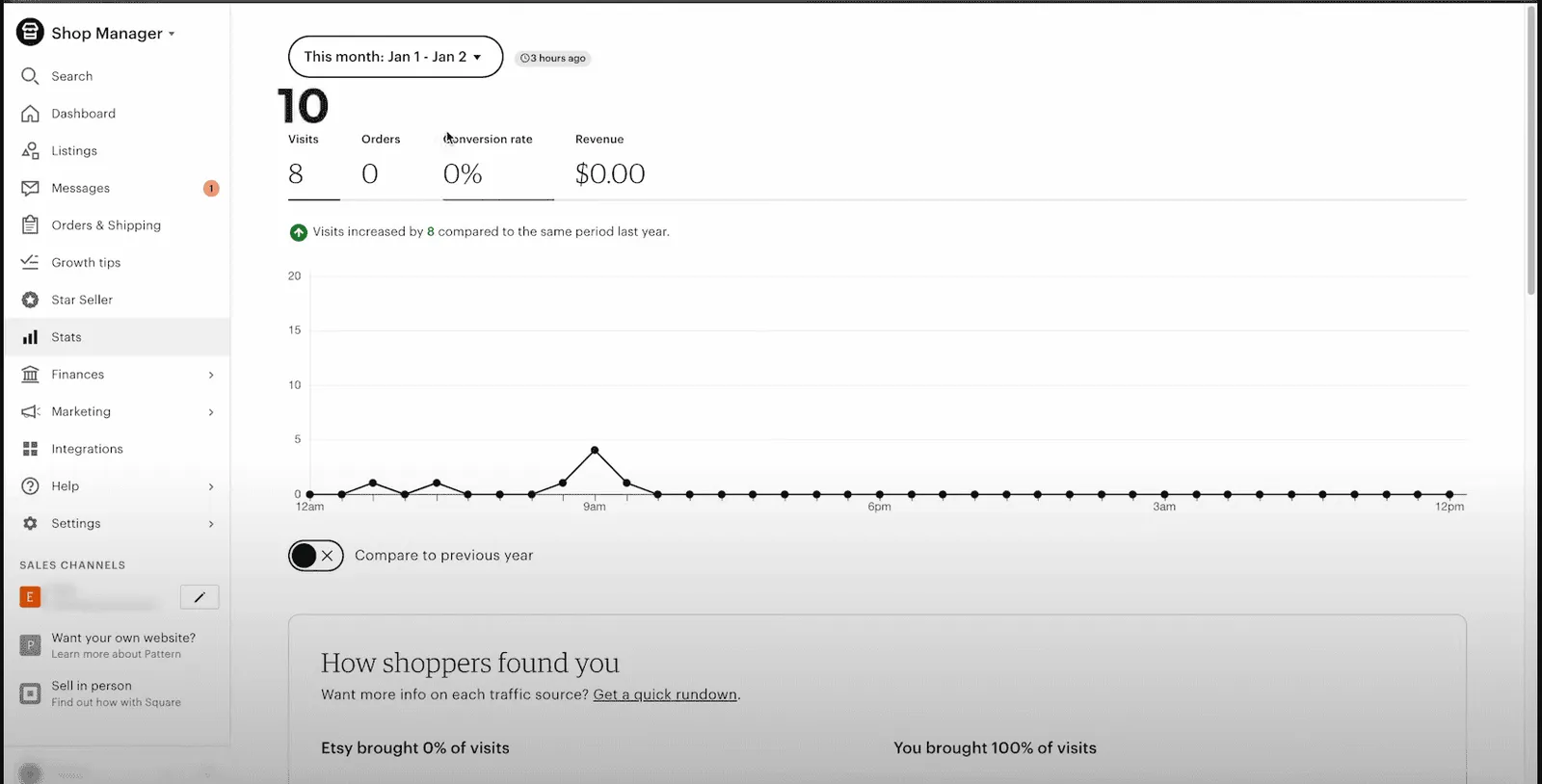
Keeping tabs on your shop’s performance is essential to growing sales, and the Etsy Shop Manager provides a dedicated Stats section for it.
Accessing Etsy Stats: Log in and go to Etsy Shop Manager > Stats.
The main metrics:
- Visits: Visits to your shop or listings during the selected period.
- Orders: Total sales completed within the period.
- Conversion rate: Percentage of visitors who completed a purchase.
- Revenue: Sales minus discounts, rather than profit or your next payout. Etsy’s Stats revenue does not deduct selling fees or shipping costs. Check the official revenue definition before comparing it with your Payment account.
You can also compare current-period metrics to the same period last year if you’ve been operating that long.
Visits vs views: These sound alike but measure different things.
- Visits = number of unique people who checked out your listings or storefront
- Views = total times your listings were viewed, including multiple views by the same person
How shoppers found you: This breakdown shows where your traffic came from in the selected period. The main buckets are:
- Etsy - visitors from Etsy’s search, app, browse pages, and marketing.
- You - visitors you drove through social media, paid ads, and your own channels.
Watching these regularly helps you spot trends, drop-offs, and chances to optimize your listings and marketing. For a broader look at Etsy analytics tools, check out this guide.
Vacation Mode
Vacation Mode (called Holiday Mode in some regions) lets you pause your shop when you can’t run it, without closing it permanently. Find it under Shop Manager → Settings → Options → Vacation Mode.
When it’s on, your listings are hidden from Etsy search and from your storefront, and buyers can’t place new orders. A banner appears on your shop page, and visitors can sign up to be emailed when you return. You keep access to orders, cases, and messages, and you can still edit listings, issue refunds, and print shipping labels.
Two things to know before switching it on. First, if auto-renew is on, those listings still get charged the renewal fee while you’re away. Second, buyers cannot discover or purchase those listings while the shop is paused; avoid promising a fixed recovery time after reopening. For a quick pause of just a few products, deactivate those specific listings instead of closing the whole shop.
Know when Etsy Stats is enough
For daily shop management, start with Etsy’s own tools. Etsy Stats includes listing performance, traffic sources, search terms, visits, orders, conversion rate, and revenue. It offers more than a single sales total.
The gap becomes clearer when you need customer purchase segments or consolidated reporting across separate shops and selling platforms. Etsy Stats does not replace a report that brings those connected sources together. For a closer comparison, see Etsy analytics limitations.
Compare sales across shops and channels
If you need consolidated sales and customer reporting, Putler can bring connected commerce sources into one view. Continue using Etsy Shop Manager for listings, messages, and shipping. Analytics does not replace those shop operations.
Etsy segmentation
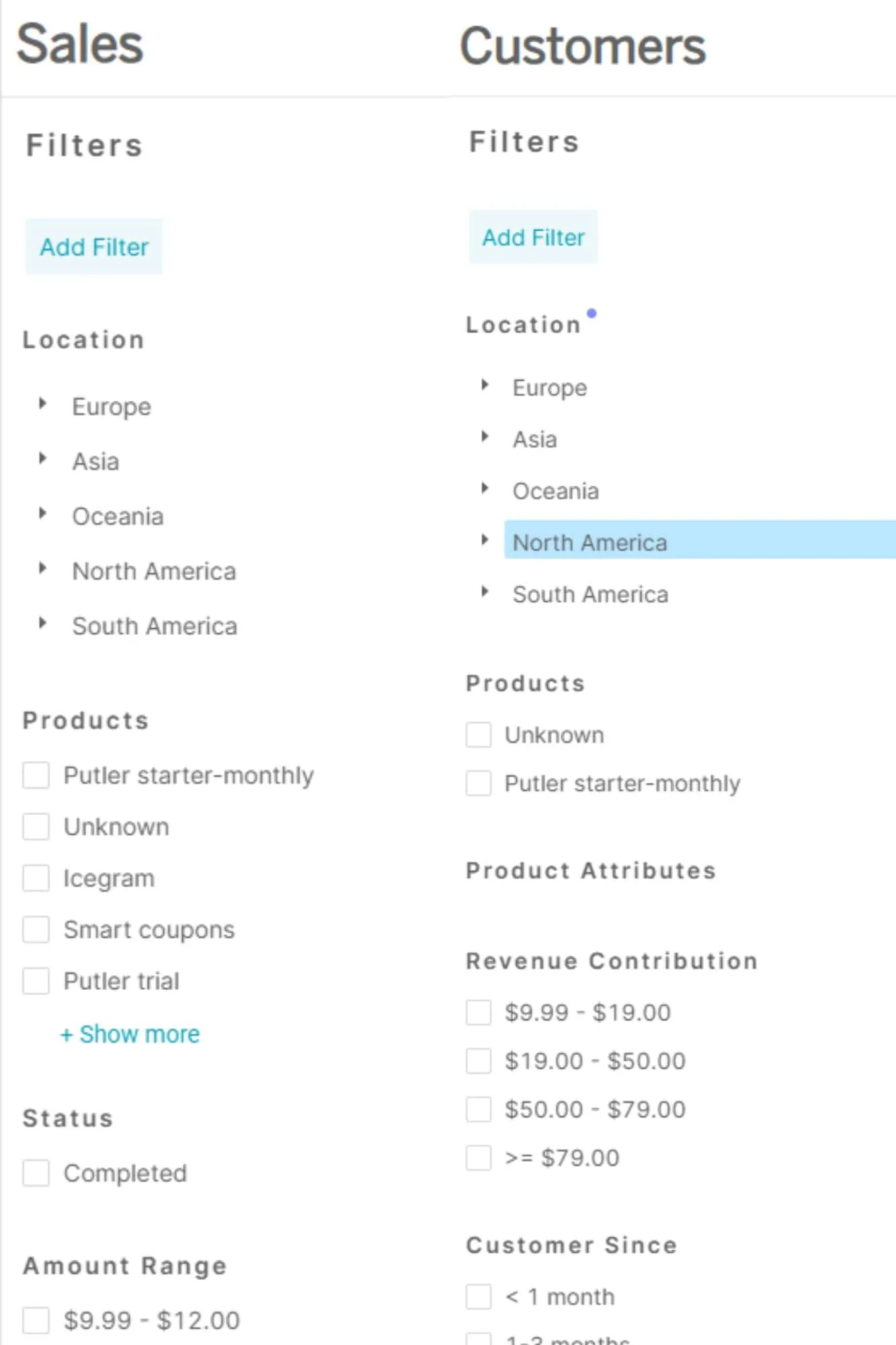
One of Etsy’s biggest analytics gaps is the lack of meaningful segmentation. Putler makes it easy to use advanced filters to group your audience many ways: by location, purchase behavior, customer type, and more. That segmentation power lets you run targeted campaigns for different buyer personas.
Individual customer 360° view
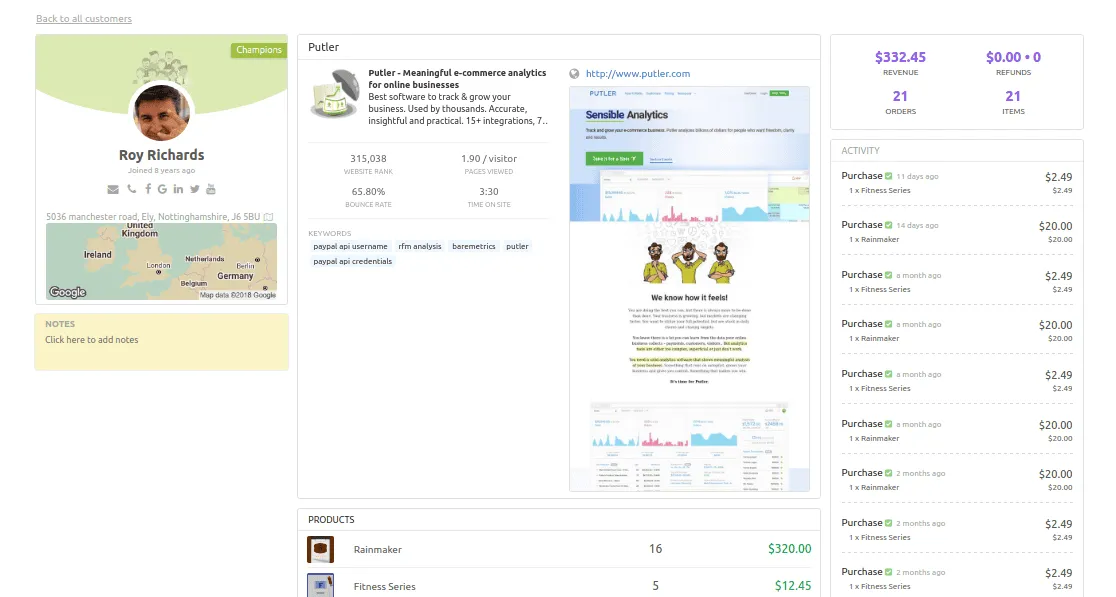
Customer profiles bring together available purchase history from connected sources. Use that history to understand repeat purchases; contact fields and transaction details depend on what each source supplies. Do not assume an Etsy connection reveals every customer field or browsing activity.
Multiple Etsy stores
Whether you run multiple Etsy stores or want to expand to other platforms, Putler collects data from every source for a complete view of your business. It integrates across 17+ revenue channels.
Connect eCommerce platforms like Shopify, WooCommerce, eBay, Amazon, and Etsy. Integrate payment processors such as PayPal, Stripe, Authorize.net, and Braintree. You can even link Google Analytics, email tools like MailChimp, and custom data sources. With Putler, all your data streams come together into one unified dashboard.
Review available location data
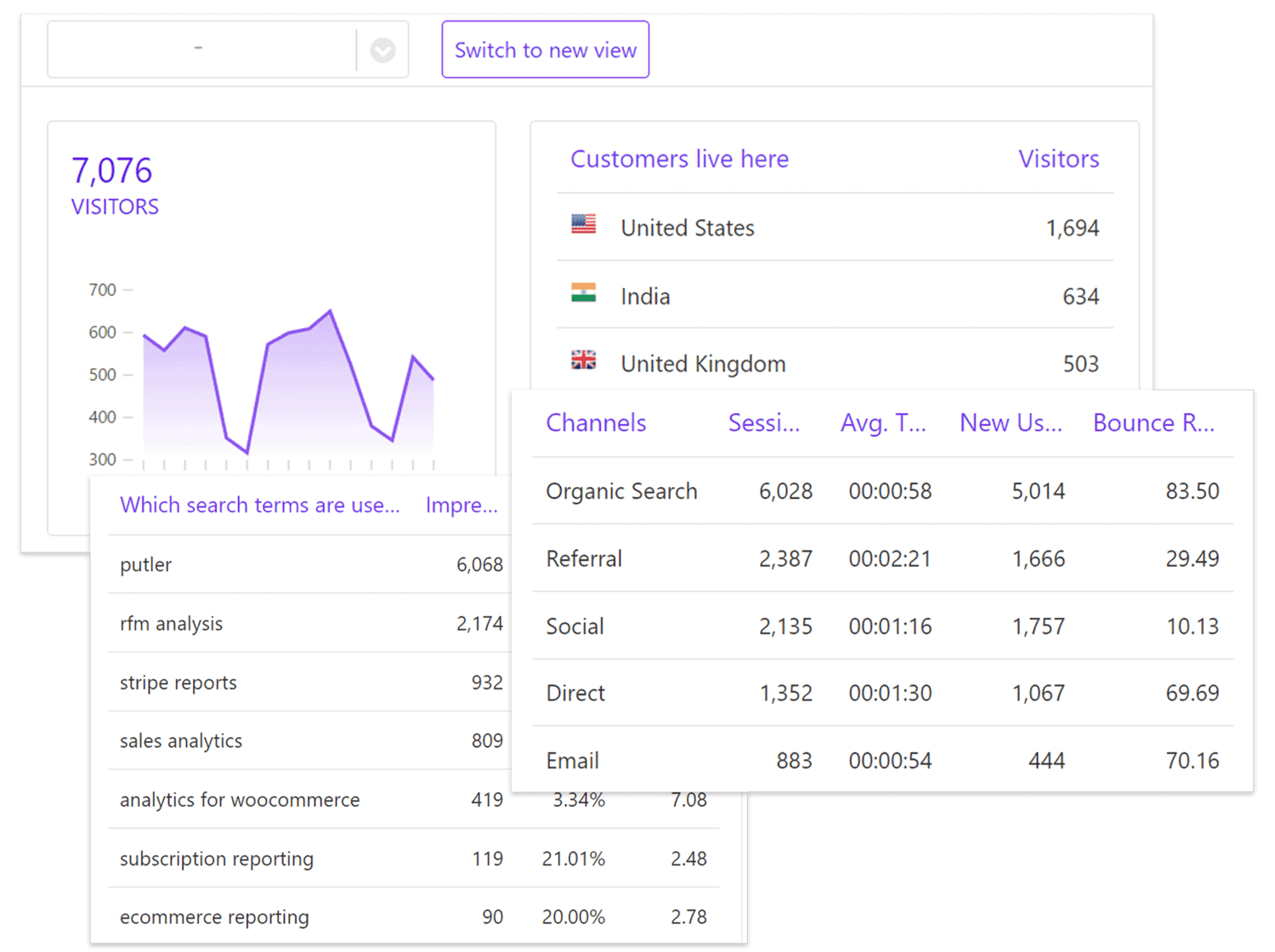
Use available location information to compare customer sales by region. Keep purchase data separate from website audience reports: an Etsy connection does not by itself establish a customer’s age, interests, device, or social affinities.
RFM segmentation
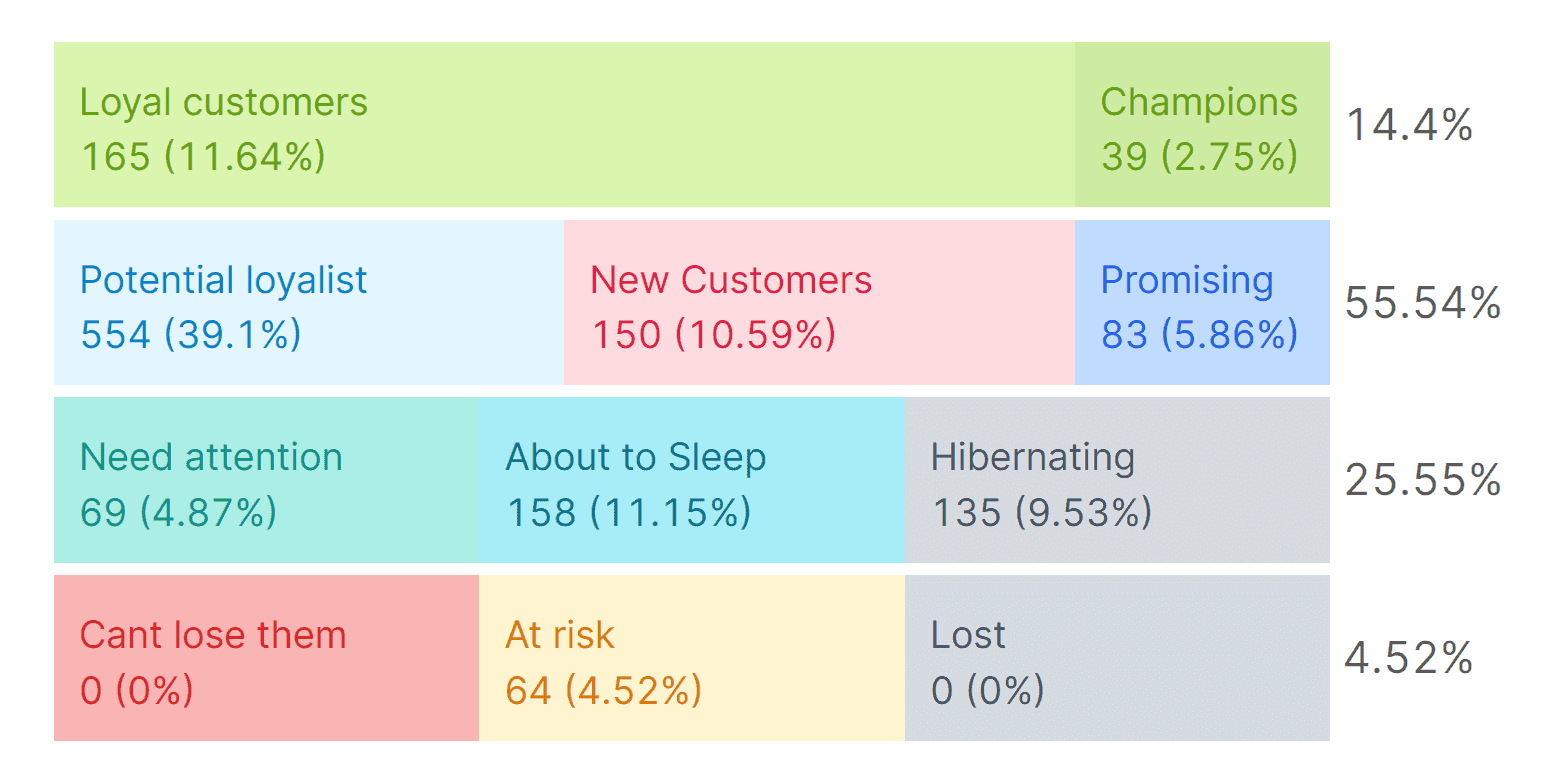
Putler’s RFM (recency, frequency, monetary) analysis segments customers by their purchasing behavior. It highlights your most valuable buyers for focused upsell campaigns, and those at risk of churning so you can launch win-back flows. It’s a strategic way to maximize customer LTV and retention.
Sales heatmap
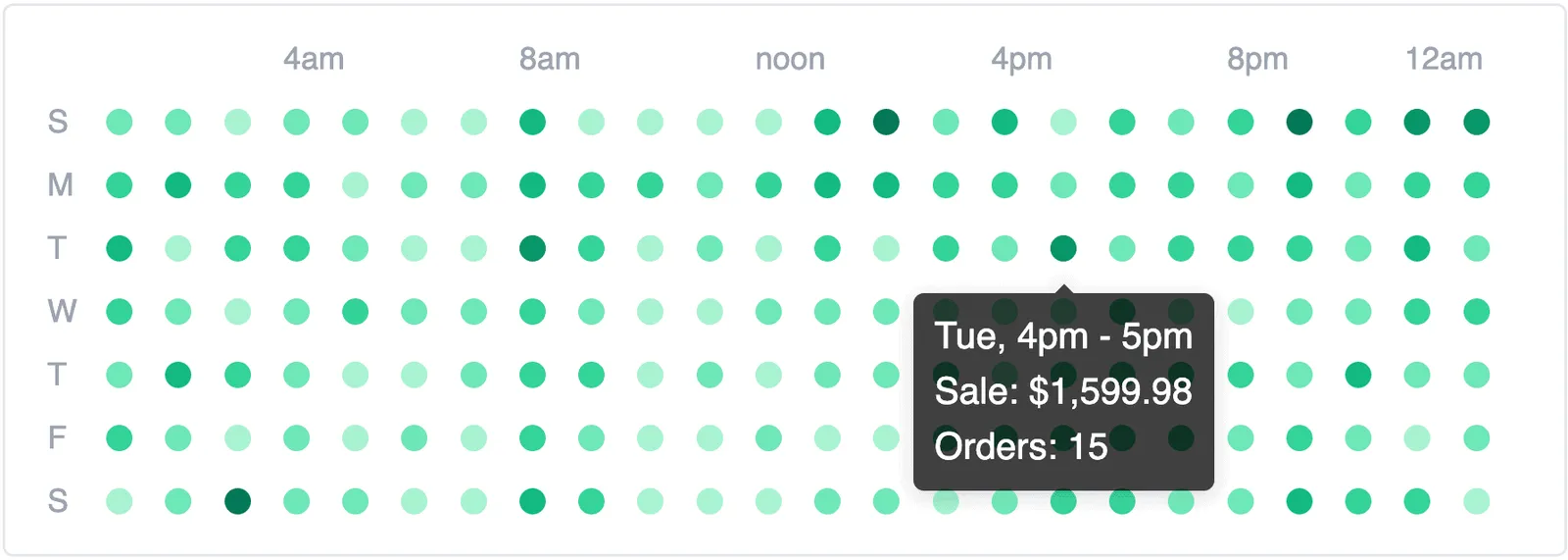
Putler’s Sales Heatmap shows when recorded sales occur, so you can compare busy and quiet periods. A sales pattern alone does not prove the best time to run a promotion.
Upsell and bundle opportunities
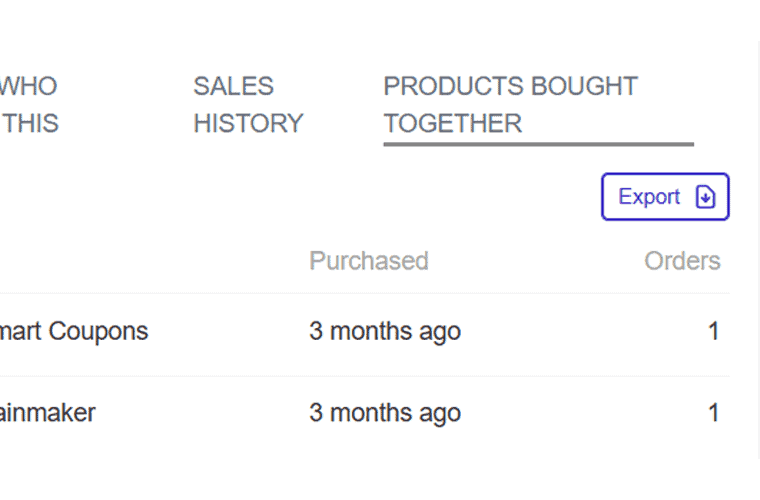
Within the Products dashboard, Putler analyzes which items customers frequently buy together, so you can spot prime upsell and bundle opportunities. A few simple bundles can lift your average order value.
Multi-currency support
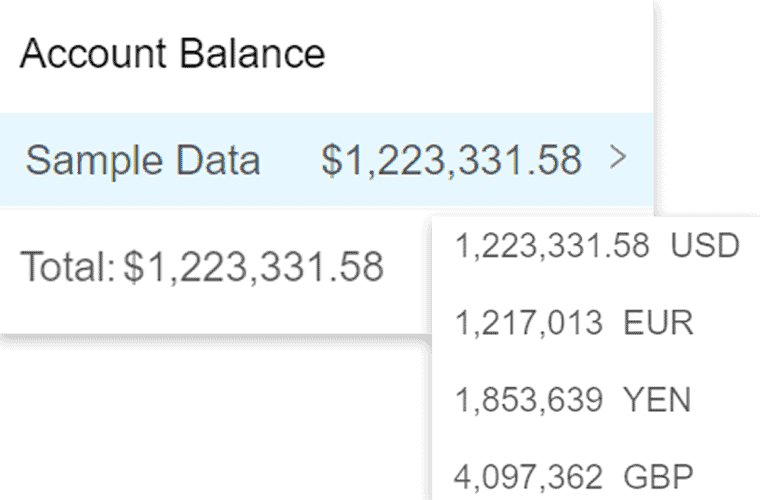
For Etsy sellers operating globally, Putler supports 36+ currencies out of the box. That means accurate, consistent sales data across regional markets without manual conversions, which keeps financial reporting clean.
Use dedicated performance dashboards
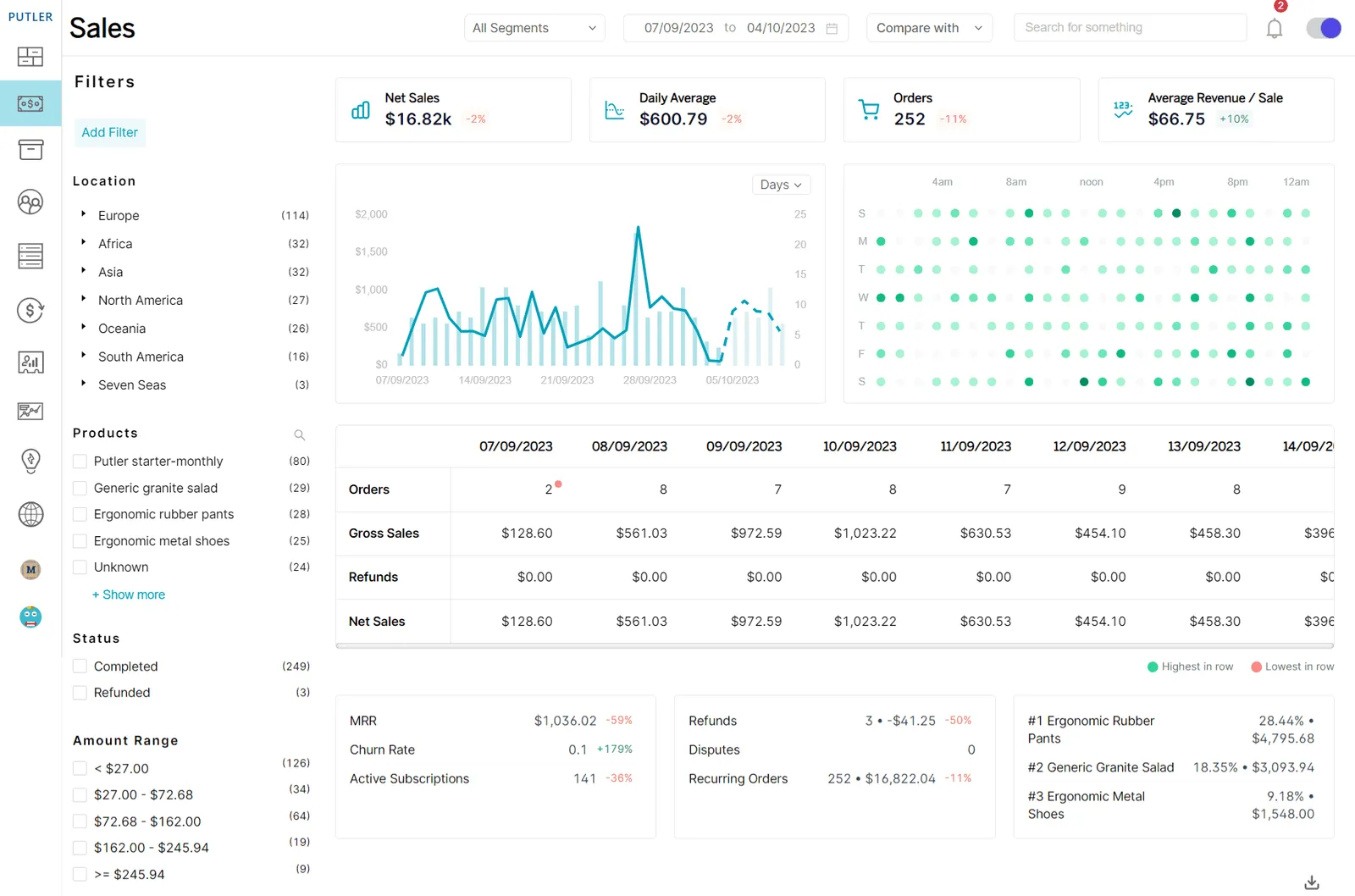
Use separate reporting views to examine sales, customers, products, and transactions without confusing those figures with shop-management tasks.
Revenue forecasting
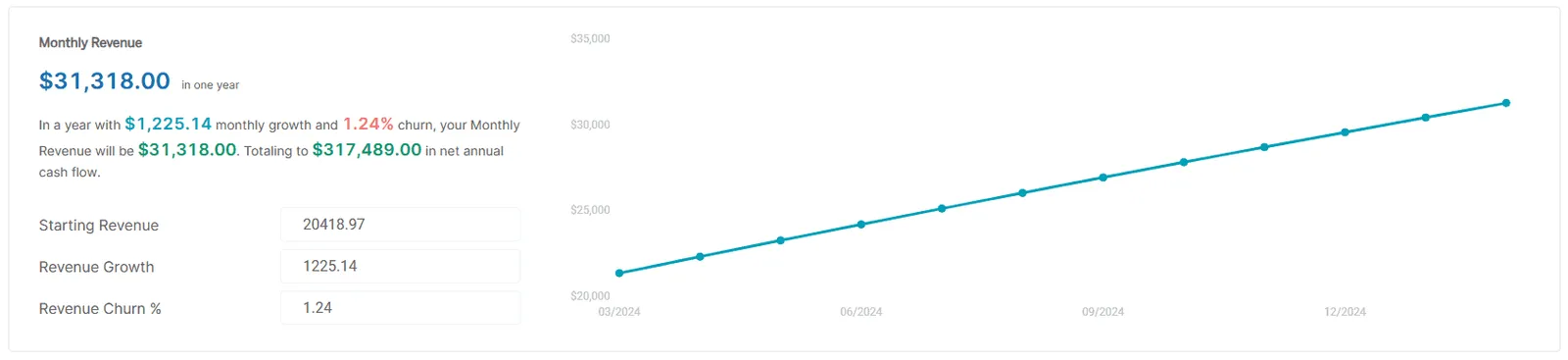
The Revenue Forecasting model predicts monthly revenue for the upcoming year, taking into account current revenue, its growth, and any potential reductions. That gives you actionable insight into future finances, so you can plan more effectively.
Compare the reporting tools against the questions your shop actually needs to answer before adding another subscription.
For help evaluating your reporting needs, book a free consultation.
Keep daily management simple
The Etsy dashboard covers everything from checking stats to managing listings, orders, and finances, and knowing each section well keeps your shop running smoothly. For sellers who want to go beyond the basics, a tool like Putler adds the depth and multi-channel visibility Etsy’s native analytics leave out.
FAQ
Where is Shop Manager on Etsy?
Sign in to Etsy.com with the account that owns your shop and select Shop Manager. You can also use the direct Shop Manager link near the start of this guide. If it is missing, check the signed-in account and whether shop setup is complete before creating another account.
Can I use my Etsy seller dashboard on a phone?
Yes. You can open Shop Manager in a mobile browser or use the Etsy Seller app. The Etsy shopping app serves a different purpose. If you cannot find a setting or export in the seller app, check the browser version for the task you need to complete.
Why is Etsy Stats revenue different from my deposit?
Stats revenue and available-for-deposit amounts measure different things. Stats revenue is based on sales minus discounts, while the Payment account reflects account activity such as fees and other adjustments. Check the same date range and review Payment account details when reconciling a payout; neither figure alone is your profit.