
Customer segmentation tools group your customers into meaningful segments based on behavior, demographics, purchase history, and more, so you can market to each group with precision instead of treating everyone the same.
The right tool depends on what you’re segmenting for: revenue and RFM, product usage, email engagement, or web behavior. This article compares 11 of the best customer segmentation tools for 2026, what each does well, where each falls short, and roughly what each costs.
Every tool here is grouped by the kind of segmentation it’s built for, so you can match the tool to the job instead of forcing one tool to do everything.
What to look for in customer segmentation tools
Not every customer segmentation tool solves the same problem. Before comparing them, it helps to know what separates a strong one from a weak one.
- Data source coverage: the tool should read from where your customer data actually lives, whether that’s your store, payment gateway, email platform, or product analytics.
- Segmentation depth: basic tools split by one attribute at a time. Strong ones combine behavior, recency, frequency, spend, and demographics into layered segments.
- Actionability: a segment is only useful if you can act on it, whether that’s exporting it, emailing it, or targeting it with ads.
- Ease of use: some tools need a data analyst; others are built for marketers. Match the tool to your team.
- Pricing model: flat pricing, per-seat, per-event, or revenue-based. Each scales differently as you grow.
Best customer segmentation tools for revenue and RFM
These customer segmentation tools focus on the money: who spends, how often, and how much. They’re built for ecommerce and subscription businesses that segment by customer value.
1. Putler
Putler is a multichannel analytics tool that segments customers using RFM (Recency, Frequency, Monetary) analysis across every connected channel, not just one store.
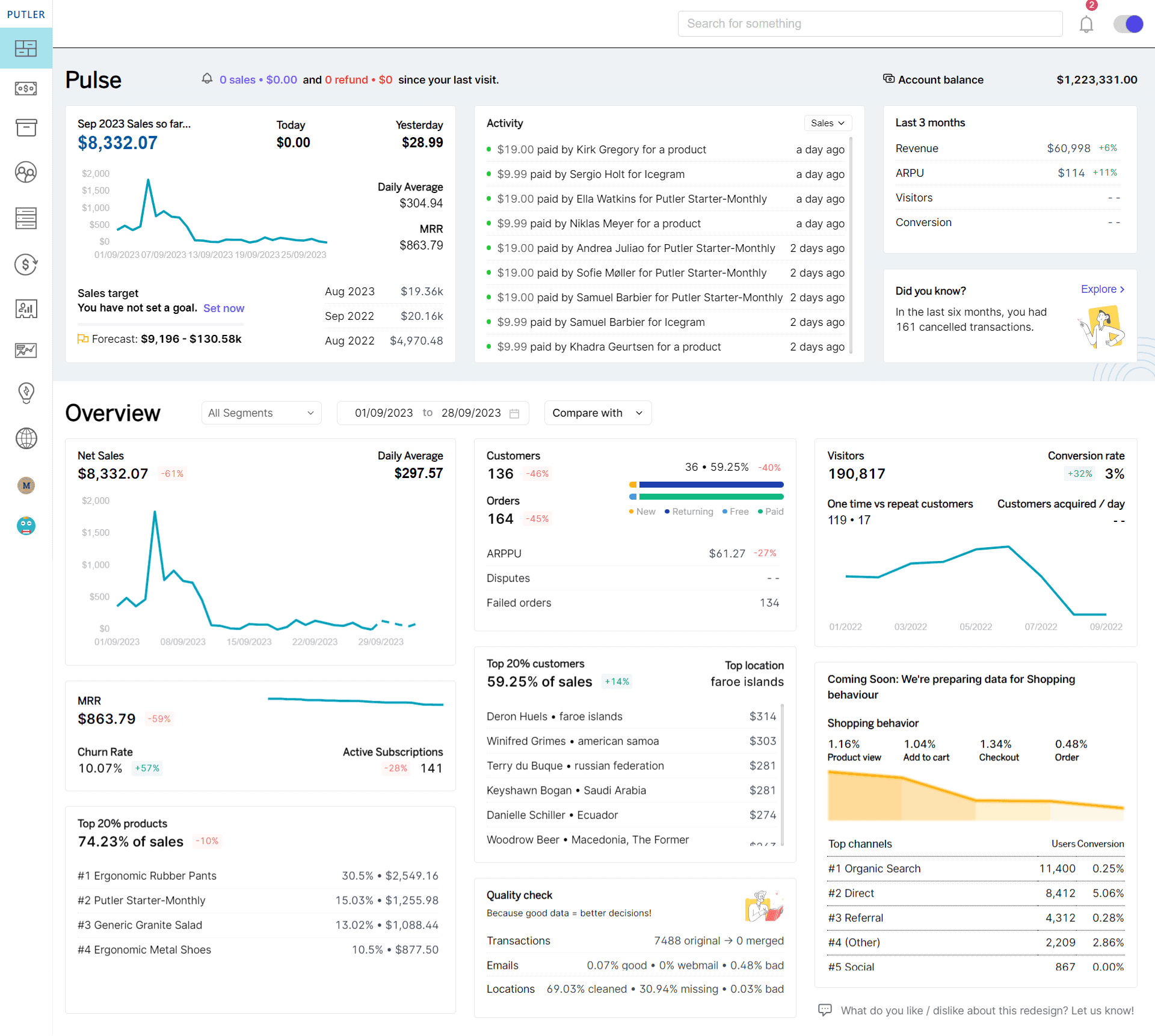
Putler connects 17+ data sources (Shopify, WooCommerce, Stripe, PayPal, Amazon, Etsy, and more) and combines them into one view. Its RFM analysis sorts customers into 11 behavior-based segments automatically, from Champions to At risk to Hibernating, and the grid is clickable, so you can act on any segment in a couple of clicks.
Best for: ecommerce and subscription sellers who want value-based customer segmentation across multiple channels.
Strengths:
- Automatic RFM segmentation across all connected channels combined
- 200+ metrics and KPIs across products, customers, sales, and subscriptions
- Clickable segments you can act on immediately
- Works for both ecommerce and SaaS
Where it falls short:
- Not a dedicated email or product-analytics tool, so pair it with those for execution
- No mobile app
Price: Starts at $20/month, with a 14-day free trial and no credit card required.
2. Baremetrics
Baremetrics is a subscription analytics tool that segments customers by subscription behavior: plan, MRR contribution, churn risk, and lifecycle stage.
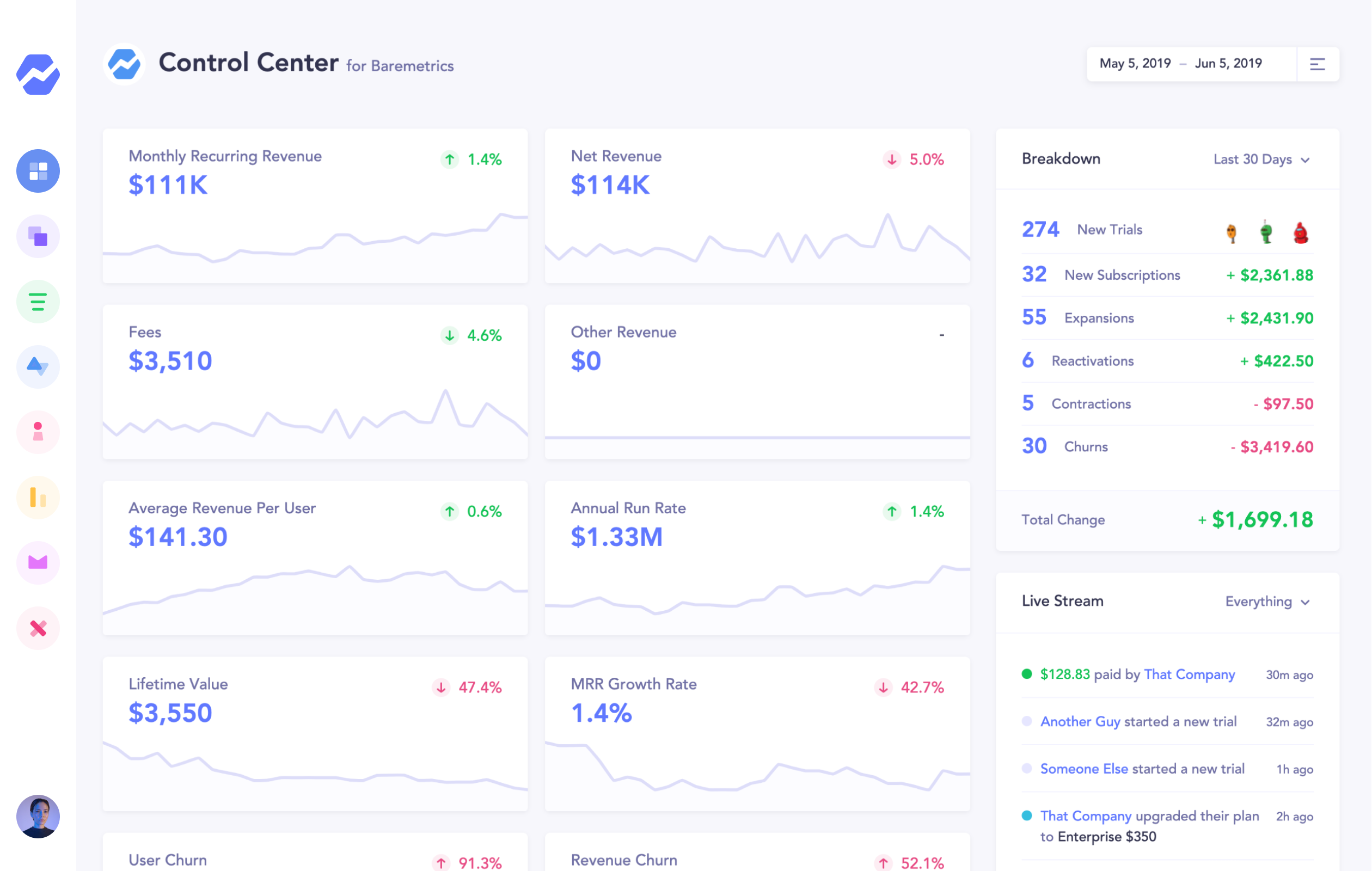
It’s built for SaaS businesses running on Stripe and similar gateways. Segmentation is oriented around recurring revenue rather than one-time purchases.
Best for: SaaS businesses that want subscription-focused segments.
Strengths:
- Clean, well-designed subscription dashboards
- Segment customers by plan, status, and lifecycle
- Cancellation and churn insights
Where it falls short:
- Focused on SaaS; less suited to one-time-purchase ecommerce
- Pricing scales with MRR and can climb quickly
Price: Pricing scales with your MRR. Check Baremetrics’ pricing page for current tiers.
3. ChartMogul
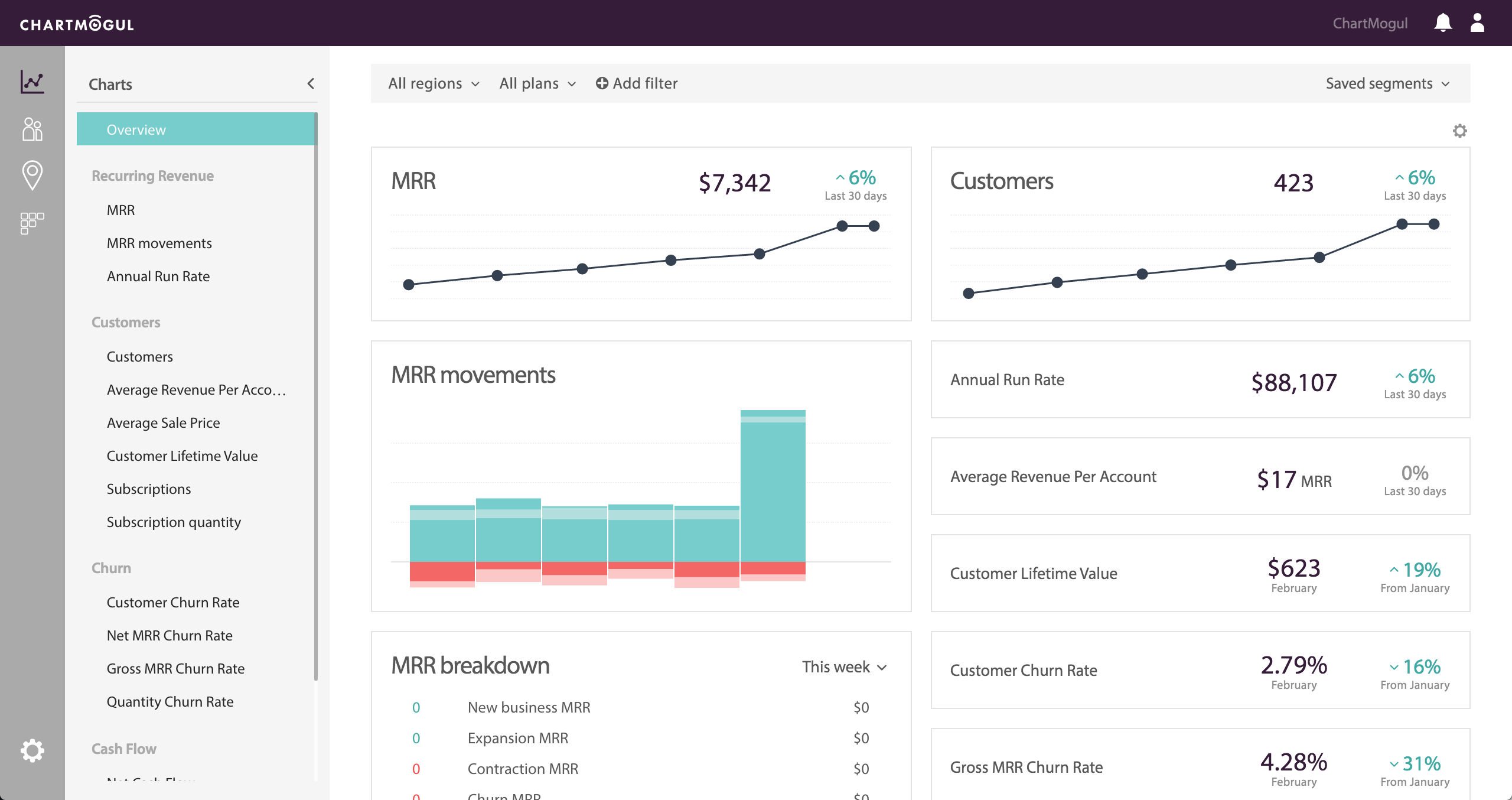
ChartMogul is a subscription analytics platform with strong segmentation for recurring-revenue businesses. It lets you build customer segments by geography, plan, cohort, and dozens of other attributes.
Best for: SaaS teams that want deep, flexible subscription segmentation.
Strengths:
- Powerful segmentation by cohort, plan, and geography
- Detailed subscription metrics (MRR, churn, LTV)
- Integrates with major billing systems
Where it falls short:
- Steeper learning curve than simpler tools
- Pricing scales with the ARR you track
Price: Free tier available, then paid plans that scale with tracked ARR. Check ChartMogul’s pricing page for current figures.
Best customer segmentation software for email marketing
These customer segmentation tools live inside email platforms. They segment your list by engagement, purchase behavior, and lifecycle stage, then let you act on those segments with campaigns.
4. Klaviyo
Klaviyo is an ecommerce email and SMS platform with deep behavioral segmentation. It builds segments from store data, browsing behavior, and engagement, then triggers automated flows for each.

Best for: ecommerce stores that want segmentation tied directly to email and SMS execution.
Strengths:
- Deep behavioral and predictive segmentation
- Segments trigger automated email and SMS flows
- Strong Shopify and WooCommerce integration
Where it falls short:
- Since February 2025, Klaviyo bills by active profiles, so costs climb as your list grows, whether you email those contacts or not
- Can get expensive fast past 10,000 profiles
Price: Free up to 250 active profiles. Paid Email plans start around $20/month and scale with your active-profile count.
5. HubSpot
HubSpot is a CRM and marketing platform with list segmentation across the whole customer lifecycle. It segments contacts by properties, behavior, deal stage, and engagement.

Best for: B2B and service businesses that want CRM-based segmentation tied to sales and marketing.
Strengths:
- Segmentation across marketing, sales, and service in one platform
- Powerful contact properties and list logic
- Large integration ecosystem
Where it falls short:
- Per-seat pricing adds up for larger teams
- Full power sits behind higher tiers
Price: Free tools available; paid Marketing Hub plans are priced per seat and scale into higher tiers. Check HubSpot’s pricing page for current figures.
6. Mailchimp
Mailchimp is an email marketing platform with audience segmentation built for small and mid-sized businesses. It segments by signup source, engagement, purchase activity, and tags.

Best for: small businesses that want approachable email segmentation.
Strengths:
- Easy to learn and use
- Solid basic segmentation by tags and behavior
- Wide template and integration library
Where it falls short:
- Advanced segmentation sits on higher tiers
- Less ecommerce-specific depth than Klaviyo
Price: Free tier available; paid plans scale with contacts. Check Mailchimp’s pricing page for current figures.
Best product-analytics customer segmentation tools
These tools segment users by what they do inside your product or on your site: events, features used, and behavioral patterns. They’re built for SaaS and app teams.
7. Mixpanel
Mixpanel is a product analytics platform that segments users by the actions they take in your product. It’s event-based, so segmentation revolves around behavior rather than static attributes.

Best for: product and growth teams that segment by in-product behavior.
Strengths:
- Deep event-based behavioral segmentation
- Funnels, retention, and cohort analysis
- Strong for product-led growth teams
Where it falls short:
- Event-based pricing can become hard to predict at scale
- Requires event tracking setup to be useful
Price: Free tier available; paid plans are event-based. Check Mixpanel’s pricing page for current figures.
8. Amplitude
Amplitude is a product analytics platform with behavioral cohort segmentation. It groups users by the actions they take and how those actions correlate with retention and revenue.

Best for: product teams that want behavioral cohorts tied to retention analysis.
Strengths:
- Powerful behavioral cohort building
- Strong retention and user-journey analysis
- Free tier for smaller teams
Where it falls short:
- Depth can be overkill for simple segmentation needs
- Setup and learning curve take time
Price: Free tier available; paid plans scale with event volume. Check Amplitude’s pricing page for current figures.
9. Segment
Segment is a customer data platform (CDP) that collects customer data from every source and lets you build unified segments you can push to other tools. It’s the plumbing layer for segmentation across a stack.

Best for: larger teams that need one unified customer profile fed into many tools.
Strengths:
- Unifies data from every source into one profile
- Pushes segments to email, ads, and analytics tools
- Strong developer tooling
Where it falls short:
- Built for teams with engineering resources
- Pricing is oriented to larger businesses
Price: Free and team tiers available; higher plans are priced for larger businesses. Check Segment’s pricing page for current figures.
Best web-analytics customer segmentation tools
These tools segment your website visitors by behavior, source, and demographics. They’re built for understanding traffic and on-site behavior.
10. Google Analytics
Google Analytics segments website visitors by source, behavior, demographics, and dozens of dimensions. It’s free and near-universal for web behavior segmentation.

Best for: any business that wants free web-visitor segmentation.
Strengths:
- Free and widely supported
- Deep web-behavior and traffic-source segmentation
- Integrates with the wider Google ecosystem
Where it falls short:
- Tells you what visitors did, not how much revenue each is worth
- GA4’s interface has a learning curve
Price: Free (Google Analytics 360 is the paid enterprise tier).
11. Woopra
Woopra is a customer journey analytics tool that segments users by their end-to-end journey across touchpoints. It ties web, product, and behavioral data into journey-based segments.

Best for: teams that want to segment by full customer journey across channels.
Strengths:
- End-to-end journey tracking
- Real-time behavioral segmentation
- Ties multiple data sources into one journey view
Where it falls short:
- Journey tracking needs proper setup to shine
- Overlaps with dedicated product-analytics tools
Price: Free tier available; paid plans scale with actions tracked. Check Woopra’s pricing page for current figures.
How to choose the right customer segmentation tool
The best customer segmentation tool is the one that matches what you’re segmenting for. There’s no single winner, only the right fit for your data and your goal.
- Segmenting by revenue and customer value? Putler for multichannel ecommerce and subscriptions, Baremetrics or ChartMogul for pure SaaS.
- Segmenting to send campaigns? Klaviyo for ecommerce, HubSpot for B2B, Mailchimp for small business.
- Segmenting by in-product behavior? Mixpanel or Amplitude, with Segment as the data layer underneath.
- Segmenting web visitors? Google Analytics for traffic, Woopra for full journeys.
Many businesses use two: one to build value-based segments and one to act on them. A common pairing is Putler for multichannel RFM segmentation plus an email tool to run campaigns against those segments.
Conclusion
Customer segmentation tools turn a flat customer list into groups you can actually market to. The right one depends on whether you’re segmenting for revenue, email, product behavior, or web traffic.
For ecommerce and subscription businesses that want value-based segmentation across every channel in one place, Putler is a strong starting point, and its RFM segmentation does the heavy lifting automatically.
FAQs
What are customer segmentation tools?
Customer segmentation tools are software that groups your customers into segments based on shared characteristics like purchase behavior, spend, demographics, engagement, or in-product activity. This lets you target each group with relevant marketing instead of treating all customers the same.
What is the best customer segmentation tool?
There’s no single best tool; it depends on what you’re segmenting for. Putler is strong for revenue and RFM segmentation across multiple ecommerce and subscription channels. Klaviyo leads for ecommerce email segmentation, Mixpanel and Amplitude for product behavior, and Google Analytics for web traffic.
What is customer segment analysis?
Customer segment analysis is the process of dividing customers into groups and studying each group’s behavior, value, and needs. A common method is RFM analysis, which segments customers by how recently, how often, and how much they buy.
What are some customer segmentation examples?
Common customer segmentation examples include high-value repeat buyers (Champions), customers who haven’t purchased recently (At risk), first-time buyers, email subscribers who convert, and users who reached a key product milestone. Each segment gets a different marketing approach.