


The right BigCommerce analytics tools depend on the question you need to answer: start with native reports for store sales and Google Analytics 4 for traffic. Consider Putler, Glew, PayHelm, or SegMetrics when you need reporting across sources, deeper commerce analysis, custom exports, or marketing attribution.
A sales total won’t tell you why shoppers leave checkout. A traffic report won’t necessarily match your order ledger, either.
This guide compares six options by reporting job, connection, and cost. Putler publishes this article and is one of the products compared.
| Your main question | Start here |
|---|---|
| What sold, and how is the store performing? | Native BigCommerce reports |
| Where do visitors come from and what do they do? | Google Analytics 4 |
| What is missing from those two views? | Choose a specialist from the comparison below |
What does BigCommerce analytics already include?
BigCommerce Ecommerce Analytics provides store reporting within the BigCommerce subscription. Merchants can review sales, orders, conversion, and average order value before adding another service. BigCommerce also offers deeper merchandising analysis through Insights; access to those capabilities should be checked separately against the store’s account and entitlements.
Begin with the reports you already have. An owner checking yesterday’s orders has a different need from a marketer comparing acquisition channels or an operations manager combining several stores.
Use native BigCommerce reports to establish your store baseline. Record the date range, order status, and revenue definition you use, so later comparisons have a clear reference.
Don’t assume that an analytics overview and every Insights feature are included together. Check the account’s current offering before budgeting for an upgrade or a third-party app.
Which BigCommerce analytics tools fit your store?
The six options below cover native store reporting, website measurement, consolidated commerce data, custom reporting, and attribution. Selection should follow the missing business question. Prices use different billing bases, so a monthly headline alone cannot show which option will cost least for a particular store.
Prices below are in USD and were checked on 17 October 2026. Confirm the current quote, billing term, and feature access before subscribing.
| Option | Best fit | Connection | Pricing basis |
|---|---|---|---|
| BigCommerce Ecommerce Analytics | Routine store performance | Inside BigCommerce | Included with subscription; check Insights separately |
| Google Analytics 4 | Traffic and measured shopping behavior | Storefront measurement and ecommerce events | Standard GA4 is free; setup can cost extra |
| Putler | Sales and customer reporting across sources | BigCommerce API account plus other supported sources | From $20/month at up to $10k monthly revenue |
| Glew | Deeper commerce intelligence | BigCommerce integration plus supported channels | $250/month Pro with annual prepayment; Plus custom |
| PayHelm | Custom BigCommerce reports and exports | BigCommerce app | Free tier; Entrepreneur $20/user/month; Business from $100/month |
| SegMetrics | Marketing attribution and customer value | BigCommerce API plus marketing connections | Launch $57/month for 10000 active contacts billed monthly |
Choose the reporting job first, then compare the full bill and required connections. For a wider shortlist beyond BigCommerce, see these ecommerce analytics tools.
1. BigCommerce Ecommerce Analytics
Best fit: A store owner who needs a regular view of orders, sales, and conversion without introducing another reporting system.
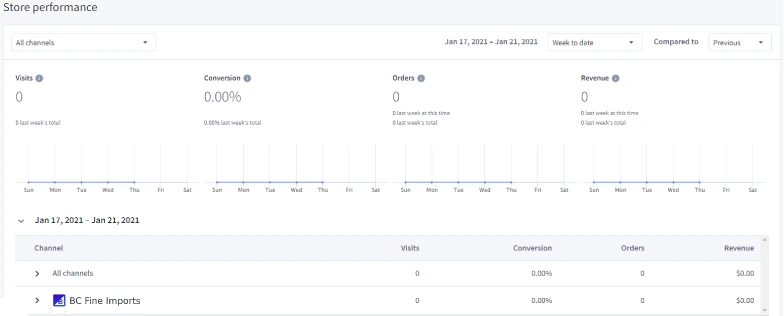
Connection and reporting: Start inside the store’s native reporting area. BigCommerce’s product information describes store performance reporting and exports, with Insights adding deeper analysis of products and customers.
Use this view to set a practical routine: check sales, inspect order changes, and identify products worth a closer look. It also gives you a place to investigate individual store orders when another dashboard shows a different total.
Pricing and limits: Ecommerce Analytics is included with the BigCommerce subscription. Treat Insights as a separate entitlement question instead of assuming every advanced report is free.
Native reporting is the sensible first check when your question concerns one BigCommerce store. If the missing answer requires payment data from elsewhere, a specific export layout, or a marketing journey, test a connected tool against that exact need.
2. Google Analytics 4
Best fit: A marketer who needs to understand traffic sources, landing pages, shopping behavior, and purchases recorded by website tracking.
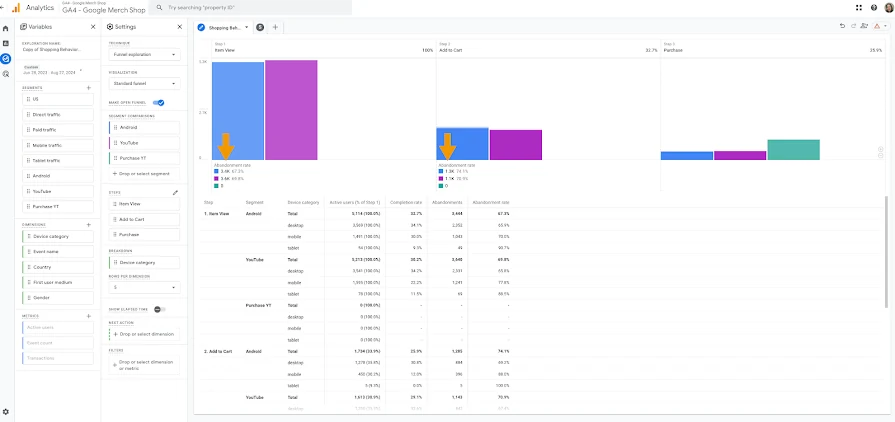
Connection and reporting: BigCommerce lists a native GA4 integration among its data options. A valid setup still needs verification: confirm the correct property receives events and that purchase data arrives with the expected values.
GA4 ecommerce reporting depends on events, which are records of actions such as viewing a product or completing a purchase. Google’s documentation specifies a unique transaction_id for purchase events and separates item value from shipping and tax.
Don’t use an old Universal Analytics tracking-ID tutorial for a new BigCommerce GA4 setup. Follow current platform guidance, then inspect a test purchase before relying on the reports.
Pricing and limits: Standard GA4 is free. Implementation help, tagging work, and optional services can add costs; Analytics 360 is a separate enterprise offering.
Use GA4 to investigate how visitors reach and move through the store. If purchase totals differ from store reports, check the event definitions and collection first. The difference may have an explanation other than lost revenue.
3. Putler
Best fit: An owner or finance lead combining BigCommerce sales with other supported stores or payment sources, who needs a shared view of sales, customers, and products.
Connection and reporting: The current BigCommerce connection guide uses an API account with a Client ID, API Path, and Access Token. Its listed permissions are read-only for customers, information and settings, orders, products, and order transactions.
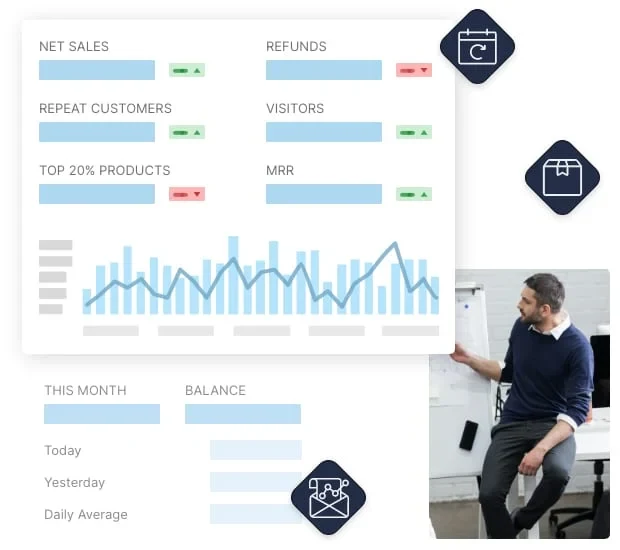
That connection serves a different job from a storefront tracking tag. Putler brings supported commerce and payment data into reporting, with cleanup and deduplication intended to reduce repeated transactions across connected sources.
Customer and product analysis can help you investigate repeat purchases, valuable customer groups, and sales concentration. During a trial, check that the records and fields you need arrive correctly, especially when the same sale appears in a store and its payment gateway.
Pricing and limits: Current pricing scales with monthly revenue: $20/month at up to $10,000, $50 for the $10,000 to $30,000 band, and $100 for the $30,000 to $50,000 band. The advertised trial lasts 14 days and requires no card; its FAQ describes an initial 90-day data window.
Check the relevant revenue band and required historical coverage before choosing. Putler can serve consolidated commerce reporting, but it doesn’t repair missing GA4 purchase events or replace a review of your tracking setup.
4. Glew
Best fit: A commerce team that needs deeper customer, product, and marketing analysis, with resources to act on it regularly.
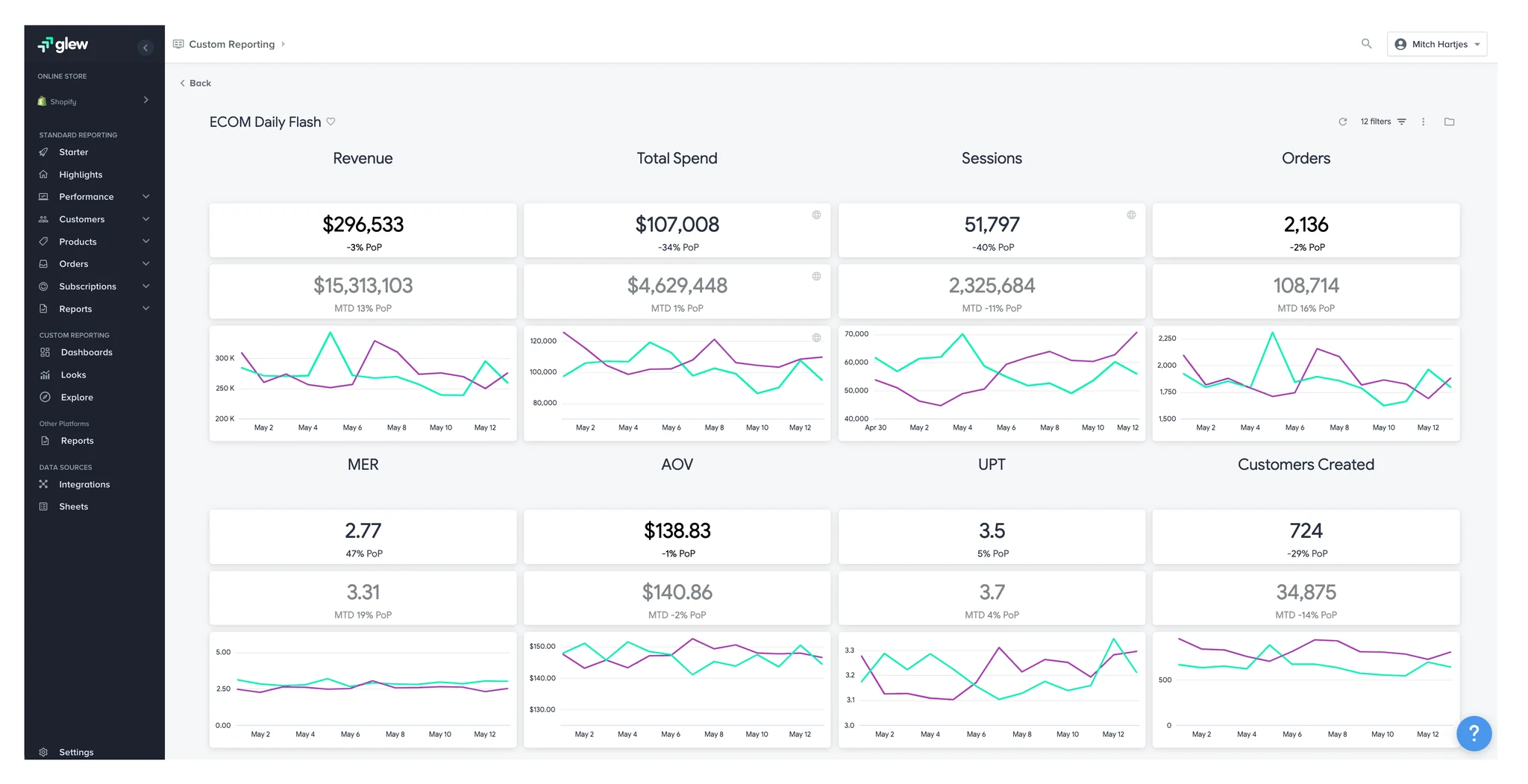
Connection and reporting: Glew offers a direct BigCommerce integration. Its integration page describes connecting the store through a BigCommerce login and combining commerce information with supported marketing sources.
Pro includes customer segmentation, product analysis, and scheduled reporting. That makes it worth evaluating when the question extends beyond a sales total, such as which customer groups buy particular products or how product performance changes across channels.
For a managed data pipeline, warehouse, and custom Looker reporting, examine Plus separately. Those services are a broader commitment than adding a dashboard.
Pricing and limits: Glew lists Pro at $250/month with annual prepayment required. Plus uses custom pricing.
Ask for the full annual cost and demonstrate your required reports before committing. Our Glew review provides more context on its reporting approach; use Glew’s current pricing page for subscription terms.
5. PayHelm
A long feature list is less useful than an export your finance team can use.
Best fit: A BigCommerce operator who needs custom reports and exports, particularly when an existing report doesn’t contain the right combination of fields.
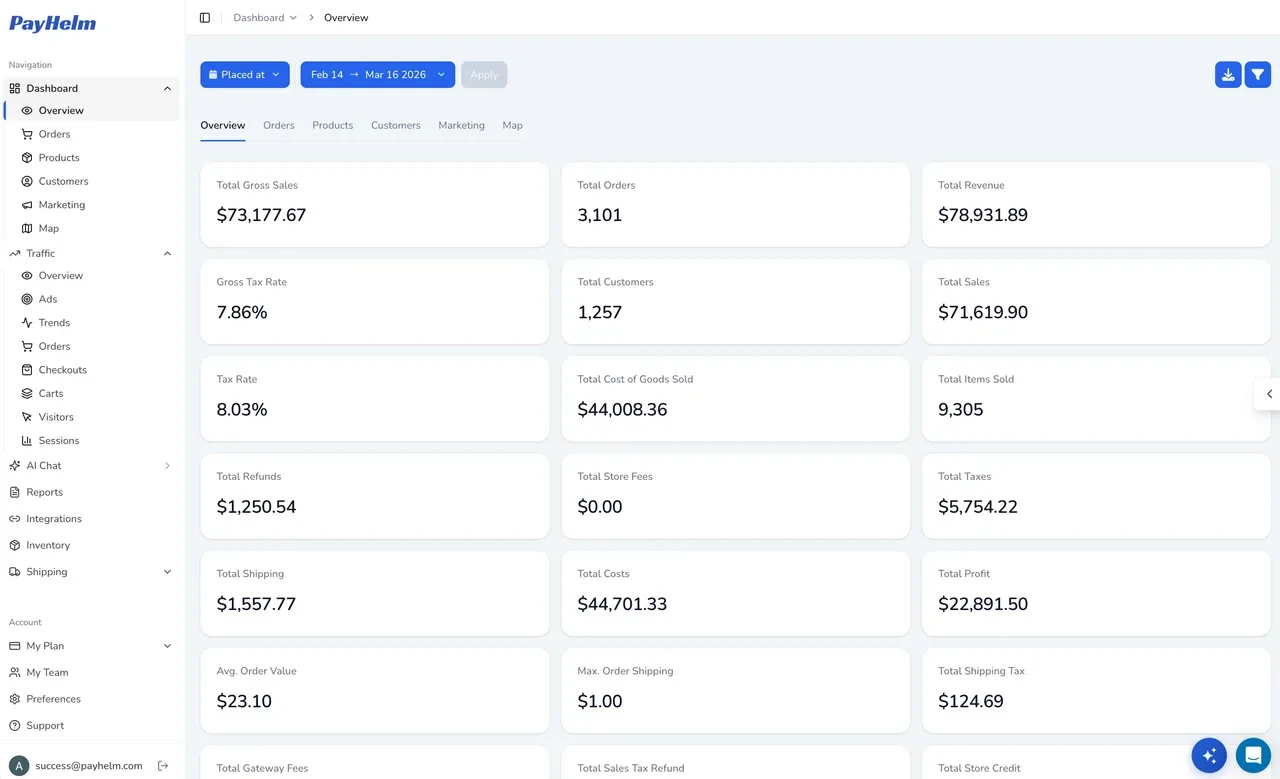
Connection and reporting: PayHelm is listed in the BigCommerce app marketplace for reporting, sales analysis, customers, and products. The listing also identifies Multi-Storefront compatibility, which is useful to check if several storefronts share your store setup.
Bring an actual report request to the trial. For example, ask whether an export can include the customer details and sales fields your team needs in one file. A long feature list is less useful than an export your finance team can use.
Pricing and limits: PayHelm lists a free core plan. Entrepreneur costs $20 per user per month, while Business starts at $100/month and scales with sales volume.
Its pricing page shows a 12-month lookback for the free and Entrepreneur plans, compared with five or more years for Business. Confirm historical access, user costs, and access to the exact report builder or scheduled export you need; the free tier doesn’t imply every advanced feature is included.
6. SegMetrics
Best fit: A marketing team investigating which campaigns and customer journeys contribute to revenue and longer-term customer value.
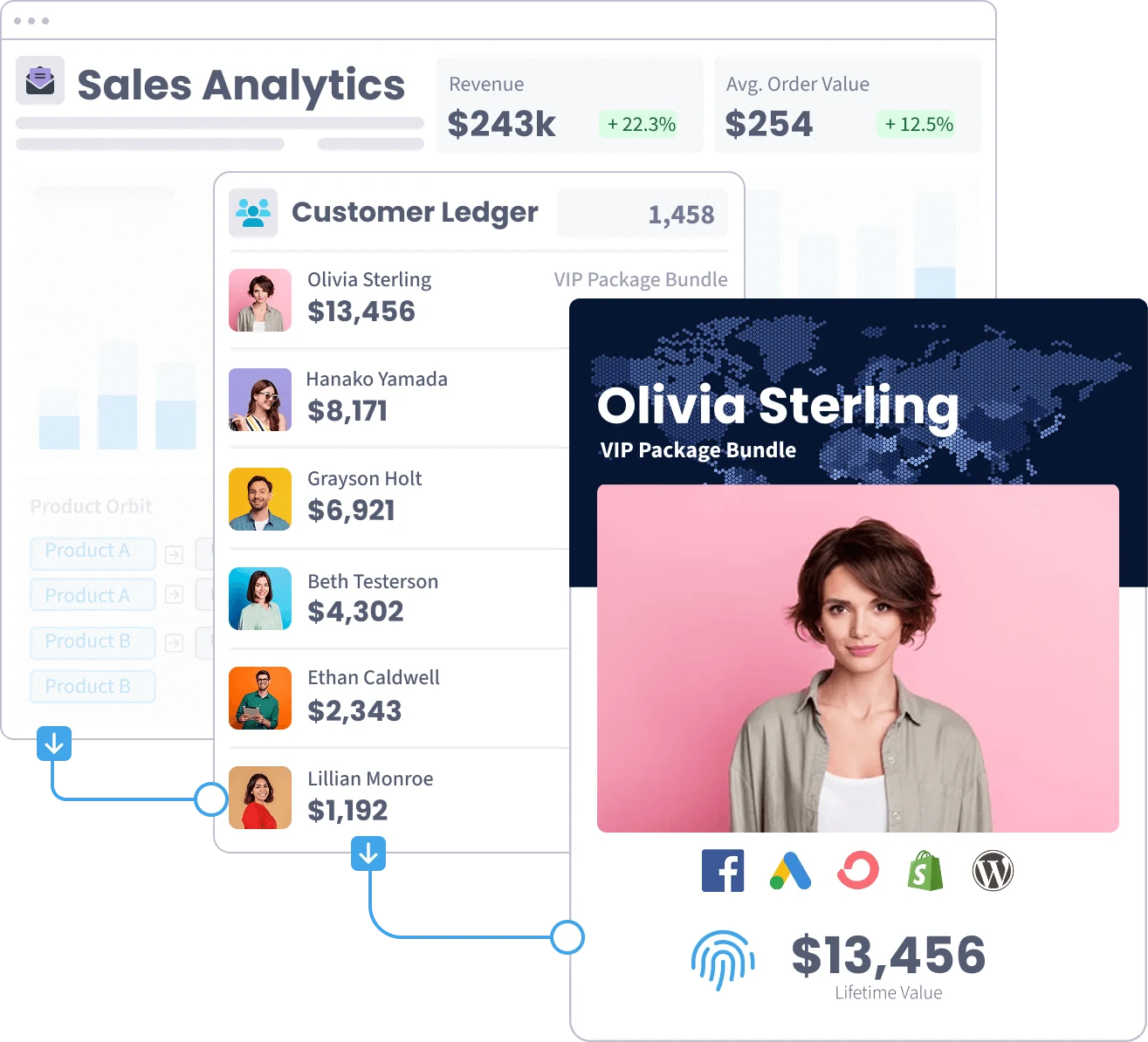
Connection and reporting: SegMetrics documents a BigCommerce connection using a read-only Store API account, an API Path, and a Secret Key. Follow its listed permission scopes rather than assuming another tool’s API settings will work.
Its role is marketing attribution: connecting sales with the marketing activity that preceded them. That can help when the question is about a funnel, email sequence, or acquisition campaign, rather than just yesterday’s store sales.
Pricing and limits: For 10,000 active contacts billed monthly, the current page shows Launch at $57/month, Grow at $197/month, and Scale at $397/month. Change the contact count or billing period and the quote can change.
Check feature access carefully. Detailed contact journeys and advanced segmentation appear under Grow; multicurrency conversion, unlimited custom dashboards, and advanced APIs appear under Scale. Choose the plan around the investigation you need to run, and confirm that the required marketing connections and history are available.

Which metrics should BigCommerce reporting answer?
Useful BigCommerce reporting connects a business question to a defined measure: cart completion, conversion, sales, product performance, or customer value. Revenue alone cannot explain every change. Metric definitions, time periods, and customer identifiers must stay consistent when reports are compared or used to judge progress.
Keep these six question groups in your reporting brief:
| Question | Useful measures | Check before acting |
|---|---|---|
| Where do shoppers stop buying? | Cart and checkout completion | Event coverage and the stages being counted |
| How much does a customer buy over time? | Customer revenue and lifetime value | Observed history versus predicted value |
| Are visits turning into orders? | Conversion rate | The denominator: sessions or users |
| How are sales changing? | Revenue and order count | Refunds and tax and shipping treatment |
| Which products deserve attention? | Units sold and product revenue and refunds | Variants and margin inputs |
| Are customers coming back? | New and returning customers and repeat purchase rate | Customer matching across sources |
Sales revenue isn’t profit. Before judging a product’s profitability, check whether the calculation includes product costs, refunds, payment fees, shipping costs, and other relevant expenses.
Customer value needs the same care. A customer’s recorded spending during the available history is different from a forecast of future purchases; neither label should quietly stand in for the other.
How should you test a reporting tool before paying?
A reporting trial should prove that a tool answers one real question with usable data. Compare a known order, align reporting settings, and test the required export. Then confirm historical coverage, refresh timing, permissions, and the full subscription cost before expanding the connection to more sources.
Use these five checks during the trial:
- Write the missing question. “Can we export product sales by storefront each week?” is testable. “Get better insights” is too broad to judge.
- Trace one known order. Compare the order identifier, currency, timestamps, item amounts, shipping, and tax. This shows whether the connection imports the information your team needs.
- Align definitions before comparing totals. Use the same period, time zone, order status, and refund treatment. Otherwise, two correct reports can answer different questions.
- Test the working output. Download the needed fields, inspect a refunded order, and check historical coverage and refresh frequency. A dashboard screenshot won’t show whether the weekly finance task is solved.
- Calculate the actual bill. Include users, revenue or contact bands, billing commitments, and setup work. A starting price may not cover your store’s usage.
Consider this illustrative order, created for this guide:
| Order component | Amount |
|---|---|
| Items | $100 |
| Tax | $8 |
| Shipping | $5 |
| Order total | $113 |
Google defines the GA4 purchase event’s value as the sum of item price multiplied by quantity, excluding shipping and tax. For this example, that value is $100, while an order total including the other two amounts is $113.
A $13 difference can come from definitions before anything is missing. Check which revenue metric each report displays rather than expecting every total to match.
After aligning definitions, investigate missing or duplicate purchase events. Google specifies a unique transaction_id to help avoid duplicate purchases; refunds use a separate event linked to the transaction. Verify what the store’s implementation actually sends instead of assuming a connection covers every event.
Which reporting setup should you choose?
Native BigCommerce reports plus GA4 are a practical starting setup for store performance and visitor behavior. Add a specialist when a specific gap remains: consolidated sales across sources, deeper commerce analysis, custom reporting, or customer-level marketing attribution. The choice should follow that gap and a successful trial.
Use the remaining need to narrow the shortlist:
- Combining commerce and payment sources: Evaluate Putler, then verify matching and historical coverage with your own records.
- Deeper commerce intelligence: Evaluate Glew when its segmentation and product reporting answer a recurring team question.
- Custom BigCommerce reports or exports: Test PayHelm with the exact fields and storefront breakdown you need.
- Marketing attribution and customer journeys: Evaluate SegMetrics with the campaigns, contacts, and plan features your team uses.
You may not need another subscription yet. If an existing report answers the question reliably, establish a habit of using it before adding more software.
FAQ
Are BigCommerce analytics and GA4 the same?
BigCommerce analytics focuses on store reporting, while GA4 measures website activity through collected events. A store order and a tracked purchase aren’t interchangeable records. Use native reports to inspect store sales and GA4 to investigate acquisition and shopping behavior, then check definitions and event collection when comparing their totals.
Can you start with free BigCommerce analytics tools?
Standard GA4 is free, and Ecommerce Analytics is included with a paid BigCommerce subscription. That gives an existing merchant a starting setup without another analytics subscription. PayHelm also lists a free core tier, though its history, feature access, and suitability for a particular report need checking before relying on it.
How do you connect a BigCommerce reporting tool?
Follow the chosen vendor’s current BigCommerce integration instructions. Connection methods differ: some use a marketplace app or store authorization, while others require an API account. Putler and SegMetrics document different credential fields and permissions. Use the exact read-only scopes each guide requests, keep credentials private, and verify imported records after connecting.
Why do BigCommerce and GA4 show different revenue?
Differences can come from the chosen revenue measure, time zone, order status, refunds, currency, or purchase-event collection. Google’s purchase-event item value excludes tax and shipping, so it needn’t equal an inclusive order total. Compare one transaction and align definitions first, then investigate missing or duplicate events if the difference remains unexplained.
Start with one unanswered question
Choose a recurring decision your current reports can’t support. Trial the closest tool, verify one order and one useful output, and estimate the bill at your actual usage.
If that question involves combining BigCommerce with other commerce or payment sources, use Putler’s trial to check the connection against your own records.