
Ecommerce analytics tools split into four jobs: traffic and conversion tracking, on-site behavior, marketing attribution, and profit reporting. Most stores need at least two of these, and no single ecommerce analytics software covers all four well.
Google Analytics 4 is the free starting point for traffic. Microsoft Clarity leads free behavior tracking. Triple Whale and Lifetimely now lead attribution and profit, the category most 2026 comparisons miss. Putler is the strongest pick for multi-channel sellers who need unified revenue, customer, and product analytics in one dashboard.
This guide compares 13 of the best ecommerce analytics tools by job, pricing, and who each one fits, from a free first stack to a full multi-tool setup. Whether you need an ecommerce dashboard for daily numbers or full ecommerce reporting tools for a board deck, one of these fits.
Why do you need an ecommerce analytics tool?
Ecommerce analytics tools help you monitor customer behavior, identify patterns, and gain insights that optimize sales and drive growth. Here are the top five reasons they’re indispensable for any business:
- Understand and track customer behavior: See how long visitors stay on a page, what products they view, and how often they return. Understanding behavior lets you tailor your marketing to real preferences and boost sales.
- Identify growth opportunities: Analyzing sales data helps you locate top-performing products, discover new demand, and identify markets or niches to expand into.
- Improve website performance: Traffic analysis shows which pages are popular and where customers drop off, so you can adjust your site to enhance the experience and lift conversions.
- Understand product performance: Track which products sell well and which don’t, then make informed decisions about what to stock and how to price it.
- Spot potential leaks: Catch issues like slow load times or low conversion rates early, before they affect your bottom line.
Used well, these tools help businesses optimize sales, expand into new markets, and stay ahead of problems.
The four jobs ecommerce analytics tools do
Matching a tool to the actual question being asked saves money and avoids the wrong purchase. Most ecommerce reports fall into one of these four buckets.
| Job | What it answers | Leaders |
|---|---|---|
| Traffic and conversion | Where visitors come from, what converts | Google Analytics 4 |
| On-site behavior | Why visitors drop off before checkout | Microsoft Clarity, Hotjar, Crazy Egg, Lucky Orange, HumCommerce alternatives |
| Marketing attribution | Which channels bring high-value customers | Triple Whale, KISSmetrics |
| Profit and product analytics | Which products are actually profitable | Lifetimely, Glew.io, Putler |
Quick comparison: best ecommerce analytics tools
| Tool | Best for | Starting price |
|---|---|---|
| Google Analytics 4 | Free traffic and conversion tracking | Free |
| Microsoft Clarity | Free heatmaps and session recordings | Free, unlimited |
| Triple Whale | DTC marketing attribution | Free, paid from ~$129/month |
| Lifetimely | Profit and lifetime value analytics | Free up to 50 orders/month, paid from $79/month |
| KISSmetrics | Person-level customer journey tracking | From $500/month |
| Metrilo | Retention and customer lifetime value | $199/month |
| Clicky | Real-time, privacy-focused analytics | Free (3,000 daily views), paid from $9.99/month |
| Adobe Experience Cloud | Enterprise multi-touch campaigns | Custom |
| Crazy Egg | Heatmaps and A/B testing | $29/month |
| Lucky Orange | Affordable behavior analytics | Free (100 sessions/month), paid from $32/month |
| Glew.io | Profitability and COGS analytics | From $79/month |
| Hotjar | UX insights via heatmaps and recordings | Free, paid from ~$32/month |
| Matomo | Privacy-first, data ownership | Free self-hosted, Cloud from ~$29/month |
| Putler | Multi-channel revenue and customer analytics | $20/month |
Traffic and conversion: Google Analytics 4
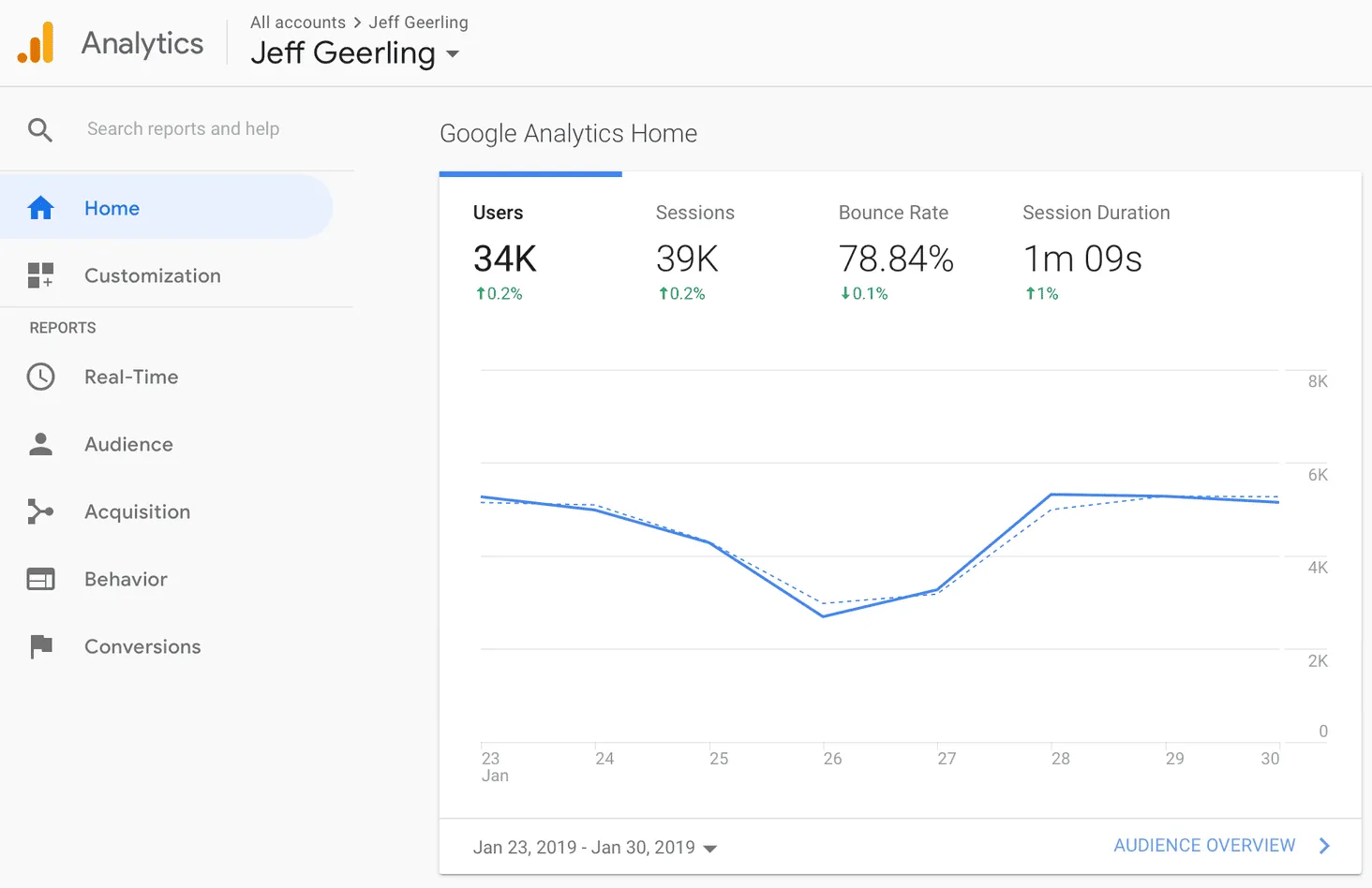
Google Analytics 4 is one of the most widely used ecommerce analytics tools, trusted by site owners worldwide. Whether you need basic metrics or detailed reports, you can get them in this ecommerce dashboard. It also offers extensive resources and tutorials to help you learn it.
Pricing: Free
Features:
- Audience reports to understand your users
- Custom reports made to order
- Campaign measurement and traffic sources
- Flow visualization to follow every step
- Goal tracking for conversions and user activity
Pros:
- Powerful website analytics with a wealth of data
- Easy integration with third-party platforms like Facebook and Google Ads
- Helpful AI to spot data-reporting issues and trends
Cons:
- Difficult to keep up with new features and updates
- Limited end-user support
- Hard to track the middle of the visitor journey
On-site behavior: why visitors drop off
These tools show what happens between landing on a page and leaving it, or buying.
Microsoft Clarity
Microsoft Clarity is the free heatmap and session-recording tool that’s displaced older paid defaults for most stores in 2026. There’s no session cap, no traffic limit, and no paid tier at all.
Pricing: Free, permanently, no upgrade path needed
Features:
- Unlimited heatmaps and session recordings
- Rage-click and dead-click detection
- Native Shopify Pixel integration
- No page-speed impact from the tracking script
Pros:
- Actually free with no session or traffic ceiling
- Simple setup through the Shopify Pixel or a script tag
Cons:
- Fewer advanced segmentation options than paid competitors
- No built-in survey or feedback tool
Hotjar
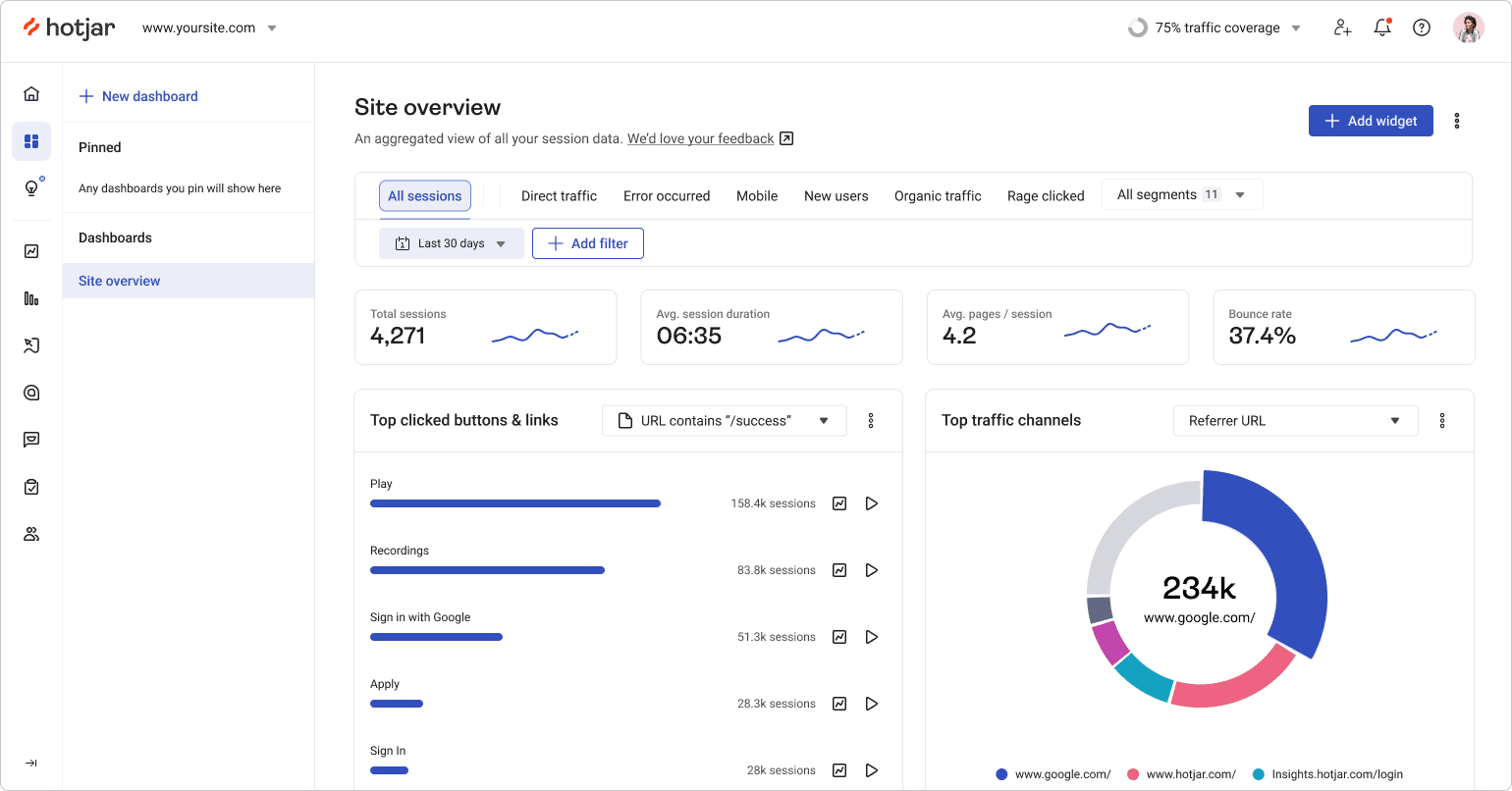
Hotjar combines quantitative and qualitative user data in one dashboard to show how people experience your website. It provides in-depth analysis and feedback tools including heatmaps, recorded sessions, conversion funnels, and behavior tracking. Note that Hotjar is now part of Contentsquare, and its features are billed across separate products (Observe, Ask, and Engage).
Pricing: Free Basic plan; paid plans from around $32/month, with higher tiers custom-priced
Features:
- Heatmaps, click maps, and scroll maps
- Session recordings
- Surveys and feedback polls
- Conversion funnels and visitor targeting
Pros:
- Easy to read click, move, and scroll heatmaps
- Generous free version to learn before upgrading
Cons:
- No easy way to track dynamic content
- Pricing is now fragmented across separate Contentsquare products
Crazy Egg
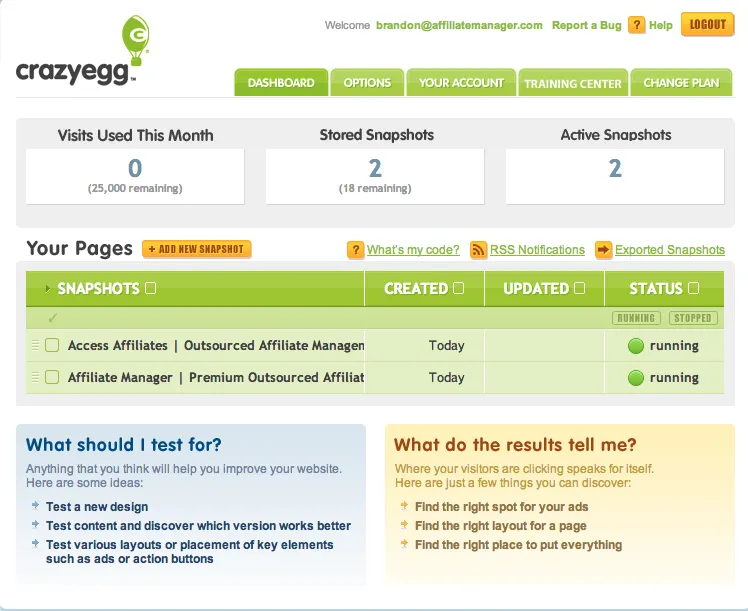
Crazy Egg is a visual analytics tool that shows how users interact with your store through heatmaps, scroll maps, and session recordings. Its eye-tracking tools reveal which parts of your site get attention and which get ignored, keeping reports simple and easy to read.
Pricing: Starts at $29/month
Features:
- Website visitor tracking and recording
- Heatmaps and scroll maps
- Multiple domain tracking
- A/B testing
- URL-based goal setting and tracking
Pros:
- Insights are easy to read and understand
- Easy to integrate with WordPress, with best-in-class heatmaps
Cons:
- Reviewing hours of recordings is time-consuming
- No free tier; annual-only billing on most plans
Lucky Orange
Lucky Orange covers the same ground as Crazy Egg and Hotjar, heatmaps, session recordings, funnels, but keeps a genuine free tier rather than a time-limited trial.
Pricing: Free up to 100 monthly sessions; paid plans (Build, Grow, Expand, Scale) start around $32/month
Features:
- Heatmaps and session recordings
- Conversion funnels
- On-site surveys
- Segmentation by referrer, UTM, and device type on every plan
Pros:
- Free plan is a real starting point, not a stripped demo
- Strong customer support, cited often in reviews
Cons:
- Costs rise quickly once session volume grows past the entry tiers
- No permanent free tier at meaningful traffic levels
Clicky
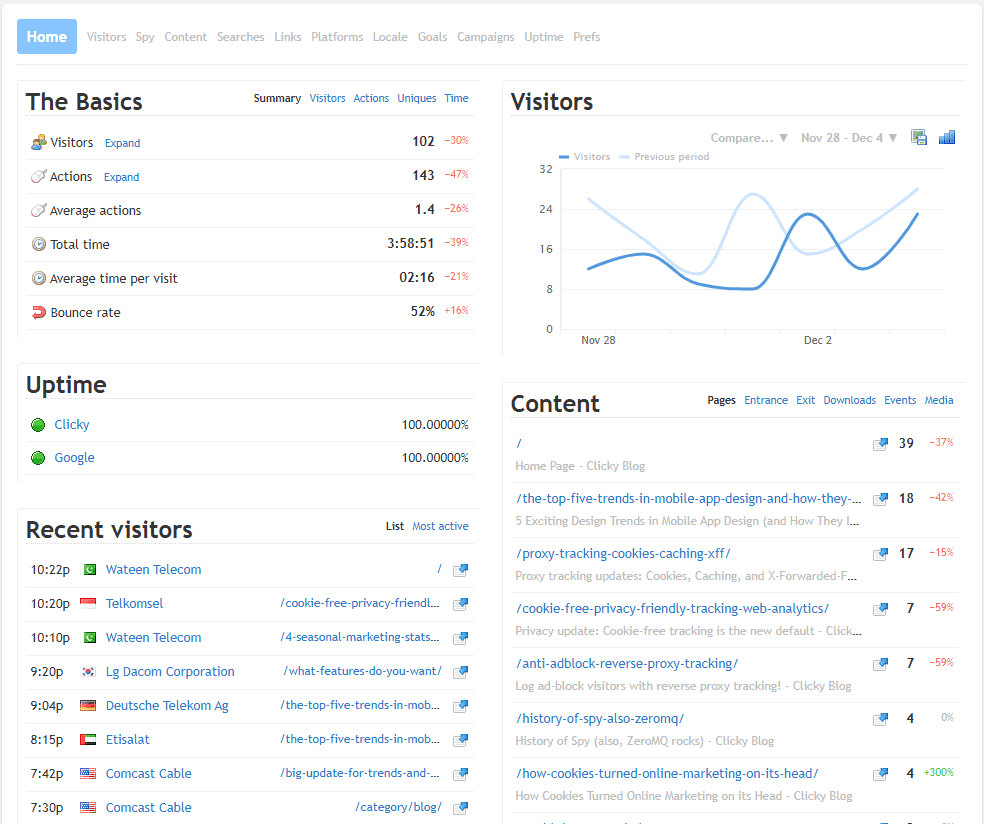
Clicky is a real-time analytics tool that makes it easy to see how people use your website as it happens.
Pricing: New accounts get a 21-day trial with 1,000,000 daily page views across up to 3 sites. After that, the permanent free plan drops to 3,000 daily page views on 1 site; paid plans start at $9.99/month.
Features:
- Real-time visitor and session tracking
- Standard event tracking
- Site search reporting
- Custom reports and dashboards
- Heatmaps and uptime monitoring on higher tiers
Pros:
- Simple and user-friendly
- Excellent real-time analytics and a clean interface
Cons:
- Hard to justify the paid version when Google Analytics offers many of the same features free
- The permanent free tier is much smaller than the trial, easy to be surprised by
Matomo
Matomo (formerly Piwik) is an open-source ecommerce analytics tool that gives you complete control and ownership of your data. Unlike many platforms, Matomo ensures 100% data privacy while offering comprehensive tracking.
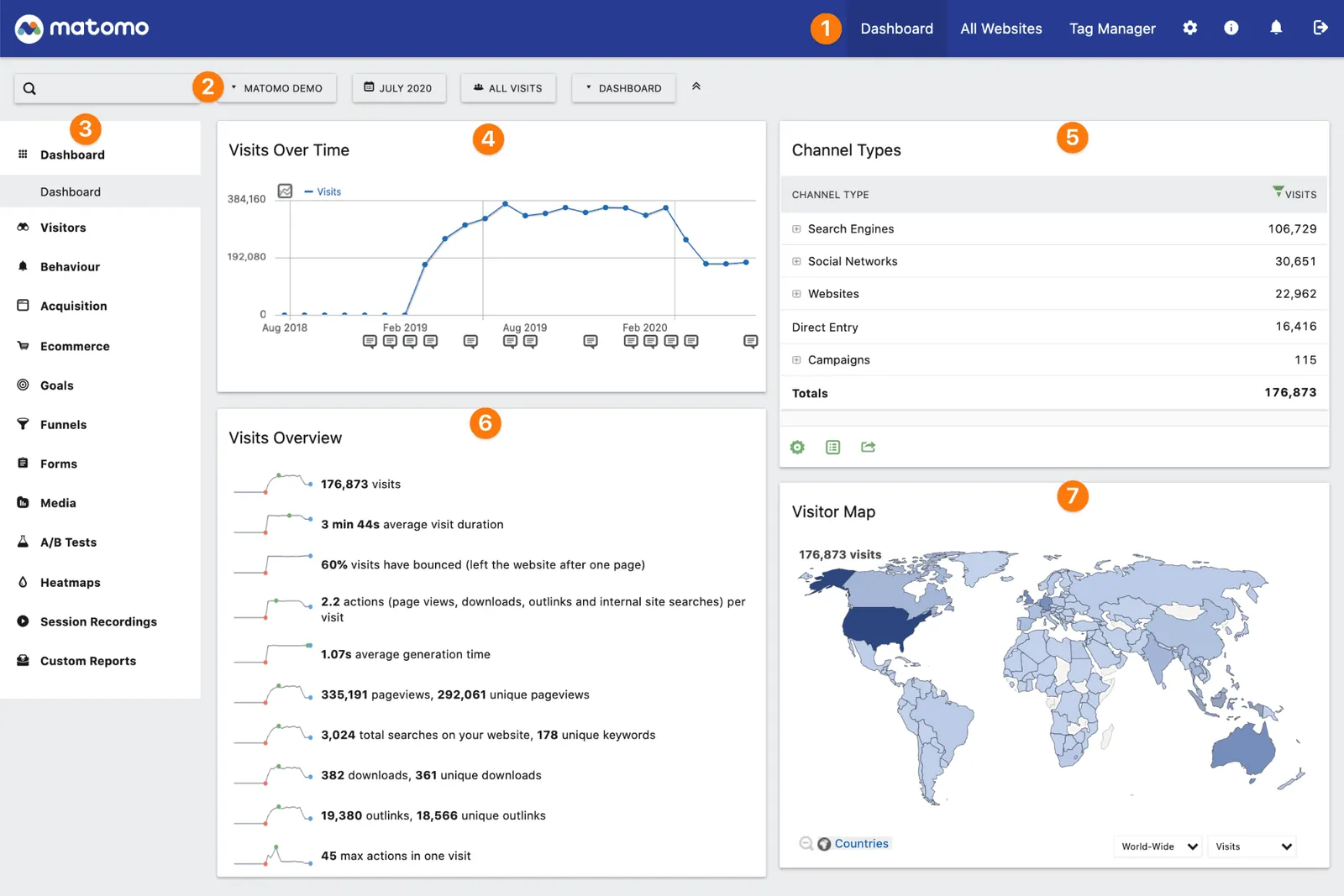
Pricing: Self-hosted is free; Matomo Cloud starts at around $29/month
Features:
- Real-time web analytics
- Customizable dashboards
- Conversion and goal tracking
- Ecommerce analytics
- Multi-site management
- Heatmaps and session recordings (paid plugins)
Pros:
- No third-party data sharing
- Highly customizable and flexible
- GDPR and privacy-law compliant
- Detailed ecommerce tracking
- Open-source with community support
Cons:
- Steeper learning curve than Google Analytics
- Requires more technical setup
- Self-hosted version needs server management
- Cloud pricing above the entry tier is opaque
Marketing attribution: which channels bring high-value customers
This is the job most 2026 ecommerce analytics comparisons lead with, and the category general-purpose behavior tools don’t cover at all.
Triple Whale
Triple Whale built its reputation as the attribution and profitability platform for Shopify-based DTC brands. Its first-party pixel captures purchase data and ties it back to specific ad clicks across Meta, Google, TikTok, and other channels, addressing the tracking gap that opened up after iOS privacy changes.
Pricing: Genuine free plan (Triple Pixel tracking, first/last-click attribution, 10 users, 12-month lookback). Paid plans were cut sharply in early 2026 and now run roughly $129 to $279/month depending on GMV tier, down from enterprise rates that used to exceed $1,000/month.
Features:
- First-party pixel tracking across ad platforms
- Blended attribution combining ad spend, shipping, and COGS
- AI-assisted creative performance analysis
- Real-time data refresh
Pros:
- A real, usable free tier for pre-revenue or early-stage stores
- Recovers attribution visibility that platform-level reporting lost after iOS14
Cons:
- Pricing still scales with GMV on paid tiers, so costs rise as revenue grows
- The free tier is thin for anyone spending seriously on paid media
KISSmetrics
KISSmetrics is a person-level behavioral analytics platform built to track customer journeys, conversion paths, and cohorts across a store. It monitors detailed visitor behavior and integrates with Shopify, WooCommerce, and Mailchimp.
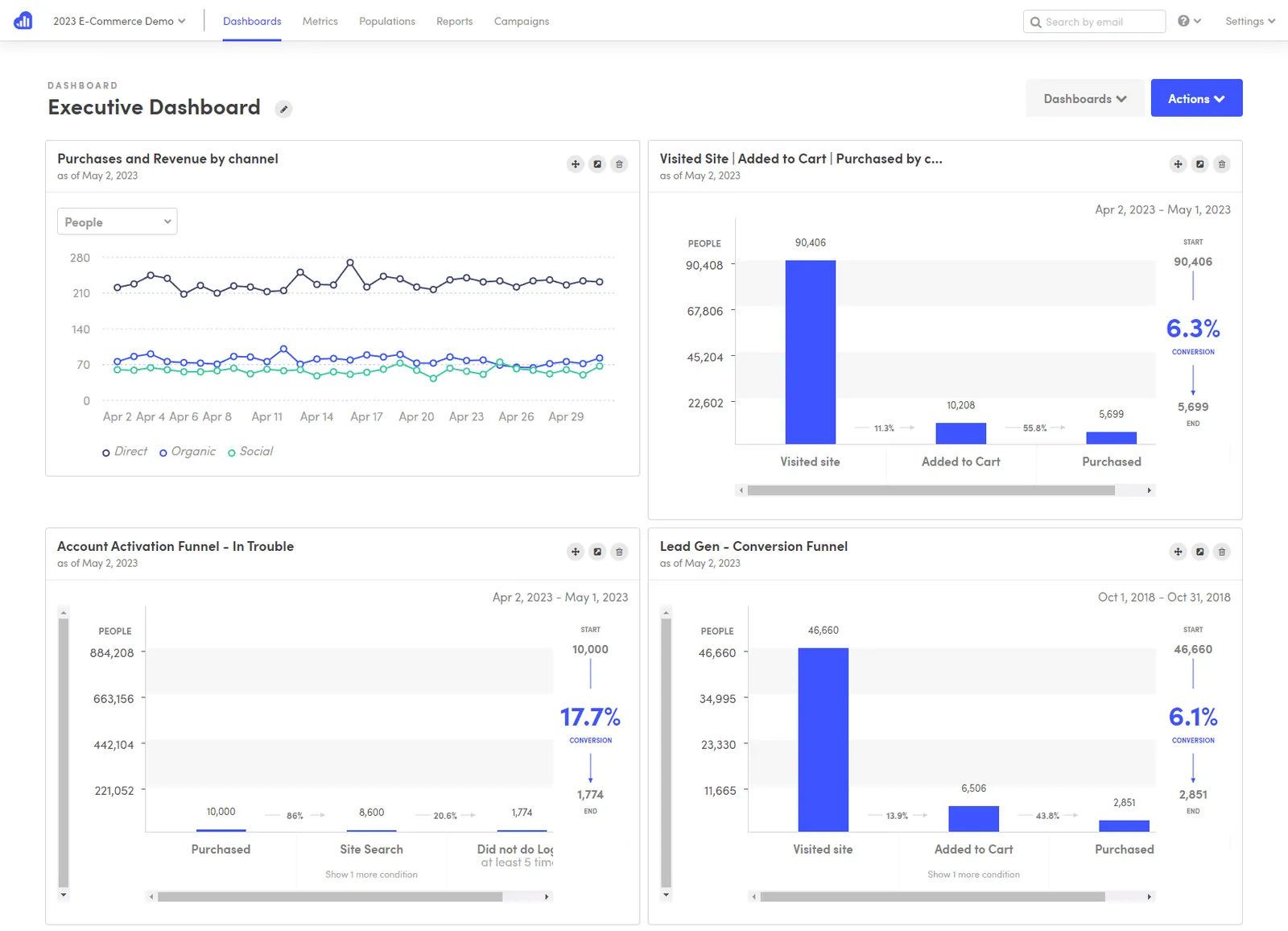
Pricing: Publicly listed plans run $500 to $850/month, with custom enterprise pricing above that. There is no public free tier or low-cost entry plan.
Features:
- Person-level tracking across devices
- Nine report types including funnels and cohorts
- Behavioral email campaigns
- Segment data by any point in time
- A/B test reports and data export
Pros:
- Easy to see the exact flow users follow, with insight into where to improve
- Extensive report data you can dig deep into
Cons:
- Priced for mid-size and larger businesses, not a budget option
- Limited data visualization compared to some competitors
- Bit of a learning curve
Profit and product analytics: which products are actually profitable
Attribution tells you where customers came from. These tools tell you whether they were worth acquiring.
Lifetimely
Lifetimely calculates customer lifetime value, cohort retention, and daily profit and loss directly inside Shopify, without a spreadsheet. It’s become one of the most cited apps in this category for 2026.
Pricing: Free up to 50 orders/month with full features. Paid plans scale by order volume: roughly $79/month up to 500 orders, up to $499/month and higher at scale. Amazon data integration is a $75/month add-on.
Features:
- Predictive lifetime value modeling
- Automated daily profit and loss statement
- Cohort and repeat-purchase analysis
- First and last-touch attribution
- Customer acquisition cost and payback tracking
Pros:
- Free plan covers all features, not a stripped trial
- Predictive LTV model trained on a large dataset of real Shopify GMV
Cons:
- Shopify-only
- Data refreshes every few hours rather than in real time
- Paid tier is a real cost for stores under roughly $30,000/month in revenue
Metrilo
Metrilo is an ecommerce analytics tool focused on actionable customer data and retention. Its retention analysis report helps you understand customer lifecycle value and turn one-time buyers into loyal customers.
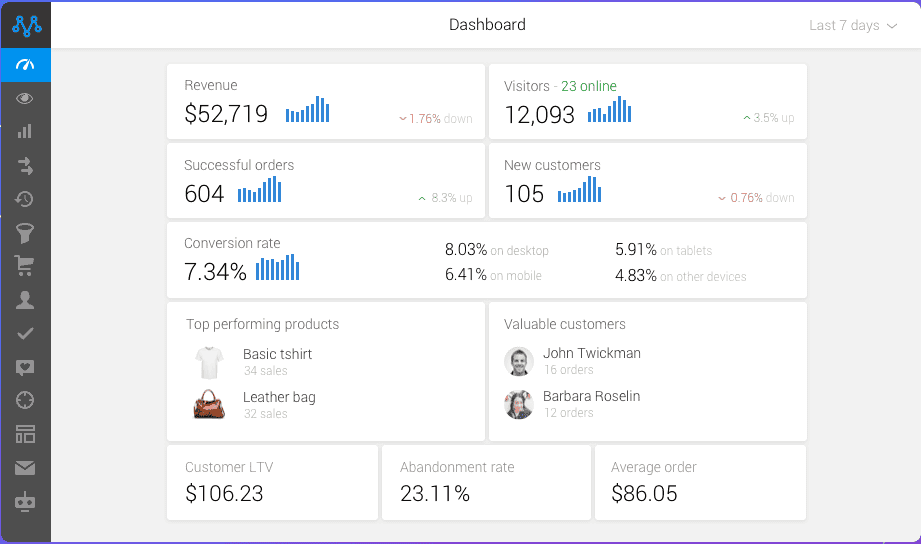
Pricing: Essential $199/month, Pro $379/month, Premium from $599/month
Features:
- Ecommerce analytics dashboard and revenue breakdowns
- Ecommerce CRM with customer profiles and segmentation
- Retention analysis with cohort comparisons
- Email marketing with trigger-based automation
- Order and promotions management
Pros:
- Easy to install and use, with great support
- Very user-friendly interface
- Strong trigger-based email automation
Cons:
- Email lead generation could be improved
- Lacks inventory and shipping management features
Glew.io
Glew focuses on the metrics that matter most to ecommerce brands. This retail data intelligence tool brings together store data from multiple channels, CRMs, and ERPs into one analytics hub, eliminating fragmented reporting and data silos to highlight revenue drivers.
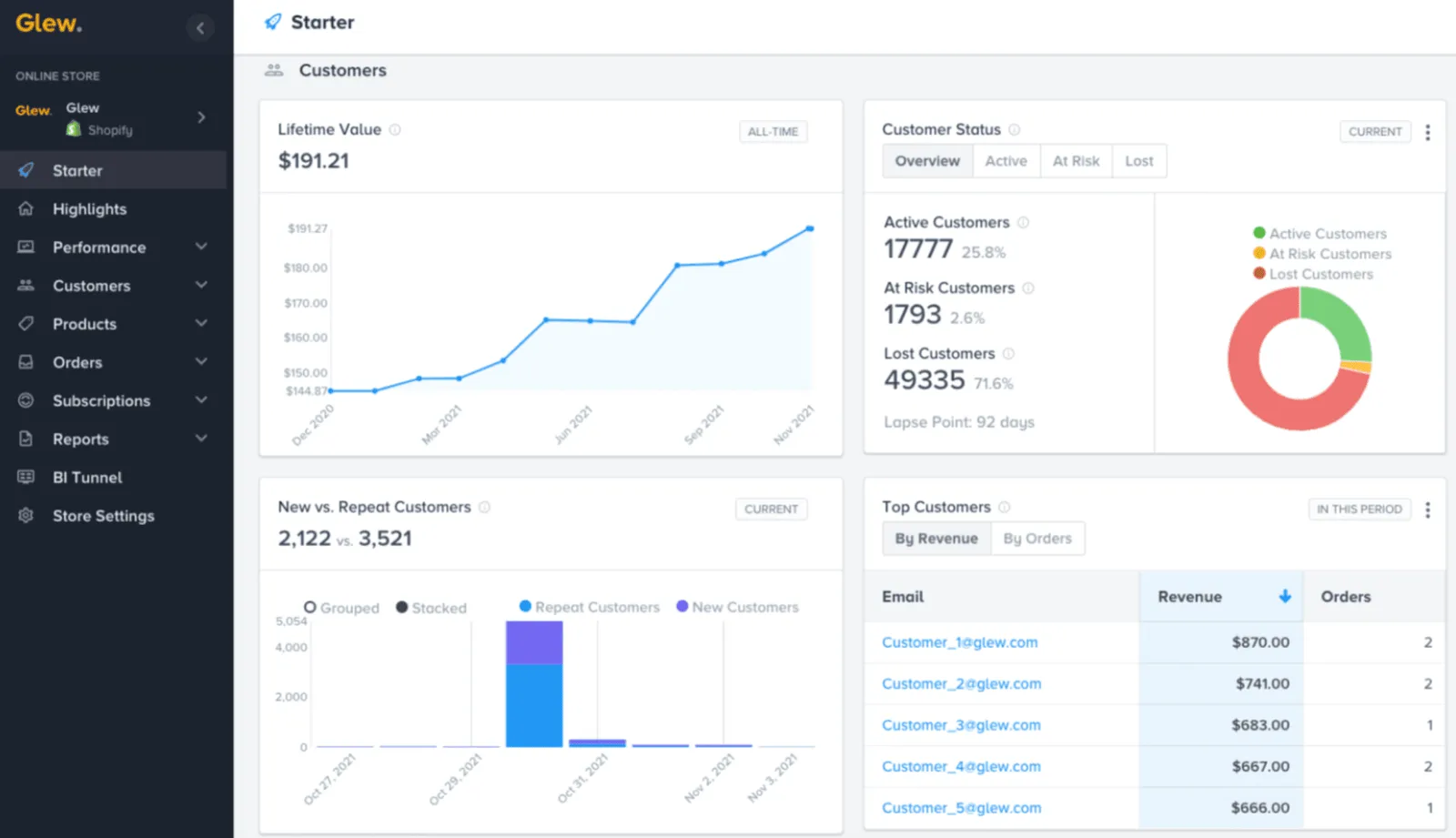
Pricing: From $79/month, scaling to around $649/month (annual billing, custom quotes for larger plans)
Features:
- COGS analytics for profit margin insights
- Automated reporting based on custom rules
- Advanced segmentation and targeting
- Scalable ecommerce integrations
Pros:
- Built specifically for ecommerce merchants and retailers
- Automated data warehousing removes manual reporting
- Detailed metrics on margins, sell-through, and supply chain
- Strong data visualization options
Cons:
- Pricing may be high for growing businesses
- Limited integrations outside major ecommerce data sources
- Steeper learning curve than simpler tools
Adobe Experience Cloud: the enterprise option
Adobe Experience Cloud is an enterprise analytics and marketing suite built to deliver accurate customer insights to the right person at the right time, helping large businesses make decisions that optimize sales and grow revenue.
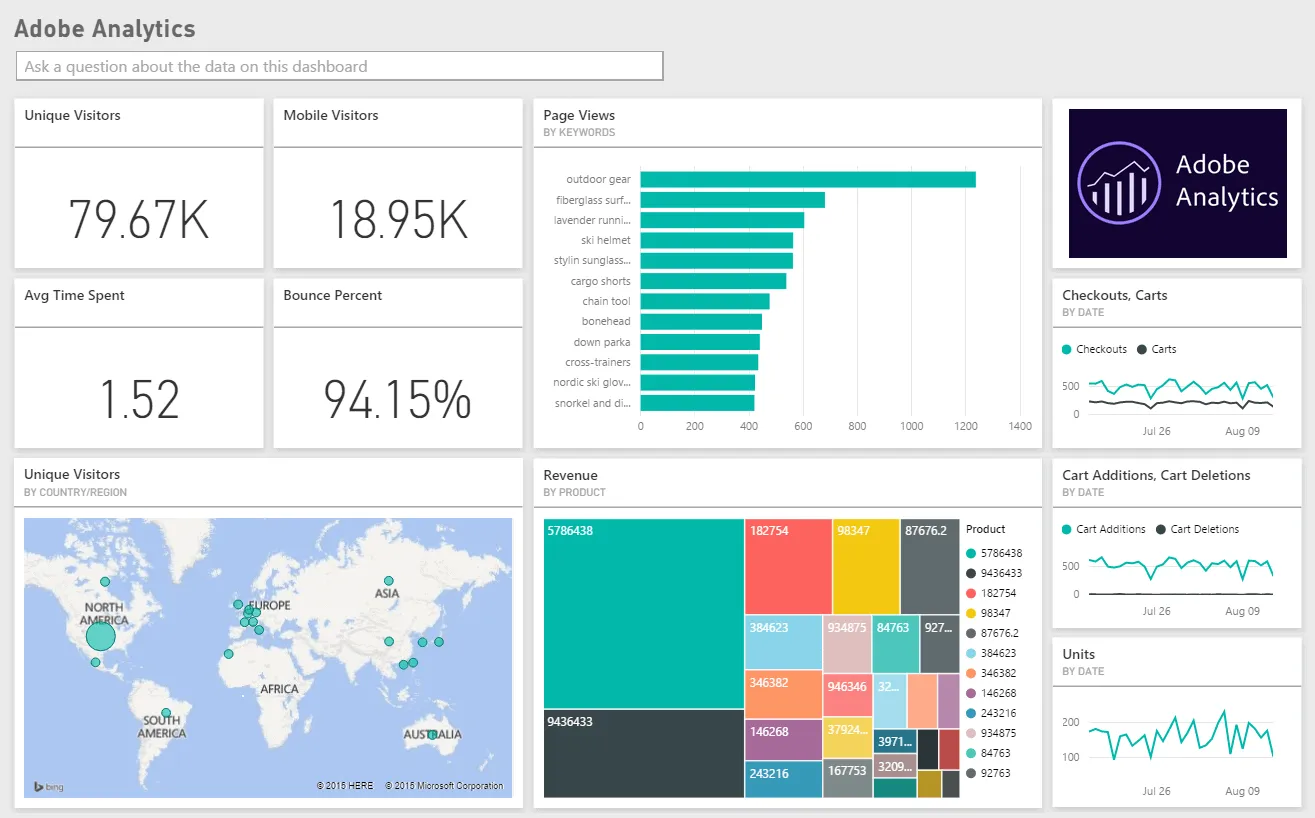
Pricing: Custom. Contact Adobe directly for pricing.
Features:
- A/B testing
- Email marketing management
- Engagement analytics
- Multi-channel marketing
- Reporting and statistics
Pros:
- Stores various types of content in one secure location
- Large-scale performance with a huge ecosystem of implementation partners and integrations for complex needs
Cons:
- Can get expensive quickly
- Occasional server issues during email sends
Multi-channel revenue and customer analytics: Putler
Putler is the best all-in-one ecommerce tracking tool for businesses with multiple data points: multiple websites, multiple stores, multiple currencies, and multiple payment gateways.
It combines, cleans, and enriches all your data into consolidated reports in one place, so you no longer open multiple apps to monitor your business.
With Putler, you get accurate customer, sales, and product analytics on a single ecommerce dashboard.
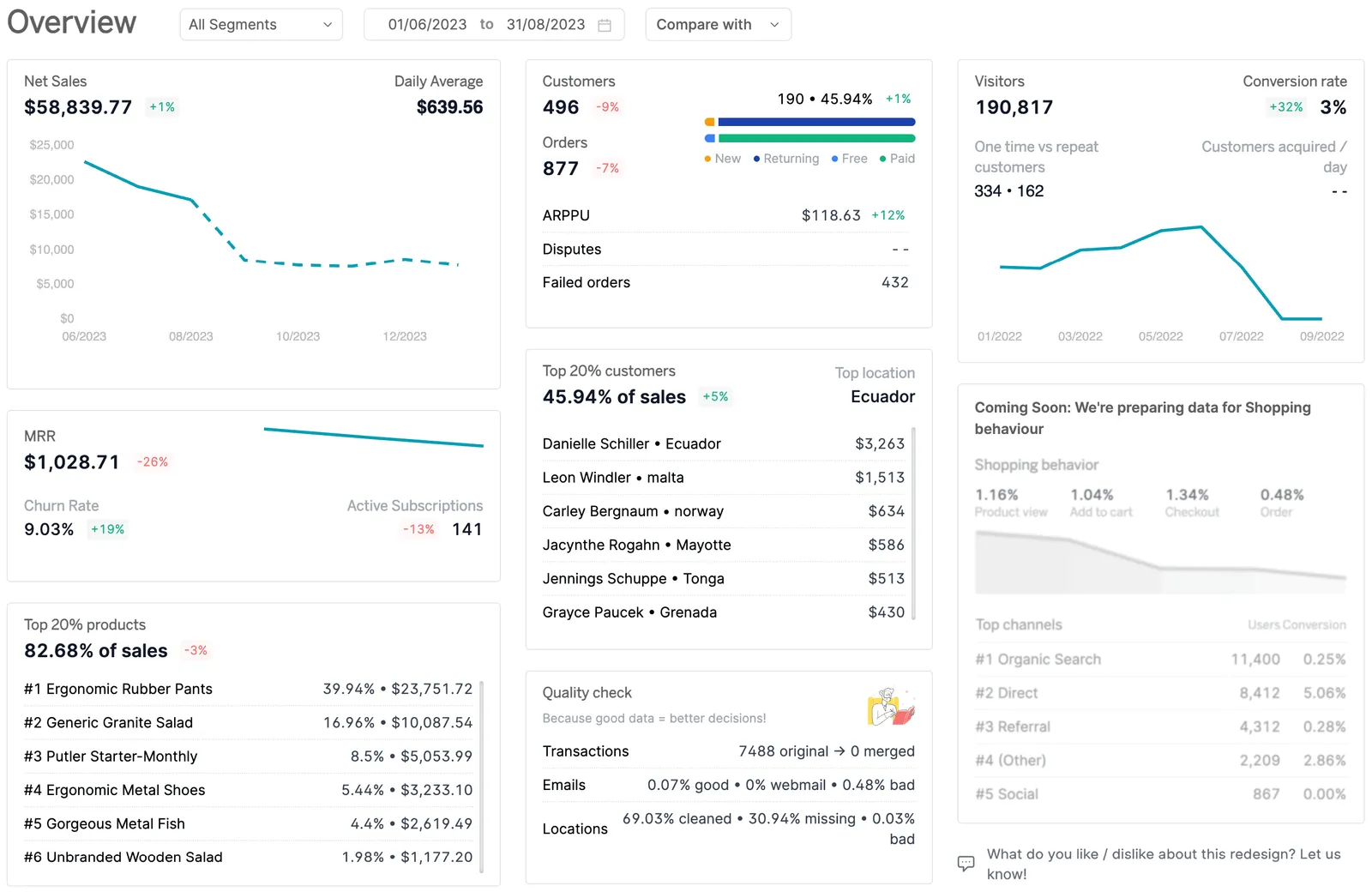
Pricing (revenue-based): Starts at $20/month for sellers doing up to $10K in monthly revenue. 14-day free trial, no credit card required.
Key Features:
- 17+ integrations across payment gateways, stores, and marketplaces
- Automatic deduplication, enrichment, currency, and timezone conversion
- RFM segmentation with unlimited filtering
- 200+ KPIs and comprehensive reports
- Personalized growth recommendations
- Issue refunds and manage subscriptions directly
- Inbound API for custom data
Pros:
- Intuitive layout and ease of use
- Easy product, order, and customer tracking in one clean UI
- Great for managing multiple stores, schedules, and finances
- Connects ecommerce and SaaS revenue in the same dashboard
Cons:
- No inventory reporting
- No first-party ad-platform attribution the way Triple Whale offers
Final thoughts
Choosing the right ecommerce analytics tool isn’t about picking the most popular software. It’s about matching the tool to the job: traffic, behavior, attribution, or profit.
Most stores start with a free foundation, Google Analytics 4 for traffic and Microsoft Clarity for behavior, then add a paid tool once a specific question needs answering. Running paid ads across multiple channels points to Triple Whale. Needing profit and LTV visibility points to Lifetimely or Glew.io. Managing multiple stores or payment gateways points to Putler.
Start with one tool per job, track the right metrics consistently, and scale the stack as the store grows.
eCommerce analytics tools FAQs
What is the best eCommerce analytics tool? It depends on the job. Google Analytics 4 is the free standard for traffic. Microsoft Clarity is the free standard for behavior. Triple Whale leads marketing attribution for DTC brands. For multi-channel sellers who need revenue, customer, and product analytics in one dashboard, Putler is the comprehensive option.
How do I track my eCommerce analytics? Use a tool like Putler to monitor sales, customer behavior, and product performance. Connect it to your ecommerce store and payment gateways, and it consolidates everything into real-time dashboards with no manual setup.
Are there free eCommerce analytics tools? Yes. Google Analytics 4 is completely free, Microsoft Clarity is free with no session limit, Matomo offers a free self-hosted version, and Clicky, Hotjar, Lucky Orange, Triple Whale, and Lifetimely all have genuine free tiers with real limits. Putler offers a 14-day free trial with no credit card required.
What is the best eCommerce analytics tool for multi-channel sellers? For sellers across Shopify, WooCommerce, Amazon, Etsy, and eBay using multiple payment gateways, Putler is one of the few tools that consolidates and deduplicates revenue across all of them in one dashboard, so the same sale isn’t counted twice.
Which eCommerce analytics tool is best for marketing attribution? Triple Whale is the current category leader for Shopify-based DTC brands, particularly for stores running paid ads across Meta, Google, and TikTok after iOS privacy changes made platform-level attribution unreliable.
Which eCommerce analytics tool is best for heatmaps and behavior? Microsoft Clarity is free with no limits and covers most stores’ needs. Crazy Egg and Hotjar add A/B testing and deeper segmentation at a cost. Lucky Orange is a real free-tier alternative to both.
Which analytics tools have we reviewed?
These are our reviews and comparisons of analytics and reporting tools: Baremetrics, ChartMogul, Metorik, Glew, Triple Whale, Polar, Zoho Analytics, Databox alternatives, and more. Some compare a tool with Putler directly. We make Putler, so weigh those with that in mind.


A detailed Zoho Analytics review for 2026 covering features, pricing, real user pros and cons, and who should buy it versus who should look elsewhere.
Databox visualizes data. It doesn't consolidate it. For eCommerce sellers managing Shopify, Etsy, PayPal, and Amazon simultaneously, here are the 5 best alternatives, with honest comparisons.
Triple Whale is a powerful Shopify analytics tool, but is it the best choice for your store? This review breaks down its features, pricing, and limitations to help you decide if it fits your business.


Optimize your online store with the power of eCommerce analytics software. This guide covers essential eCommerce metrics and introduces 5 top eCommerce analytics tools to enhance your business.
Aiming for your desired subscriber growth and retention? Read the Chargebee review to find the best solution for your subscription business!
Unleash the potential of your data with cutting-edge data analytics tools and techniques. Make informed decisions, unlock valuable insights, and fuel business growth.