

If you run an Etsy business (in fact, any business), you want to focus on growing sales. Now, since Etsy is a tightly-knit community, it has tons of Etsy seller apps that help you achieve this.
One such category within Etsy seller apps is Etsy analytics/ Etsy reporting apps.
To make your task easier, I have jotted down some exciting Etsy apps in this category of Etsy reporting/analytics that also help you gain visibility, grow sales, and, in some cases, even retain customers.
Do take a look at these amazing Etsy seller apps and stick to the ones that appeal to you the most:
Etsy’s native Stats dashboard: What it offers and where it falls short
Before jumping into third-party tools, it helps to understand what Etsy already gives you for free.
Every seller gets access to the Stats dashboard through Shop Manager. It tracks the basics and can be helpful for quick check-ins on how your shop is doing.
What Etsy stats tracks:
- Visits: The number of people who viewed your shop or listings. This refreshes a few times daily and filters out bot traffic.
- Views: Total times people looked at individual listings. One visitor viewing five listings counts as one visit and five views.
- Orders: Total number of orders placed (not items sold).
- Revenue: Sales minus shipping and tax costs.
- Conversion rate: The percentage of visits that resulted in an order.
- Average order value: The average value of orders for the selected period.
- Traffic sources: Breaks down where visitors came from, including Etsy search, direct traffic, social media, Etsy Ads, and Offsite Ads.
- Listing performance: Shows which products get the most views, favourites, and sales.
- Search terms: Reveals what keywords shoppers used to find your listings through Etsy search.
You can select a time period and compare against a previous period when the option is available. Etsy also provides quick insights on performance trends, like whether revenue is up or visits are down.
Where Etsy Stats falls short:
The dashboard covers the basics, but it has some clear limitations that can hold you back as your shop grows.
- No customer segmentation. You can’t separate first-time buyers from repeat customers. There’s no way to identify your highest spenders or group customers by behaviour. Everyone looks the same in the data.
- Historical reporting. Etsy documents Stats data from November 2017 onward. For a custom report spanning multiple years, keep your own exports.
- No profit tracking. Revenue numbers don’t account for Etsy fees, shipping costs you absorbed, or product costs. You see what came in, not what you actually kept.
- Traffic insights. Etsy Stats groups visits by source and can show a source breakdown. Check whether that breakdown gives you the level of detail you need for a specific campaign.
- No forecasting or projections. The dashboard shows what happened. It doesn’t help you predict what’s coming or plan inventory based on trends.
- Single-shop view only. If you run multiple Etsy shops, each one has its own separate Stats dashboard. There’s no way to see combined performance across all your stores.
- Custom reporting. If you need alerts based on your own sales or conversion thresholds, check what your reporting setup supports.
For new sellers or shops doing a handful of sales per month, Etsy’s native Stats might be enough. But once you start scaling, the gaps become obvious. You’ll find yourself exporting CSVs, building spreadsheets, and spending hours trying to answer questions the dashboard can’t.
Etsy also provides Marketplace Insights for Etsy search demand and listing counts. The tools below cover shop reporting, research, and related marketing tasks.
Top Etsy analytics and reporting apps
Do take a look at these amazing Etsy seller apps and stick to the ones that appeal to you the most:
Google Trends
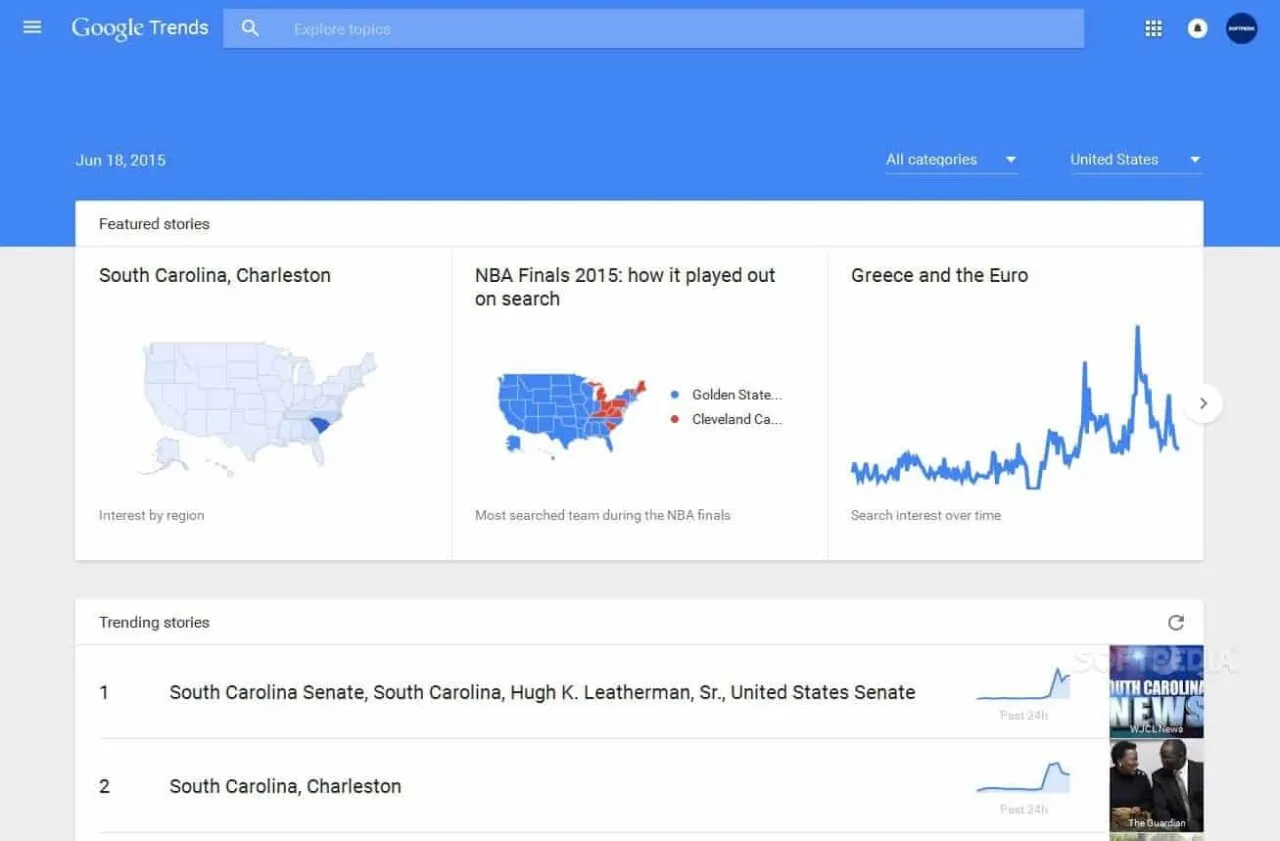
Google Trends compares relative interest in product terms on Google Search. It can add context about seasonality and regional interest.
For more advanced tracking, you can also set up Google Analytics for Etsy to review traffic sources.
Features
- Compare search terms or topics across date ranges and regions.
- View related searches and see how interest in a term changes over time.
Pros
- Useful for spotting seasonality or comparing relative interest across regions.
Cons
- Google Trends scores use a relative 0–100 scale. They don’t show absolute search counts or Etsy buyer demand.
- Low-volume terms can appear as zero.
Pricing: Google Trends is free to explore.
Sked Social
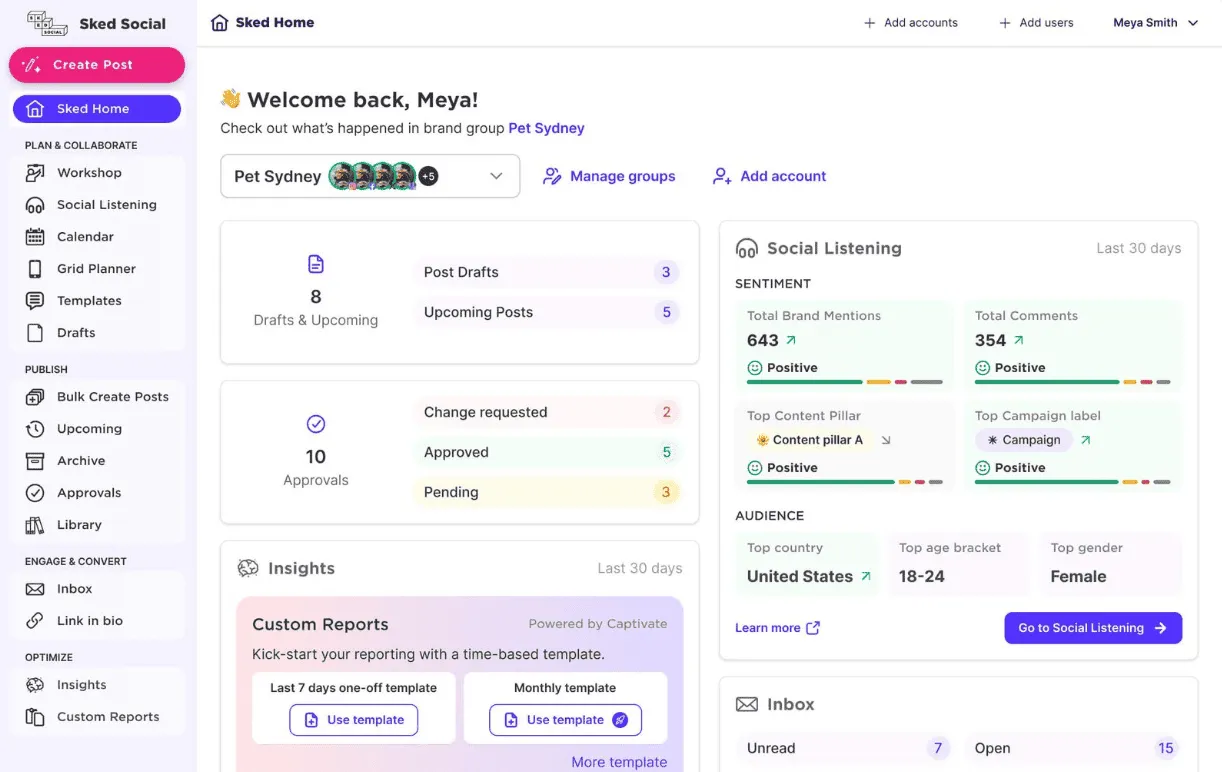
Sked Social is a popular Etsy app that schedules your business’s promotional updates on Facebook, Twitter, Pinterest, etc. This application fully coordinates with your online store; you can make and share posts that you can utilize on many occasions.
Features:
- Multi-channel marketing.
- Content & campaign management.
- Campaign analysis.
- Social media integration.
- Sync the Sked calendar with the holiday and editorial calendar.
- Custom social media reporting.
- AI to brainstorm ideas.
Pros:
- Excellent support.
- Makes your business look professional.
- It generates organic traffic to your business through the social media platform.
- It creates massive awareness for your business through social media.
Cons:
- Presenting could lead to spam if not appropriately arranged.
- Week by week, the organizer is excluded from the fundamental social organizer.
Pricing:
Sked Social lists a 14-day trial. See its pricing page for current plans and billing options.
Putler
Putler is an advanced reporting & analytics Etsy tool that reports on sales, orders, fees and customers from connected Etsy shops. You can connect either one or multiple Etsy shops to your Putler account and get in-depth Etsy analytics reports on your sales, products, and customers.
Putler also lets you connect your Google Analytics and payment gateways and provides you with audience reports, too.
A one-stop solution for both multiple and single Etsy shops.
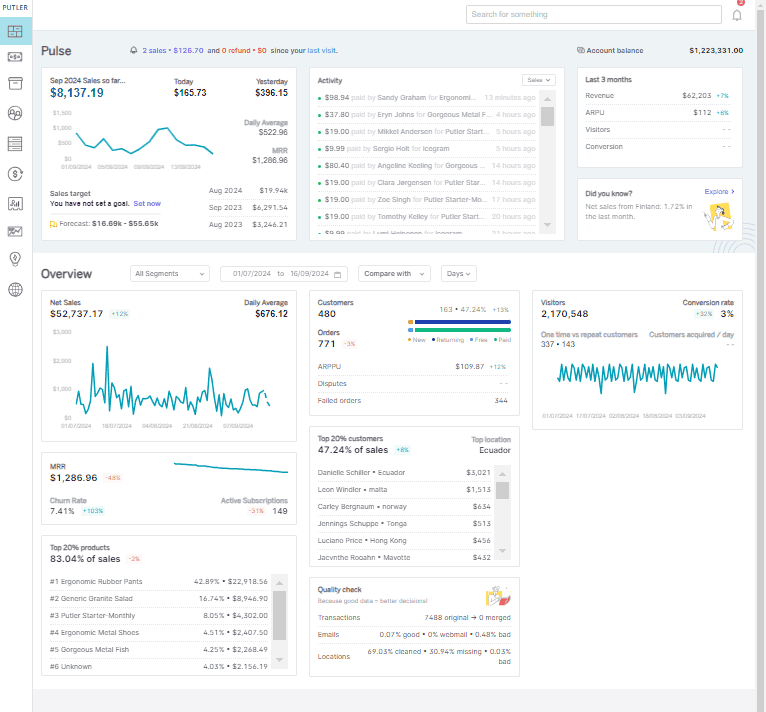
For a detailed walkthrough of how to navigate your data, check out the Etsy dashboard guide.
Features:
- Multiple Etsy store consolidations and reports.
- Complete sales & transaction data.
- Actionable customer insights - purchase history, variation reports, and segments.
- Customer Segmentation - loyal, champions, at-risk, and more.
- Revenue and customer forecasting.
- Monthly goal monitoring and tracking.
- Performance comparisons.
- Premade filters.
- Best time/day to sell on your Etsy shop.
- Deep product information and tracking.
- Multiple payment gateways and shopping cart consolidation.
- Get annual Etsy reports.
Pros
- Easy to track and follow customers.
- In-depth Etsy sales reports and insights that help grow your business.
- Layout, ease of use, data availability, and pricing.
Cons:
- Doesn’t provide inventory management.
Pricing: A 14-day free trial is available. After that, Putler pricing starts at $20.
- Paid pricing is based on monthly revenue.
Try a weekly Etsy shop review
Your Etsy net sales rose from $2,500 to $2,700 this week. What would you check first? Pick a question below. The Etsy figures are illustrative and the screenshots show original Putler views.
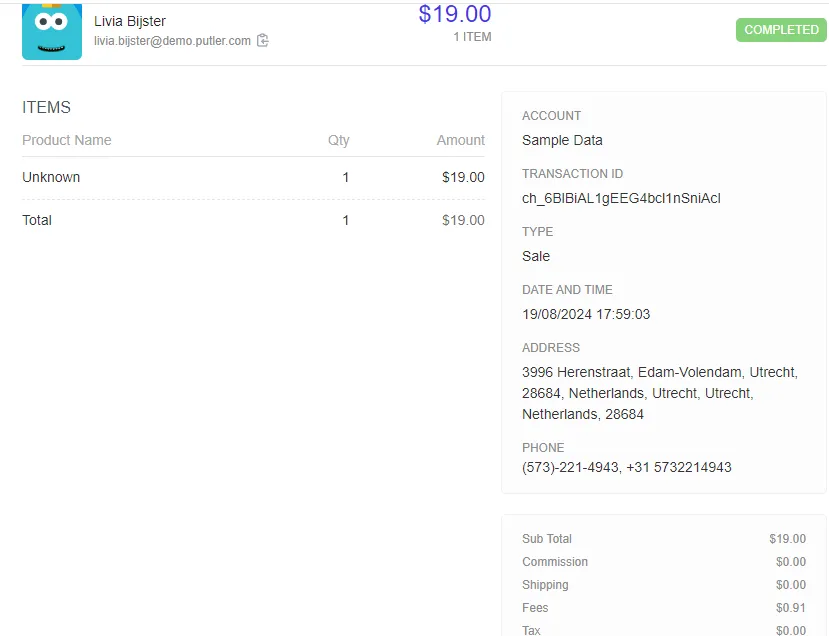
What did I keep from a $40 order?
After $5 in example Etsy fees, $13 in materials and $6 in shipping, you have $16 before overhead. Look up the order and available fees in Putler, then add costs you track separately.
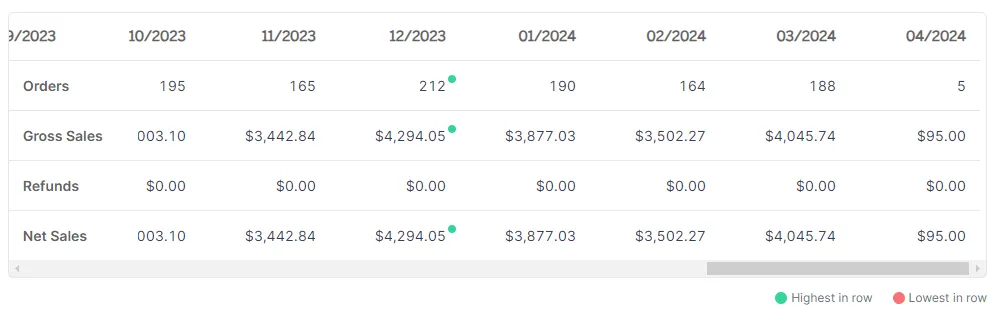
Why did sales rise?
Net sales rose from $2,500 to $2,700 as orders went from 80 to 90. Net sales per order fell from $31.25 to $30. Check which listings brought in more orders before changing prices.
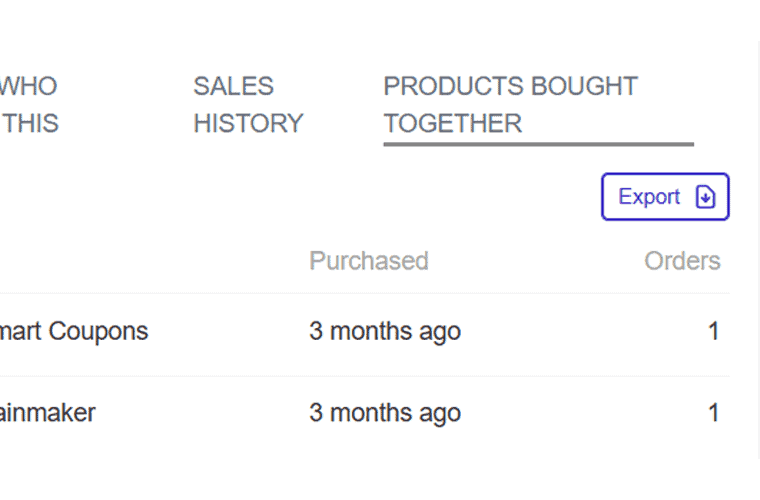
What should I sell together?
A ceramic mug and coaster set appeared together in 12 sample orders. Open the mug’s product card and check Products Bought Together. Try that pair as a gift bundle and compare it with the standalone listing.
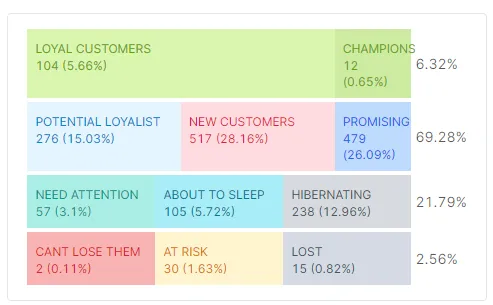
Who came back to buy again?
24 of 84 sample buyers were returning. Select an RFM segment to see the buyers in that group, then open a customer card to review what one buyer purchased and when they came back.
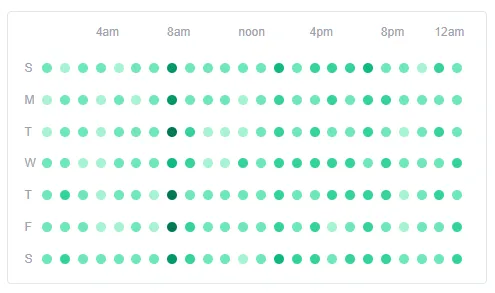
When do orders usually come in?
The sample Friday 4–5 p.m. slot had 12 orders and $360 in sales. Check whether that pattern repeats on the heatmap before setting aside packing time.
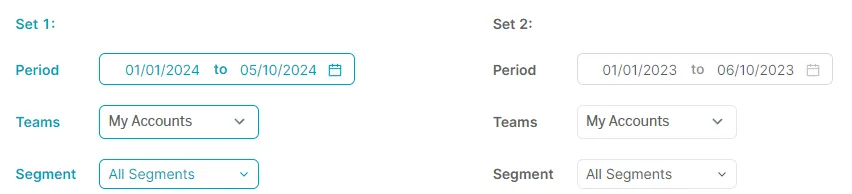
What can I compare?
Compare the same shop across periods, two shops set up as separate teams, or segments such as first-time and returning buyers. Shop B sold more this week ($1,400 versus $1,300), while Shop A drove growth by gaining $300. Shop B’s $100 decline brought the overall increase to $200.
Wix
Wix Analytics helps you review performance on a website you run on Wix. It provides traffic reports for your eCommerce website.
Features
- Traditional payment gateways, including PayPal, Stripe, and Square.
- Inventory Management
- Shipping Options
- Abandoned Cart Recovery
- Multichannel Selling
- Wix has built-in SEO tools to make life as easy as possible.
Pros
- Category mapping
- Advanced eCommerce tools
- Beginner-friendly and easy to operate
Cons
- No stock management alerts
- Too much creative freedom
Pricing: You can sign up for free and use limited features. To enjoy more features, upgrade your plan.
See Wix plans for current prices and the plans that support online payments.
Alura
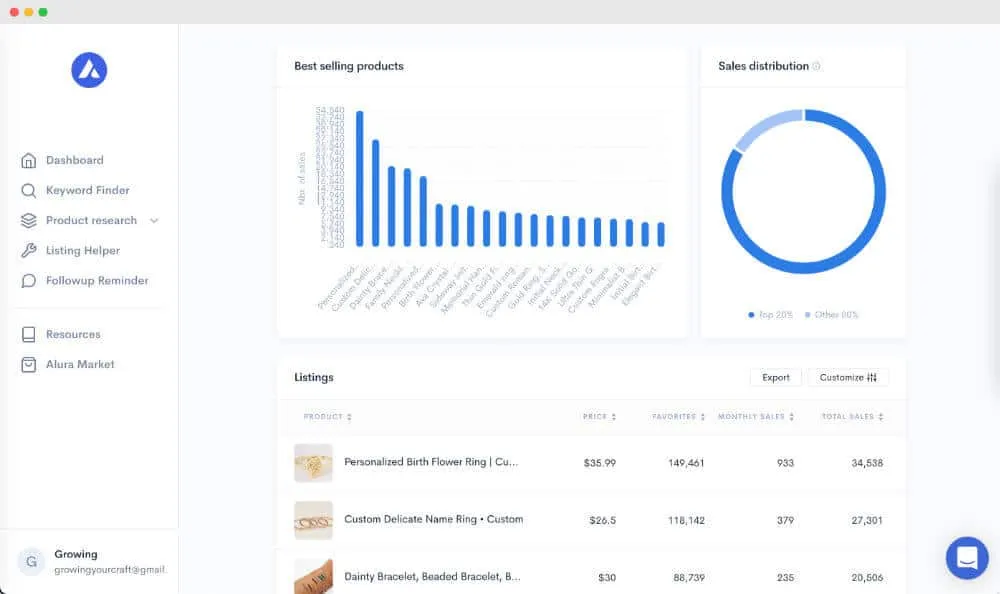
Alura is the all-in-one solution designed to turbocharge your Etsy business. It combines product and keyword research, listing tools, and shop analytics. Alura helps streamline operations, increase efficiency, and maximize profits for Etsy sellers.
Features:
- Comprehensive Etsy analytics to track sales, orders, and revenue trends.
- In-depth customer insights to target and engage effectively.
- Keyword research to optimize Etsy listings.
- Manage shop finances.
Pros:
- User-friendly interface for easy navigation and quick setup.
- Customizable reports and dashboards for personalized data analysis.
Cons:
- Limited integrations with other e-commerce platforms.
- Advanced features may require higher pricing plans.
Pricing: You can sign up for free.
See Alura’s plans for analytics access, multi-shop limits and monthly or annual prices.
Marmalead
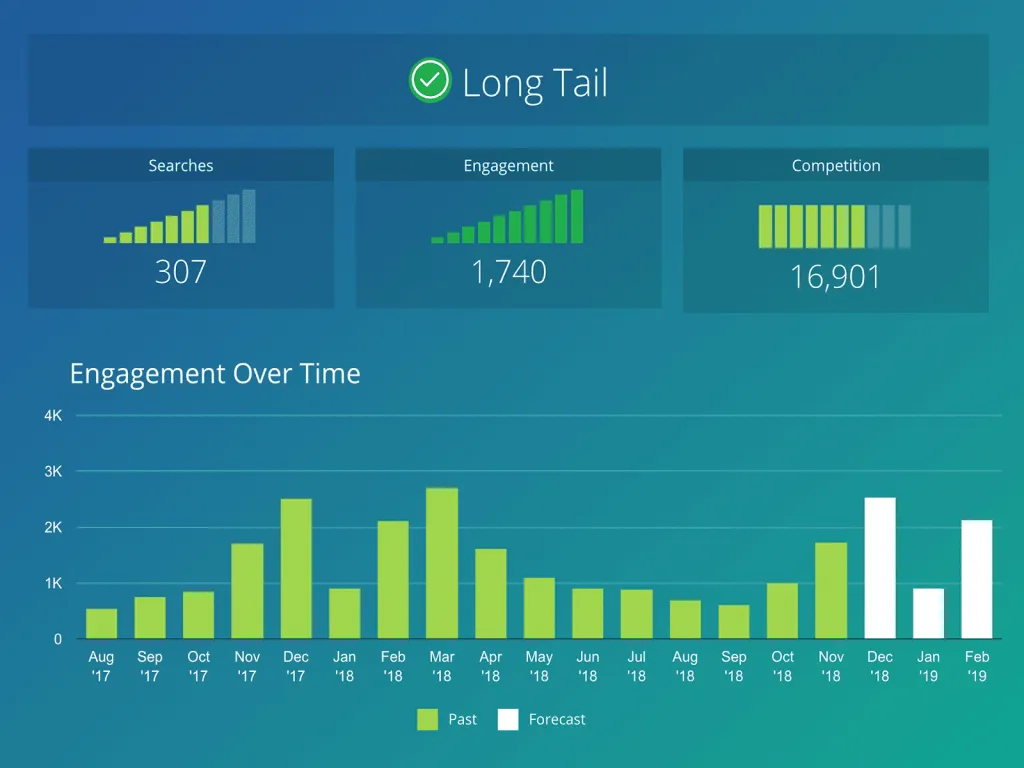
Marmalead is one of the powerful Etsy analytics tools that helps find real shoppers’ keywords to promote products. It is the best machine learning tool that helps to take the guesswork out of Etsy.
Features
- Real search volume.
- Side-by-side comparison.
- Real engagement over time.
- Letter grading.
- SEO optimization.
Pros
- Appears to be an invaluable resource
- Helps to get the proper tags for your Etsy shop
Cons
- Keyword research requires a paid subscription.
Pricing: It offers monthly, quarterly, yearly, and lifetime pricing plans. The monthly plan costs $19/month.
LeadDyno
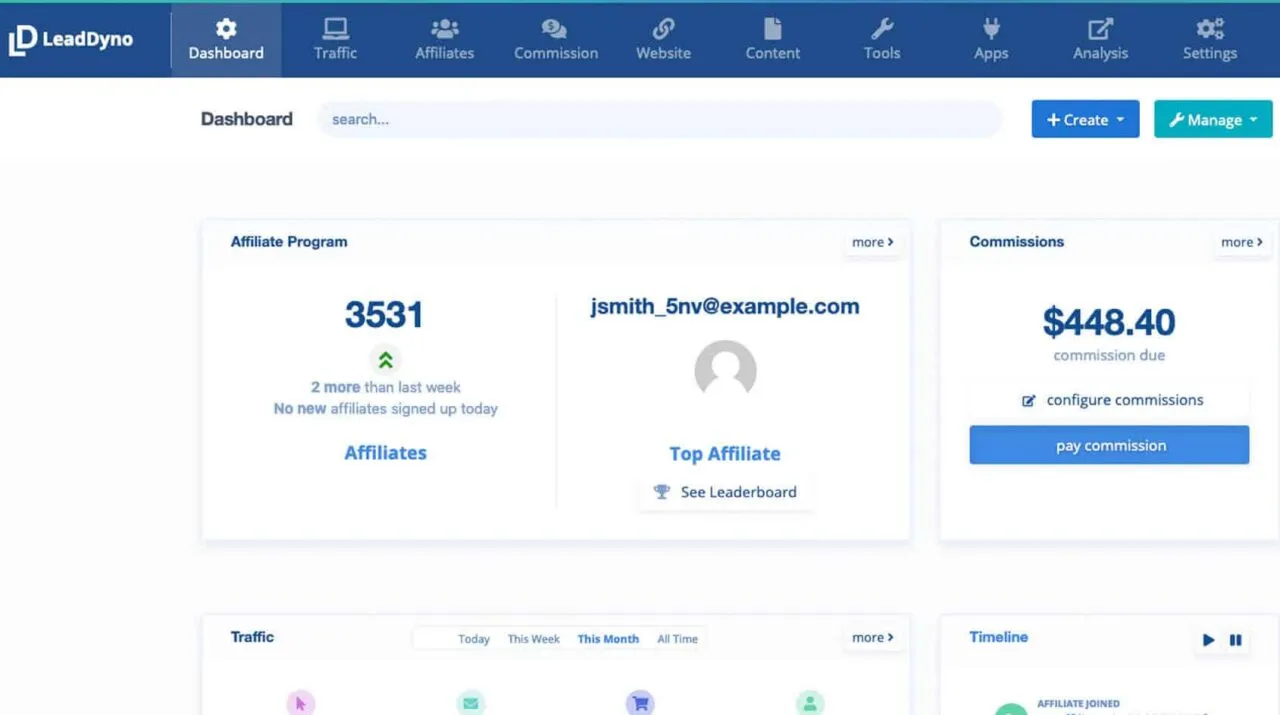
LeadDyno helps businesses manage affiliate programs and track referrals on supported stores. It allows your online store visitors to share your products on different social media platforms.
Features:
- Single-click social sharing
- Mobile optimized
- Google Adwords conversion tracking
- Online marketing tracking
- Easy marketing & affiliate signup
Pros
- Easy to install and use.
- Great app; even better customer support.
- It easily tracks affiliates’ sales, whether they come from FB, YouTube, or the website.
Cons
- There was no way to customize the automatic payment method.
- The support team takes time to get back to you.
Pricing: It provides a 30-day free trial. Its Lite plan starts at $49 per month on monthly billing.
EverBee
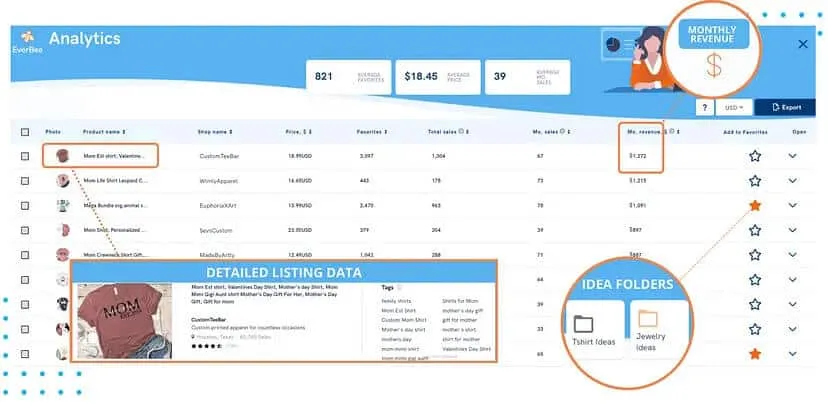
EverBee Etsy Product Analytics is a robust analytics tool designed specifically for Etsy sellers. With EverBee, you can research listings and compare estimated sales and revenue to gauge demand.
Features:
- Product research: Compare estimated sales and revenue for Etsy listings.
- Product performance tracking: Track each product’s performance to identify top sellers and optimize inventory.
- Everbee email: A powerful marketing tool for Etsy shop managers to grow customers.
Pros:
- Robust analytics capabilities for data-driven decision-making.
- User-friendly interface with intuitive navigation.
- EverBee estimates sales and revenue from public listing signals.
Cons:
- Limited integrations with other platforms.
- Pricing plans may be restrictive for small businesses.
- Some advanced features require additional customization.
Pricing: You can sign up for free and enjoy the Hobby Plan with limited features, which is free. To enjoy more advanced features for your Etsy shop, upgrade to premium plans:
- Hobby plan: $0/mo
- See EverBee’s plan comparison for current Growth and Business prices and data limits.
WiseStamp
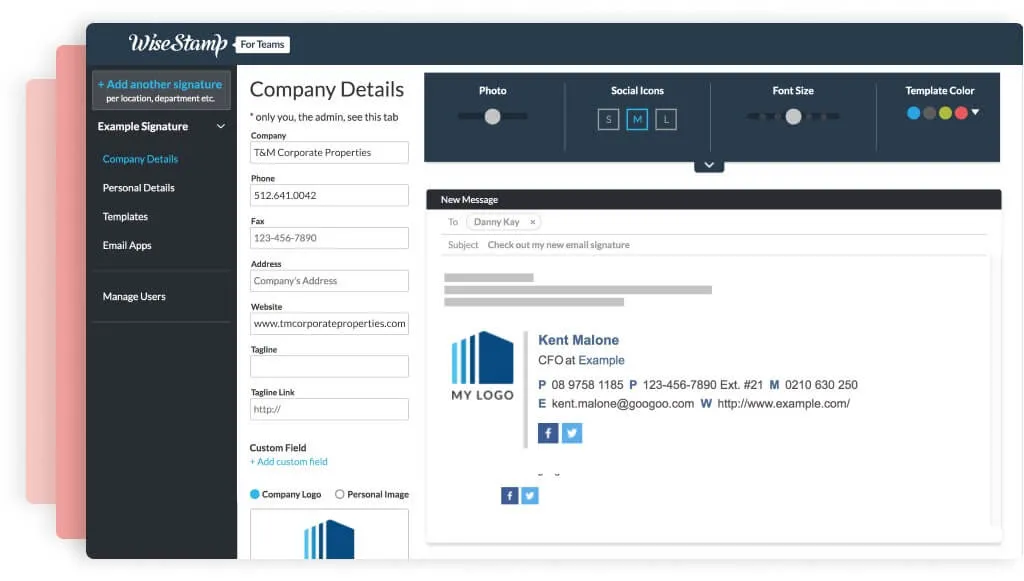
WiseStamp is an award-winning signature generator tool that generates and manages your business email signature. Use it to include a link to your Etsy shop or a featured listing in your email signature.
Features
- Central management
- Easy design and setup
- Professional templates
- Push marketing updates
- Detailed analytics
- Google and Microsoft app integrations
- Premium support
Pros
- Various templates are available to create your own business signature.
- A professional email signature that drives traffic to my blog and social media sites on autopilot.
- Nice User Interface.
Cons
- Signature templates are limited; need more variety.
- Glitchy interface while using the Chrome browser.
Pricing: WiseStamp lists individual and team options. Team pricing includes a base fee and a per-employee charge on some plans. See current WiseStamp pricing.
Sale Samurai
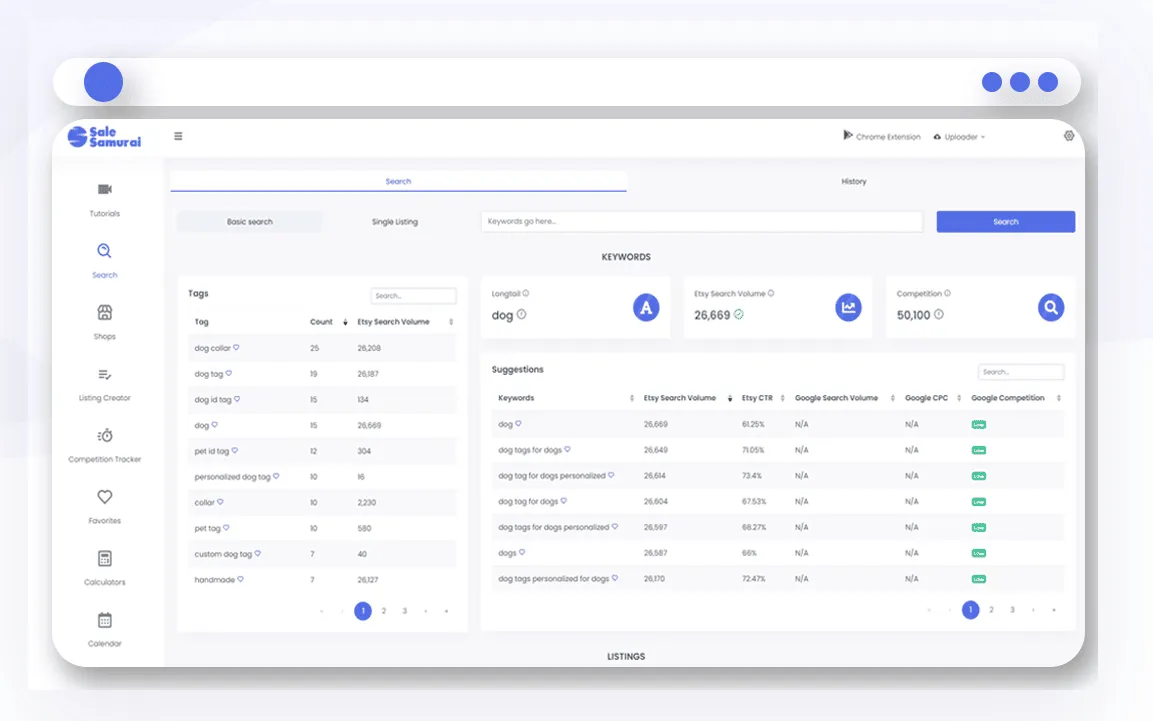
Sale Samurai is a powerful Etsy analytics tool designed to empower sellers with valuable insights to boost sales and profitability. Its main uses are Etsy keyword research, listing analysis and competitor research.
Features:
- Keyword research with Etsy search trends and listing competition.
- Chrome extension for researching listings while browsing Etsy.
- Competitor analysis to stay ahead in the market.
Pros:
- Combines keyword and listing research in one tool.
Cons:
- Limited integrations, learning curve for beginners.
Pricing: The site lists a limited free plan. Paid prices are:
- Monthly plan: $19.99/month
- Yearly plan: $199.90/year
These are some of the most popular Etsy analytics tools that also help you manage your Etsy shop. You can choose the best-suited tool according to your requirements. Moreover, we recommend Putler, an all-in-one analytics and reporting tool.
Which Etsy analytics tools did you like?
If you’ve already learned how to sell on Etsy, take advantage of the best Etsy analytics tools to take your ecommerce store to the next level! Check out the Etsy analytics tools I’ve listed, make use of the free trials, and increase sales on Etsy.
Once you have your analytics in place, use these strategies to increase Etsy sales and put your data to work.
Getting Etsy reports is easy, you only need to figure which tool fits your business and budget the best.
If you need a clearer view of orders, sales and buyers across connected Etsy shops, try Putler with your own shop data.