
You already have reports from your existing systems, and have seen enough charts and dashboards.
So what makes Putler different? What problems will it solve? And how?
Your ecommerce systems and payment processors already have reporting dashboards. Google Analytics tells you a lot with enhanced ecommerce analytics. You probably also have spreadsheets to track important metrics. So why bother with something new?
Let’s find out.
Step 1: Cleanup, duplicate resolution, currency conversion, consolidation
Putler fixes 100+ problems in ecommerce data and creates an aggregated “single source of truth”
Your ecommerce system / shopping cart has the most accurate and updated information about products and customers. But the payment processor has most reliable information about charges and refunds. Transaction status changes on PayPal, Stripe etc do not always get synchronized with WooCommerce, Shopify and others.
- Do you see correct product names in your payment processor? What if customer’s PayPal email is different?
- Is it ok to miss out on one time payments received directly in payment processor?
- What happens when there is any mismatch between cart software and payment gateway? Currency, timezone, technical problems, software bugs…
- When customers make mistakes typing addresses and emails, will your reports mess up?
- Do you have a complete and accurate overview of cash flow, sales, products and customers when you sell through different websites, platforms or businesses?
- Will you benefit if all these problems were fixed automatically?
Putler intelligently syncs together all these platforms.

Fixes anomalies you probably were not even aware of!
always updated transaction status and resulting effect on all reports
maps attributes from different data sources to create “master” records
correctly syncs product and variation changes
fixes transaction ID mismatches
auto corrects and identifies geographical location
applies currency exchange rate conversion automatically
tries filling in missing or incomplete subscription meta data
records one time payments received directly in PayPal, Stripe etc
detects fake, disposable and webmail email addresses
handles timezone differences
formats phone number as per customer country standards
shows current weather at customer’s location
considers US, USA, United States, United States of America as the same country
shows correct geolocation hierarchy – continent, empire, country, state
auto corrects common email spelling mistakes
detects geo location from IP if address is not provided
shows a screenshot of customer’s website
consolidates customers, products across multiple businesses
identifies same product sold on multiple channels – eBay, Etsy, Shopify…
converts account balance and all transactions to a single currency with proper conversion
handles full and partial refunds
finds out if customer’s email is good or bad
does not miss events or status updates to orders
updates orders correctly after disputes, chargebacks and settlements
guesses customer’s gender from their name
looks up missing or messy product names in payment processor from cart system
understands single and recurring payments correctly
combines money balance across all your PayPal, Stripe, 2Checkout and other accounts
handles email mismatch between cart and payment processor
and much more…
And gives you a powerful analytics dashboard.
Step 2: 200+ metrics details and insights on sales, customers, products, orders, SaaS
All the reports and answers you need
Now that we have clean and standardized data, Putler gives you lots of ready made metrics, KPIs and stats. You can easily find answers because everything is neatly organized.
You don’t have to hop from one system to another or wait for someone to do the numbers for you anymore.
Executive business overview
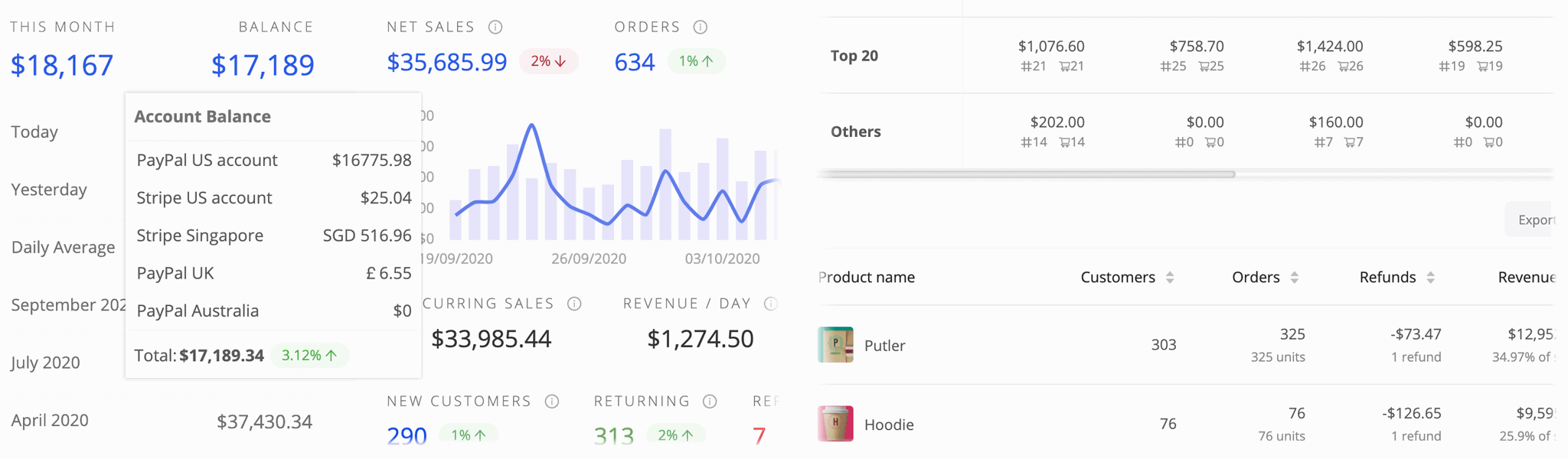
Combined account balance, current revenue, number of orders and customers, sales trend, refunds, new vs returning customers, traffic, conversions, comparison with previous three months, list of recent orders, top selling products, revenue comparisons with previous months and year… Everything you need to know is right on the home dashboard.
Better customer insights in real-time
New, returning, recurring customers. Conversion rate, life time value, issuing refunds and managing subscriptions, enriched customer profiles, screenshot of customer’s website, geo location, demographics, complete order history, segment customers, RFM, customer support tools…
Product management and catalog
Top selling products leaderboard, 80/20 split, frequently bought together, purchase price buckets, refund rates and average time to refund, trends, people who bought X, variation / category reporting, geographies where product sells…
Sales trends, details, breakups and drilldowns
Daily, monthly, period wise stats and comparisons, sales heat map, line items, order tracking and details, average order value, recent transactions, geolocation insights, recurring vs one time… You will get all types of sales reports, metrics and analytics in Putler.
SaaS subscription metrics reporting
MRR, ARR, churn, upgrade / downgrades, LTV, user growth rate… You will get all useful SaaS analytics. Putler combines recurring payments from Stripe, PayPal and all others into one. And also supports mixed businesses – one time and subscription revenue.
Google Analytics, email reports…
Audience dashboard shows a one page overview of important reports from Google Analytics across all your properties. Putler sends weekly update email reports, can export data to CSV for mailing lists. You can share analytics with your team with proper access control.
Step 3: Search, segment, drilldown, breakups
Find anything faster, get evidence for your ideas, save time
We all know how hard it is to find a customer or order after it’s gone beyond the first page. Especially when you don’t have exact transaction ID, order number, SKU or customer’s email. Putler solves that, and a whole lot more.
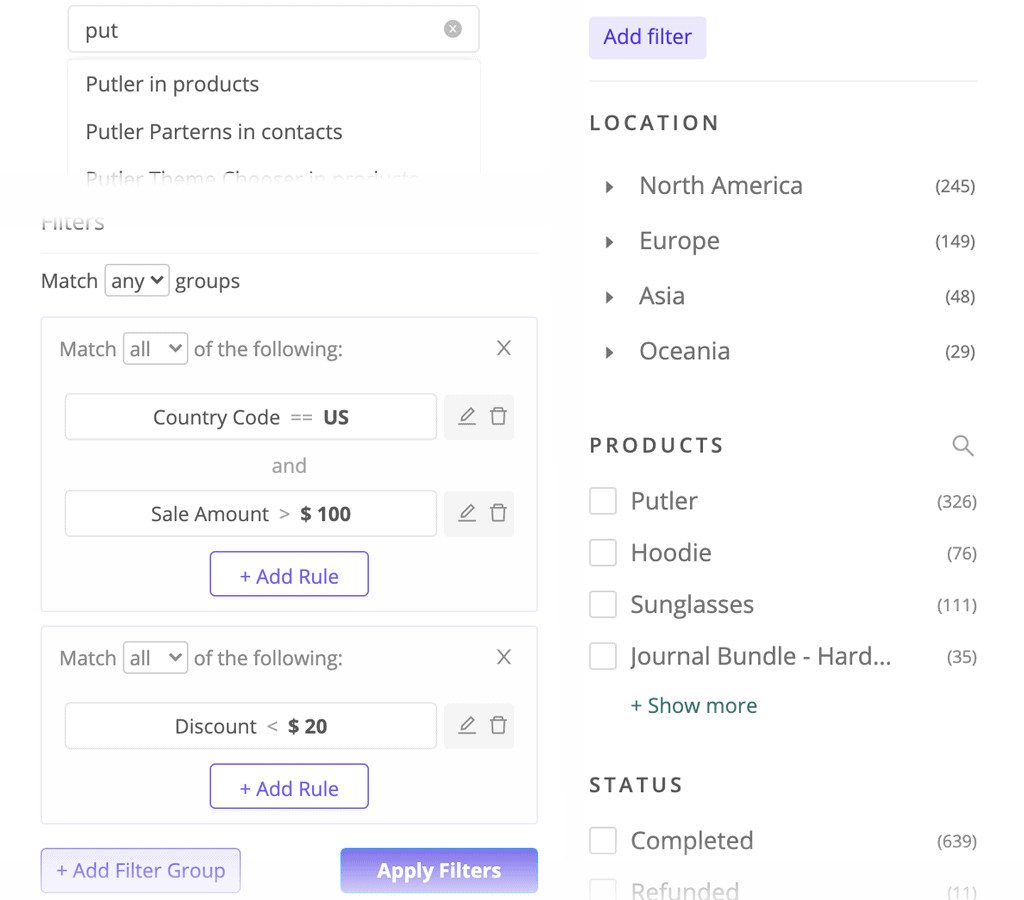
- Split second searches with auto-complete for customers, products, orders
- Advanced filters on dozens of fields
- Create and reuse segments
- Prebuilt drilldowns on location, prices, products and many other parameters
- Monthly, weekly or daily breakup for longer period metrics.
- Ability to combine or individually work on orders from different data sources
Now put all that power to good use!
Go beyond numbers: develop insights, sell more, move inventory, delight customers…
It’s easier to build a better business with Putler.
Conversions, RoI, customer segmentation
Better marketing and CRM
Looking at numbers alone does not grow your business. So we’ve included many tools to put good data to good use!
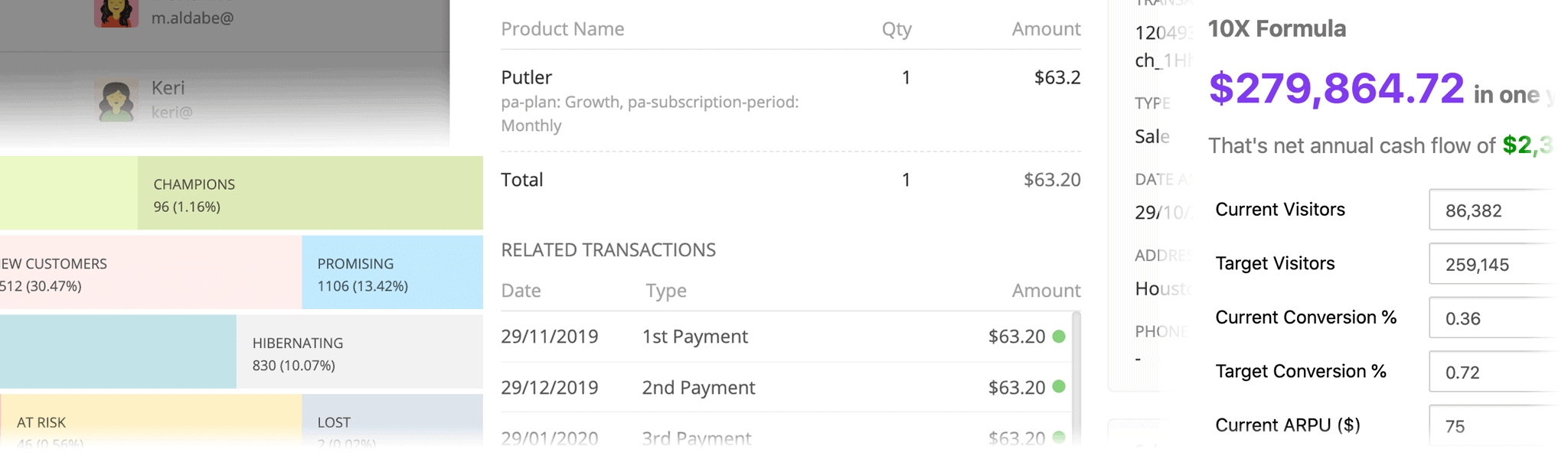
- Live and comprehensive RFM customer segmentation lets you run marketing campaigns with much higher success
- Create filters and run further faceting drill downs. Save as a segment or export to CSV for email marketing or building custom audiences.
- Enriched customer profiles help you understand your customers a lot better. Visitor analytics from Google Analytics help you assess marketing campaign RoI better.
Provide refunds, quick searches and access control
Quicker support and daily operations
Things that used to take hours can now be completed in minutes.
- Quickly find a customer or order, review all related transactions and details
- Issue full or partial refunds. Manage subscription profiles.
- Share with team members – but limited access to support team
- Use our Chrome extension to pull up complete customer profiles in any other help desk or CRM system you use
Goal planning, forecasts, 10x formula
Set informed goals and improve decisions
Make better decisions with all insights Putler provides. Get a better handle on cashflow.
- Compare and study historical performance
- Set monthly revenue goal and track it against forecast.
- Plan 12 months ahead by adjusting parameters in the model Putler predicts for your business.
- Plan to grow your business 10x by optimizing three factors.
Insights, education, actionable tools
Artificial intelligence and big data
We’re on a mission to double your sales. Using sophisticated AI algorithms and big data, Putler generates practical business suggestions. Putler becomes your data scientist and marketing assistant.
- Weekly email reports, suggestions and education
- Holiday season performance comparisons and other insights
- Productivity tools like emailing from within Putler, enhanced customer profiles etc.
Works across industries and business types
Not just Stripe, not just SaaS, not just Shopify or WooCommerce.
Putler is designed for complex, growing businesses like yours. You’re not tied to a single platform or tool. Grow your current business or run many side gigs. Putler will consolidate it all.
Who uses Putler?
- Online businesses
- Internet / digital marketers
- Bloggers, authors, experts, artists
- Growth hackers
- Software & SaaS
- Small and medium businesses
- Startups
Putler delivers solid results
- 94% say they got better control on their business with Putler.
- “campaign costs down by 78% and revenues jumped by 32%”
- “gives us sixteen hours every week”
- “from an hour issuing refunds everyday to under 10 minutes”
- “no room for blind-spots, confusion or chaos within the team”
- “$6045 in new sales in just few days using Putler’s insights”
- “from false, hope driven guesswork to concrete data driven actions”
Top 10 reasons why people choose Putler
- Intelligent consolidation and largest number of integrations with payment gateways, shopping carts and Google Analytics.
- Only tool that provides analytics for SaaS, non SaaS and all other businesses.
- Properly handles multiple currencies.
- Out-of-the-box RFM segmentation and powerful breakups and drilldowns.
- Can handle multiple businesses from one place.
- Has the fastest search and saves hours of work.
- Shows accurate eCommerce reports and fixes 100+ data challenges.
- Not superficial dashboards, but provides actionable insights.
- Can be shared with entire team with proper permissions.
- Pricing is affordable you get more for less.
20 minutes to a new world of ecommerce reporting
Try Putler, it’s worth it.
Typical analytics is superficial, overwhelming and grossly inaccurate. Putler gives you all the business intelligence – without confusion. Not only will you better understand your business, you will even discover hidden opportunities.
Try it yourself – no risk, no credit-card and fully worth your time.
96% people said it was worth signing up for a trial.