

Razorpay is one of the best payment gateways in India. Millions of businesses use it to collect payments, manage settlements, and handle refunds.
But when it comes to Razorpay analytics, the native dashboard stops at payments. It tells you what transactions happened. It doesn’t tell you who your best customers are, which products are driving revenue, or what your business will earn next quarter.
This guide covers exactly where Razorpay’s built-in analytics fall short and 10 Razorpay analytics tools that give you the business intelligence it can’t.
What Razorpay’s analytics actually show you
Before diving into the limitations, it’s worth being fair. Razorpay’s dashboard does a solid job of what it was built for: giving you a real-time view of your payment operations.
Here’s what you can see inside the native Razorpay dashboard:
Payment overview: Total collected amount, number of orders, and refunds for any selected time range.
Payment volume charts: Transaction count and volume grouped by day, week, or month.
Payment method split: A breakdown of how customers are paying (UPI, cards, netbanking, wallets) shown as a percentage of total transactions.
Traffic split: Whether payments are coming from desktop, mobile, or other devices.
Recent activity: A live feed of the latest payments, settlements, refunds, and disputes.
Reports: Downloadable CSV or Excel exports of transaction, settlement, and refund data, schedulable by email.
For a payment gateway, this is exactly what you need. You can track collections, reconcile settlements, and monitor refunds without leaving the platform.
The problem starts the moment you want to understand your business, not just your payments.
Where Razorpay analytics fall short
Razorpay was built to process payments, not to help you grow a business. Once you move beyond transaction tracking, the gaps become hard to ignore.
Here’s what the native Razorpay dashboard cannot tell you:
- No customer lifetime value (LTV): Razorpay shows individual transactions but has no concept of a customer across multiple payments. You cannot calculate LTV, repeat purchase rate, or average revenue per customer over time.
- No product-level analytics: Razorpay only knows about payments, not what was sold. There are no best-seller reports, no SKU-level performance, no frequently bought together data.
- No customer segmentation: You cannot group customers by behaviour, location, or purchase frequency. There is no RFM analysis and no way to identify your best customers versus your at-risk ones.
- No revenue forecasting: The dashboard has no predictive layer. You cannot project next month’s revenue, model growth scenarios, or set data-backed targets.
- No cohort analysis: There is no way to track how groups of customers behave over time, measure retention, or identify when churn typically happens.
- No multi-channel data: If you also sell on Shopify, WooCommerce, Etsy, or Amazon, Razorpay has no visibility into those channels. Each platform lives in its own silo.
- Reports capped at 95 days: You cannot generate a full-year report from the Razorpay UI. Each download covers a maximum of 95 days, and only 3 concurrent reports can run at a time.
- No actionable insights: The data is factual but flat. There are no alerts, no anomaly detection, and no recommendations. You get numbers without context.
- Tedious navigation: Viewing related information across payment links and payment pages requires switching between sections manually. There are no deep filters or drill-downs inside the dashboard.
The result is that most Razorpay users end up making pricing, inventory, and marketing decisions based on incomplete data. The payment side is covered. The business side is not.
10 best Razorpay analytics tools for eCommerce in 2026
No single tool does everything. The right one depends on your platform, your growth stage, and what specific gap you need to fill. Here’s an honest breakdown of the 10 best options.
Google Analytics 4: best free baseline for traffic and conversions
GA4 is the starting point for most eCommerce stores and for good reason. It’s free, integrates with Google Ads, and gives you a solid foundation for understanding how visitors find your store and what they do before buying.
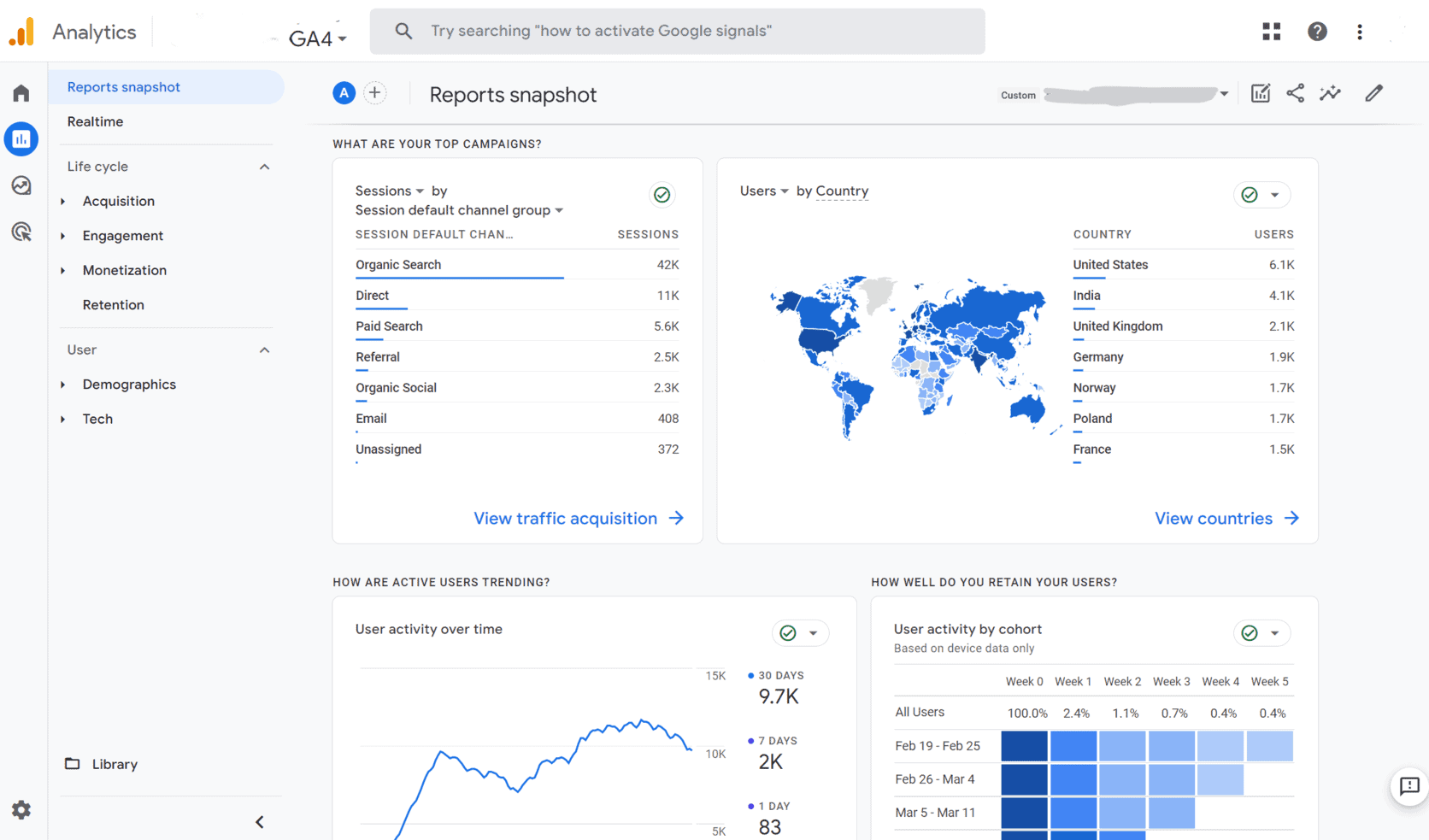
For revenue analytics, GA4 covers the full purchase funnel. You can track product views, add-to-cart events, checkout steps, and completed purchases.
The acquisition reports show which channels drive conversions, not just traffic. The Explorations section lets you build cohort analysis, funnel reports, and path analysis.
Pricing:
- Free for most stores
- GA4 360 starts at approximately $50,000 per year for enterprise features and unsampled data
Best for: Every eCommerce store as a starting point. GA4 is the baseline, not the complete solution.
Pros:
- Free and widely supported across every eCommerce platform
- Strong acquisition and conversion reporting
- Integrates natively with Google Ads for campaign-level attribution
Cons:
- No visibility into product profitability, LTV, or customer segmentation
- Undercounts eCommerce revenue by 10 to 20% on average due to payment gateway redirects and ad blockers
- Requires technical setup to get eCommerce tracking right
Shopify Analytics: best for Shopify-only stores
If your store runs on Shopify and you use Razorpay via the Razorpay Secure app, Shopify Analytics gives you a solid layer of store-level reporting on top of your payment data.
It covers sales, orders, customers, products, and basic acquisition in one place without any additional setup.
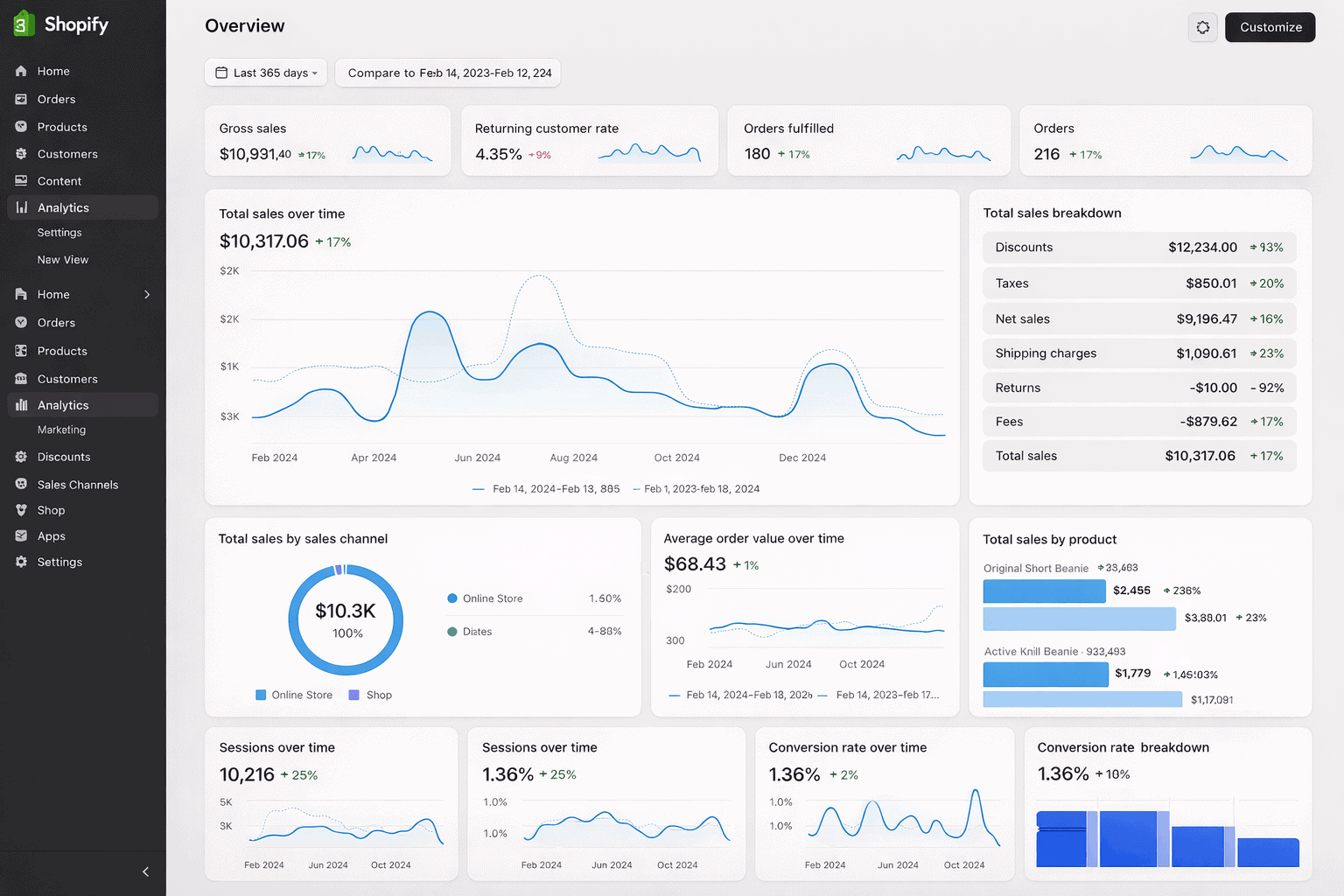
The dashboard includes Live View for real-time traffic, finance reports for revenue reconciliation, and product analytics for top sellers and inventory movement.
Higher Shopify plans unlock custom reports, profit tracking with COGS, and ShopifyQL for ad-hoc queries.
Pricing:
- Included in all Shopify plans starting at $39 per month
- Custom reports and profit tracking require higher tier plans
- Shopify Plus starts at approximately $2,300 per month
Best for: Shopify store owners who want zero-setup operational reporting within their existing platform.
Pros:
- No additional tool needed if you are already on Shopify
- Covers sales, customers, products, and inventory in one dashboard
- Live View gives real-time traffic and conversion data
Cons:
- Reports cap at 1,000 rows in-admin and 10,000 rows on export
- Attribution is last-touch only with no paid media integration
- Advanced reporting locked behind higher-cost plans
WooCommerce Analytics: best free option for WooCommerce stores
If your store runs on WooCommerce and you collect payments via Razorpay’s WooCommerce plugin, WooCommerce Analytics gives you a free attribution and reporting layer directly inside your WordPress dashboard.
It shows you which channels, sources, campaigns, and devices are driving orders without needing a separate tool.
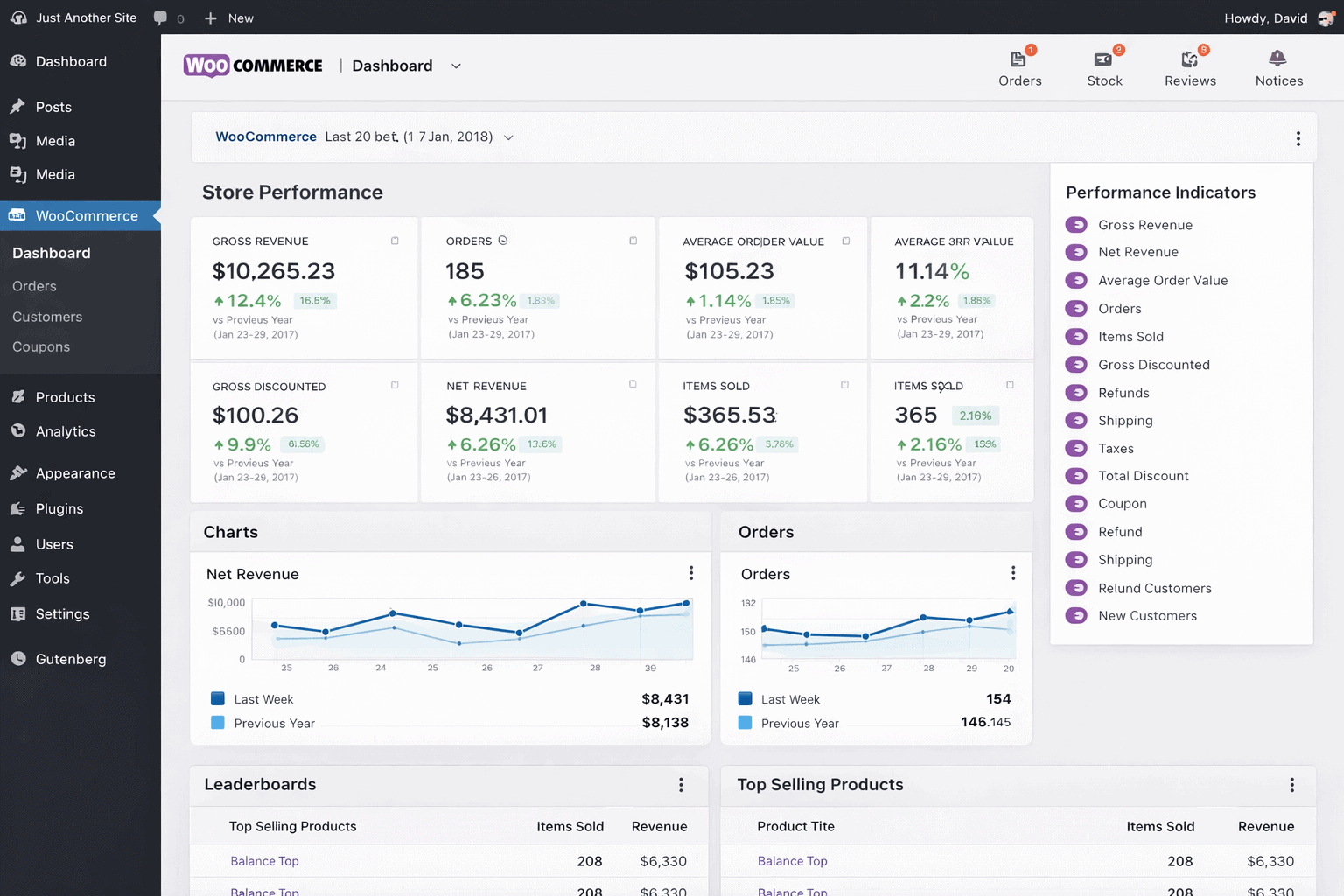
The extension covers order attribution by channel and source, device-level breakdowns, and campaign tracking. It integrates with the Google Analytics for WooCommerce extension for GA4 eCommerce event tracking.
Pricing:
- Free, currently in beta
Best for: WooCommerce store owners who want zero-cost channel attribution without leaving WordPress admin.
Pros:
- Free and built directly into WooCommerce
- No third-party tool or API key needed
- Works alongside Razorpay’s official WooCommerce plugin
Cons:
- Does not support multi-currency stores
- Beta status means limited depth compared with dedicated reporting plugins
- No LTV, cohort analysis, or customer segmentation
Metorik: best for WooCommerce and Shopify single-platform stores
Metorik takes your WooCommerce or Shopify data and turns it into clean dashboards, deep segmentation, and actionable customer insights without requiring a data team to run it.
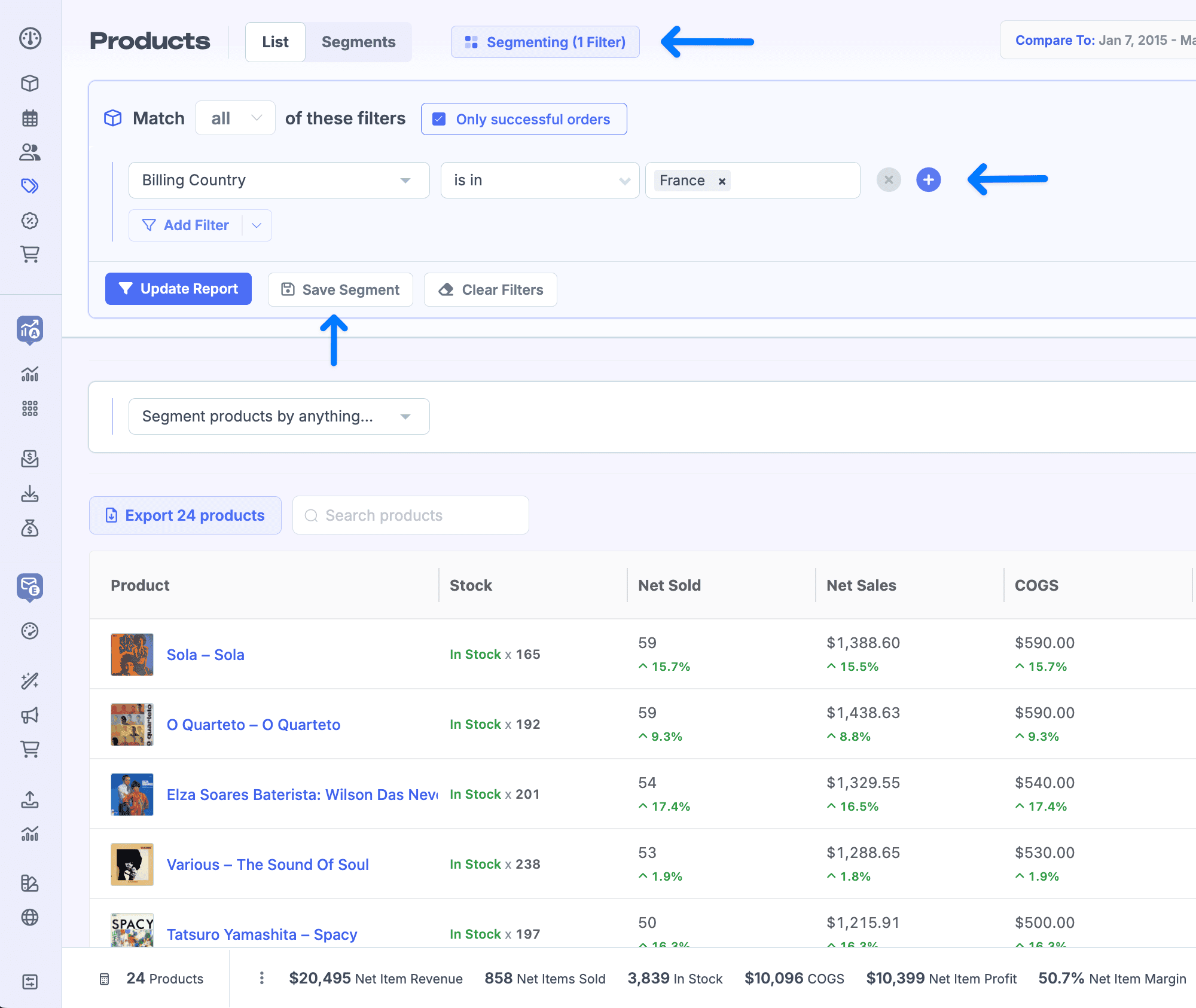
The Superpower Segments feature lets you filter orders and customers by over 500 conditions including product purchased, country, coupon used, order value, and subscription status.
Combine that with cohort analysis, LTV tracking, subscription metrics (MRR, churn, trial conversions), and COGS-based profit reporting and you get a level of store intelligence that native platform reporting simply does not offer.
Pricing:
- Starts at approximately $42 per month for up to 100 orders
- Scales by monthly order volume
- 30-day free trial, no credit card required
Best for: WooCommerce and Shopify store owners who sell on a single platform and want deep reporting, subscription analytics, and email automation in one place.
Pros:
- 500+ filter conditions for deep customer and order segmentation
- Built-in subscription analytics covering MRR, churn, and LTV
- Profit reporting with COGS at the product and variation level
Cons:
- WooCommerce and Shopify only. No support for other platforms or payment gateways as standalone sources
- Cost scales automatically with order volume with no annual discount option
- Razorpay data flows in only via WooCommerce or Shopify, not directly
Triple Whale: best for Shopify DTC brands running paid ads
If your entire business runs on Shopify and you spend heavily on Meta, Google, and TikTok ads, Triple Whale was built for you. It’s the go-to analytics platform for direct-to-consumer brands that need accurate attribution across paid channels.
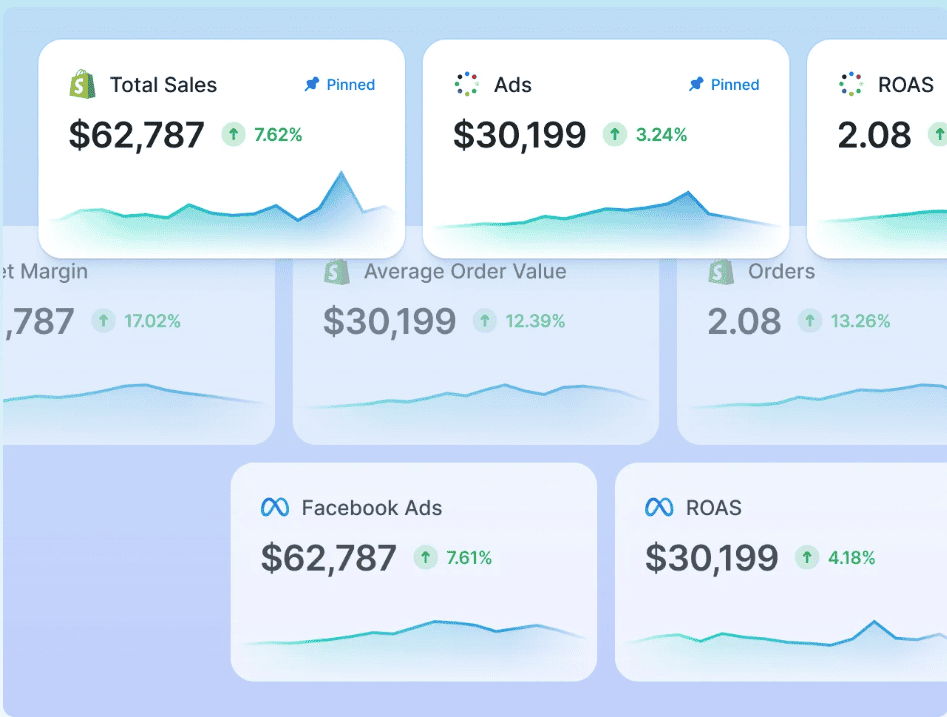
The core of Triple Whale is its first-party pixel which tracks purchase data directly from your store and ties it back to specific ad clicks across every major platform.
This gives you a more honest picture of which campaigns actually drove sales, independent of what Meta or Google claim. The Moby AI assistant surfaces anomalies, answers questions about your data, and helps with budget reallocation decisions.
Pricing:
- Free Founders Dash tier with limited features
- Paid plans start at $149 per month (annual)
- Pricing scales with GMV. Your analytics bill grows as your store grows
Best for: Shopify-only DTC brands spending $5,000 or more per month on paid advertising who need reliable attribution and creative performance data.
Pros:
- First-party pixel attribution independent of Meta and Google’s self-reported numbers
- Creative analytics showing which ad creatives drive the most revenue
- Strong cohort analysis and LTV reporting for Shopify stores
Cons:
- Shopify-primary. Limited support for WooCommerce, Amazon, or other platforms
- GMV-based pricing means costs jump as revenue grows
- No direct Razorpay integration
Glew.io: best for multichannel retailers
Glew.io is a commerce-focused business intelligence platform built for stores selling across multiple channels.
It connects your eCommerce platforms, marketplaces, ad platforms, subscription tools, POS systems, and 3PLs into one reporting layer without requiring you to build a data warehouse yourself.
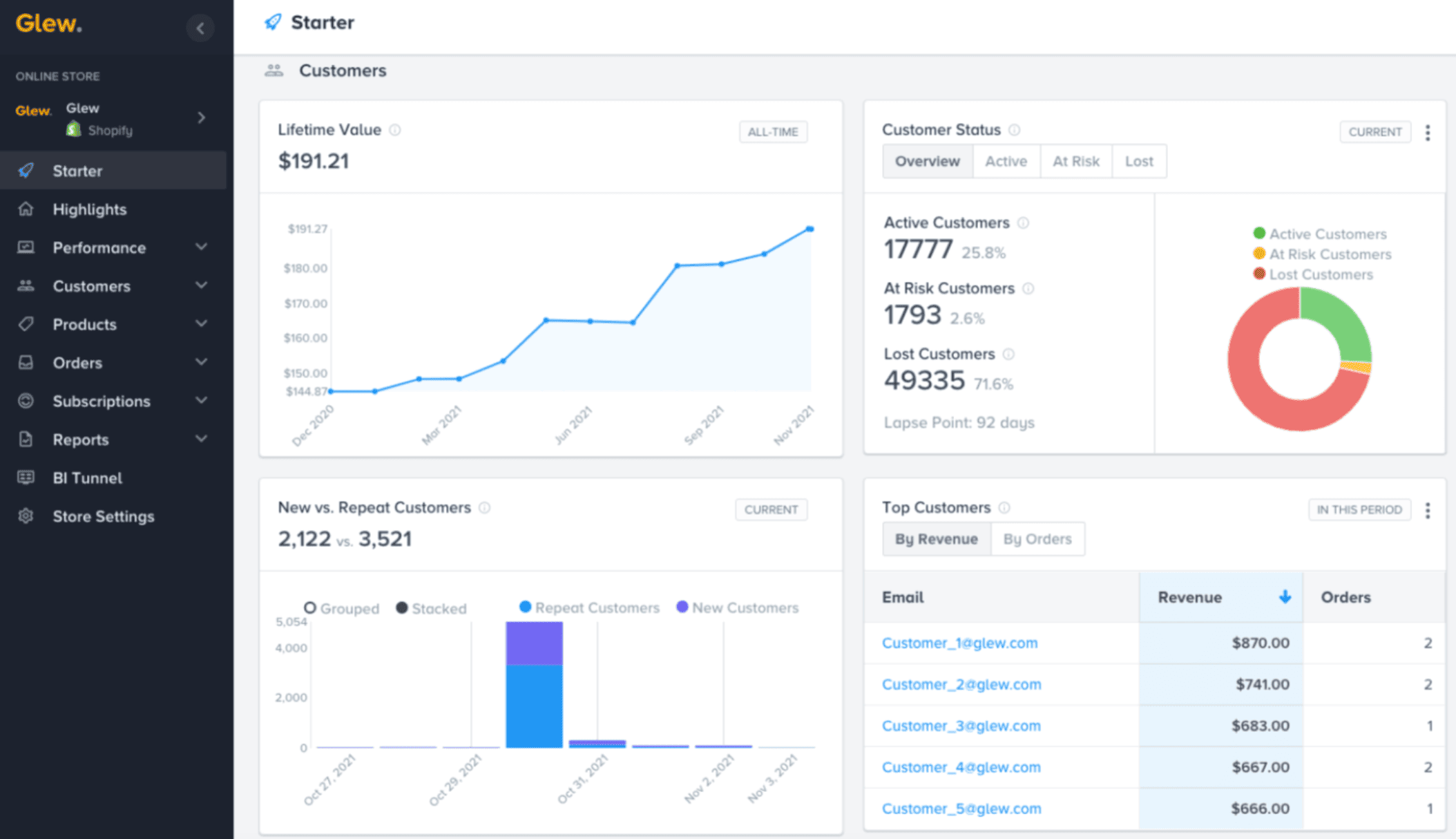
The platform ships with pre-built dashboards covering KPIs, customers, products, marketing, inventory, and subscriptions.
It also includes 30+ pre-built customer segments and automated sync to Mailchimp and Klaviyo, so insights flow directly into your marketing tools.
Pricing:
- Starts at approximately $79 per month
- Higher tiers up to $649 per month for enterprise features
- Annual billing required on most plans
Best for: Mid-market omnichannel retailers and DTC brands selling across Shopify, Amazon, and marketplaces who need multichannel BI without building their own data pipeline.
Pros:
- 170+ integrations covering eCommerce, marketplaces, ad platforms, and fulfilment tools
- Pre-built customer segments with one-click sync to Mailchimp and Klaviyo
- Covers inventory, subscriptions, and marketing in one platform
Cons:
- No public API for exporting data out of Glew
- Some users report slow dashboard load times and gaps in onboarding documentation
- No native Razorpay connector. Data flows in via Shopify or WooCommerce only
Polar Analytics: best for data-savvy Shopify teams
Polar Analytics is a warehouse-native BI platform built for scaling Shopify brands.
It pulls all your eCommerce, ad, and CRM data into a dedicated Snowflake database and lets you build dashboards, run incrementality tests, and query your data in plain English via its AI layer.
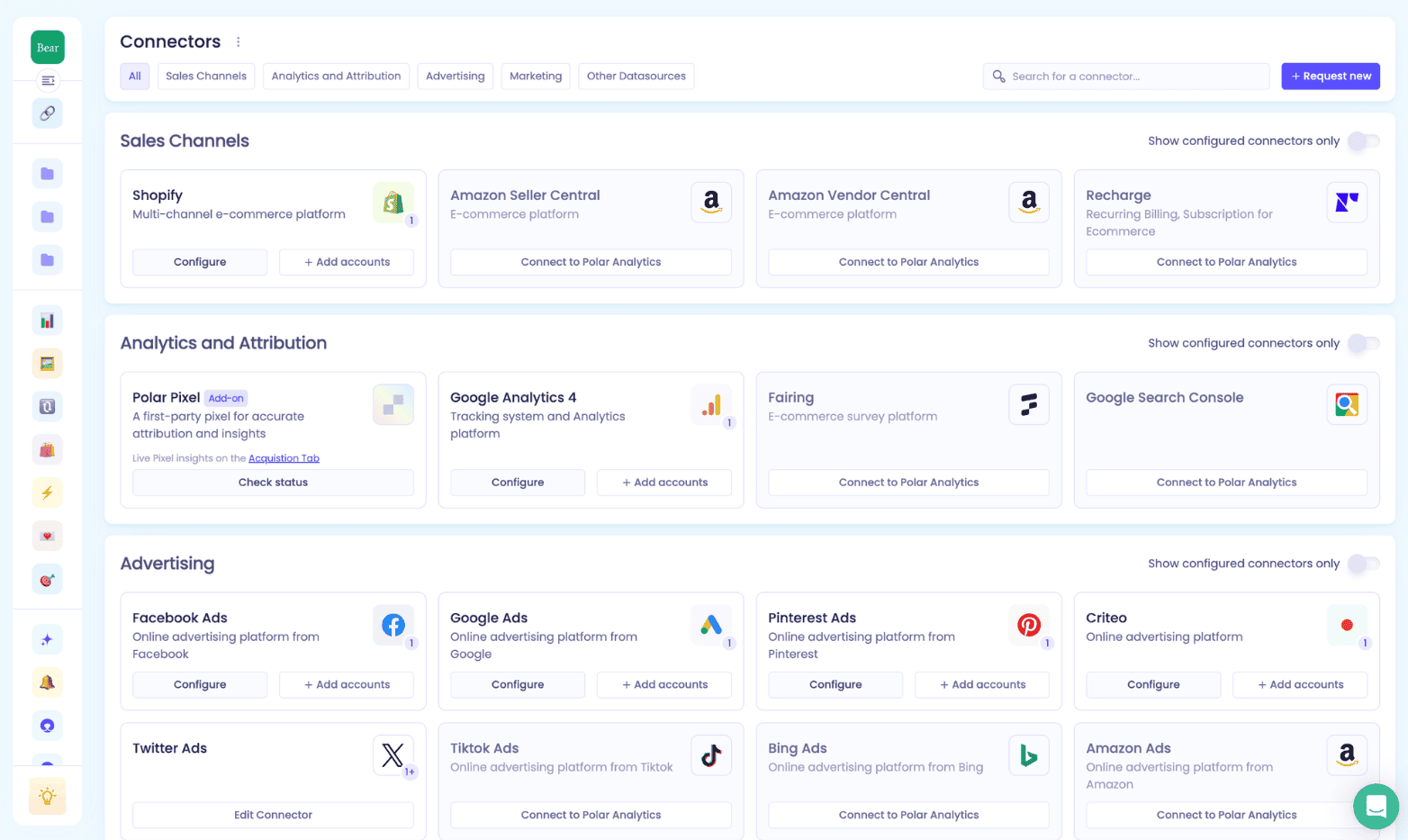
The standout feature is attribution depth. Polar ships its own first-party pixel with cross-device tracking, server-side CAPI enhancement for Meta and Google, and incrementality testing to measure the true causal impact of campaigns.
The Ask Polar AI lets you query your data without building a custom report.
Pricing:
- Starts at approximately $400 per month based on GMV
- Scales to $1,000 or more per month at $6M GMV
- Pricing is quote-based as of 2026. Contact sales for current rates
Best for: Mid-market to enterprise Shopify DTC brands doing $3M or more in GMV who need deep attribution accuracy and a dedicated data warehouse.
Pros:
- Warehouse-native architecture means your data is always yours
- Incrementality testing for true campaign impact measurement
- 45+ connectors covering Shopify, ad platforms, Klaviyo, and 3PLs
Cons:
- Shopify-primary with no WooCommerce, Etsy, or eBay support
- Steep learning curve with weak onboarding for non-technical teams
- No direct Razorpay integration
Zoho Analytics: best for businesses in the Zoho ecosystem
Zoho Analytics is a broad BI platform with 500+ data source connectors and a strong set of pre-built eCommerce reports.
For Indian businesses already using Zoho Books, Zoho Commerce, or Zoho CRM, it’s the most natural analytics layer to add. It’s also one of the few tools with a supported Razorpay connection via Zapier and the Zoho Books integration.
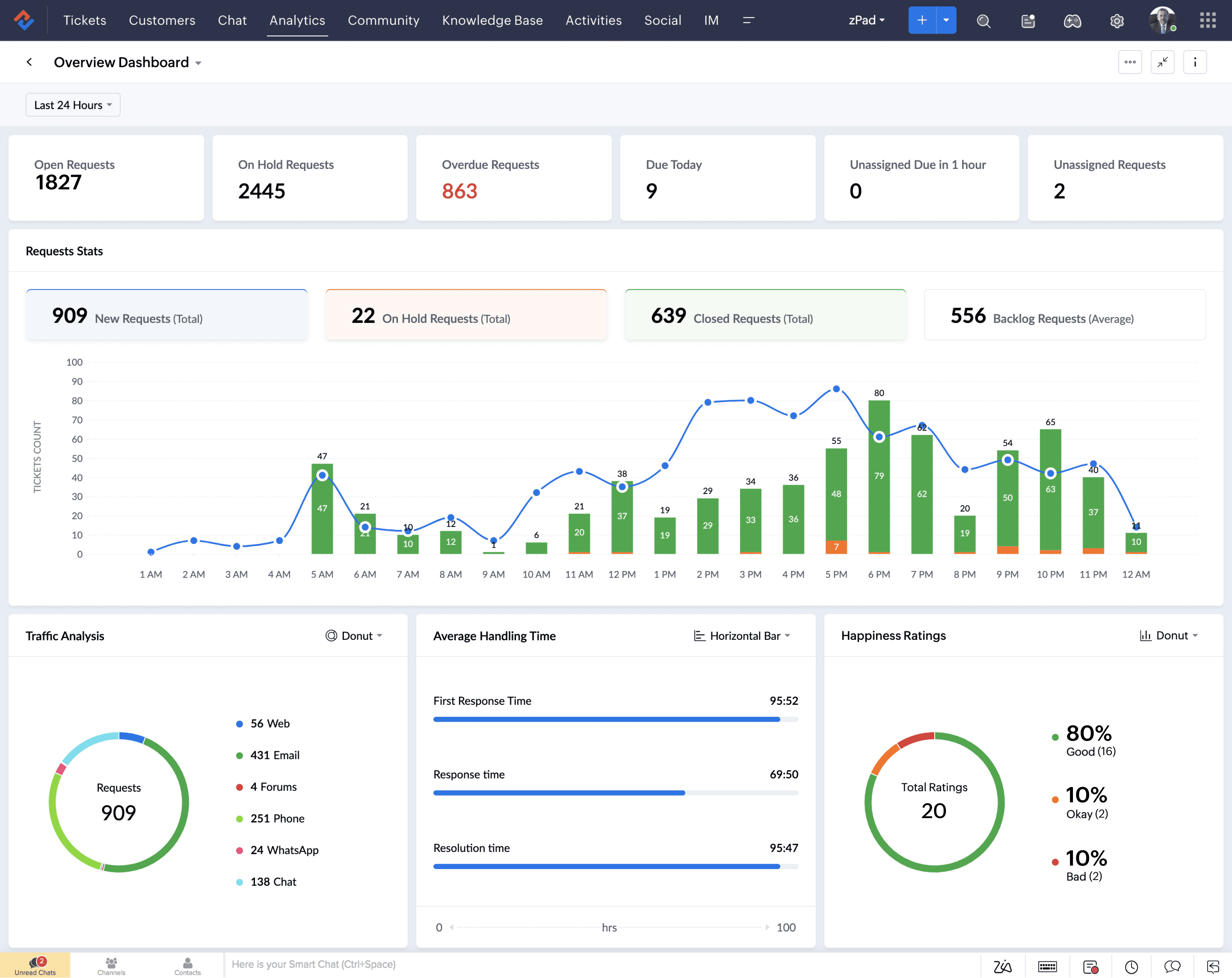
The platform covers custom dashboards, scheduled email reports, natural-language querying via Ask Zia, and embedded BI for white-label use cases. It’s not as deep as purpose-built eCommerce tools but covers far more ground than Razorpay’s native reports.
Pricing:
- Free tier available for up to 2 users and 10,000 rows
- Paid plans start at approximately $30 per month
- Enterprise tier up to $575 per month
Best for: Indian SMBs and mid-size businesses already in the Zoho ecosystem who want a connected BI layer without switching tools.
Pros:
- Free tier available for small teams
- Native Zoho Books and Zoho Commerce integrations bring Razorpay data in indirectly
- 500+ connectors covering eCommerce, marketing, CRM, and finance
Cons:
- No direct Razorpay connector in Zoho Analytics. Requires Zapier or Zoho Books as a middleman
- Performance slows with large data volumes according to G2 reviewers
- Not purpose-built for eCommerce. Lacks RFM, LTV, and cohort depth of dedicated tools
Looker Studio: best free dashboard builder
Looker Studio is Google’s free data visualisation platform. It lets you connect multiple data sources and build custom dashboards without writing code. For teams that already have their data in GA4, Google Ads, or BigQuery, it’s one of the most flexible free tools available.
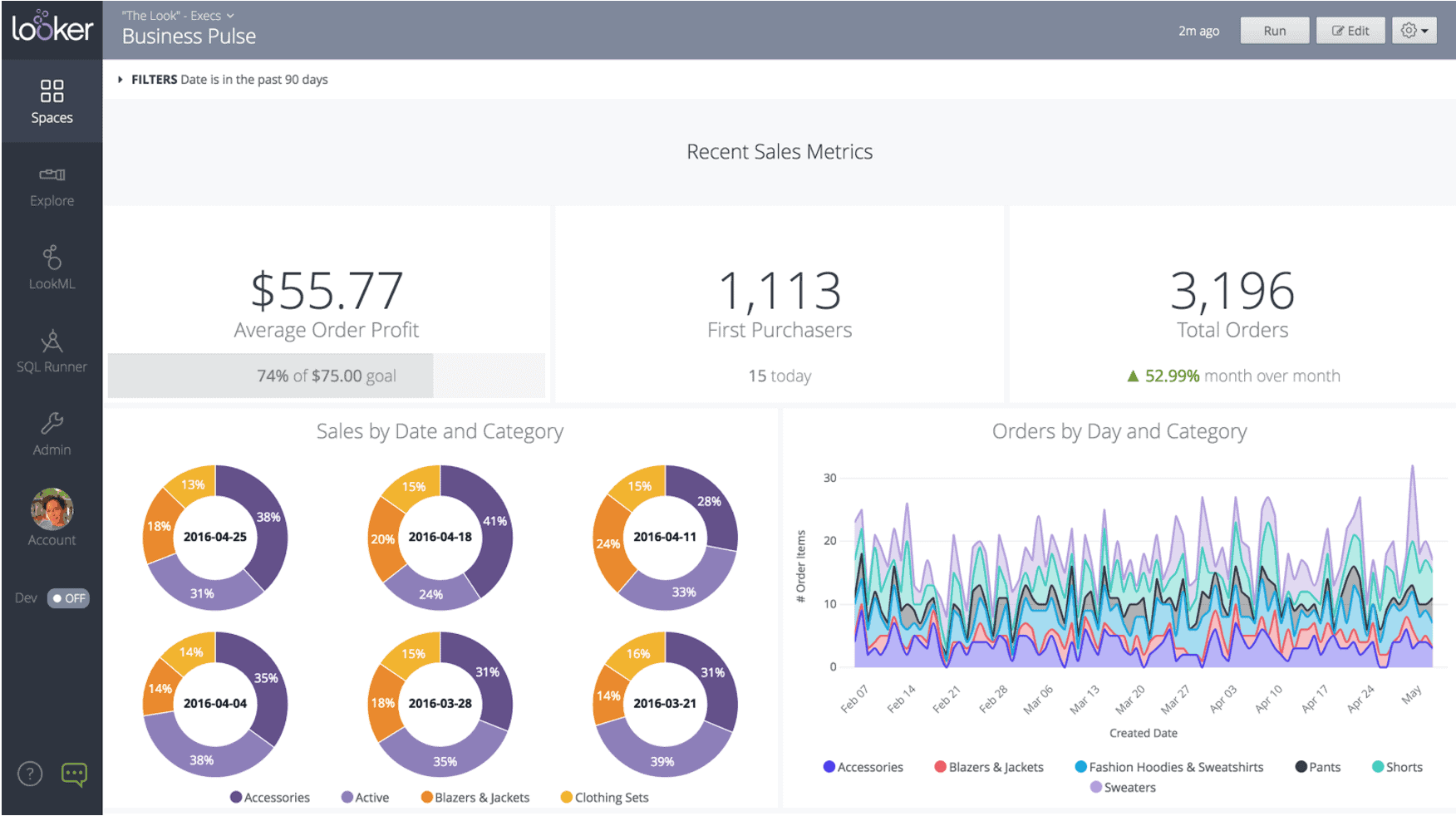
For eCommerce use, Looker Studio works best as a visualisation layer on top of existing data sources.
You can pull GA4 eCommerce data, Google Ads spend, and Search Console performance into one view and build exactly the dashboard your team needs.
Pricing:
- Free for the standard version
- Looker Studio Pro at $9 per user per project per month for team workspaces and advanced permissions
Best for: Teams that want a free, flexible dashboard builder on top of GA4, Google Ads, or BigQuery data.
Pros:
- Free with no row or user limits on the standard tier
- Highly customisable with drag-and-drop dashboard building
- 1,000+ community and partner connectors available
Cons:
- No pre-built eCommerce dashboards. Everything requires manual setup
- Connecting non-Google sources like Razorpay, Shopify, or Meta requires paid partner connectors
- No built-in insights, anomaly detection, or automated reporting
Putler: best for Razorpay users who want full revenue analytics
Every tool on this list pulls Razorpay data indirectly, through Shopify, WooCommerce, or a Zapier workaround.
Putler is the only tool here with a native, direct Razorpay integration. You connect your Razorpay account with your Key ID and Key Secret, and Putler starts pulling your full transaction history immediately.
No middleware. No manual exports. No waiting on a data pipeline.
But the integration is just the starting point. What Putler does with your Razorpay data is where the real difference shows.
Every transaction runs through an automatic consolidation engine.
If you also sell on Shopify, WooCommerce, Etsy, PayPal, or Stripe alongside Razorpay, Putler pulls all of it together, deduplicates transactions that appear in multiple sources, converts currencies across 36 supported currencies, and gives you one clean revenue number across every channel you sell on.
Here’s what you get on top of that:
Unified revenue dashboard: Total revenue, net revenue, AOV, and ARPU across all connected sources in one view. Compare daily, weekly, monthly, and yearly performance without building a single report manually.
RFM customer segmentation: Every customer is automatically scored on recency, frequency, and monetary value and sorted into 11 segments including Champions, Loyal Customers, At Risk, About to Sleep, and Lost. Each segment comes with action recommendations and one-click export to Mailchimp or CSV.
Product analytics: Best-selling products, frequently bought together, sale velocity, and average selling price across every connected platform combined. Not just Razorpay transactions but your full product performance picture.
Sales heatmap: A visual breakdown of which days and hours generate the most revenue. Use it to time promotions, email sends, and product launches when your buyers are most active.
Revenue forecasting: The Time Machine dashboard projects your revenue for the next 12 months based on your current growth rate, so planning is based on data rather than gut feel.
Subscription analytics: MRR, ARR, churn, ARPU, and LTV tracked alongside one-time revenue in the same dashboard. No separate SaaS tool needed.
Pricing:
- Starts at $20 per month for stores up to $10K monthly revenue
- Scales by revenue band: $50 (up to $30K) → $100 (up to $50K) → $150 (up to $100K) → $250 (up to $200K)
- 14-day free trial, no credit card required
- $1 signup fee covers the first 30 days after trial
Best for: Razorpay users who want full revenue analytics without switching payment gateways. Multi-channel sellers connecting Razorpay alongside other platforms. Stores with both eCommerce and subscription revenue.
Pros:
- Only tool on this list with a native direct Razorpay integration
- Automatic deduplication across Razorpay and other connected sources
- Full customer, product, and revenue analytics in one dashboard starting at $20 per month
Cons:
- First-time historical imports from Razorpay can take several hours on large accounts
- No native ad platform integrations (Meta Ads, Google Ads) yet
- No dedicated mobile app. Browser-based only
How to pick the right Razorpay analytics tool for your store
The right tool depends on your setup, not on which product has the most features. Answer these four questions and the choice becomes straightforward.
What platform are you selling on?
If you are on Shopify, start with Shopify Analytics and layer in Triple Whale or Polar Analytics if you run heavy paid ads. If you are on WooCommerce, Metorik gives you the deepest single-platform reporting. If you sell across multiple platforms or use more than one payment gateway alongside Razorpay, Putler is the only tool here that consolidates everything automatically.
Do you run paid ads?
If Meta, Google, and TikTok ads are your primary growth channel and you need accurate attribution at the campaign level, Triple Whale or Polar Analytics are built for that job. GA4 covers the free baseline. If paid ads are not central to your growth, you are paying for attribution depth you will not use.
Do you have subscription revenue?
If your business collects both one-time payments and recurring revenue through Razorpay, you need a tool that handles both in the same view. Metorik covers WooCommerce Subscriptions well. Putler tracks MRR, ARR, churn, and LTV alongside one-time eCommerce revenue across every connected source.
What is your budget?
GA4, WooCommerce Analytics, and Looker Studio are free. Metorik starts at $42 per month. Putler starts at $20 per month and scales with revenue. Zoho Analytics has a free tier and paid plans from $30 per month. Triple Whale and Polar Analytics are built for higher-GMV brands. Expect to pay $400 or more per month once your store reaches meaningful scale with those tools.
Frequently asked questions about Razorpay analytics
Does Razorpay have built-in analytics?
Yes, but they are limited to payment operations. The native dashboard shows transaction volume, payment method splits, settlements, and refunds. It does not cover customer LTV, product performance, segmentation, or forecasting.
Can I connect Razorpay to Google Analytics?
Not directly. Razorpay payment data reaches GA4 through your eCommerce platform’s data layer, via Shopify or WooCommerce purchase events, rather than a direct Razorpay to GA4 connection.
Which analytics tool works directly with Razorpay?
Putler is the only dedicated eCommerce analytics tool on this list with a native Razorpay integration. Most other tools receive Razorpay data indirectly through Shopify, WooCommerce, or Zapier.
How long does Razorpay store transaction data?
Razorpay’s report downloads are capped at 95 days per export. For longer historical periods you need to run multiple exports or use a third-party tool that pulls and stores your full history on first sync.
Is Razorpay good for SaaS businesses?
Razorpay supports recurring payments and subscriptions, but its dashboard has no subscription analytics. There are no MRR, churn, or LTV metrics built in. A dedicated tool like Putler is needed to track SaaS metrics on top of Razorpay data.
Get more from your Razorpay analytics starting today
Razorpay is an excellent payment gateway. But excellent payment processing and excellent business analytics are two different things. The tools on this list each solve a different piece of the gap.
If you are on Shopify and running paid ads, layer Triple Whale or Polar on top. If you are on WooCommerce and need deep reporting, Metorik is hard to beat.
If your revenue is spread across Razorpay alongside other platforms and gateways, Putler is the only tool here that connects directly to Razorpay and consolidates everything into one view automatically.
The numbers are already there inside your Razorpay account. The right tool just helps you finally see what they mean.