
WooCommerce and BigCommerce are two of the most popular ways to build an online store, but they work very differently.
WooCommerce is a free, open-source WordPress plugin that gives you total control and runs on your own hosting. BigCommerce is a fully hosted, all-in-one platform you pay a monthly fee for.
WooCommerce suits stores that want flexibility and lower running costs, while BigCommerce suits those that want everything built in with less setup.
This guide compares WooCommerce vs BigCommerce across ease of use, features, design, plugins, marketing, payments, pricing, and support, so you can pick the right platform for your store.
WooCommerce vs BigCommerce: quick comparison
| Factor | WooCommerce | BigCommerce |
|---|---|---|
| Type | Open-source WordPress plugin | Fully hosted SaaS platform |
| Pricing | Free plugin; you pay for hosting, themes, plugins | From $39/month (Core), up to custom |
| Hosting | You arrange your own | Included |
| Ease of use | Steeper learning curve | Beginner-friendly |
| Customization | Virtually unlimited (with code) | Flexible, but more contained |
| Plugins/apps | 59,000+ WordPress plugins | Hundreds of marketplace apps |
| Payment gateways | 80+ | 65+ (plus a new open-gateway fee) |
| Transaction fees | None from WooCommerce | None from BigCommerce on embedded gateways |
| Best for | Control, content, lower cost | Fast setup, built-in features, scaling |
WooCommerce powers far more stores: StoreLeads tracks roughly 4.3 million live WooCommerce stores in 2026, against around 40,000 for BigCommerce. But store count alone doesn’t decide the right fit. The detailed comparison below does.
WooCommerce overview
WooCommerce is a free WordPress plugin that turns any WordPress site into an online store. Launched in 2011 and now owned by Automattic, the company behind WordPress, it quickly became the go-to solution for building a store on WordPress.
WooCommerce offers strong flexibility plus essential features like inventory and tax management, shipping integration, and payments, which makes creating and running a store simple. That’s why millions of businesses, from small to large, prefer it. To get started, you purchase and configure web hosting, then install WordPress, WooCommerce, and any marketing tools you need.
BigCommerce overview
BigCommerce bundles design, hosting, SEO, payments, and cart into a single platform you pay a monthly fee for. It’s a leading cloud ecommerce platform aimed at established and fast-growing businesses, with an app ecosystem and open architecture that lets you extend a store in almost any direction.
By combining enterprise functionality, market-leading performance, and lower complexity than on-premise software, BigCommerce powers B2B and B2C ecommerce for tens of thousands of brands, including mid-market businesses and a number of large enterprises.
BigCommerce vs WooCommerce: the core difference
The simplest way to understand the two: BigCommerce is an ecommerce website builder, and WooCommerce is an ecommerce plugin.
BigCommerce is a hosted platform that gives you all the tools to build, manage, and grow a store, plus guidance along the way. You don’t set anything up yourself; you sign in and start building.
WooCommerce is an add-on for WordPress sites. You integrate it into a WordPress site to turn that site into a store. It’s fully customizable and integrates cleanly, which is why it’s one of the most popular and adaptable ecommerce platforms on the web.
WooCommerce vs BigCommerce: detailed comparison
The features below break down where each platform stands so you can decide which suits you.
Ease of use
BigCommerce provides a solid, ready-to-go base with built-in support, a domain, security certificates, and hosting, so it’s friendlier for those with limited technical skills. WooCommerce’s offering is focused on ecommerce functionality, and you arrange hosting, security, and setup yourself, which means a steeper learning curve but more control.
Main features comparison
WooCommerce features
- One-click refunds: issue refunds for returns immediately.
- Unlimited customization: if you can code, you can change everything from the storefront to the checkout page without restrictions.
- Blogging: built-in WordPress publishing to produce and share content.
- Offers and coupons: set up discounts and promote related products via upsells and cross-sells. For advanced coupons, use the Smart Coupons plugin.
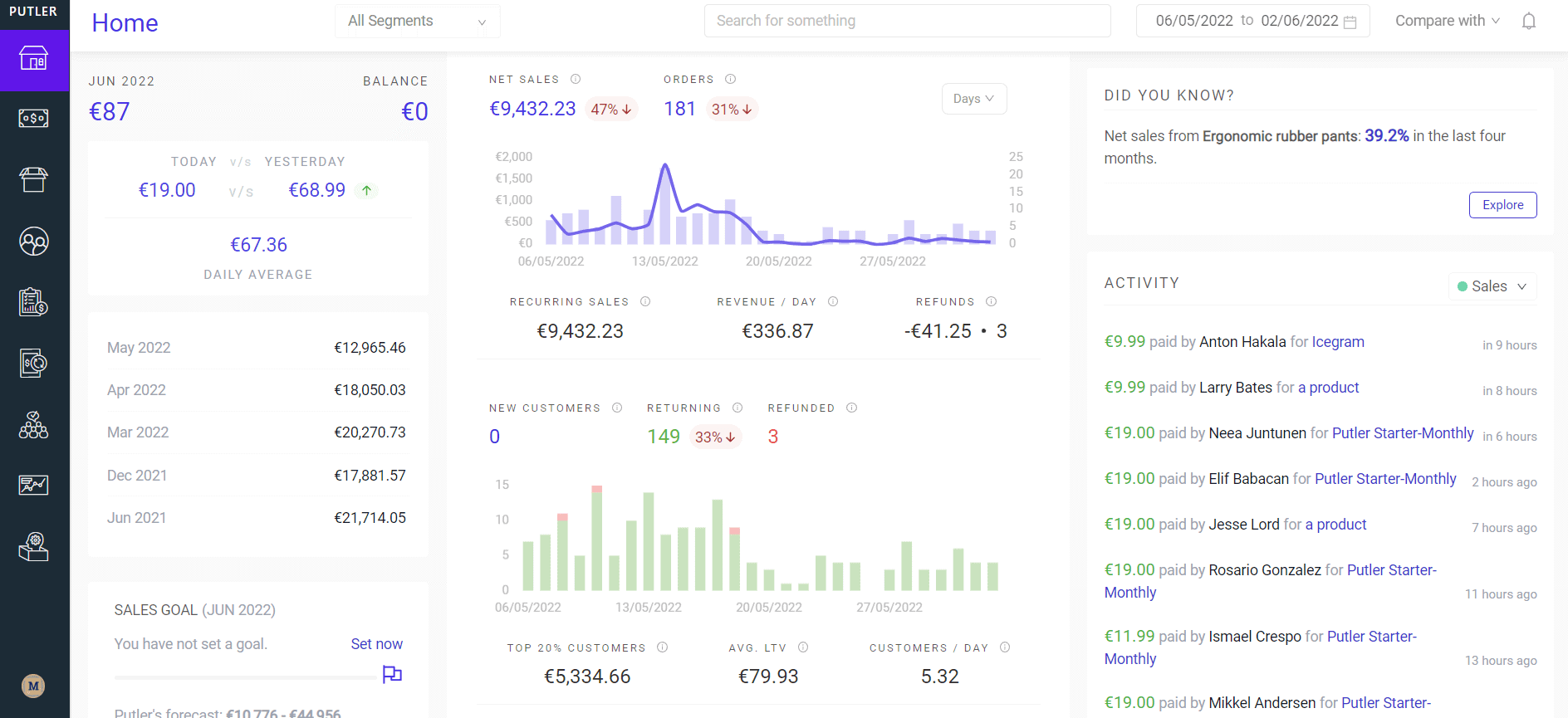
- Analytics and reporting: basic reports on sales, orders, customers, and products. For in-depth, advanced WooCommerce analytics, use Putler.
BigCommerce features
- Analytical tracking and reporting: monitor performance via sessions, email campaigns, and sales.
- Multi-channel integration: sell directly on marketplaces like eBay and Amazon and on social channels.
- SSL security: secures your store and payments, with a padlock at checkout customers recognize.
- Promotional codes and discounts: offer sales and deals via checkout codes.
- Abandoned cart recovery: automatic email reminders when shoppers leave items behind.
Design flexibility
BigCommerce offers around a dozen free themes plus premium themes that typically run $150 to $300, with more contained customization. Its Stencil framework lets you design clean storefronts without deep coding knowledge.
WooCommerce gives you far more design freedom. Popular themes like Astra, Storefront, and OceanWP are widely used, and you can browse many more WooCommerce themes. If you want control over how your store looks, WooCommerce offers nearly endless options. The trade-off is that deeper editing takes time and some coding knowledge: the more technical know-how you have, the more you can change.
Plugins and integrations
No matter how capable a platform is, the core software has a limited feature set. That’s where plugins and integrations matter most, especially for email marketing, lead generation, analytics, and outreach.
WooCommerce plugins and integrations
WooCommerce is open-source and built on WordPress, which gives you access to more than 59,000 WordPress plugins plus thousands of premium ones. You’ll find them at the WordPress.org repository, the official WooCommerce store, and independent plugin sites.
The official WooCommerce marketplace alone offers hundreds of extensions. With a catalog this large, there’s a plugin for almost any feature: affiliates, subscriptions, bookings, product add-ons, cart and checkout, analytics, SEO, and more. Most major third-party services build their own WooCommerce plugins, and with coding skills you can build a custom add-on too.
BigCommerce apps and integrations
BigCommerce offers hundreds of third-party apps in its app marketplace, both free and paid, organized into collections like must-haves, shipping, design, marketing, and payments. There are also dozens of apps across accounting and tax, analytics and reporting, CRM, and product sourcing. The library is smaller than WooCommerce’s but covers the most important categories.
Marketing tools
Marketing features are essential for getting your store in front of the right customers and keeping them.
BigCommerce marketing tools
BigCommerce includes key marketing features in all plans:
- Coupons, discounts, and gift cards
- Blogging tools
- Product ratings and reviews
- Social and marketplace selling (Facebook, Instagram, eBay, Amazon)
Abandoned cart recovery is included on all but the cheapest plan. For more, you can add marketing integrations from the marketplace like eDesk, Justuno, and LeadDyno. (Note: in 2026 BigCommerce moved its Google and Meta advertising feeds to Feedonomics Surface, which now also covers Microsoft Ads, TikTok, and Pinterest, and is set to replace the older native ad integrations.)
WooCommerce marketing tools
WooCommerce has 150+ marketing extensions but fewer built-in marketing tools than BigCommerce. That gives you customization control but can add work. For example, where BigCommerce includes abandoned cart recovery, WooCommerce needs an abandoned cart recovery extension plus separate tools for follow-up emails. Marketing add-ons can stack up in cost. WooCommerce does include a built-in coupon feature for discounts and free shipping without any extension.
Payment gateways and fees
Accepting multiple payment options matters when selling to a broad customer base. Both platforms support credit and debit cards plus major gateways like Stripe, PayPal, Apple Pay, and Square. Each gateway sets its own transaction fees, so check those before committing.
BigCommerce payment gateways
BigCommerce supports around 65 payment gateways and applies no platform transaction fee on its embedded gateway (PayPal Braintree), where you get access to pre-negotiated card rates of roughly 2.05% to 2.59% + $0.49 depending on plan.
There’s an important 2026 change: BigCommerce now charges an Open Payment Provider Fee on orders processed through a non-embedded gateway, at 2.0% on Core, 1.0% on Growth, and 0.6% on Scale. So if you route payments through a third-party processor instead of the embedded one, factor in that extra fee. Here’s the full gateway list.
WooCommerce payment gateways
WooCommerce supports over 80 payment gateways, including Authorize.Net, Braintree, and Klarna. It charges no platform or open-gateway fees of its own, so your only processing costs come from your chosen gateway. For broader gateway choice and no platform-imposed routing fees, WooCommerce has the edge here.
SEO
On SEO, it’s a close call. Both platforms let you optimize your store to rank well, though WooCommerce’s WordPress foundation and plugins like Yoast and Rank Math give content-led stores extra control.
Customer support
WooCommerce support
- An active community with extensive blogs, videos, podcasts, Facebook groups, and WordCamps.
- Hundreds of forums dedicated to WooCommerce and its issues.
- Email support from the WooCommerce team and individual plugin vendors.
BigCommerce support
- An active community forum for common questions.
- 24/7 phone, email, and chat support on all plans.
For hands-on, around-the-clock support across every plan, BigCommerce has the advantage.
WooCommerce pricing
WooCommerce itself is free. What you pay for is hosting, themes, and plugins, which scale with your needs. WooCommerce pricing at the low end runs $10 to $30 a month on budget hosting, while larger stores on managed WooCommerce hosting (WP Engine, Cloudways, Kinsta) pay more for speed and reliability. Annual extension and hosting spend commonly lands in the $500 to $5,000 range depending on the store. Here’s a full breakdown of WooCommerce running costs.
BigCommerce pricing
BigCommerce pricing was restructured and renamed on June 1, 2026. The current tiers (monthly, with annual billing in brackets) are:
- Core (formerly Standard): $39/month ($29 annual), up to $30K annual sales
- Growth (formerly Plus): $105/month ($79 annual), up to $100K annual sales
- Scale (formerly Pro): $399/month ($299 annual)
- Performance (formerly Enterprise): custom pricing, typically from around $1,000/month
Two things to know about BigCommerce pricing. First, BigCommerce caps annual sales per tier and auto-upgrades you when you cross the threshold, so a growing store can be moved to a pricier plan automatically. Second, the new Open Payment Provider Fee applies if you don’t use the embedded gateway. A 15-day free trial is available on all plans. Overall, WooCommerce remains cheaper to run, while BigCommerce trades a predictable monthly fee for an all-in-one package.
Conclusion
Both WooCommerce and BigCommerce are powerful platforms. The right choice comes down to your tech skills, budget, and preferences.
With BigCommerce, there’s nothing to set up and you can launch quickly with built-in features and 24/7 support. The trade-offs are less control, higher cost as you scale, the new open-gateway fee, and sales-threshold upgrades.
WooCommerce, thanks to its open-source nature, integrates with more services, offers more plugins, gives you full control of your store, and is more budget-friendly. The trade-offs are a steeper learning curve for beginners and more responsibility for hosting, security, and maintenance.
Whichever you choose, remember that both platforms’ built-in reports are basic. If you run multiple stores or payment gateways, a tool like Putler consolidates everything into one accurate dashboard.
WooCommerce vs BigCommerce FAQs
Is WooCommerce or BigCommerce better?
Neither is universally better. WooCommerce is better for stores that want full control, content flexibility, and lower running costs, and that are comfortable managing hosting. BigCommerce is better for businesses that want an all-in-one hosted platform with built-in features and 24/7 support and less setup.
Is WooCommerce cheaper than BigCommerce?
Usually, yes. WooCommerce is free to install, with costs limited to hosting, themes, and plugins, often $10 to $30 a month to start. BigCommerce starts at $39/month (Core) and rises with sales volume, plus a new open-gateway fee on third-party processors.
How much does BigCommerce cost in 2026?
After its June 2026 update, BigCommerce pricing is $39/month for Core, $105/month for Growth, and $399/month for Scale (lower with annual billing), with Performance priced custom. Each tier has an annual sales cap that triggers an automatic upgrade.
Does WooCommerce or BigCommerce charge transaction fees?
Neither charges its own transaction fee on its embedded gateway. However, BigCommerce added an Open Payment Provider Fee in 2026 (2.0% Core, 1.0% Growth, 0.6% Scale) for orders run through non-embedded gateways. WooCommerce charges no platform fees at all; you only pay your gateway’s processing rates.
Which has better analytics, WooCommerce or BigCommerce?
Both ship with fairly basic native reports. For advanced sales, customer, and product analytics, especially across multiple stores or payment gateways, a dedicated tool like Putler gives a far more accurate and complete picture than either platform’s built-in reporting.