
Zoho Analytics is a self-service business intelligence platform built by Zoho Corporation, the same company behind Zoho CRM, Zoho Books, and 50+ other business apps.
It promises to turn raw data from multiple sources into visual dashboards and actionable reports without needing a data engineer or a six-figure Tableau license.
That promise mostly holds up. But “mostly” is doing some work in that sentence.
This Zoho Analytics review covers the full picture for 2026: features, pricing with add-on costs most reviews skip, real user complaints from G2 and Capterra, the specific gaps that matter for eCommerce sellers, and a clear breakdown of who should buy it and who should look elsewhere.
The goal is an honest assessment, not a feature list dressed up as a review.
What is Zoho Analytics?
Zoho Analytics (formerly Zoho Reports) is a cloud-based BI and data analytics platform designed for small to mid-sized businesses.
It sits in the self-service BI category alongside tools like Tableau, Power BI, Looker, and Google Looker Studio, but positions itself as the more affordable, easier-to-deploy option for teams that don’t have dedicated data engineers.
The platform connects to 500+ data sources (a number that includes middleware reach through Zoho Flow and Zapier, not just native connectors), offers drag-and-drop report building, an AI assistant called Ask Zia for natural language queries, and ships with 100+ prebuilt reports for each connected Zoho app.
Zoho Corporation is a privately held company founded in 1996, headquartered in Chennai, India and Austin, Texas, with over 12,000 employees and 100+ million users globally across its product suite.
Where Zoho Analytics fits in the market right now, based on aggregated review data:
- G2: 4.2 out of 5 from 280+ verified reviews
- Capterra: 4.4 out of 5 from 360+ verified reviews
- TrustRadius: 8.4 out of 10 from 359 reviews
Those scores put it in solid mid-tier territory. Not the highest-rated BI tool on any platform, but consistently above average and punching well above its price class.
Zoho Analytics features: what’s inside
The feature set has grown substantially over the past 12 months. The version 6.0 release in late 2024 brought 100+ updates, and Zoho has continued shipping through 2025 and into 2026.
Here’s what the platform actually does, section by section.
Dashboard and report builder
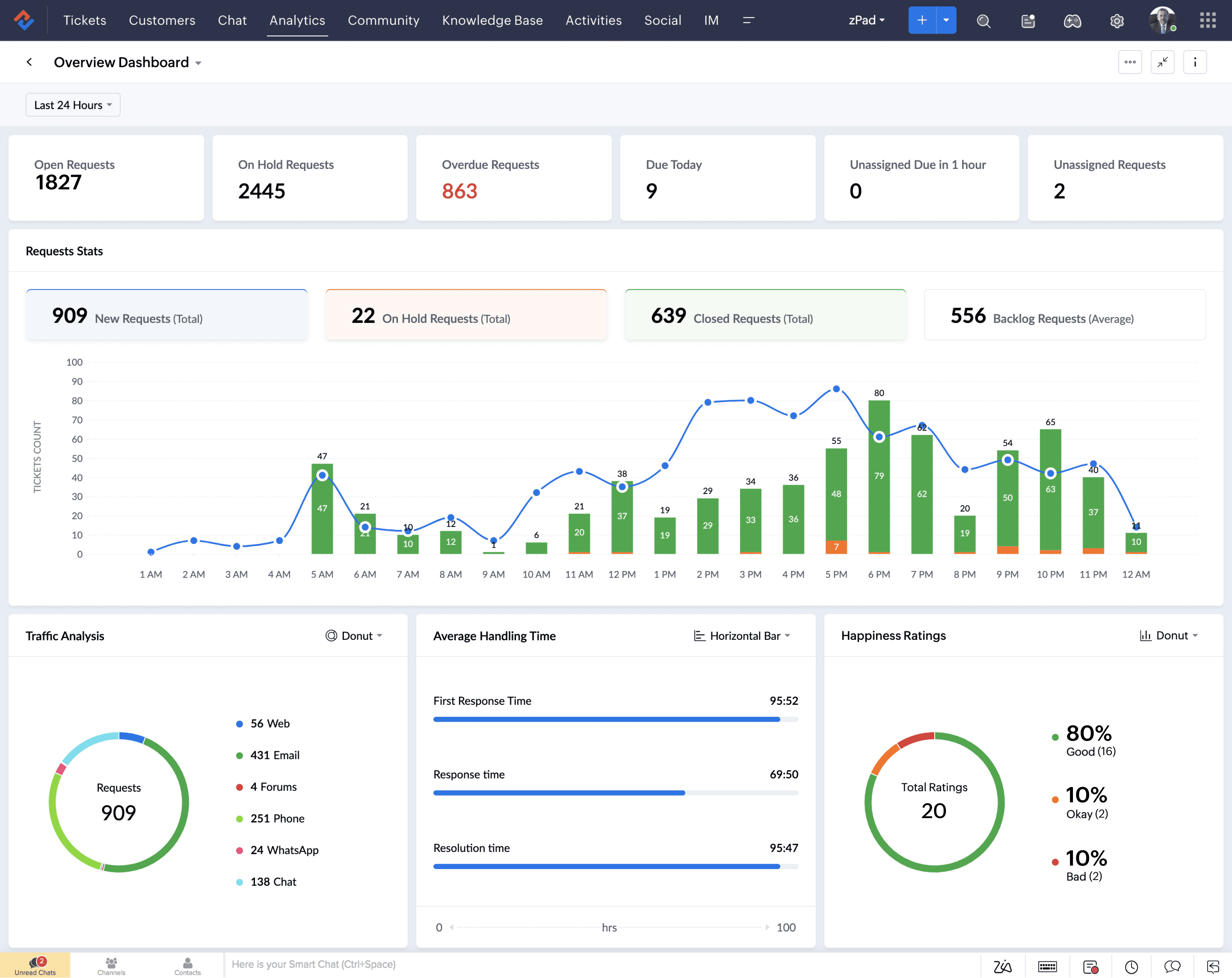
The core of Zoho Analytics is a drag-and-drop visualization builder that supports 80+ chart types. The standard set covers line, bar, pie, funnel, scatter, bubble, area, geo map, heatmap, word cloud, histogram, and KPI widgets.
The more interesting additions from 2025 include Sankey diagrams, sunburst charts, treemaps, racing charts, conversion bar charts, profit and loss statements, and a Gantt chart (one of the most requested features, added Q3 2025).
Reports also support pivot tables, summary views, tabular views with sparklines and databars, and waterfall sub-cells. No coding is needed for basic reports. SQL Query Tables are available for advanced cross-source joins, though these are capped by plan tier (25 on Free, up to 500 on Enterprise).
For most SMB use cases, the builder is fast and functional. Where it falls short is deep visual customization. Teams that need pixel-perfect, publication-quality dashboards with granular control over every element will find the options more limited than Tableau or Power BI.
Ask Zia: the AI assistant
Ask Zia is Zoho’s natural language query interface. Type a question in plain English (“what was our top-selling product last quarter?”) and Zia generates a report or KPI widget as the answer.
The 2025 update turned Zia “agentic,” meaning it can now trigger actions beyond just generating reports. It can export data, schedule report deliveries, share dashboards, and create formulas.
It works inside Microsoft Teams and Slack channels, supports English fully with Spanish and French in beta, and runs on Zoho’s own LLM by default with an optional OpenAI BYOK toggle for admins.
Zia also powers two secondary features: Zia Insights, which generates written narrative explanations of dashboard data (descriptive, diagnostic, and predictive), and Auto Analysis, which automatically builds metrics, reports, and dashboards from connected data with a single click.
The honest assessment: Ask Zia is genuinely useful for non-technical users who need quick answers without building reports manually.
It is not a replacement for a skilled analyst doing complex diagnostic work. The quality of Zia’s output depends heavily on how clean and well-named the underlying tables are.
Ask Zia is available on Premium ($145/month) and Enterprise ($575/month) plans only.
Data connectors and integrations
Zoho claims 500+ data source integrations. That number includes reach through Zoho Flow and Zapier, not just native connectors. The set of natively configured business app connectors is closer to 70 to 80.
What connects natively:
- Zoho apps: CRM, Bigin, Books, Invoice, Inventory, Desk, Projects, Sprints, People, Campaigns, Marketing Automation, Survey, Forms, Creator, Commerce, and more. Each comes with 100+ prebuilt reports and dashboards.
- CRM and sales: Salesforce, HubSpot CRM, Microsoft Dynamics, Pipedrive, Zendesk Sell
- Marketing and ads: Google Analytics 4, Google Ads, Facebook Ads, LinkedIn Ads, Instagram Ads, Mailchimp, Semrush, Mixpanel
- Finance: QuickBooks Online, Xero, Sage Accounting, Stripe (subscriptions analytics), Expensify
- eCommerce: Shopify (100+ prebuilt reports), WooCommerce (75+ reports), BigCommerce, Amazon Seller Central, ShipStation
- Project management: Jira, Smartsheet, monday.com, ClickUp, Airtable
- Help desk: Zendesk, Freshdesk, ServiceNow
- Databases: MySQL, PostgreSQL, SQL Server, Oracle, Snowflake, Databricks, ClickHouse, Amazon Redshift, Google CloudSQL
- Cloud storage: Google Drive, OneDrive, Dropbox, Amazon S3, SharePoint
- Files: CSV, Excel, JSON, XML, HTML, TXT
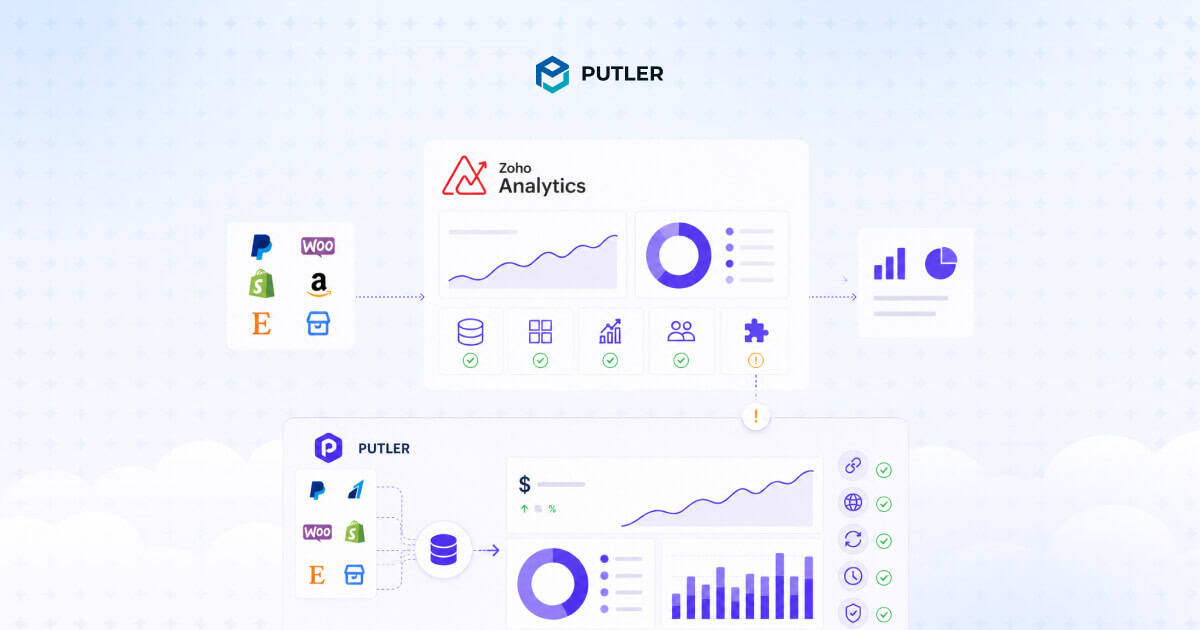
What’s missing natively: PayPal, Braintree, Razorpay, and Etsy. These require middleware (Zoho Flow or Zapier) or routing through Zoho Books/Inventory which do connect to those gateways. For eCommerce sellers running on those payment platforms, this is a real friction point.
Data preparation and blending
Zoho Analytics integrates with Zoho DataPrep for visual ETL (extract, transform, load) pipelines. The platform auto-detects table relationships and supports data blending across sources.
There are 250+ prebuilt transformation functions for cleaning, formatting, merging, and enriching data without code.
SQL Query Tables add a power-user layer for cross-source joins and custom calculations.
The AI-assisted SQL grammar suggestions help bridge the gap for users who know enough SQL to be dangerous but not enough to be confident.
DataPrep is gated to Premium and Enterprise plans, with processing caps of 5M rows/month on Premium and 10M rows/month on Enterprise.
Advanced analytics
Beyond standard reporting, Zoho Analytics includes:
- Forecasting with univariate and multivariate models
- Anomaly detection using RPCA and statistical models
- Cluster analysis (K-means, K-modes, K-prototypes)
- What-if analysis for scenario modeling
- DSML Studio with AutoML (no-code model building for regression, classification, clustering) and Python Code Studio for custom ML models
DSML Studio and Python Code Studio are Enterprise-only features. For teams that need machine learning built into their BI workflow without a separate platform, this is a genuine differentiator at the Enterprise price point.
Collaboration and sharing
Reports and dashboards support comment threads for in-context discussion. Scheduled email delivery supports PDF, PPT, CSV, and image formats with plan-tier caps (4 on Basic, up to 100 on Enterprise).
Data alerts trigger notifications via email, in-app, Microsoft Teams, or Slack when thresholds are crossed.
Branded analytics portals allow teams to publish dashboards as microsites for external stakeholders.
White labeling and embedded analytics (logo, domain, custom branding) are available from Premium up, making Zoho Analytics a viable option for ISVs and agencies that want to offer analytics under their own brand.
What’s new in 2025 and 2026
The pace of updates has been aggressive:
- BI Fabric: A federated search portal that lets teams consume insights from Power BI and Tableau inside the Zoho Analytics interface. Useful for organizations mid-migration or running multiple BI tools.
- Unified Metrics Layer / Headless BI: Define KPIs once, consume them across reports, apps, and APIs.
- MCP Server: Lets external AI agents and LLM clients invoke Zoho Analytics tools programmatically.
- Live Connect added for Databricks and ClickHouse (December 2025), plus HyperSQL.
- Gantt chart added Q3 2025.
- Dark mode UI, GA4 connector upgrade, enhanced PDF export, ranking visualizations.
- Security patches: PostgreSQL on-prem engine upgraded from 11.4 to 17.2; multiple CVEs patched promptly.
The BI Fabric and MCP Server additions signal Zoho’s awareness that most mid-market teams don’t run a single BI tool. Meeting users where their data already lives, rather than forcing a full migration, is a smart move.
Zoho Analytics pricing in 2026
Zoho Analytics uses per-account pricing, not per-seat. Each plan includes a fixed number of users, rows, and features. Annual billing saves roughly 20% over monthly. All prices below are annual billing in USD.
Cloud plans
| Plan | Price (annual, USD/mo) | Users | Rows | Key features |
|---|---|---|---|---|
| Free | $0 | 2 | 10,000 | 5 workspaces, 2 business app connectors, unlimited reports |
| Basic | $30 | 2 | 500K | 50+ connectors, daily sync, 25 query tables, 4 scheduled emails |
| Standard | $60 | 5 | 1M | Sync every 3 hours, 50 query tables, data backup, 10 alerts |
| Premium | $145 | 15 | 5M | Ask Zia AI, Live Connect, DataPrep (5M rows/mo), white labeling, streaming datasets |
| Enterprise | $575 | 50 | 50M | Hourly sync, 500 query tables, Python Code Studio, DSML Studio, MCP server, premium support |
Add-ons
The base plan prices tell only part of the story. Add-ons are where costs can creep:
- Extra users: $8/user/month on any paid plan
- Extra viewers: Roughly $4/viewer/month, sold in minimum bundles of 25. Viewers can interact with dashboards but can’t create or share.
- Extra rows: Sold in 1M, 2M, 5M, and 10M increments with tier-based pricing
- Private links: Starting at $100/month for 25 links (Premium and Enterprise only)
- Query tables: Starting at $100/month for 25 additional tables
- Analytics Portal: Add-on on Premium; 1 portal included on Enterprise
- Scheduled emails and alert schedulers: Starting at $15/month for 10 additional
The Zoho One angle
Zoho Analytics is bundled inside Zoho One at no incremental cost. Zoho One runs on two pricing models: All-Employee at $37/user/month (annual) and Flexible-User at $90/user/month (annual).
The Analytics entitlement inside Zoho One is functionally equivalent to the Enterprise tier. For businesses already running three or more Zoho apps, Zoho One often works out cheaper than buying Analytics standalone plus the other apps separately.
On-premise option
For teams that need data to stay on their own infrastructure: Professional starts at $30/user/month (annual) for local server or Docker deployment.
AWS deployment runs $0.47/hour plus AWS usage fees. Azure runs roughly $0.40/hour plus Azure infrastructure fees. A free Personal tier exists for single-user evaluation.
Honest take on the pricing model
The per-account structure is both a strength and a constraint. On the upside, a team of 5 paying $60/month total is dramatically cheaper than 5 seats of Power BI Pro at $14/user/month ($70/month) and far cheaper than Tableau Creator at $75/user/month ($375/month).
On the downside, user caps are hard ceilings. Going from 5 users to 6 users means jumping from Standard ($60) to Premium ($145) or buying an add-on user at $8/month. That tier-jump friction is the most common pricing complaint in TrustRadius and G2 reviews.
The other friction point: the best features (Ask Zia, Live Connect, DataPrep, white labeling) are gated to Premium at $145/month. The Free, Basic, and Standard plans are essentially a reporting tool. The analytical platform doesn’t truly start until Premium.
Zoho Analytics pros
The strengths are real and well-documented across review platforms. Here’s what consistently shows up in verified user feedback.
Affordable entry point versus enterprise BI
Zoho Analytics at $60/month for 5 users undercuts Power BI Pro ($70/month for 5 seats) and dramatically undercuts Tableau ($375/month for 5 Creator seats).
For SMBs that need visual reporting and basic analytics without enterprise budgets, the pricing math is hard to beat. The free plan with unlimited reports and dashboards for up to 10,000 rows is genuinely functional for lightweight needs.
Seamless Zoho ecosystem integration
This is the platform’s strongest card. Connecting Zoho CRM, Books, Desk, or Projects takes one click. Each connector ships with 100+ prebuilt reports and dashboards that are immediately usable.
Data models are pre-joined. Lookup relationships between apps are auto-detected. A team running Zoho CRM and Zoho Desk can have a unified sales-plus-support dashboard running in under 30 minutes. No other BI tool comes close to this level of zero-configuration integration with Zoho’s own suite.
Ask Zia is genuinely useful
The natural language query capability has improved substantially with the agentic upgrade in 2025. Non-technical team members can type questions in plain English and get usable visualizations without touching the report builder.
The ability to trigger actions (export, schedule, share) from the same conversational interface saves clicks that add up across daily reporting workflows. It’s not a replacement for a skilled analyst. But for quick operational questions, it reduces the time-to-answer from minutes to seconds.
Flexible deployment options
Cloud, on-premise (local server, Docker), and BYOC on AWS or Azure. Dedicated compute clusters for data-residency or SLA requirements. Most BI tools at this price point are cloud-only.
The on-premise option matters for regulated industries (healthcare, finance, government) where data sovereignty is non-negotiable.
Strong security and compliance
SOC 2 Type II, HIPAA, ISO 27001, ISO 27017, ISO 27018, ISO 27701, GDPR, and CCPA compliance. AES-256 encryption at rest, TLS in transit, role-based access on all plans, PII column tagging, audit logs, IP restrictions, and configurable account lockout.
The security posture is enterprise-grade even if the pricing is SMB-friendly. Zoho’s stance of not relying on ad revenue and not selling user data adds an additional layer of trust.
White-label and embedded analytics
For ISVs and agencies that want to offer analytics under their own brand, Zoho Analytics provides a full white-label embedded BI solution at transparent pricing.
Logo rebranding, custom domain, trusted-domain controls, and client SDKs are available from Premium ($145/month). Competing embedded BI solutions (Sisense, Logi Analytics, Domo) typically require custom enterprise quotes that start significantly higher.
Generous free plan
The free tier supports 2 users, 10,000 rows, 5 workspaces, and unlimited reports and dashboards. It’s not a 14-day trial that expires. It’s a permanent plan that works for solo operators or very small teams with modest data volumes. Few BI platforms offer anything comparable at zero cost.
Zoho Analytics cons
The weaknesses are equally well-documented. These aren’t edge cases. They show up repeatedly across G2, Capterra, TrustRadius, and Gartner Peer Insights from verified users.
Performance degrades with large datasets
This is the most consistent complaint across every review platform. Users report noticeable slowdowns when row counts climb above 10 million, even on the Enterprise plan. Complex reports that join multiple large tables can take significantly longer to render than equivalent reports in Power BI or Tableau.
For teams with modest datasets (under 5M rows), performance is fine. For teams approaching enterprise data volumes, this is a hard ceiling that testing during the free trial won’t reveal because trial datasets are typically small.
Steep learning curve for advanced features
The drag-and-drop builder is easy to pick up. Everything beyond that gets steeper quickly. SQL Query Tables, data blending across non-Zoho sources, DSML Studio, and DataPrep pipelines all require technical knowledge that the documentation doesn’t always support well.
Multiple Capterra reviewers specifically mention that SQL query length limits and subquery restrictions make complex reporting harder than expected. The gap between “build a simple dashboard” and “do real cross-source analysis” is wider than the marketing suggests.
Chart customization falls short
Zoho Analytics offers 80+ chart types, which sounds comprehensive. The issue isn’t variety. It’s depth of control within each type. Users who need granular formatting (exact label positioning, custom color gradients per data point, pixel-level layout control) will find the options limited compared to Tableau or Power BI.
G2 reviewers specifically cite that the UI provides very little control over dashboard aesthetics. For internal operational dashboards, this doesn’t matter. For client-facing or board-level presentations, it can.
Mobile app is underwhelming
The Zoho Analytics mobile app (iOS and Android) lets users view dashboards and KPI widgets on the go. That’s roughly where the usefulness ends. Dashboards don’t consistently reflow on smaller screens. Report creation and editing aren’t supported on mobile.
Multiple Google Play reviewers describe the app as adequate for glancing at numbers but frustrating for anything more. Power BI Mobile and Tableau Mobile both offer a meaningfully better mobile experience.
Data refresh is scheduled batch, not real-time
This catches some buyers off guard. Zoho Analytics is fundamentally a batch-refresh platform. Sync frequency scales by plan: daily on Basic, every 3 hours on Standard, hourly on Enterprise.
True real-time data is available only through Live Connect (for supported databases like MySQL, PostgreSQL, Snowflake, Databricks, and ClickHouse) or streaming datasets (Kafka, Google Pub/Sub), both gated to Premium and above.
For most business reporting, hourly or 3-hour refresh is perfectly adequate. For teams that need sub-minute dashboards (operations monitoring, live sales tracking, trading desks), this is a disqualifier.
Non-Zoho integrations require more effort than expected
The 500+ integration claim includes Zoho Flow and Zapier reach. Native business app connectors number closer to 70 to 80.
Connecting Zoho CRM is one click. Connecting a non-Zoho database, a niche SaaS tool, or a custom API takes meaningfully more work. Capterra reviewers note that adding new data fields from external systems often requires someone with integration experience.
Missing native eCommerce connectors
Zoho Analytics connects natively to Shopify, WooCommerce, BigCommerce, Amazon Seller Central, Stripe, and ShipStation. It does not have native connectors for PayPal, Braintree, Razorpay, or Etsy. Those require routing through Zoho Flow, Zapier, or Zoho Books/Inventory as middleware.
More importantly, there is no built-in cross-platform transaction deduplication. A sale that appears in both Stripe and Shopify will be counted twice unless the user writes a SQL Query Table to deduplicate by transaction ID or runs a DataPrep pipeline (Premium and above only).
For multi-channel eCommerce sellers, this is a real gap that purpose-built tools handle automatically.
Per-account user caps force tier jumps
Needing one more user than the plan allows means jumping to the next tier, not just adding a seat. Going from 5 users (Standard, $60) to 6 users means either adding a user at $8/month ($68 total) or jumping to Premium ($145).
The add-on route works for one or two extra users. Beyond that, the math pushes teams into higher tiers faster than competing per-seat models.
Who is Zoho Analytics best for (and who should skip it)?
Best for
Teams already in the Zoho ecosystem: This is the clearest use case. If the business runs Zoho CRM, Books, Desk, or Projects, the one-click integrations and 100+ prebuilt reports per app deliver immediate value that no other BI tool can match at this price point. The setup time measured in minutes, not weeks, is the real differentiator.
SMBs and mid-market companies (10 to 500 employees) that want BI without a data engineer: The drag-and-drop builder, Ask Zia, and prebuilt reports mean a marketing manager or sales ops lead can build useful dashboards without writing SQL or waiting on an analytics team.
ISVs and SaaS vendors needing white-labeled embedded analytics: The embedded BI offering at $145/month (Premium) is dramatically cheaper than competing white-label platforms (Sisense, Logi Analytics, Domo) that typically require enterprise quotes starting at several thousand per month.
Cost-sensitive non-profits: Zoho offers non-profit discounts on request, and the free plan alone covers basic reporting needs for smaller organizations.
Finance, marketing, sales ops, and support teams that need cross-department dashboards combining CRM data with accounting, help desk, and project data in one view.
Not ideal for
Microsoft-shop enterprises: Teams deep in Azure, Fabric, and the Microsoft 365 ecosystem will find Power BI a more natural fit with tighter native integrations, especially at the Power BI Premium tier.
Data teams with large-scale warehouse workloads: If the primary data layer is Snowflake or Databricks at petabyte scale with complex dbt models, Looker, ThoughtSpot, or Snowflake-native BI tools handle the modeling and query layer better.
Teams needing true real-time dashboards: Operations monitoring, live trading, SRE alerting. Zoho’s batch refresh and even Live Connect can’t match the sub-second latency of Domo, Looker DirectQuery, or Power BI DirectQuery for these use cases.
Multi-marketplace eCommerce sellers: Stores selling across Shopify, Amazon, Etsy, eBay, and processing payments through PayPal, Stripe, and Razorpay simultaneously. Zoho Analytics lacks native connectors for several of those platforms, offers no automatic transaction deduplication, and doesn’t provide eCommerce-specific views like sales heatmaps or RFM customer segmentation out of the box. Purpose-built eCommerce analytics platforms are a better fit for this workflow.
Design-sensitive teams: If dashboards need to look publication-quality for investor decks, board presentations, or client deliverables, Tableau’s visualization depth still leads the market by a meaningful margin.
Final verdict on Zoho Analytics
Zoho Analytics is the best-value self-service BI platform for SMBs and mid-market teams already in the Zoho ecosystem.
The combination of affordable pricing, one-click Zoho app integrations, a functional AI assistant, and enterprise-grade security makes it a genuinely strong pick for its target audience.
For multi-channel eCommerce sellers specifically, Putler solves the cross-platform consolidation problem that Zoho Analytics doesn’t address natively.
It connects 17+ sources (including PayPal, Stripe, Braintree, Razorpay, Shopify, WooCommerce, Etsy, Amazon, and eBay), deduplicates transactions automatically, and provides eCommerce-specific analytics like sales heatmaps, RFM segmentation, and revenue forecasting out of the box.