

Customer retention tools help ecommerce businesses understand repeat purchases, contact the right customers, resolve problems, and run loyalty programs. The right choice depends on what is stopping customers from returning: missing customer insight, poorly timed messages, unresolved support issues, or an incentive program that needs work.
Paying for another dashboard is frustrating when the next action is still unclear. This guide compares six options so you can choose a useful capability and check its cost before adding another subscription.
Compare customer retention tools at a glance
The six customer retention tools covered here are Contentsquare, Putler, Zendesk, Icegram Express, HubSpot, and Yotpo Loyalty & Referrals. Each serves a different part of retention. Identify the job you need help with before comparing subscriptions, since entry prices rarely include every feature available in a product.
| Tool | Main purpose | Free access | Cost to check |
|---|---|---|---|
| Contentsquare | Website experience analysis | Permanent free plan | Module and usage limits |
| Putler | Purchase history and RFM | 14-day trial | From $20/month based on revenue |
| Zendesk | Customer support | 14-day trial | From $19/agent/month billed annually |
| Icegram Express | WordPress email marketing | Permanent Lite plan | Max $99/year plus possible sending costs |
| HubSpot | CRM and service workflows | Free tools available | Selected Hub and feature tier |
| Yotpo Loyalty & Referrals | Loyalty and referrals | Permanent basic free plan | Pro from $199/month plus applicable order charges |
What do customer retention tools help with?
Customer retention software supports the work of keeping existing customers, from understanding purchase patterns to handling the next interaction. Tools can help with analysis, messaging, support, or rewards. A store may need several capabilities, but an existing service may already cover part of the work.
Resolve an open refund request before adding that customer to a promotion.
For the broader principles, start with what customer retention means. This guide focuses on choosing software for a specific problem.
6 customer retention tools for ecommerce
1. Contentsquare, formerly Hotjar
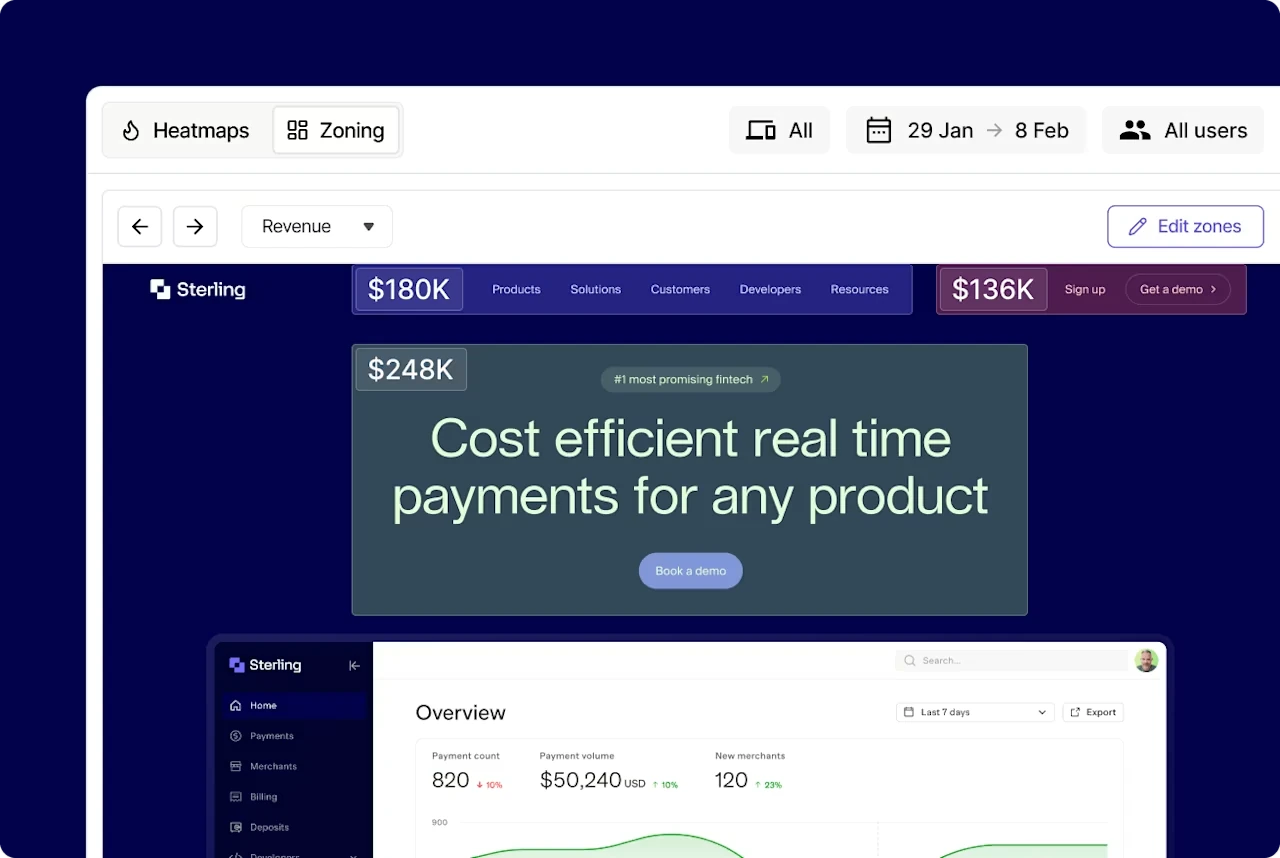
Official Contentsquare zoning example; revenue attribution features may require a paid plan. Source.
Best for: investigating website friction that can make shopping or reordering difficult.
Useful capabilities: heatmaps show where visitors interact with a page, while session replay helps you inspect browsing behavior. These can help investigate a hard-to-find reorder button or a confusing form. Contentsquare’s heatmaps material explains the available views.
Hotjar is now part of Contentsquare, so evaluate the current product rather than rely on old Hotjar plan comparisons.
Cost and free access: Experience Analytics has a permanent free plan. Its pricing matrix distinguishes up to 200,000 tracked monthly sessions from replay capture: Free records 5% of sessions, up to 10,000, with one month of replay access.
Important limitation: a heatmap can suggest where to investigate, but it doesn’t prove why a particular customer stopped buying. Premium features and other modules have their own limits. Connect browsing evidence with actual purchase behavior before deciding what to change.
2. Putler
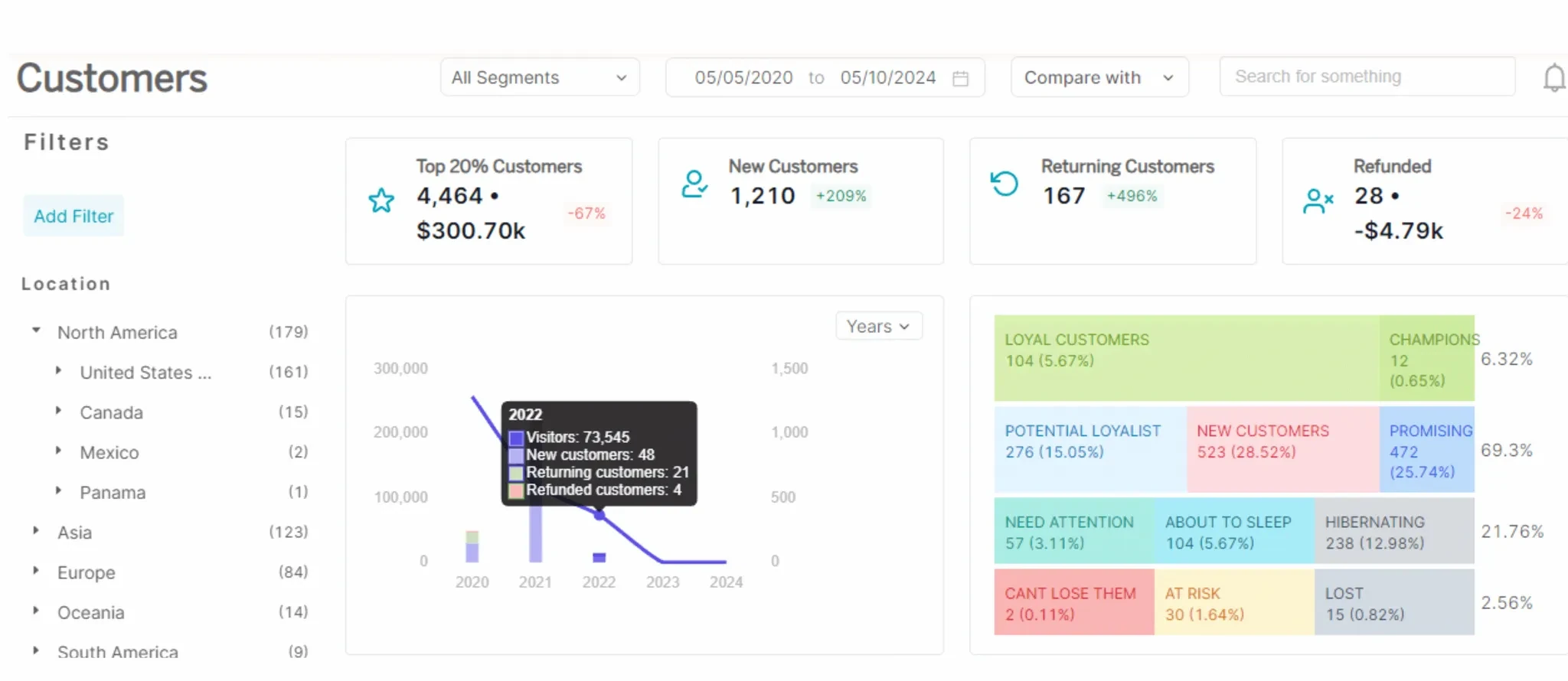
Putler customer and RFM view from its documentation; historical example data shown. Source.
Best for: understanding buying patterns when customer history is spread across connected stores and payment sources.
Useful capabilities: Putler groups customers using RFM: recency, frequency, and monetary value. Those describe how recently someone bought, how often they buy, and how much they spend. The RFM documentation explains inspecting segments and exporting lists.
Check the purchase history behind a segment before deciding on a win-back offer, loyalty benefit, or follow-up.
Cost and free access: published pricing starts at $20/month for businesses with up to $10,000 in monthly revenue, with higher revenue bands costing more. A 14-day trial is available without a credit card.
Important limitation: an RFM risk group isn’t an individual churn probability. Putler documents one-time targeted emails, but check current sending requirements before relying on that feature. Exporting a customer list to an existing email service is another route for acting on the analysis.
3. Zendesk
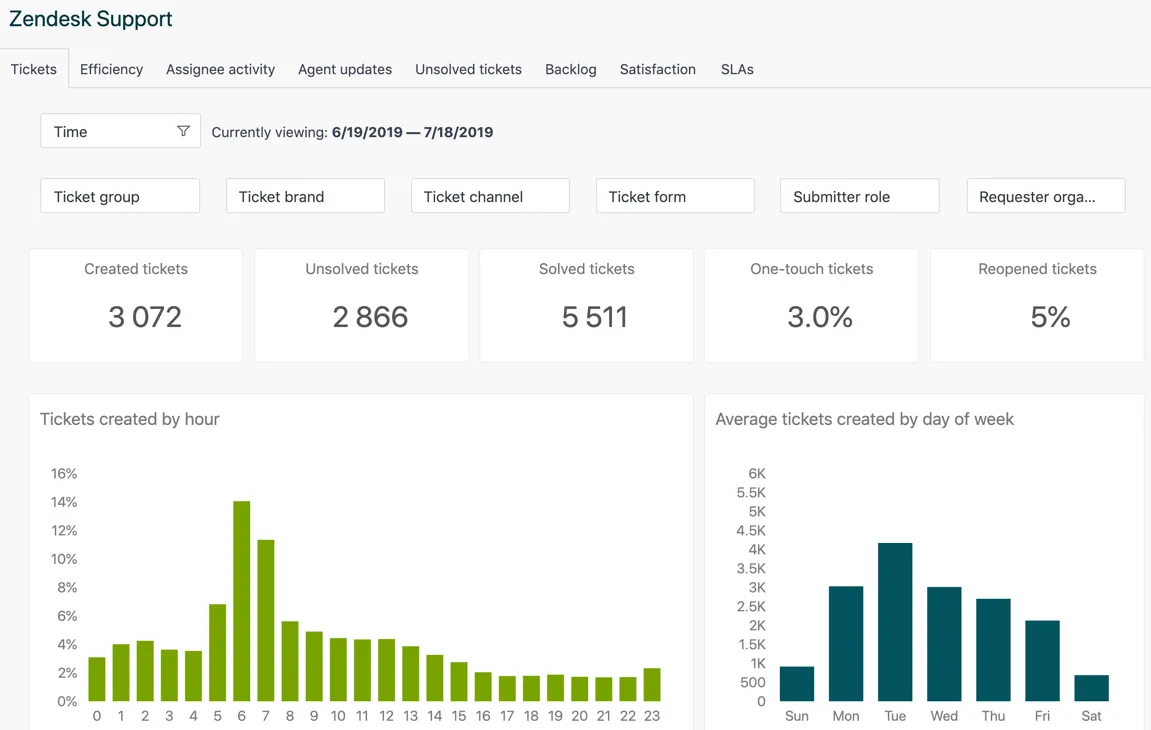
Illustrative support report; the capture displays historical sample dates.
Best for: stores where unresolved conversations are hurting the post-purchase experience.
Useful capabilities: Zendesk brings support requests into a shared ticketing process. Customer context, routing, saved responses, and reports can help a team see what still needs attention. That matters when someone contacts the store twice about a missing parcel and expects the next person to know the history.
Cost and free access: Support Team starts at $19 per agent per month, billed annually. Suite Team starts at $55 per agent per month, billed annually, and adds features such as messaging, live chat, and a knowledge base. The 14-day trial defaults to Suite Professional.
Important limitation: the trial can show capabilities the cheapest paid plan doesn’t include. Check the tier needed for your channels and budget for the agents using it. Someone still needs to own the resolution; buying a ticketing system doesn’t close the ticket.
4. Icegram Express
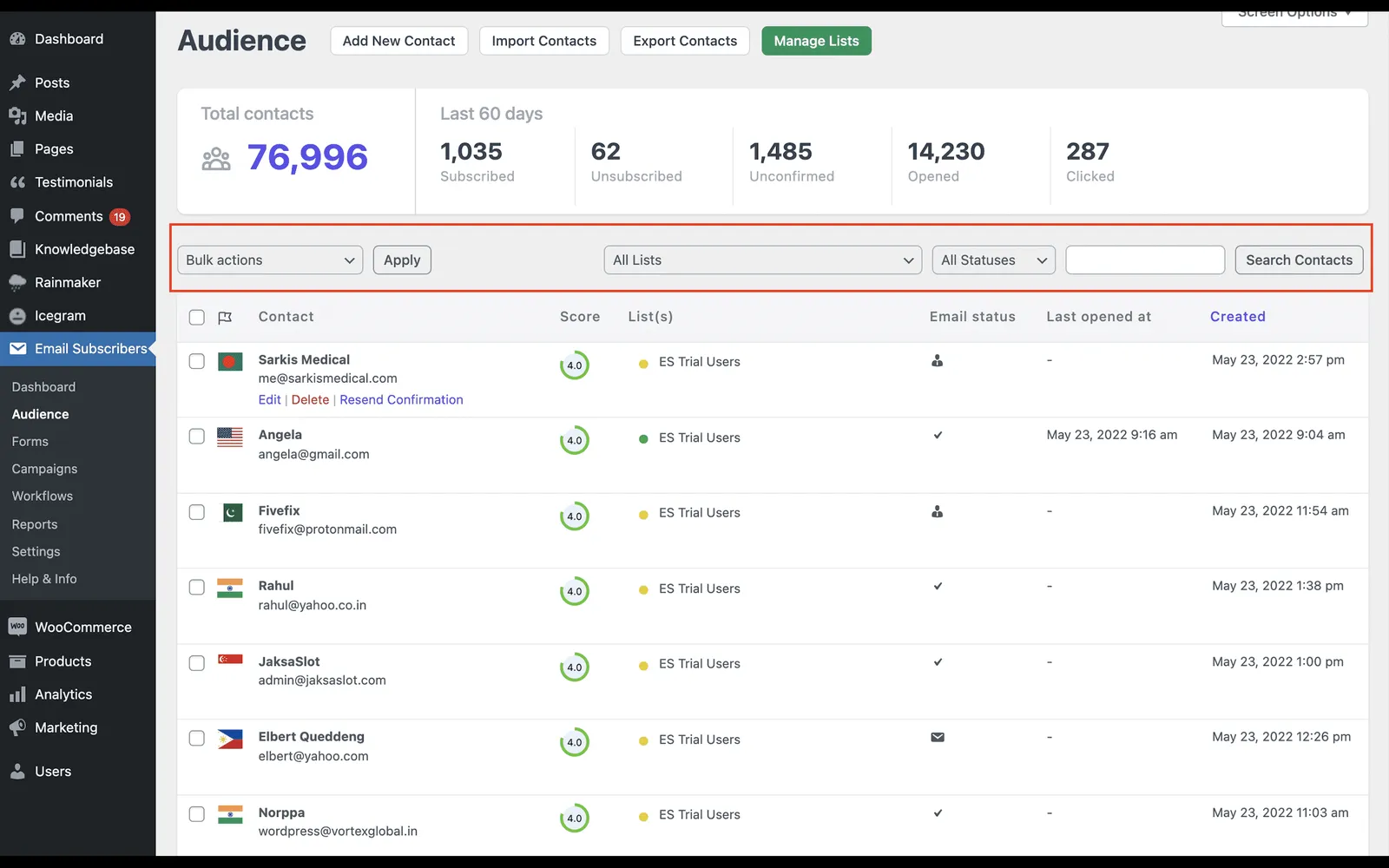
Audience filtering view under the former Email Subscribers name.
Best for: WordPress and WooCommerce businesses that want email campaigns within their existing site.
Useful capabilities: Express handles newsletters and customer lists. Its paid features include drip sequences, welcome emails, automation workflows, and WooCommerce cart recovery. Keep the goal clear: recovering a first abandoned checkout and encouraging a previous buyer to return require different audiences and messages.
Cost and free access: the current pricing table lists Lite at $0 and Max at $99/year. Lite includes newsletter broadcasts and post notifications; the automation and cart-recovery features above require Max. The table lists one site for Lite and three for Max.
Important limitation: Express is a WordPress plugin, so platform fit comes first. Delivery uses your server or a configured sending service, which may cost extra. Unlimited contacts or emails within a plugin license don’t guarantee free external delivery.
5. HubSpot
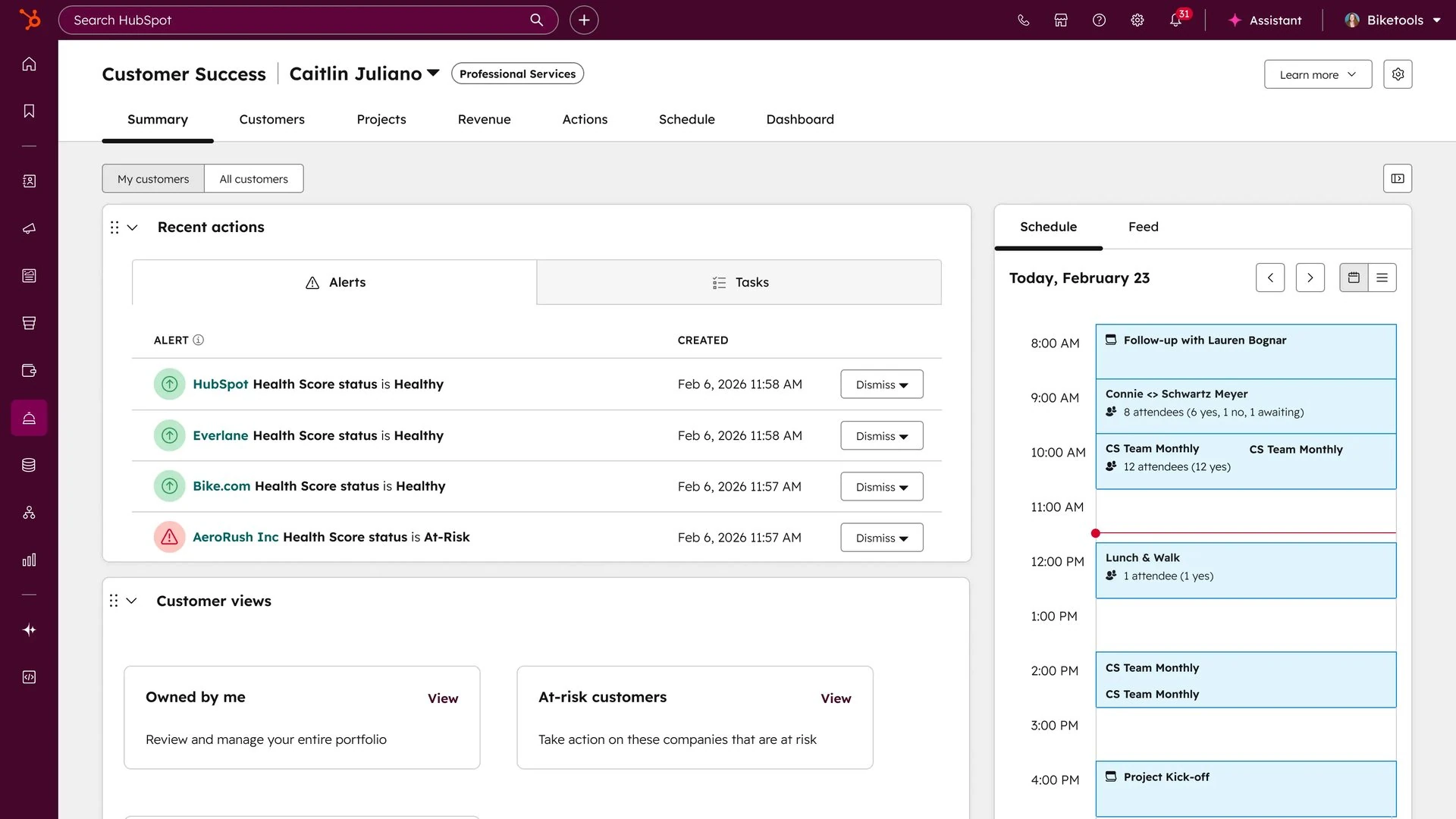
Official HubSpot Customer Success workspace example; requires an eligible paid Service Hub tier. Source.
Best for: teams that need customer records and service work connected across people or departments.
Useful capabilities: HubSpot combines CRM records with tools for service, marketing, and sales. Service Hub gives teams tools to manage customer work. Previous interactions provide context when the next conversation starts with a complaint rather than an order.
Evaluate the specific workflow: contact records, support, feedback, and marketing automation can require different features and subscriptions.
Cost and free access: free tools are available, while paid access depends on the Hub and tier selected. HubSpot’s CSAT survey documentation, for example, requires Service Hub Professional or Enterprise.
Important limitation: a free CRM account isn’t the full paid customer service platform. List the required features before pricing the package, including the people who need access. Confirm the necessary store/customer data can reach the workflow; a centralized record is useful only when it contains the relevant history.
6. Yotpo Loyalty & Referrals
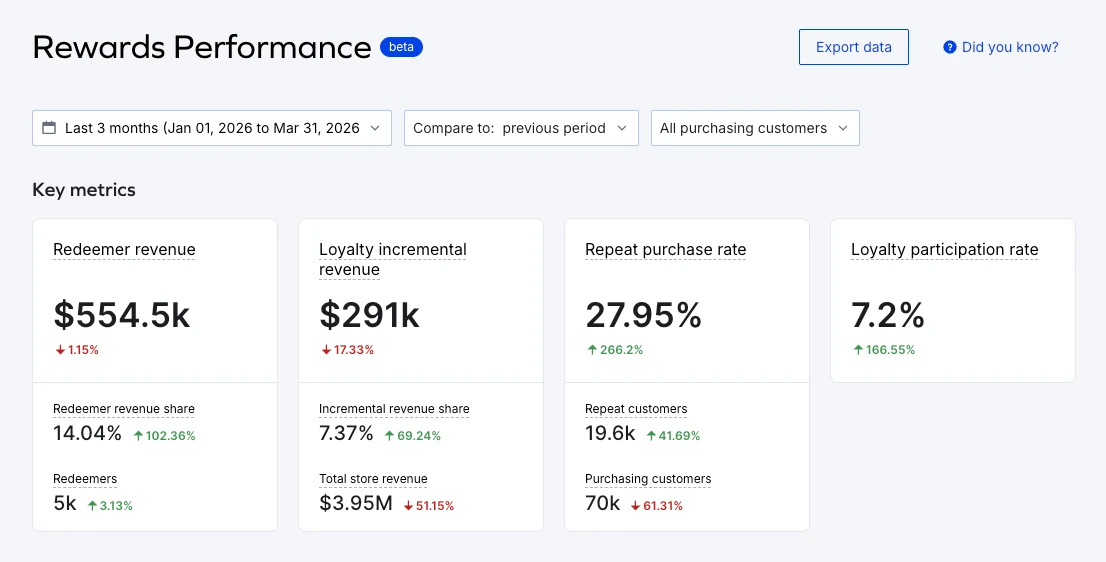
Yotpo Rewards Performance dashboard example from its documentation; figures are illustrative. Source.
Best for: stores ready to operate a points or referral program with a clear reason for customers to participate.
Useful capabilities: Yotpo supports loyalty rewards and referrals. Consider what customers can earn, how soon a reward becomes useful, and who will maintain the program. A points balance that takes years to redeem offers little motivation for a product bought only occasionally.
Cost and free access: Loyalty & Referrals has a basic $0/month plan. Pro starts at $199/month and includes the first 500 monthly orders, with additional order-based charges above that allowance.
Important limitation: reward costs and ongoing management matter alongside the subscription. Yotpo’s separate Email and SMS products were discontinued, as explained in its migration notice. This recommendation concerns Loyalty & Referrals; connected messaging providers and loyalty notifications are separate considerations. Check the selected loyalty tier before planning around a particular reward or integration.
How do you choose the right retention tool?
Choose a retention tool by identifying the problem, checking the customer data, and deciding who will act. Then compare feature tiers and operating costs against that workflow.
Use these five checks before starting a trial:
- Buying cycle: establish when customers normally need the product again. Furniture and monthly refills call for different follow-up windows.
- Data coverage: check the stores, payment sources, and purchase dates included. Verify customer matching before treating two records as two people.
- Next action: decide whether you need analysis, a message, support resolution, or a reward. Check what your current tools already handle.
- Owner: name the person who will manage the audience, respond to replies, or maintain the program. Their time is part of the cost.
- Plan eligibility: test the feature on the plan you can afford, including sending limits, add-ons, and usage charges.
Connect the action to a customer retention strategy that fits the issue. An unresolved delivery complaint is a poor starting point for another promotional email.
Example: check purchases across stores before a win-back email
A customer can stop buying from one store while continuing to buy from another store owned by the same business. Reviewing only one source can produce the wrong audience for a win-back message. Customer identity, source coverage, and the buying window therefore belong in the software selection process.
Fictional example: a replenishment business reviews its customers on 20 October 2026. After checking its buying cycle, it chooses a 60-day lookback, starting 21 August. That is an example rule, not a threshold for every store.
| Verified sample customer | Last purchase in Store A | Last purchase in Store B | Decision under the sample rule |
|---|---|---|---|
| DEMO-001 | 25 July | 18 October | Recently active across the business |
| DEMO-002 | 25 July | None recorded | Review before adding to a win-back audience |
| DEMO-003 | 26 August | None recorded | Still inside the chosen lookback |
DEMO-001 shouldn’t receive a message claiming the customer hasn’t shopped with the business recently. For DEMO-002, check for missing sources, returns, open complaints, and current marketing eligibility before sending anything.
The sample assumes the merchant has verified the customer keys. Different email addresses shouldn’t be merged without evidence. Cancelled and fully refunded orders are excluded from this example’s completed-purchase measure.
An analytics tool can help investigate the audience. The next action may use an existing email service or support process; another subscription is useful only when a needed capability is missing.
How do you judge whether a retention tool helps?
Evaluate a retention tool against a defined customer outcome over a suitable buying window. Returning purchases, net revenue, and the intervention’s cost provide more useful evidence than email opens alone. Keep the audience, source coverage, and observation period consistent so a comparison answers a meaningful question.
Record the audience, action, and review date before starting. Where practical, compare randomly assigned groups with and without the extra intervention while continuing normal service. Assess uncertainty before treating a difference as a reliable effect.
Track completed repeat purchases alongside discounts, refunds, reward costs, delivery costs, and operating costs. Higher order counts can still leave less money after costs. See customer retention metrics for calculations and repeat purchase rate for the buying behavior measure.
Where should you start?
Start with one question your current setup cannot answer or one action it cannot carry out. Bring that question to the trial: which customers need attention, what happened in their last interaction, or whether a reward is worth operating.
Test the missing capability against a decision your team actually needs to make.
FAQs
What are the best customer retention tools?
The six options here cover different jobs: Contentsquare for website experience analysis, Putler for purchase history and RFM, Zendesk for support, Icegram Express for WordPress email, HubSpot for CRM and service workflows, and Yotpo Loyalty & Referrals for rewards. Choose according to the problem, platform fit, and feature tier your business needs.
What features should I look for in customer retention software?
Look for the data and action needed for your problem. That may mean purchase history, usable segments, support context, messages, or loyalty rewards. Check integrations, customer matching, access limits, and who will operate the tool. Completing the intended workflow on an affordable plan matters more than the length of a feature list.
How much does customer retention software cost?
Costs depend on the product and its pricing basis, such as revenue, agents, orders, or feature tiers. Some tools offer permanent free plans; others offer a trial before payment. Check the paid plan required for your workflow and allow for sending services, incentives, add-ons, and staff time where those apply.
Do I need separate tools for retention and analytics?
An existing platform may cover both the analysis and the action you need. Other setups use an analytics tool to identify an audience and an email, support, or loyalty system to act on it. Check whether the necessary data can move between them and whether someone can measure purchases after the action.
Can retention be automated?
Parts of retention work can be automated, such as a scheduled follow-up or reward rule. Automation still needs a suitable audience, a useful message or benefit, and a way to handle replies and exceptions. Confirm the relevant paid tier and review results; a running workflow doesn’t establish that more customers are returning.