

Customer segmentation tools serve different jobs: Putler and ChartMogul analyze customer value, Klaviyo and ActiveCampaign connect segments to campaigns, and Mixpanel and Amplitude group users by product behavior. Choose based on the data you have and what you need to do with the group afterward.
A report showing valuable customers won’t send a win-back email by itself. A campaign platform won’t fill in purchase history it never received. This comparison covers 11 tools, their useful segment types, the setup they require, and the costs worth checking before subscribing.
Compare 11 customer segmentation tools
The eleven customer segmentation tools below cover purchase value, subscription revenue, campaigns, CRM, product behavior, and customer data infrastructure. The numbering follows those jobs rather than an overall ranking. For definitions and methods, start with our customer segmentation guide.
| Tool | Choose it for | Required data | Cost factor to check |
|---|---|---|---|
| Putler | Purchase value across connected sources | Customer and transaction history | Revenue and available import history |
| ChartMogul | Subscription revenue segments | Billing data and customer attributes | Tracked ARR and connected billing sources |
| Klaviyo | Ecommerce email and SMS targeting | Store events and contact engagement | Active profiles and analytics add-ons |
| HubSpot | CRM-based customer groups | Contact properties and CRM activity | Marketing contacts and feature tier |
| Mailchimp | Email audience segmentation | Audience fields and engagement | Contact volume and advanced builder tier |
| ActiveCampaign | Segments linked to marketing automation | Contact fields and tracked actions | Contacts and automation features |
| Customer.io | Event-driven lifecycle messaging | Identified profiles and events | Profiles and message volume |
| Mixpanel | Product behavior analysis | Events and user properties | Saved cohorts and event usage |
| Amplitude | Behavioral cohorts and retention | Events and user identifiers | Custom cohorts and sync options |
| Twilio Segment | Unified audiences across a data stack | Connected sources and identity rules | Data pipeline versus CDP features |
| GA4 | Website and app audience analysis | Implemented site or app tracking | Standard versus enterprise requirements |
Choose the destination as carefully as the segment builder. The sections below explain what each tool helps you do next.
How this shortlist was selected
This is a documentation-based comparison, researched in October 2026, rather than a hands-on benchmark. The selection covers distinct customer-segmentation jobs, with official feature and pricing sources linked below. Examples illustrate documented functions; they aren’t results from tests performed for this article.
Putler is our product and is included for purchase-value analysis across connected sources. Its limits are described alongside the other tools. Prices, allowances, and packaging can change, so confirm the relevant plan before purchasing.
Analyze purchase value and subscription revenue
Use transaction history when the question is who buys, returns, spends more, or stops renewing. These tools help compare customer groups financially. They don’t replace a marketing platform for every campaign task.
1. Putler
Putler groups customers using purchase data from connected commerce and payment sources. Its RFM analysis considers recency, frequency, and monetary value: how recently, how often, and how much a customer buys.
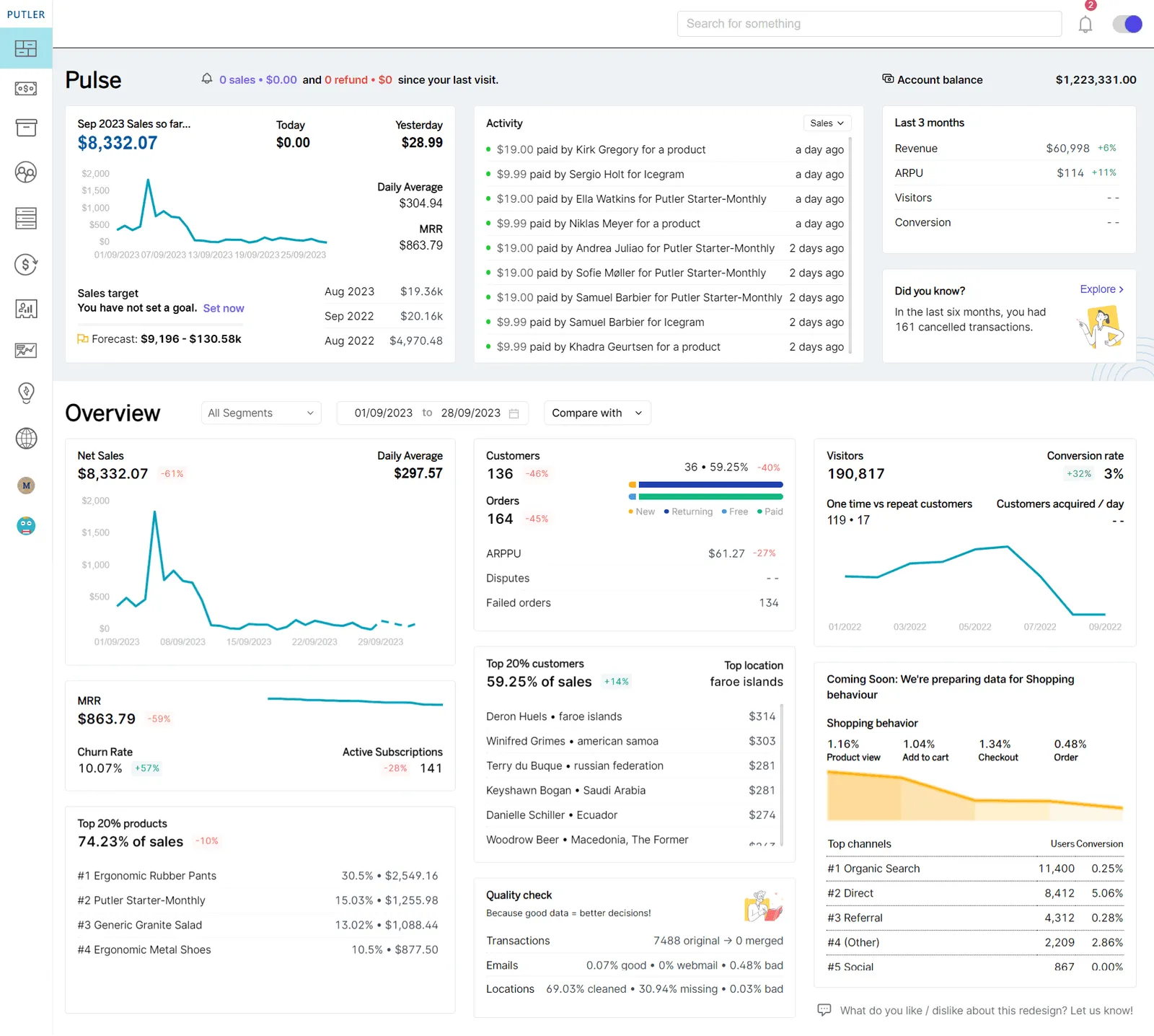
Use it for: finding valuable repeat buyers and customers whose purchasing has slowed, particularly when transactions sit in several connected sources.
Example and next action: open an RFM group such as At risk, inspect its customer records, and export a CSV for follow-up through your marketing tool. Before sending, apply the recipient eligibility and exclusions maintained in that destination.
Check before choosing: RFM depends on the history imported. The overall chart and date-filtered customer results have different scopes; changing the dashboard dates doesn’t simply rescore all customers for that period. The RFM documentation explains that distinction.
Cost and limits: pricing scales with revenue. Confirm import history and connected-source requirements for your plan. Choose another tool if your main need is product-event tracking or building automated email journeys inside the same application.
2. ChartMogul
ChartMogul compares subscription metrics across groups defined by billing information, plans, geography, and supplied customer attributes.
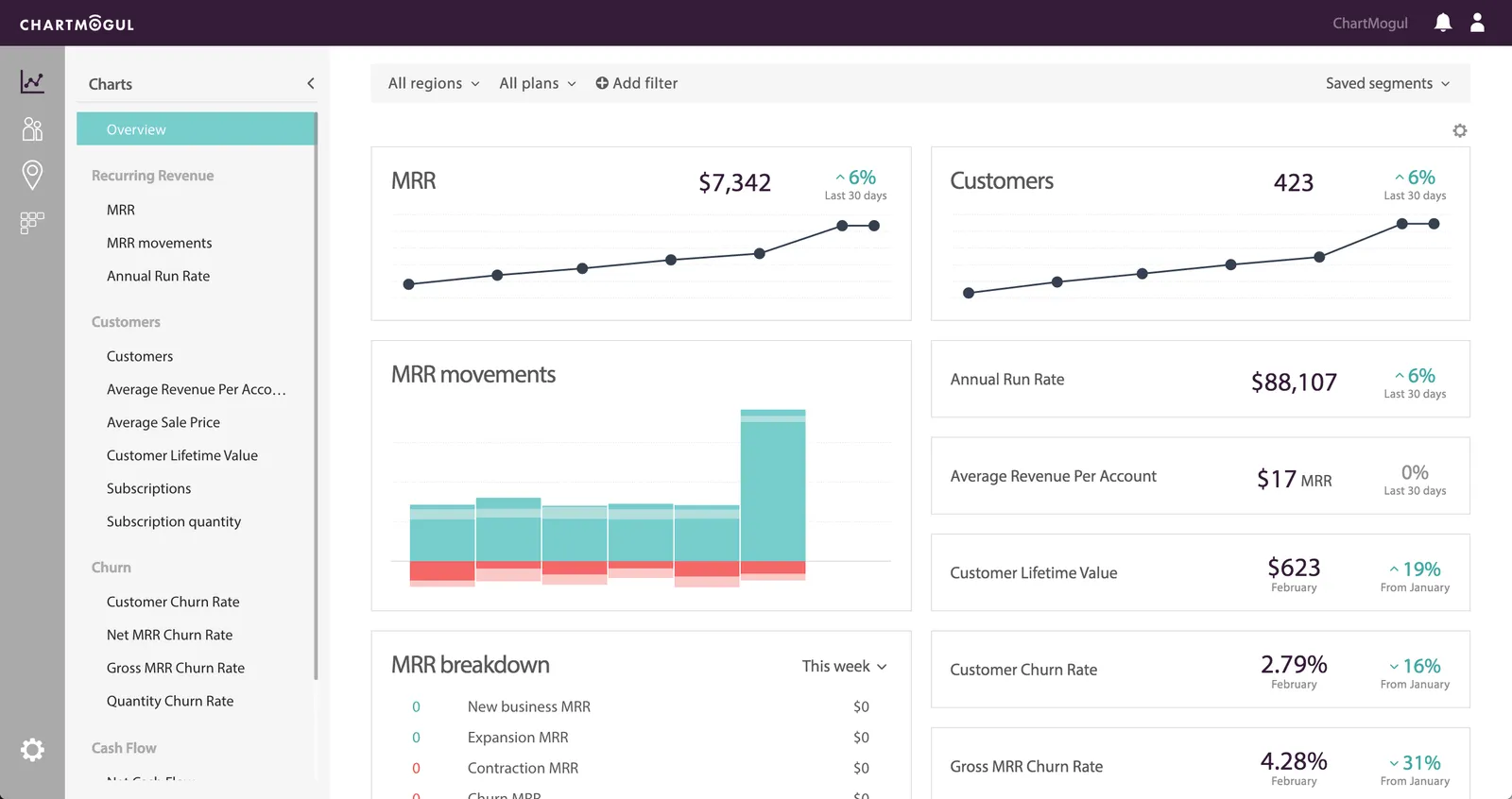
Use it for: understanding which subscription plans or customer groups contribute revenue, retain well, or churn.
Example and next action: combine a signup-date filter with current monthly recurring revenue, save the group, and compare its retention with another group. Its segmentation guide documents a date-and-MRR example. Attributes such as industry must be present before they can support that comparison.
Cost and limits: pricing is based on tracked annual recurring revenue (ARR), with a free plan for businesses within its published eligibility limit. Check billing-source allowances and export requirements as well. Skip it when your main problem is sending ecommerce campaigns rather than analyzing subscriptions.
Connect segments to campaigns and customer relationships
If the next step is an email, message, or sales follow-up, shortlist tools that keep the relevant customer data close to that action. Confirm which events arrive from your store or application; an integration name alone doesn’t establish every field or behavior available.
3. Klaviyo
Klaviyo combines ecommerce customer data with email and other messaging channels. Segments can use purchase events and engagement to support targeted campaigns and flows.
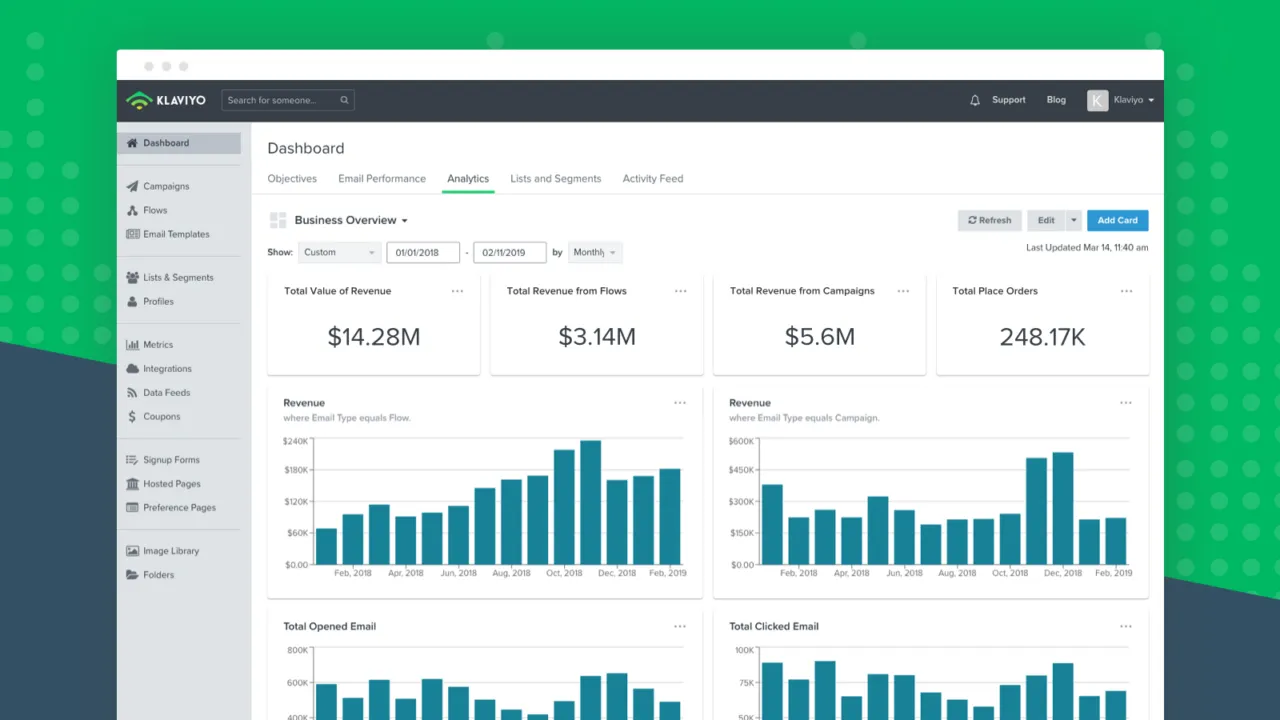
Use it for: ecommerce marketing where the store connection and messaging workflow are central to the job.
Example and next action: identify previous purchasers who meet a re-engagement rule, exclude people who have recently purchased again, and use the group in a relevant flow. Klaviyo’s Tibi case study describes win-back flows triggered when customers move out of stronger RFM groups. This is a vendor-reported workflow, not a result we independently tested.
Cost and limits: pricing depends on active profiles and selected channels/products. Suppressed profiles are excluded from the active email profile count. Advanced RFM and analytics functionality has separate subscription and data requirements; don’t assume the entry email plan includes every feature in a case study. See the RFM requirements.
4. HubSpot
HubSpot groups CRM records by properties and activity, connecting segmentation to marketing and sales work.
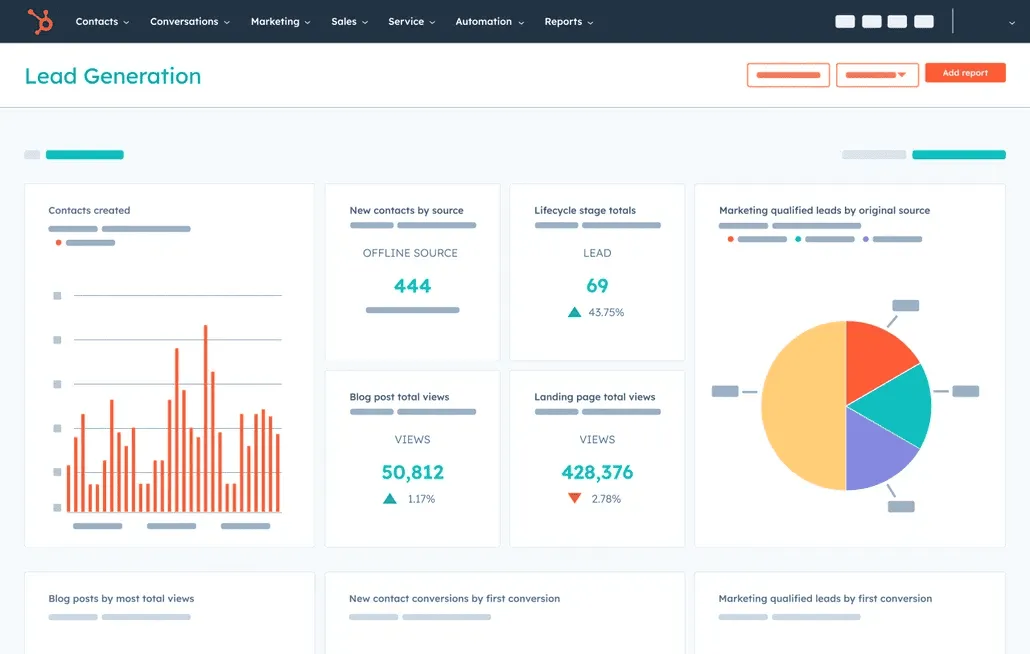
Use it for: teams whose customer lifecycle, sales ownership, and marketing records already live in HubSpot.
Example and next action: create an active segment of customers in a particular lifecycle stage who meet an engagement condition. Use the group for an appropriate campaign or sales process. HubSpot distinguishes active and static segments: active membership changes with the criteria, while static membership preserves a snapshot.
Cost and limits: assess Marketing Hub pricing by required features, seats, and marketing contacts. A record belonging to a segment does not automatically make it eligible for marketing email. Skip a large CRM implementation if you only need a simple purchase-value report.
5. Mailchimp
Mailchimp segments email audiences using contact information, tags, engagement, and purchase information supplied by supported connections.
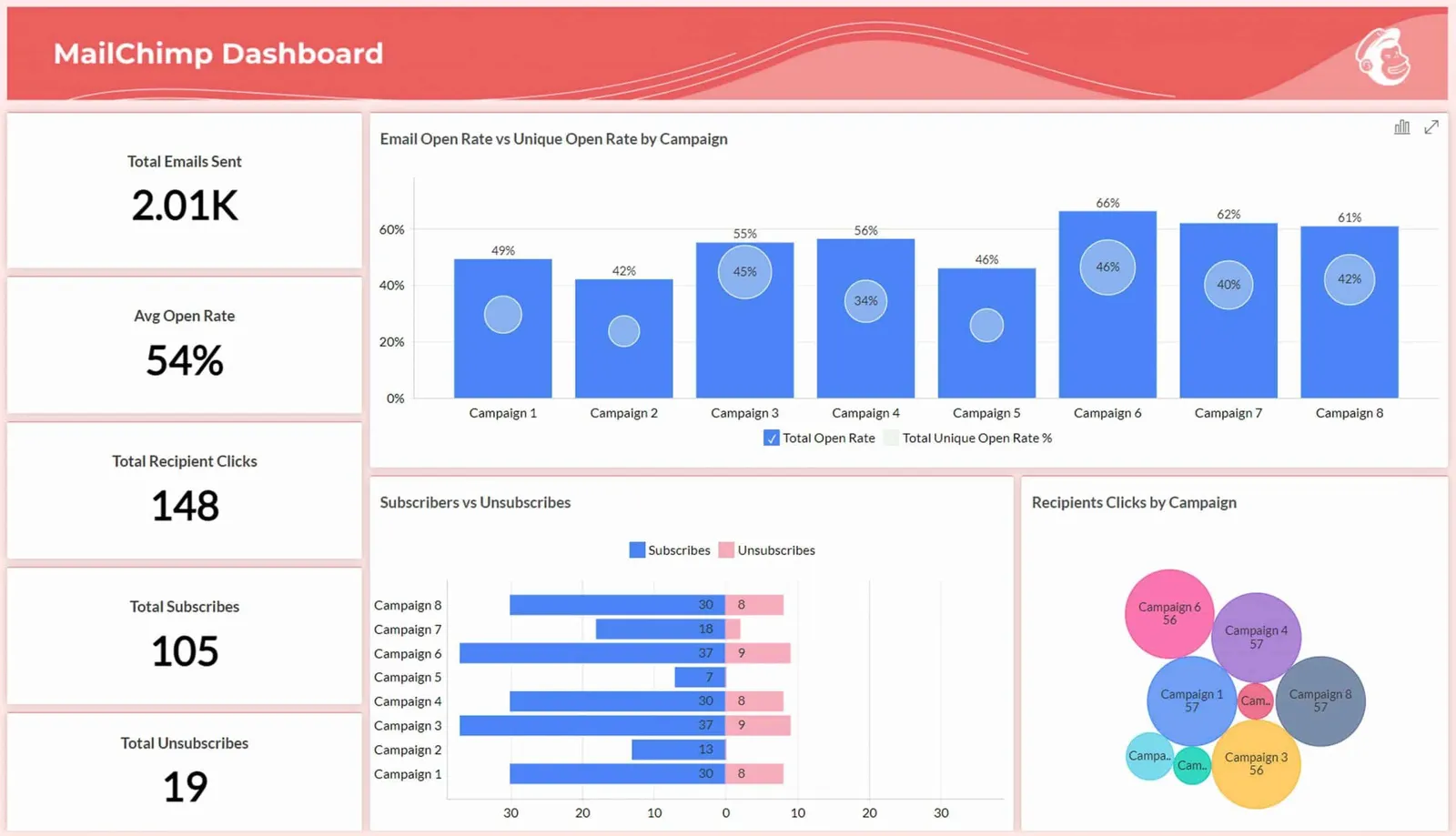
Use it for: businesses that want audience groups close to their existing email campaigns.
Example and next action: combine a location or tag with a recent engagement condition to tailor a campaign. If the rule needs nested logic, such as one group of conditions AND either of two other conditions, check the advanced builder rather than assuming a basic filter is enough.
Cost and limits: the advanced segment builder is included with Standard or higher according to its feature-specific help page. Plan costs also vary with audience size and sending needs. Choose another tool if the required purchase or product events cannot reach your Mailchimp audience reliably.
6. ActiveCampaign
ActiveCampaign builds dynamic contact segments from field values, tags, and actions people did or did not take. The segment builder also appears in campaign and automation workflows.
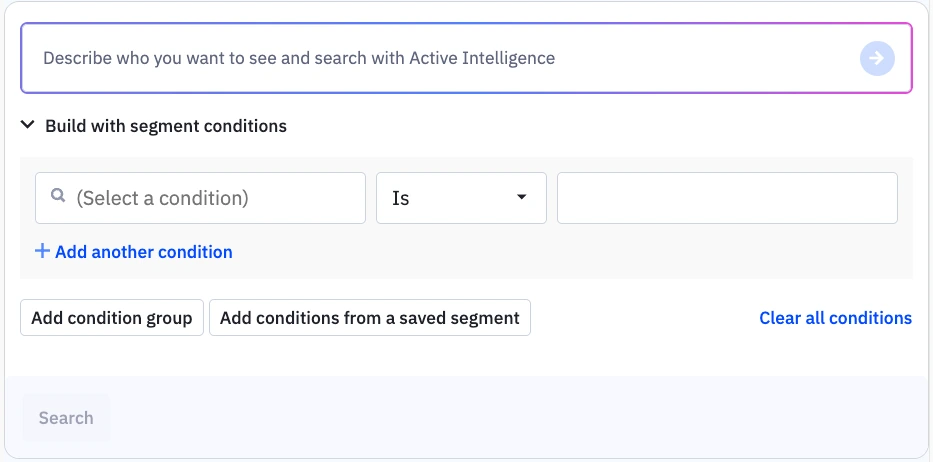
Interface example from ActiveCampaign documentation.
Use it for: marketing teams that need customer groups connected to conditional follow-up rather than a separate analytics report.
Example and next action: combine a customer tag with an engagement condition, then use that group to tailor a campaign. Where site tracking is configured, relevant page activity can add another condition. The official segment guide explains dynamic membership and the available builder locations.
Cost and limits: check pricing for your contact count and required automation features. Include setup work: consistent tags, incoming events, and the rules for leaving a segment need an owner. Skip it if you mainly need financial reporting across payment sources.
7. Customer.io
Customer.io uses profile data and events to build customer groups for lifecycle messaging. Its data-driven segments add and remove people automatically as conditions change.
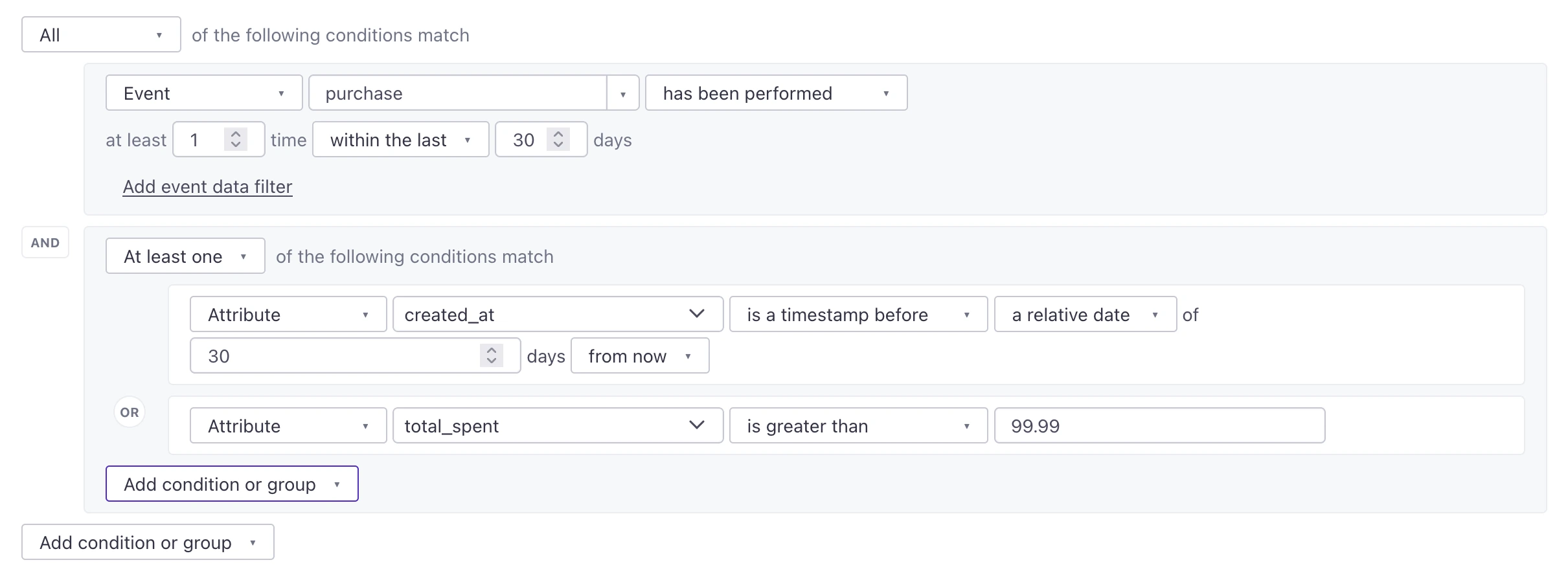
Interface example from Customer.io documentation.
Use it for: teams connecting application behavior to onboarding, adoption, and re-engagement messages.
Example and next action: define a group of people who signed up but have not completed a tracked activation event within your chosen time window. Use that group to start a relevant journey, then check that completion removes people from further reminders. The data-driven segment documentation explains membership and initial build behavior.
Cost and limits: Essentials pricing starts at $100 per month, billed monthly, with 5,000 profiles covering people and objects. Confirm current message allowances and integration requirements. It requires reliable profile/event data; choose a simpler existing email tool if you can’t maintain that input.
Understand product behavior with customer segmentation software
Product analytics tools group users by tracked actions and properties, then compare conversion, adoption, and retention. Their event allowances and audience features are separate buying decisions. A generous analytics allowance doesn’t necessarily include every saved cohort or destination sync you need.
8. Mixpanel
Mixpanel analyzes events to show how different groups use a product and move through funnels.
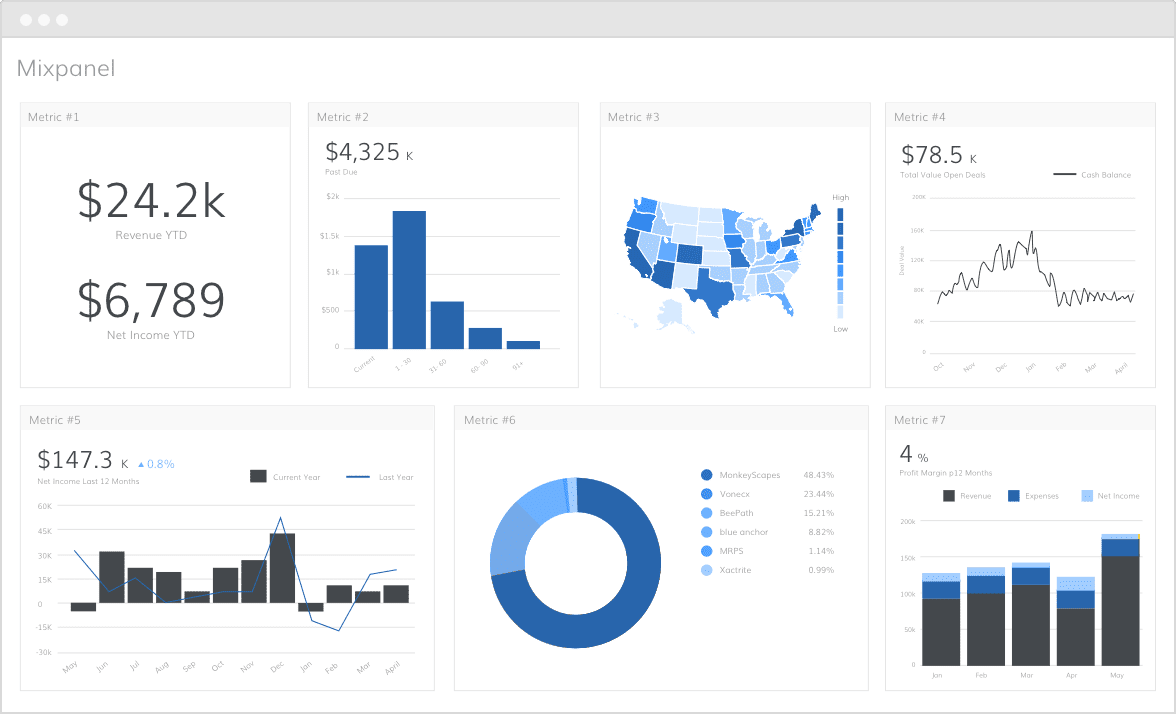
Use it for: product teams investigating adoption, conversion, and retention by observed behavior.
Example and next action: compare users who completed a key feature action with those who did not, then examine later retention. Treat the relationship as a finding to investigate, not proof that forcing the action will improve retention. Campaign execution needs an appropriate downstream tool or integration.
Cost and limits: the pricing table distinguishes creating cohorts from saving them for reuse. Check saved-cohort availability and paid event usage before planning an ongoing audience workflow. Skip a product analytics rollout when transaction-history segments alone answer your question.
9. Amplitude
Amplitude builds behavioral cohorts for analysis of product usage, conversion, and retention, with options to send membership to supported destinations.
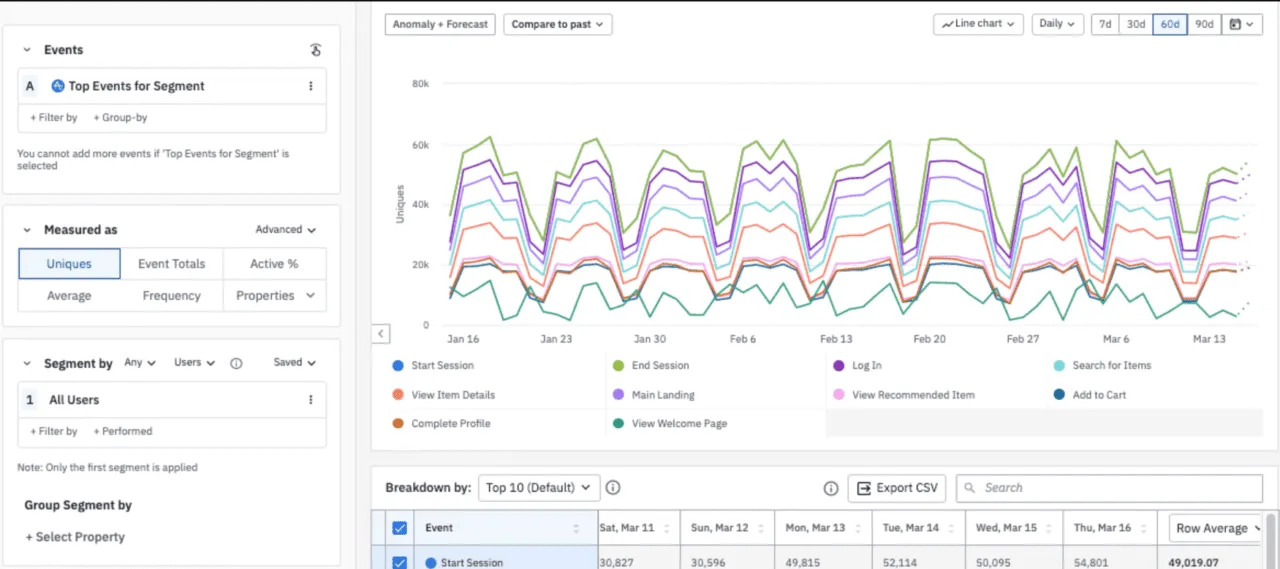
Use it for: teams that need reusable behavioral groups and a defined route from analysis to action.
Example and next action: build a cohort around a tracked onboarding behavior and compare its later activity. If you send it to another tool, reconcile transferred members. Amplitude’s sync documentation explains how missing mapped identifiers can prevent users from transferring even when the overall job reports success.
Cost and limits: confirm custom-cohort and sync requirements against pricing and your contract. One-time, scheduled, and real-time syncs have different availability and destination limitations. Published help and pricing can differ on cohort allowances, so verify the current entitlement instead of relying on an assumed free-plan limit.
Unify audiences across a customer data stack
When the same person appears in several systems, the problem may be joining and distributing data before any campaign rule can work. A customer data platform (CDP) addresses that infrastructure job. It requires defined identities, supported sources, and clear destinations.
10. Twilio Segment
Twilio Segment collects and routes customer data, with additional capabilities for unified profiles and audience building depending on the product package.
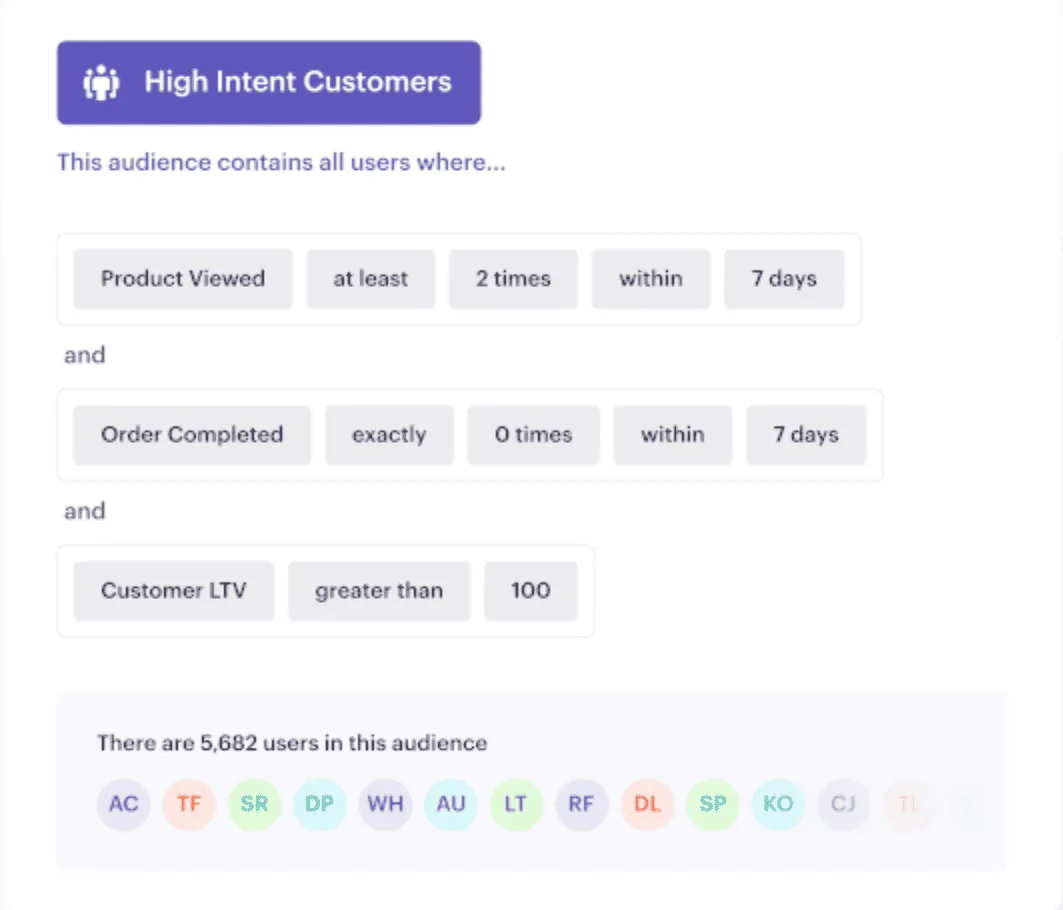
Use it for: teams that need consistent customer data and audiences across several tools, with resources to maintain the connections.
Example and next action: combine identified customer attributes with tracked activity, define an audience, and send it to a supported destination. Agree how anonymous and known users are matched first; a collection integration doesn’t automatically establish a correct person-level profile.
Cost and limits: the pricing page separates Customer Data Pipeline from Customer Data Platform. Audience and enrichment functionality has bundle or add-on implications. Obtain a quote for the actual workflow, not just event collection. Skip the infrastructure project if your existing store and messaging platform already share the required data.
Analyze website and app audiences
Web analytics helps explain measured visits, acquisition, behavior, and revenue. Its audiences and analysis segments differ from a complete customer contact database. Keep those scopes clear when comparing it with purchase analytics or messaging tools.
11. Google Analytics 4
GA4 analyzes tracked website and app activity, allowing comparisons across user groups, traffic sources, and behaviors.
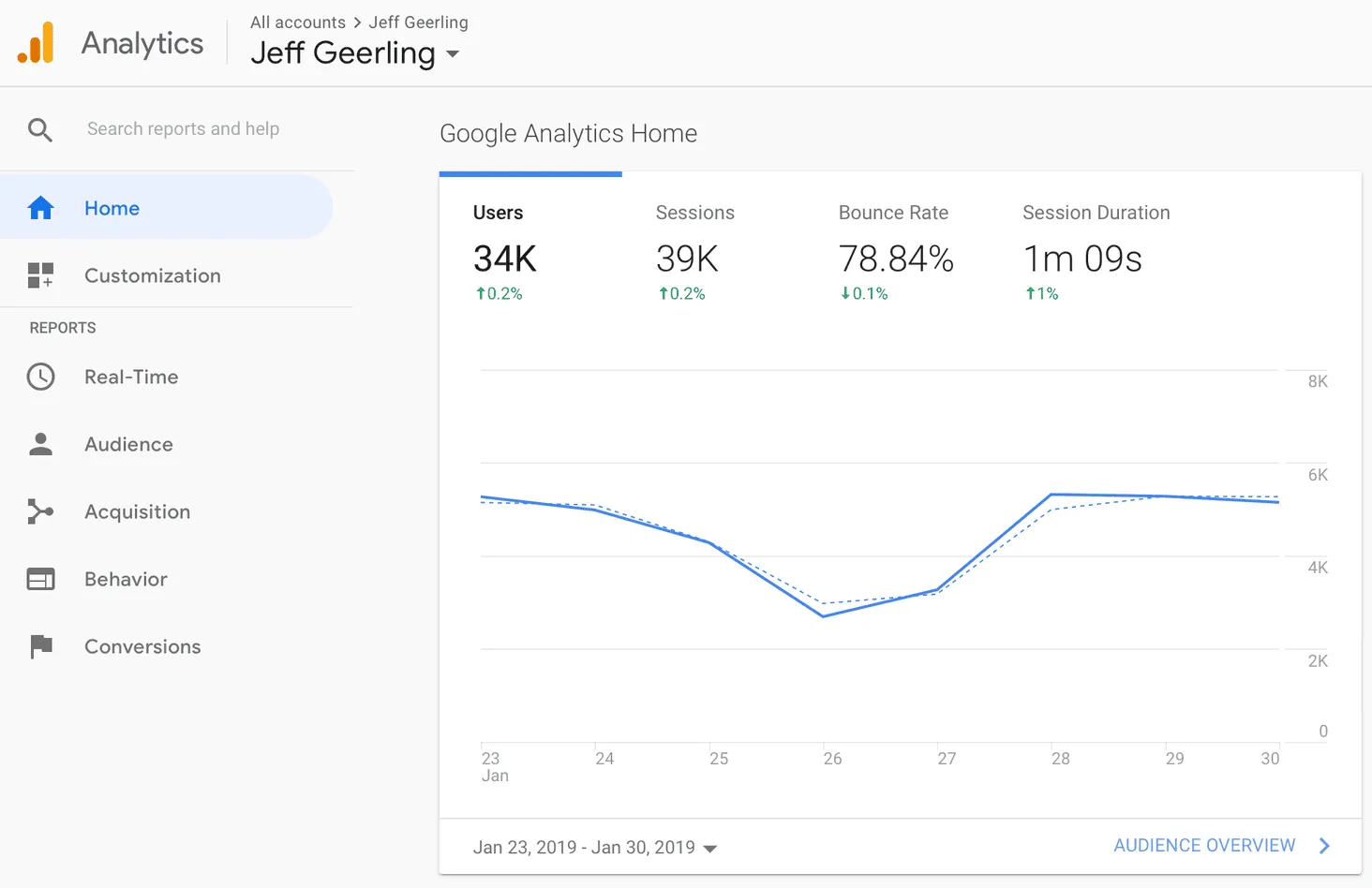
Use it for: understanding which measured audiences arrive, engage, and convert on your website or app.
Example and next action: compare purchaser behavior by acquisition source, or examine lifetime revenue in the User lifetime exploration. GA4 can analyze customer value; the scope depends on the events, revenue, and identity information implemented. It should not be dismissed as a tool that only measures clicks.
Cost and limits: standard GA4 is free; Analytics 360 is an enterprise option. An exploration segment is not automatically a sendable email list. Use an appropriate marketing destination for activation, and don’t assume GA4 contains all transactions from every selling channel.
Test the customer group before buying another tool
Start by checking your existing platform. Shopify’s native customer segmentation may be sufficient for a store-based rule. Specialized options such as Baremetrics for subscription analysis or Woopra for journey analysis are also worth considering when those are the main job.
Write one rule your team needs
For example, choose repeat purchasers who have not ordered within your normal repurchase window. Write down the required fields, their source, and the follow-up action. Adjust the window to your business rather than copying an arbitrary threshold from a software demo. Our behavioral segmentation guide explains how observed actions support different groups.
Check membership and the destination
- Inspect sample records that should qualify and records that should not.
- Check whether a qualifying change makes someone enter or leave the group, and how long that takes.
- Compare the source group’s membership with the people received by the destination.
- Confirm that exclusions and marketing eligibility remain effective when the group changes.
Price the complete workflow
Ask for the cost at your expected contact, event, or revenue volume, including the feature tier that supports the rule and handoff. Include extra sources, add-ons, and maintenance work. A lower entry price is poor value if the audience cannot reach the place where your team needs to use it.
FAQ
What is the best customer segmentation tool?
The best choice depends on the required data and action. Purchase-value analysis, email campaigns, CRM groups, product cohorts, and unified CDP audiences are different jobs. Shortlist tools within the relevant category, then test one real segment and its destination. The numbering in this comparison is not a universal quality ranking.
Are there free customer segmentation tools?
GA4 is free in its standard version, and several products offer free tiers or features within an existing subscription. Check the exact capability: event analysis, saved cohorts, advanced rules, and audience syncing can have different limits. Your store’s native customer segments may answer the question without another subscription.
Can a segmentation tool send campaigns automatically?
Some messaging platforms connect segment membership directly to campaigns or journeys. Analytics tools may instead provide reports, exports, or supported destination syncs. Confirm the route, required plan, recipient eligibility, and exit rules before treating an automatic segment update as an automatic campaign. The two operations are related but distinct.
What are practical customer segmentation examples?
Examples include repeat buyers whose purchases have slowed, customers on a subscription plan, contacts meeting an engagement rule, and product users who have not completed onboarding. Each needs the relevant purchase, profile, or event data. Define a time window and useful next action before choosing software to build the group.
Start with one segment and one next action
Choose a customer group your team can act on this month, then test the data and destination before committing to a wider rollout. For connected purchase-value reporting, evaluate whether Putler’s RFM groups answer that question using the history available in your account.