

Shopify customer segmentation lets you build customer lists based on rules such as order count, location, and email subscription status. Shopify updates the lists as customers start or stop matching those rules.
If you want more second purchases, start with customers who have ordered once and opted into email. Then check when they last bought so you can send a reminder when a reorder is likely to make sense.
What is Shopify customer segmentation?
Shopify customer segmentation is the process of grouping customers in Shopify using shared characteristics or behavior. You can start from a template or create your own rules. For example, a jewelry seller can group customers by products they bought and use that list to suggest a matching item. The segment tells you who matches your rule. Check marketing consent before contacting them. Shopify’s customer segmentation overview
What are the types of customer segmentation?
The four main customer segment types are demographic, geographic, psychographic, and behavioral.
Let’s take a closer look at each one.
Demographic
Demographic segmentation groups people by traits such as age, occupation, or income. A store may learn about those traits through customer research or information shoppers choose to share. Before building a Shopify segment, check which fields your store actually has. An expensive order alone tells you what someone spent on that order.
Geographic
This method of segmenting customers groups them by location, region, city, country, etc. This is often useful if you have brick-and-mortar stores or offer local delivery. You can customize site content, run location-based promotions, or open stores where demand is highest. For example, if you have a multilingual audience, your site can render content in the native language of your reader.
Psychographic
Psychographic segmentation groups people by interests, priorities, or lifestyle. For example, a clothing store might use preferences shoppers shared in a survey to tailor messages about materials or care. In Shopify, use a supported field or a customer tag if that’s how your store records the preference.
Behavioral
Behavioral customer segmentation groups customers by actions such as what they buy and how often they order. Use purchase history to identify shoppers who might value a particular offer. For example, give frequent buyers early access to a product they’re likely to use.
For more information check out this quick customer segmentation guide.
What are the benefits of Shopify customer segmentation?
Shopify’s built-in segments let you choose which customers should see an offer based on what they’ve bought, where they shop, or how recently they ordered. Start with one goal so you can tell whether the campaign helped.
Improved marketing efficiency
A replenishment email is more relevant to people who bought a product that runs out. Start there instead of offering a discount to everyone. Track the number of orders and the value of discounts used so you can decide whether to repeat the offer.
Strong customer relationships
Shopify customer segmentation also helps you understand their spending habits, interests, location, and more. It allows you to use personalized marketing messages and channels of communication. This gives them the impression that you understand what they want. They must know that you care about their needs, and it’s easier to buy from you. This helps build trust, leading to stronger customer relationships.
Identification of upselling and cross-selling opportunities
By analyzing your customers’ purchase histories and behaviors, you can identify opportunities to sell additional or related products. For example, if a customer frequently buys T-shirts, you might suggest shorts or jeans to match. Also if they buy a beginner model of a product, suggest an upgrade to an intermediate model. Look for items that complement each other or the ones that customers often buy together.
Re-engage customers
Through Shopify customer segmentation, you can identify customers at risk of churn or inactive for a long period. Figure out their interests and preferences, then reach out with personalized messages. Run a personalized re-engagement campaign, give special discounts, and send interesting content.
Target purchase behavior
For frequent shoppers, send exclusive offers and discounts to show them you appreciate their business. Occasional customers may need reminders about your store to spur another purchase, so retarget them across social media and via email newsletters. First-time buyers should receive a welcome email soon after their purchase, thanking them and encouraging another visit. You might offer them a coupon for their next order.
Target a specific location
As a Shopify merchant, you can access data on your customers’ locations. Look at the locations where you have the highest number of customers and sales. These spots should be your top priorities for location-based marketing. You can also use services like Facebook Ads and Google Ads to target users by location.
Engage high-value customers
It’s also important to understand your high-value customers’ purchasing behaviors and preferences. Maybe they tend to buy certain types of products or shop more frequently during certain times of the year. Use this insight to tailor your marketing and promotions specifically to them. For example, you might create a VIP program that provides special discounts, early access to new products, or free shipping on all orders. Sending personalized emails highlighting their favorite products or suggestions based on their past purchases is another way to nurture the relationship.
Engage first-time customers
When new customers discover your store for the first time, roll out the red carpet for them. Prominently feature your top products or best deals on your homepage to give them an instant taste of what you offer. You might create a special “Welcome” offer for first-timers to make their first purchase even sweeter. Send a personalized “Thank you for shopping with us!” email after they buy to make them feel appreciated.
How do I create a customer segment in Shopify?
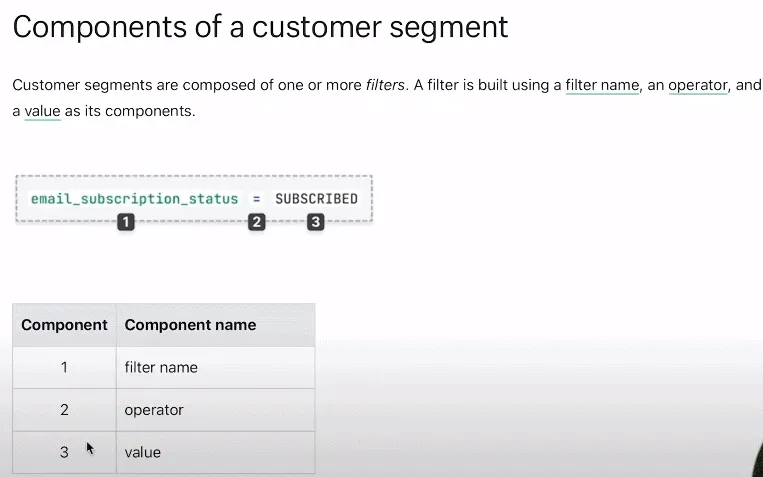
Each rule has a filter, a comparison, and a value. For a second-purchase campaign, use Number of orders equal to 1 and Email subscription status equal to Subscribed. Join them with AND so both conditions apply. If your product has a typical reorder window, add Last order date to focus on buyers approaching it. Shopify’s guide to combining filters
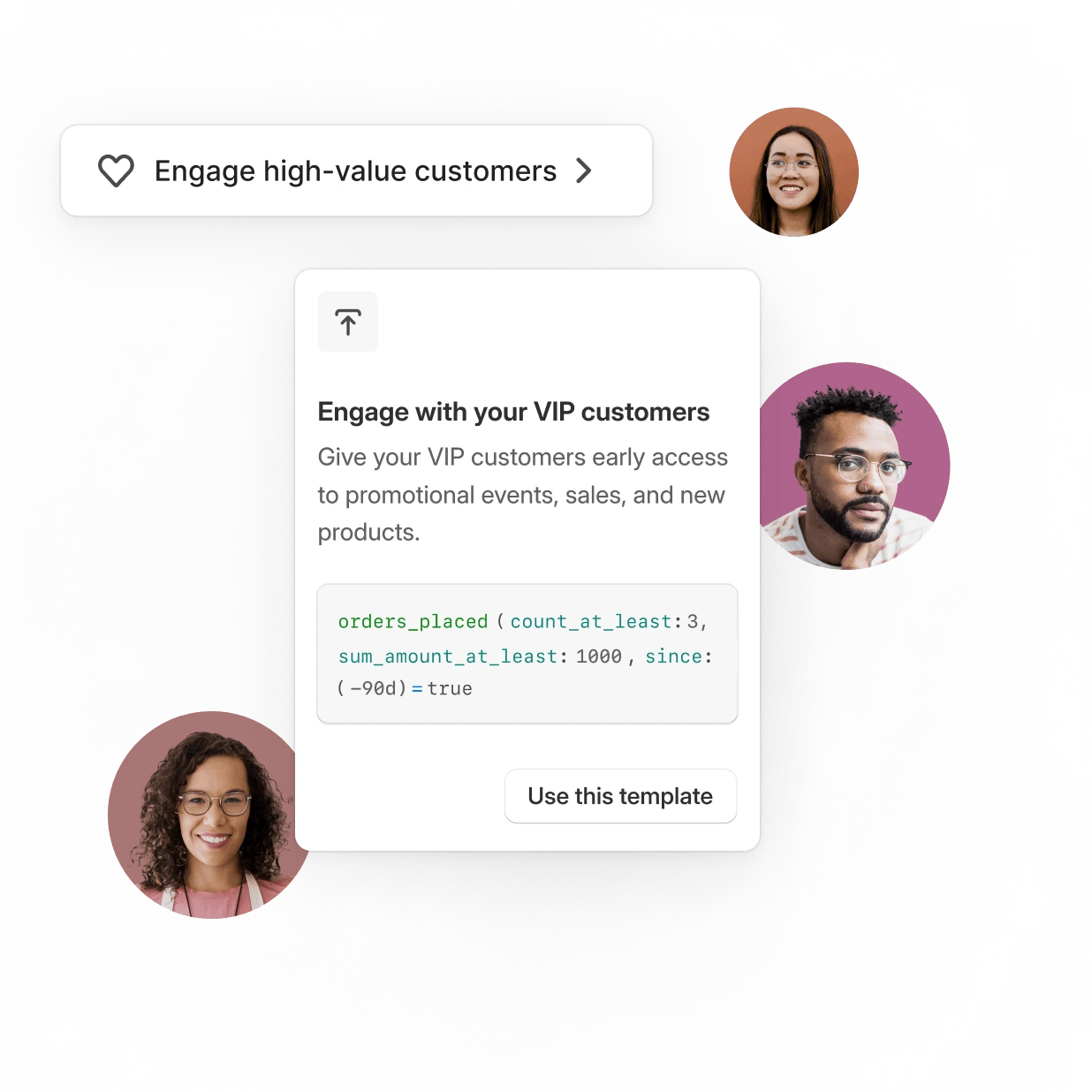
- In Shopify admin, go to Customers → Segments → Create segment. Start with a template or add your own filters.
- Add the order count and email subscription rules. Choose Run to see the matching customers and their count.
- Review a few rows to confirm the rules match your intent. Name the segment and save it.
- Open the saved segment and choose Use segment → Email to start a campaign in Shopify Messaging. Check the final recipient count because Shopify filters out customers without email opt-in, and delivery restrictions can further reduce it. Shopify’s campaign instructions
For more templates and editor steps, see the Shopify customer segments guide.
How do you measure second purchases?
Record the original campaign audience and pick a follow-up window before you send. People leave the one-order segment as they reorder, so the live segment count will change.
For example, suppose 120 customers received the email and 12 placed a second order within 30 days. The second-purchase rate among those recipients was 10%. These figures are illustrative. To estimate whether the campaign caused additional orders, compare the result with a similar group of eligible buyers who didn’t receive it.
Compare three customer segmentation tools
Shopify’s built-in segments cover store-level targeting, including groups based on how recently and often shoppers buy and how much they spend. Consider a separate tool if you need to analyze events across platforms or review customers across connected stores. Our customer segmentation tools guide covers more options.
Kissmetrics
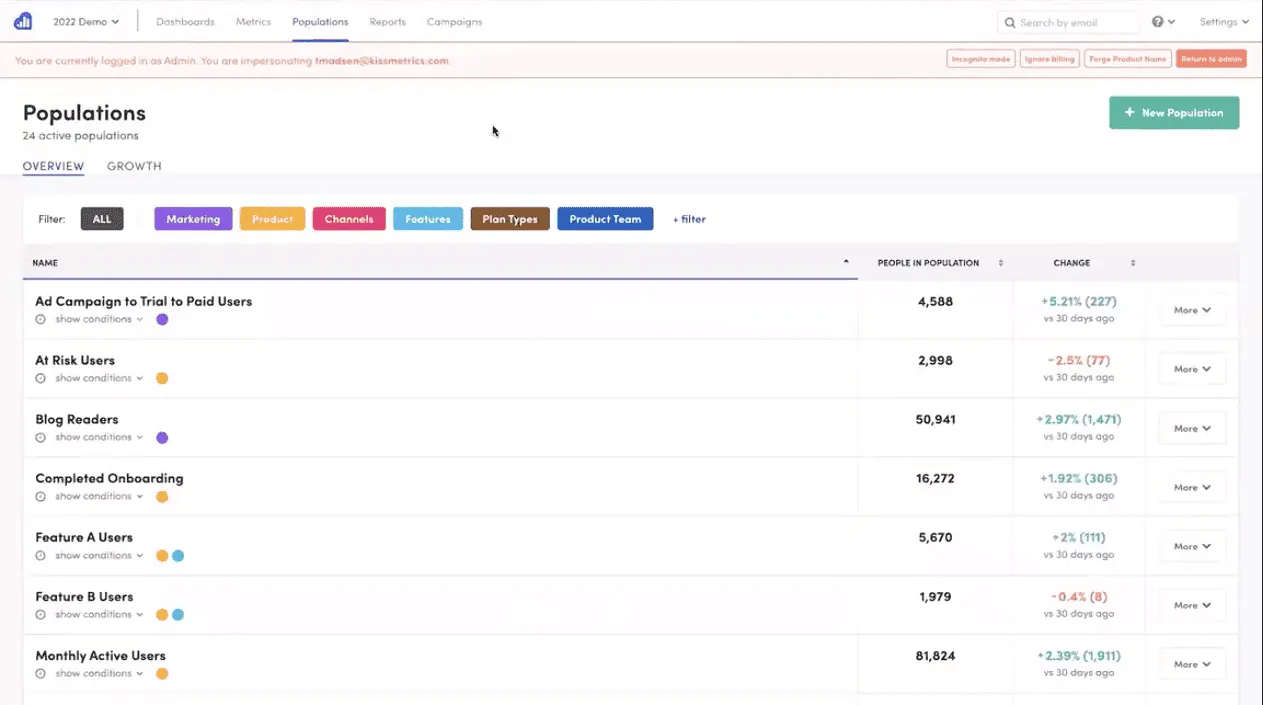
Kissmetrics helps you group customers by tracked behavior. Its Populations feature lets you save a group and reuse it as a report filter. For example, a store with customer logins could define a group based on when shoppers last signed in, provided the relevant event is tracked.
Kissmetrics offers a free workspace with an event allowance. Paid pricing varies by event volume, and Populations is listed under the paid building tools. Kissmetrics pricing
Putler
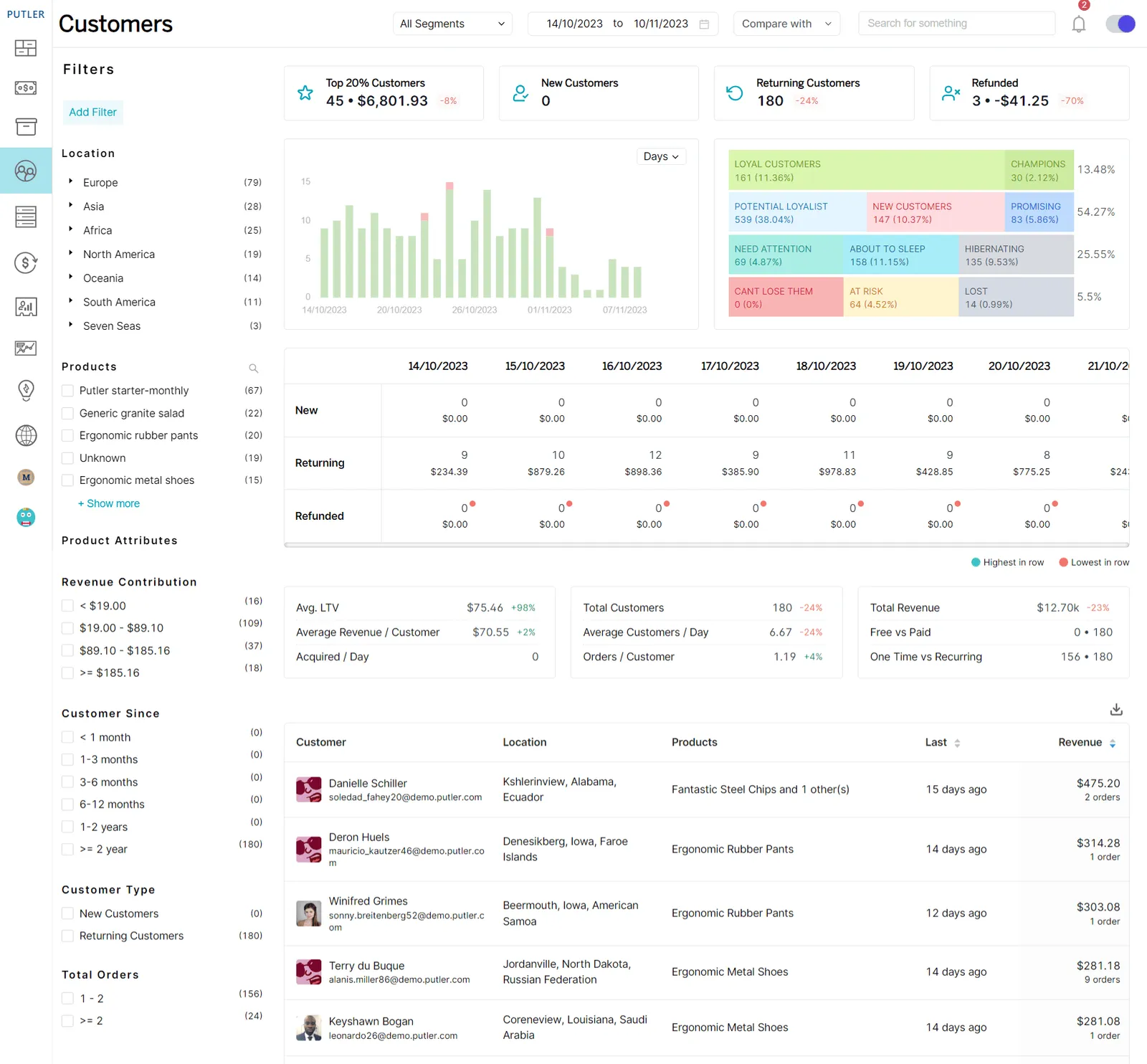
Putler is our analytics tool for ecommerce and subscription businesses. In its Customers dashboard, you can review purchase activity from connected sources and narrow the list using customer filters. For example, start with repeat buyers in one market, then inspect the products they ordered before picking an offer.
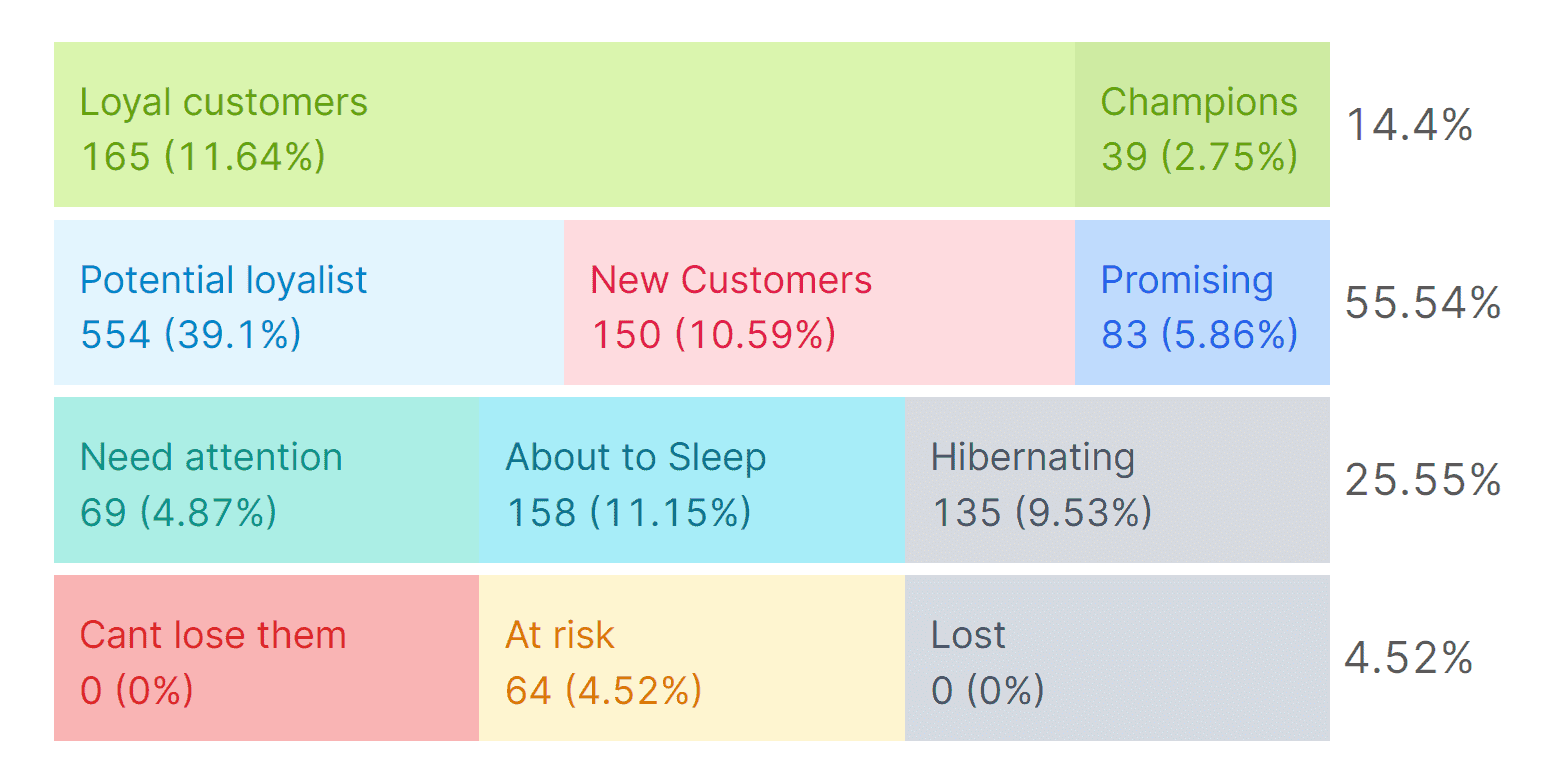
RFM analysis groups buyers by how recently they ordered, how often they ordered, and how much they spent. Shopify offers its own RFM groups for store-level targeting. Putler is useful if you want to review purchase activity across multiple connected Shopify stores. Shopify customer reports · Putler RFM documentation
Say you sell the same refill in two stores. Review the at-risk group in Putler, open a customer’s purchase history, and see whether they bought a refill recently from either connected store. Use the resulting shortlist to plan your follow-up. Confirm each recipient’s marketing permission in Shopify or your email platform before sending.
Use Putler’s Customers dashboard guide if you want to understand the numbers in the dashboard. Its pricing page lists plans starting at $20 per month.
Twilio Segment
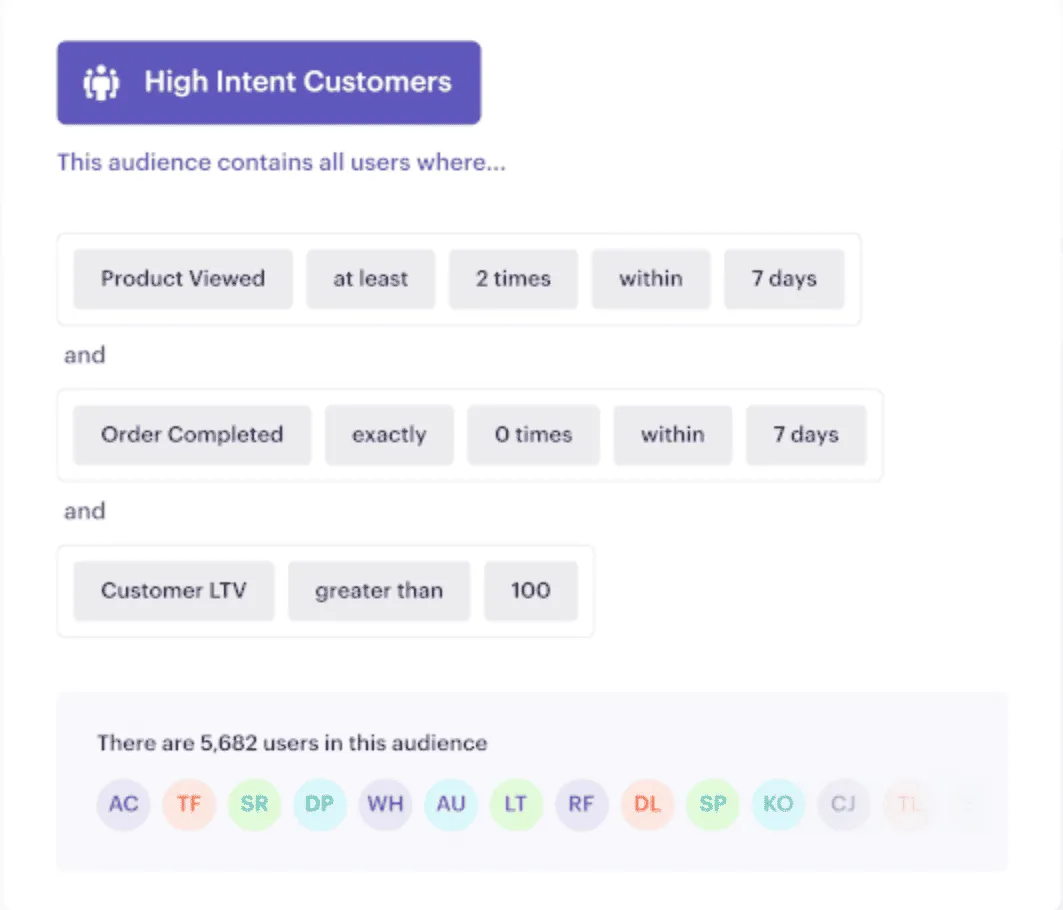
Twilio Segment is a customer data platform. Connections collects events you configure from websites, apps, servers, and supported sources. For Shopify, confirm which events your integration sends before using them to build an audience. For example, check whether checkout and purchase events arrive before building a group for people who started checkout and didn’t buy.
Sending campaigns depends on the activation tools and destinations you use. Check the features included in your plan if you need audience building or campaign delivery. Twilio Segment documentation · Twilio Segment pricing
Put your Shopify customer segments to work
Pick one group and one outcome for your first campaign. If you want more repeat orders, start with one-time buyers who opted in. Save the original audience count, then check how many reordered during the window you chose. Use Shopify Analytics to review the broader store results alongside the campaign.
FAQ
Do Shopify customer segments update automatically?
Yes. Shopify adds customers when they match the rules and removes them when they no longer do. For a segment of customers with exactly one order, a customer leaves as soon as they place a second order that qualifies. Keep the original audience count for campaign measurement.
Can I email everyone in a Shopify customer segment?
Shopify Messaging sends marketing emails only to customers who opted in. A segment may also contain customers who haven’t subscribed, depending on its rules. Add the email subscription filter and review the final send count. Previously bounced addresses may be excluded too.
What is a good first segment for a repeat-purchase campaign?
Start with customers who have placed one order and subscribed to marketing email. If you sell a product that needs refilling or replacing, add a last-order date range based on your store’s usual reorder timing. Check that the list is large enough to track the result.
Does Shopify have RFM segmentation?
Yes. Shopify can group customers by how recently they ordered, how often they buy, and how much they spend. You can use its RFM groups as filters in the segment editor. If you operate several stores, choose the reporting view based on which stores you need to review together.