

No analytics tool is perfect. Each one has limitations the sales demos skip over.
If you’re looking for a Mixpanel alternative, the best fit depends on what you need.
Google Analytics 4 for free marketing and traffic analytics, Heap for no-code autocapture, Matomo for privacy and data ownership, PostHog for developer-led open-source product analytics, and Putler for eCommerce and subscription revenue analytics.
This guide breaks down what you should really know about Mixpanel, why teams look for alternatives, current pricing, and the five best Mixpanel alternatives for 2026, each with what it does well and where it falls short.
Why Mixpanel is great (but not for everyone)
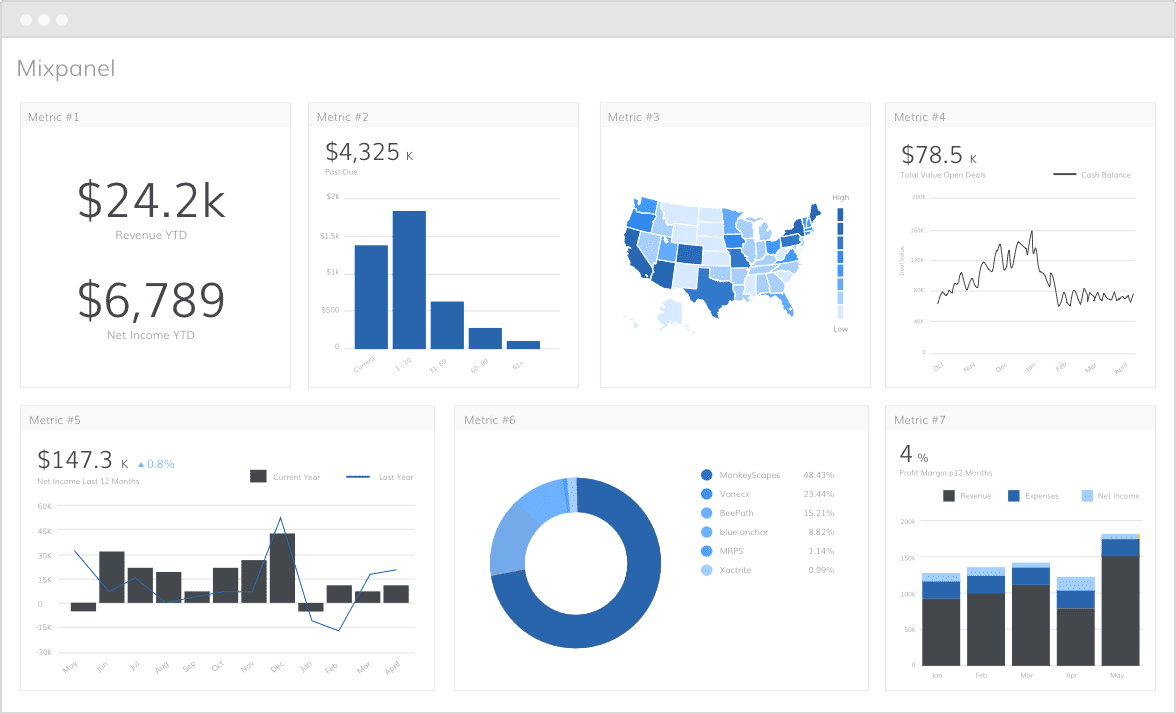
Once you set up Mixpanel and get the hang of it, you’ll get most of its value quickly. It’s a strong behavioral analytics tool: define an event that matters for your site or app, and Mixpanel does the rest.
For example, if you launch a new feature and want to know how it’s being adopted, you can track adoption by event frequency, like how many users used the feature once versus multiple times. Mixpanel builds great funnels, lets you customize reports, and goes deep on retention.
So why do businesses look for Mixpanel alternatives? Let’s break it down.
Mixpanel pricing in 2026
Mixpanel moved to event-based pricing, and as of 2026 the structure is:
- Free: $0 for up to 1 million events per month, with unlimited seats, core reports, and 10K session replays.
- Growth: the first 1 million events are free, then roughly $0.28 per 1,000 events. That works out to about $1,120/month at 5 million events and about $2,520/month at 10 million.
- Enterprise: custom pricing, typically starting around $25,000/year.
The free tier is genuinely generous, which is why so many small teams start here. The catch is at scale: event volume compounds fast, and features many B2B teams treat as core, like Group Analytics and Data Pipelines, are paid add-ons that can double the bill. That cost trajectory is one of the main reasons teams start shopping for alternatives.
Why teams look for Mixpanel alternatives
These are the main reasons teams look for a Mixpanel alternative.
1. Steep learning curve
Why: Event-based tracking is flexible but complex. You need to think like a product manager, not just a marketer.
Pain point: Teams new to product analytics often struggle to set up meaningful events, funnels, and properties.
2. Event design complexity
Why: You define every event and its properties manually.
Pain point: Without proper planning, you end up with messy, inconsistent data, like multiple events for the same action under different names.
3. No auto-tracking by default
Why: Mixpanel focuses on precision tracking, not automatic pageviews or sessions like Google Analytics.
Pain point: Teams expecting GA-style auto-collection are surprised they need developer help to track even basic events.
4. Developer dependency
Why: Setting up events across web, mobile, and backend requires developer time.
Pain point: Marketing or product teams can’t make changes independently, leading to delays or half-done setups.
5. Cross-platform identity resolution
Why: Users often start on web, then switch to mobile, or vice versa.
Pain point: If identity management isn’t set up correctly with consistent user IDs, you get fragmented data.
6. Costs can scale fast
Why: Pricing is based on the number of events tracked.
Pain point: High-traffic sites or apps with lots of granular events can see bills climb quickly.
7. Data privacy and compliance
Why: You’re tracking individual user behavior in detail.
Pain point: You must ensure GDPR and CCPA compliance, including consent management and data deletion policies.
8. Inconsistent implementation across teams
Why: Product, dev, and marketing teams might set up events differently.
Pain point: This leads to misaligned reports, broken funnels, and unreliable insights.
9. Integration limitations without engineering help
Why: Getting meaningful data in or out often requires technical setup.
Pain point: Non-technical teams may struggle to connect Mixpanel with CRMs, email platforms, or ad tools.
10. Over-reliance on historical event definitions
Why: Once you track an event a certain way, changing it later can break historical continuity.
Pain point: You can’t easily change old event definitions without losing trend consistency.
Best Mixpanel alternatives: quick comparison
| Tool | Best for | Starting price |
|---|---|---|
| Google Analytics 4 | Free marketing and traffic analytics | Free |
| Heap | No-code autocapture analytics | Free tier; paid is custom |
| Matomo | Privacy and data ownership | Free self-hosted; Cloud from ~$29/mo |
| PostHog | Developer-led open-source product analytics | Free to 1M events, then usage-based |
| Putler | Ecommerce and subscription revenue analytics | $20/month |
Best Mixpanel alternatives
Here are five strong Mixpanel alternatives worth considering, with current pricing and where each one fits.
Google Analytics
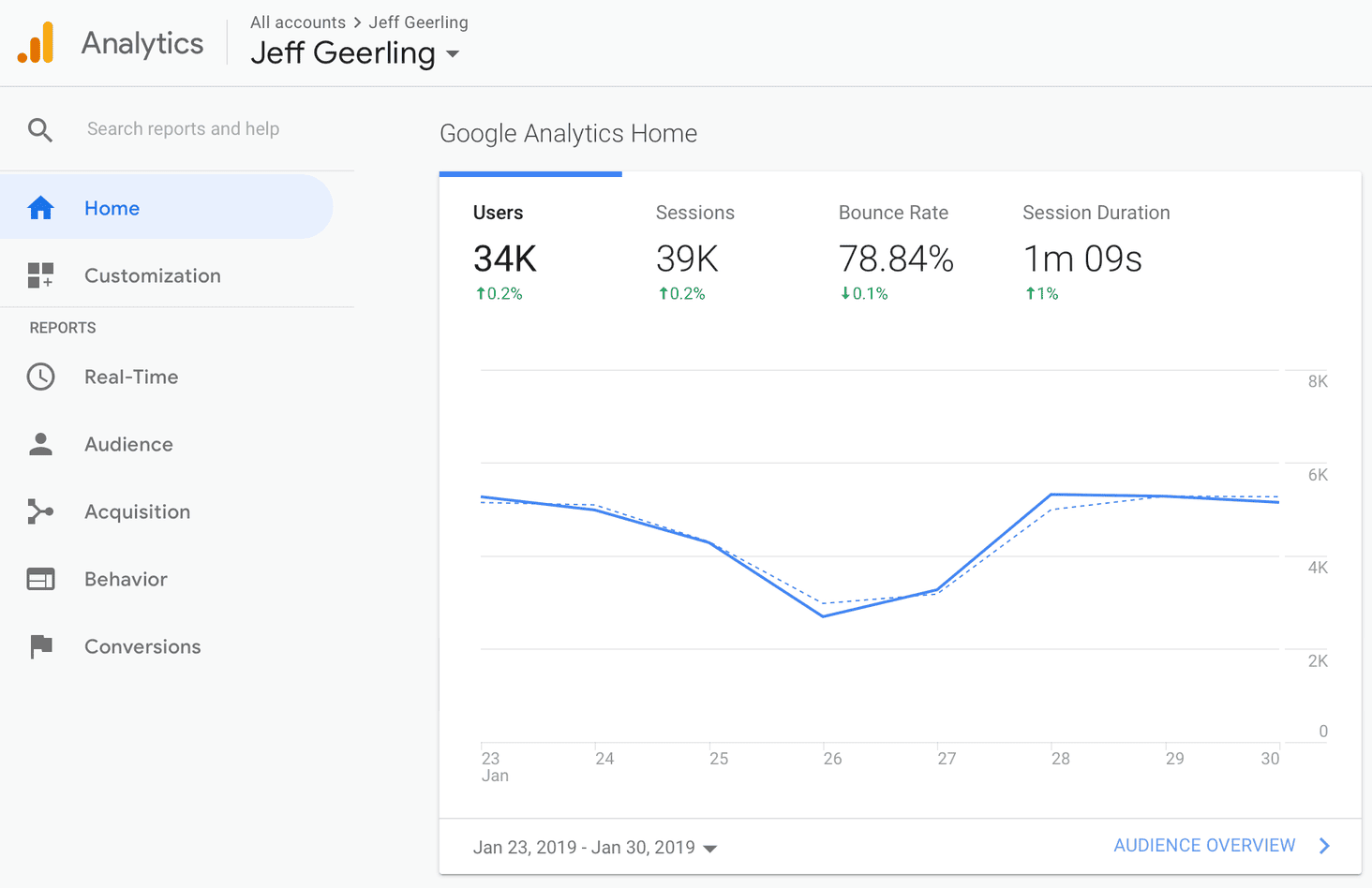
Main focus: Google Analytics 4 provides broad website and app traffic insights with integrated marketing attribution, helping teams understand user behavior and channel performance in one place.
Pricing: Free. Google Analytics 360 (enterprise) runs around $150,000/year.
Key features:
- Event-based tracking (similar to Mixpanel)
- Real-time data
- Audience segmentation
- Conversion tracking
- Integrations with Google Ads, Search Console, and BigQuery
Unique features:
- Native integration within the Google ecosystem (Ads, Firebase, BigQuery)
- Predictive metrics powered by machine learning
- Generous free tier with strong capabilities
- Attribution modeling across marketing channels
Advantages:
- Free for most users
- Great for marketing teams and SEO professionals
- Extensive third-party integrations
- Works for both websites and mobile apps
- Scales from SMBs to large enterprises
Disadvantages:
- Steep learning curve, especially after the move from Universal Analytics
- UI can feel unintuitive
- Limited flexibility for deep event-property analysis versus Mixpanel
- Custom funnels are harder to build and interpret
- Doesn’t specialize in product analytics or retention the way Mixpanel does
Heap
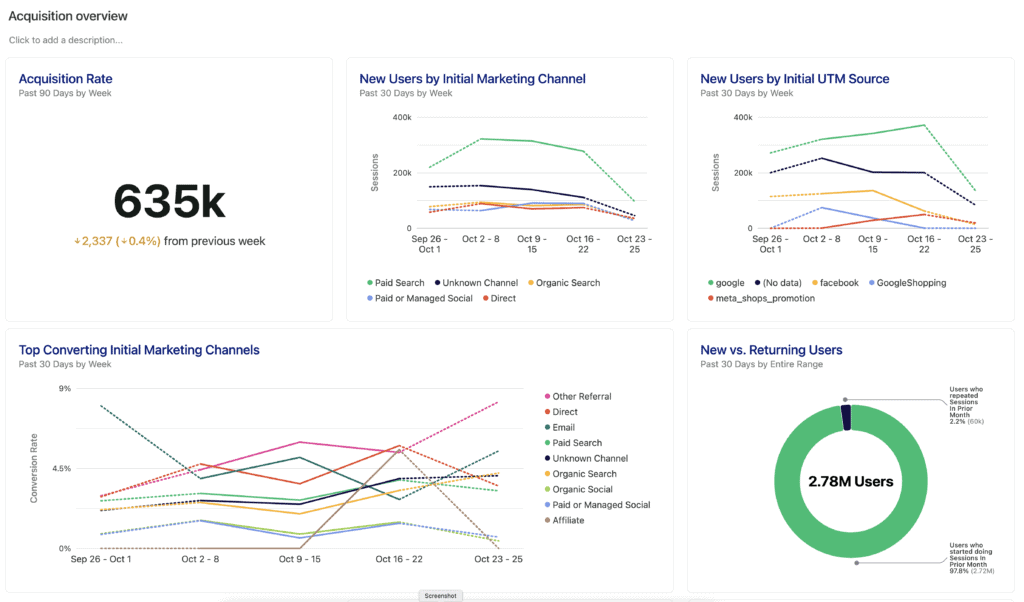
Main focus: Heap automatically captures every user interaction to deliver in-depth product analytics without manual event tagging upfront. (Heap is now part of Contentsquare.)
Pricing: Free tier available (up to around 10,000 sessions). Paid plans are custom and require a sales conversation.
Key features:
- Auto-captures all user interactions (clicks, pageviews, form submissions)
- Event visualizer
- Retention analysis
- Funnel reports
- Session replays
Unique features:
- No-code event tracking (captures everything by default)
- Retroactive data analysis
- Heatmaps with behavioral context
- Smart suggestions for events to track
Advantages:
- Extremely fast setup, no initial developer tagging required
- Ideal for non-technical teams
- Clear visibility into user journeys and drop-offs
- Blends qualitative insights (session replays) with quantitative analytics
Disadvantages:
- Data can become messy if not structured early
- Advanced setups still require custom event tracking
- More expensive than GA4, with opaque sales-led pricing
- Fewer integrations than Mixpanel
- Auto-capture can introduce noise if not filtered
Matomo
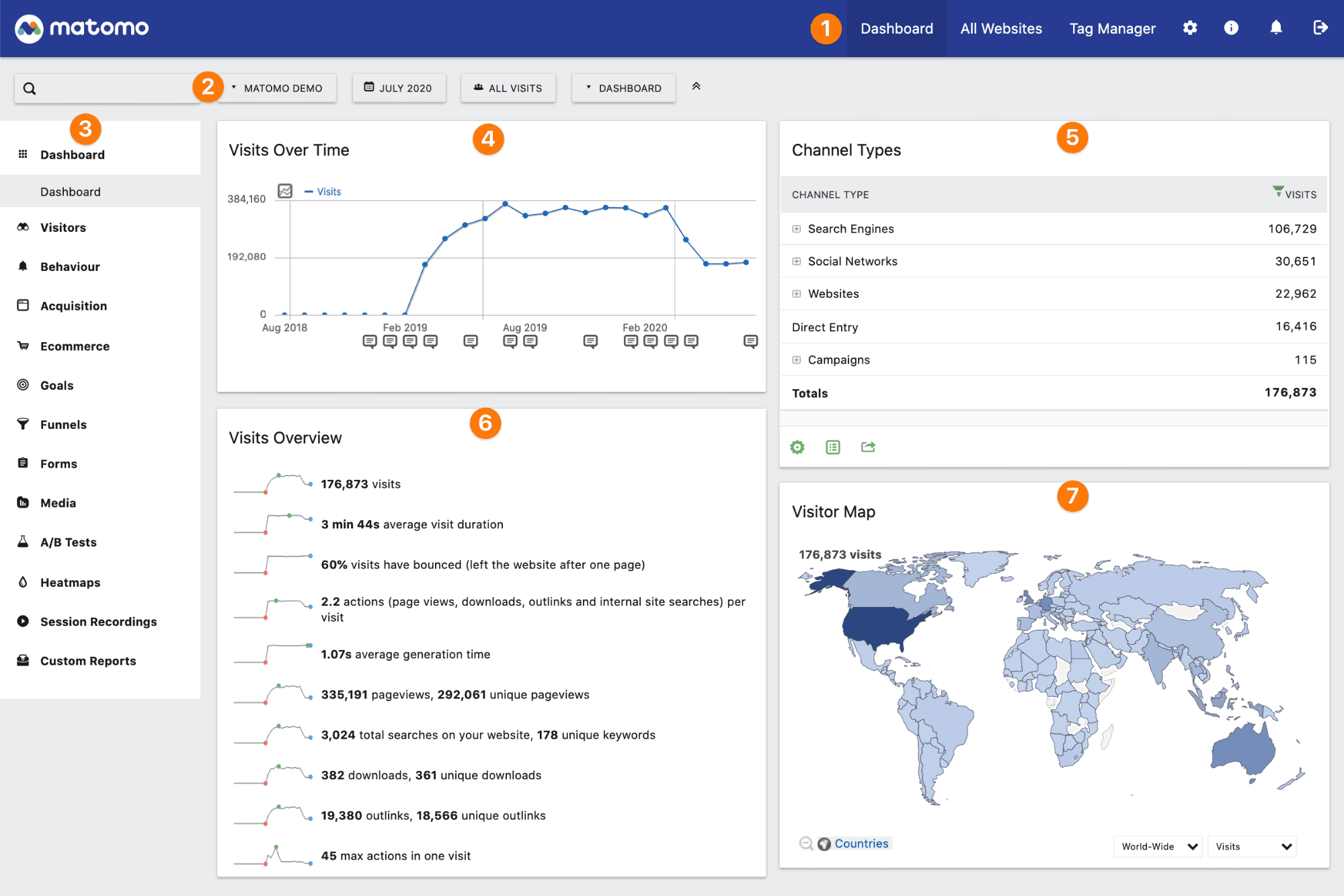
Main focus: A privacy-first web analytics platform that emphasizes full data control, GDPR compliance, and transparent tracking, designed for businesses that want complete ownership of their analytics.
Pricing: Self-hosted is free forever. Matomo Cloud starts at around $29/month (50K hits, 30 sites); higher tiers are custom. Paid plugins (heatmaps, session recording, A/B testing) run roughly $150–$550/year each.
Key features:
- Real-time data tracking
- Custom dashboards
- Goal conversion tracking
- Heatmaps
- A/B testing
- Ecommerce tracking
- Tag Manager
Unique features:
- 100% data ownership (self-hosted or cloud)
- GDPR, HIPAA, and CCPA compliant by default
- No data sampling
- Built-in consent manager
- Imports historical Google Analytics data
Advantages:
- Perfect for businesses focused on privacy and data control
- No sampling ensures accurate, reliable reporting
- Supports both web and mobile analytics
- Can be hosted on your own servers
- Strong user journey insights when configured properly
Disadvantages:
- UI isn’t as intuitive or modern as Mixpanel
- Setup can be complex, especially for self-hosting
- Event tracking needs technical configuration
- Lacks the advanced behavioral cohort features of Mixpanel or Heap
- Cloud pricing above the entry tier is opaque
PostHog
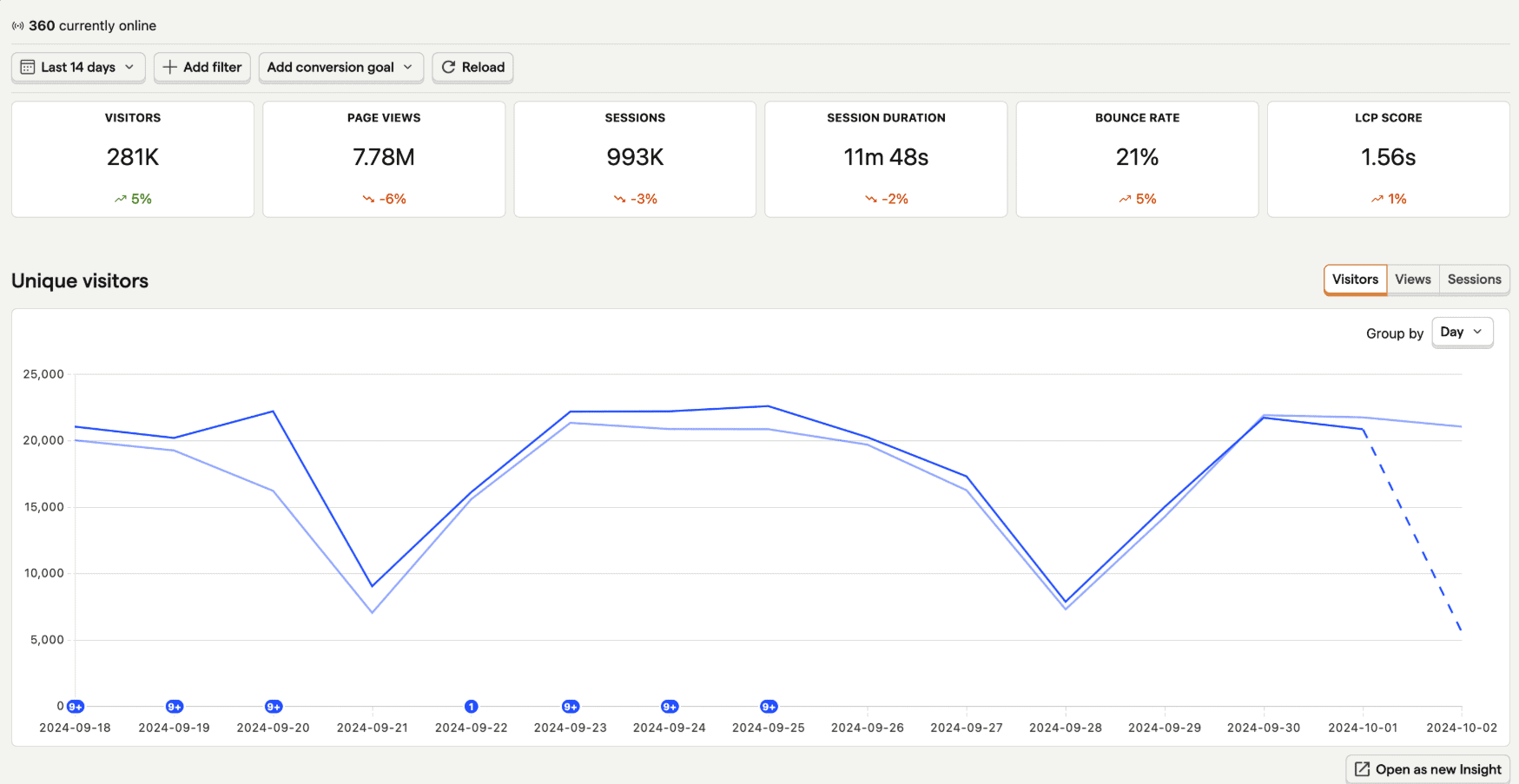
Main focus: An open-source product analytics platform built for developers and product teams, offering flexibility, transparency, and the option to self-host for full data control.
Pricing: Free up to 1 million events per month, then transparent usage-based pricing (around $0.00005 per event at entry volume, dropping at scale). Self-hosting is free under an open-source license. Optional platform add-ons: Boost $250/mo, Scale $750/mo, Enterprise $2,000/mo.
Key features:
- Event-based tracking
- Funnels and paths
- Session recording
- Feature flags
- Heatmaps
- Cohort analysis
- A/B testing
Unique features:
- Fully open-source with optional self-hosting
- Built-in feature flags and experimentation tools
- Analytics, experiments, and session replays in one platform
- Compatible with air-gapped environments
Advantages:
- Full data ownership and strong privacy control
- Developer-friendly: highly customizable, flexible, and API-driven
- All-in-one suite that reduces the need for multiple tools
- Real-time tracking and debugging
- Transparent, public usage-based pricing with no per-seat fee
Disadvantages:
- UI is less polished than Mixpanel
- Requires developer time for setup and maintenance, especially self-hosted
- Steeper learning curve for non-technical users
- Fewer prebuilt dashboards and templates than Mixpanel
- The hosted version can get expensive at high event volumes
Putler
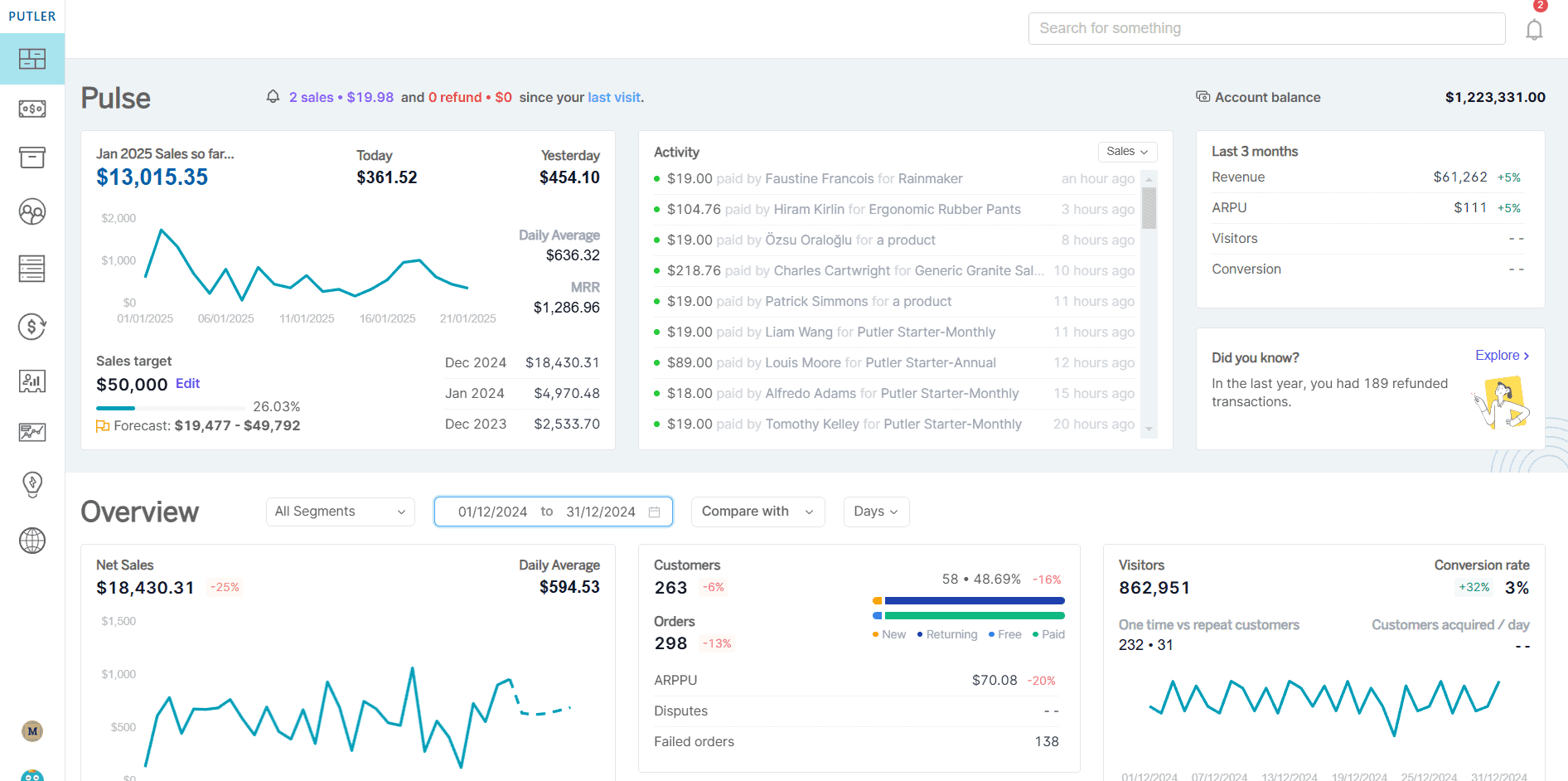
Among the Mixpanel alternatives here, Putler takes a completely different approach. It’s built specifically for ecommerce and subscription businesses.
Main focus: An all-in-one analytics platform for ecommerce and SaaS, providing insights into sales, customers, products, subscriptions, and web performance in one unified dashboard.
Pricing: Revenue-based, starting at $20/month for stores doing up to $10K in monthly revenue. 14-day free trial, no credit card required.
Key features:
- Sales and revenue tracking
- Infinite filters for deep data exploration
- Product performance insights
- Subscription metrics (MRR, churn, LTV)
- Sales heatmap
- RFM segmentation
- Forecasting tools
- Team sharing and multi-store support
Unique features:
- Instant refund management with a built-in “Issue Refund” button
- 200+ prebuilt ecommerce KPIs
- Dedicated holiday-season insights for boosting sales
- Unified dashboard across payment gateways (Stripe, PayPal, Razorpay, and more)
Advantages:
- Zero setup, plug in your store and start analyzing immediately
- Ideal for SaaS and product-driven online businesses
- Powerful for Stripe users who need better refund visibility
- Supports smarter decisions around pricing, marketing, and inventory
- Saves hours of manual data extraction and reporting
Disadvantages:
- Not suitable for general web or app event tracking
- Primarily built for ecommerce, not broad analytics use cases
- Not designed for developer-heavy customization or deep experimentation funnels
Conclusion
I’ve seen a lot of tools. Flashy dashboards, complex funnels, promises of “data-driven” this and that. But here’s the truth: tools don’t matter unless they serve your goal. Mixpanel is powerful and gives you depth, behavioral insight, and real-time tracking. But power without clarity is just noise.
Google Analytics, Heap, Matomo, and PostHog each do something well. But if you’re building something in ecommerce, you don’t want to waste time configuring tags or decoding metrics. You want answers, fast. That’s where Putler shines: it shows you revenue, refunds, and customer value instantly, with no setup circus. Just insights that move the needle.
Mixpanel alternatives FAQs
What is the best Mixpanel alternative?
It depends on your goal. Google Analytics 4 is best for free marketing analytics, Heap for no-code autocapture, Matomo for privacy and data ownership, PostHog for developer-led open-source product analytics, and Putler for ecommerce and subscription revenue analytics.
How much does Mixpanel cost in 2026?
Mixpanel is free up to 1 million events per month. The Growth plan gives the first 1 million events free, then charges about $0.28 per 1,000 events, roughly $1,120/month at 5 million events. Enterprise is custom, typically from around $25,000/year. B2B add-ons like Group Analytics cost extra.
Is there a free Mixpanel alternative?
Yes. Google Analytics 4 is fully free, Matomo offers a free self-hosted version, and PostHog is free up to 1 million events a month. Heap has a free tier, and Putler offers a 14-day free trial.
What is the best Mixpanel alternative for ecommerce?
Putler is the strongest Mixpanel alternative for ecommerce and subscription businesses. Instead of raw event tracking, it gives revenue, customer, product, and subscription analytics across payment gateways like Stripe, PayPal, and Razorpay in one dashboard.
What is the best open-source Mixpanel alternative?
PostHog is the leading open-source Mixpanel alternative, offering product analytics, session replay, feature flags, and experiments with optional self-hosting. Matomo is the best open-source option if your focus is privacy-first web analytics rather than product analytics.