

If you run more than one business or manage multiple eCommerce stores, handling payments efficiently becomes crucial.
Stripe is one of the most popular payment processing platforms—and yes, you can create and manage multiple Stripe accounts for different businesses, brands, regions, or payment workflows.
In this guide, we’ll walk you through why and how to set up multiple Stripe accounts, common challenges, and how to manage all of them effortlessly using a tool like Putler.
Can you have multiple Stripe accounts?
Yes. Stripe allows you to create and manage multiple accounts under the same email address.
Many businesses use multiple Stripe accounts when they:
- Operate multiple legal entities
- Run separate brands or online stores
- Need different bank accounts for payouts
- Sell in different countries
- Want separate reporting and accounting records
You can switch between accounts directly from your Stripe Dashboard without creating a new login for every business.
However, each account must comply with Stripe’s verification requirements and business policies.
Many business owners also ask whether they can use multiple Stripe accounts with the same email address or connect different bank accounts to separate Stripe accounts. The answer is yes in most cases, provided all accounts comply with Stripe’s requirements.
One limit worth knowing: Stripe does not let you merge two accounts into one. If you spread a business across multiple Stripe accounts and later want them combined, that isn’t possible, so plan your account structure before you create the next one.
Why invest in more than one Stripe account?
If you run multiple businesses, brands, or online stores, having more than one Stripe account can make payouts, reporting, and accounting much easier.
Paying taxes and adhering to key legal formalities are an integral part of running a business. However, when one business owner has multiple businesses to manage, taxation and legalities can be too confusing and cumbersome.
With multiple Stripe accounts, it’s easy to have one account and a unified tax ID for one business. This way, it’s easy for business owners to process taxes for different businesses with a unique tax ID. Data will be automatically fetched and processed.
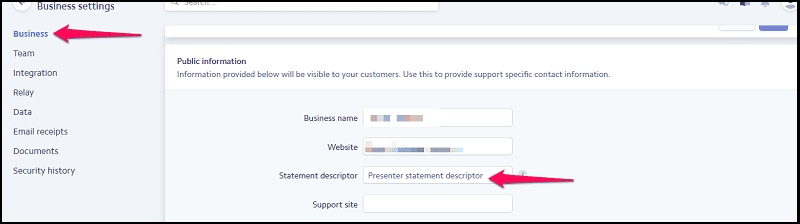
Separate statement descriptor
With one account, it’s too confusing when it comes to creating business statements as data can be overlapped or missed. The confusion is too high when it comes to processing public business information. With multiple Stripe accounts, this confusion is eliminated, and statements are clear.
Accurate reporting
When you have multiple accounts with Stripe, accurate reporting is certain as data from different businesses are processed and analyzed at a separate level. For different businesses, different reports are created. This improves the business operations.
Quick and accurate bank payouts
Various Stripe accounts are useful when it comes to bank account payout. Every different account will have a different payout facility. This will sort out tons of things.
How to create multiple Stripe accounts?
Creating multiple Stripe accounts is straightforward and only takes a few minutes. Even if you have a very basic understanding of Stripe accounts, you will be able to set up various Stripe accounts.
Steps to create multiple Stripe accounts:
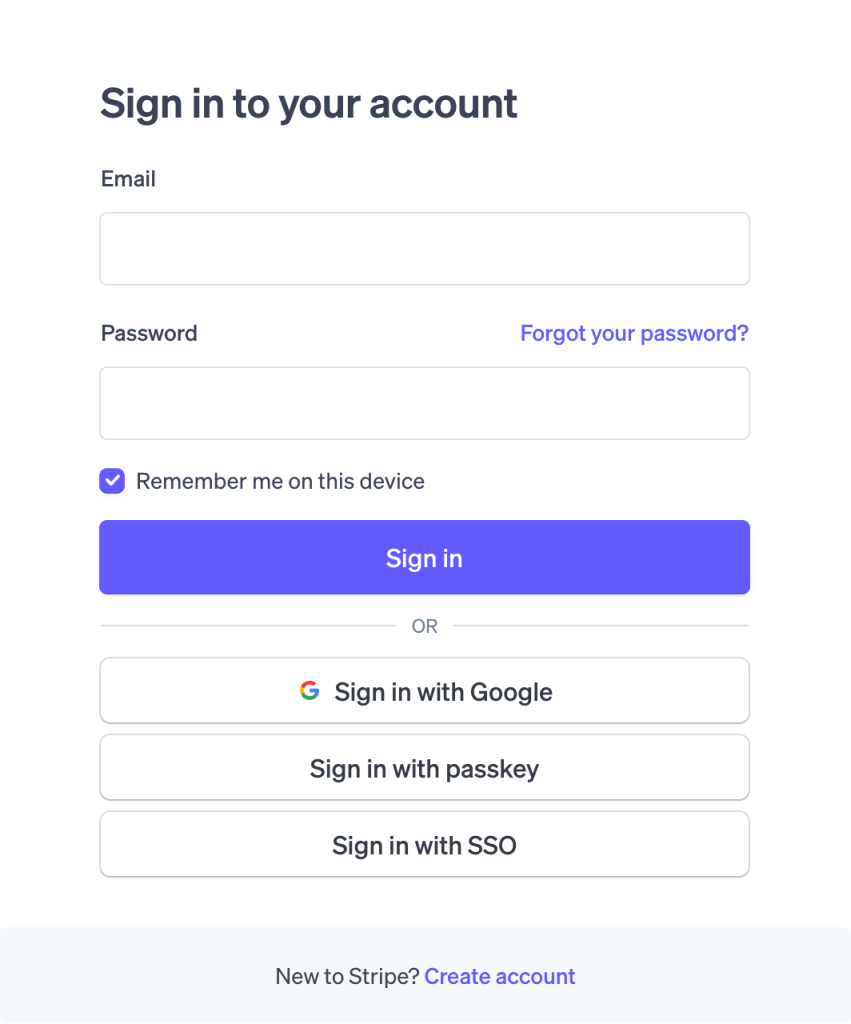
- Log in to your Stripe Dashboard
- Click your business name in the upper left corner
- Select “+ New account”
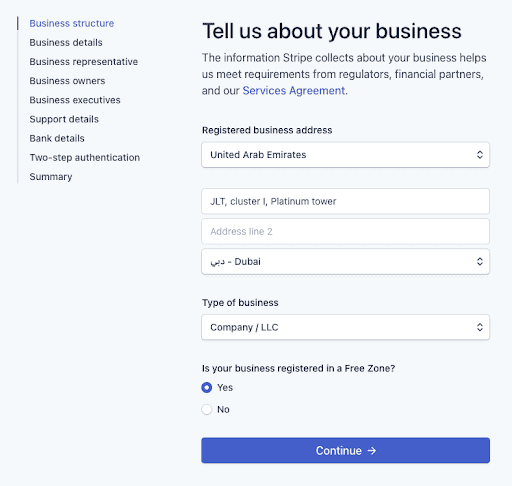
- Enter your business details
- Activate the account by providing required information like your bank details, business type, etc.

Important: Stripe does not impose a fixed limit on the number of accounts you can create. However, every account must meet Stripe’s onboarding, identity verification, and compliance requirements.
That’s it! You can now switch between accounts via the dropdown in your Stripe Dashboard.
Can you create multiple Stripe accounts for the same business?
Yes, in many cases Stripe allows businesses to create multiple accounts under the same company, provided each account serves a legitimate business purpose and complies with Stripe’s verification requirements.
However, each account should have a legitimate business purpose, such as:
- Managing different brands
- Separating business units
- Using different payout structures
- Operating in different regions
Before creating additional accounts, ensure the setup complies with Stripe’s latest account policies and verification requirements.
Stripe Organizations for managing multiple accounts
If your multiple Stripe accounts all belong to the same overall business, Stripe offers a native feature called Organizations. It gives you a single entry point to view and manage several accounts together, with centralized reporting across them.
Organizations is built for cases like separate business lines or local acquiring in different regions, where the accounts are related but kept distinct. It helps on the Stripe side, but it stays within Stripe. If you also run PayPal, Razorpay, WooCommerce, or other gateways alongside Stripe, Organizations won’t pull those in, which is where a cross-gateway tool like Putler becomes useful.
Stripe Connect for multiple legal entities
For a business that spans several legal entities, Stripe points to Connect. The model uses one platform account as the main entry point, with connected accounts for each entity or line of business underneath it.
Connect suits marketplaces, platforms, and multi-entity companies that need financial isolation between units while keeping shared oversight. It’s more involved to set up than simply creating separate accounts, so it fits businesses with the scale and developer resources to support it.
Advantages and Disadvantages of having multiple Stripe accounts
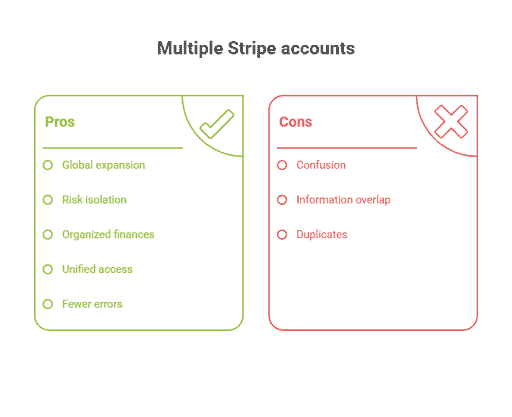
With Multiple Stripe accounts, a business owner has a chance to enjoy a wide range of benefits. The key advantages involved in this process are:
Advantages of having multiple Stripe accounts:
- Seamless Global Expansion: Use regional accounts to comply with local laws, taxes, currencies, and payment preferences.
- Reduced Risk: Isolate high-risk ventures—issues in one account won’t affect the rest.
- Cleaner Financials: Separate accounts keep finances organized by brand or project—simplifying tracking and reporting.
- Unified Access: Manage all accounts from one Stripe dashboard—no juggling logins.
- Fewer Errors: Clear separation means less confusion and fewer costly mistakes.
While it’s great to have multiple accounts with Stripe, it’s not always a great choice to make. There are a few disadvantages of this feature, such as
Disadvantages of having multiple Stripe accounts:
- Confusion: Having multiple accounts can be too confusing.
- Wrong information: Sometimes, information can get merged or overlapped. One customer says XYZ purchases were made from your ABC branch. But he actually made the transfer to another branch, say DEF. Though the transfer is made and one of your accounts should have received it, verifying and auditing the same for various purposes, e.g., accounting, is a bit tough.
- Duplicates: Data duplication is very common among multiple accounts.
Such situations can lead to erroneous operations. If data is not properly handled, misplaced, or overlapped, things can go south in no time.
Best practices for managing multiple Stripe accounts
- Use clear account names for every business.
- Connect the correct bank account to each Stripe account.
- Keep tax and accounting records separate.
- Review payouts and disputes regularly.
- Use a centralized reporting tool to monitor all accounts.
How to monitor multiple Stripe accounts in a single place?
Now that we have clarified your doubts about ‘can you have multiple stripe accounts? Let me help you in enabling monitoring and managing them. Multiple Stripe account monitoring is possible in 2 ways:
Method 1: View one account at one time
Visit the Stripe Dashboard and select the account you want to monitor from the upper left corner. All your Stripe accounts will be displayed under the Dashboard section.
Now there are few challenges with this approach:
- You can view one account’s details at once, separately. You can’t see a comprehensive view of your transactions.
- You may even end up mixing details.
- Sending money through a different account
- Extracting/creating wrong reports
So to tackle these, here’s a second approach that allows you to view both separate as well as combined stats from all your Stripe accounts..
Method 2: Get both combined view of all accounts or separate view of individual accounts
Use an advanced Stripe reporting and analytics tool like Putler to view real-time aggregated reports or separate reports of all your Stripe accounts in one place. Not just Stripe, you can add various payment gateways, eCommerce stores, websites, etc, to Putler. Putler will collect data from multiple sources, clean and, analyze this data and provide you with detailed reports.
Here are some other gateways you can add within Putler –

How to manage multiple Stripe accounts easily from a single place (with Putler)
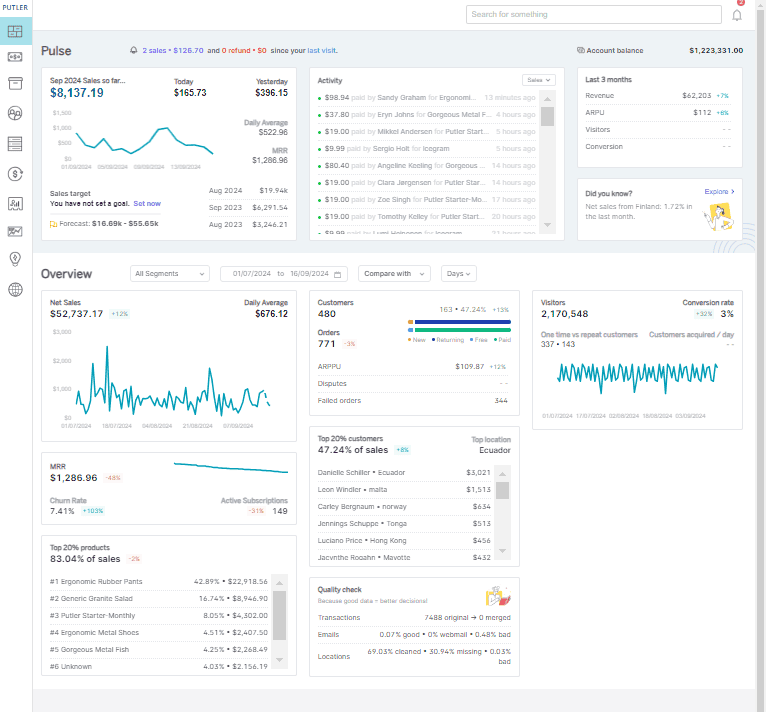
Businesses that wish to expand and grow will certainly have an assorted market presence. From the management point of view, managing the business data of various WooCommerce multiple Stripe accounts is tough. While Stripe tries its best to provide multiple account facilities, it could be too confusing.
For e-commerce businesses, Putler is no less than a boon, as multiple store management becomes easier than before. It eliminates the Stripe multiple account loopholes and makes things more sorted and result-driven effortlessly.
Learn about the key benefits that you will experience with Putler:
All your Stripe accounts in one place
Putler brings all your multiple Stripe accounts to one place. This makes a huge difference when it comes to multiple account management. When all the accounts are in a centralized place, data access is quick, and decisions are made accurately.
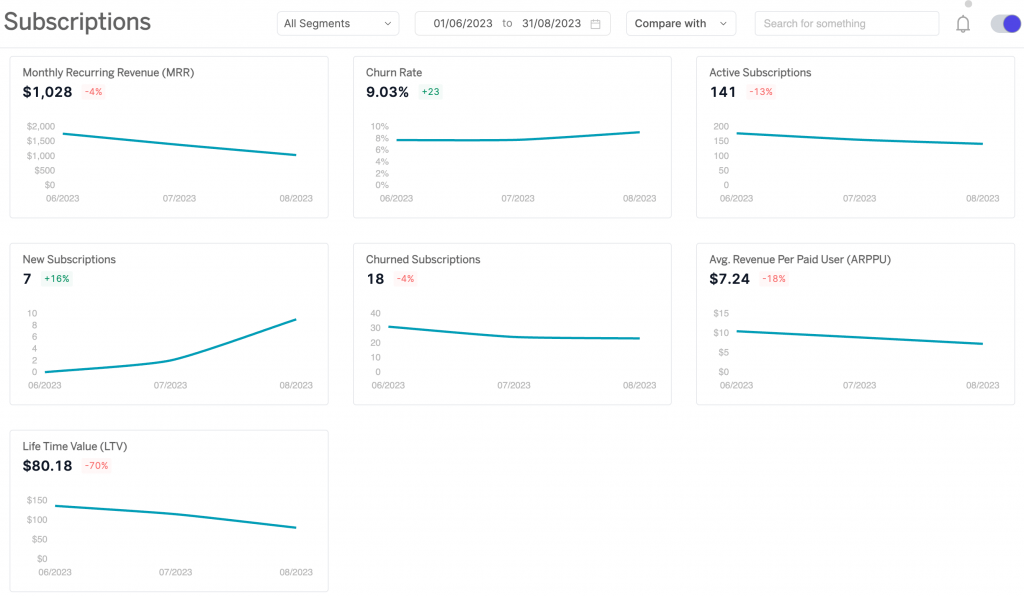
Refund, manage subscriptions, check balance directly from Putler
For multiple businesses, managing refunds, subscriptions, and balance tracking is a tough task. But Putler makes it possible. You can easily manage all these metrics for all of your businesses from a centralized place.
Quick search
Putler has an advanced search facility that helps you gather relevant data or customer information in no time.
In-depth analytics and insights
Even if reporting is a tough task, it’s non-negotiable as reporting and data analysis are an integral part of running a business. With Putler, it’s easy to create varied reports in the blink of an eye.
The best part of Putler-driven reporting is that it’s free from data duplication, missed entries, and other errors that can lead to massive operational failures.
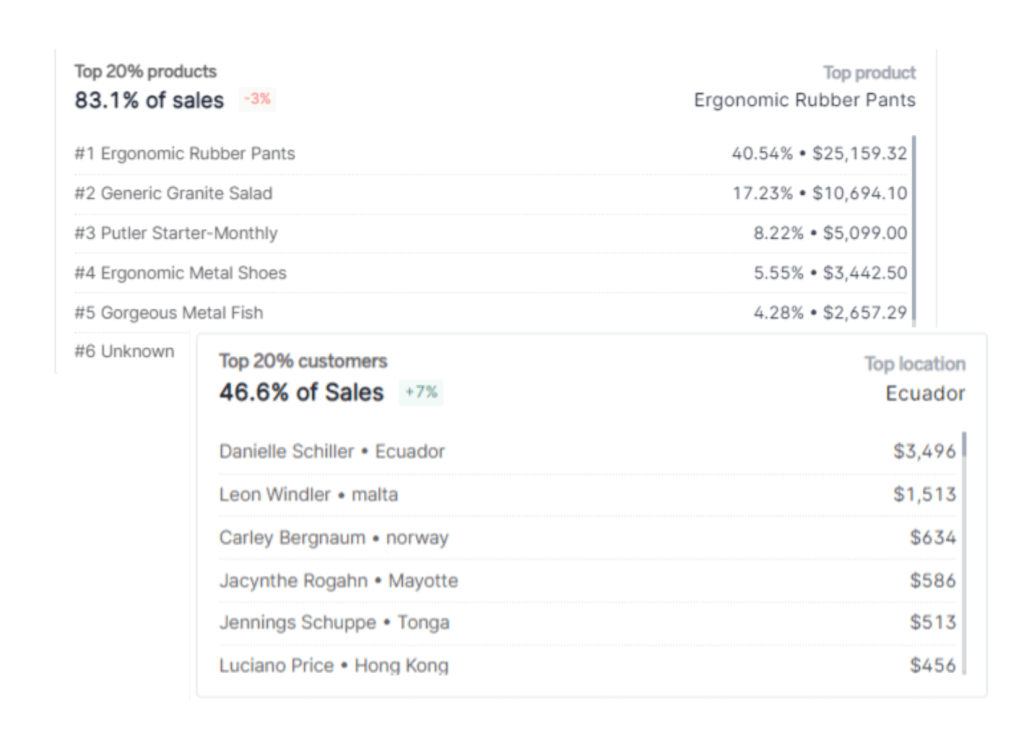
Product and customer insights
Handling data from multiple businesses is a tough task to handle. But, if you use Putler, gaining product and customer insights is not at all a tough task.
It fetches the customer details from various platforms and combines them. Different customer profiles are created for different businesses. This is a great step to take when it comes to having better customer management, as everything about a customer’s journey is at your fingertips.
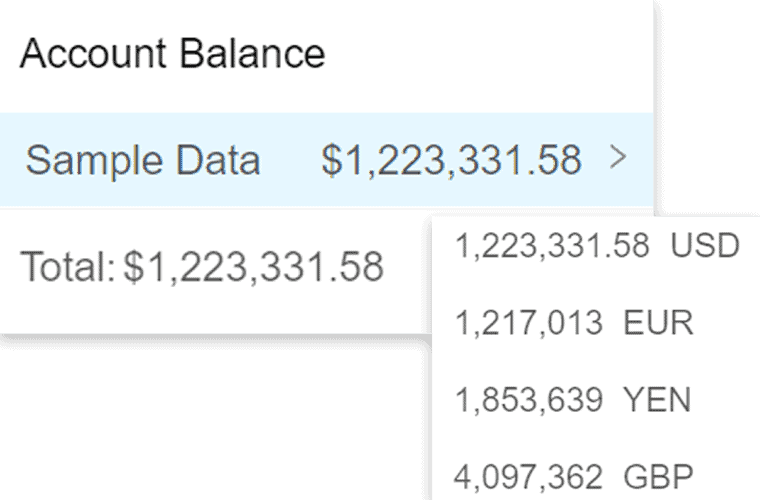
Handles multiple time zones, currencies
If your businesses run in different time zones and accept payments from multiple currencies, then nothing can beat Putler as it automatically converts the currencies and modifies the time zones. It makes the reporting more accurate and easy to understand.
Over to you
Stripe makes it easy to run multiple businesses. But managing multiple Stripe accounts can be time-consuming and prone to errors—unless you have the right tools.
With Putler, you eliminate confusion and get a clear, accurate, and unified view of all your Stripe accounts (and other platforms too).
Whether you’re scaling fast, managing client accounts, or simply need clarity—Putler is the way to go.
FAQs
How many Stripe accounts can I have?
Stripe does not publicly specify a maximum number of accounts. Businesses can create multiple accounts as long as each account follows Stripe’s policies and verification requirements.
Can multiple Stripe accounts use the same email address?
Yes. Stripe allows multiple accounts to be managed from a single login, making it easier to switch between businesses.
Should I use one Stripe account or multiple?
If you operate multiple businesses, brands, or legal entities, separate Stripe accounts can improve reporting, payouts, and accounting accuracy.
Can I have multiple Stripe accounts for different businesses?
Yes. Stripe allows business owners to create and manage multiple accounts for different businesses, brands, or legal entities, provided each account complies with Stripe’s verification and compliance requirements.
Can I use different bank accounts for different Stripe accounts?
Yes. Each Stripe account can be connected to a separate bank account, making it easier to keep payouts, accounting, and cash flow organized across multiple businesses.
Can I merge two Stripe accounts into one?
No. Stripe does not support merging accounts. Each account stays separate, so decide on your account structure before creating additional Stripe accounts.
- The Complete Guide to Stripe vs Braintree and How They Can Help You Build An Ecommerce Business
- Authorize.net vs Stripe: What Should You Use for Your Small Business?
- PayPal Vs Stripe: Guide to Choosing the right Payment Gateway for your Website
- Stripe Reporting: Complete guide to help grow your business using Stripe
- Top 10 Stripe Reporting Tools of 2025