


Ecommerce analytics tools help you see where shoppers come from, why they leave without buying, and which sales are profitable. Choose one that answers the question your current reports cannot, rather than adding another dashboard to check.
Your store’s built-in reports may already cover daily sales. Google Analytics 4 helps with traffic and conversions, Microsoft Clarity shows on-site behavior, and specialist tools add attribution, profit, or combined reporting across stores and gateways.
This guide compares 14 of the best ecommerce analytics tools by features, pricing, and the stores they suit. Use the comparison table to narrow your options, then check the setup and data each type of ecommerce analytics software needs.
Why do you need an ecommerce analytics tool?
Ecommerce analytics tools help store owners compare sales, customer activity, product performance, and acquisition channels. The reports can show where customers leave a buying journey or which products merit closer review. Use them to investigate a specific problem before changing stock, pricing, marketing, or the store experience. Here are five useful applications:
- Understand and track customer behavior: See how long visitors stay on a page, what products they view, and how often they return. Use those patterns to choose a marketing or store change to test.
- Identify growth opportunities: Analyzing sales data helps you locate top-performing products, discover new demand, and identify markets or niches to expand into.
- Improve website performance: Traffic analysis shows which pages are popular and where customers drop off, so you can adjust your site to enhance the experience and lift conversions.
- Understand product performance: Track which products sell well and which don’t, then make informed decisions about what to stock and how to price it.
- Spot potential leaks: Investigate low conversion rates or repeated checkout problems. Use a performance monitoring tool when you need to measure load times.
The four jobs ecommerce analytics tools do
Matching a tool to the actual question being asked saves money and avoids the wrong purchase. Most ecommerce reports fall into one of these four buckets.
| Job | What it answers | Examples |
|---|---|---|
| Traffic and conversion | Where visitors come from, what converts | Google Analytics 4 |
| On-site behavior | Why visitors drop off before checkout | Microsoft Clarity, Hotjar, Crazy Egg, Lucky Orange |
| Marketing attribution | Which channels bring high-value customers | Triple Whale, KISSmetrics |
| Profit and product analytics | Product performance; profit where cost data is supported | Lifetimely and Glew.io for profit; Putler for revenue and product reporting |
Quick comparison: best ecommerce analytics tools
| Tool | Best for | Starting price |
|---|---|---|
| Google Analytics 4 | Free traffic and conversion tracking | Free standard version |
| Microsoft Clarity | Free heatmaps and session recordings | Free; no traffic cap |
| Triple Whale | DTC marketing attribution | Free; paid quote by GMV and package |
| Lifetimely | Profit and lifetime value analytics | Free plan; paid from $49/month for 500 orders |
| KISSmetrics | Person-level customer journey tracking | Free; Growth from $99/month |
| Metrilo | Retention and customer lifetime value | $199/month |
| Clicky | Real-time, privacy-focused analytics | Free (3,000 daily views), paid from $9.99/month |
| Adobe Experience Cloud | Enterprise multi-touch campaigns | Custom |
| Crazy Egg | Heatmaps and A/B testing | $29/month billed annually; 30-day trial |
| Lucky Orange | Affordable behavior analytics | Shopify Free 100 sessions; Launch $19/month; direct Build $39/month |
| Glew.io | Profitability and COGS analytics | Request current pricing |
| Hotjar | UX insights via heatmaps and recordings | Contentsquare Free; Growth $49/month or $39 billed annually |
| Matomo | Privacy-first, data ownership | Free self-hosted core; Cloud priced by traffic |
| Putler | Multi-channel revenue and customer analytics | $20/month |
Traffic and conversion: Google Analytics 4
Google Analytics 4 helps you compare traffic sources, customer journeys, and tracked ecommerce events. Its ecommerce dashboard depends on the data your store sends. Follow Google’s ecommerce event setup guide and verify purchases and refunds before using the reports to judge campaigns.
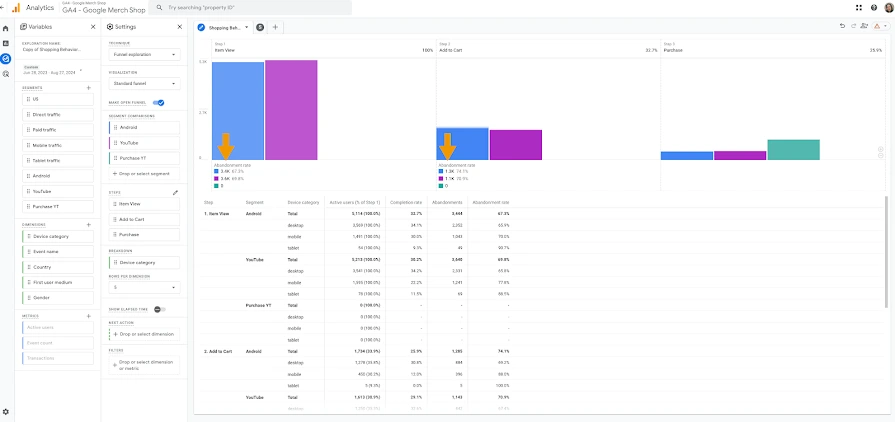
Pricing: The standard GA4 version is free; Analytics 360 is a separate paid enterprise offering.
Features:
- Audience reports to understand your users
- Custom reports made to order
- Campaign measurement and traffic sources
- Path and funnel explorations to investigate tracked steps
- Event and key-event tracking for conversions and user activity
Pros:
- Powerful website analytics with a wealth of data
- Native Google Ads linking, with campaign tags for sources such as Facebook
- Automated insights for selected changes and trends in collected data
Cons:
- Difficult to keep up with new features and updates
- Limited end-user support
- Useful funnels depend on correctly configured events
On-site behavior: why visitors drop off
These tools show what happens between landing on a page and leaving it, or buying.
Microsoft Clarity
Microsoft Clarity is a free heatmap and session-recording tool for understanding how shoppers use your store. There’s no session cap, no traffic limit, and no paid tier at all.
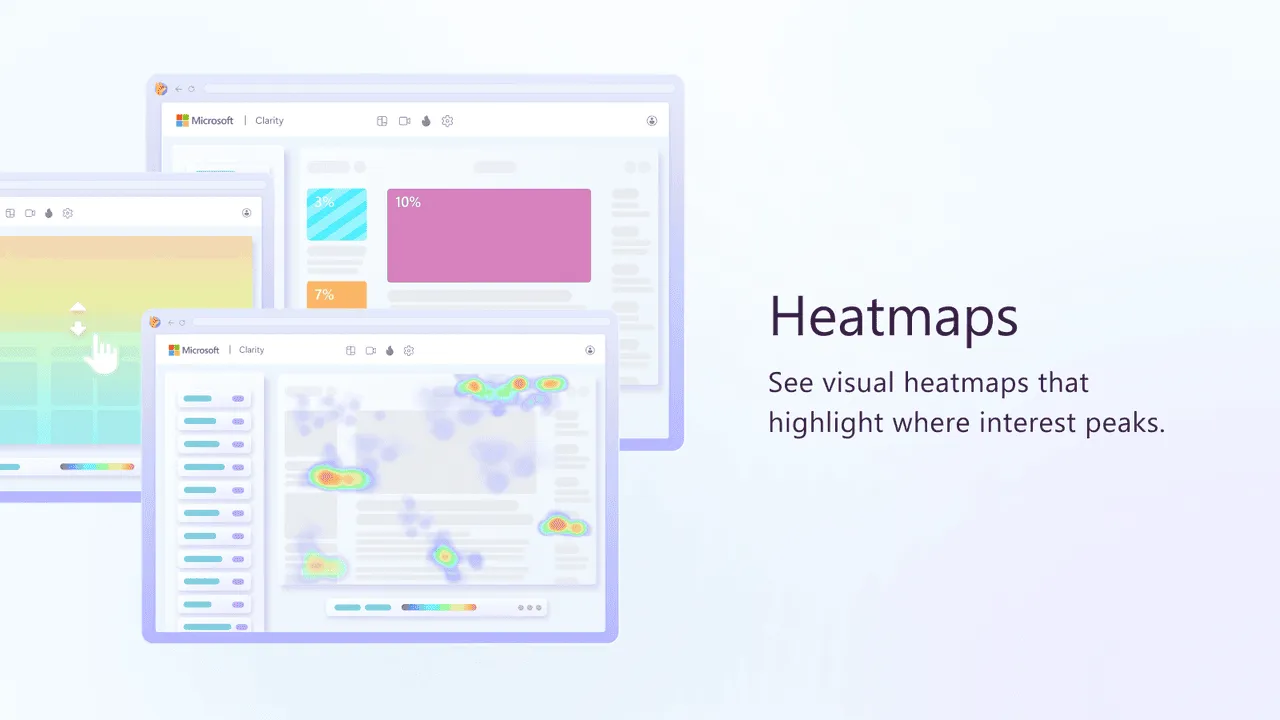
Pricing: Free; no paid tier or traffic limit
Features:
- Unlimited heatmaps and session recordings
- Rage-click and dead-click detection
- Shopify integration, including purchase insights
- Asynchronous tracking script; test performance on your own pages
Pros:
- Actually free with no session or traffic ceiling
- Setup through the Shopify app or a tracking script
Cons:
- Purchase insights are specific to Shopify; checkout-abandonment insights require Shopify Plus
- Heatmaps and recordings do not replace cost or revenue reporting
Hotjar
Hotjar combines quantitative and qualitative user data in one dashboard to show how people experience your website. It provides in-depth analysis and feedback tools including heatmaps, recorded sessions, conversion funnels, and behavior tracking. Hotjar is now Contentsquare. New users sign up on Contentsquare; the old Observe, Ask, and Engage packages are no longer the right starting point for comparing current plans.
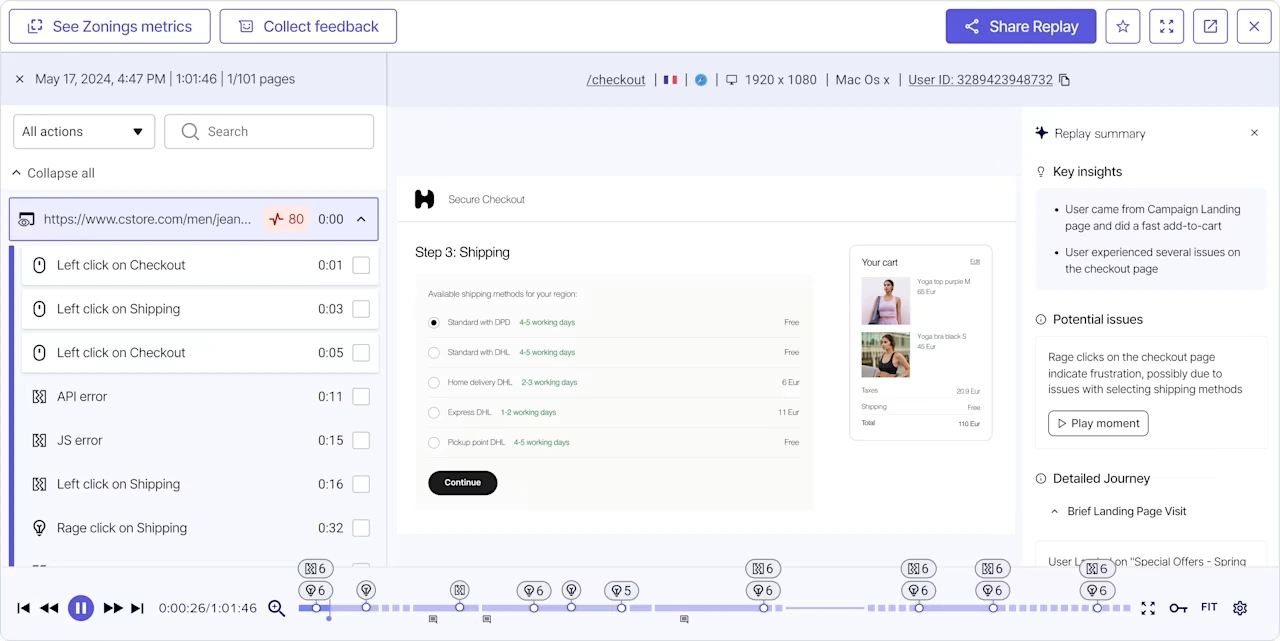
Pricing: Contentsquare Free is $0. Experience Analytics Growth starts at $49/month, or $39/month billed annually; Pro and Enterprise are custom-priced. Compare current plans.
Features:
- Heatmaps, click maps, and scroll maps
- Session recordings
- Surveys and feedback polls
- Conversion funnels and visitor targeting
Pros:
- Easy to read click, move, and scroll heatmaps
- Generous free version to learn before upgrading
Cons:
- Capture limits and advanced features depend on the selected plan
- Experience Analytics and Voice of Customer have separate paid packages
Crazy Egg
Crazy Egg is a visual analytics tool that shows how users interact with your store through heatmaps, scroll maps, and session recordings. Its heatmaps reveal clicks and scrolling, helping you see which parts of your site get attention and which get ignored. They do not measure eye movements.
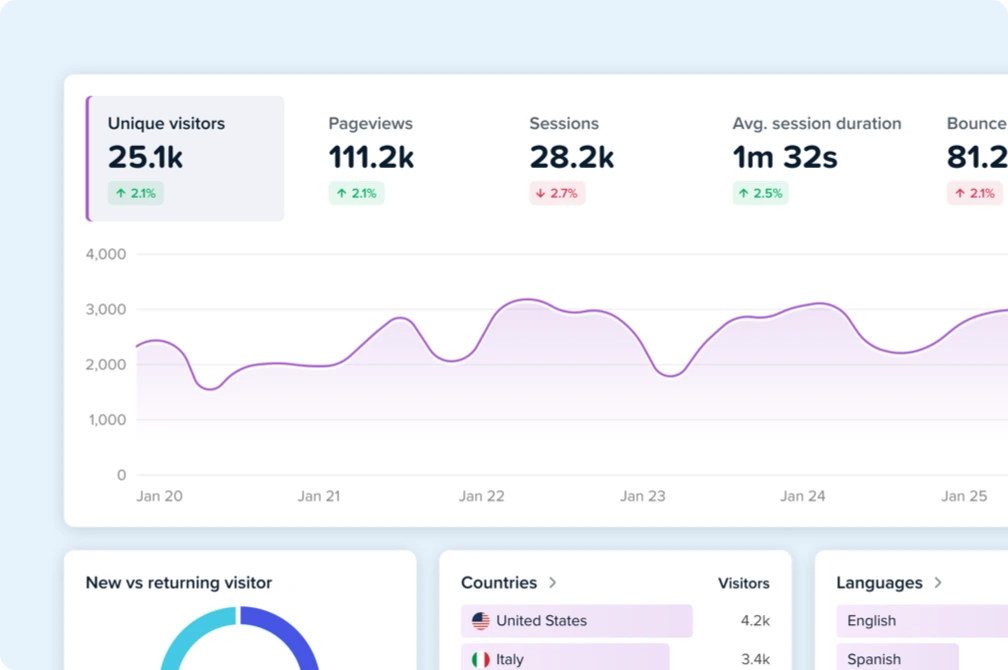
Pricing: Starter is $29/month billed annually, with a 30-day free trial. See current plans.
Features:
- Website visitor tracking and recording
- Heatmaps and scroll maps
- Multiple domain tracking
- A/B testing
- URL-based goal setting and tracking
Pros:
- Insights are easy to read and understand
- WordPress integration and easy-to-read heatmaps
Cons:
- Reviewing hours of recordings is time-consuming
- Page-view and recording allowances vary by plan; listed paid plans use annual billing
Lucky Orange
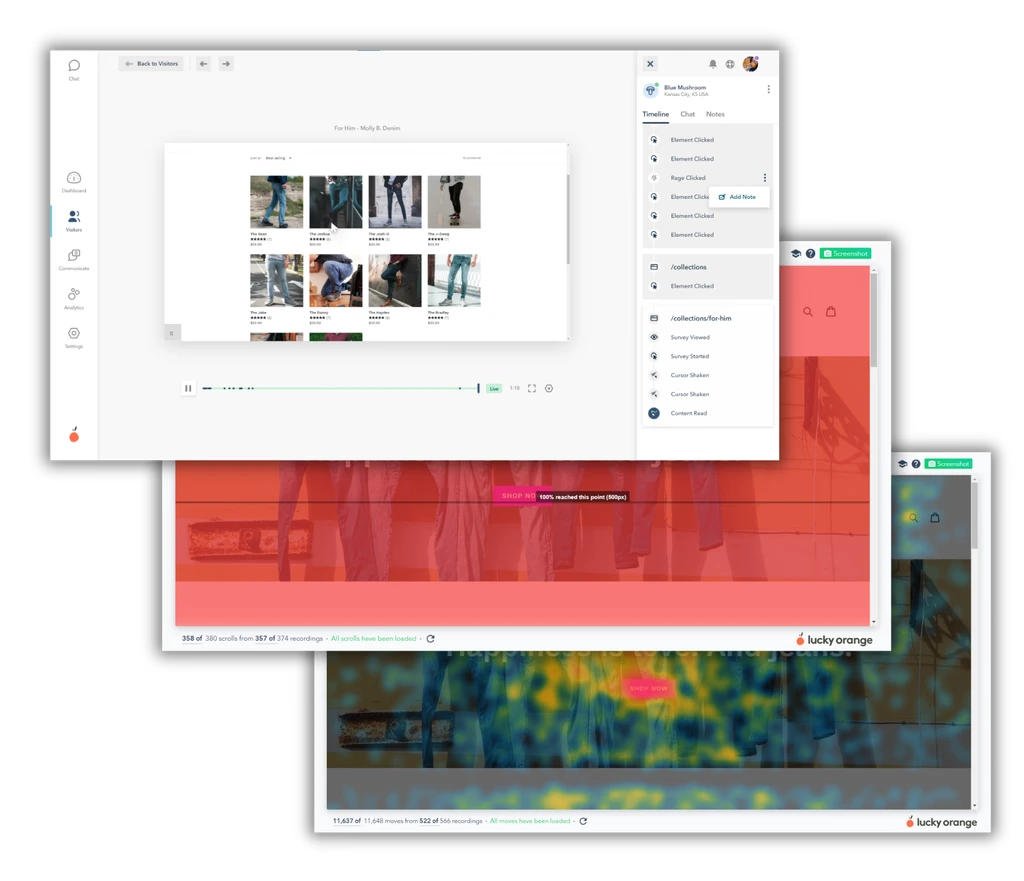
Lucky Orange covers the same ground as Crazy Egg and Hotjar: heatmaps, session recordings, and funnels. Its Shopify listing includes a genuine free tier alongside paid plans.
Pricing: The Shopify app lists Free for 100 sessions/month and Launch at $19/month for 500 sessions. The direct website starts Build at $39/month, or $32/month billed annually, with a seven-day trial.
Features:
- Heatmaps and session recordings
- Conversion funnels
- On-site surveys
- Segmentation by referrer, UTM, and device type on every plan
Pros:
- Shopify free plan lets a small store try recorded sessions
- Heatmaps, recordings, funnels, and surveys in one tool
Cons:
- Costs rise quickly once session volume grows past the entry tiers
- The Shopify free plan covers just 100 monthly sessions
Clicky
Clicky is a real-time analytics tool that makes it easy to see how people use your website as it happens.
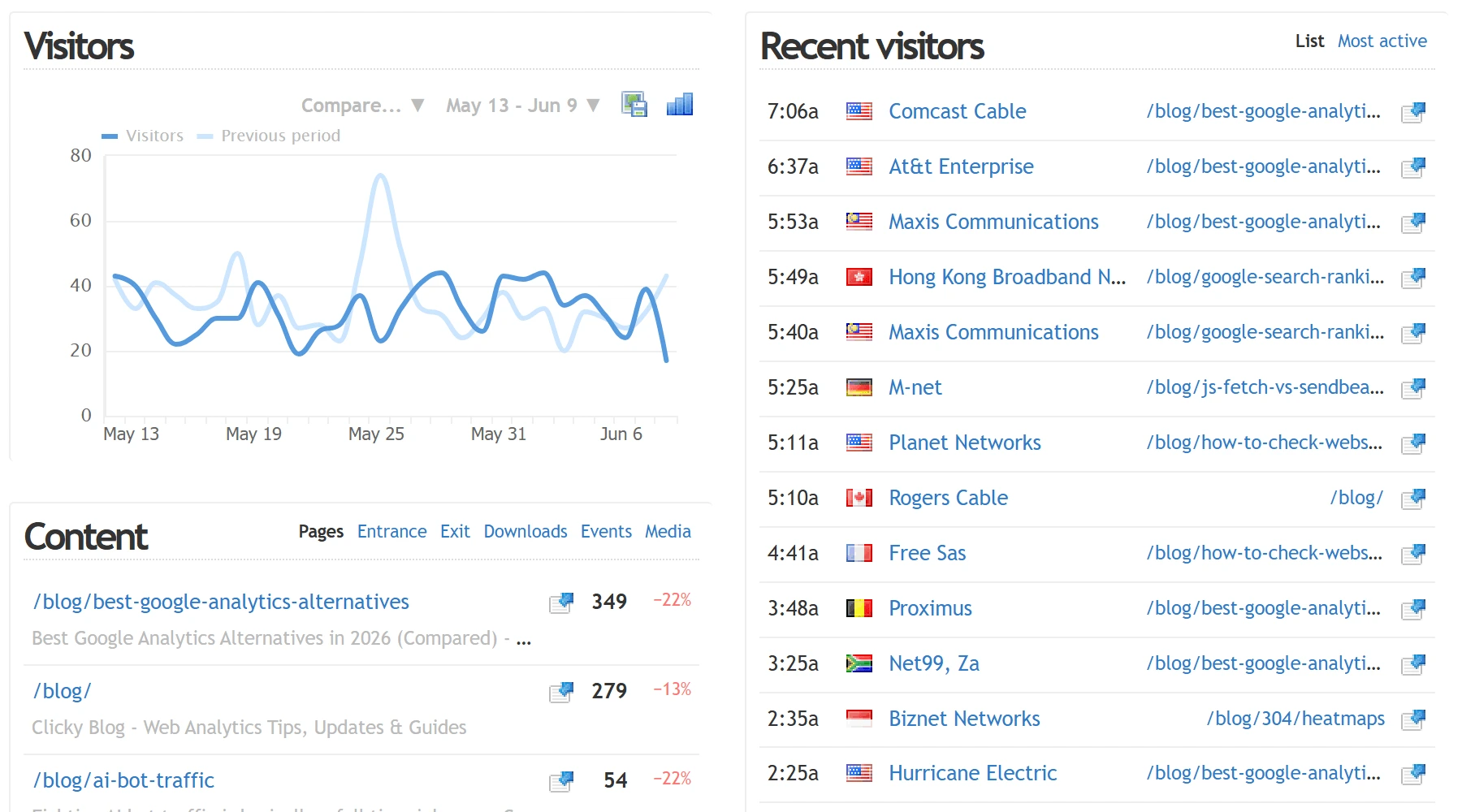
Pricing: New accounts get a 21-day trial with 1,000,000 daily page views across up to 3 sites. After that, the permanent free plan drops to 3,000 daily page views on 1 site; paid plans start at $9.99/month.
Features:
- Real-time visitor and session tracking
- Standard event tracking
- Site search reporting
- Custom reports and dashboards
- Heatmaps and uptime monitoring on higher tiers
Pros:
- Simple and user-friendly
- Excellent real-time analytics and a clean interface
Cons:
- Hard to justify the paid version when Google Analytics offers many of the same features free
- The permanent free tier is much smaller than the trial, easy to be surprised by
Matomo
Matomo (formerly Piwik) is an open-source ecommerce analytics tool that gives you complete control and ownership of your data. Matomo offers privacy controls alongside comprehensive tracking; how you configure and host it still matters.
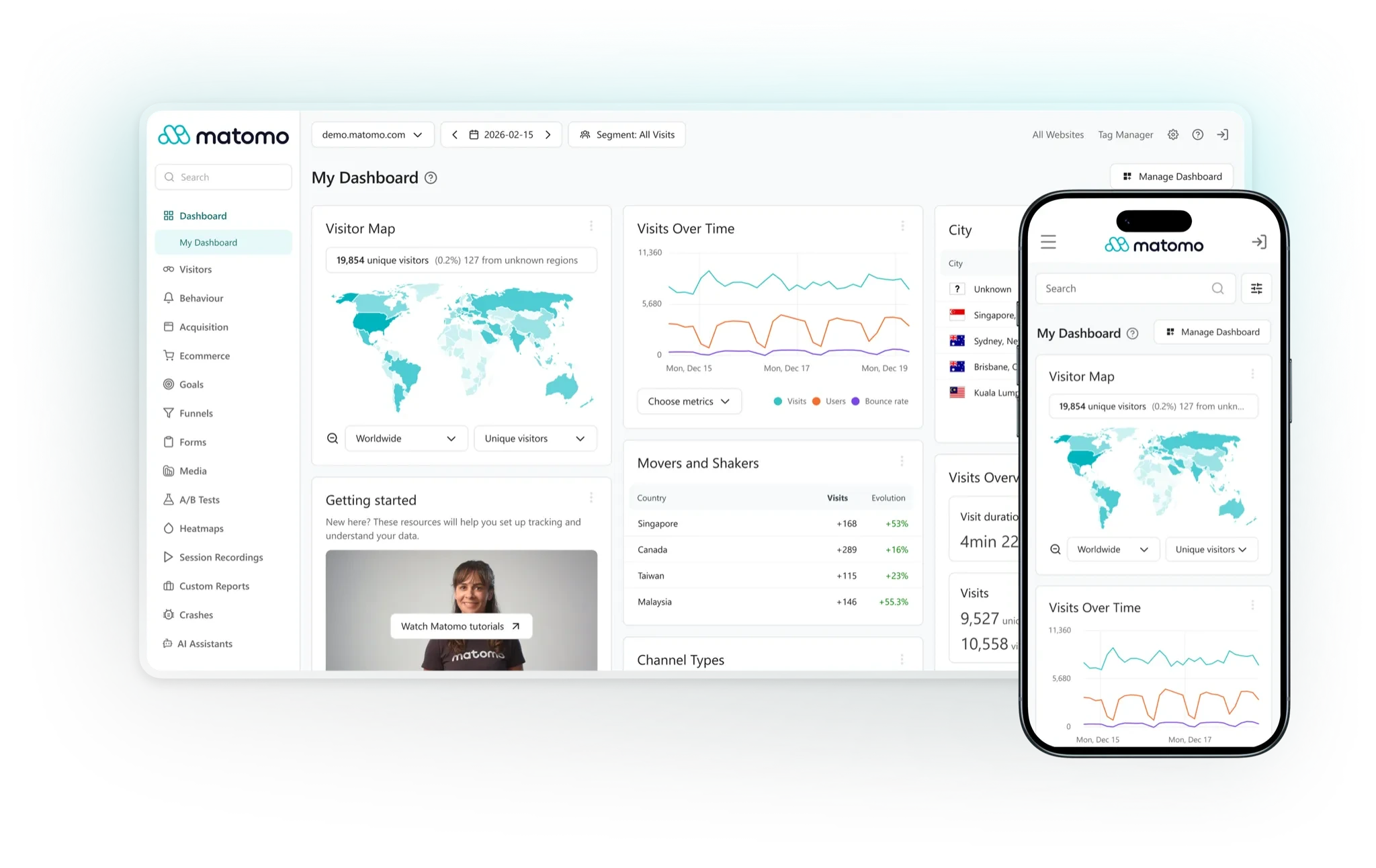
Pricing: The self-hosted core is free, with hosting and optional premium plugins extra. Cloud is paid and priced by traffic; use the current calculator for your currency and billing term.
Features:
- Real-time web analytics
- Customizable dashboards
- Conversion and goal tracking
- Ecommerce analytics
- Multi-site management
- Heatmaps and session recordings (included in Cloud; premium plugins for self-hosting)
Pros:
- Data ownership and a self-hosted deployment option
- Highly customizable and flexible
- Privacy settings and data-control options
- Detailed ecommerce tracking
- Open-source with community support
Cons:
- Tracking configuration and report setup require time
- Requires more technical setup
- Self-hosted version needs server management
- Cloud costs grow with traffic; self-hosting needs its own budget
Marketing attribution: which channels bring high-value customers
Marketing attribution assigns credit for orders to acquisition touchpoints, such as an ad click or email visit. Web analytics tools also offer attribution reports; specialist tools add their own models and integrations.
Triple Whale
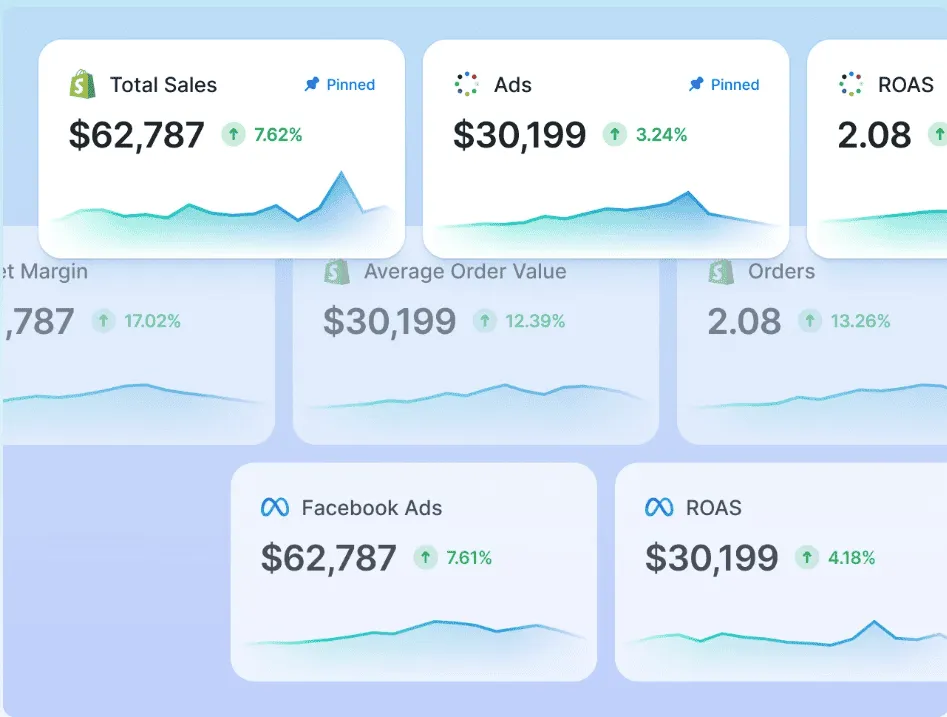
Triple Whale built its reputation as the attribution and profitability platform for Shopify-based DTC brands. Its Triple Pixel and supported ad connections help compare acquisition channels with purchases. Attribution models assign credit to different touchpoints; they do not prove that a campaign caused every sale credited to it.
Pricing: Free includes Triple Pixel and first/last-click attribution. Foundation, Automate, and Enterprise are paid packages priced by annual GMV and package; get a current quote.
Features:
- First-party pixel tracking across ad platforms
- Attribution models and profit reports using connected ad spend and configured costs
- AI-assisted creative performance analysis on applicable paid packages
- Connected data refresh; timing varies by source
Pros:
- A real, usable free tier for pre-revenue or early-stage stores
- First-party tracking and attribution models alongside ad-platform reports
Cons:
- Pricing still scales with GMV on paid tiers, so costs rise as revenue grows
- Multi-touch attribution and custom reporting require an applicable paid package
KISSmetrics
KISSmetrics is a person-level behavioral analytics platform built to track customer journeys, conversion paths, and cohorts across a store. It monitors detailed visitor behavior. Check the event collection and customer-identification setup for your store before connecting it.
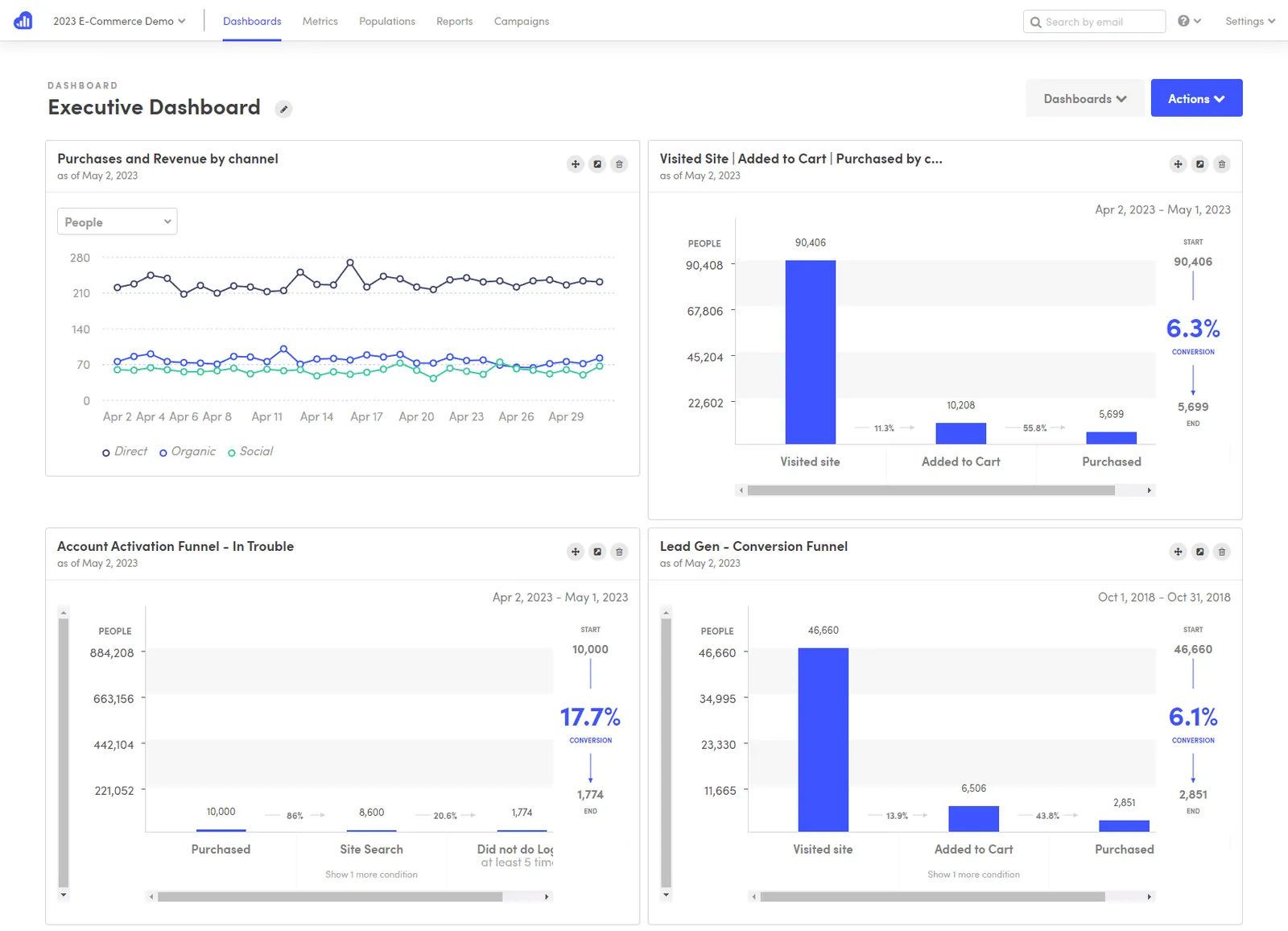
Pricing: Free includes 100,000 events/month. Growth starts at $99/month for 500,000 events; advanced modules and higher usage are paid. See current pricing.
Features:
- Person-level tracking when events share the correct customer identity
- Funnel, cohort, activity, and revenue reports
- Campaign and customer-value analysis
- Segment data by any point in time
- A/B test reports and data export
Pros:
- Funnel and path reports for the journeys your events capture
- Extensive report data you can dig deep into
Cons:
- Event volume and advanced modules can move you into paid usage
- Reports depend on consistent event collection and customer identification
- Bit of a learning curve
Profit and product analytics: which products are actually profitable
Attribution helps compare acquisition channels. Profit and customer reports add the spending and repeat-purchase context needed to evaluate those channels.
Revenue is only the starting point. Profit reports need the costs you want included, such as products, shipping, fees, and advertising. Check which costs the tool actually imports or lets you enter. Putler’s revenue and product reporting belongs alongside these reports; it is not a complete expense ledger.
Lifetimely
Lifetimely calculates customer lifetime value, cohort retention, and daily profit and loss directly inside Shopify, without a spreadsheet. It connects profit reporting with repeat-purchase analysis.
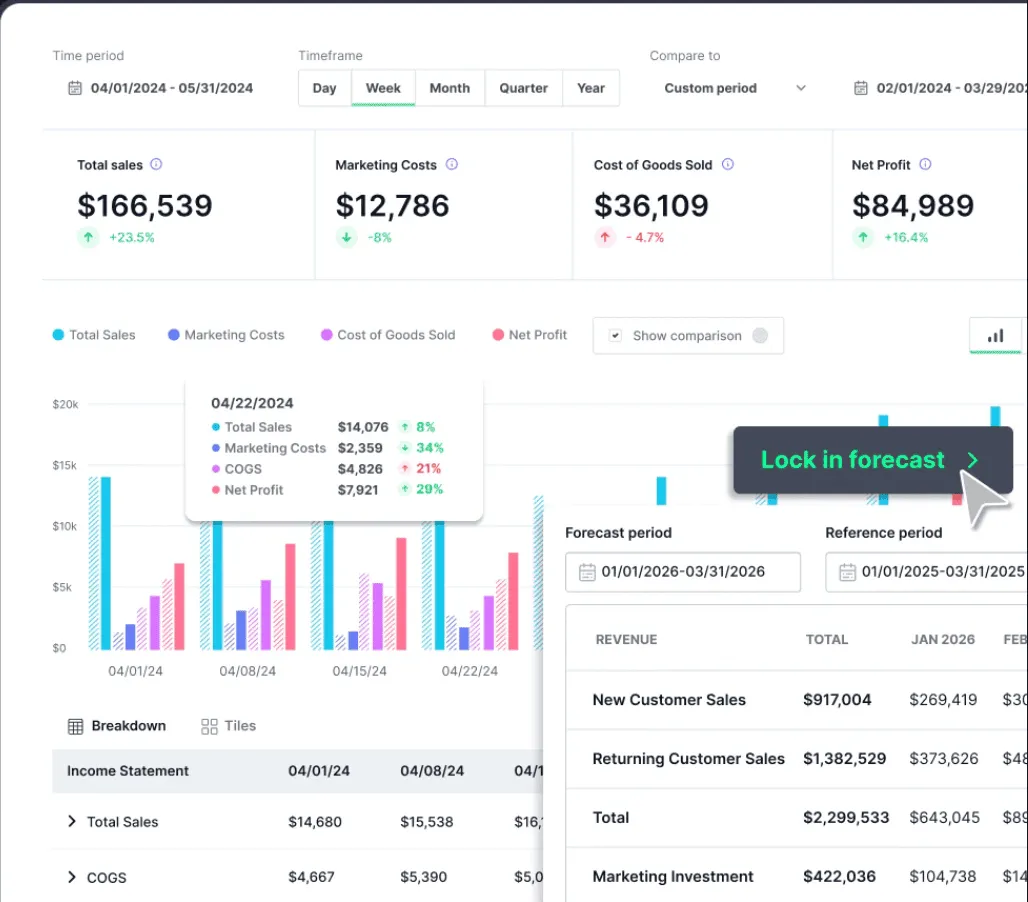
Pricing: The Shopify listing has a free plan. Paid plans are $49/month for up to 500 orders, $149/month for 3,000 orders, and $299/month for 7,000 orders. Amazon data is an optional $75/month add-on to paid plans. Paid plans list a 14-day trial; confirm the free allowance for your store.
Features:
- Predictive lifetime value modeling
- Automated daily profit and loss statement
- Cohort and repeat-purchase analysis
- First and last-touch attribution
- Customer acquisition cost and payback tracking
Pros:
- Free plan includes core profit and lifetime-value reports
- Predictive LTV alongside historical cohort reports
Cons:
- Shopify-centered; Amazon data is an extra-cost integration
- Cost inputs and connected data need checking before relying on profit figures
- Paid tier rises with order volume; some newer features are paid
Metrilo
Metrilo is an ecommerce analytics tool focused on actionable customer data and retention. Its retention analysis report helps you understand customer lifecycle value and turn one-time buyers into loyal customers.
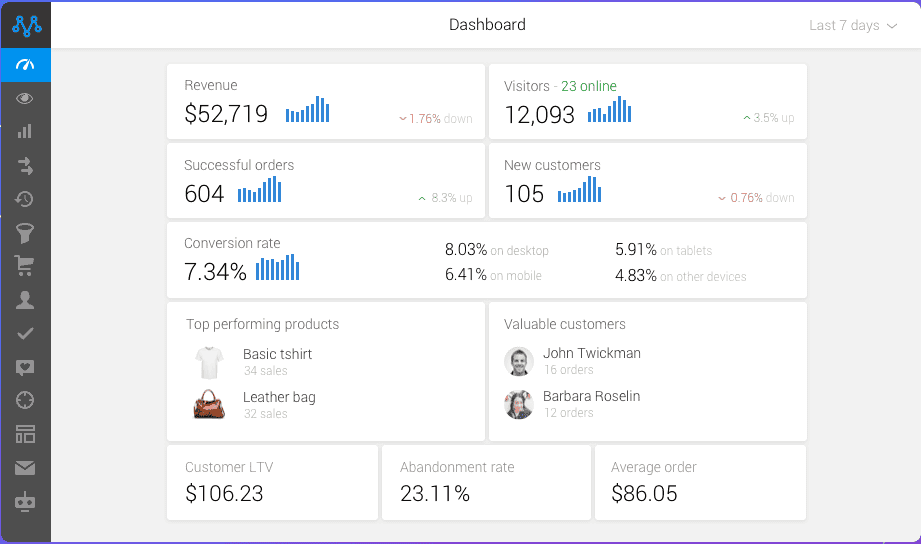
Pricing: Essential $199/month, Pro $379/month, Premium from $599/month on monthly billing; annual billing is discounted. Compare plans.
Features:
- Ecommerce analytics dashboard and revenue breakdowns
- Ecommerce CRM with customer profiles and segmentation on Pro and Premium
- Retention analysis with cohort comparisons on Pro and Premium
- Email marketing with trigger-based automation on Premium
- Order and revenue analysis
Pros:
- Installation plugins for supported ecommerce platforms
- Analytics, customer profiles, and retention reports in one interface
- Strong trigger-based email automation
Cons:
- CRM and retention analysis require Pro or Premium
- Lacks inventory and shipping management features
Glew.io
Glew combines supported store, marketing, customer management, and business system data. Pro provides prebuilt commerce reporting, while Plus adds a managed data warehouse and custom business intelligence. Choose by the reports and connections your team needs.
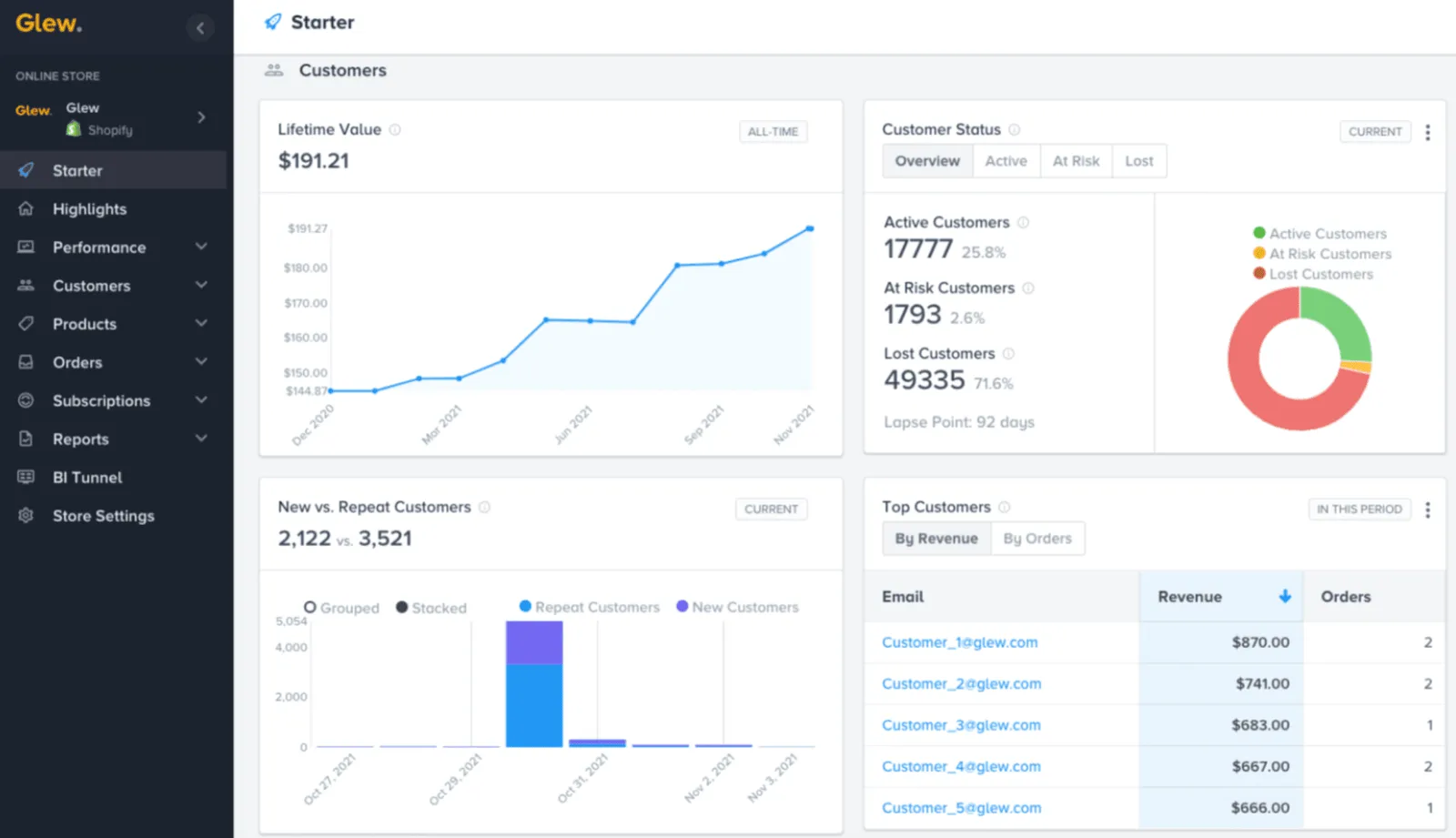
Pricing: Request current pricing for Pro or Plus. Pro requires annual prepayment; Plus adds a managed data warehouse and custom BI. Compare the current packages.
Features:
- COGS analytics for profit margin insights
- Automated reporting based on custom rules
- Advanced segmentation and targeting
- Scalable ecommerce integrations
Pros:
- Built specifically for ecommerce merchants and retailers
- Managed data warehousing and custom Looker reporting on Glew Plus
- Detailed metrics on margins, sell-through, and supply chain
- Strong data visualization options
Cons:
- An annual Pro commitment needs to fit your reporting budget
- Check each connector, historical import, and refresh schedule you need
- Custom reporting and warehouse setup can require specialist help
Adobe Experience Cloud: the enterprise option
Adobe Experience Cloud combines enterprise analytics and marketing products. Adobe Analytics supplies reporting and Analysis Workspace; Target and Campaign serve different testing and marketing needs. Compare the specific products in your quote rather than treating the suite as one analytics app.
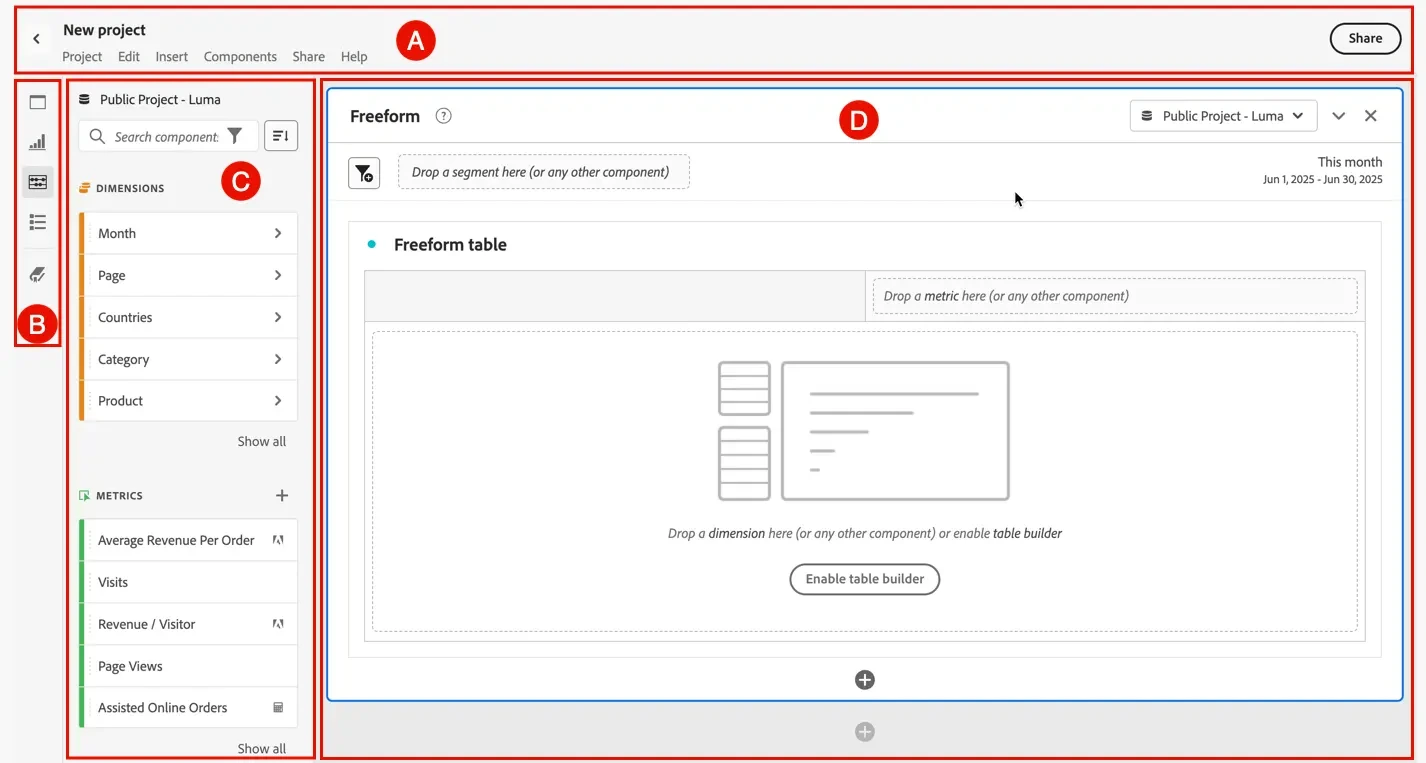
Pricing: Custom. Contact Adobe directly for pricing.
Features:
- A/B testing through Adobe Target
- Email marketing management through Adobe Campaign
- Engagement analytics through Adobe Analytics
- Multi-channel marketing across selected Experience Cloud products
- Reporting and statistics through Adobe Analytics
Experience Cloud is a suite. Confirm which products and licenses your quote includes; these features are not all part of an Adobe Analytics subscription.
Pros:
- Content and asset management when Adobe Experience Manager is included
- Large-scale performance with a huge ecosystem of implementation partners and integrations for complex needs
Cons:
- Can get expensive quickly
- Implementation and product licensing need specialist attention
Multi-channel revenue and customer analytics: Putler
Putler is an all-in-one ecommerce tracking tool for businesses with multiple data points: multiple websites, multiple stores, multiple currencies, and multiple payment gateways.
It combines, cleans, and enriches data from your connected, supported sources into consolidated reports in one place, so you no longer open multiple apps to monitor your business.
Review customer, sales, and product analytics on a combined ecommerce dashboard, or filter to a connected source.
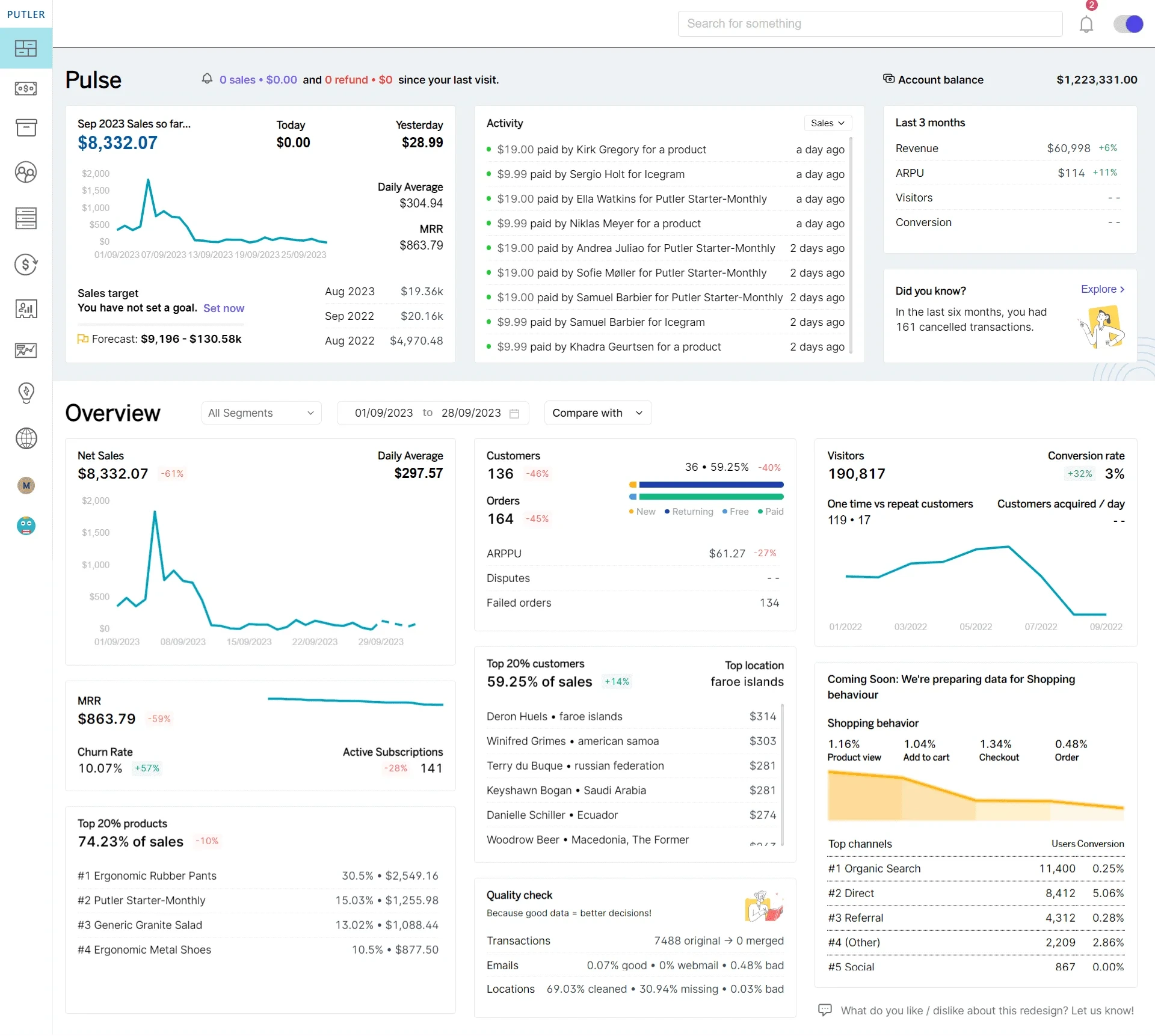
Pricing (revenue-based): Starts at $20/month for sellers doing up to $10K in monthly revenue. 14-day free trial, no credit card required.
Key Features:
- Supported integrations across payment gateways, stores, and marketplaces
- Automatic deduplication, enrichment, currency, and timezone conversion
- RFM segmentation by recency, frequency, and monetary value, with flexible filtering
- Sales, customer, product, and subscription KPIs and reports
- Personalized growth recommendations
- Issue refunds and manage subscriptions where the connected source supports those actions
- Inbound API for custom data
Pros:
- Intuitive layout and ease of use
- Easy product, order, and customer tracking in one clean UI
- Great for managing multiple stores, schedules, and finances
- Connects ecommerce and SaaS revenue in the same dashboard
Cons:
- No inventory or shipping management workflow
- No first-party ad-platform attribution the way Triple Whale offers
Final thoughts
Choose ecommerce reporting tools for the question you need answered: traffic, behavior, attribution, profit, or combined revenue reporting.
A practical starting point is a free foundation, Google Analytics 4 for traffic and Microsoft Clarity for behavior, then a paid tool once a specific question needs answering. Running paid ads across multiple channels points to Triple Whale. Needing profit and LTV visibility points to Lifetimely or Glew.io. Managing multiple stores or payment gateways points to Putler.
Start with one tool per job, track the right metrics consistently, and scale the stack as the store grows.
Before paying, test the ecommerce reports you will use: a purchase, a refund, a returning customer, and an order collected through both a store and its payment gateway. Compare the same date range and currency. Check duplicate transaction IDs, missing purchase events, and the costs behind a profit number. Your store’s own reports may already answer the basic question; add another tool when it fills a specific gap.
eCommerce analytics tools FAQs
What is the best eCommerce analytics tool?
It depends on the job. Google Analytics 4 is the free standard for traffic. Microsoft Clarity is the free standard for behavior. Triple Whale is an option for marketing attribution for DTC brands. For multi-channel sellers who need revenue, customer, and product analytics in one dashboard, Putler is the comprehensive option.
How do I track my eCommerce analytics?
Use a tool like Putler to monitor sales, customer behavior, and product performance. Connect your supported ecommerce store and payment gateways, let the initial data sync finish, and check the reporting period, currency, and transaction matching. Use a behavior tool for page clicks and recordings; revenue reports answer a different question.
Are there free eCommerce analytics tools?
Yes. The standard Google Analytics 4 version is free, Microsoft Clarity is free with no session limit, Matomo offers a free self-hosted version, and Clicky, Contentsquare (formerly Hotjar), Lucky Orange on Shopify, Triple Whale, Lifetimely, and KISSmetrics list free tiers with their own limits. Crazy Egg lists a 30-day trial. Putler offers a 14-day free trial with no credit card required.
What is the best eCommerce analytics tool for multi-channel sellers?
For sellers across Shopify, WooCommerce, Amazon, Etsy, and eBay using multiple payment gateways, Putler consolidates revenue from supported sources in one dashboard and resolves matching duplicate transactions. Check that your particular store and gateway connections are supported and that a sample order appears once.
Which eCommerce analytics tool is best for marketing attribution?
Triple Whale is worth comparing for Shopify-based DTC brands running paid ads across Meta, Google, and TikTok. Check which attribution models your plan includes and compare their results with your store orders; different models can credit the same journey differently.
Which eCommerce analytics tool is best for heatmaps and behavior?
Microsoft Clarity is free without a traffic cap; check the pages and checkout steps your setup captures. Crazy Egg offers A/B testing on paid plans. Hotjar now directs new users to Contentsquare for heatmaps and recordings. Lucky Orange’s Shopify listing offers a free tier for 100 monthly sessions.
Which analytics tools have we reviewed?
Read our reviews of Baremetrics, Polar Analytics, Zoho Analytics, Triple Whale, and ChartMogul, plus our Supermetrics comparison. We make Putler, so weigh comparisons with that in mind.