
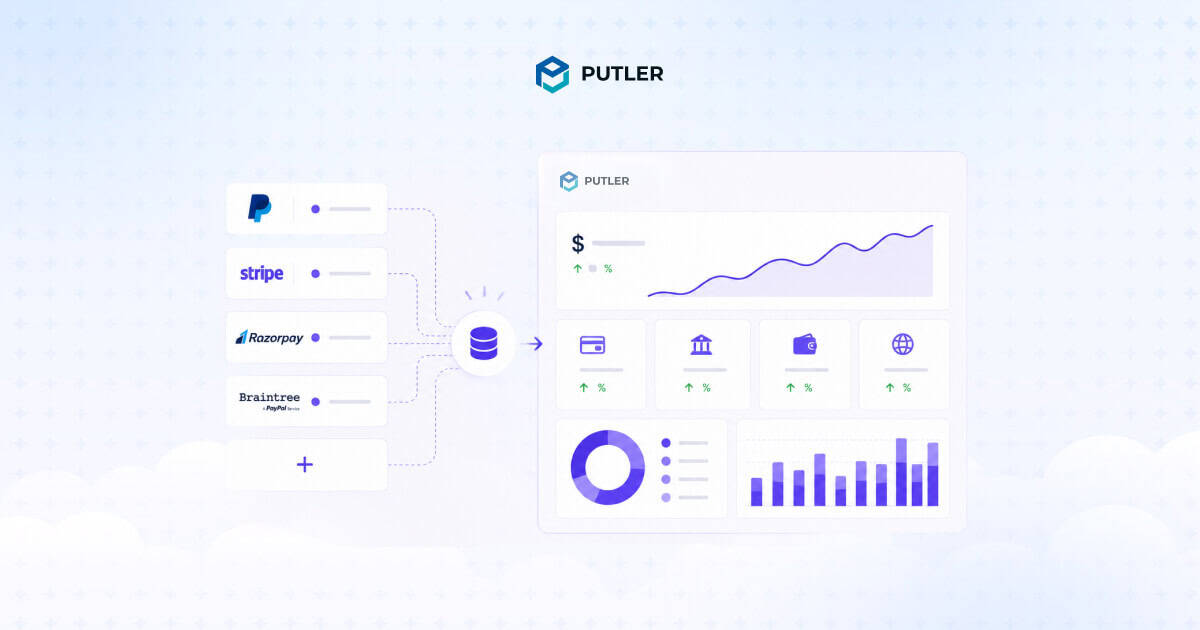
Adding more payment gateways makes you more money. Adding more payment gateways also makes your reporting worse.
Both are true. And no one warns you about the second part when you’re setting up your second processor to lift approval rates or your third to handle international payments.
So here’s what actually happens when you accept payments through PayPal, Stripe, Razorpay, and three other places, and how to track payments from different gateways without spending your weekends in spreadsheets.
Why tracking payments from different gateways is harder than it should be
It’s not your bookkeeping skills. It’s not your tools. The problem is that every payment gateway speaks its own language, and nobody’s translating.
Here’s what that actually looks like in practice:
Different timestamps
Stripe records every transaction in UTC. PayPal uses the timezone of your account. Razorpay defaults to IST. A sale made at 11pm in New York shows up on three different days across three dashboards. When you reconcile by date, your numbers stop matching for reasons that have nothing to do with the actual money.
Different status labels
Stripe calls it “succeeded.” PayPal calls it “completed.” Braintree calls it “settled.” Razorpay separates “captured” from “authorized.” Same outcome, four different words. Your spreadsheet doesn’t know they mean the same thing.
Different settlement schedules
Stripe deposits in 2 business days. PayPal can take 1 to 3 days. Razorpay settles next-day. So the money you “made” on Tuesday might land in your bank on Wednesday, Thursday, or Friday depending on which gateway processed it. Cash flow forecasting becomes a guessing game.
Mismatched transaction IDs
Your cart records an order ID. Your payment gateway records a separate transaction ID. The two don’t match. Now multiply that across PayPal, Stripe, and Shopify orders processed through both, and you get duplicate records of the same sale appearing in different reports.
Different currency handling
PayPal might convert at one rate. Stripe at another. The two-day gap between transaction and settlement means the rate has already moved by the time you reconcile. Your “$10,000 month” might actually be $9,847 once everything settles.
Different fee structures hidden in the totals
Some gateways show you gross. Some show you net. Some report fees as separate line items. Some bundle them in. Comparing performance across gateways means comparing apples, oranges, and what looks like a banana but might be a refund.
None of these gateways are wrong. They’re each telling the truth about what happened on their platform. The problem is that when one payment data interface defines “acceptance rate” differently than another, your optimization decisions become guesswork.
Most business owners think the cost of manual reconciliation is the time they spend doing it. That’s the obvious part. The real cost is what’s happening while you’re not looking.
Revenue leakage you can’t see
Even a 0.2% gap between what your gateways report and what hits your bank can mean millions invisible on your P&L at scale. Globally, failed payments drain $118.5 billion annually from merchants. Most of that loss never gets isolated because traditional reconciliation methods can’t separate genuine declines from technical failures or fee mismatches.
Approval rate blind spots
If Stripe’s approving 94% of your transactions and PayPal is at 87%, you’d want to know. But when each gateway lives in its own dashboard, those comparisons don’t happen. Even a 1% drop in your authorization rate, at meaningful transaction volume, can mean hundreds of thousands of dollars in lost revenue annually.
Cash flow forecasting that’s just guessing
When settlement schedules vary across gateways, your “this month’s revenue” and “this month’s deposits” are two different numbers. Forecasting based on either one alone leads to bad decisions about hiring, inventory, or ad spend.
Customer experience invisible from your end
A customer pays you through Stripe. The payment fails on the first attempt due to a network timeout, then succeeds on retry. From your dashboard, it looks like one transaction. From the customer’s bank, two pending charges. They email support. Nobody on your team can correlate the data fast enough to give them a clean answer.
The opportunity cost
Every hour spent reconciling is an hour not spent on growth. For a single-founder eCommerce business doing $50K a month, manual reconciliation can eat 8-12 hours per month. That’s a full day every month. Multiply by 12 months and you’ve spent two work weeks on something a tool could automate in five minutes.
The expensive part isn’t the time. It’s everything you can’t optimize because you can’t see clearly.
3 ways merchants try to solve this (and where each one breaks)
Most businesses cycle through these three approaches before landing on something that actually works. Here’s what each one does well and where each one falls apart.
1. Logging into each dashboard separately
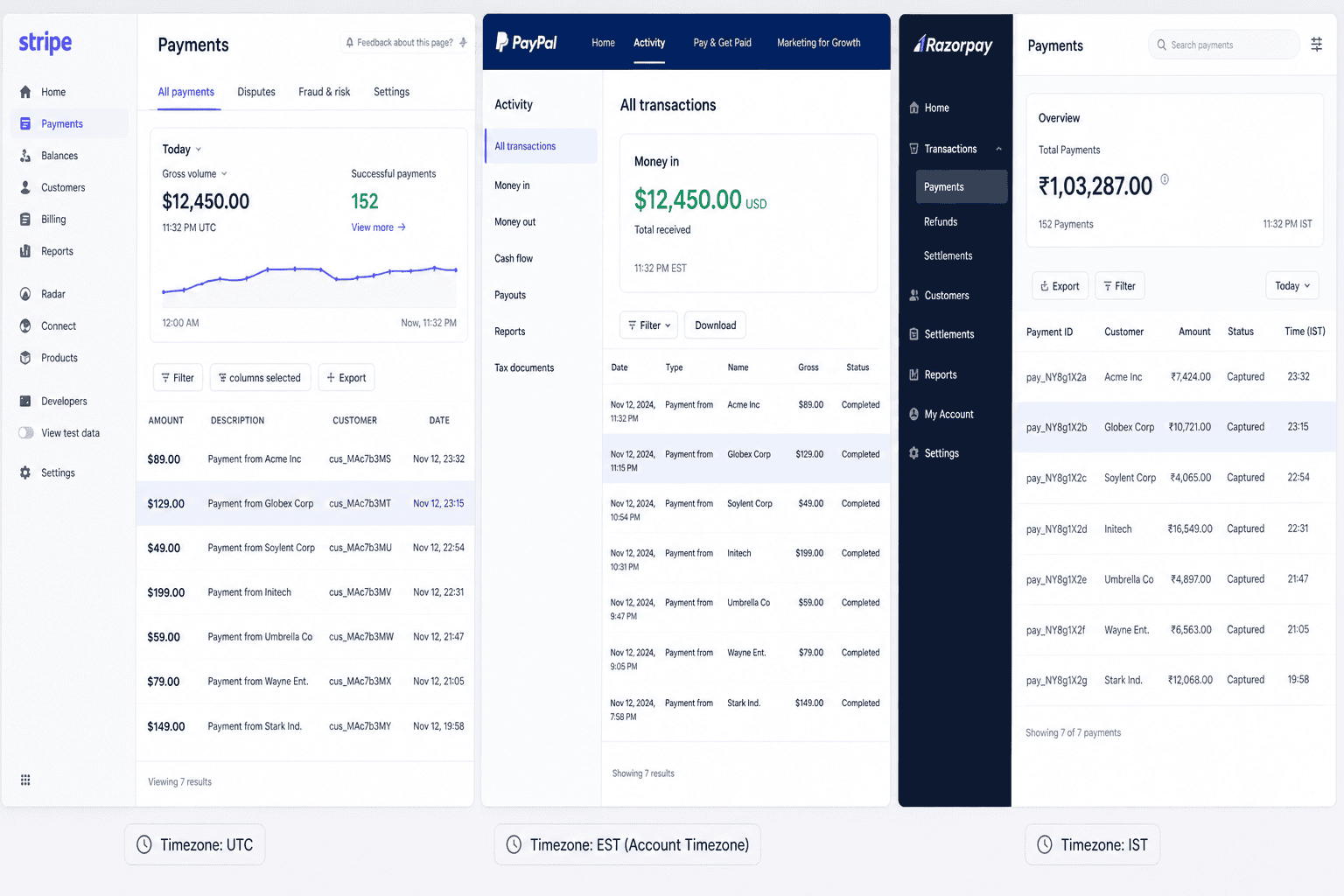
This is the default. Tuesday morning, you log into Stripe. Wednesday, PayPal. Thursday, Razorpay. You scribble the numbers in a notebook or paste them into Slack. You feel productive.
It works until it doesn’t. The moment you add a third gateway, or start selling in multiple currencies, or need to answer “how did we do last quarter” without a week of prep time, the manual approach hits its ceiling. You’re not tracking payments. You’re playing detective with three browser tabs.
Where it breaks: Anything beyond two gateways. Anything that requires comparing performance across them. Anything time-sensitive.
2. Spreadsheet reconciliation
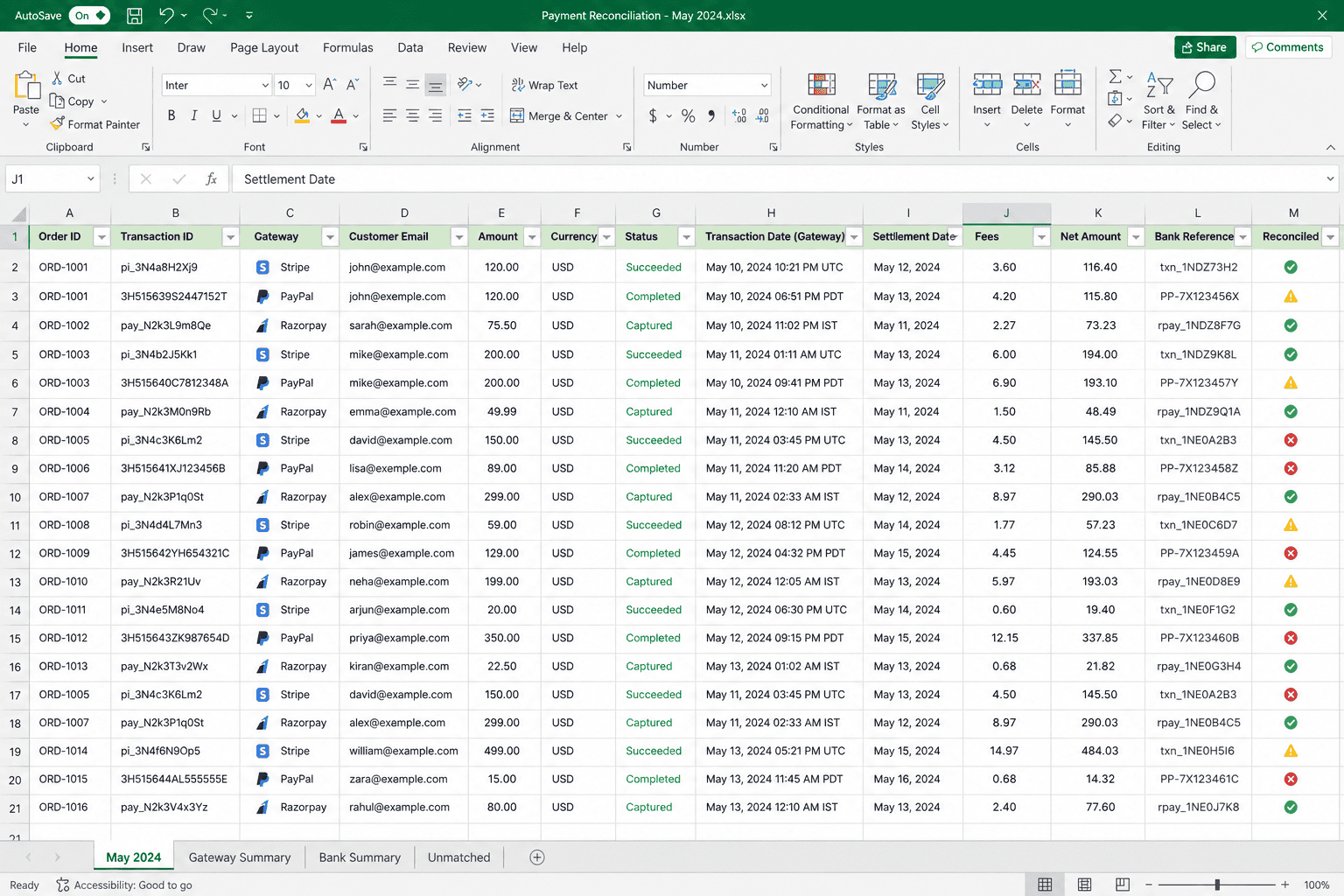
The next step everyone tries. Export CSVs from each gateway. Drop them into a master spreadsheet. Use COUNTIF to match transaction IDs. Build pivot tables. Color-code the duplicates.
This actually works for a while. You feel like you’ve cracked it. Then you realize the spreadsheet is stale the moment you finish it. Tomorrow’s transactions need a new export, a new merge, a new round of cleaning.
Gateways often bundle multiple sales into batch payouts with a 1-7 day lag, so even your “complete” reconciliation is incomplete the next morning.
Where it breaks: Recurring workflow. Spreadsheet reconciliation is fine for a one-time audit. As an ongoing system, it’s a part-time job nobody hired for.
3. Accounting software like QuickBooks or Xero
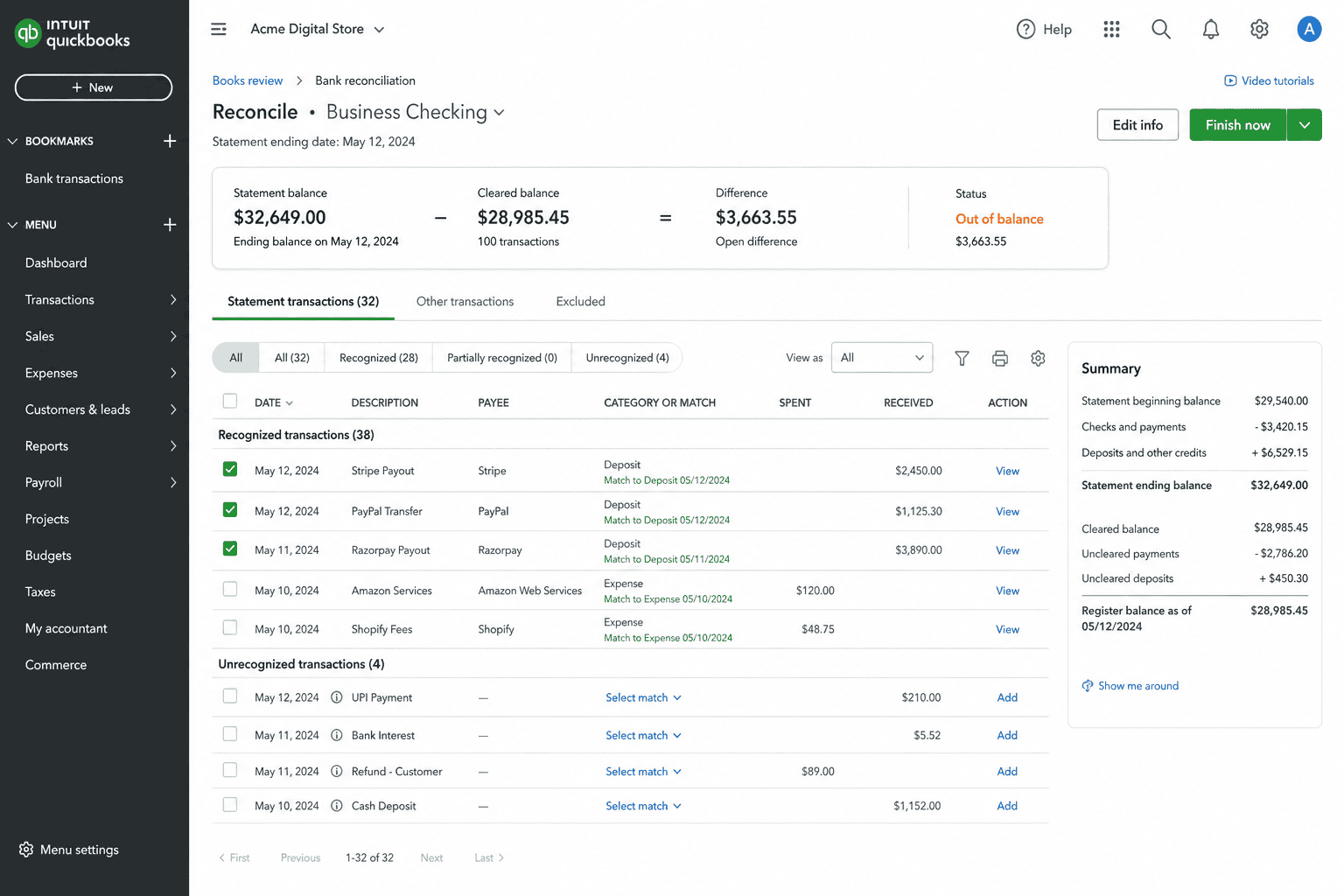
The third stop on the journey. You connect Stripe to QuickBooks. PayPal to Xero. The transactions sync. Your bookkeeper is happy.
The problem is that accounting software is built for accounting, not for analytics. It tells you the dollars settled.
It doesn’t tell you which gateway has the highest approval rate, which products drive the most revenue across all gateways combined, or what your repeat customer rate looks like when you account for buyers paying through different processors.
You also still have to manually deduplicate when the same customer pays through two different gateways across different orders.
Where it breaks: The moment you need business intelligence on top of your reconciliation. Books done, decisions still hard.
Each of these methods works for someone. The pattern is that they all hit a ceiling at the same place: when the number of gateways, currencies, or sales channels grows past what manual effort can keep up with.
That’s the point where most businesses start looking for a tool actually built for the job.
How Putler tracks payments from different gateways
This is the part the previous three methods were trying to do. The difference is that Putler was built specifically for the problem.
You connect your gateways once. Putler does the translation work in the background. You get one dashboard that finally agrees with itself.
Native connectors for the gateways you already use
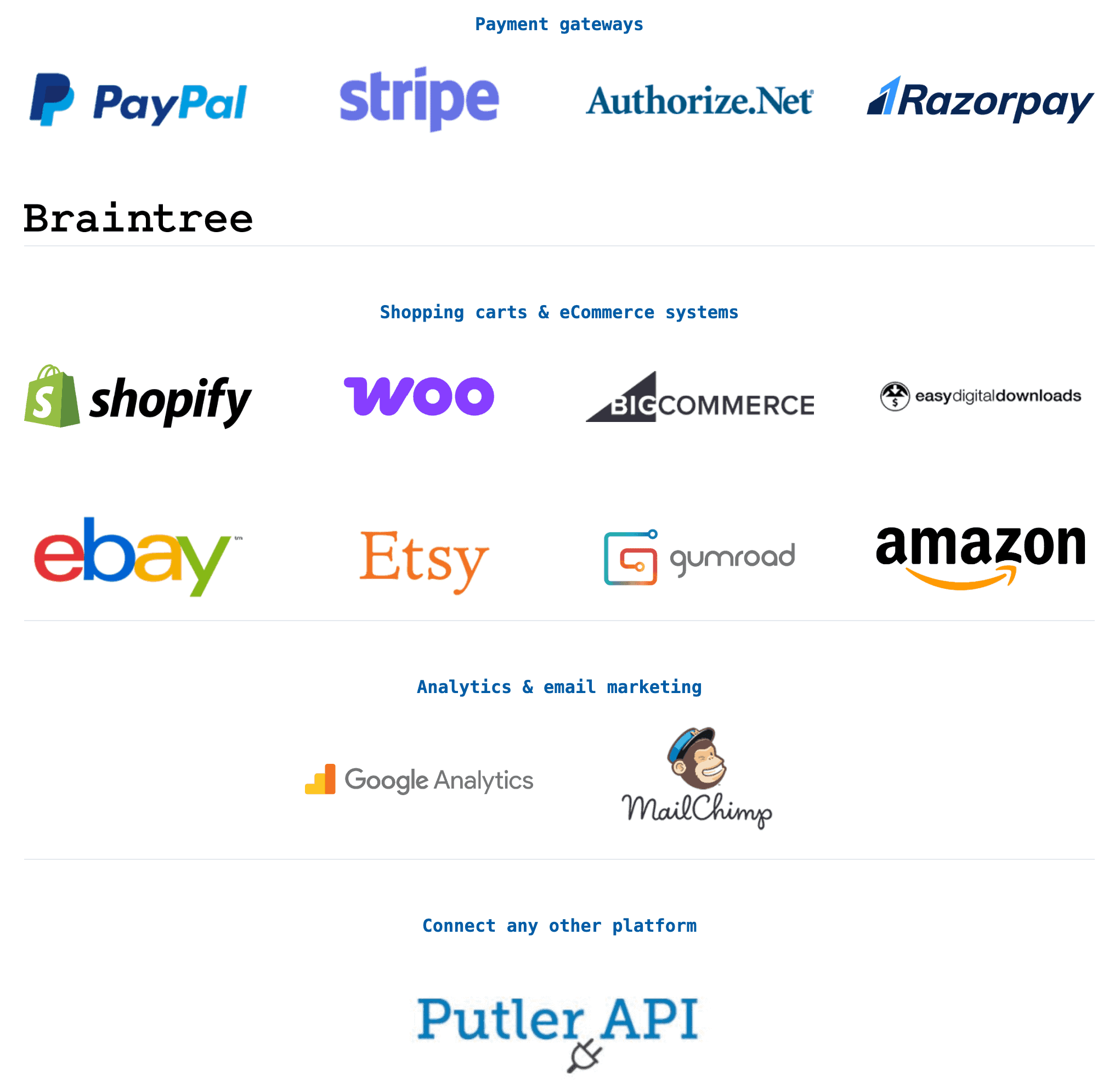
PayPal, Stripe, Braintree, Razorpay, Authorize.Net, and 2Checkout connect natively through OAuth. No code, no developer, no spreadsheet middleware. Setup takes about five minutes per source. Putler then pulls in your historical data automatically.
Inbound API for the gateways nobody else supports
This is the part most tools miss. If you use a regional payment processor, a custom-built checkout, or any data source not on the integration list, Putler’s Inbound API lets you push that data in directly.
Create a “Putler Inbound API” account, get a key, send your transaction data via simple HTTP requests, and it appears in the same unified dashboard alongside everything else. You’re not locked out just because your gateway isn’t a household name.
Automatic deduplication
Remember the problem where the same transaction appears in your cart and your gateway? Putler catches it. The same customer who paid you once through Stripe and once through PayPal becomes one customer record. One profile.
Full purchase history across both gateways. Your revenue is accurate. Your customer count is accurate. Putler fixes 100+ data problems automatically.
Currency conversion using the actual transaction date
Not today’s rate. Not last week’s rate. The mid-market exchange rate from the day the payment happened. 36+ currencies supported, normalized to your chosen base currency.
Timezone alignment
Stripe’s UTC, PayPal’s local, Razorpay’s IST, all standardized into one consistent timeline. Your Tuesday is Tuesday across every gateway.
Status normalization
“Succeeded,” “completed,” “settled,” “captured.” Putler reads them all as the same thing and reports them consistently.
One dashboard. One revenue number
The Home Dashboard gives you the morning snapshot: total sales, daily averages, top customers across every gateway.
The Sales Dashboard goes deeper: net revenue after refunds, MRR if you have subscriptions, sales heatmaps, average order value across the entire business, not just one gateway at a time.
Pricing starts at $20 per month with a 14-day free trial and a $1 first month after the trial. No credit card needed to start.
How to set this up in 4 steps
The whole process takes under 30 minutes for most setups.
Step 1: Sign up for a free Putler trial: Head to putler.com and start the 14-day free trial. No credit card needed.
Step 2: Connect your native gateways: From the dashboard, click “Add Account” and pick your gateway. PayPal, Stripe, Braintree, Razorpay, Authorize.Net, or 2Checkout. Authorize via OAuth. Putler starts pulling in your historical transaction data immediately.
Step 3: Set up the Inbound API for any gateway not on the list: Add a new “Putler Inbound API” account from the same screen. You’ll get a unique API key. Send your transaction data via HTTP POST requests to Putler’s endpoint with that key. Most developers can wire this up in an afternoon.
Step 4: Watch the data consolidate: Within a few minutes for native gateways and 30 to 40 minutes for the Inbound API, your transactions start appearing in the unified dashboard. Currency conversion, timezone alignment, deduplication, and status normalization all happen automatically in the background.
That’s it. No spreadsheet maintenance. No daily exports. No three-tab juggling.
Frequently asked questions
Can I track payments from multiple gateways without writing code?
Yes. Native gateway connections in tools like Putler use OAuth, which means you log in to authorize the connection. No code involved. The Inbound API does require some technical work if you want to pipe in a non-native gateway, but most simple setups can be wired up by a developer in a few hours.
What’s the difference between accounting software and a payment tracking tool?
Accounting software like QuickBooks and Xero is built for bookkeeping and tax filing. It tells you what settled in your bank account. A payment tracking tool is built for analytics. It tells you which gateway is performing best, which customers are repeat buyers across gateways, and what your revenue actually looks like across every channel combined.
Will tracking multiple gateways in one place affect my accounting workflow?
No. Your gateways still settle directly into your bank account. Your accounting software still pulls those deposits. The tracking tool sits alongside both, giving you the analytics layer that neither one provides on its own.
How do tools like Putler handle currency conversion across gateways?
By using the mid-market exchange rate from the actual day the transaction happened. Not today’s rate. This means your historical revenue numbers stay accurate even as currencies fluctuate.
What if my payment gateway isn’t on the integrations list?
Use the Inbound API. It accepts transaction data from any source, which means regional gateways, custom checkouts, POS systems, and even internal billing tools can all feed into the same unified dashboard.
Stop reconciling. Start running your business.
The reason tracking payments from different gateways feels hard is because every gateway is telling the truth in its own dialect. Once you have something that translates between them, the problem disappears.
Manual logins work until you have two gateways. Spreadsheets work until you have a recurring need. Accounting software works for books but not for decisions. A purpose-built tool with native connectors and an open API works at every stage.
Pick the method that fits where your business is right now. And when you outgrow it, you’ll know.

