
In the bustling realm of eCommerce, where every click counts and every sale matters, it’s crucial to have a strategy that not only keeps your WooCommerce store afloat but propels it to new heights.
Welcome to a masterclass on how to increase your online store’s performance and increase sales. We’re here to help you understand the ins and outs of your online store, discover effective sales-boosting strategies, and transform your e-shop into a sales powerhouse.
Think of your WooCommerce store as more than just a website or digital shopfront; it’s a thriving place where every click and sale is a big deal.
To boost your sales, it’s essential to understand your store’s performance closely, pinpoint effective strategies, and continuously optimize them.
So, let’s get started on the journey to transform your WooCommerce store into a sales powerhouse.
But first, we will try to dig deeper into how you can analyze your online store’s performance.
Understanding your WooCommerce store performance
Unlocking the full potential of your WooCommerce sales begins with a thorough exploration of your online store.
Here’s the deal:
- Analyzing your current WooCommerce sales data

Start by looking at your recent sales data.
What are the standout trends and patterns? What are the hot-selling items? When do most people shop on your site? What do customers like the most?
This info is like your sales GPS, guiding you in the right direction to boost sales.
- Identifying key performance metrics
Two pivotal metrics are at the heart of your strategy:
- Sales conversion rate
This metric reveals how many folks who visit your store end up buying something. Knowing this number helps you gauge what’s working and what needs fine-tuning.
- Customer lifetime value
It’s a goldmine of information, showing how much one customer can bring over their entire time as your customer. If you can make this number go up, you’ll have more money coming in over the long haul.
- Sales conversion rate
- Setting realistic sales growth goals
You’re not simply taking shots in the dark; you’re charting a deliberate course.
Define achievable sales growth targets. Where do you see your sales in a month, a quarter, or a year?
Having targets keeps you on track and fired up.
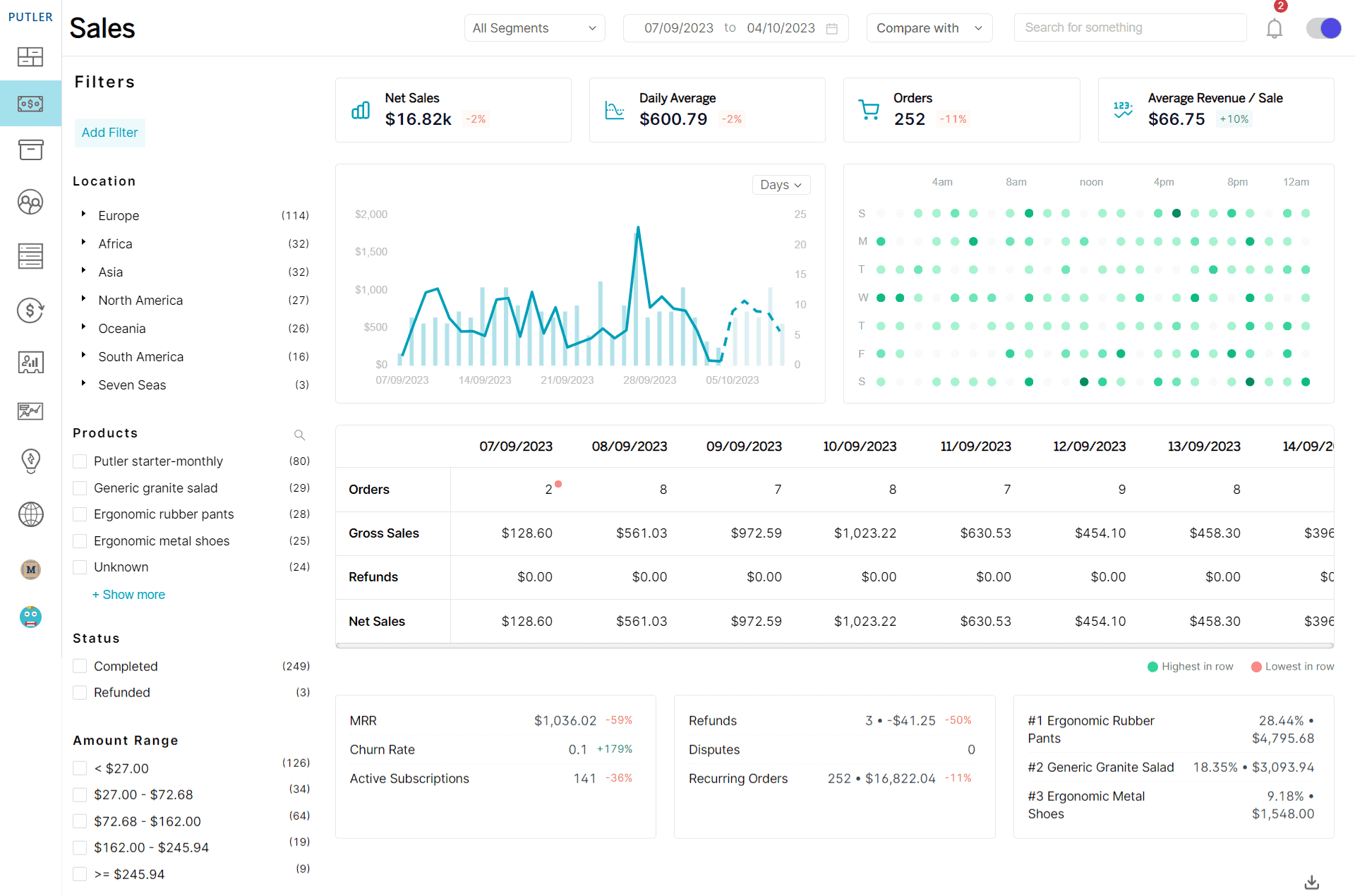
Understanding your WooCommerce store’s performance is like having a treasure map. It helps you make the right moves to hit your sales bullseye.
Now, let’s dive into the strategies that’ll get you there.
Best strategies to increase WooCommerce sales
The right strategies can make all the difference in boosting your sales. And, when they are paired up with the best plugins, your sales are bound to go up.
This is why, besides discussing the strategies, we have highlighted the best WooCommerce plugins to increase sales of your eCommerce store.
So, let’s roll up our sleeves and delve into some seasoned strategies that can skyrocket your sales on your WooCommerce store:
Offer discounts and coupons
Shoppers love a good deal.
So one surefire way to get them excited is by offering discounts and coupons.
Limited-time offers and special promotions not only attract new customers but also keep existing ones coming back for more.
Just make sure that your pricing strategy remains profitable.
Tool Suggestion: Smart Coupons
Smart Coupons from Store Apps is a WordPress plugin that allows you to create and manage various types of coupons, gift cards, store credits, and discounts for your WooCommerce store.
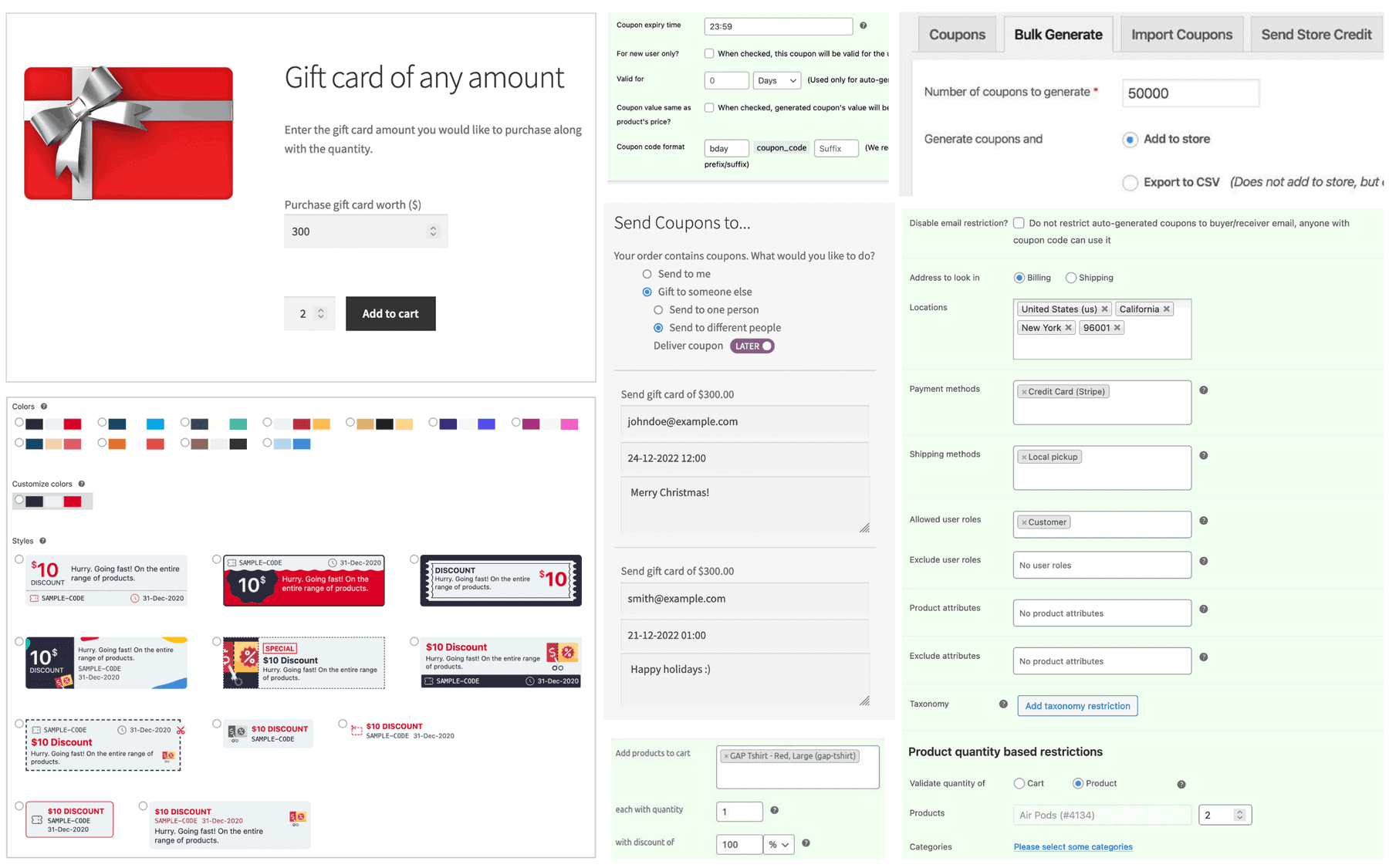
With Store Apps Smart Coupons, you can:
- Generate and send bulk coupons via email or CSV file
- Create attractive and responsive coupons with shortcodes
- Restrict coupons based on preferred criteria
- Make URL coupons that apply automatically
- Create BOGO (buy one get one) coupons
- Attach free or paid gifts to coupons
- Offer discount coupons based on the number of products purchased
- Create and sell gift cards or store credits
- Track coupon performance with detailed reports and statistics
Leverage email marketing
Craft compelling email campaigns to engage with your customers.
From abandoned cart reminders to personalized product recommendations, email marketing can be a sales-boosting powerhouse.
It’s a direct line to your audience’s inbox.
Tool Suggestion: Icegram Express
Icegram Express is a WordPress plugin for running email marketing campaigns and creating and sending newsletters. It’s privacy-focused, user-friendly, and cost-effective.
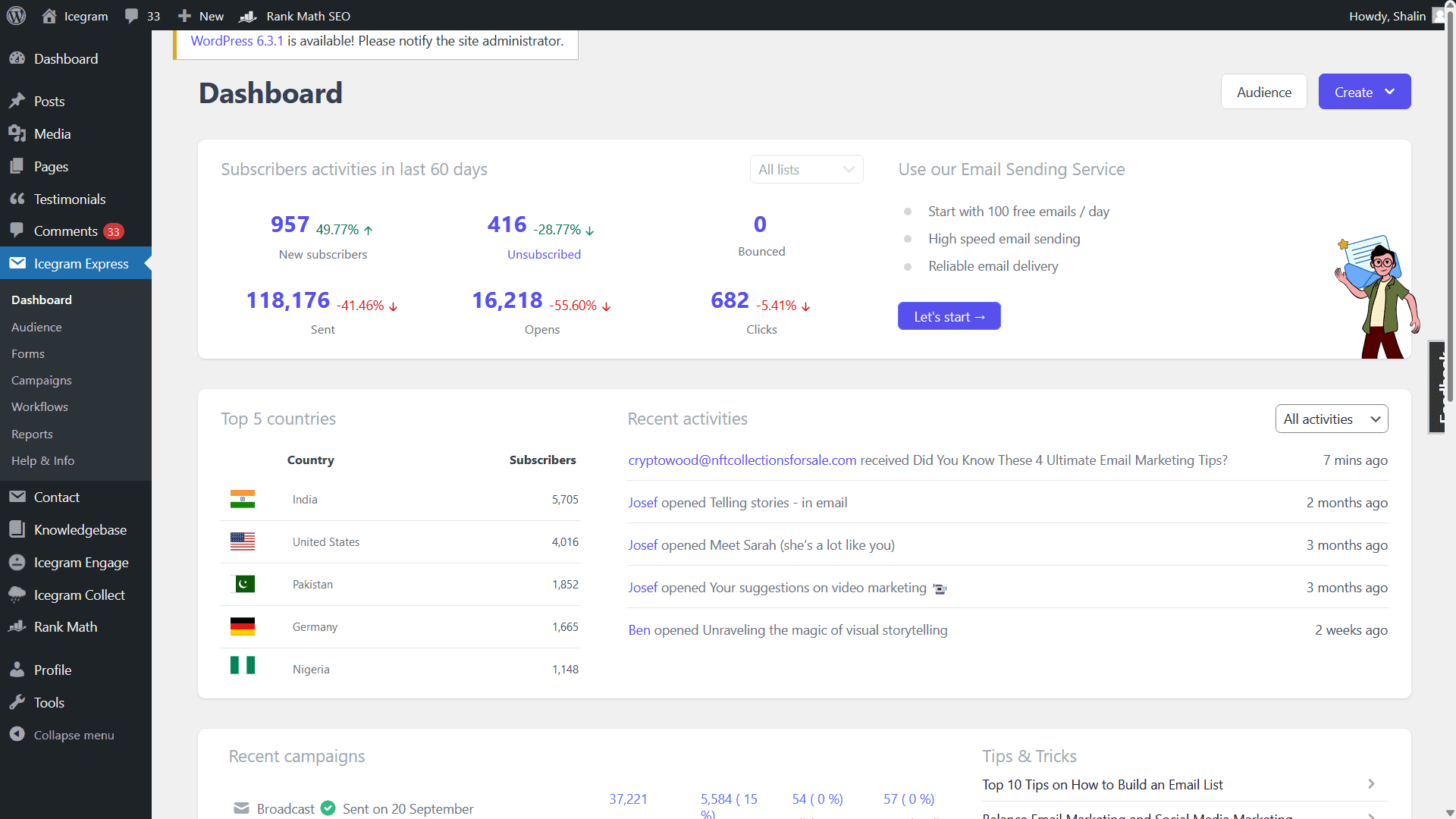
With Icegram Express, you can:
- Convert visitors into subscribers with opt-in forms and lead magnets
- Send newsletters, notifications, drip sequences, and recovery emails
- Use your preferred SMTP service or email provider to deliver emails
- Segment your audience based on various criteria and rules
- Track the performance of your campaigns with detailed reports and analytics
- Save time and money by owning your data and avoiding expensive third-party services
Reward customers with loyalty points
Show your customers some love with a loyalty program.
By rewarding them with points for each purchase, you’re encouraging repeat business and building a dedicated customer base.
Tool Suggestion: Loyalty Gator
Loyalty Gator lets you build custom loyalty programs for your business, boosting customer retention and spending.
With Loyalty Gator, you can:
- Reward loyalty with points, tiers, stamps, or cashback
- Distribute coupons, gift cards, and vouchers via email or SMS
- Integrate with your systems
- Analyze program performance with detailed reports
- Save on costs by paying for active members and avoiding transaction fees.
Your audience is on social media, and you should be too.
Engage with your customers on platforms where they spend their time. Use it to showcase your products.
Build a community, share user-generated content, and use social media as a sales and brand-building channel.
Tool Suggestion: Outfy
Outfy is a service that allows you to create and post engaging social media content for your online store.
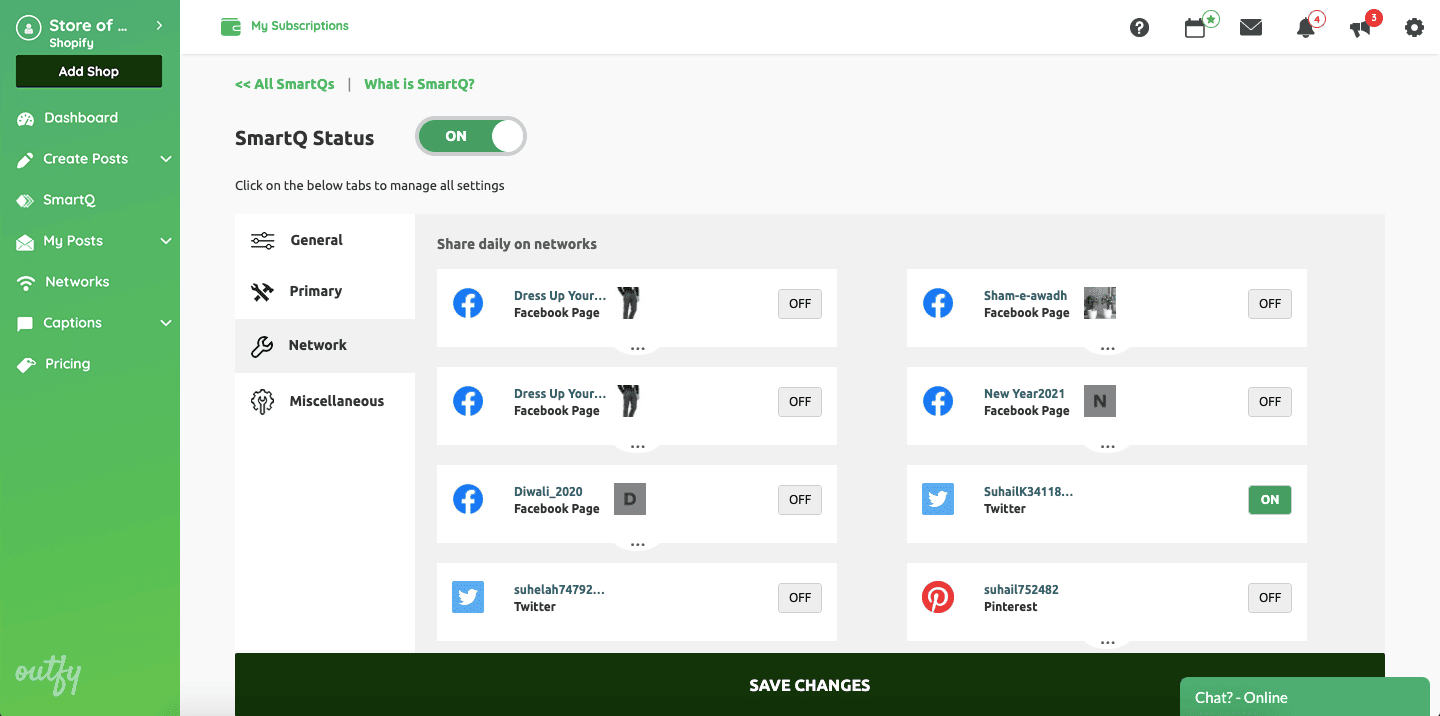
With Outfy, you can:
- Create eye-catching product content, including videos, collages, and promos
- Share on multiple networks like Facebook, Instagram, Twitter, and more
- Automate marketing through scheduling or autopilot
- Boost engagement and sales by reaching more customers
- Save time and money with flexible, affordable plans.
Utilize upsell and cross-sell techniques
When a customer is ready to buy, seize the moment.
Suggest complementary products (cross-selling) or an upgraded version (upselling).
This increases the average order value, boosting your overall sales potential.
Tool Suggestion: Putler & Offermative
- Putler is an analytics and reporting tool that provides reports on products, customers, orders, website traffic, sales, and more.
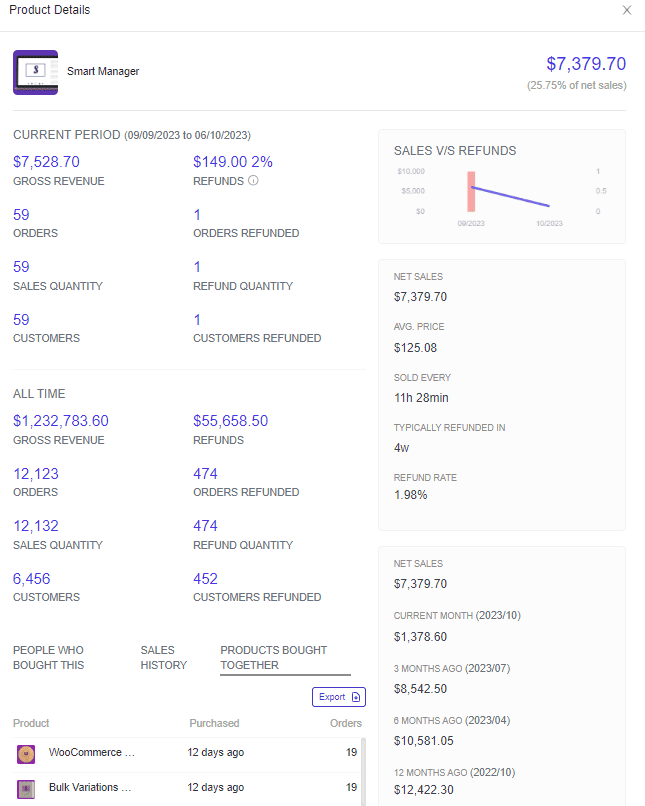
Putler is not a dedicated tool for identifying upselling and cross-selling opportunities [We have talked about Putler’s vital features later in the blog]. But, thanks to its versatility, you can easily find such opportunities by following the below steps
- Visit the
Products dashboard - Click on any
productand the product card will open - Now in the product card, scroll down and you will find the
Products Bought Togethersection

This information gives you an understanding of the products that people prefer buying as a bundle. This can help you create similar bundle offers and utilize upsell/cross-sell opportunities.
- Visit the
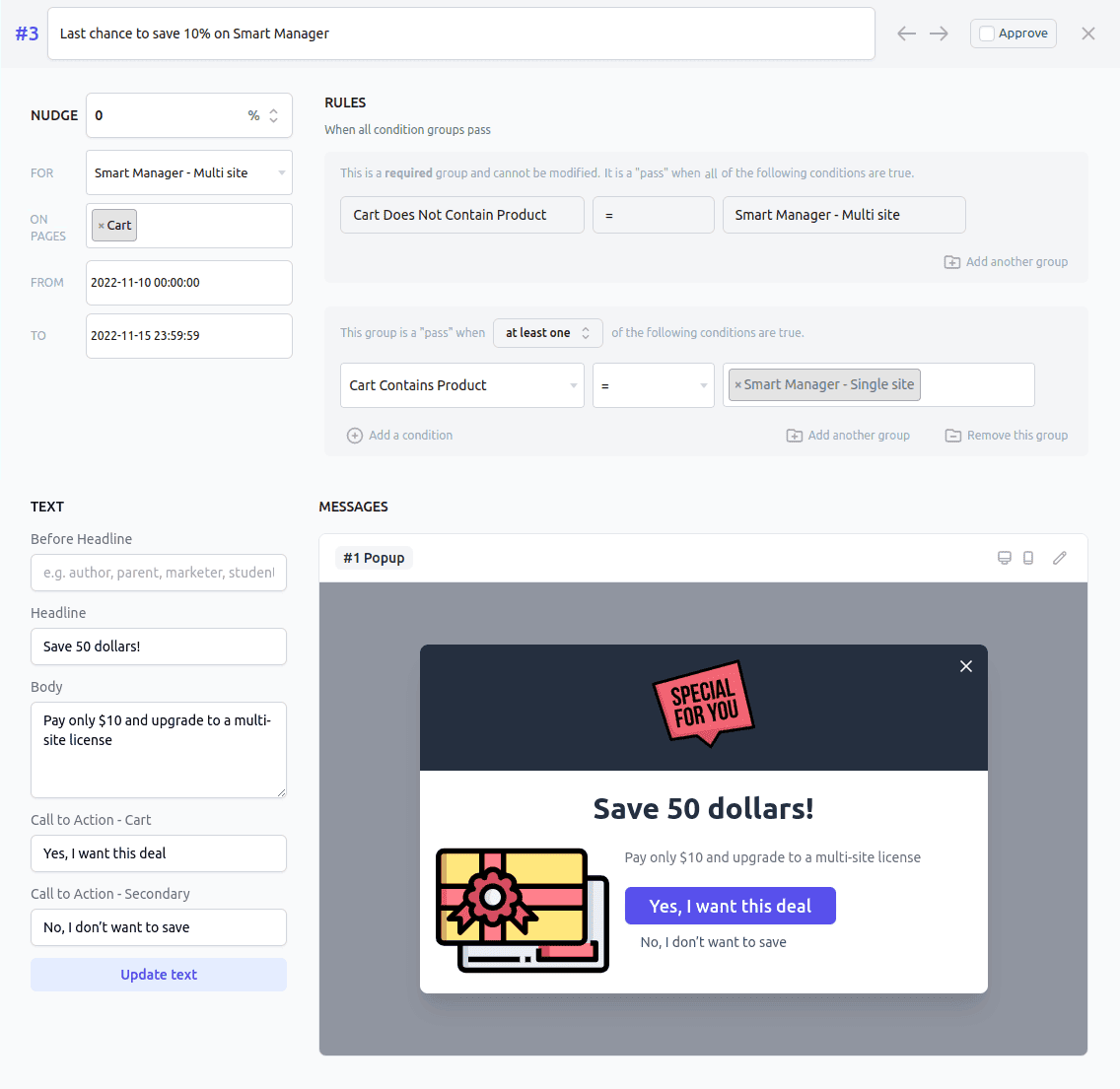
- Offermative is a dedicated tool for upselling and cross-selling. Yes, it is a WooCommerce plugin that is designed for seamless upsell offers on your eCommerce site. These upsell offers are strategic promotions aimed at enticing customers to purchase more or higher-value products related to their initial buy.

With Offermative, you can:
- Create and run automated upsell promotions
- Utilize artificial intelligence for offer generation, design, and targeting
- Choose from various offer types, including discounts, recommendations, and more
Analyzing customer behavior
Understanding what your customers are looking for is crucial.
Analyze their behavior on your site by harnessing the power of data. What are they looking at? What are they ignoring?
Use this data to optimize your website and sales process, and to tailor your offerings.
Tool Suggestion: Google Analytics
Google Analytics is a web analytics service that helps you track and analyze website traffic.
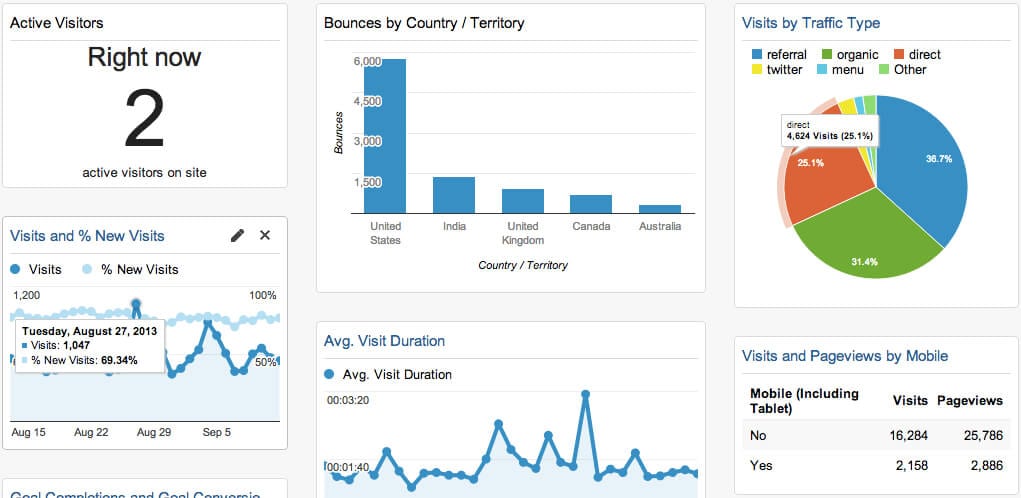
With Google Analytics, you can:
- Gain insights into your website’s performance
- Understand user behavior and preferences
- Track conversion rates and sales
- Measure the effectiveness of your marketing efforts
- Make data-driven decisions to optimize your online presence
Re-target your customers
Not every visitor converts on their first visit.
Use retargeting ads to bring back potential customers who showed interest but didn’t buy. This can be a highly effective way to recover lost WooCommerce sales.
It’s a second chance to convert them.
Tool Suggestion: Putler & Retargeting.biz
- As we mentioned, Putler is quite versatile a tool. Because of such capabilities, it can also help users with retargeting their customers, despite not being a dedicated tool for the same.
Putler’s RFM Segmentation capabilities can help users in this matter. You can dig deeper into RFM Segmentation, here.

To find out customers who need to be retargeted, all you need to do –
- Visit the Customers dashboard in Putler
- Here you will find the RFM Segmentation panel
- Here are the customer segments in the RFM panel that are the ideal picks for your re-targeting endeavors – Need attention, About to Sleep, Hibernating, Can’t lose them, At risk, and Lost.
Putler analyzes your customers’ activities and interactions with your business and segments them automatically into these segments. All you need to do is perform the necessary retargeting endeavor to earn them back.
- Retargeting.biz is the dedicated tool for your retargeting endeavors. It is an all-in-one marketing automation platform for personalized customer retargeting.
With Retargeting.biz, you can:
- Retarget customers by showing them relevant and personalized ads based on their previous behavior or interests on your website or app.
- Use AI to suggest tailored products based on purchase history, cart abandonment, and browsing patterns to boost average order value and customer retention.
- Measure and fine-tune your retargeting campaigns across channels and platforms to enhance return on ad spend and marketing ROI.
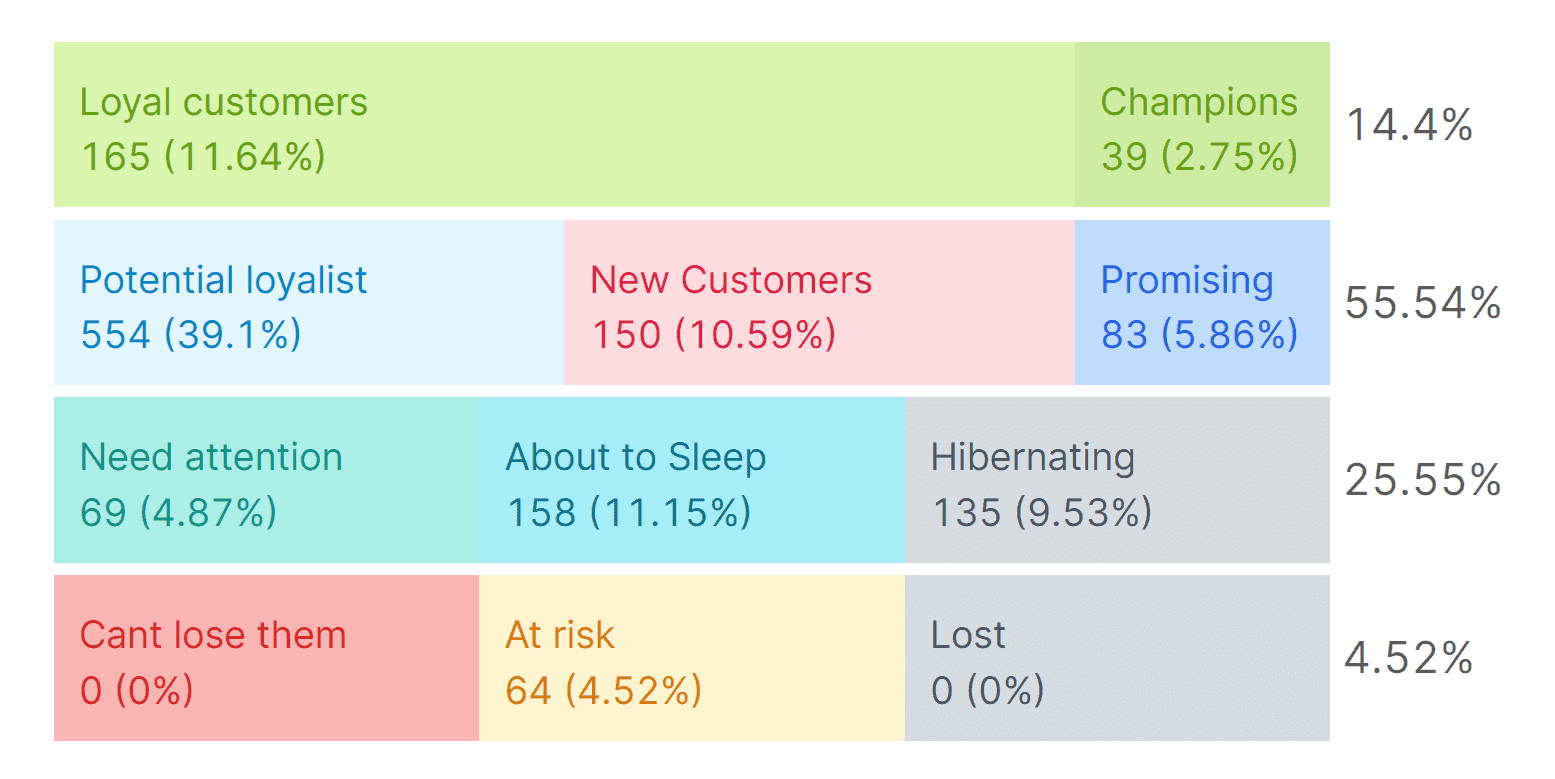
Although Retargeting.biz is a dedicated tool for this strategy, you would be requiring Putler to provide you with your target customer segments for running retargeting campaigns.
Without proper customer segments, all your retargeting campaigns will deliver half-baked results.
Split test and optimize your product descriptions
Product descriptions are key to boosting WooCommerce sales.
But how do you know which description will convert best? By letting your audience decide!
Split testing allows you to show different versions of product descriptions to users, helping you see which resonates more and drives conversions.
Tool Suggestion: Divi by Elegant Themes
Divi is a top WordPress tool for A/B testing your product descriptions, titles, and images.
With smooth WooCommerce integration, Divi’s A/B testing feature shows you exactly which variations resonate most with your audience.
This insight helps you refine product pages for higher conversions and greater sales impact.
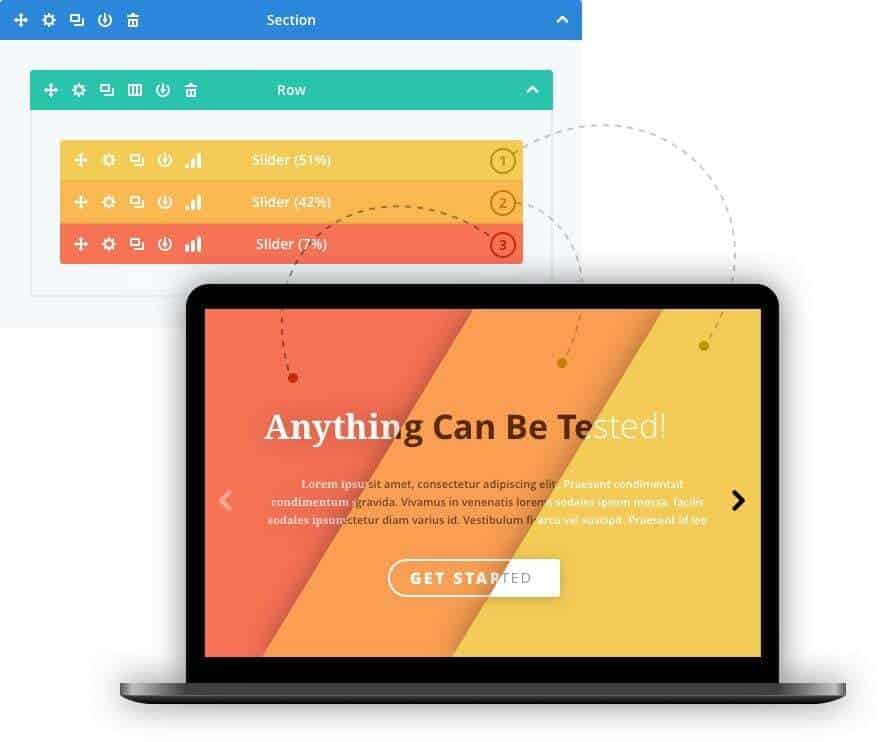
With Divi’s A/B testing feature, you can:
- Split-test product descriptions, images, and product titles to see what works best
- Improve product images and titles for higher conversions
- Access real-time insights and analytics to optimize as you go
This data-driven approach ensures that your WooCommerce store is fully optimized to meet your sales goals.
Tracking, monitoring & implementing your strategy
Consistency is key.
Keep an eye on how these strategies are performing, and be ready to adjust as needed. What worked last month may need tweaking this month.
eCommerce is dynamic, so stay flexible.
Tool Suggestion: Putler
Putler is one of the best WooCommerce plugins to increase sales of your online store. As we mentioned earlier, it helps users by providing them with in-depth reports on products, customers, orders, website traffic, sales, and a lot more.
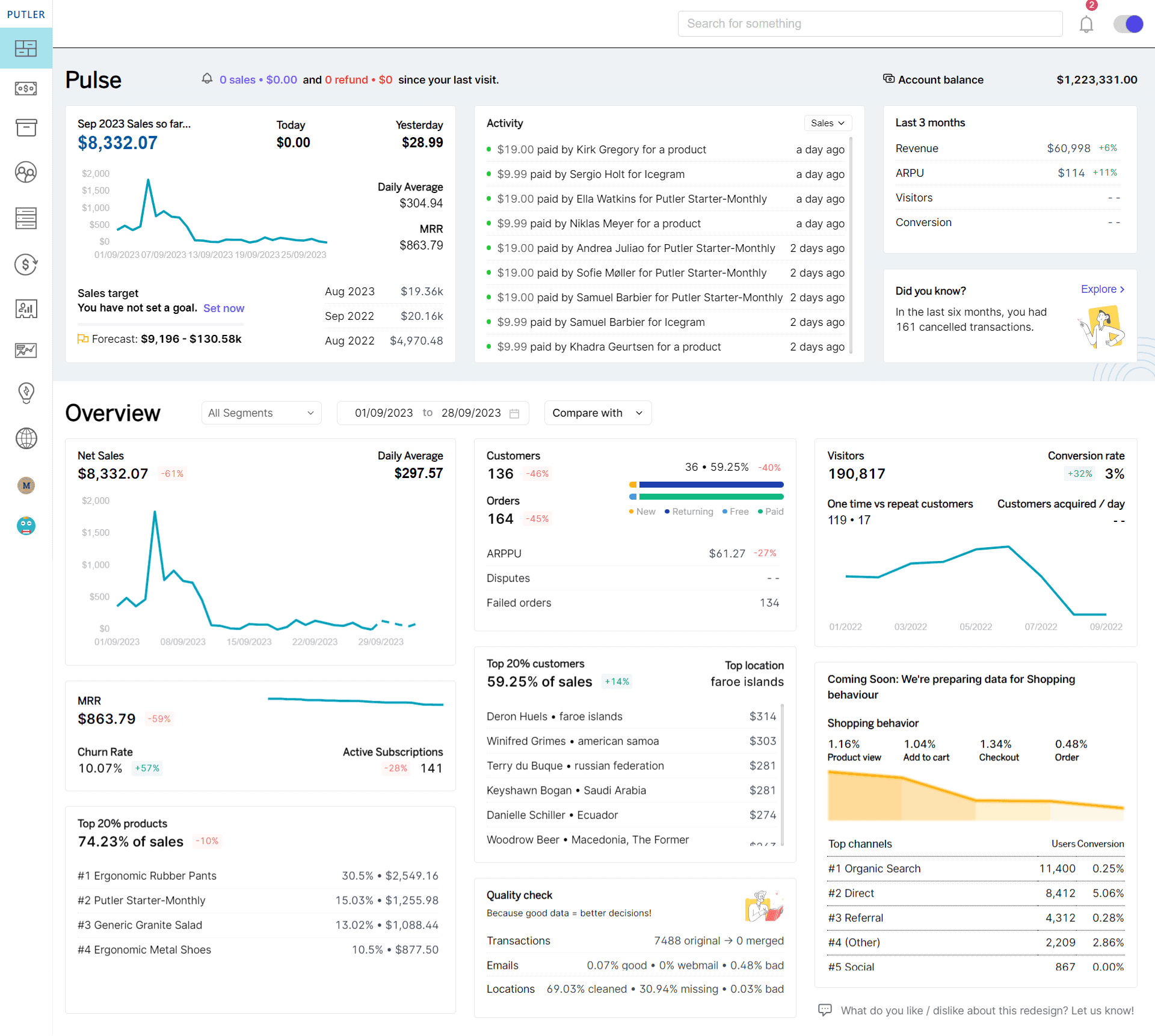
And, thanks to its tracking capabilities, Putler is the ideal tool that can help you monitor and understand how your retargeting endeavors have resulted.
You can get a complete understanding of your increased WooCommerce sales from the Sales dashboard itself.
And, to understand whether retargeted customers from the previously mentioned segments have made new purchases, you can simply do the following –
- Search on Putler with the emails of retargeted customers.
- Once you do this, you will get in-depth customer cards for respective customers.
- Check their purchase history to understand whether your retargeting endeavors have worked.
These are battle-tested strategies that, when used effectively, can be your roadmap to WooCommerce sales success. It’s time to put them into action and watch your sales soar.
Wrapping it up!
Mastering the art of increasing your WooCommerce sales is an ongoing journey. It’s a path that successful WooCommerce stores have walked for years, and with these insights, you’re well on your way to joining their ranks.
As our parting advice, we’d like to underscore a few core principles:
Know Your Store – The heart of your strategy lies in understanding your WooCommerce store inside out. Dive deep into data, metrics, and customer behavior.
Implement Strategies with Confidence – The strategies we’ve shared have been tried and tested. From discounts and loyalty programs to the power of email marketing and re-targeting, trust in these techniques to boost your sales.
Monitor and Adapt – eCommerce is dynamic. Regularly assess the performance of your strategies and be ready to adjust the course. What works today may need fine-tuning tomorrow.
By following these principles, you’re not just increasing WooCommerce sales; you’re forging a stronger, more prosperous path for your online store.
Keep your customers at the center of your efforts, and growth will follow. Just keep adapting, keep learning, and keep refining your approach.
Here’s to your continued success!