

WooCommerce analytics is free and built-in. For a single store with straightforward orders, it does the basics.
But the moment you start selling across multiple platforms, using more than one payment gateway, or needing to understand who your best customers actually are, it runs out of road fast.
No LTV. No RFM segmentation. No cross-platform consolidation. Reporting that refreshes every 12 hours and breaks on updates.
This article covers five WooCommerce analytics alternatives that fill those gaps, we will go deeper into what each one does, who it’s for, and which one fits your store.
What WooCommerce analytics actually gives you
WooCommerce ships with a built-in analytics dashboard covering nine report sections: Revenue, Orders, Products, Categories, Coupons, Taxes, Downloads, Stock, and Customers.
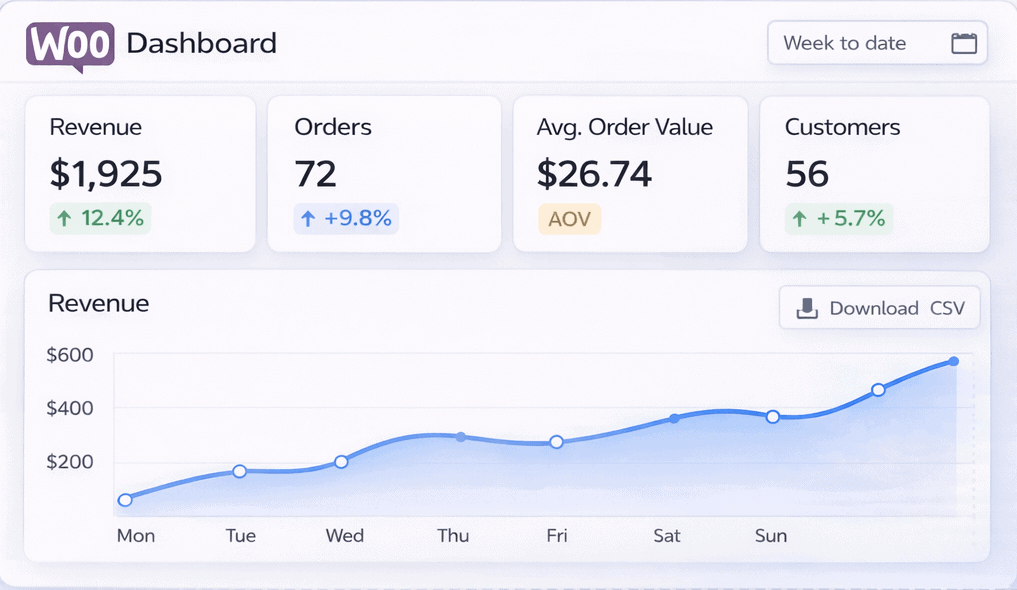
For a basic single-store setup, it covers the essentials. You get period-over-period comparisons, stackable filters, and performance cards showing total sales, net sales, orders, average order value, and returns. CSV export works on most reports.
It is free, requires no setup, and benefits from years of WooCommerce community documentation.
That is where the good news ends.
Why WooCommerce analytics falls short for growing stores
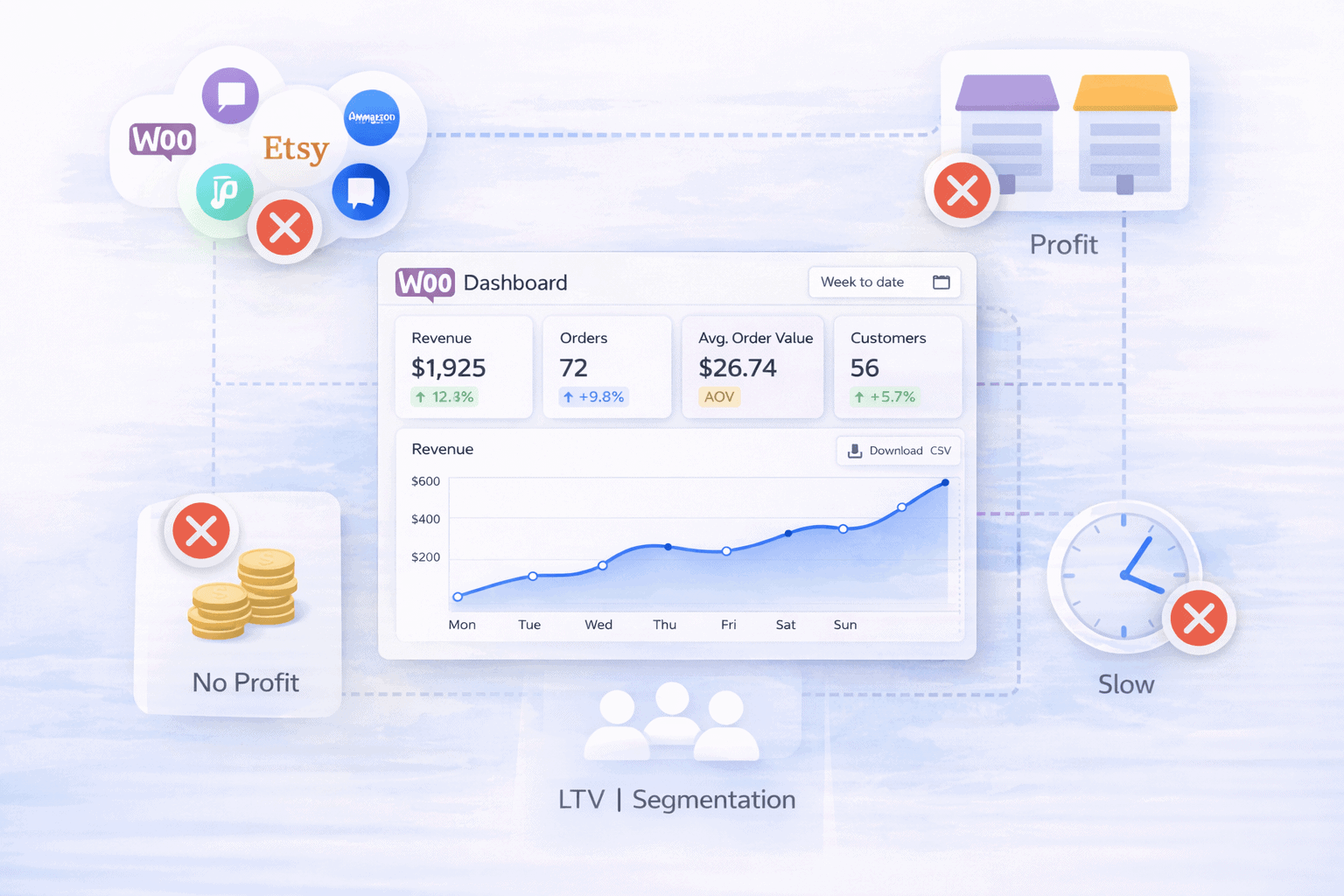
It only sees WooCommerce data
This is the fundamental problem. Your WooCommerce dashboard has no idea what happens outside your store.
Sell on Etsy. List on Amazon. Accept payments through PayPal alongside Stripe. Run a second WooCommerce store. None of it appears.
Every platform generates its own report. You piece them together manually, usually in a spreadsheet, usually with errors.
And when the same transaction appears in both WooCommerce and your payment gateway, there is no deduplication. The same sale gets counted twice.
No customer lifetime value or RFM segmentation
The Customers report in WooCommerce shows new versus returning customers. That is roughly where it stops.
There is no customer lifetime value calculation. No way to identify your champions versus your at-risk buyers. No segmentation by purchase behavior, spend level, or recency.
No way to know which customers are about to churn before they actually do.
For a store doing any meaningful volume, this is a serious blind spot.
No product profitability
WooCommerce added a Cost of Goods Sold data field in version 10.3. There is just one problem. No usable profit report was built on top of it. The field exists. The analytics do not.
Calculating actual product margin still requires exporting orders to a spreadsheet and doing the maths manually.
Reporting is slow and unreliable
WooCommerce 10.5 changed the default analytics refresh to run every 12 hours. Not real-time. Not hourly. Twice a day.
Users on WordPress.org support forums describe analytics that stop loading after updates, data that disappears after clearing cache, and exports that never arrive.
GitHub tracks confirmed bugs across multiple versions: analytics not matching overview data, negative net sales appearing randomly, analytics broken after the 9.9.4 and 10.4 updates.
Multi-currency and multi-store are blind spots
WooCommerce’s own documentation states it plainly: “Multi-currency functionality is not supported, which may result in inaccurate analytics for stores operating in multiple currencies.”
Run two WooCommerce stores? There is no combined view. Each store lives in its own dashboard. Reconciling performance across stores means logging in separately and comparing manually.
5 best WooCommerce analytics alternatives
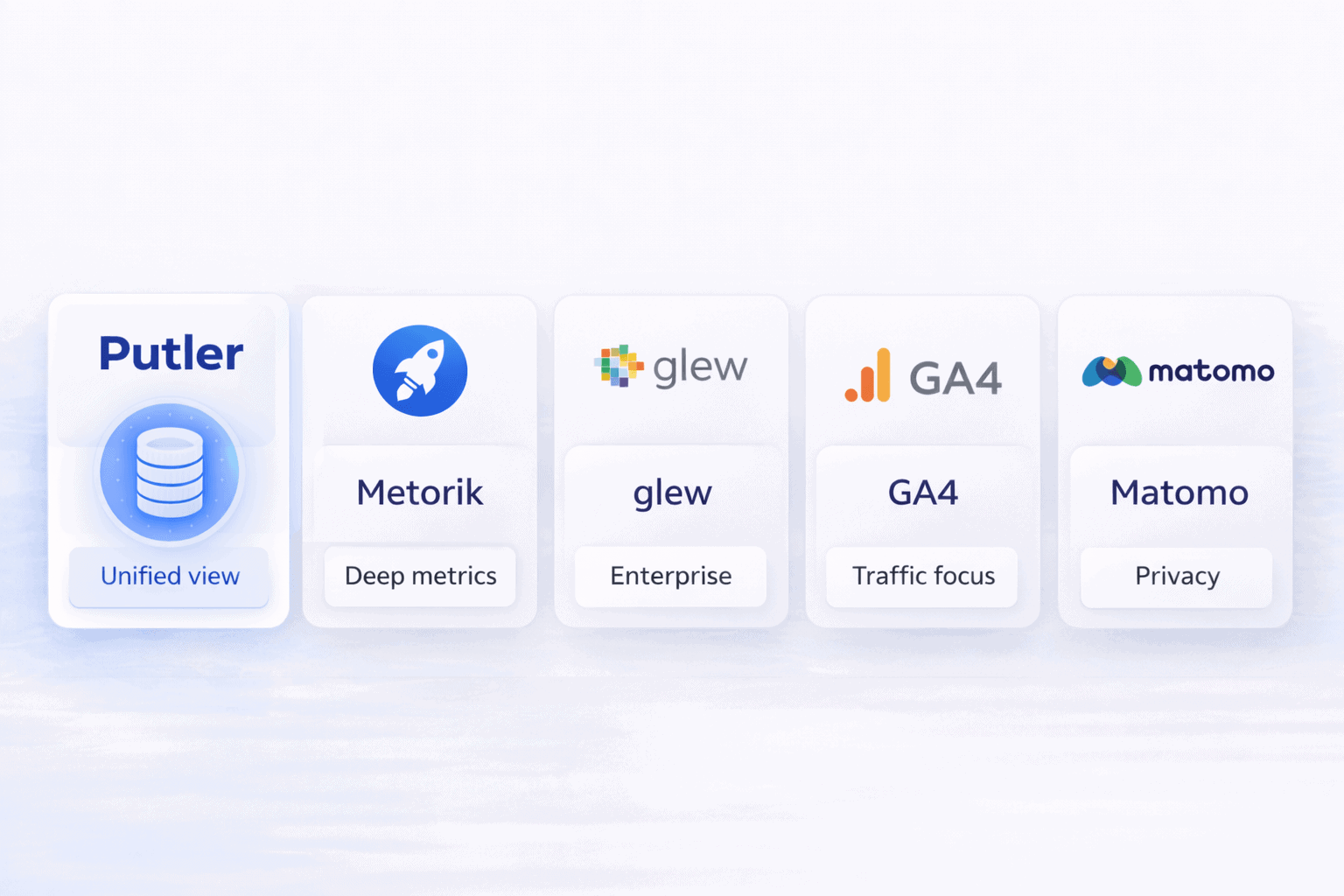
Here are top 5 WooCommerce analytics alternatives.
1. Putler: best for multi-platform WooCommerce sellers
Putler is a multichannel eCommerce analytics platform that connects 17+ data sources and consolidates everything into one unified dashboard. It covers 200+ KPIs across 9 dedicated dashboards and handles both eCommerce and SaaS revenue in the same view.
For WooCommerce sellers who also sell elsewhere like Etsy, Amazon, eBay, Shopify or accept payments through PayPal and Stripe alongside WooCommerce, Putler is the only tool on this list that brings all of it together and deduplicates it automatically.
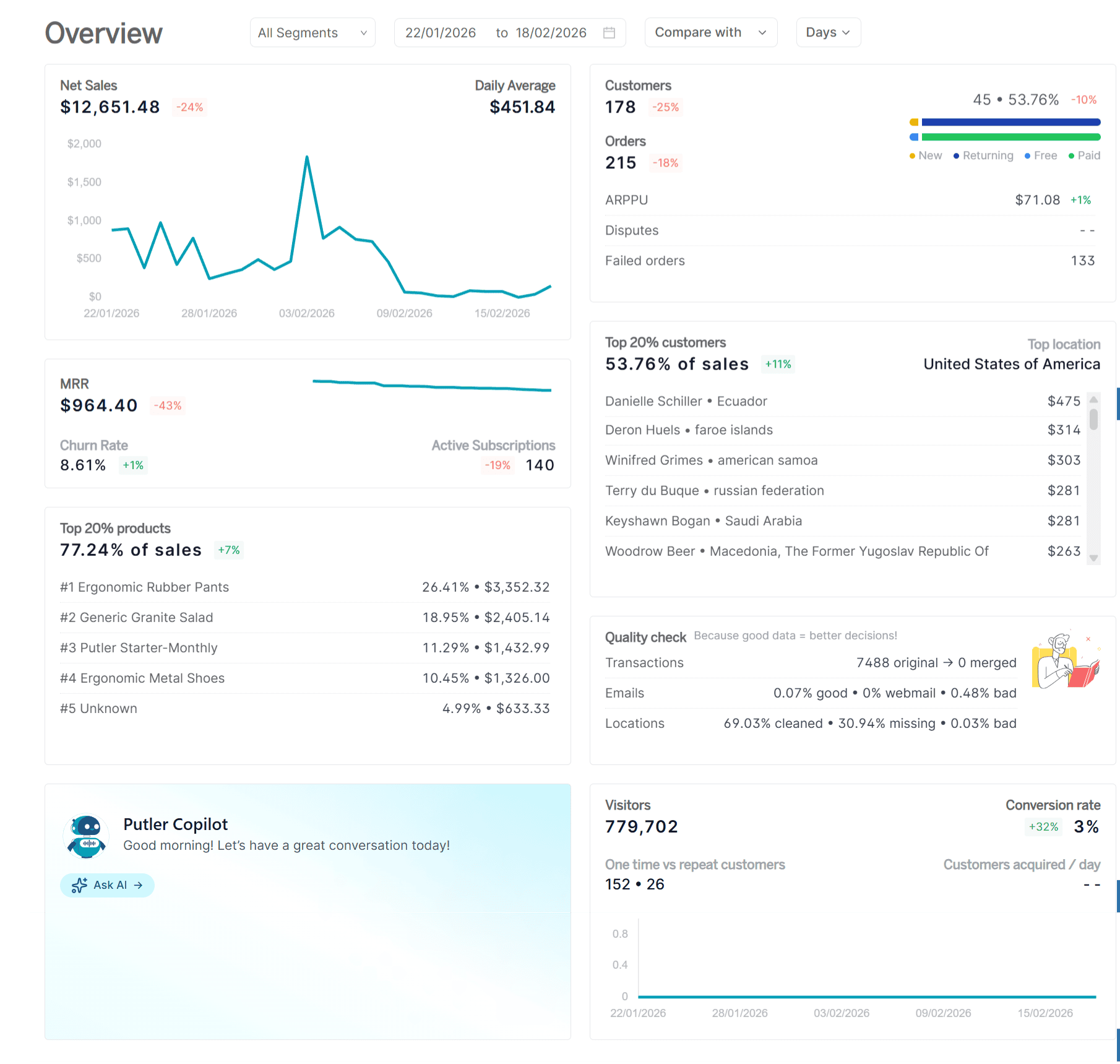
Platforms it connects to:
- Payment gateways: PayPal, Stripe, Braintree, Razorpay, Authorize.Net, 2Checkout
- eCommerce platforms and marketplaces: WooCommerce, Shopify, BigCommerce, Easy Digital Downloads, Etsy, Amazon, eBay, Gumroad
- Analytics and marketing: Google Analytics, Google Search Console, Mailchimp
Key features:
- Data consolidation and deduplication fixes 100+ data problems including duplicates, currency mismatches, and timezone misalignment.
- RFM segmentation sorts every customer into 11 groups with built-in action recommendations and Mailchimp or CSV export.
- Unified customer profiles show full purchase history, LTV, refund records, and revenue contribution across all platforms in one place.
- Product analysis applies 80/20 Pareto to find top revenue drivers with refund rates, variation tracking, and products-bought-together insights.
- Sales heatmap plots revenue intensity across days and hours so you know exactly when to run campaigns and cut ads.
- Transaction management lets you search any order and issue refunds directly without touching PayPal or Stripe.
- Revenue forecasting projects the next 12 months with customer forecasts and a 10X growth calculator.
- SaaS metrics covers MRR, ARR, churn, upgrades, and downgrades alongside one-time revenue in one dashboard.
Pricing:
| Monthly Revenue | Monthly Price |
|---|---|
| Up to $10K | $20/month |
| $10K–$30K | $50/month |
| $30K–$50K | $100/month |
| $50K–$100K | $150/month |
| $100K–$200K | $250/month |
| $200K–$500K | $350–$500/month |
| $500K–$1M | $750/month |
14-day free trial. No credit card required. First month $1.
What users say:
“I spend a lot of time getting an overview with Excel, but when I got Putler, I have an overview for Amazon, eBay, Etsy, Shopify. I don’t need to do Excel anymore.” — G2 reviewer
“I was going to close up my business until I got Putler. Putler helped me understand which products were selling more and why.” — Stephan, 6-year Putler user
Pros:
- Only tool on this list connecting WooCommerce, Etsy, Amazon, eBay, PayPal, and Stripe simultaneously
- Automatic deduplication eliminates double counting across payment gateways
- RFM segmentation identifies your best and most at-risk customers automatically
- Revenue forecasting and sales heatmap not available in any free tool
- Starts at $20/month with revenue-based pricing that drops when your revenue drops
Cons:
- No native Facebook Ads or Google Ads integration
- Dashboard density can feel overwhelming initially
- No dedicated mobile app
Best for: WooCommerce sellers who also sell on other platforms or use multiple payment gateways and need consolidated, deduplicated revenue analytics without enterprise pricing.
2. Metorik: best for WooCommerce-only deep analytics
Metorik is a cloud-based analytics and email marketing platform built specifically for WooCommerce and Shopify. A former WooCommerce core engineer created it.
It serves 8,000+ stores and replaces the limited native WooCommerce reporting with a polished, fast, data-rich experience.
If your entire business runs through WooCommerce and you want the deepest possible analytics without building a custom data stack, Metorik is the strongest WooCommerce analytics tool available.
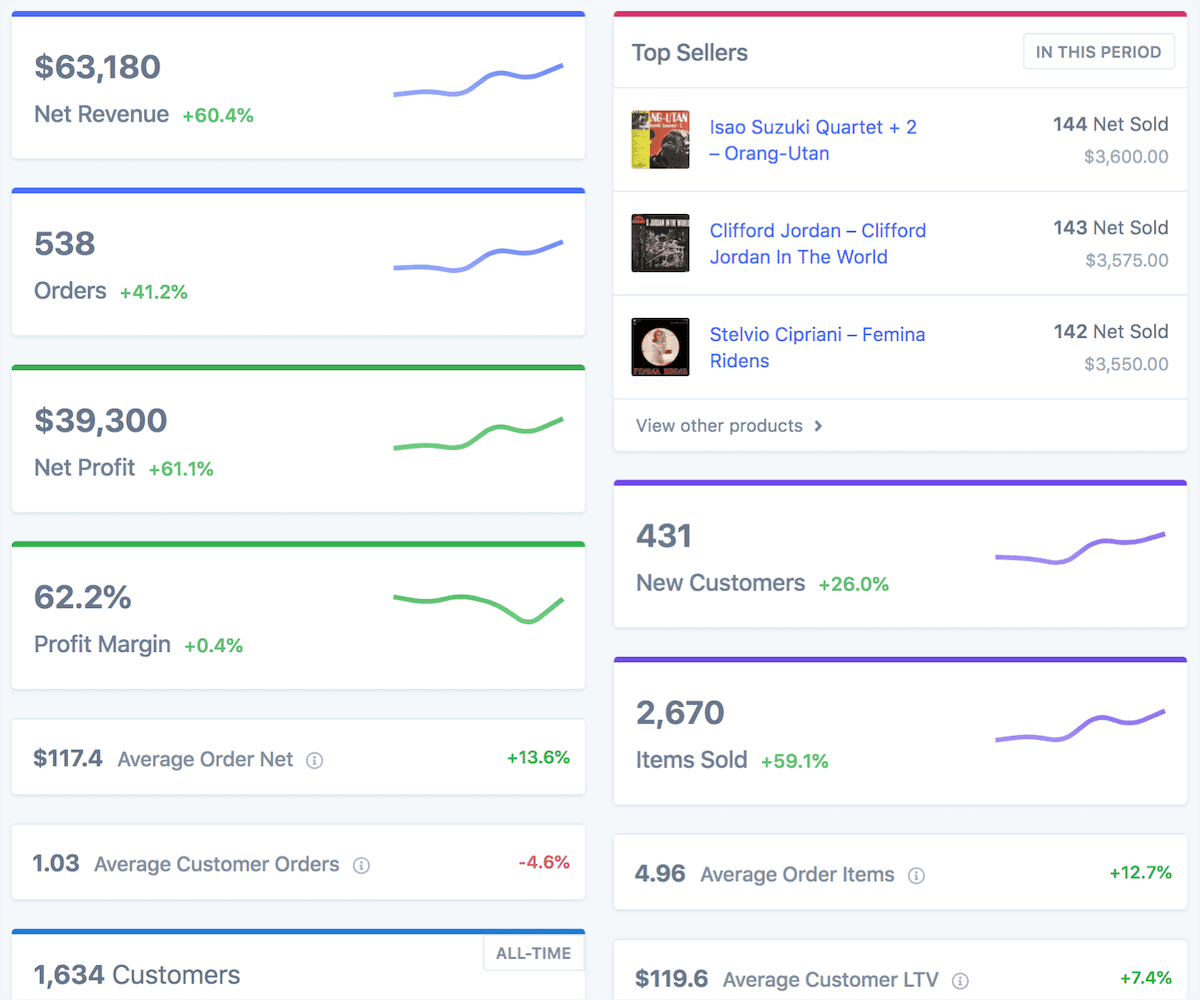
Platforms: WooCommerce and Shopify only. No Amazon, Etsy, eBay, or marketplace connections.
Key features: 100+ KPIs, 500+ filter criteria for advanced customer and order segmentation, cohort analysis, cost and profit reporting with full COGS tracking (including ad spend from Meta, Google, TikTok, and Pinterest), WooCommerce Subscriptions reporting with MRR and churn, built-in email marketing with abandoned cart recovery, multi-store support for same-platform stores.
Pricing:
| Monthly Orders | Approx. Price |
|---|---|
| Up to 100 | $25/month |
| Up to 500 | $50/month |
| Up to 2,500 | $100/month |
| Up to 10,000 | $250/month |
30-day free trial. No credit card required.
What users say:
“Without Metorik we would be lost. We’re using Metorik basically every moment of the day, for everything.” — G2 reviewer
“Metorik’s incredibly fast dashboards are an excellent alternative to the sometimes laggy native WooCommerce admin pages. This service paid for itself for a year in less than a month.” — WordPress.org reviewer
Pros:
- Best-in-class WooCommerce analytics depth
- COGS and profit tracking built in, fills the gap WooCommerce left open
- WooCommerce Subscriptions reporting with MRR and churn
- All features included at every pricing tier
- Outstanding customer support
Cons:
- WooCommerce and Shopify only, no marketplace or multi-channel data
- No payment gateway consolidation
- Pricing scales with order volume
Best for: WooCommerce-only stores that want serious analytics depth and do not sell on external marketplaces.
3. Glew: best for mid-market multi-channel retailers
Glew is an end-to-end commerce data platform connecting 170+ integrations into pre-built dashboards and Looker-powered custom reporting. Everest Group acquired it in March 2026. It serves mid-sized to enterprise retailers managing multiple brands and channels.
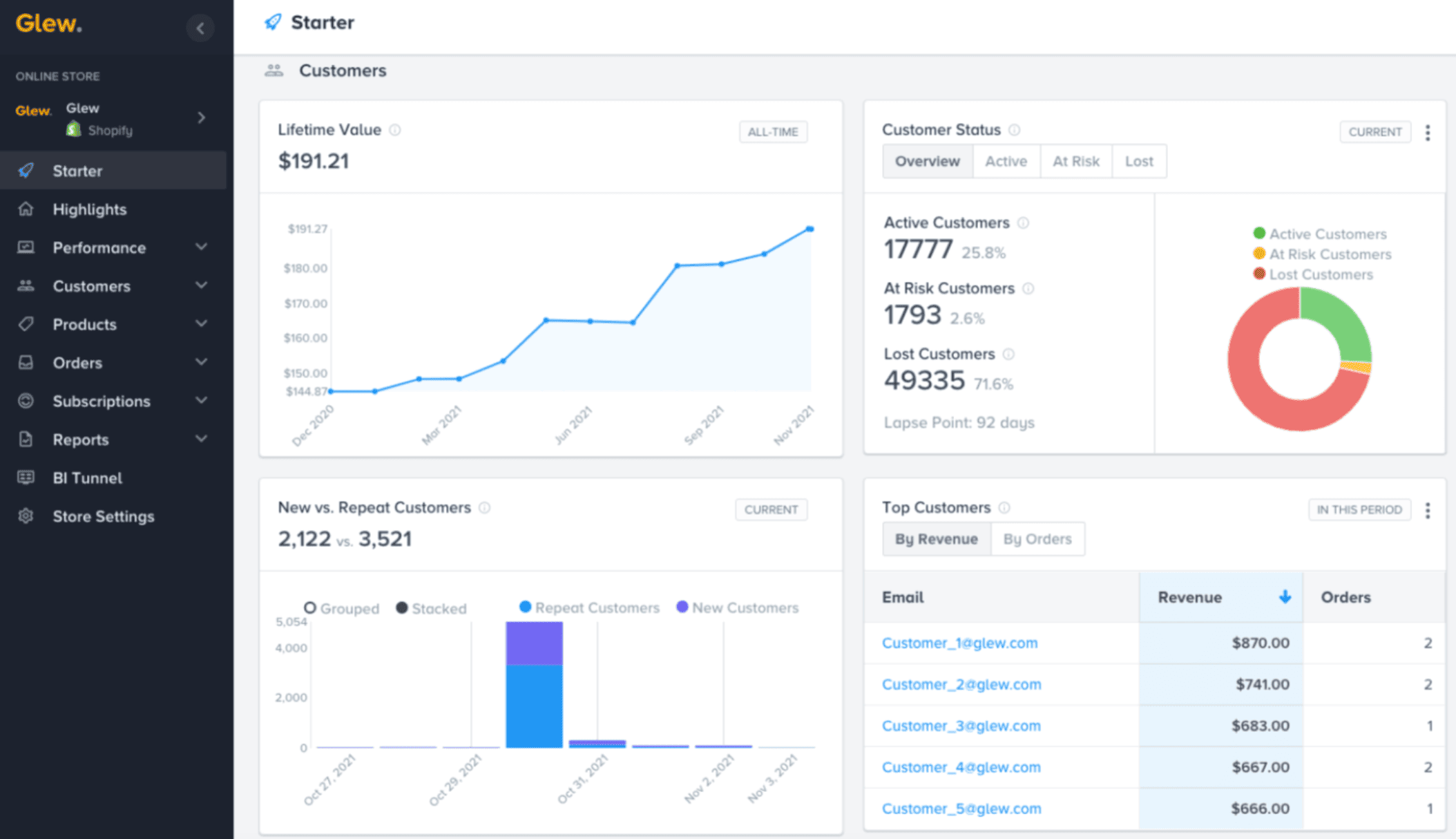
Platforms: Shopify, WooCommerce, BigCommerce, Magento, Salesforce Commerce Cloud. No Etsy or eBay integration.
Key features: 250+ pre-built KPIs, 30+ customer segments, product profitability tracking, LTV analysis, subscription analytics, automated Klaviyo and Mailchimp segment syncing, multi-store and multi-brand aggregation, Looker-powered custom reporting on Plus tier.
Pricing: Not publicly listed. Estimated at $199/month for brands under $1M revenue, scaling to $399–$599/month and above. Annual prepayment required.
Pros:
- 170+ integrations across commerce, marketing, POS, and ERP systems
- Strong product and inventory analytics with profitability tracking
- Looker-powered BI for custom reporting
Cons:
- No Etsy or eBay integration
- Annual prepayment only with difficult cancellation
- Slow loading speeds and inconsistent support flagged in reviews
- Opaque pricing requires a sales call
- Recently acquired with uncertain product direction
Best for: Mid-market retailers at $1M+ revenue selling across Shopify, WooCommerce, and BigCommerce who need enterprise-grade analytics.
4. Google Analytics 4: best free option for traffic analysis
GA4 is Google’s free, event-based web analytics platform. WooCommerce sellers connect it through plugins like MonsterInsights (3M+ installs) or GTM4WP. It tracks user behavior across web and app, integrates natively with Google Ads, and provides predictive metrics for qualifying stores.
For understanding where your traffic comes from and how visitors move through your store, GA4 is the most capable free option available.
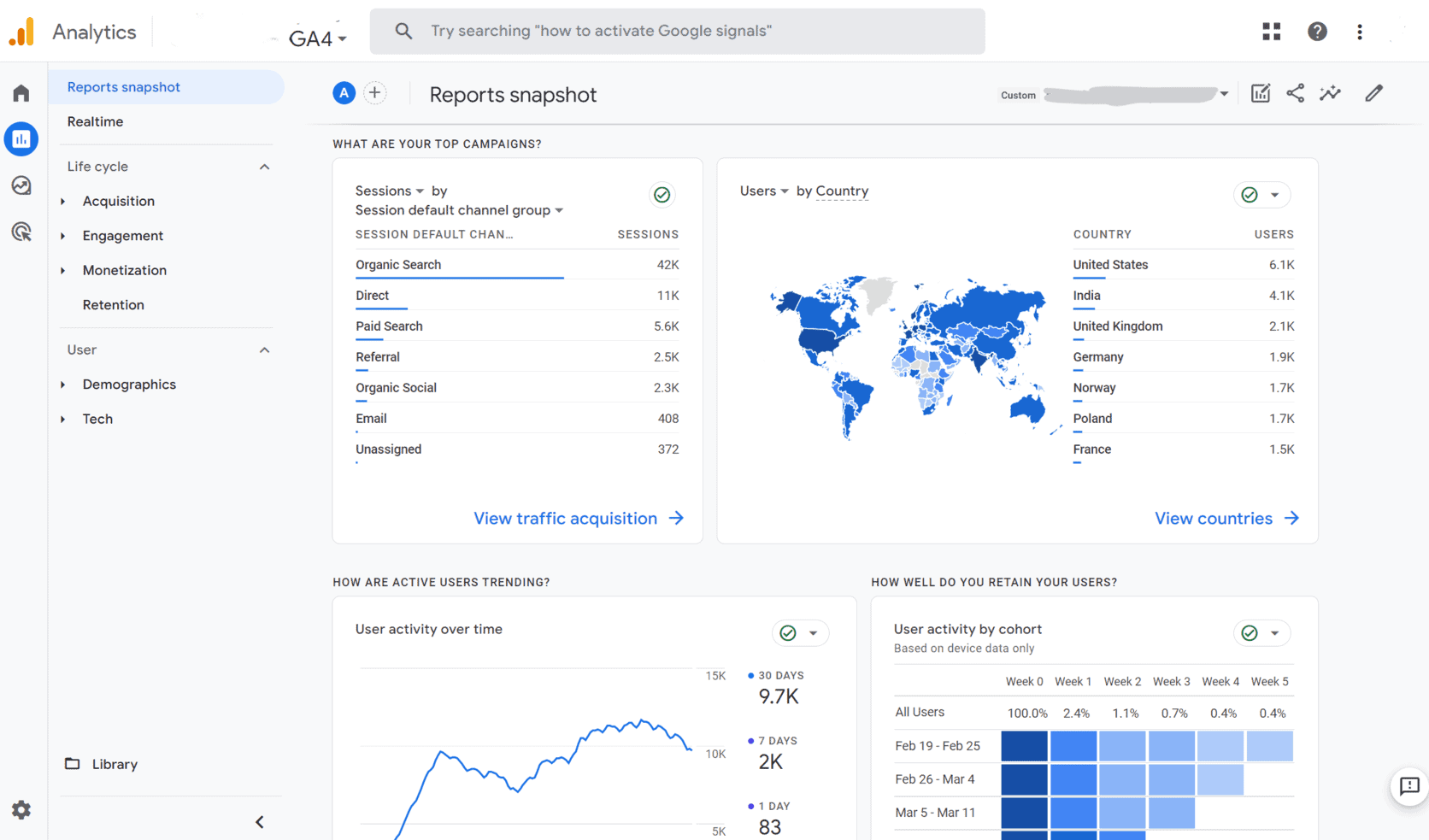
Platforms: Website and app tracking only. No multi-channel consolidation.
Key features: Full purchase funnel tracking (view to checkout to purchase), conversion tracking, audience segmentation, Google Ads integration, BigQuery export for custom analysis, real-time reporting, consent mode for GDPR compliance.
Pricing: Free.
Pros:
- Completely free
- Deep Google Ads integration
- BigQuery export for advanced analysis
- Massive ecosystem of plugins, guides, and developer support
Cons:
- Understates eCommerce revenue by 10 to 20% due to ad blockers and consent rejection
- Payment gateway redirects (PayPal, Klarna) break purchase tracking
- No product profitability or COGS
- No true customer LTV
- Steep learning curve requiring GTM and plugins
- Cannot consolidate multi-channel sales
Best for: WooCommerce sellers who need free website traffic analysis and Google Ads attribution. Should be used alongside, not instead of a dedicated eCommerce analytics tool.
5. Matomo: best for privacy-first WooCommerce analytics
Matomo is the leading open-source Google Analytics alternative, used by 1.4 million+ websites across 190+ countries. It offers 100% data ownership, zero data sampling, and built-in GDPR compliance. WooCommerce sellers can use it self-hosted (free) or as a cloud SaaS.
For EU-based stores, regulated industries, or any seller who does not want their data processed by Google, Matomo is the strongest privacy-first WooCommerce analytics solution available.
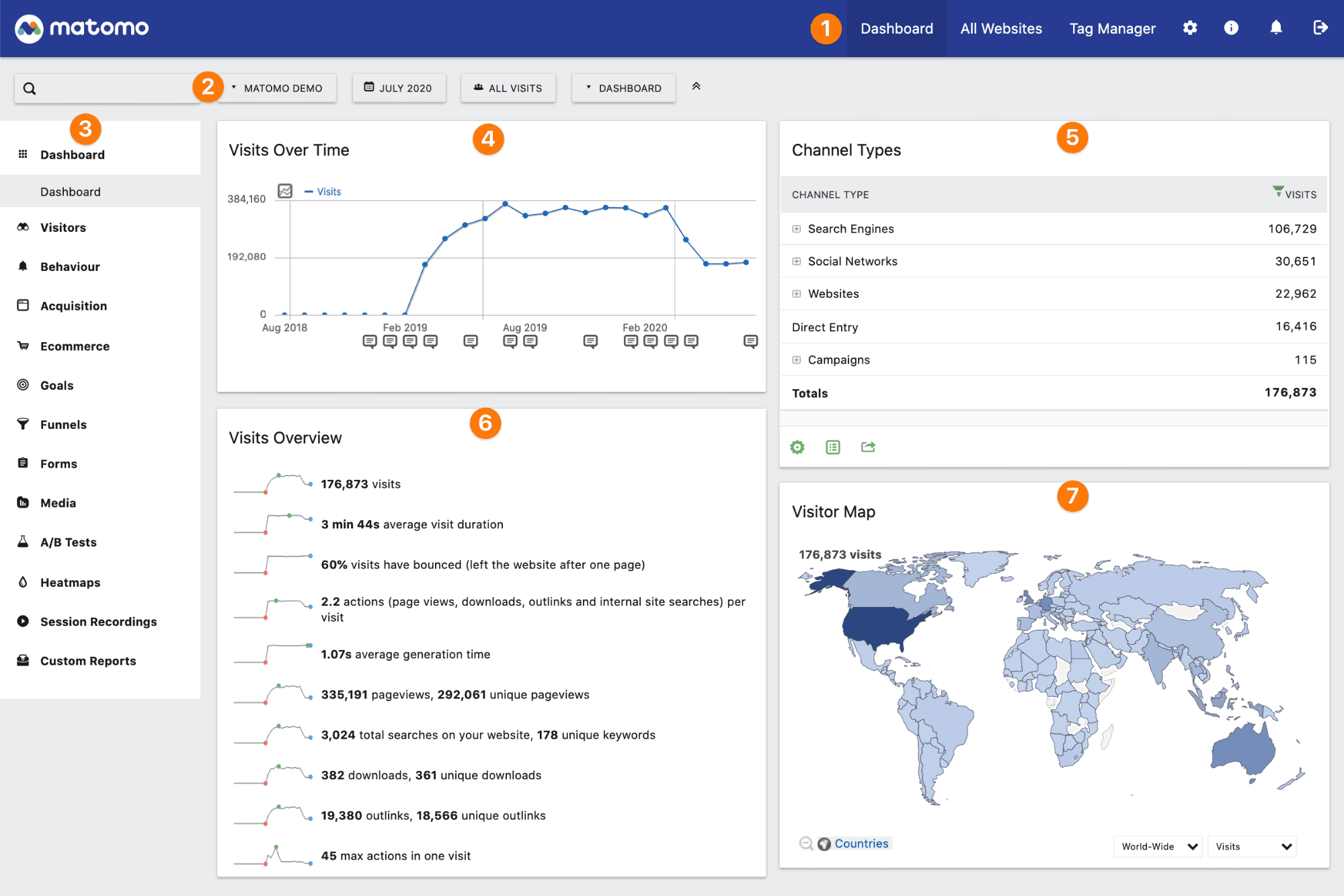
Platforms: Website and app tracking. Official WooCommerce Analytics plugin tracks orders, revenue, and product performance server-side, meaning purchases are captured even when visitors use ad blockers.
Key features: eCommerce dashboard with order counts, revenue per visit, conversion rates, and AOV. Product performance reports. Channel/acquisition analysis. Individual visitor profiles and session logs. WooCommerce Subscriptions support. Cookie-less tracking option. Heatmaps, session recordings, funnels, and A/B testing on premium plans.
Pricing:
| Option | Price |
|---|---|
| Self-hosted (open source) | Free (WooCommerce plugin ~€39/year) |
| Cloud SaaS | From €29/month (~$31) |
21-day cloud trial. No credit card required.
Pros:
- Free self-hosted option with full data ownership
- 100% data accuracy, no sampling, no Google data sharing
- GDPR/CCPA compliant out of the box
- Ad-blocker resistant server-side tracking for WooCommerce orders
- Familiar interface, easier than GA4 for UA Analytics users
Cons:
- Self-hosted requires technical knowledge to set up and maintain
- Premium plugins (funnels, heatmaps) add cost on self-hosted
- No native Google Ads integration
- No multi-channel sales consolidation
- Smaller community than GA4
Best for: Privacy-conscious WooCommerce sellers, EU-based businesses needing strict GDPR compliance, or technically capable sellers who want free analytics without sharing data with Google.
WooCommerce analytics alternatives compared
| Feature | Putler | Metorik | Glew | GA4 | Matomo |
|---|---|---|---|---|---|
| Starting price | $20/month | $25/month | ~$199/month | Free | Free / €29/month |
| Free trial | 14 days | 30 days | Yes | Free tier | 21-day cloud |
| WooCommerce support | Yes | Yes, native | Yes | Yes, via plugins | Yes, plugin |
| Multi-channel | Yes | No | No | No | No |
| Payment gateway consolidation | Yes | No | No | No | No |
| Data deduplication | Yes, automatic | No | No | No | No |
| Customer LTV | Yes, cross-platform | Yes, WooCommerce only | Yes | Unreliable | Limited |
| RFM segmentation | Yes, 11 groups | No | Yes, 30+ segments | No | No |
| Product profitability | No | Yes | Yes | No | No |
| Revenue forecasting | Yes | Yes | No | No | No |
| Sales heatmap | Yes | No | No | No | Premium only |
| SaaS metrics | Yes, MRR, ARR, churn | Yes, WooCommerce only | Yes | No | No |
| GDPR focus | Standard | Standard | Standard | Cookie issues | Best in class |
| Best for | Multi-channel sellers | WooCommerce stores | Mid-market DTC | Free traffic analysis | Privacy first |
How to choose the right WooCommerce analytics tool for your store
The right choice depends on three things: where you sell, what problem you most need to solve, and your budget.
Start with where you sell:
| If you sell on… | Best fit |
|---|---|
| WooCommerce plus Etsy, Amazon, eBay, PayPal, or Stripe | Putler |
| WooCommerce only with no other platforms | Metorik |
| WooCommerce, Shopify, BigCommerce at scale ($1M+) | Glew |
| WooCommerce with focus on traffic and ad attribution | GA4 |
| WooCommerce with EU privacy requirements | Matomo |
Match the tool to your primary problem:
| Primary problem | Best fit |
|---|---|
| Revenue double counting across gateways | Putler |
| No visibility into product profit margins | Metorik or Glew |
| No customer segmentation or LTV | Putler or Metorik |
| Ad blockers hiding traffic data | Matomo |
| Google Ads attribution | GA4 |
| Multi-brand omnichannel consolidation | Glew |
Match the tool to your budget:
| Budget | Best fit |
|---|---|
| Free | GA4 or Matomo (self-hosted) |
| Under $50/month | Putler (up to $30K/month revenue) or Metorik |
| $50–$200/month | Putler or Metorik |
| $200+/month | Glew |
Get more from your WooCommerce store analytics
The five WooCommerce analytics alternatives in this list each solve a specific piece of that problem.
GA4 and Matomo cover your traffic and web behavior layer. Glew handles enterprise-scale multi-brand reporting for larger operations.
Metorik goes deeper than any other tool on WooCommerce-specific analytics, with COGS tracking and Subscriptions reporting built in.
But for WooCommerce sellers who do not run a pure single-store operation, who also sell on Etsy, list on Amazon, accept PayPal alongside Stripe, or run a second store on a different platform.
- WooCommerce Analytics: Complete Guide to Successful WooCommerce Reporting
- WooCommerce Reports: A Detailed Guide
- Best WooCommerce Reporting Plugins of 2024
- eCommerce Data Consolidation: How Putler Connects and Cleans Data from 17+ Sources
- Your eCommerce Dashboard: One Screen to Replace Five Tabs and Thirty Minutes