
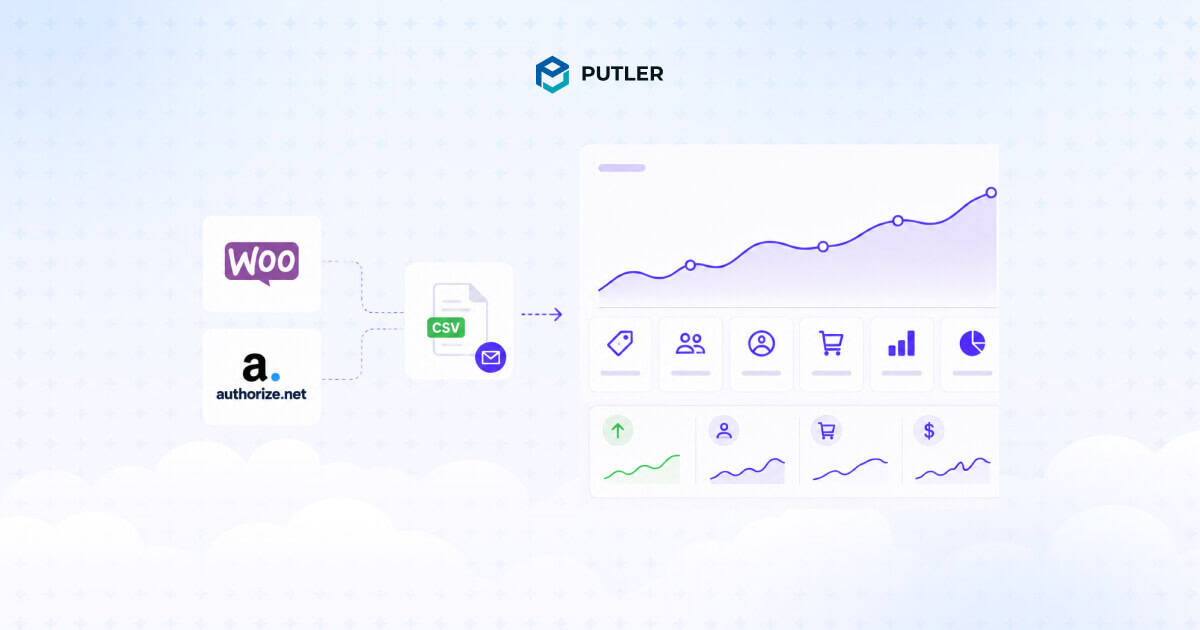
WooCommerce supports Authorize.Net as a payment gateway, and once it is connected, every card and eCheck payment flows through your store automatically.
Getting paid is the easy part. Seeing what those payments actually mean for the business is where most store owners get stuck.
This article walks through the full journey: connecting Authorize.Net to WooCommerce, setting up reporting through the official extension, and understanding where CSV-based reporting stops being useful.
It also covers what real WooCommerce Authorize.Net reporting should show you, and how to get there.
By the end, you will know exactly which reporting setup fits your store, whether that is a daily CSV email or a full analytics dashboard.
Does WooCommerce support Authorize.Net?
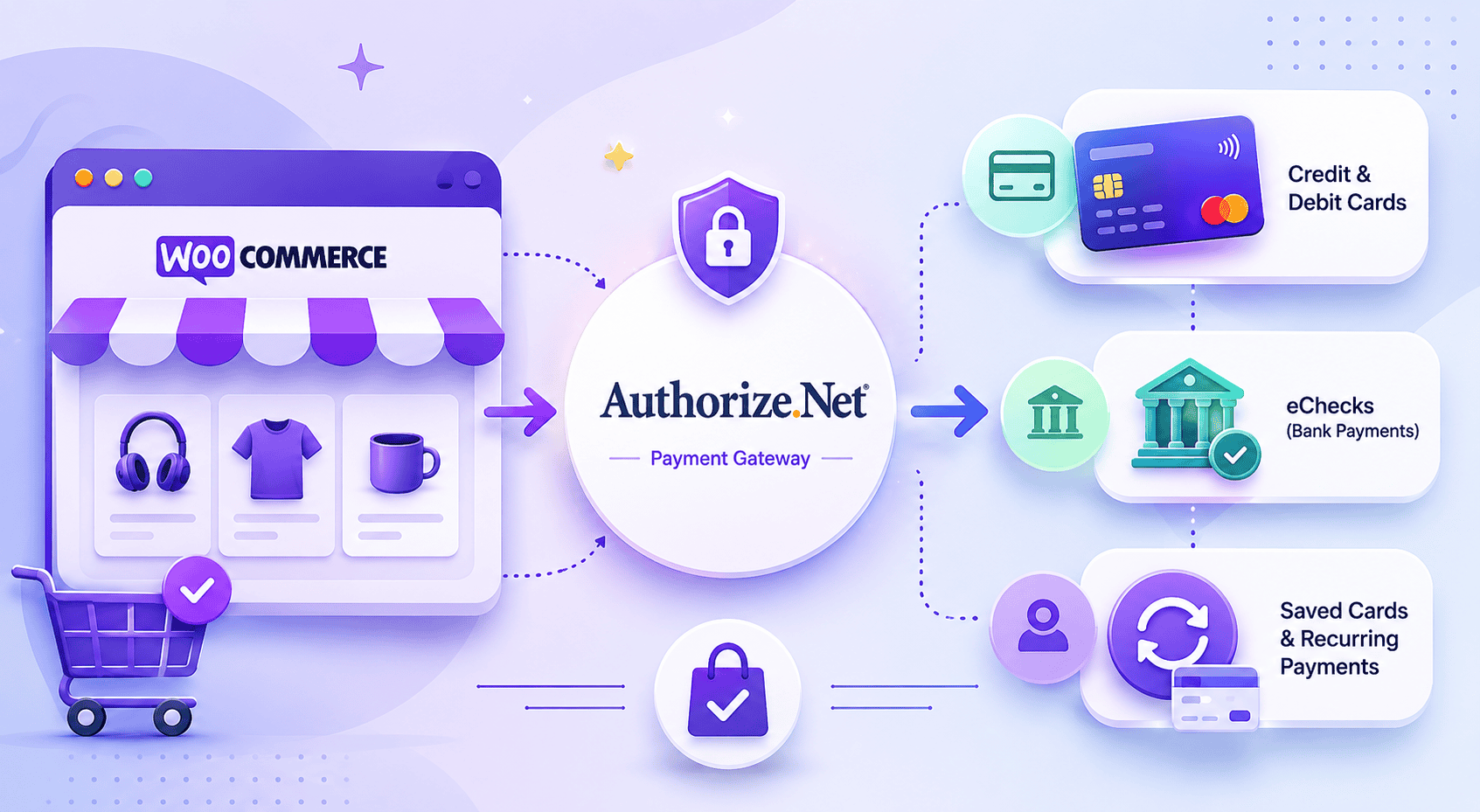
Yes. Authorize.Net is one of the payment gateways supported by WooCommerce, available through the official WooCommerce Authorize.Net gateway extension sold on the WooCommerce.com marketplace.
The gateway extension handles payment processing. It lets your store accept:
- Credit and debit cards: Visa, Mastercard, American Express, Discover, and more, processed directly on your store.
- eChecks: bank account payments through the Authorize.Net eCheck.Net service.
- Tokenized and saved cards: customers can store a card for faster repeat checkout, which also powers recurring billing.
One thing to be clear about upfront: the gateway extension processes payments, but it does not give you reporting.
Payment processing and reporting are two separate functions handled by different tools. That distinction matters for the rest of this article, so it is worth holding onto.
How to set up Authorize.Net on your WooCommerce store
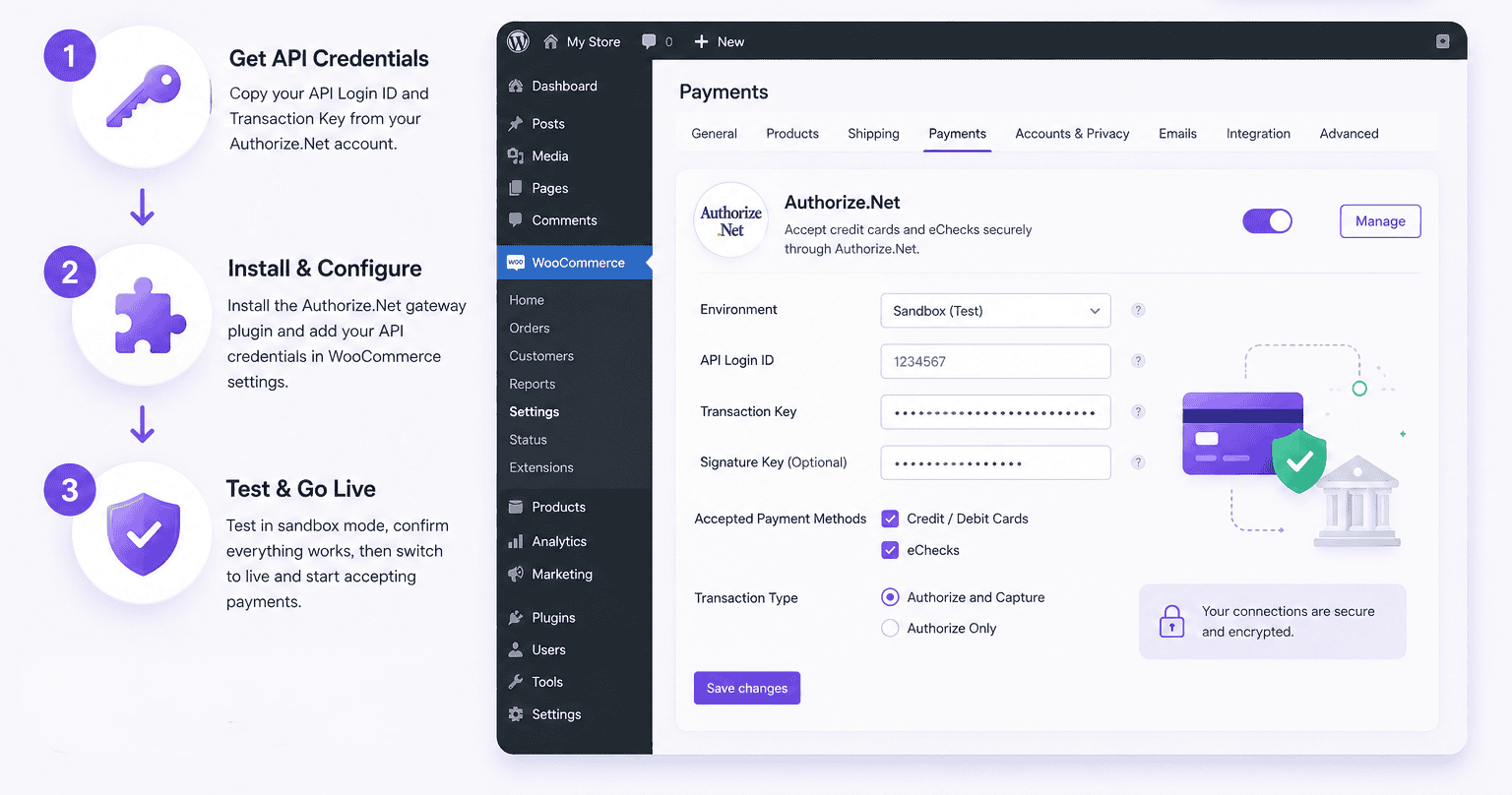
Setting up Authorize.Net on WooCommerce takes three steps: gather your API credentials, install and configure the gateway, and test in sandbox mode before going live.
What you need before you start
Authorize.Net authenticates your store using API credentials, not your login password.
You will need two values, both generated inside the Authorize.Net Merchant Interface under Account, then API Credentials & Keys:
- API Login ID: a public identifier for your Authorize.Net account.
- Transaction Key: a secret key that authorizes API requests. Generate a new one if you do not have it saved, because it is shown only once.
Here’s how to get your Authorize.Net API Login ID and Transaction Key.
There is also a third value, the Signature Key, but it is optional. You only need it if you want to enable webhooks so WooCommerce receives account updates from Authorize.Net.
For a standard setup, the Login ID and Transaction Key are enough.
Keep these values somewhere safe. The Transaction Key and Signature Key both function like passwords, so they should never be shared in plain text or pasted into a public document.
Installing and configuring the WooCommerce Authorize.Net gateway
Once you have the credentials, the setup inside WordPress is short:
- Buy and download the WooCommerce Authorize.Net gateway extension from WooCommerce.com.
- In your WordPress admin, go to Plugins, then Add New, then Upload Plugin, and upload the extension ZIP file.
- Activate the plugin, then go to WooCommerce, then Settings, then Payments.
- Enable Authorize.Net and click Manage.
- Paste in your API Login ID and Transaction Key. Add the Signature Key only if you plan to use webhooks.
- Choose which payment methods to accept, credit cards, eChecks, or both, and set whether to capture payment immediately or authorize only.
- Save changes.
Authorize.Net is now available as a payment option on your store.
Testing in sandbox mode before going live
Never push a payment gateway straight to production. Authorize.Net offers a sandbox environment for exactly this reason.
In the gateway settings, switch the Environment to Test or enable sandbox mode, then run a few test orders using Authorize.Net’s published test card numbers.
Confirm that successful payments, declined payments, and refunds all behave the way you expect. Once everything checks out, switch the environment back to Production.
Why reporting is a separate problem from payments
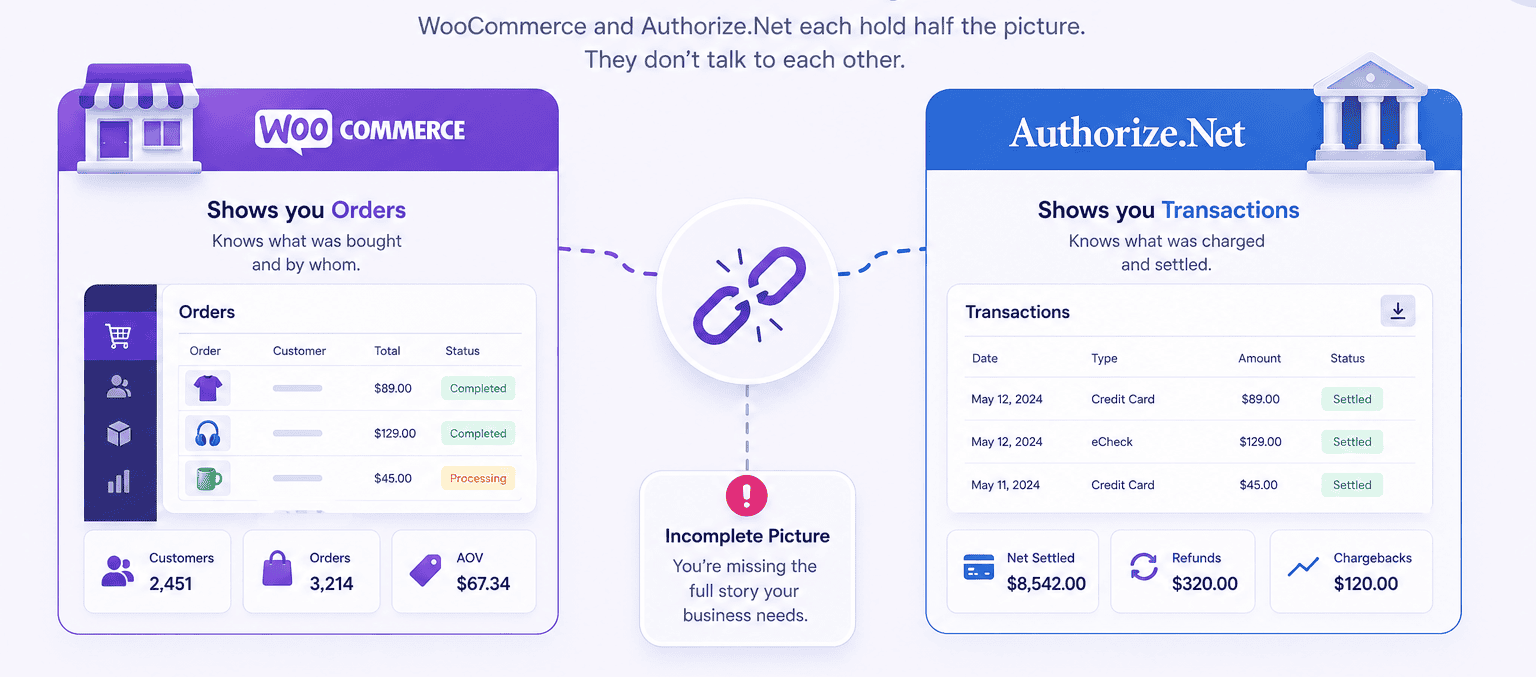
Once Authorize.Net is processing payments, a frustrating gap appears. Payments work, but the store owner still cannot see anything useful.
Here is the split:
- WooCommerce shows you orders. It knows what was bought and by whom, but it does not know how Authorize.Net settled those payments.
- Authorize.Net shows you transactions. It knows what was charged and settled, but it does not know which product was sold or whether that customer ever came back.
The two systems hold half the picture each, and they do not talk to each other.
WooCommerce reporting and Authorize.Net reporting are genuinely separate problems, and solving one does not solve the other. That is why a dedicated reporting tool exists at all.
The WooCommerce Authorize.Net Reporting extension explained
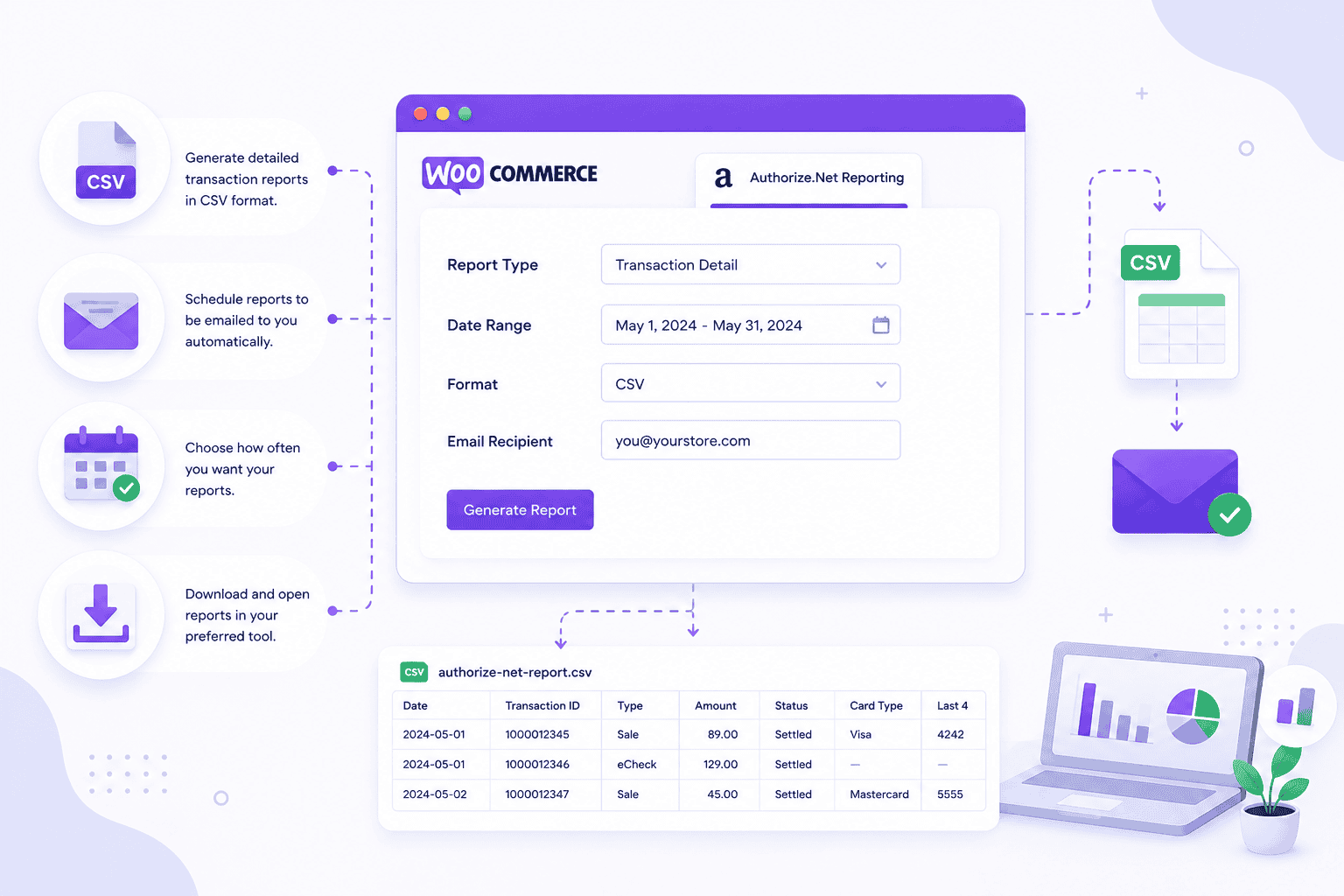
WooCommerce’s official solution for this gap is a second extension: WooCommerce Authorize.Net Reporting, built by SkyVerge and sold separately on the WooCommerce.com marketplace.
It costs $49 per year for a single site, and the current version is 1.14.4.
In one sentence: it emails you a CSV of yesterday’s settled Authorize.Net transactions every morning, and lets you download a CSV for any date range on demand.
Explore the best WooCommerce Authorize.Net plugins.
How to set it up
Setup became simpler in early 2026. According to WooCommerce’s own documentation, there is no longer a requirement to create any additional settings inside your Authorize.Net account to use this plugin.
The steps:
- Install and activate the WooCommerce Authorize.Net Reporting extension.
- Go to WooCommerce, then Reports, then Authorize.Net, then Settings.
- If you already have the Authorize.Net payment gateway installed, your API Login ID and Transaction Key will be pre-filled. Confirm they are correct.
- Enter the email address or addresses that should receive the daily report. Separate multiple emails with commas.
- Set the API Environment to Production, or Test if you are still in sandbox.
- Save.
Mode 1: the daily CSV email
The first reporting mode is automatic.
An email goes out to every address in your settings every day at 12:05 AM UTC, with the previous day’s settled Authorize.Net transactions attached as a CSV file.
Two details worth knowing. First, if there were no settled transactions the previous day, no email is sent. Second, the timing is fixed to UTC. A store owner in New York receives yesterday’s report in the evening, not first thing in the morning.
Mode 2: the on-demand CSV export
The second reporting mode is manual.
Inside WooCommerce, then Reports, then Authorize.Net, you pick a start and end date and click Download. The transactions for that range export as a CSV straight to your computer.
Leaving both date fields blank exports the last 24 hours. The date range is inclusive, and it uses your merchant account’s timezone.
The limits of CSV-based reporting
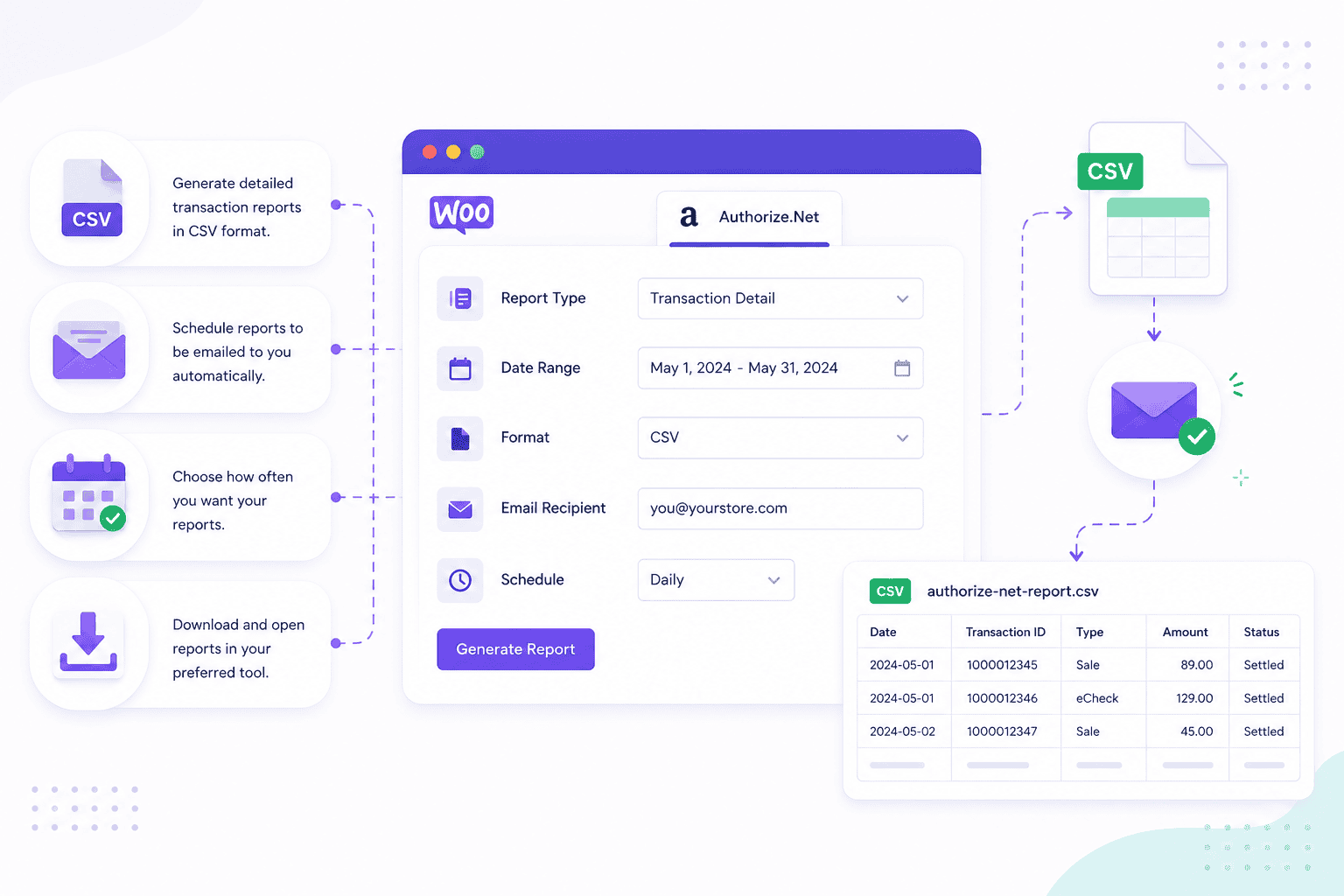
The reporting extension does its job, but it is honest to say where that job ends. There are four limits worth knowing before relying on it.
It is settled transactions only: the daily report covers transactions that have settled. Payments that are authorized but not yet captured, voids, and unsettled refunds do not appear in it. The CSV is a record of completed money movement, not live activity.
It is CSV only, with no charts: every output is a flat spreadsheet. There is no graph, no trend line, no dashboard inside WordPress. Answering a question like “are sales growing?” means opening the CSV and building the chart yourself.
Long date ranges are slow: WooCommerce’s documentation warns that because of limits in the Authorize.Net Reporting API, downloading a date range of a week or more can take up to 20 minutes. Most web hosts will stop the script before it finishes, which produces an Error 500 or a blank white screen. The fix is to shorten the range, which makes quarterly or annual reporting genuinely painful.
It is a transaction list, not a business report: the CSV tells you what was charged. It does not tell you which product earned the most, which customers are about to churn, what your refund rate is trending toward, or what next month’s revenue is likely to be. It is built for a bookkeeper, not for someone trying to grow the store.
None of this makes the extension bad. It simply makes it specialized.
If all you need is a daily transaction list for reconciliation, it is enough. If you need to understand the business, it is only the starting point.
How to get reporting natively, without an extra plugin
Before buying anything, it is worth knowing what reporting you already have. Both Authorize.Net and WooCommerce ship with built-in reports.
Inside the Authorize.Net Merchant Interface
Authorize.Net’s Merchant Interface includes a set of pre-built reports under the Reports tab: Transaction Detail, Transaction Statistics, Settled Batch List, Unsettled Transactions, and monthly statements.
Transaction Search also lets you download results to a file in tab-delimited, comma-separated, or Excel formats.
One thing to plan around: Authorize.Net retains the current year and the previous two years of data, and archives anything older. Searches that use a full credit card number only return the last 180 days.
If you need long historical records, export them before they are archived.
What the Merchant Interface does not give you is product-level revenue, customer lifetime value, segmentation, or forecasting. It is built around transactions and settlement batches, not around business growth.
Inside WooCommerce Reports and Analytics
WooCommerce ships with its own Analytics section covering Revenue, Orders, Products, Categories, Coupons, Taxes, and Customers, with actual charts.
It has two limits that matter here. WooCommerce’s documentation states that multi-currency is not supported, so stores selling in several currencies can see inaccurate analytics.
And as of WooCommerce 10.5, released in February 2026, new stores process analytics data in scheduled batches every 12 hours rather than in real time.
The bigger gap is that WooCommerce Analytics has no concept of payment gateways. It cannot separate Authorize.Net revenue from Stripe or PayPal revenue, because it only sees orders, not settlements.
What real WooCommerce Authorize.Net reporting should show you
A daily CSV answers one question: what was charged yesterday.
A store owner trying to grow has a much longer list of questions. Useful reporting should cover:
- Sales trends over time: revenue by day, week, and month, with the direction of travel visible at a glance.
- Product performance: top sellers, refund rate by product, and which products get bought together.
- Customer insight: lifetime value, repeat purchase rate, and RFM segmentation that groups customers into champions, at-risk, and lost.
- Refunds and chargebacks: tracked over time, not buried as one-off lines in a spreadsheet.
- Subscription tracking: active recurring revenue, churn, and failed renewals, which matters for any store using WooCommerce Subscriptions on Authorize.Net.
- Multi-gateway and multi-store consolidation: one revenue number when the store also takes Stripe or PayPal, or runs more than one storefront.
- Forecasting and goal tracking: a projection of where revenue is heading and progress against a target.
Almost none of this is available from a CSV or from the native reports. That is the gap a proper analytics tool fills.
How to get the complete picture with a multi-channel analytics tool
For store owners who have outgrown CSVs, a multi-channel analytics platform connects directly to both WooCommerce and Authorize.Net and turns raw transactions into reporting you can actually act on.
Putler is one such platform. It was built for exactly this gap: one side knows what sold, the other knows what settled, and Putler is the layer that finally makes them agree.
How Putler connects to WooCommerce and Authorize.Net
Connecting both sources takes minutes, with no developer involved:
- Authorize.Net connects through the API: sign in to Putler, click the Authorize.Net icon, and securely enter your API credentials. Putler starts pulling historical transaction data immediately.
- WooCommerce connects through the free Putler Connector plugin: install it on your store and the link is live. No CSV exports, no manual uploads.
- Both feed one dashboard: Putler then runs every transaction through its eCommerce data consolidation engine, which fixes over 100 data problems automatically in the background.
The most important part is deduplication. A payment recorded in both WooCommerce and Authorize.Net is counted once, not twice, so your revenue number is finally accurate instead of inflated.
What Putler shows that a CSV cannot
On top of the raw transaction list, Putler turns settled payments into the business reporting a daily CSV was never built to give you:
- Real-time dashboards: sales, products, customers, and subscriptions, updated live instead of waiting for tomorrow’s email.
- RFM customer segmentation: Putler sorts your customers into 11 groups such as champions, loyal, at risk, and lost, so you know who to keep and who to win back. See how RFM segmentation works.
- Unified customer profiles: the same buyer paying through different gateways becomes one customer profile with full history, not two fragmented records.
- Forecasting and goal tracking: a projection of where revenue is heading and live progress against a target.
- Instant transaction lookup: find any payment, customer, or order across both sources in seconds, plus full transaction management in one place.
- Weekly email digests: the key numbers delivered to your inbox without logging in.
Built for more than one gateway
Most stores do not stop at Authorize.Net, and neither does Putler:
- Multi-currency and multi-timezone handling: transactions are converted using the exchange rate from the actual day of the sale and aligned to a single timeline, so a late-night sale lands on the right day.
- Other gateways in the same view: Stripe, PayPal, and Braintree consolidate into the same dashboard, giving you one revenue number across 17+ data sources.
- Officially certified: Authorize.Net lists Putler as a Certified Solution, so the integration is recognized on both sides.
Which reporting setup is right for you
There is no single best answer. The right setup depends on the complexity of your store.
Here is a quick way to match the situation to the tool:
- Just a daily transaction list for your bookkeeper: the official WooCommerce Authorize.Net Reporting extension does the job.
- One store, one gateway, no need for customer or product analytics: native WooCommerce Analytics plus the Authorize.Net Merchant Interface is enough.
- A WooCommerce-only store that wants deep customer and marketing analytics: a WooCommerce analytics plugin such as Metorik works well.
- Authorize.Net plus Stripe or PayPal, or multiple stores, and you want one revenue number with full analytics: a multi-channel platform such as Putler is the right fit.
- Mainly clean bookkeeping into accounting software: an accounting-sync tool, or the Authorize.Net QuickBooks download.
Match the tool to the question you are actually trying to answer, and the choice gets simple.
Frequently asked questions
Does WooCommerce accept Authorize.Net?
Yes. Authorize.Net is a supported WooCommerce payment gateway through the official WooCommerce Authorize.Net gateway extension, which lets your store accept credit cards and eChecks.
How do I add Authorize.Net to WooCommerce?
Install the WooCommerce Authorize.Net gateway extension, then go to WooCommerce, Settings, Payments, enable Authorize.Net, and enter your API Login ID and Transaction Key from your Authorize.Net account.
The Signature Key is optional and only needed for webhooks.
How much does the WooCommerce Authorize.Net Reporting extension cost?
The reporting extension is $49 per year for a single site, sold separately from the payment gateway on the WooCommerce.com marketplace.
What is in the daily CSV report?
The daily CSV contains the previous day’s settled Authorize.Net transactions, including transaction details such as amounts, dates, and transaction IDs.
It does not include unsettled transactions or voids.
Why is my CSV export erroring or showing a white screen?
This usually happens with date ranges of a week or more. The Authorize.Net Reporting API is slow for long ranges, and most hosts stop the script before it finishes.
Shorten the date range, or export in smaller monthly chunks.
Does the reporting extension work with WooCommerce Subscriptions?
The extension reports on settled Authorize.Net transactions, which includes successful subscription renewal payments.
It does not give subscription-specific analytics such as churn or active recurring revenue. A dedicated analytics tool is needed for that.
Can I see Authorize.Net charts inside the WordPress dashboard?
Not with the official reporting extension. It produces CSV files only, with no charts or visual dashboards inside WordPress.
Visual reporting requires native WooCommerce Analytics or a third-party analytics platform.
How do I get reports from Authorize.Net directly?
Log in to the Authorize.Net Merchant Interface and open the Reports tab.
You can view Transaction Detail, Settled Batch List, and Statistics reports, and download transaction search results as a file.
Conclusion
Connecting Authorize.Net to WooCommerce is straightforward, and the official reporting extension covers basic reconciliation well.
The real decision is how much you need to understand your store beyond yesterday’s transaction list. A multi-channel analytics platform like Putler turns those raw payments into the sales, customer, and product reporting that actually drives growth.