

If you’re searching for the best ecommerce analytics tools, you’re probably trying to answer questions like:
- Which products are actually profitable?
- Why visitors drop off before checkout?
- Which channels bring high-value customers?
The right tool depends on what you sell and what you’re optimizing for.
Google Analytics 4 is the free starting point for traffic, Hotjar and Crazy Egg lead for behavior and heatmaps, and Putler is the strongest pick for multi-channel sellers who need unified revenue, customer, and product analytics in one dashboard.
This guide compares the 10 best ecommerce analytics tools based on real-world use cases, pricing, dashboards, pros and cons, and who each tool is best for, so you can pick the right analytics software for your store, from small business to enterprise.
Why do you need an ecommerce analytics tool?
Ecommerce analytics tools help you monitor customer behavior, identify patterns, and gain insights that optimize sales and drive growth. Here are the top five reasons they’re indispensable for any business:
- Understand and track customer behavior: See how long visitors stay on a page, what products they view, and how often they return. Understanding behavior lets you tailor your marketing to real preferences and boost sales.
- Identify growth opportunities: Analyzing sales data helps you locate top-performing products, discover new demand, and identify markets or niches to expand into.
- Improve website performance: Traffic analysis shows which pages are popular and where customers drop off, so you can adjust your site to enhance the experience and lift conversions.
- Understand product performance: Track which products sell well and which don’t, then make informed decisions about what to stock and how to price it.
- Spot potential leaks: Catch issues like slow load times or low conversion rates early, before they affect your bottom line.
Used well, these tools help businesses optimize sales, expand into new markets, and stay ahead of problems.
Best ecommerce analytics tools for every budget
Now that we’ve covered how analytics tools help, let’s explore the best ecommerce analytics software for businesses of every size and budget. Below are 10 handpicked tools with robust features at different price points.
Quick comparison: best ecommerce analytics tools
| Tool | Best for | Starting price |
|---|---|---|
| Google Analytics 4 | Free traffic and conversion tracking | Free |
| KISSmetrics | Customer journey and behavior tracking | $99/month |
| Metrilo | Retention and customer lifetime value | $199/month |
| Clicky | Real-time, privacy-focused analytics | $9.99/month |
| Adobe Experience Cloud | Enterprise multi-touch campaigns | Custom |
| Crazy Egg | Heatmaps and A/B testing | $29/month |
| HumCommerce | Affordable behavior analytics | $9/month |
| Glew.io | Profitability and COGS analytics | From $79/month |
| Hotjar | UX insights via heatmaps and recordings | Free, paid from ~$32/month |
| Matomo | Privacy-first, data ownership | Free self-hosted, Cloud from ~$29/month |
| Putler | Multi-channel revenue and customer analytics | $20/month |
Google Analytics 4
Google Analytics 4 is one of the most widely used ecommerce analytics tools, trusted by site owners worldwide. Whether you need basic metrics or detailed reports, you can get them in this ecommerce dashboard. It also offers extensive resources and tutorials to help you learn it.
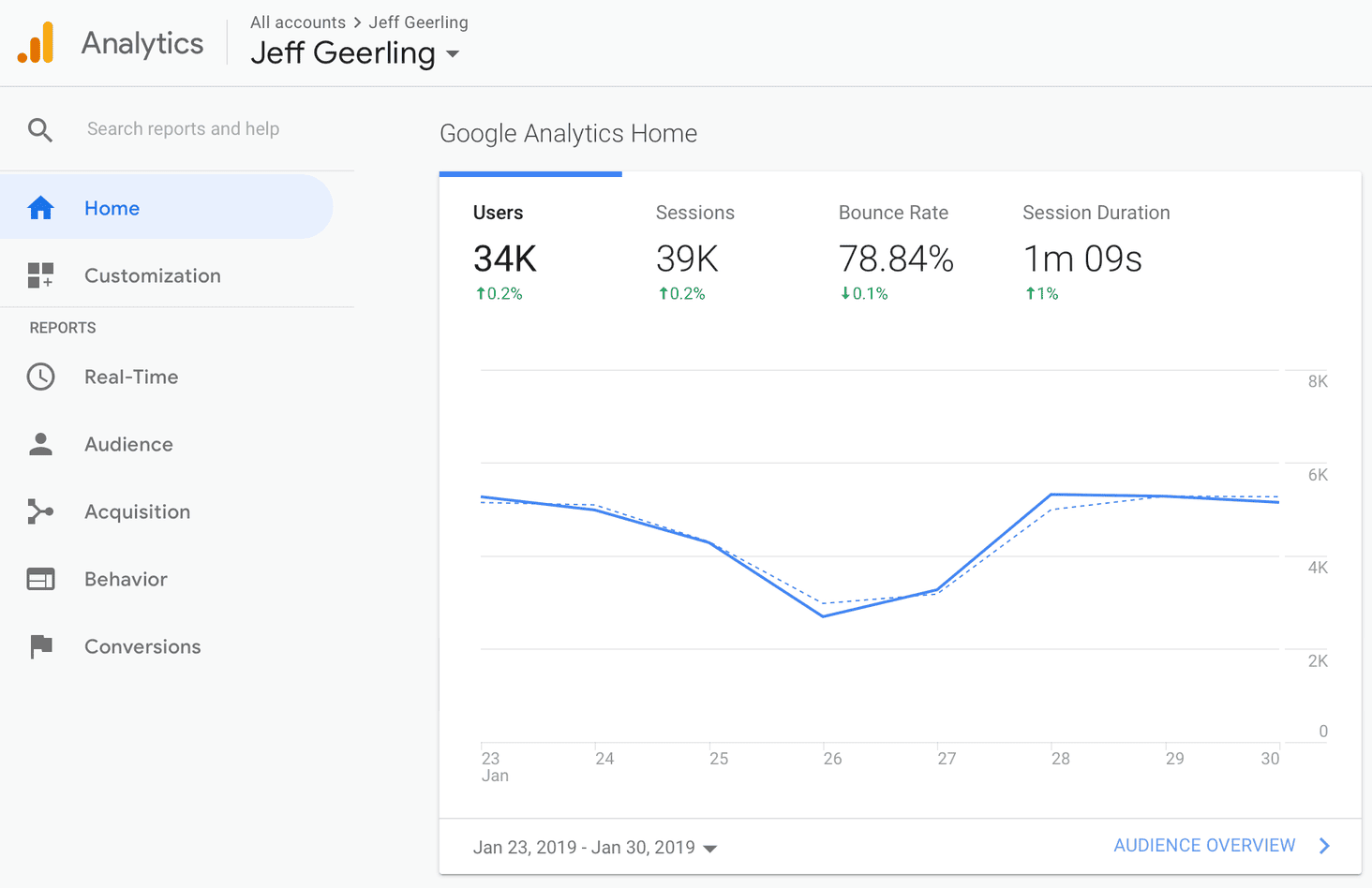
Pricing: Free
Features:
- Audience reports to understand your users
- Custom reports made to order
- Campaign measurement and traffic sources
- Flow visualization to follow every step
- Goal tracking for conversions and user activity
Pros:
- Powerful website analytics with a wealth of data
- Easy integration with third-party platforms like Facebook and Google Ads
- Helpful AI to spot data-reporting issues and trends
Cons:
- Difficult to keep up with new features and updates
- Limited end-user support
- Hard to track the middle of the visitor journey
KISSmetrics
KISSmetrics is a powerful ecommerce analytics tool designed to track customer journeys, user behavior, and conversion paths across your store. It monitors detailed visitor behavior and is popular for its integrations with Shopify, WooCommerce, and Mailchimp.
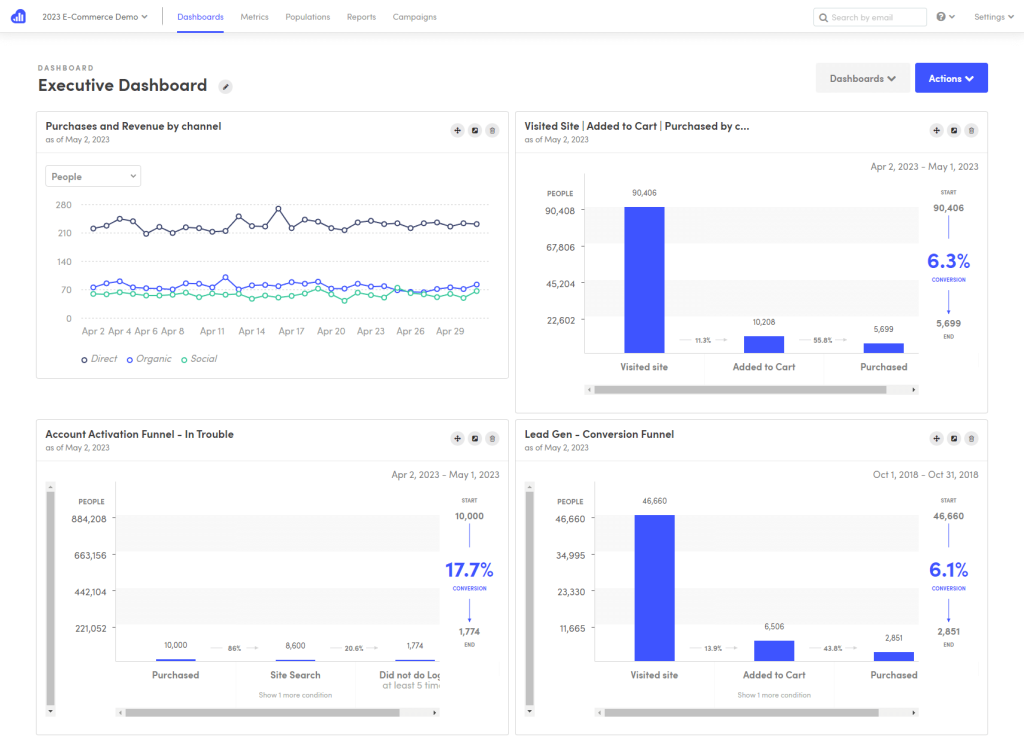
Pricing: Starts at $99/month (after a $1 seven-day trial)
Features:
- Person-level tracking across devices
- Nine report types including funnels and cohorts
- Behavioral email campaigns
- Segment data by any point in time
- A/B test reports and data export
Pros:
- Easy to see the exact flow users follow, with insight into where to improve
- Extensive report data you can dig deep into
Cons:
- Can be expensive once event volume scales
- Limited data visualization compared to some competitors
- Bit of a learning curve
Metrilo
Metrilo is an ecommerce analytics tool focused on actionable customer data and retention. Its retention analysis report helps you understand customer lifecycle value and turn one-time buyers into loyal customers.
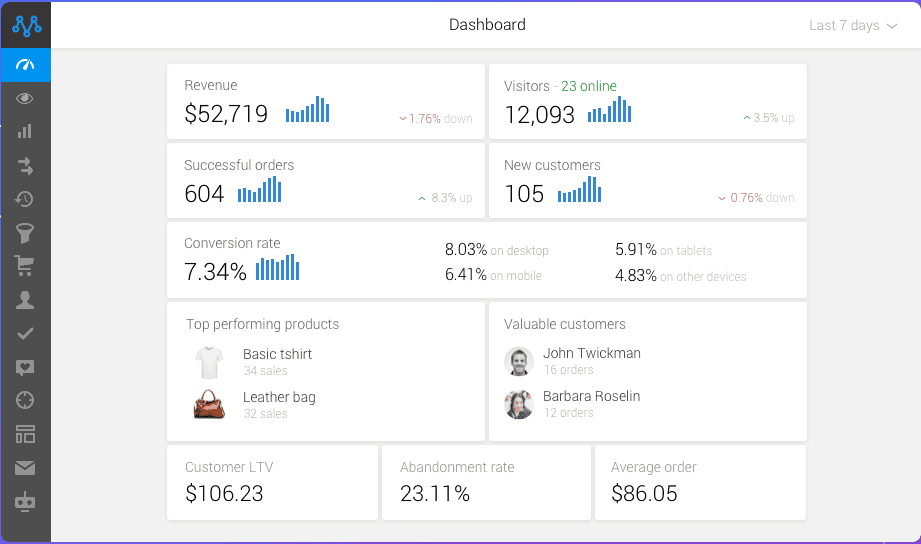
Pricing: Essential $199/month, Pro $379/month, Premium from $599/month
Features:
- Ecommerce analytics dashboard and revenue breakdowns
- Ecommerce CRM with customer profiles and segmentation
- Retention analysis with cohort comparisons
- Email marketing with trigger-based automation
- Order and promotions management
Pros:
- Easy to install and use, with great support
- Very user-friendly interface
- Strong trigger-based email automation
Cons:
- Email lead generation could be improved
- Lacks inventory and shipping management features
Clicky
Clicky is a real-time analytics tool that makes it easy to see how people use your website as it happens. It offers paid plans plus a free option that tracks one website with up to 3,000 daily page views.
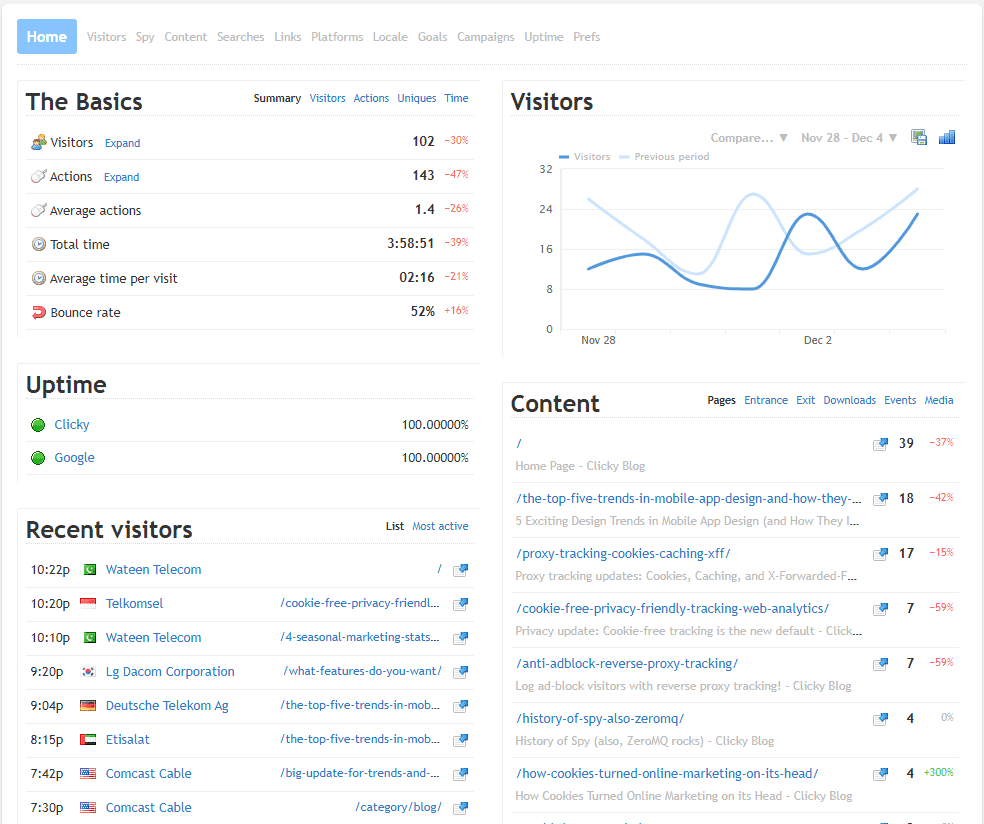
Pricing: Free plan available, paid from $9.99/month
Features:
- Real-time visitor and session tracking
- Standard event tracking
- Site search reporting
- Custom reports and dashboards
- Heatmaps and uptime monitoring on higher tiers
Pros:
- Simple and user-friendly
- Excellent real-time analytics and a clean interface
Cons:
- Hard to justify the paid version when Google Analytics offers many of the same features free
Adobe Experience Cloud
Adobe Experience Cloud is an enterprise analytics and marketing suite built to deliver accurate customer insights to the right person at the right time, helping large businesses make decisions that optimize sales and grow revenue.
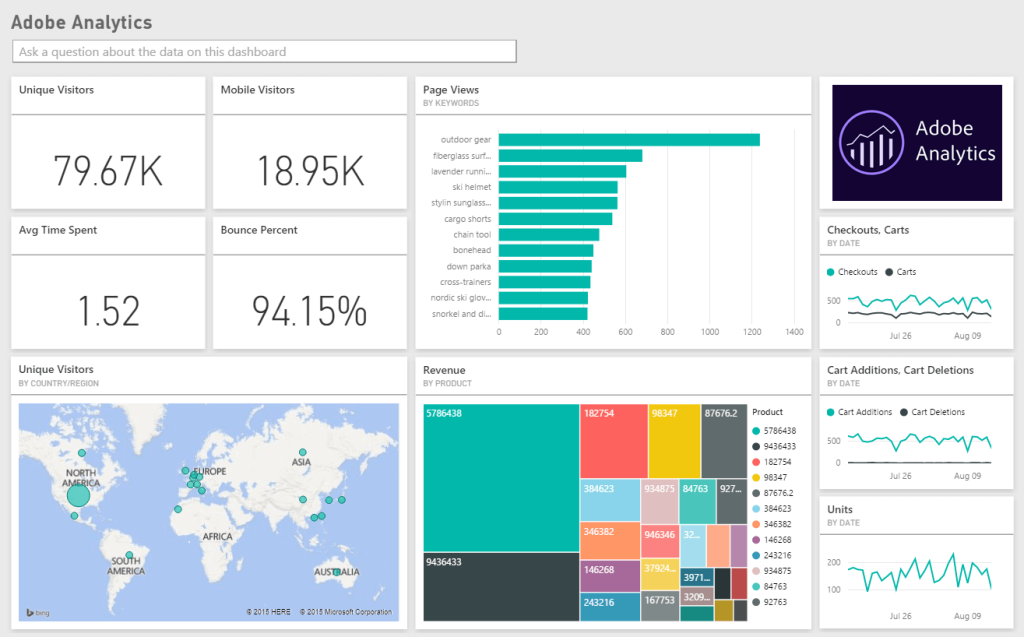
Pricing: Custom. Contact Adobe directly for pricing.
Features:
- A/B testing
- Email marketing management
- Engagement analytics
- Multi-channel marketing
- Reporting and statistics
Pros:
- Stores various types of content in one secure location
- Large-scale performance with a huge ecosystem of implementation partners and integrations for complex needs
Cons:
- Can get expensive quickly
- Occasional server issues during email sends
Crazy Egg
Crazy Egg is a visual analytics tool that shows how users interact with your store through heatmaps, scroll maps, and session recordings. Its eye-tracking tools reveal which parts of your site get attention and which get ignored, keeping reports simple and easy to read.
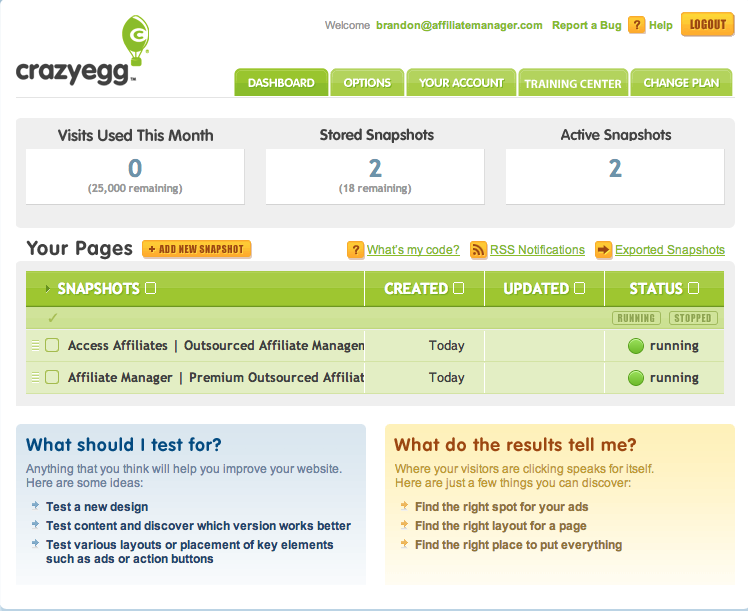
Pricing: Starts at $29/month
Features:
- Website visitor tracking and recording
- Heatmaps and scroll maps
- Multiple domain tracking
- A/B testing
- URL-based goal setting and tracking
Pros:
- Insights are easy to read and understand
- Easy to integrate with WordPress, with best-in-class heatmaps
Cons:
- Reviewing hours of recordings is time-consuming
- Downloading several reports at once can be unreliable
HumCommerce
HumCommerce is an ecommerce analytics tool that shows how visitors interact with your online store. It’s a behavioral analytics platform built to help store owners understand on-site activity through heatmaps, funnels, and session recordings.
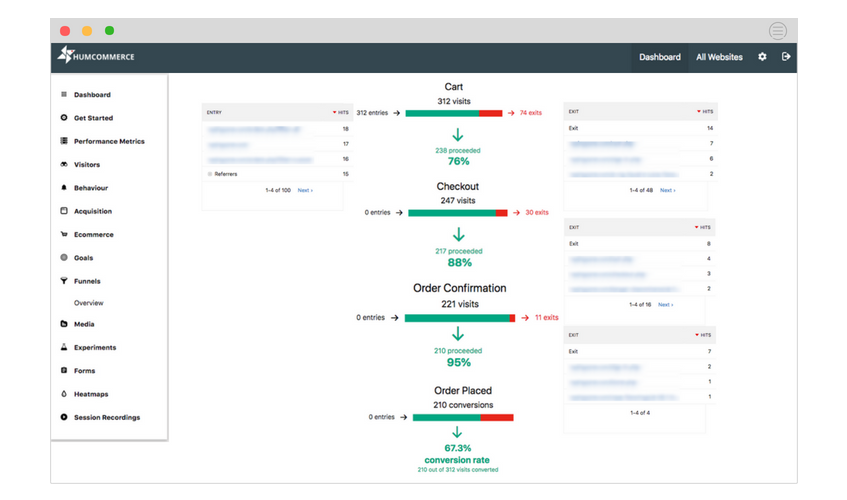
Pricing: Starts at $9/month
Features:
- Screen activity and session recording
- Unlimited funnels with visual representation
- Real-time data collection
- Heatmaps
Pros:
- Simple to set up and install
- Tracks ecommerce data in depth across platforms
- Wide feature set including session recordings, heatmaps, and A/B testing
Cons:
- Lacks a built-in survey feature
Glew.io
Glew focuses on the metrics that matter most to ecommerce brands. This retail data intelligence tool brings together store data from multiple channels, CRMs, and ERPs into one analytics hub, eliminating fragmented reporting and data silos to highlight revenue drivers.
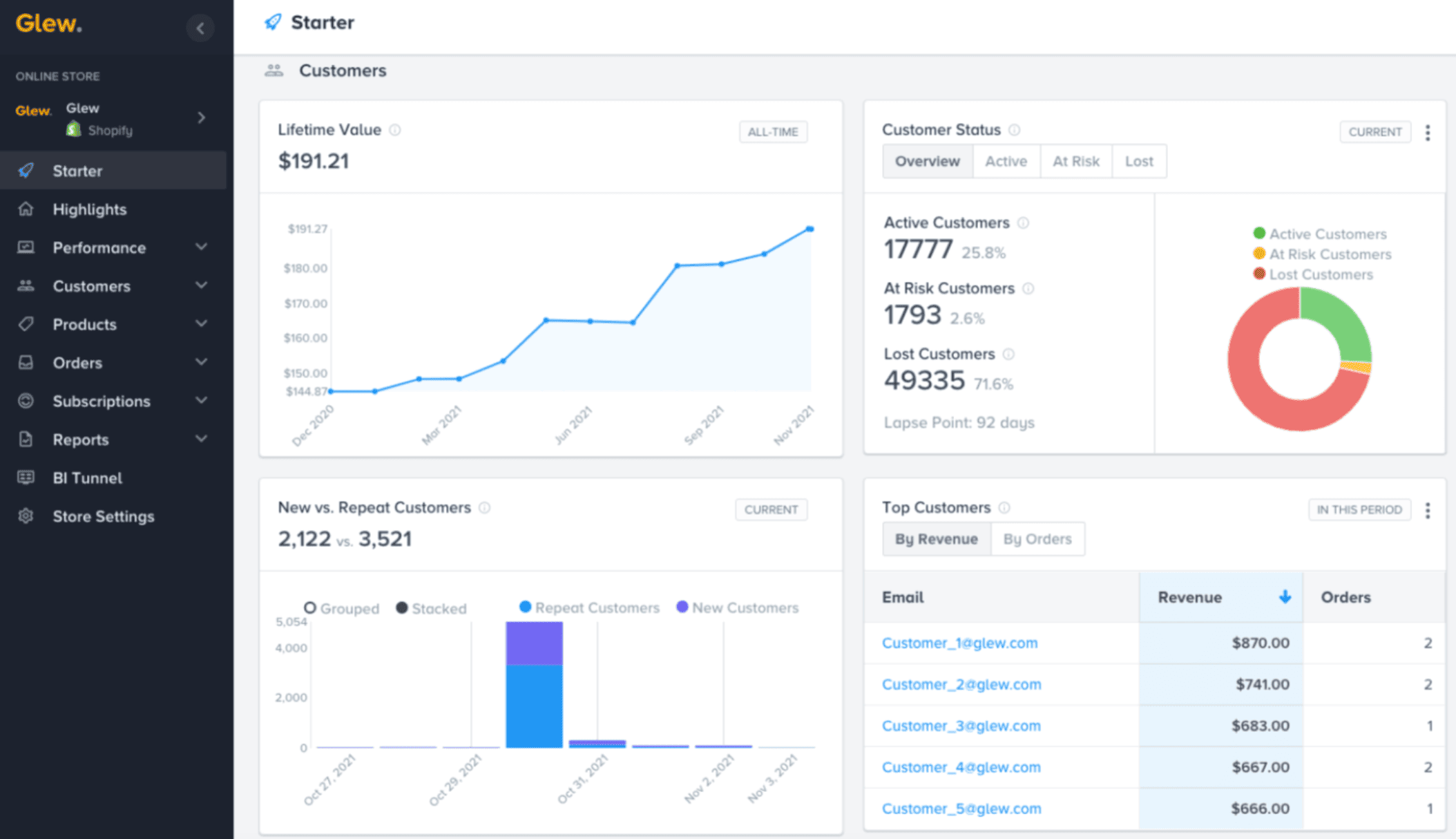
Pricing: From $79/month, scaling to around $649/month (annual billing, custom quotes for larger plans)
Features:
- COGS analytics for profit margin insights
- Automated reporting based on custom rules
- Advanced segmentation and targeting
- Scalable ecommerce integrations
Pros:
- Built specifically for ecommerce merchants and retailers
- Automated data warehousing removes manual reporting
- Detailed metrics on margins, sell-through, and supply chain
- Strong data visualization options
Cons:
- Pricing may be high for growing businesses
- Limited integrations outside major ecommerce data sources
- Steeper learning curve than simpler tools
Hotjar
Hotjar combines quantitative and qualitative user data in one dashboard to show how people experience your website. It provides in-depth analysis and feedback tools including heatmaps, recorded sessions, conversion funnels, and behavior tracking. Note that Hotjar is now part of Contentsquare, and its features are billed across separate products (Observe, Ask, and Engage).
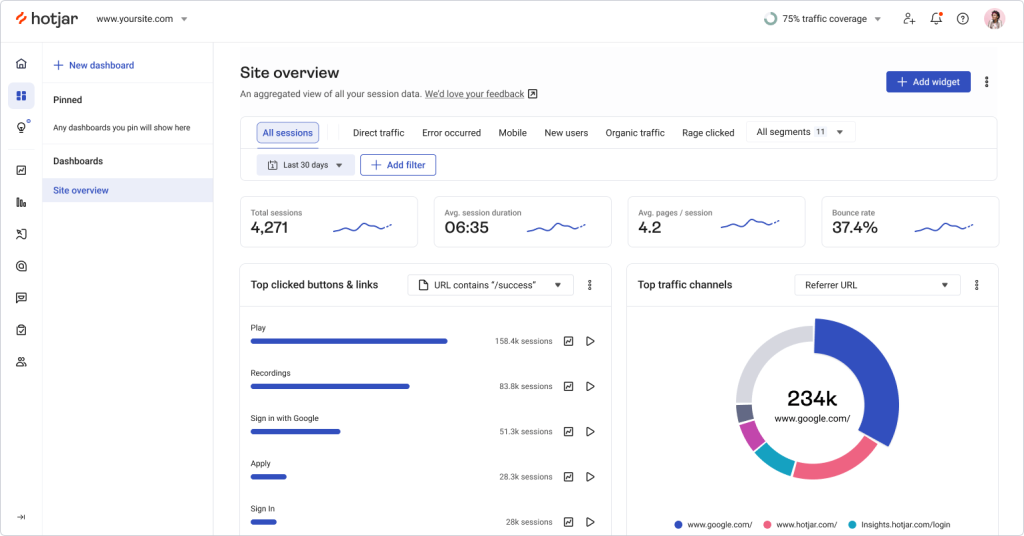
Pricing: Free Basic plan; paid plans from around $32/month, with higher tiers custom-priced
Features:
- Heatmaps, click maps, and scroll maps
- Session recordings
- Surveys and feedback polls
- Conversion funnels and visitor targeting
Pros:
- Easy to read click, move, and scroll heatmaps
- Generous free version to learn before upgrading
Cons:
- No easy way to track dynamic content
- Pricing is now fragmented across separate Contentsquare products
Matomo
Matomo (formerly Piwik) is an open-source ecommerce analytics tool that gives you complete control and ownership of your data. Unlike many platforms, Matomo ensures 100% data privacy while offering comprehensive tracking.
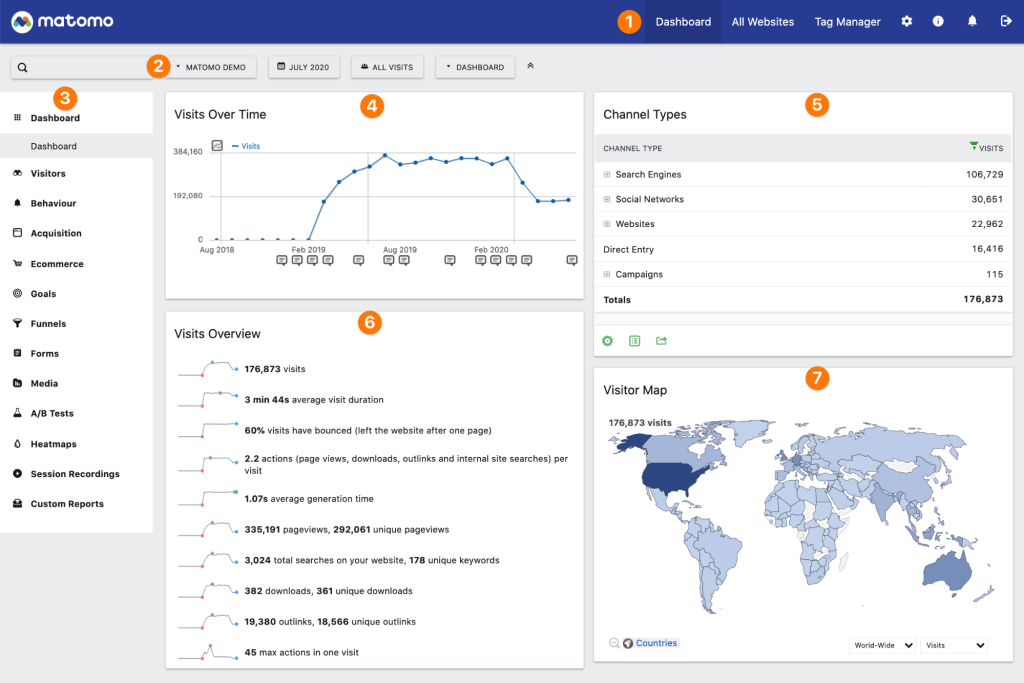
Pricing: Self-hosted is free; Matomo Cloud starts at around $29/month
Features:
- Real-time web analytics
- Customizable dashboards
- Conversion and goal tracking
- Ecommerce analytics
- Multi-site management
- Heatmaps and session recordings (paid plugins)
Pros:
- No third-party data sharing
- Highly customizable and flexible
- GDPR and privacy-law compliant
- Detailed ecommerce tracking
- Open-source with community support
Cons:
- Steeper learning curve than Google Analytics
- Requires more technical setup
- Self-hosted version needs server management
- Cloud pricing above the entry tier is opaque
Putler
Putler is the best all-in-one ecommerce tracking tool for businesses with multiple data points: multiple websites, multiple stores, multiple currencies, and multiple payment gateways.
It combines, cleans, and enriches all your data into consolidated reports in one place, so you no longer open multiple apps to monitor your business.
With Putler, you get accurate customer, sales, and product analytics on a single ecommerce dashboard.
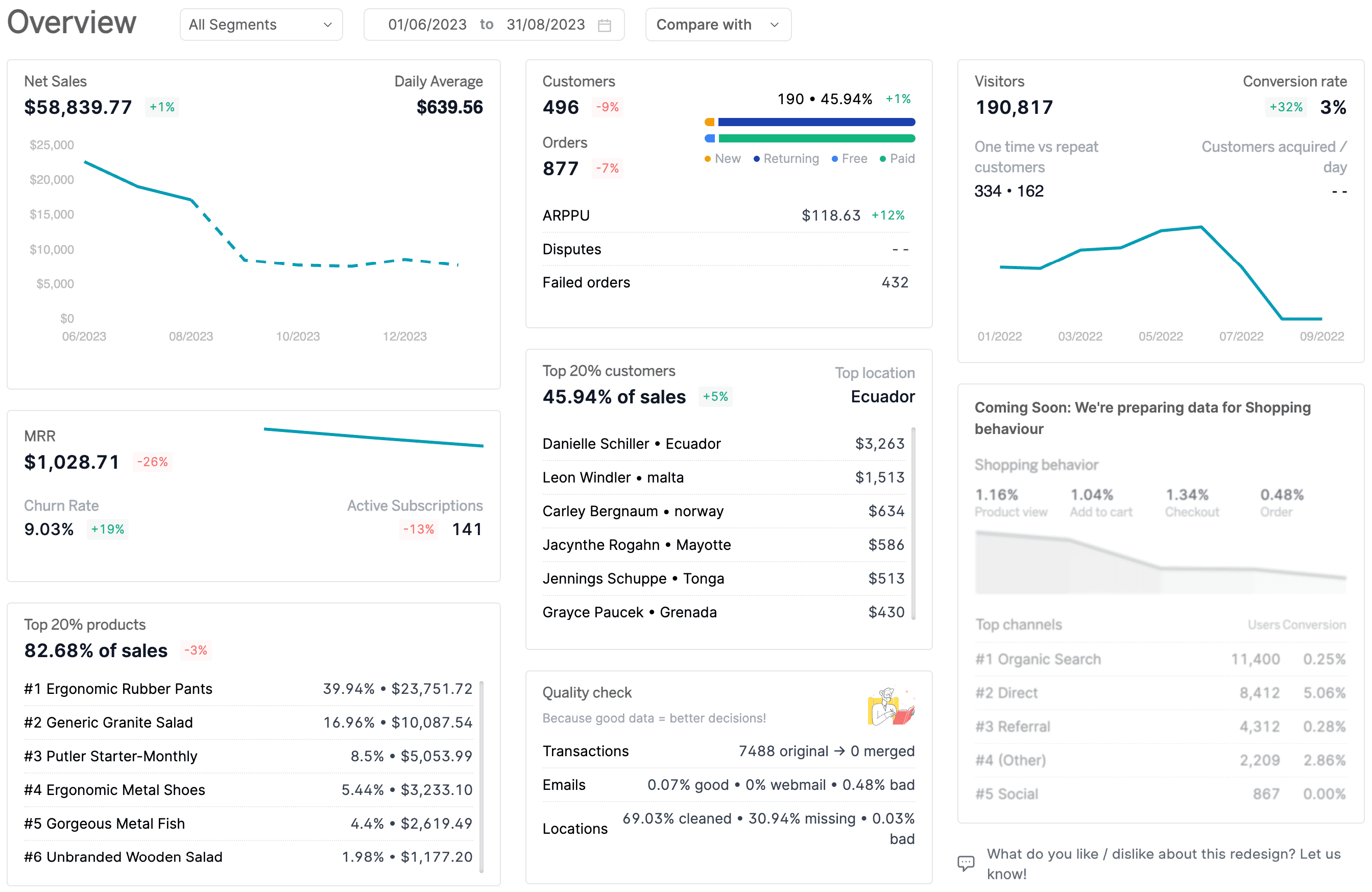
Pricing (revenue-based): Starts at $20/month for sellers doing up to $10K in monthly revenue. 14-day free trial, no credit card required.
Key Features:
- 17+ integrations across payment gateways, stores, and marketplaces
- Automatic deduplication, enrichment, currency, and timezone conversion
- RFM segmentation with unlimited filtering
- 200+ KPIs and comprehensive reports
- Personalized growth recommendations
- Issue refunds and manage subscriptions directly
- Inbound API for custom data
Pros:
- Intuitive layout and ease of use
- Easy product, order, and customer tracking in one clean UI
- Great for managing multiple stores, schedules, and finances
- Connects ecommerce and SaaS revenue in the same dashboard
Cons:
- No inventory reporting
Final thoughts
Choosing the right ecommerce analytics tool isn’t about picking the most popular software. It’s about finding the one that fits your store size, sales channels, and growth goals.
If you only need basic traffic insights, Google Analytics 4 is a solid free starting point. If you manage multiple stores or payment gateways and want revenue, customer, and product analytics in one place, Putler is a strong all-in-one option. Tools like KISSmetrics and Glew.io work better for advanced user journey tracking and profitability analysis, while Hotjar and Crazy Egg lead on behavior and heatmaps.
The best choice depends on what you’re optimizing for: traffic, conversions, retention, or profit. Start with one tool, track the right metrics consistently, and scale your analytics stack as your store grows.
eCommerce analytics tools FAQs
What is the best eCommerce analytics tool?
The best ecommerce analytics tool depends on your needs and budget. For multi-channel sellers, Putler stands out as a comprehensive option that tracks revenue, customers, and products in one dashboard and integrates with WooCommerce, Shopify, PayPal, and Stripe. For free traffic analytics, Google Analytics 4 is the standard starting point.
How do I track my eCommerce analytics?
Use a tool like Putler to monitor sales, customer behavior, and product performance. Connect it to your ecommerce store and payment gateways, and it consolidates everything into real-time dashboards with no manual setup.
Are there free eCommerce analytics tools?
Yes. Google Analytics 4 is completely free, Matomo offers a free self-hosted version, and Clicky and Hotjar have free tiers. Putler offers a 14-day free trial with no credit card required.
What is the best eCommerce analytics tool for multi-channel sellers?
For sellers across Shopify, WooCommerce, Amazon, Etsy, and eBay using multiple payment gateways, Putler is one of the few tools that consolidates and deduplicates revenue across all of them in one dashboard, so the same sale isn’t counted twice.
Which eCommerce analytics tool is best for heatmaps and behavior?
For visual behavior analysis, Crazy Egg and Hotjar lead with heatmaps, scroll maps, and session recordings. HumCommerce is a more affordable alternative with similar features for smaller stores.