


The right Shopify analytics tools help you answer the questions behind your sales: which products are profitable, which customers buy again, and how your stores perform together. Different tools answer different questions, so start with the reporting gap you need to fill.
Built-in Shopify analytics already includes sales, customer cohort, and RFM reports. A third-party app is worth considering when you need detailed cost tracking, combined data from other platforms, or a reporting workflow that better fits your team.
This guide compares ten Shopify analytics tools by their features, pricing, strengths, and limitations. Use it to narrow down the options for your store, from profit trackers to visitor analytics and customer data platforms. Conversific is included as a legacy option because its Shopify listing is unavailable for new installs.
What to look for in a Shopify analytics app
Not every Shopify analytics app is built for the same job. Before picking one, it helps to get clear on what you actually need.
- Multi-source data consolidation: If you operate several Shopify stores or sell through other platforms, check which sources the tool can combine. Connecting both a store and its gateway also calls for duplicate-transaction checks.
- Real-time vs historical reporting: Check each source’s refresh schedule and the amount of history imported. Live visitor monitoring answers a different question from cohort trends or monthly profit reporting.
- Customer segmentation: Shopify already offers cohort and RFM reports. Compare the extra segments, cross-store coverage, and export options you need before paying for another app.
- Ease of setup: A Shopify analytics app may connect without coding, while a customer data platform can require a developer. Check the installation steps, cost inputs, and historical import.
- Pricing model transparency: Compare the allowance your store will actually use. Plans can scale with orders, revenue, GMV, page views, or monthly tracked users; include overages and required add-ons in your budget.
Start with Shopify’s own reports. Its Basic plan includes reports and custom data explorations; the customer reports cover cohorts and RFM. Third-party advanced reporting tools are useful when you need more detailed cost tracking, data from other platforms, or a different reporting workflow. See Shopify’s reports.
Here are the Shopify analytics tools to compare by the job you need done.
| Tool | A useful starting point for | Cost or availability to check |
|---|---|---|
| Putler | Combined sales, products and customers across stores and gateways | Revenue-based plans from $20/month |
| TrueProfit | Net profit with configured costs and ad spend | From $35/month; order allowances and overages apply |
| Sensai Metrics | Attribution and predictive customer insights | App Store lists paid plans; confirm onboarding and current quote |
| Polar Analytics | Multi-channel business intelligence and attribution | Core listed from $750/month, based on online GMV |
| Lifetimely | LTV, cohorts and repeat purchase behavior | Free for up to 50 orders/month; paid order tiers |
| Conversific | Historical benchmarking option | Currently unavailable on the Shopify App Store |
| OrderMetrics | Automated reporting in Google Sheets | Website advertises $45/month early access; confirm access |
| Yandex Metrica | Session replays and heatmaps | Basic service is free; Pro adds capabilities |
| Web-stat | Individual visit paths and traffic sources | Free to 5,000 page views/month; paid plans from $4.95/month |
| Segment Analytics | Collecting and routing events to other tools | Free Connections tier; profiles and activation have separate scope |
During a trial, compare a full week against Shopify: orders, refunds, discounts, shipping, currency and time zone. If you connect both Shopify and a payment gateway, check how the tool handles duplicate transactions. For profit reports, enter your costs first. A dashboard cannot account for expenses it has not received.
Putler
Putler is built for store owners who need more than one platform’s worth of data in a single place. It connects to Shopify, payment gateways such as Stripe and PayPal, and other supported platforms, then consolidates their data into one dashboard. Check the current integration list for your setup.
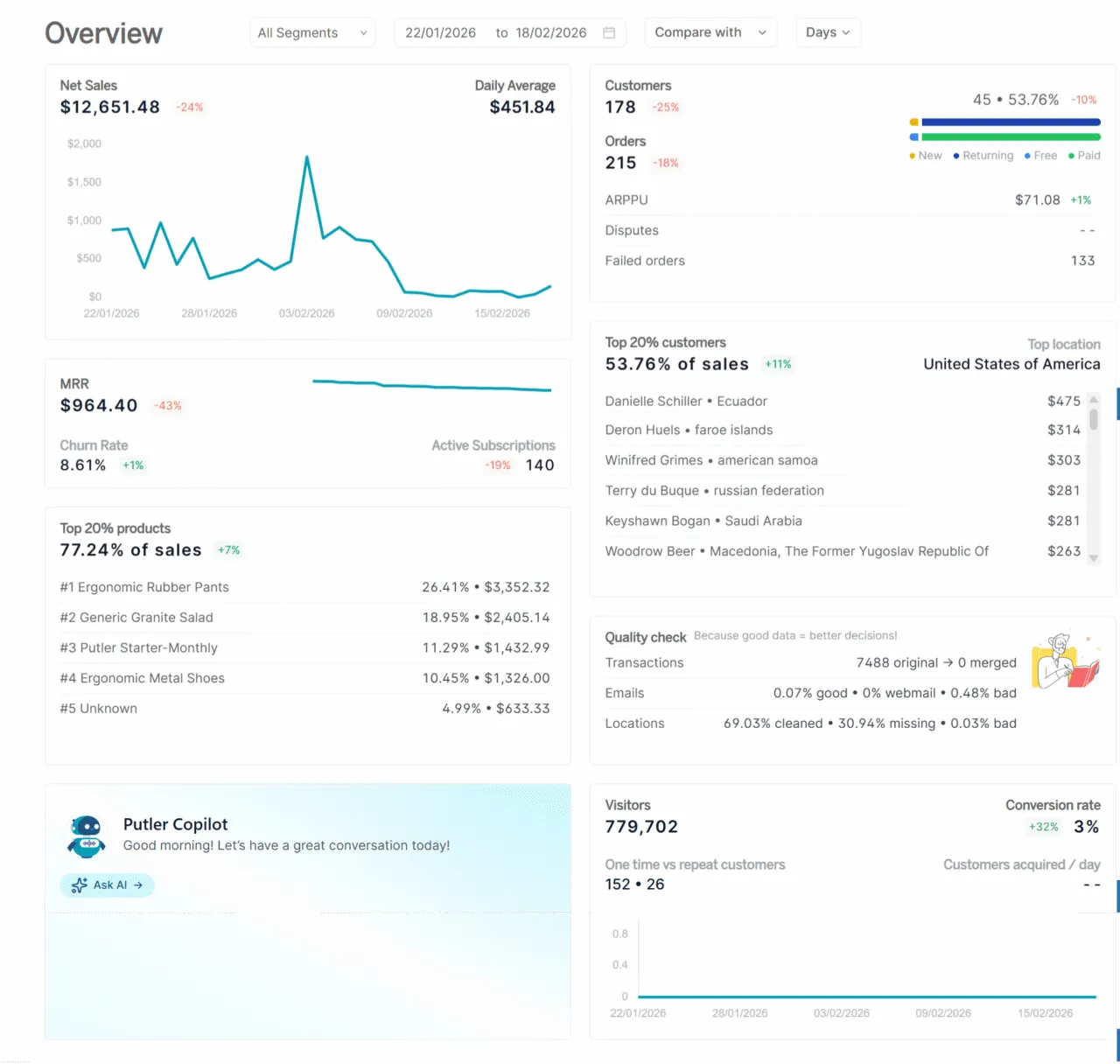
If you run multiple Shopify stores, Putler handles consolidation automatically. Revenue from each store gets pulled in, deduplicated, cleaned, and shown in combined or separate views depending on what you need.
Putler provides KPIs and reports across products, customers, sales, and transactions. Its customer intelligence features help you investigate buying patterns. RFM segmentation automatically groups your buyers by recency, frequency, and spend value. You get a clear picture of your top customers, the ones slipping away, and the ones who have gone quiet. Use those groups to decide who to target, then export the relevant customer list for your email tool.
Putler also covers sales forecasting, goal setting, and growth recommendations. Use those reports to compare performance with your goals.
Price
- Up to $10,000 monthly revenue; $20/mo
- $10,000 to $30,000 monthly revenue; $50/mo
- Higher revenue tiers scale from there. Check Putler pricing.
Features include
- Connects to Shopify stores, payment gateways, and other supported data sources and pulls their data into one place
- Automatically deduplicates, cleans, and normalizes data across all connected sources
- Detailed reporting across products, sales, orders, transactions, and customers
- KPIs and reports covering sales, customers, products, and subscriptions
- Manage refunds and subscriptions through supported payment integrations; confirm the operations available for your gateway
- RFM-based customer segmentation that automatically groups buyers by recency, frequency, and spend value
- Built-in sales forecasting, goal setting, and personalized growth recommendations
- Inbound API for custom integrations; outbound API access is available case by case at an extra cost
Pros
- Reporting for eCommerce and SaaS businesses from a single dashboard
- Combined and separate reporting for supported stores and gateways
- Revenue-based pricing with unlimited orders; compare the tier for your combined business revenue
- Goes beyond reporting with segmentation, forecasting, and actionable growth insights
Cons
- No inventory management functionality
- Cohort analysis is not currently available
TrueProfit
TrueProfit calculates net profit using connected cost data and the expenses you configure.
TrueProfit connects to advertising sources including Facebook, Google, TikTok, Bing, Snapchat, and Amazon. Check which accounts you need and their refresh timing.
It adds that to your COGS, shipping costs, transaction fees, taxes, and any custom expenses you define.
The result is a live profit dashboard showing net profit across your stores, with product analytics on eligible plans. Refresh timing depends on the connected source.
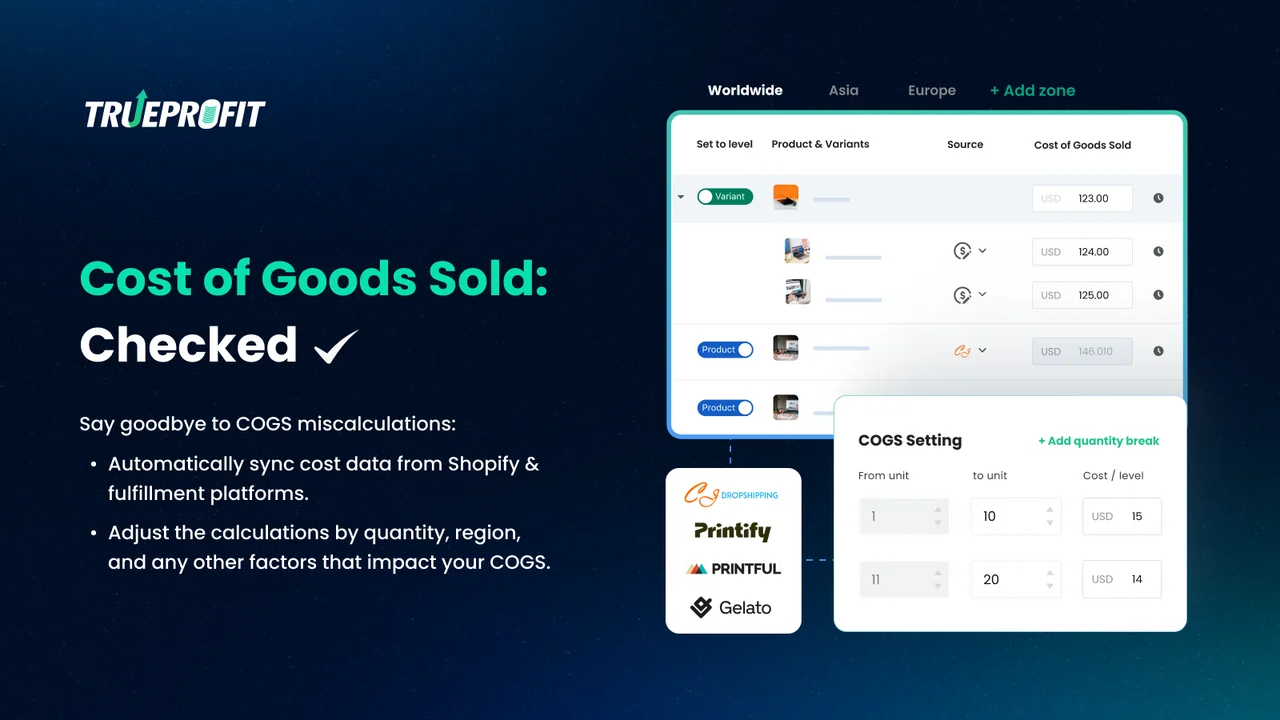
Price: From $35/month for 300 orders. The Basic plan lists $0.30 per extra order, capped at a $300 surcharge. Higher tiers include different features and allowances. A 14-day free trial is available.
Features include
- Live net profit dashboard using your connected and configured costs
- Imports ad spend from supported Facebook, Google, TikTok, Bing, Snapchat, and Amazon accounts
- Breaks down profit at the product level and individual order level
- Tracks customer lifetime value alongside profit metrics in one view
- Profit and loss reporting on eligible plans
- Single dashboard combining data from multiple Shopify stores
- Mobile app for iOS and Android
Pros
- Reduces manual profit calculations once your costs and integrations are set up
- Ad platform connections put spend alongside the costs used in your profit calculation
- Listed on the Shopify App Store with merchant reviews you can check before installing
- Clean interface suited to merchants who are not data analysts
Cons
- Plan pricing scales with monthly order volume, costs rise as your store grows
- Primarily a profit tracking tool, not a full business intelligence platform
- Check the plan needed for product analytics, P&L and attribution; the entry plan does not include every feature
Sensai Metrics
Sensai Metrics combines eCommerce, analytics, and marketing data for attribution and predictive customer analysis.
The goal is to help you investigate what is happening. Which campaigns are associated with conversions. Which customer segments are converting well. Where your ad budget may need attention.
It positions itself as a data science team for store owners who do not have one.
Its dashboards provide models and reports to investigate campaign performance. Check their inputs before making budget decisions.
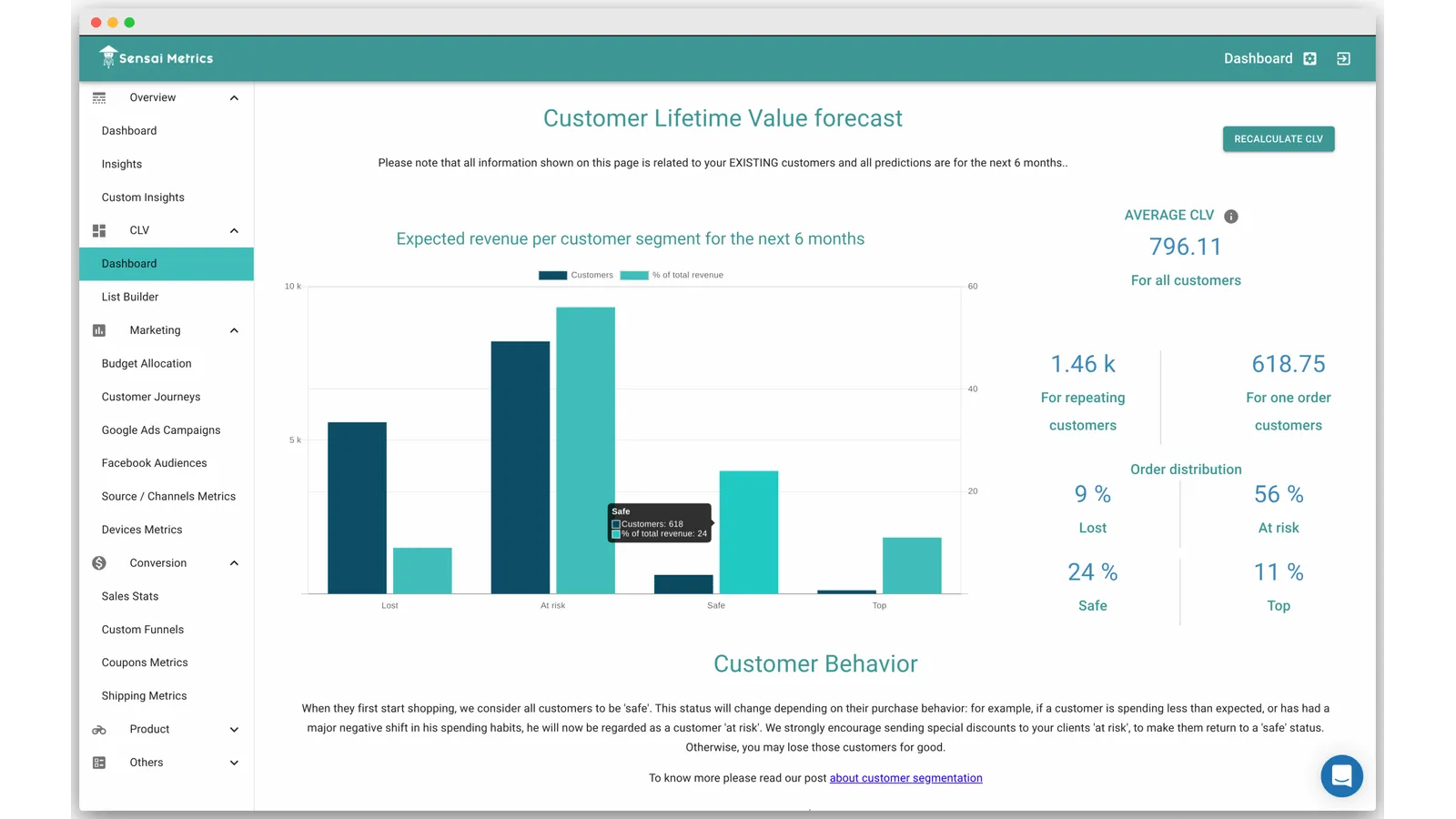
Price: The Shopify App Store lists Startup at $79/month for stores with less than eight months of data and Pro from $179/month, varying with monthly visits. A 14-day trial is listed. Confirm your eligibility, onboarding, and quote with Sensai.
Features include
- AI-powered budget allocation modeling that weighs campaign results against how customers move toward conversion
- Individual customer journey tracking connected to Facebook audience data
- Both pre-built and custom insight dashboards
- Sales statistics and overall eCommerce performance in a single centralized view
Pros
- Traffic and conversion data shown together
- Predictive and attribution models alongside reporting; review the inputs and assumptions
- A trial lets you evaluate the dashboards before choosing a paid tier
Cons
- Customization options are limited on lower tiers
- No content analysis or SEO-related reporting
- Smaller ecosystem compared to more established platforms in this category
Polar Analytics
Polar Analytics is what you reach for when your data is scattered across too many platforms and you need everything in one place.
It connects Shopify with advertising, email and other commerce sources and organizes the data into a single dashboard with pre-built and custom reporting. Check its connector list for the platforms you use.
The reporting covers four areas: acquisition, retention, merchandising, and profit and loss. You can work from the ready-made dashboards or build your own metrics from scratch.
Its Klaviyo Audiences product helps identify shoppers and send abandonment events into your email workflows. The listed Core plan includes Klaviyo Audiences and Advertising Signals; Custom packages can have different scope.
On the ad side, its Advertising Signals product sends conversion events to Meta and Google. That is a separate job from reading profit reports in the dashboard.
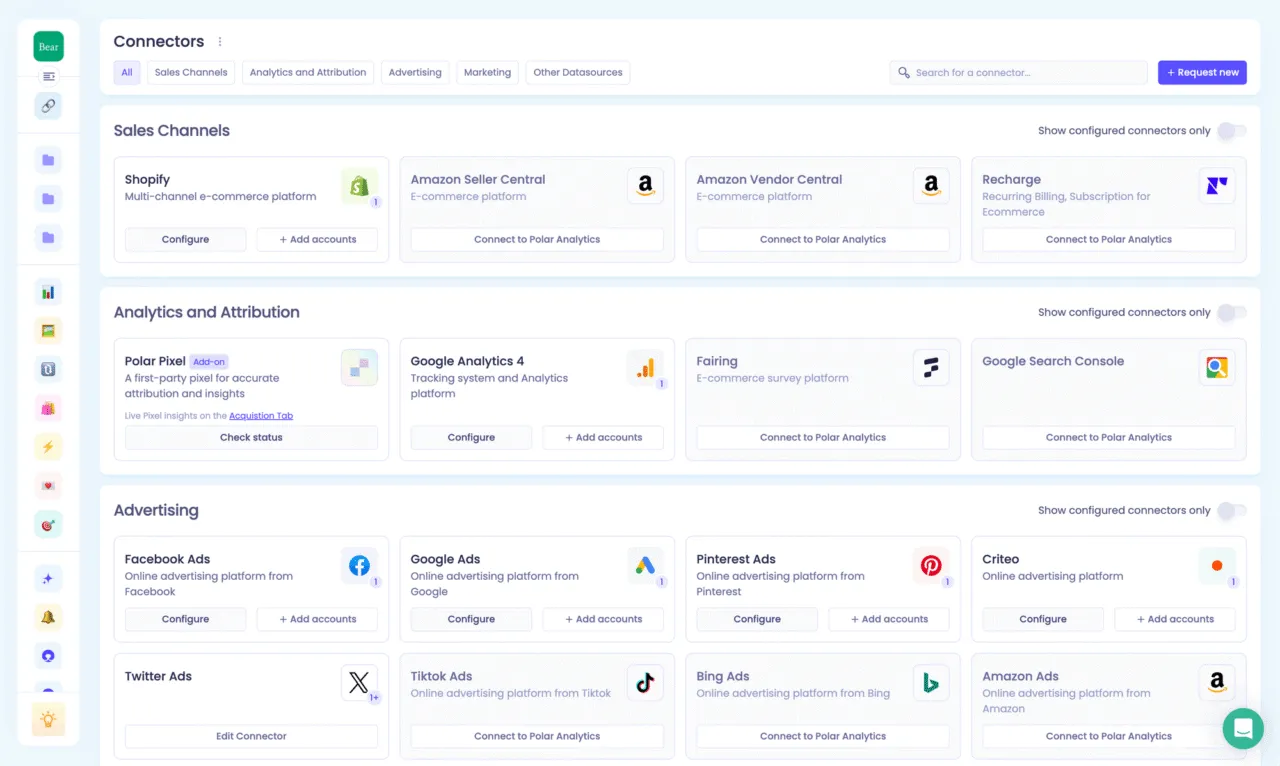
Price: The Shopify App Store lists Core from $750/month, based on online GMV, with annual discounts. Polar also offers Custom product packages. Confirm your quote, included products and add-ons on its current pricing page.
Features include
- Connects supported eCommerce, advertising, email, and logistics platforms
- Dashboard library for acquisition, retention, merchandising, and P&L after connecting and configuring your sources
- Full custom metric and report builder with a drag-and-drop interface
- Natural language AI query tool that turns plain English questions into visualized answers
- Aggregated view across multiple Shopify stores and international markets
- Separate Klaviyo Audiences and Advertising Signals products support email and ad data activation
- KPI alerts delivered via email or Slack when metrics move outside expected ranges
- Scheduled snapshot reports sent to your team on a recurring basis
Pros
- Multi-channel reporting, attribution, and data activation in one platform
- Custom metrics and reporting let teams tailor the dashboard; SQL access and custom connectors are add-ons
- The vendor lists a dedicated success manager, Slack channel, and live chat
- Compare the current Shopify App Store reviews with your reporting needs
Cons
- Product packages and add-ons need a quote, which makes quick price comparison harder
- Intraday refresh, SQL access and custom connectors are listed as add-ons
- Check the merchandising reports against the inventory or SKU decisions you need to make
Lifetimely
Lifetimely, now part of the AMP suite, focuses on customer lifetime value and the channels that bring those customers to your store.
It answers that with a combination of real-time profit tracking and LTV and cohort analysis for Shopify customers.
The LTV layer is where Lifetimely earns its name. You can segment customers by their first purchase date, the first product they bought, or the channel they came from.
Its predictive LTV model estimates future customer spend. Treat that as a forecast, then compare it with realized purchases before setting an acquisition budget.
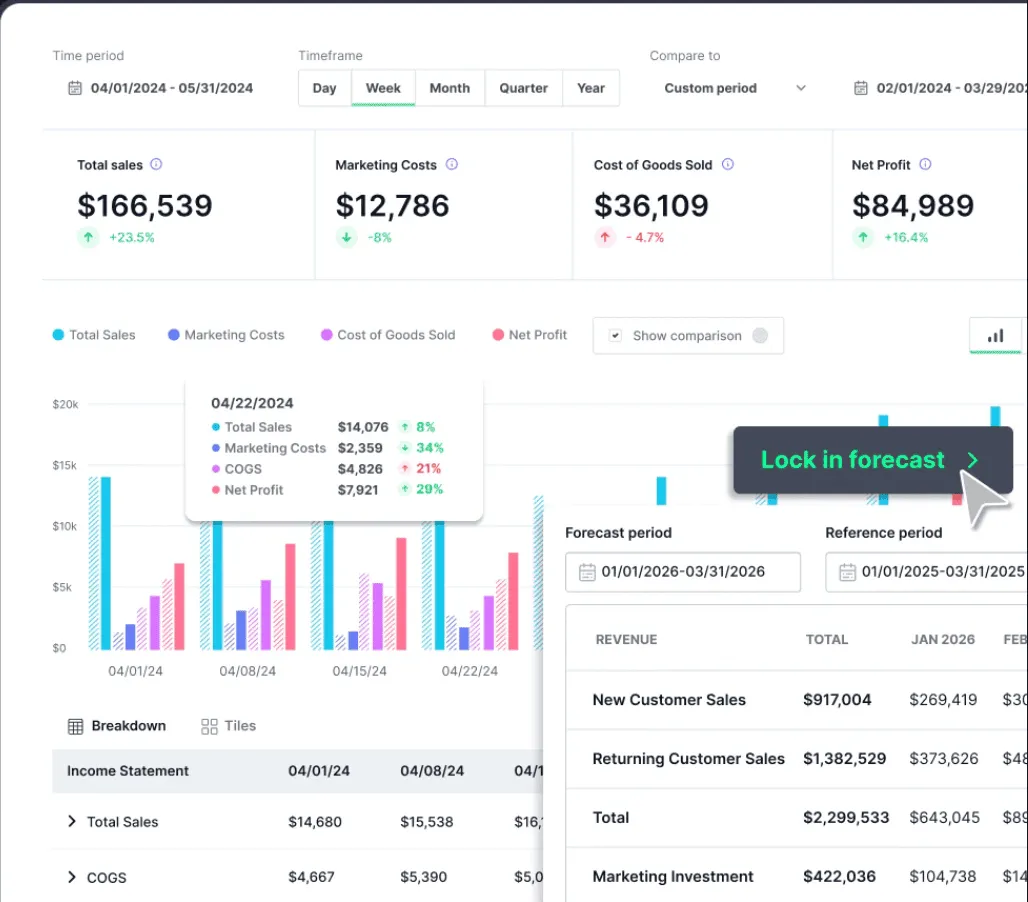
Price: Free for up to 50 orders per month. The current Shopify App Store listing shows S at $49/month for up to 500 orders, M at $149/month for 3,000 orders, and L at $299/month for 7,000 orders. Paid plans list a 14-day trial. Amazon data is an optional $75/month add-on for paid plans.
Features include
- Real-time profit and loss dashboard combining Shopify and Amazon revenue with ad spend, shipping, and custom costs
- Customer lifetime value broken down by segment, acquisition channel, and first product purchased
- Cohort reports showing CAC payback periods, revenue trends, and retention rates over time
- Predictive LTV estimates for supported customer segments
- Product journey analytics covering repurchase rates, purchase sequences, and average time between orders
- Integrates with Klaviyo, Meta, Google Ads, TikTok, Snapchat, and ShipStation
- Customizable dashboards with scheduled email report delivery
- Industry benchmark data for comparing performance against similar brands
Pros
- Cohort analysis and LTV modeling put retention and acquisition economics in one view
- Free plan available for up to 50 orders per month
- Klaviyo integration; confirm the data available for the campaigns you want to run
- Check current App Store feedback alongside the features you need
Cons
- Can feel complex to configure for stores new to cohort-based analysis
- Plan costs increase with order volume; worth calculating projected orders before committing
- Cost inputs and integrations still need configuring before you rely on the profit figures
Conversific
Conversific was built around eCommerce performance and benchmarking against similar stores. That is useful context when comparing Shopify analytics apps, but its Shopify App Store listing now says the app is not currently available.
If you already use it, contact Conversific about support and data access. If you are choosing a new Shopify reporting tool, compare the active options elsewhere in this list first.
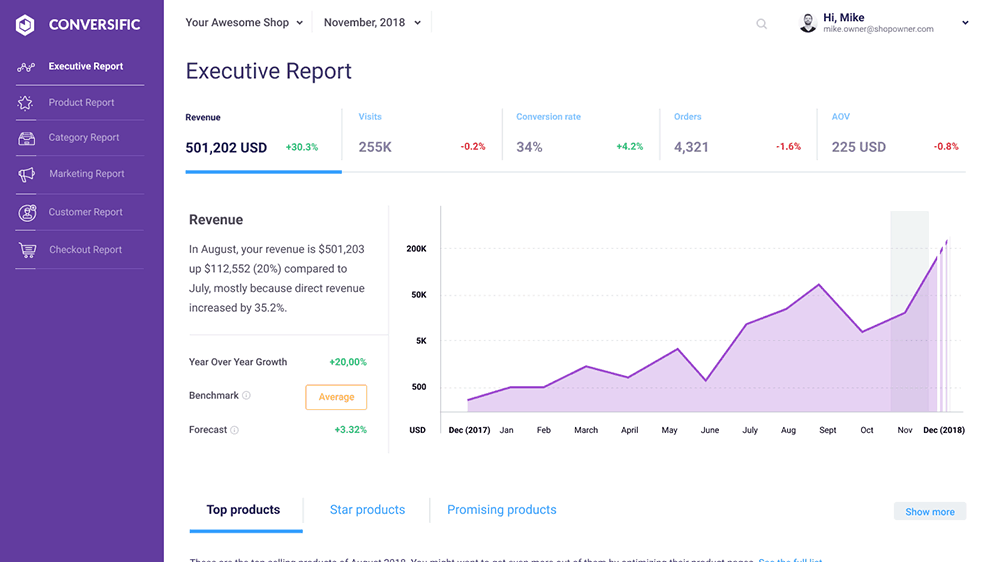
Price: Current purchase pricing is not verified. The old $29/month figure is not a reliable basis for a new installation.
Features to confirm with the team
- Access to existing product, customer and benchmarking reports
- Export options and retention of your historical data
- Current support for connected analytics sources
Pros
- Existing users may still find value in their historical comparisons
Cons
- Currently unavailable on the Shopify App Store for new installs
- Current onboarding, pricing and support terms need confirmation
OrderMetrics
OrderMetrics now describes a different reporting workflow: automatically bringing commerce and marketing data into Google Sheets. The idea is to reduce the manual work of pulling figures from different platforms while letting your team build reports in a spreadsheet.
Its current site shows Shopify, Amazon, analytics and Facebook sources. It also advertises a natural language report builder and unlimited report automation.
If you are evaluating it as a new user, confirm current access and supported data fields directly with the team. The website presents this as an early-access offer.
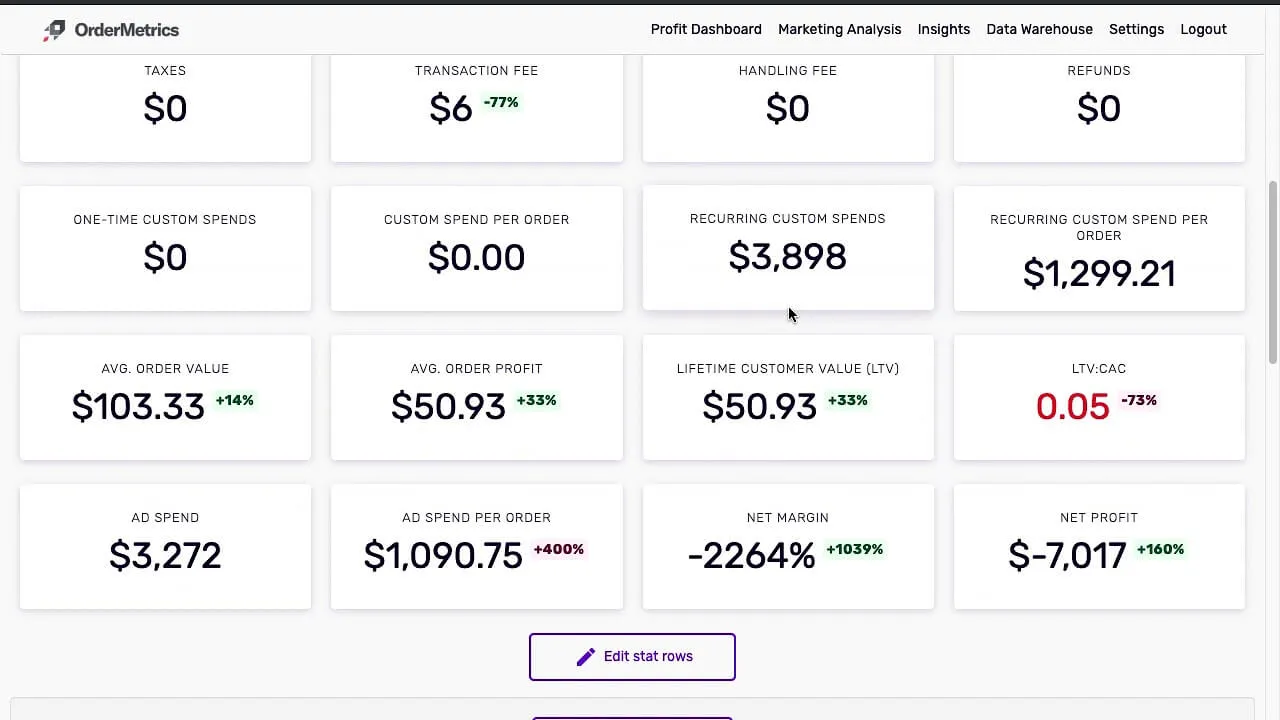
This screenshot shows the older profit dashboard, rather than the Google Sheets workflow described on the current website.
Price: The website advertises $45/month early-access pricing, with integrations included. Confirm eligibility and billing before committing.
Features include
- Automated reporting in Google Sheets
- Commerce and marketing data from connected platforms
- Natural language report building
- Unlimited report automation under the advertised early-access offer
Pros
- Fits teams that already work in spreadsheets
- Lets you shape reports around your own questions
Cons
- Confirm onboarding and connector availability before planning around it
- The current offer differs from the older profit dashboard previously described here
Yandex Metrica
Yandex Metrica is a free web analytics platform developed by Yandex. It sits in a different category from the profit-focused tools on this list.
Its strength is in understanding how visitors actually behave on your Shopify store before they convert or leave.
What makes it stand out is the combination of features it offers at zero cost.
Session replay lets you watch recorded visits, including clicks and scrolls, to see where visitors get stuck.
Heatmaps show which parts of each page get the most attention and where visitors stop scrolling.
Yandex Metrica stores the collected data, but large reports can use sampling. It does not mean every visitor was captured: tag setup, browser settings and consent can affect what reaches a web analytics tool.
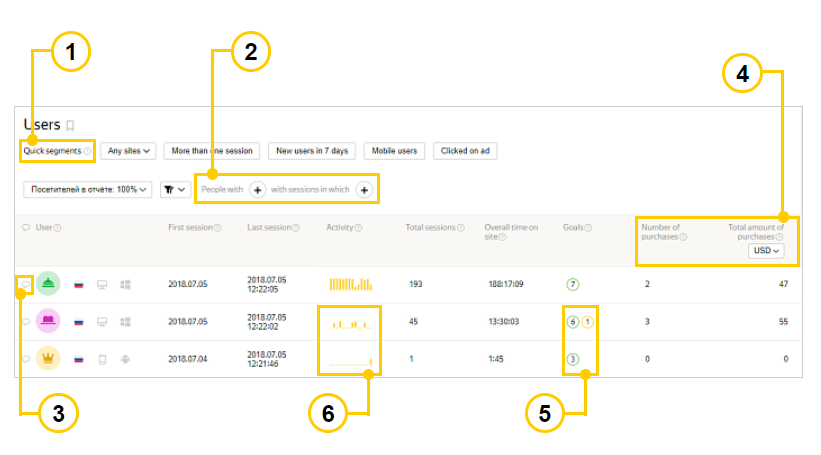
Documentation example of the Users report. Source.
Price: The basic service is free. Yandex Metrica Pro is a paid package with expanded quotas, data streaming and access to unsampled reports. See the Pro package.
Features include
- Session replay of recorded visits, including clicks, scrolls, and mouse movements
- Heatmaps showing where on each page visitors focus, click, and stop scrolling
- Form analytics identifying which fields cause users to abandon forms before completing them
- Traffic reports for desktop and mobile visitors; large report requests can be sampled
- Audience breakdown by location, device, browser, and ad blocker usage
- Traffic source reporting with ROI tracking from connected advertising channels
- Up to 200 goals per tag in the standard service, with eCommerce tracking when configured
- Custom user segmentation and attribution model switching within existing reports
Pros
- Free basic service, with optional paid Pro capabilities
- Session replay, heatmaps, and form analytics in one platform removes the need for a separate tool
- Shorter reporting periods can help keep requests below sampling thresholds
- Supports eCommerce measurement when the required events are implemented
Cons
- Interface can feel non-adaptive on smaller screens
- Fewer third-party integrations compared to Google Analytics
- Tag and eCommerce event setup need checking against your current Shopify setup
Web-stat
Web-stat provides live visit logs, traffic sources, and navigation reports for your Shopify store. The detail available depends on your plan and tracking setup.
Use Web-stat for live visitor monitoring and traffic behavior. A separate reporting tool is needed for profit and customer lifetime value.
For recorded visits, you can review location, device, and referrer data. Navigation paths and time-on-site reports are listed on Plus and higher plans; detailed visit-log limits vary by tier.
Install through the Shopify App Store, then check that visits are being recorded. Sales and conversion tracking require the appropriate plan and configuration.
The reporting is deliberately clean and straightforward graphs and visit logs rather than dense analytical dashboards.
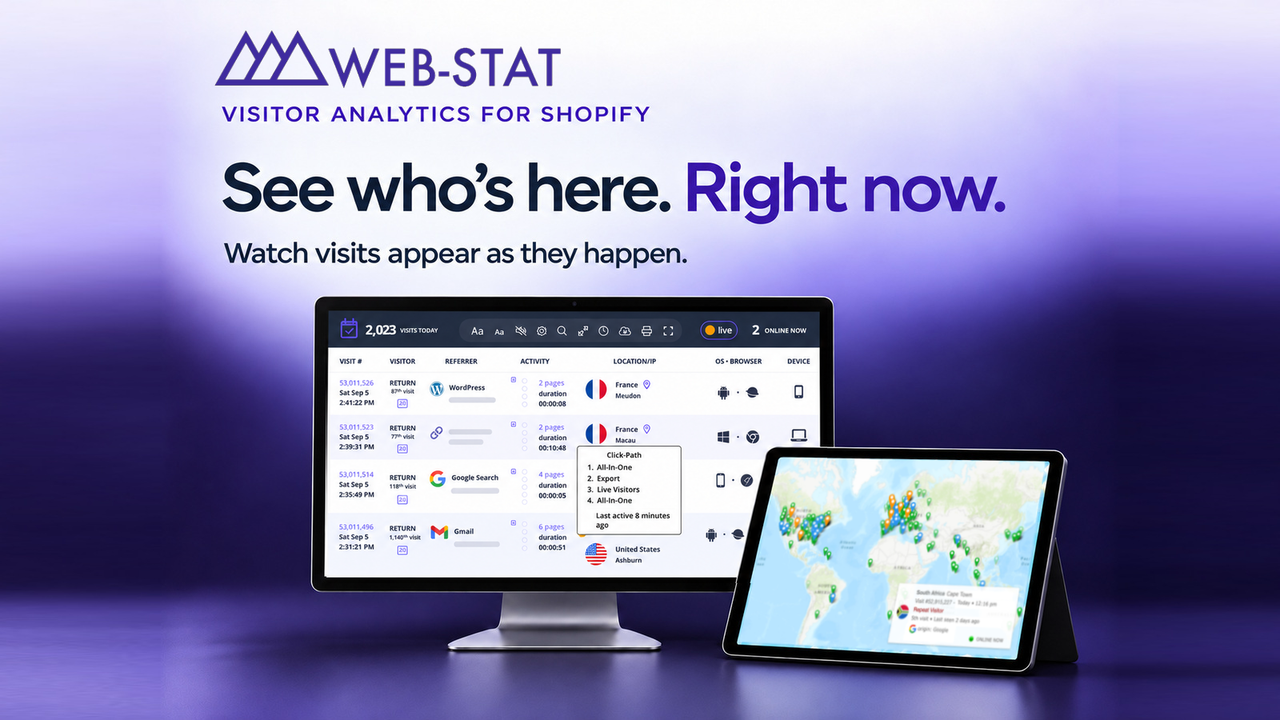
Vendor example of the live visitor interface. Source.
Price: Free up to 5,000 page views per month after a 14-day Pro preview. Paid plans start at $4.95/month. Navigation paths are listed on Plus; named visitors and sales/conversion tracking are listed on Pro.
Features include
- Live visitor monitoring showing each visitor’s journey through your store as it happens
- Full visit paths from entry to exit including referrer source, location, device type, and time spent per page
- Referrer tracking with a week-by-week view of which traffic sources are sending visitors to your store
- Conversion tracking that shows which referrers are actually generating sales not just visits
- Named visitor tracking on eligible paid plans, when configured
- Event tracking for clicks, file opens, and outbound links that would not otherwise register as page views
- Automated email reports, alerts for new visitors or conversions, and embeddable site widgets
Pros
- Shopify App Store installation for basic visitor tracking
- Individual visitor-level detail gives context that aggregate dashboards miss
- Free plan available with no trial expiry for smaller stores
- Merchant reviews are available on the Shopify App Store
Cons
- Focused on traffic behavior; not designed for revenue, profit, or customer analytics
- Visit-log detail, history and page-view allowances vary by plan
- Free plan caps at 5,000 page views per month; higher-traffic stores will need a paid tier quickly
Segment Analytics
Segment is a customer data platform. That puts it in a different category from the analytics dashboards elsewhere on this list.
Segment collects events from the sources you implement and routes them to supported analytics, marketing, and advertising destinations. Check your Shopify event coverage with your developer.
For teams using email platforms, ad networks, CRMs, and data warehouses, Segment provides a shared event collection layer.
Instead of each tool building its own incomplete version of your customer data, Segment gives your stack a shared collection and routing layer. Identity resolution, customer profiles and audience activation depend on the products and plan you choose.
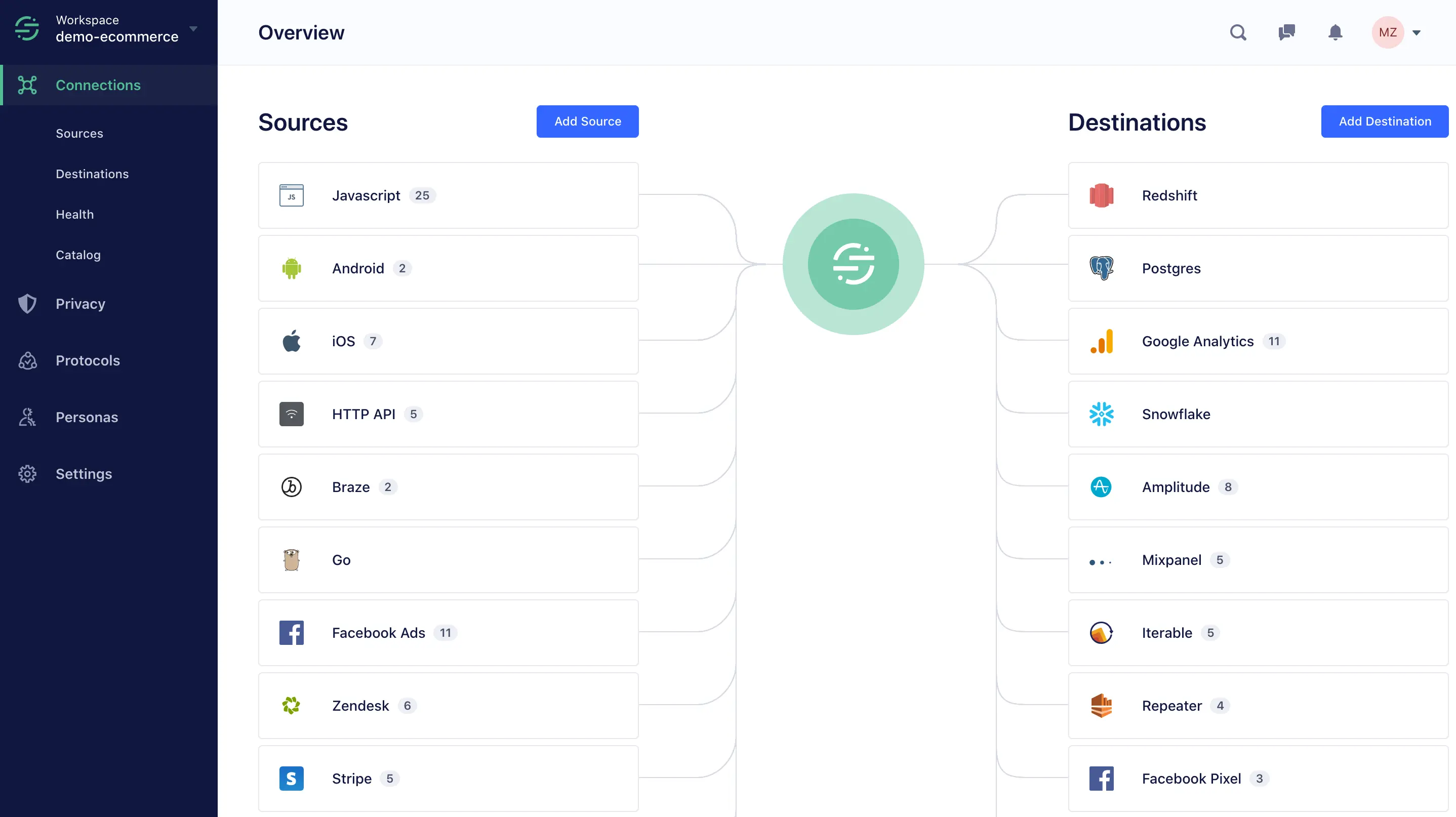
Documentation example of the Connections overview. Source.
Price: Connections has a free tier up to 1,000 monthly tracked users. Team starts at $120/month with 10,000 users included; usage charges apply above that allowance. Identity resolution, profiles and activation have separate product and plan requirements. Check Connections pricing.
Features include
- Event collection from implemented web, mobile, and server sources, including the Shopify events you configure
- Unified customer profiles and identity resolution through the relevant CDP plan
- Routes standardized events to supported analytics tools, ad platforms, email platforms, and data warehouses
- Audience segmentation and activation through the relevant CDP products
- Supplies customer events to connected tools that calculate business metrics
- Sends events to connected destinations; delivery and processing depend on the integration
Pros
- A shared collection layer helps maintain consistent event definitions across supported tools
- A broad integration catalogue; check the exact source and destinations your stack needs
- Free plan available for stores with modest monthly traffic volume
- Data governance and security options vary by plan
Cons
- Implementation requires developer involvement; not a plug-and-play tool for non-technical users
- Pricing scales with monthly tracked users and gets expensive at higher traffic volumes
- Connections primarily collects and routes events; budget for the reporting tools that consume them
- Over-engineered for stores that do not yet run multiple tools needing a shared data layer
Find the right Shopify analytics tools and let your data do the work
The right Shopify analytics tools do not just show you what happened last month. They show you which customers to retain, which products are quietly costing you margin, and where your marketing spend is actually paying off.
Choose the reporting job first, then compare the active tools that fit it. Check plan limits and reconcile sample data during a trial before replacing your current workflow.
Frequently asked questions about Shopify analytics tools
What are Shopify analytics tools?
Shopify analytics tools are third-party apps that connect to your store and provide reporting beyond what Shopify’s built-in dashboard offers. They help you track net profit, customer lifetime value, marketing attribution, and product performance that is either unavailable or hard to surface natively inside Shopify.
Does Shopify have built-in analytics?
Yes. Shopify includes native analytics covering sales, sessions, conversion rates, products and customers. Its customer reports include cohort and RFM analysis, and Basic includes custom data explorations. Consider a third-party Shopify analytics app when you need additional cost inputs, a different workflow, or data consolidated across stores and platforms.
What is the best Shopify analytics tool for tracking profit?
TrueProfit is a useful starting point for net profit with configured COGS, ad spend, shipping and fees. Lifetimely adds a focus on LTV and cohorts. For multi-platform stores, Putler combines sales, product and customer reporting across connected sources. Choose by the question you need answered, and check that your profit tool has all the costs it needs.
Can I track multiple Shopify stores in one dashboard?
Yes. Putler is built specifically for this and pulls data from multiple Shopify stores, payment gateways, and other platforms into one combined view. Polar Analytics supports multi-store and multi-market aggregation with country and brand-level filtering. TrueProfit also offers a combined multi-store dashboard focused on profit.
What is the difference between Shopify analytics and Google Analytics?
Shopify analytics covers your store’s sales, orders, customers, products and native customer reports. Google Analytics focuses on website acquisition, behavior and conversion events. Most store owners benefit from using both. A Shopify reporting tool can add consolidated business data or a different analysis workflow; a profit tool also needs cost inputs beyond sales.
Is there a free Shopify analytics app?
Yes. Yandex Metrica has a free basic service, with optional paid Pro features. Web-stat is free up to 5,000 page views per month. Segment Connections has a free tier for up to 1,000 monthly tracked users. Lifetimely is free up to 50 orders per month. These solve different problems, so a free visitor-tracking tool will not replace a configured profit report.
What Shopify metrics should I be tracking?
The most important ones are net profit, customer lifetime value, repeat purchase rate, customer acquisition cost, average order value, and conversion rate. Beyond those, RFM segmentation groups customers by recency, frequency, and monetary value to help prioritize retention campaigns. It highlights purchasing patterns rather than proving that a customer will churn.
How do I choose the right Shopify analytics app for my store?
Start with the specific gap in your current reporting. No visibility on net profit, compare TrueProfit or Lifetimely after checking your cost inputs. Selling across multiple stores or platforms, look at Putler. Want to understand visitor behavior, compare Yandex Metrica or Web-stat and their plan limits. Need multi-channel BI, look at Polar. Need a shared event layer for other tools, evaluate Segment with your developer. Match the tool to the question you are actually trying to answer.