

Running a WooCommerce subscription business without proper reporting is like flying blind.
I spent years relying on the basic reports that WooCommerce provides, only to realise they barely scratch the surface.
Sure, you get sales figures and order counts, but what about MRR trends? Churn analysis? Customer lifetime value? These are the metrics that actually drive growth.
If you are serious about scaling your subscription store, you need reporting tools that go beyond the basics. You need insights into retention patterns, revenue forecasts, and subscriber behaviour.
Managing WooCommerce subscriptions effectively requires a deeper understanding of your data.
In this guide, I will walk you through the best reporting plugins for WooCommerce Subscriptions, covering their features, pricing, and what makes each one suitable for different business needs.
For a broader look at WooCommerce analytics, you can also explore our complete guide to WooCommerce reports.
What subscription metrics should you track?
Before selecting a reporting plugin, it is important to understand the metrics that matter most for subscription businesses. These key performance indicators help you measure growth, identify problems, and make data-driven decisions.
MRR (monthly recurring revenue): This is the predictable revenue your subscription business generates each month; it provides a standardised view of your income regardless of whether customers pay monthly, quarterly, or annually.
Churn rate: This measures the percentage of subscribers who cancel within a given period; a high churn rate indicates customer dissatisfaction and can quickly erode your revenue base.
LTV (customer lifetime value): The total revenue a subscriber generates over their relationship with your business. Understanding LTV helps you determine how much you can afford to spend on customer acquisition.
ARR (annual recurring revenue): This projects your MRR over a full year; this metric is helpful for long-term financial planning and investor reporting.
ARPU (average revenue per user): This metric measures the average revenue each subscriber generates; tracking it helps you assess the effectiveness of pricing strategies and upselling efforts.
Retention rate: This shows the percentage of subscribers who continue their subscriptions over time; higher retention rates indicate substantial product value and customer satisfaction.
Now, let’s dig into WooCommerce Subscription reporting plugins.
Metorik
Metorik is also a strong reporting option for WooCommerce subscriptions.
Similar to Putler, it provides access to real-time stats and reports like MRR, churn, retention, cohorts, and more. There’s also subscription segmenting & exporting at your fingertips.
With Metorik Engage, you can easily send automated emails for each WooCommerce subscription.

Features:
- Interactive, beautiful, and insightful reports
- Send automated emails directly to customers
- Active subscribers over time, MRR, retention, and more
- Send abandoned cart emails and analyze carts
- Instant data segmenting with hundreds of filters
- Fast, custom, and automatic data exports
- Accurately track your costs and profit
- Receive automatic custom reports by email and Slack
- Bring everything together in one place
Price: $50 USD / month onwards
ChartMogul
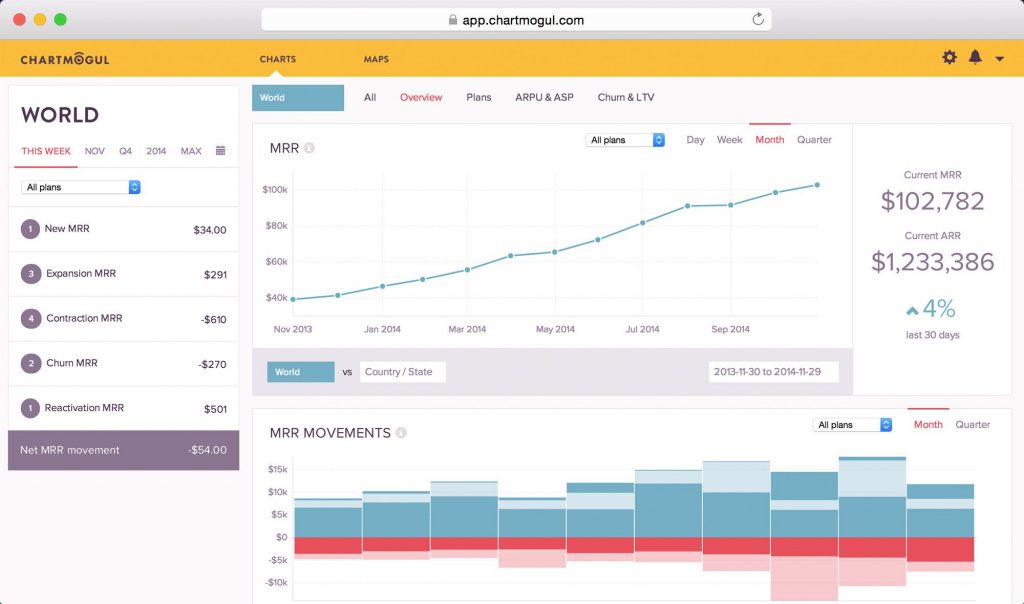
ChartMogul is another analytics and revenue reporting tool for WooCommerce subscriptions.
With this WooCommerce subscription reporting plugin, you can monitor all the activities of your users, know their behavior, and create a seamless user experience.
This platform shows you different parts of subscription analytics, such as MRR and its movements, Annual Recurring Revenue, cash flow, and more.
Features:
- Track your business in real time
- Maintain perfect accuracy
- Improve subscriber retention
- Surface insights the entire team can use
Price: $100 / Month
Putler
If you’re looking for a comprehensive yet straightforward subscription reporting tool.
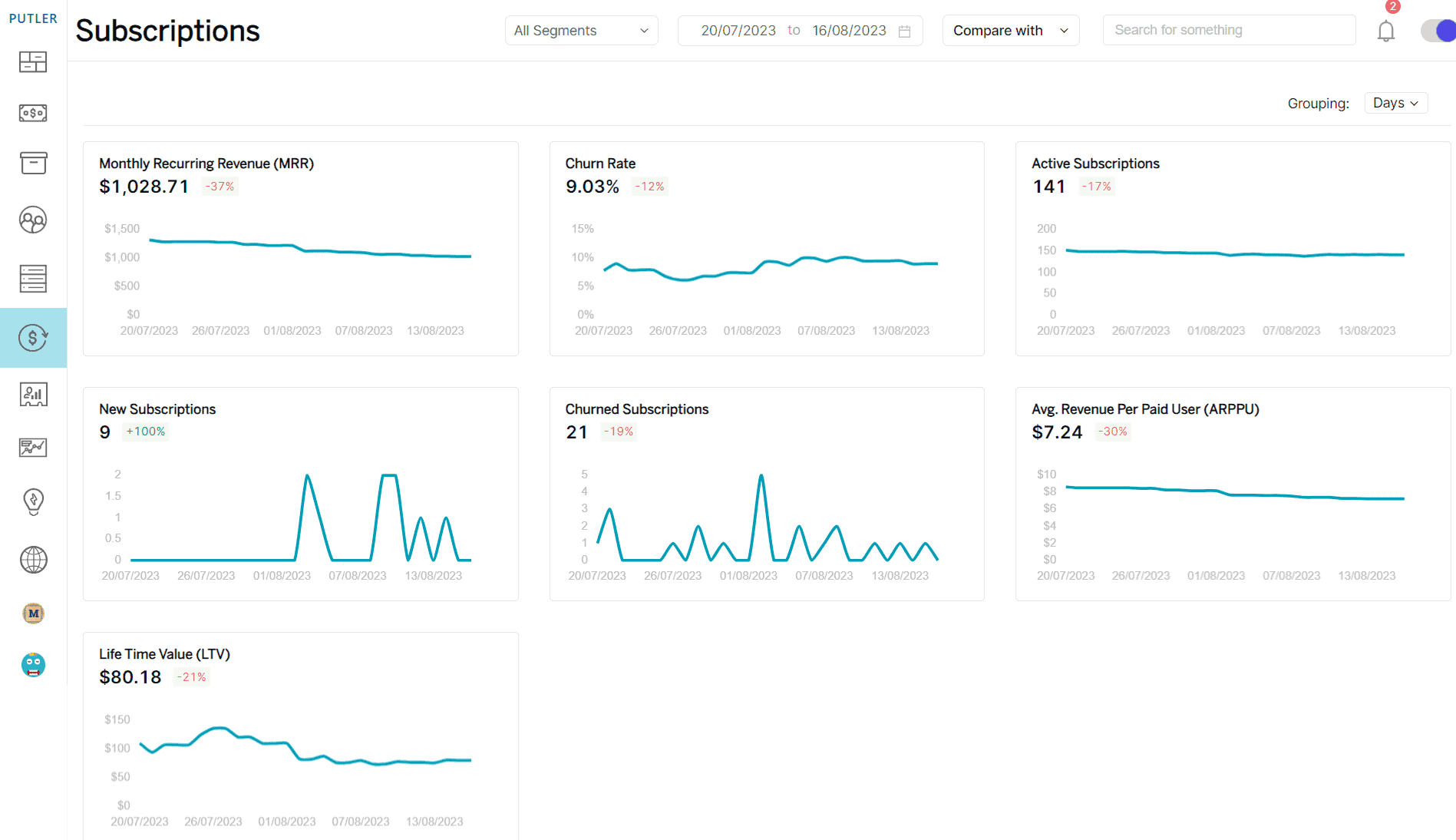
That allows you to analyse not one but multiple WooCommerce stores, across various timeframes, and filtered according to your needs. Putler is one of the best reporting plugins for WooCommerce subscriptions.
This WooCommerce subscription reports plugin automatically shows KPIs, metrics, analytics, MRR, LTV, Churn rate, ARR, top products, and more.
Features:
- Customer intelligence and automatic RFM segmentation
- SaaS metrics – MRR, churn, LTV, ARR, ARPU, trials, upgrades, downgrades
- Search, filter, segment, and drill down
- Most accurate reporting
- Multi-store reporting, currencies, integrations, and team members
- eCommerce, subscriptions, memberships
- Targeted email sending
- Issue refunds and manage subscriptions
- CSV and Mailchimp export
- Subscription reports and SaaS metrics
- Data filtering and custom segments
- User profile enrichment
- Weekly email alerts
- Goals, forecasts & annual planning
Price:
- Starter plan – $20/mo
- Growth plan – starts at $50/mo
If you need to export your subscription data for external analysis or email marketing campaigns, you can learn more about data export options in our guide to WooCommerce export.
Infosoft
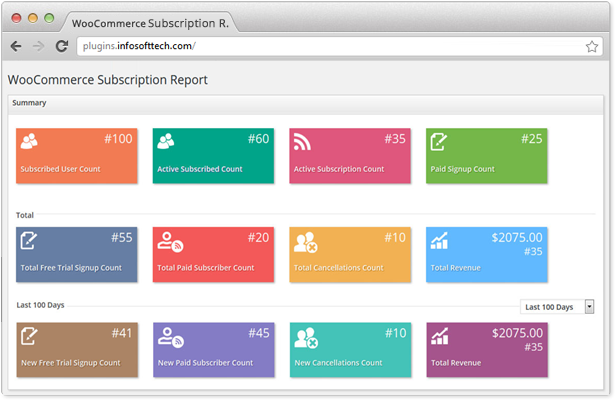
Infosoft is another WooCommerce subscription reporting plug-in that helps you get detailed subscription reporting based on the subscriptions plugin in WordPress.
Features:
- Subscribed user count & revenue
- Free trial signup & paid subscriber count summary
- Cancelled subscriptions summary
- Total revenue
- Canceled subscriptions summary
- Graphical representation of revenue, free trials, paid subscribers, cancellations by days, weeks, and month
- Free or trial subscription due
- Top 5 subscription items
- Subscription status report based on subscription plugin status
- Subscription status report based on WooCommerce order status
- Subscription country
- Month-wise renewal due summary
- Coupons
- Subscriptions due & expired
- Renewals due in the next 7, 10, 30 days and overdue
- Daily summary report
Price: $49/Month
Take your pick
All the reporting plugins mentioned above have their own pros and cons. So I highly recommend you take a trial (if available) before deciding on a particular plugin.
Beyond reporting, many other plugins can enhance your subscription store. Explore our roundup of the best WooCommerce plugins to discover tools for marketing, checkout optimisation, and customer management.
To start off with, you could give Putler a try. It is feature-intensive, provides many more features than your average subscription reporting tool, and is less expensive compared to the other options.
FAQs
What is the difference between MRR and ARR?
MRR (monthly recurring revenue) measures your predictable monthly income from subscriptions. ARR (annual recurring revenue) is simply MRR multiplied by 12, providing a yearly projection of recurring revenue.
How often should I review subscription reports?
For most businesses, weekly reviews of key metrics such as MRR, new subscriptions, and cancellations are sufficient. Monthly deep dives into cohort analysis and retention trends help with strategic planning.
Can I use multiple reporting plugins together?
While it is possible, using multiple plugins can create confusion and inconsistencies. It is better to choose one comprehensive solution that meets all your needs rather than piecing together different tools.
What is a good churn rate for subscription businesses?
Churn rates vary by industry, but most healthy subscription businesses aim for monthly churn below 5%. For annual subscriptions, yearly churn under 10% is considered strong.
Do reporting plugins slow down my WooCommerce store?
Most modern reporting plugins process data on external servers, minimising impact on your store performance. However, some plugins with heavy dashboard integrations may cause slowdowns. Check reviews and tests during your trial period.
- Advanced WooCommerce Reporting and Analytics plugin for your store
- 10+ Best Reporting Plugins On WooCommerce
- WooCommerce Reports : A Detailed Guide