

Have you ever wondered how the entire ecosystem of digital payments works? Or have you asked who your go-to is for anything payments-related? That said, with all the conversations about digital payments, you must have come across the brand ‘PayPal’. Here’s a little something you must know!
While there are many digital payment service providers, PayPal is known as the industry leader. The secret to its pedigree lies in its high-tech infrastructure and excellent financial management system. PayPal has over 3 million customers worldwide. These fascinating numbers speak for themselves.
When you’re processing hundreds of transactions daily, making sense of PayPal analytics becomes crucial for spotting trends and fixing revenue leaks before they hurt your bottom line.
Now that you know what PayPal is, let’s introduce some PayPal analytics tools to make your experience even better!
| Feature | SmartMogul | Pabbly | Databox | MRR.io | Fusebill | Chargebee | Chargify | Recurly |
|---|---|---|---|---|---|---|---|---|
| Popular plan | Growth $50 |
Scale $100 |
Pro $29 |
Plus $99 |
Pro $19/mo |
Growth $995/Mo |
Scale USD 599/Mo |
Scale USD 299/Mo |
| Issue refunds | Yes | No | No | No | No | Yes | Yes | No |
| Subscriptions / recurring payments | Yes | Yes | Yes | Yes | Yes | Yes | Yes | Yes |
| Inbound and Outbound API | Yes | Yes | Yes | No | Yes | No | No | No |
| Growth Recommendations | Yes | No | Yes | No | Yes | No | No | Yes |
| Email Support | Yes | Yes | No | Yes | No | No | No | No |
ChartMogul
Well-known as one of the most powerful PayPal analytics tools, ChartMogul automates the key metrics users need for efficient tracking and analysis.
The best part of this analytics tool for PayPal (just like Putler) is that it provides all the numbers in real time, helping the user stay updated while making easy calculations.
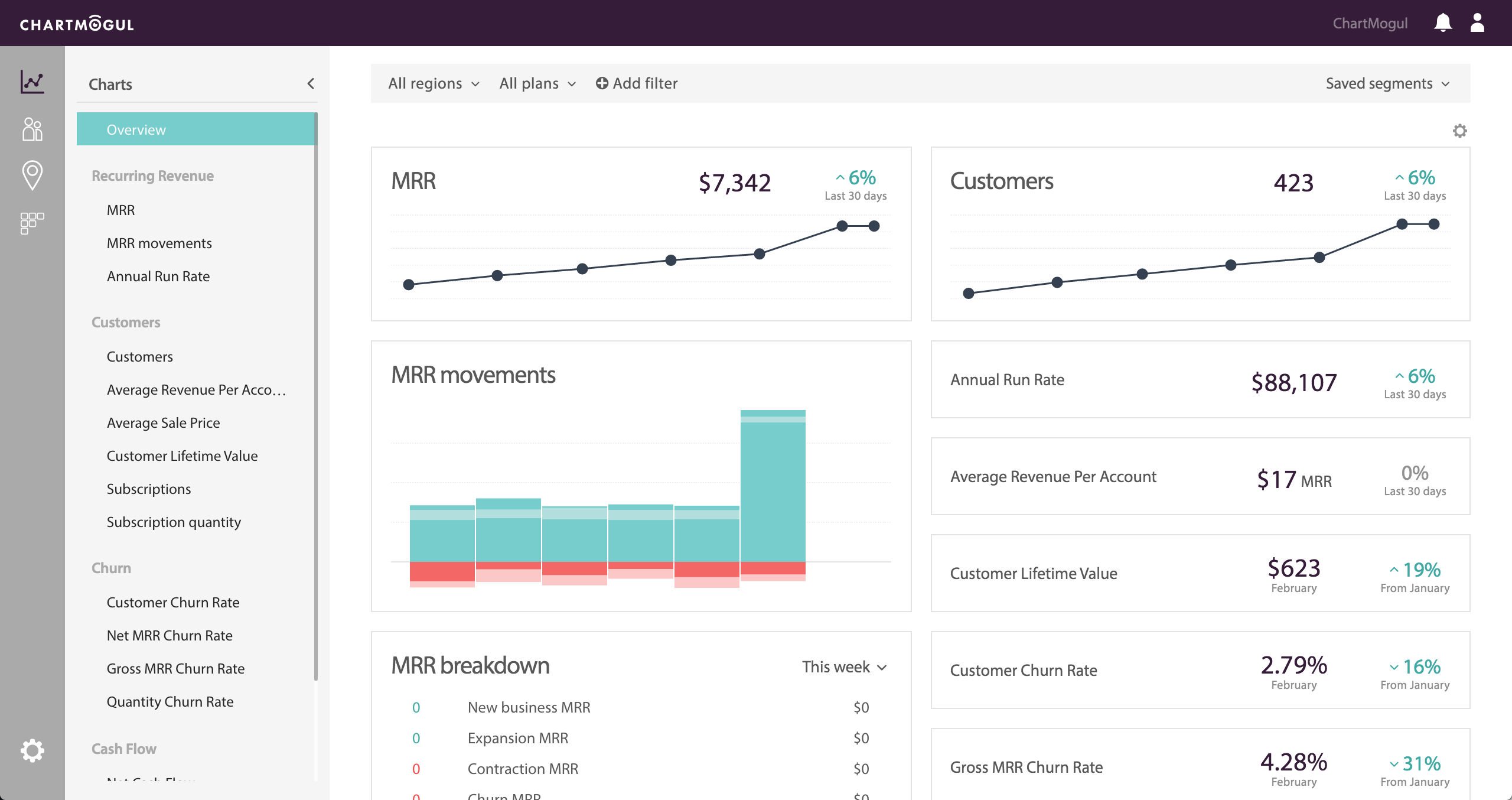
Key Features
- Easy integration: ChartMogul offers a quick integration process that saves users time, effort, and waiting time
- Real-time metric calculations: As mentioned above, ChartMogul automatically calculates many metrics, such as churn rate and lifetime value
- Data filtration: ChartMogul allows you to view a specific set of audiences using its filter options
Pricing for ChartMogul
- Launch Plan: Free plan for revenue under $10,000 per month. That said, it grants access to all metrics and APIs
- Scale Plan: This plan costs $100 a month and is a benefit if you want to create custom charts and need email support
- Volume Plan: Costing $2000 a month, this plan is for enterprise levels, where you get a guided onboarding and a dedicated CSM throughout
Putler
Putler is an analytics software tool that can help you have an overview through a proper graphical presentation.
It covers most of the key metrics needed to see the long-term growth for any business.
Using this PayPal Analytics tool, you make a number of business-centric decisions like sales, refunds, etc. which directly affects your business’s stability.
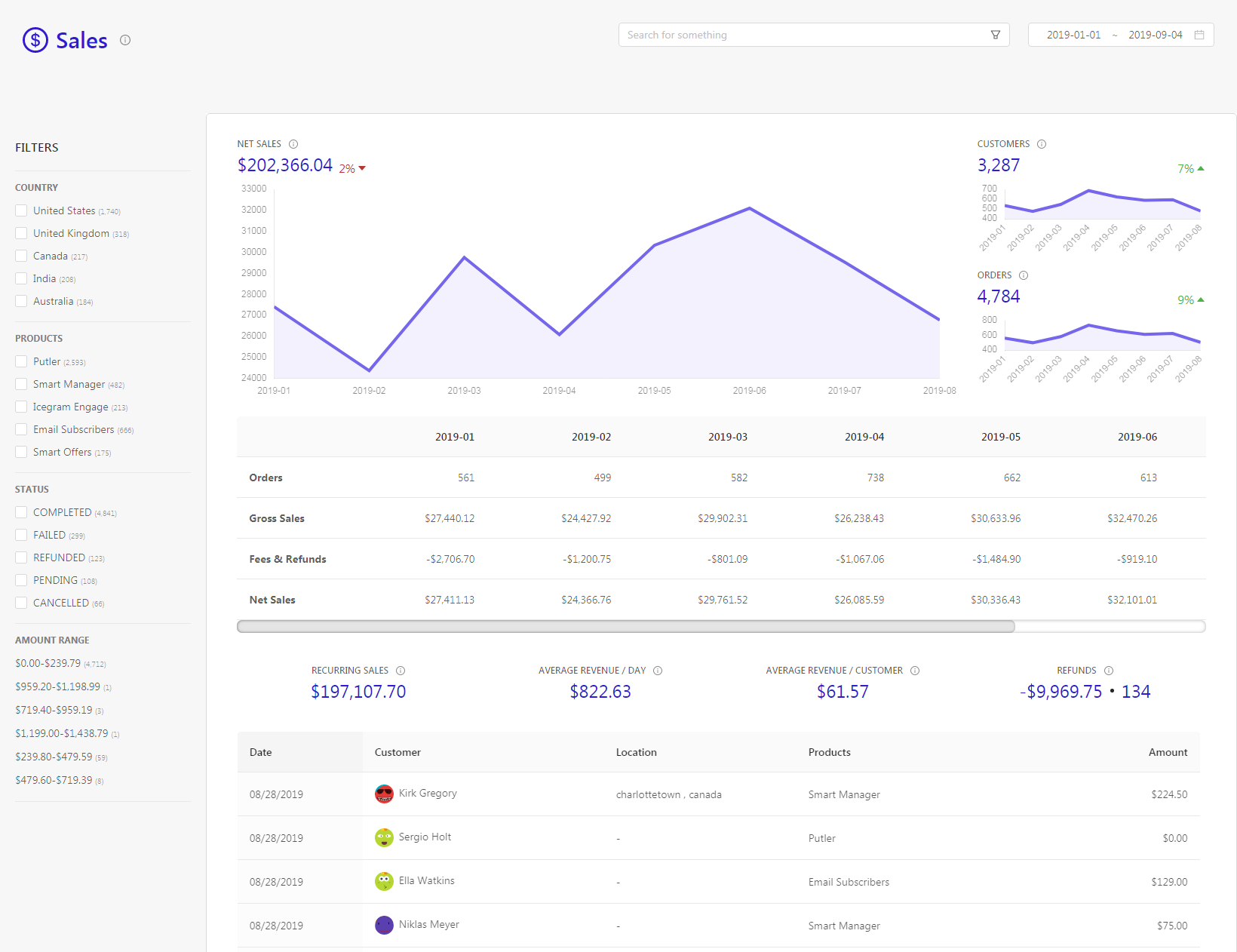
Key Features
- Easy sharing and reporting: Putler allows users share reports within the team hassle-free. To add to this, it automatically generates weekly reports and sends them directly to you. In the long run, making the whole of your work easy.
- Customer segmentation: Putler helps segment your customers within minutes. You can either use the ready-made RFM and segment your customers into 11 segments (e.g., loyal, hibernating, etc.) based on their behaviour, or use custom segmentation. For example, with Putler, you can easily create a segment of customers who purchased a product named ‘A’ from the UK and the same product from the USA in the past 3 months.
- Instant refund: When it comes to the quickest refunds in case of payment errors, Putler is the tool that can help you issue them at lightning speed
- Direct integrations: Putler can easily integrate with PayPal, Google Analytics, Braintree, Shopify, WooCommerce, eBay, and more in just a few minutes. Furthermore, it has four dashboards: the main dashboard, sales dashboard, customer dashboard, and subscription dashboard.
Pricing for Putler
- Starter plan – $20/mo
- Growth plan – starts at $50/mo
Pabbly
Pabbly is one of the most affordable tools for users at any level. It helps with PayPal reports and provides best-in-class service along with several awesome features.
This PayPal analytics tool includes a number of features, such as advanced reporting, customer management and retention, and a powerful API.
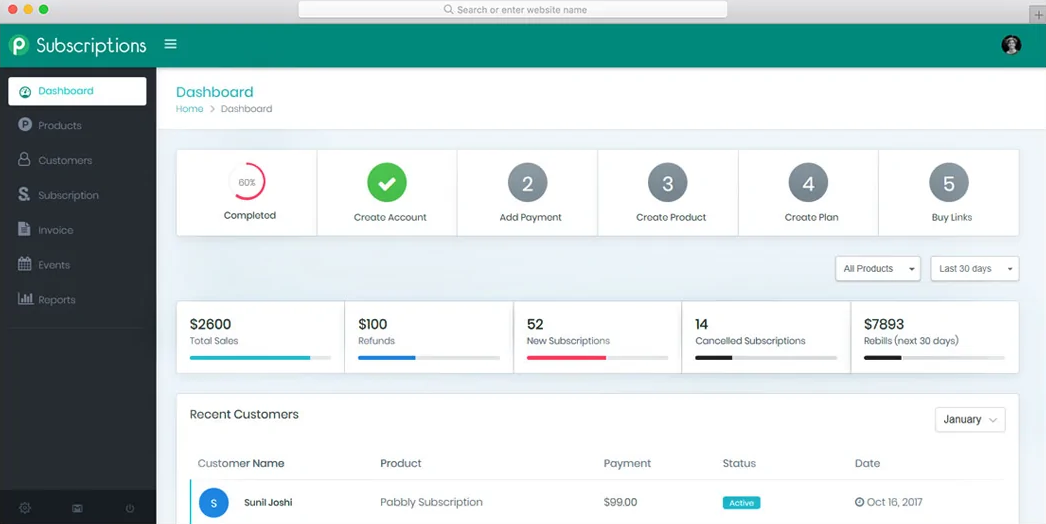
Key Features
- Self-explanatory reports: Pabbly provides users with detailed reporting and further helps them analyze business metrics such as the number of new and active customers, net revenue, etc.
- Ease of integration: You can easily integrate a number of your third-party applications to automate and manage various aspects of your business
- Touches the sales side of the business: This PayPal analytics tool allows you to monitor various things like sales, subscriptions, refunds right from one dashboard, hence simplifying things for you
Pricing for Pabbly
- Starter Plan: This is Pabbly’s most basic plan. At $9 per month, this plan lets you manage 50 customers and includes everything Pabbly has to offer
- Rookie Plan: This plan costs $17 for a month and helps you manage up to 100 customers
- Pro Plan: Best suited for mid-level companies, this plan costs $29 a month and lets you manage 150 customers while giving you access to all Pabbly features
- Advance Plan: Designed for big enterprises, this plan allows you to customize it. You can choose the approximate number of customers you would like to manage, and the PayPal analytics tool will then show you the best price
Databox
Databox is a great PayPal analytics software that’s simple to use. This PayPal analytics tool helps you bring data from your Excel sheet and cloud applications together in one place in just a few minutes.
Its easy integration is well-suited for beginners. With this PayPal tool, you can also see which products and services are purchased and preferred.
For businesses needing deeper transaction-level insights, dedicated PayPal reporting tools can complement Databox’s dashboard capabilities.
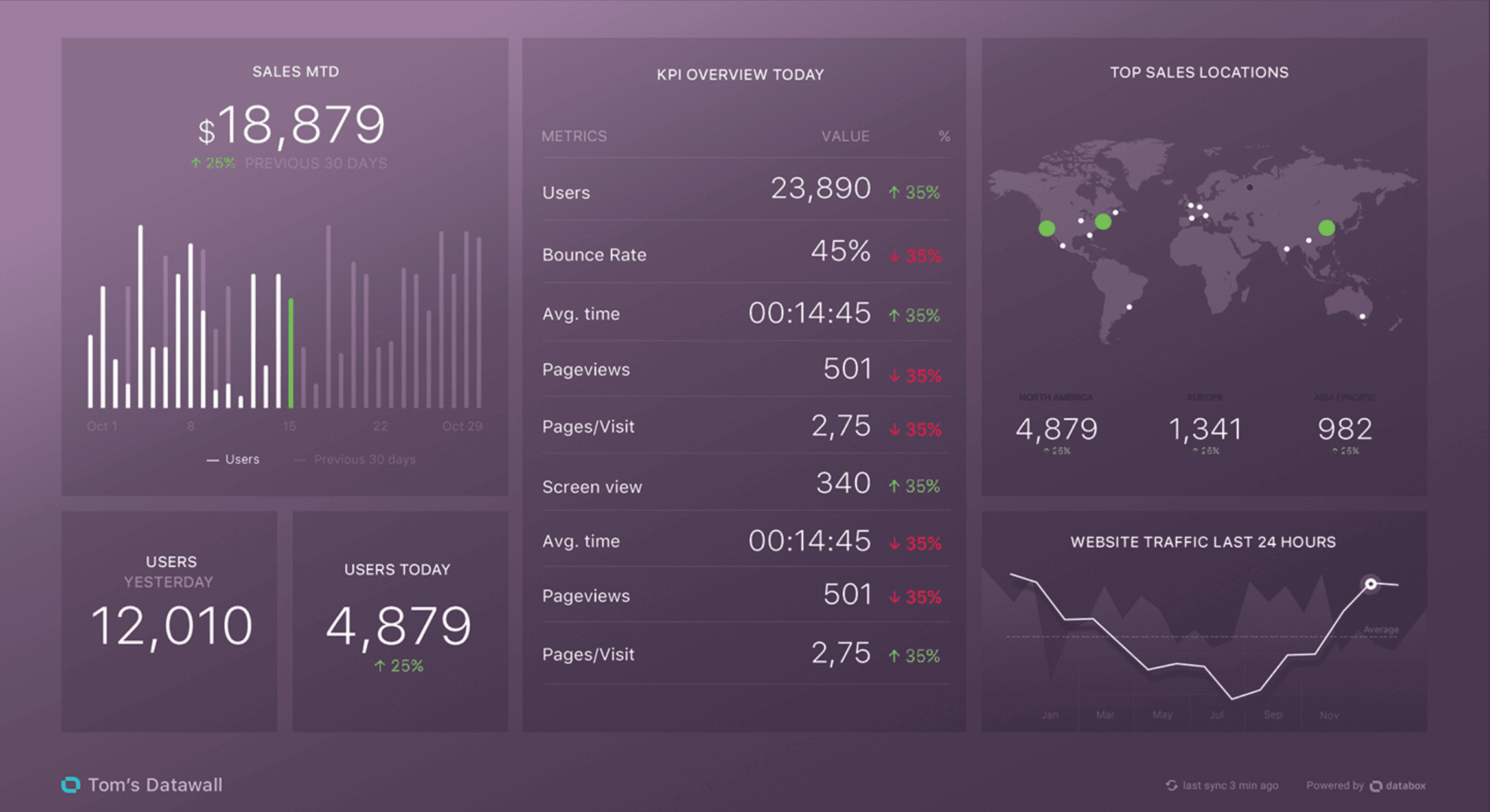
Key Features
- Self-designed dashboard feature: With Databox, users create their own unique dashboard by adding the key metrics they want to keep an eye on. The best part here is that this can be done even if you do not have coding skills
- Goal setting and easy tracking: This PayPal analytics tool lets users easily track their business’s progress, set goals and targets, and more
- Ease of use: Databox offers drag-and-drop functionality that simplifies dashboard creation and report generation
Pricing for Databox
- Free Plan: You can use this PayPal analytics tool for free, but you can access only 3 dashboards
- Basic Plan: Charges $49 per month; allows 10 users and hourly data updates. With it, users get all the other features
- Plus Plan: This plan costs $99 per month and covers everything the basic plan does. What differs is SQL and database integrations, query builder, etc.
- Business Plan: Like the other PayPal analytics tools, this tool also offers an enterprise version. Priced at $248 per month, it supports 20 users and includes branding and security features for your business
MRR.io
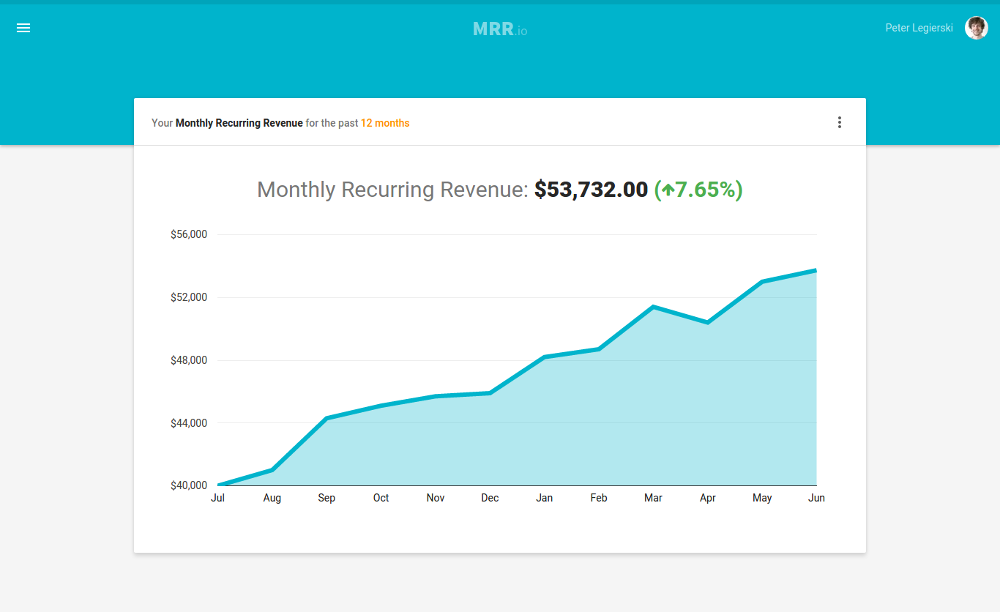
MRR.io is a useful tool for payment analytics because it tracks your MRR regardless of the payment processor you use. It supports various payment gateways, including Stripe, Authorize.net, and PayPal.
Key Features
- It has an email reports feature that lets you receive every alert from the business via email.
- The data can be entered via the API or manually in the app. For this, payment processors include Recurly, Chargebee, Salesforce, and PayPal.
- It also allows you to analyze and monitor the average revenue per customer and the rate of paying customers to churn. This helps with the analysis of MRR expansion, customer refunds, and more.
Pricing for MRR.io
- Basic plan: This tool’s basic plan is FREE. One hundred paying customers, all the metrics, and basic email reports are also given.
- Pro plan: $19/month. You will get 250 paying customers and all metrics, with email support.
Fusebill
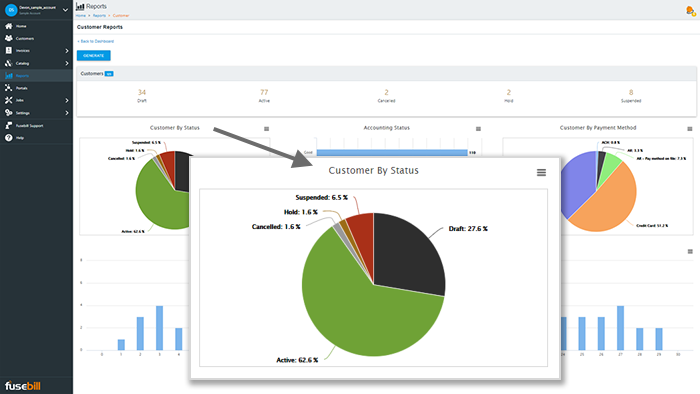
The Fusebill analytics tool provides two subscription and customer dashboards. It also provides real-time revenue snapshots, MRR tracking, and a lot more.
Using this tool, you can see your business’s performance, including how it performed yesterday, last week, last month, or last year.
It helps you in the analysis of recurring billing, catalog management, and revenue recognition. Changes can be made rapidly after analyzing to meet customer demands.
Key Features
- Advanced segmentation reporting is provided so you can keep track of all metrics with precision and separation.
- It also provides an amazing feature of the financial calendar. You can efficiently drill down to look at every activity that occurred on any given day.
- Future invoices and payments can be easily predicted by leveraging projected invoices.
Pricing for Fusebill
- Start-Up: This plan costs $99/Month and includes services such as basic onboarding and QuickBooks integration
- Rapid-Growth: This amazing plan can be grabbed for $995/Month, with a fixed monthly cost, Salesforce integration, and more.
- Enterprise: The pricing for this plan is custom, with the free trial given first. The sales team can be contacted if you want a paid plan.
Chargebee
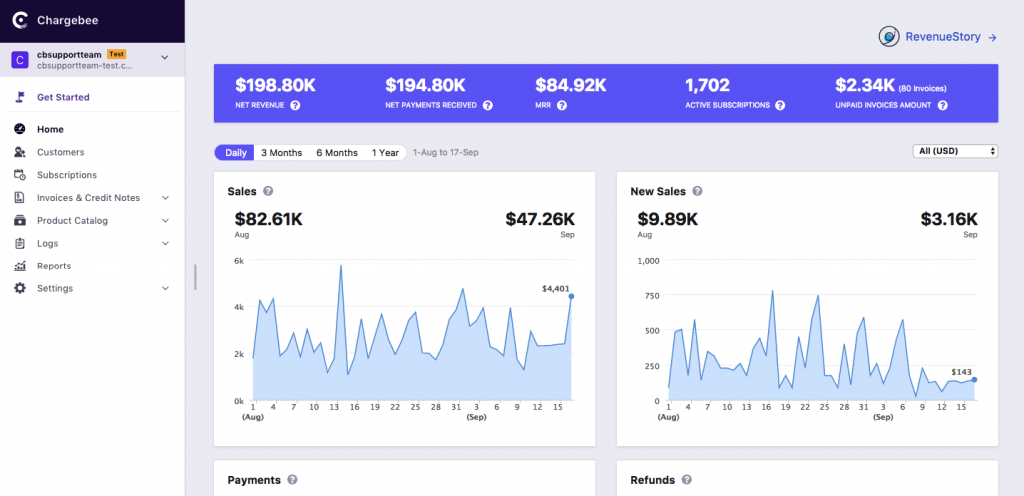
Chargebee is one of the biggest names in PayPal analytics tools. If you have other integrated payment gateways, this is an ideal solution.
Businesses using both PayPal and Stripe can benefit from unified Stripe payment analytics alongside their PayPal data for a complete revenue picture.
It is a must-have product due to its highly accurate calculation of payment metrics.
Key features
- Single software for multiple metrics:
It is an ultimate one-stop solution in measuring various advanced payment metrics such as Signups & Activations, refunds, ARPU, lost opportunities, etc. - Always active:
There’s a daily email report that provides all the valuable insights. - The reporting is custom:
If you are worried about any particular metric, Chargebee’s analytics team will be helpful and supportive, generating a customized report with additional insights.
Pricing for Chargebee
In case of a startup, you will get to use this tool for free until you generate a revenue of $50K.
There are three affordable plans:
- Standard – Worth $99/m for 200 invoices.
- Pro – Worth $199/m for 200 invoices with multiple integrations and add-ons.
- Enterprise – $599/m, with all features and integrations included.
Chargify
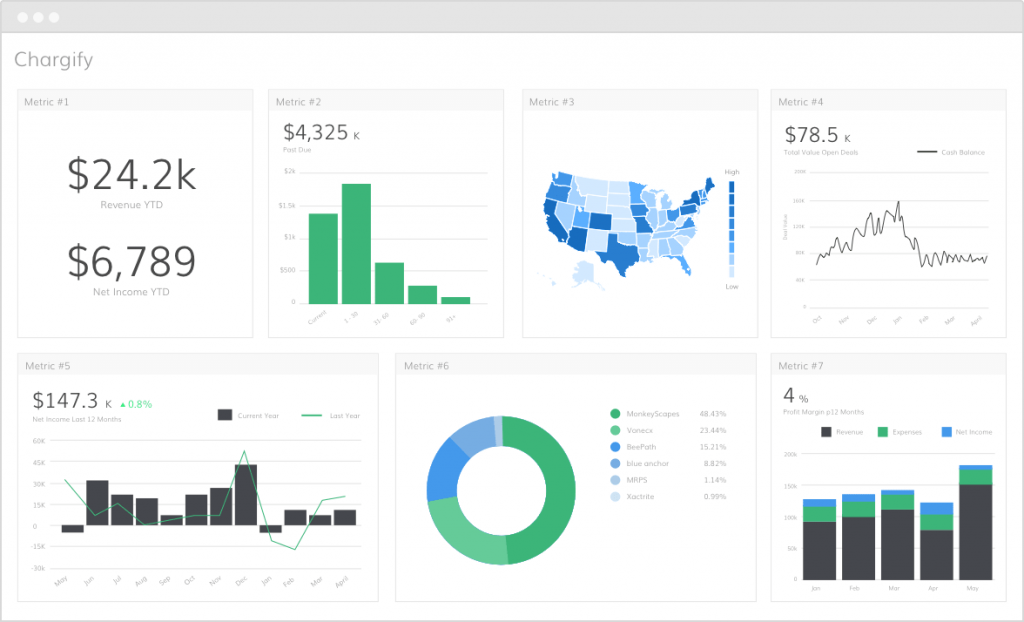
Because of Chargify’s concise reporting and accurate analysis, it is the most efficient payment-tracking service.
One-click calculation, along with data viewing, helps you make more informed decisions to grow your business.
Key features
- Data exporting:
It allows users to download or export graphs and reports in CSV format after filtering and sorting the required data. - Detailed revenue insights are provided:
You can get a detailed look at each revenue segment, including monthly or annual recurring revenue, MRR growth, and breakdowns. - Customer retention:
With a deep understanding of churn rate numbers, you can make better decisions to retain customers.
Pricing for Chargify
Chargify provides a 30-day FREE trial.
It also has three different pricing plans:
- Essential – $149 on a monthly basis with 1.2% of revenue. A few features are included.
- Advanced – $299 every month with 1.2% of revenue. Advanced features included.
- Enterprise – A custom plan can be created after contacting Chargify’s sales team.
Recurly
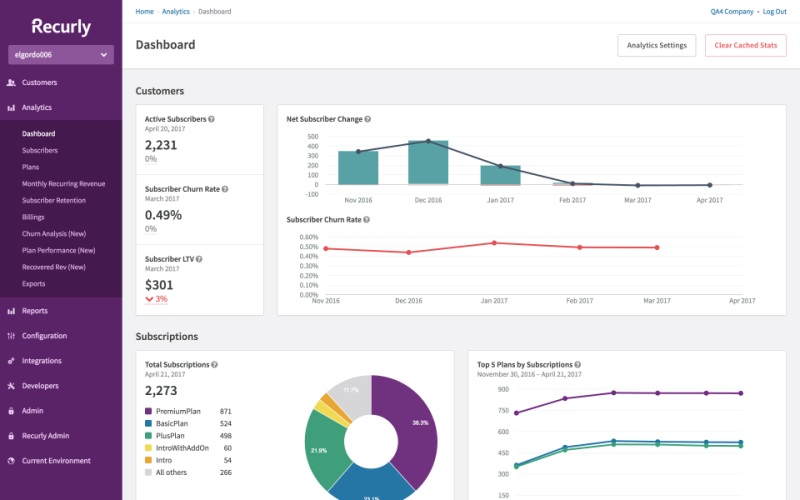
Recurly is a multi-functional software that packs PayPal payment analytics in its full package.
Its payment tracking service provides a clear view of how your business is performing, with relevant KPIs.
Key features
- Dynamically advance dashboard:
It provides an easy-to-access dashboard. You can measure every required metric and your business’s overall health. - Revenue insights are illustrative:
The key metric of any business is revenue. It can be tracked seamlessly using Recurly. - Built-in reports:
They present metrics in graphical formats and offer many report options that provide a detailed outlook of the business.
Pricing for Recurly
It provides three different pricing plans. 1.25% of revenue + 10¢ per transaction is charged on each of them-
Core – $99/m + additional features.
Professional – $299/m + additional features.
Enterprise – A custom plan can be generated by contacting the sales team, and all features are included.
Cheddar
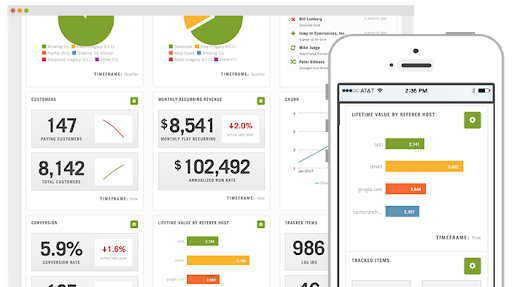
Cheddar is a simple and productive analytical tool.
Apart from a payment metric tool, it focuses on services such as subscription metrics and recurring billing.
Key features
- Single-click metrics tracking:
The dashboard displays all required metrics, helping devise niche business models and plans. - Cloud-based service:
This software is cloud-based, so you can track your business growth anytime, anywhere. - Various payment gateways:
PayPal integration and various payment gateways are a well-known feature of this software. You are exempt from the additional 2.9% merchant processing fee if the payments are made via PayPal standard from Cheddar.
Pricing for Cheddar
- Production – $99/month + 2.9% + 30¢ per transaction.
ProfitWell
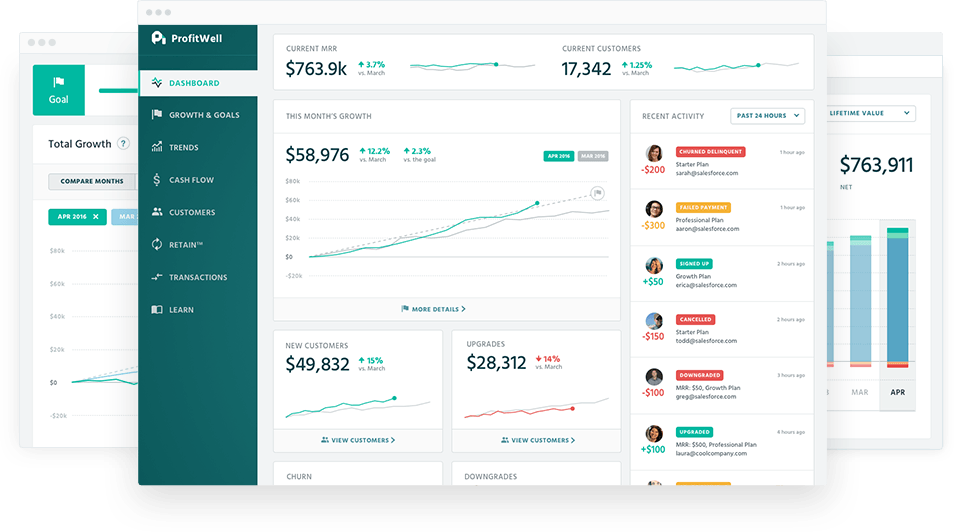
ProfitWell is another analytics platform for PayPal, allowing businesses to track their transaction history systematically. It helps update numerous important business metrics, such as churn, customer count, and MRR.
For subscription-based businesses, tracking PayPal subscriptions alongside ProfitWell’s churn analysis gives you a complete view of recurring revenue health.
Key features
- MRR trends: MRR trends help to view trends for MRR from existing customers, new customers, churn, upgrades, and downgrades.
- Segmentation: It helps identify which customer segment is detracting from and driving subscription growth. Your data can be sliced or diced based on factors such as location, usage, gender, etc.
- Retention: Revenue retention, delinquent churn, and MRR churn can be tracked with its help. These cohort reports help visualise how customers and revenue evolve over time and give ideas regarding retention.
- Integrations: It comes with support for Stripe, Zapier, PayPal, Chargify, Braintree, and Recharge.
Pricing for ProfitWell
- It offers custom pricing. To get more details, the sales team can be contacted.
How to choose the right PayPal analytics tool
Picking the right analytics tool depends less on features and more on how your business actually operates. Here’s a framework to guide your decision.
Business size and transaction volume
- Solo sellers and freelancers: Free plans from Databox, MRR.io, or ChartMogul’s Launch tier cover basic needs without upfront costs.
- Small businesses (under $50K monthly revenue): Tools like Putler, Pabbly, and Chargebee’s free tier offer enough depth without enterprise complexity.
- Growing companies ($50K to $500K monthly): Look for tools with advanced segmentation, multi-user access, and API capabilities like Putler.
- Enterprise ($500K+ monthly): Custom pricing tiers from Chargebee, Recurly, Fusebill, or Putler provide dedicated support and compliance features.
Before comparing tools, list what you actually need versus what looks impressive in demos.
Over to you
The motive of drafting this article is to help the reader get an insight into the best and top-performing PayPal analytics tool. While integrating a payment service provider is one of the major steps, it’s followed by another major task: easy tracking and instrumentation.
In our opinion, Putler covers everything a growing business needs to consider as they plan their future roadmap. You can track everything your way and at your preferred time, and allow us to be your partner!
If you think this answers your queries, go sign up with Putler and let us handle the tracking!
- Putler: PayPal reporting & analytics tool
- Best PayPal reporting and analytics solutions