
Running more than one online store means dealing with a lot of data. That data is what lets store owners and marketers make sound financial decisions, but the sheer volume pulled from multiple stores gets overwhelming fast. Multichannel analytics is how you bring it under control.
What is multichannel analytics?
Multichannel analytics, also called multichannel reporting, is the process of combining data from multiple sources or channels into one place.
If you own three online stores, a multichannel analytics tool aggregates the data from all three into a single view. It reads each store’s data and organises it so you can analyse it together. Think of it as putting scattered books onto one shelf, so you can pick what to read and when.
Why do you need multichannel analytics?
Picture all your data filtered, indexed, and presented as clearly as possible, from every source, in one dashboard. That kind of data aggregation makes decisions easier.
Multichannel analytics improves overall efficiency. The data helps you understand customers and how they behave on your site, and that detailed overview means you can spend less on engagement and promotion, because you’re planning around real data instead of guesses.
Benefits of multichannel analytics

Gives insightful data points
Customers are unpredictable, and understanding their activity gives you insight into how they decide to buy, which products are trending, and which are performing well versus poorly.
Segment customers
Customer data is valuable when you want to connect with them. Multichannel analytics lets you segment customers easily by recency, frequency, monetary value, location, and product interest, which makes personalised outreach far simpler.
Understand customer buying behaviour
There’s usually a reason a customer visits a certain page, or why one product outperforms another, or what options people weigh when they search. These activities form a pattern in buying behaviour, and multichannel reporting puts that pattern in front of you.
Strategize business spending
Well-presented data helps you recognise opportunities, gaps, and performance, so you can direct your spend efficiently and cut wasted resources.
Helps develop customer segments
Knowing your customer is crucial. You can pull customer details from a multichannel reporting tool and segment them into funnels for effective targeting, then build marketing or remarketing campaigns around what they like and dislike.
Rely on multichannel analytics tools
There are plenty of analytics tools out there. Some of the better-known multichannel reporting tools are:
- Glew
- Webtrends Infinity
- Adobe Premium Analytics
Each caters to specific business needs. But what gets measured gets managed, and to keep your data organised, Putler is a strong choice.
Putler is a sophisticated, easy-to-use multichannel analytics tool that aggregates data from multiple sources into a single dashboard. With it you get sales, customer, order, and website reports in one place.
Putler’s strength is its simplicity. It connects multiple channels in a few clicks with no coding, so you can get started within minutes. Connect and you’re set.
Benefits you get with Putler
Multiple reports
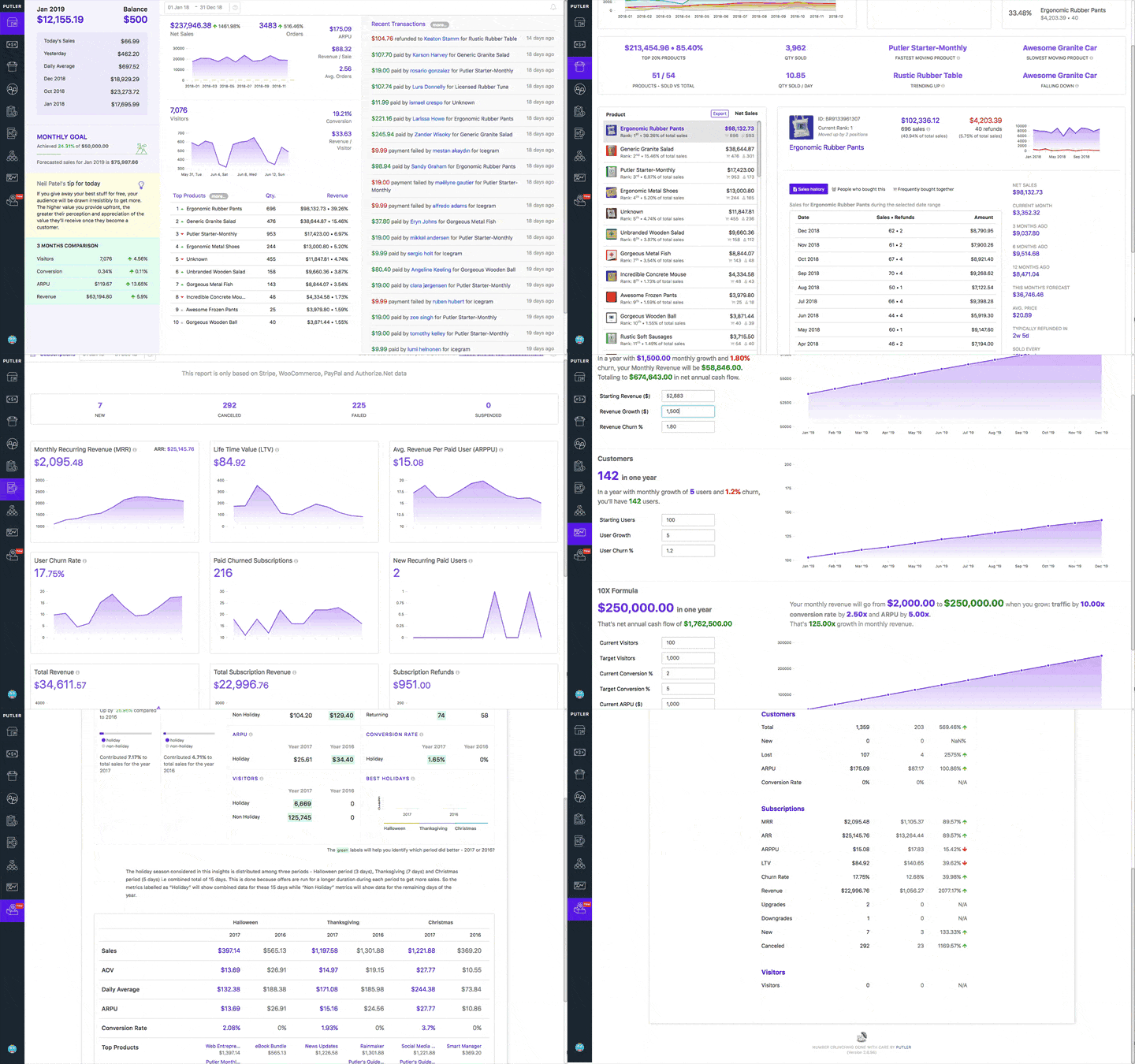
Putler gives you clear, thorough reports on customers, orders, sales, and products.
Goal setting
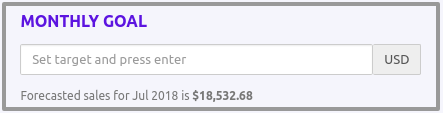
Set goals and stay on track with the data behind them. You can align goals across your team and set individual targets for each person.
Sales forecasting
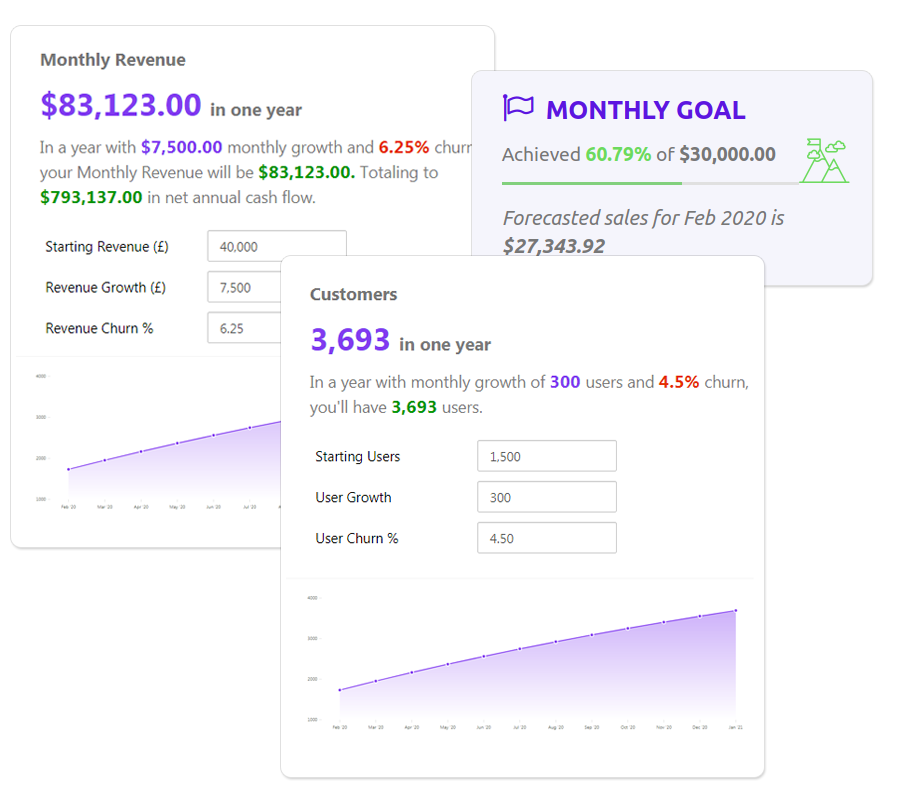
This forecasts sales based on your existing data, so you can set sales benchmarks and goals for your team.
Sales heatmap
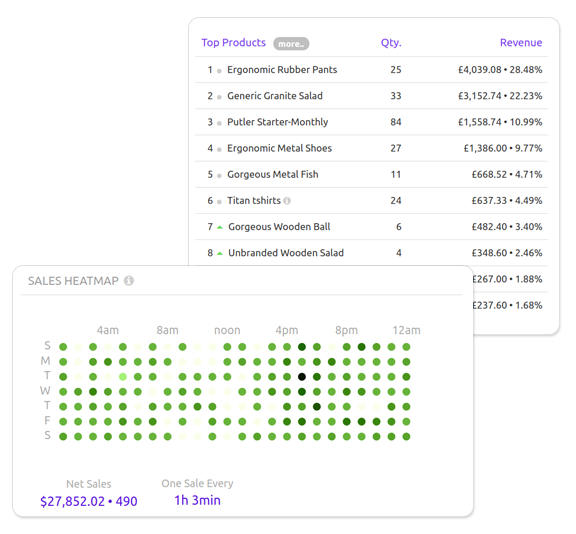
The sales heatmap helps you see what’s working by identifying your most profitable days and presenting them as easy-to-read clusters.
Price points
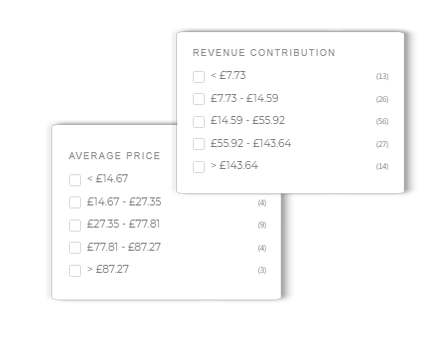
Get insight into price ranges and quantity sold per product, so you can set the right price range to make your business more profitable.
Operation assistance
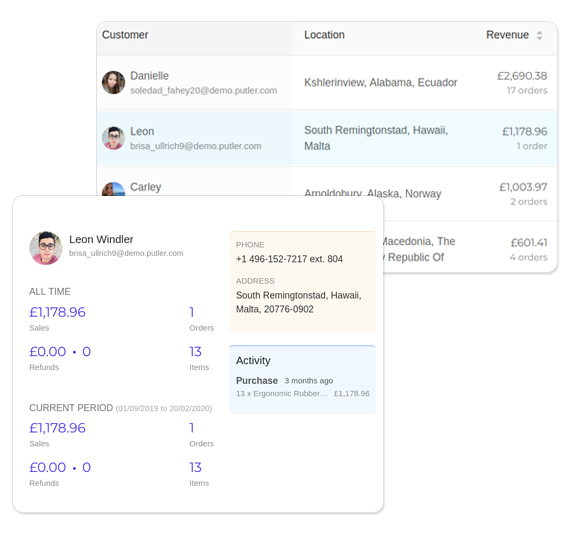
Send personal emails, share reports with your team, get email alerts, and create notes and tags when needed. Putler gives you full operational support.
Holiday insights
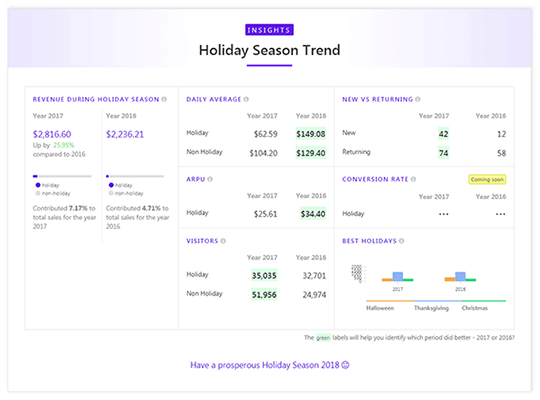
Holiday seasons matter because of the high sales rate. Putler gives you insight to plan holiday campaigns in advance.
Putler analyses data from multiple channels and makes it easy to interpret, and you can connect several channels to get aggregated data across all your stores.
Practical example: what makes Putler a strong multichannel analytics tool
Here’s a quick example with multiple Etsy stores.
Say you have three shops on Etsy. You can connect each to Google Analytics for audience and sales data, but Etsy reporting has real drawbacks:
- Incomplete data
- Lack of product-related data
- No real insights
Etsy’s data doesn’t tell you clearly what’s working and what isn’t, and you still have multiple channels to watch.
With Putler, you get detailed multi-Etsy-store reporting in a few clicks. Connect multiple Etsy shops and get the data in a consolidated dashboard. Link your stores and you’re set.
Putler covers what Etsy leaves out. You get:
A consolidated dashboard
Connect multiple Etsy stores for multi-site reporting, with combined and individual sales stats for each store.
In-depth product information
Insight into top-performing products, top sellers, and customer buying activity.
Detailed sales and transaction data
View sales and transaction data per product, including the timeline of sales, related transactions, and refunds.
Customer insights
Reporting isn’t complete without customer insight. Get RFM customer segmentation and analysis, your good and bad customers, and who’s worth reconnecting with.
Multiple payment gateways and shopping carts
Connect gateways and carts like PayPal, Stripe, and WooCommerce. Putler supports multi-currency transactions and gives you subscription metrics like MRR, LTV, and churn, along with personalised suggestions.
Running your Etsy stores with this data in hand opens up a lot. And it isn’t limited to Etsy: Putler aggregates data from 17+ platforms.
Multichannel analytics: decide what works for you
In eCommerce, data is what you build on, but what matters is how you manage it. Data that can be measured and filtered can be managed.
Comprehensive data helps you analyse opportunities, fill gaps, and strategise. That’s exactly what Putler was built for, and it can become a central part of how you run your business.
- Connect multiple PayPal accounts in one dashboard
- Manage multiple Stripe accounts together
- Report across multiple Braintree accounts
- Combine multiple Authorize.Net accounts
- Track multiple Razorpay accounts
- Consolidate multiple Etsy shops
- Monitor multiple eBay accounts
- Manage multiple Shopify stores from one dashboard
- Report on multiple Amazon accounts
- Handle multiple BigCommerce stores
- Combine multiple Gumroad accounts
- Merge multiple Google Analytics accounts
- Report in multiple currencies
- Set up multi-currency reporting