

Managing customer billing is one of the more demanding parts of running an online business. Whether you’re dealing with one-time transactions or recurring payments, having the right stripe analytics software in place makes all the difference between knowing what’s happening in your business and just guessing.
Among the payment processing platforms available today, Stripe stands out for its developer-friendly setup, clean checkout experience, and broad support for subscription billing. But despite its strengths as a payment processor, its analytical and reporting capabilities still have real gaps that growing businesses run into quickly.
That’s why in this guide we’ll compare the top stripe analytics software and reporting tools available in 2026, covering features, pricing, and what each tool does well, so you can pick the right one for your business.
But first, let’s look at what using Stripe as your payment processor actually gets you, and where it falls short.
Advantages and disadvantages of using Stripe
Before diving into third-party tools, let’s briefly examine the advantages and limitations of Stripe’s analytics capabilities.
Pros:
- Easy setup for recurring payments
- Supports discounts and coupon codes
- Subscription payments management
- Pro-rate charges for mid-cycle customer subscription changes
- Automated reminder system and no refund fees
- Seamless checkout experience leading to increased conversions
Cons:
- Issues with frozen or canceled accounts, especially for businesses in riskier industries
- Limited options for in-person payments
- Requires technical skills or developer resources to customize
- Limited advanced stripe reports and analytics
Quick comparison of top Stripe analytics tools
Below is a quick comparison of the best Stripe analytics tools, highlighting their core features and pricing.
| Features | Putler | ChartMogul | Pabbly | Baremetrics | ProfitWell | Grow | FirstOfficer | DataBox | Treasure Data |
|---|---|---|---|---|---|---|---|---|---|
| Issue Refunds | Yes | No | No | No | No | No | No | No | No |
| People Insights/Customer Segmentation | Yes | Yes | Yes | Yes | Yes | No | Yes | Yes | Yes |
| Sales Analytics | Yes | No | Yes | No | No | Yes | No | Yes | No |
| Email Support | Yes | Yes | No | Yes | Yes | No | No | Yes | No |
| Multiple Stripe Account Management | Yes | Yes | Yes | No | No | Yes | No | Yes | No |
| Single Dashboard – Comprehensive Reporting | Yes | Yes | Yes | No | Yes | Yes | No | Yes | Yes |
| AI/Predictive Insights | Yes | Yes | No | Yes | Yes | No | No | Yes | Yes |
| Pricing | $20/month | Free / from $59/month | $39/month | $108/month | Free | Contact Sales | $29/month | Free / from $159/month | Contact Sales |
Now, let’s dig deeper into the features and benefits of these top Stripe reporting tools:
Stripe Analytics Tools
Pabbly Subscription Billing
Pabbly is a SaaS-enabled payment analytics and subscription billing software. Beyond just bill generation, it doubles as a revenue reporting tool that gives you a clear picture of what’s coming in, what’s failing, and what’s been refunded.
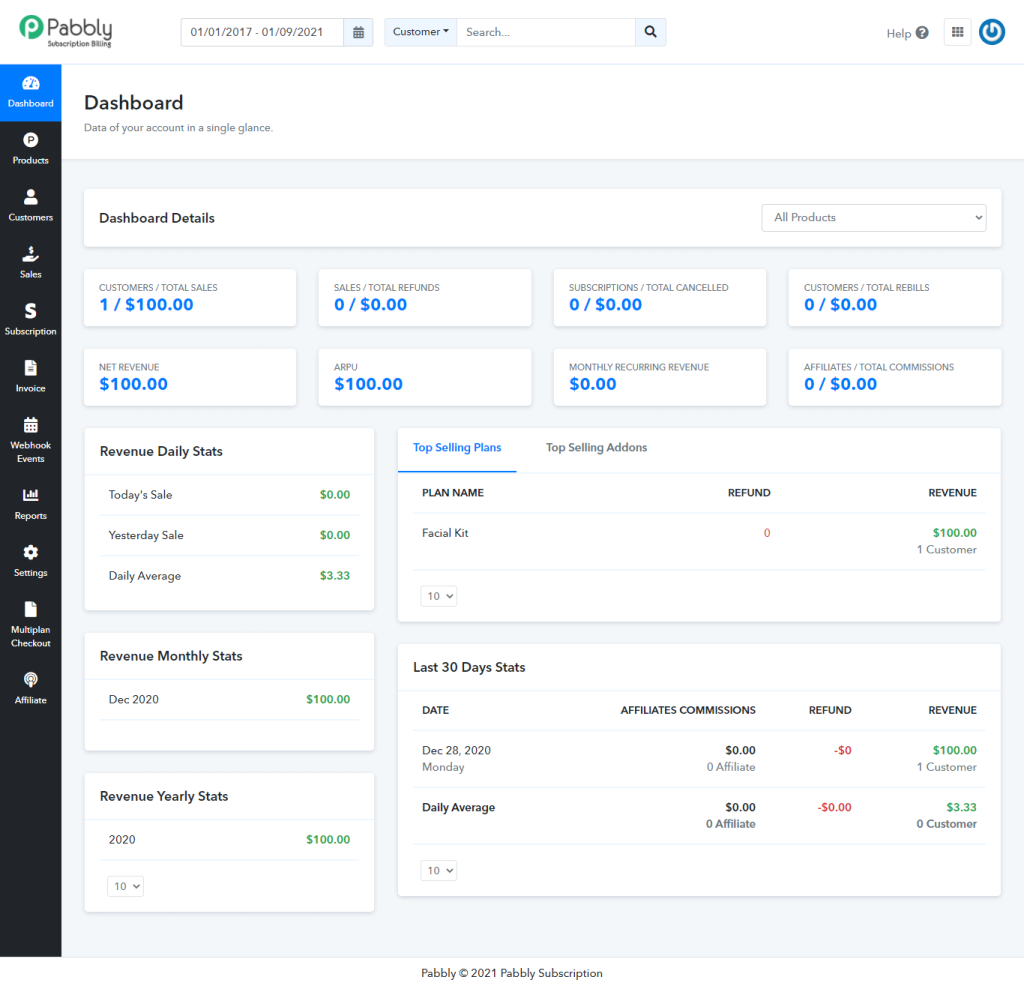
- Payment tracking with invoicing: Records and tracks every payment transaction with downloadable invoices, so your billing history is always audit-ready.
- Unlimited customers and plans: Manages unlimited customers and multiple products or subscription plans from a single dashboard, with no caps on revenue collected.
- Multi-gateway support: Accepts payments through 35+ gateways including Stripe, PayPal, and Razorpay, with support for 100+ currencies across global markets.
- Sales analytics and refund management: Lets you calculate total sales, manage refunds, and track new and canceled subscriptions from one place, without jumping between tools.
- Built-in affiliate management: Comes with an integrated affiliate system to create, track, and manage your own affiliate programs, a feature most billing tools charge extra for or don’t offer at all.
- Dunning and failed payment recovery: Automatically retries failed payments with smart retry logic and sends follow-up reminders, reducing involuntary churn without manual effort.
One thing worth noting: Pabbly’s analytics is functional but not deep. If your primary need is subscription metrics like MRR trends, cohort analysis, or churn forecasting, you’ll hit its limits quickly. Where it earns its place is as an all-in-one billing engine for small to mid-sized SaaS businesses that want billing, invoicing, and affiliate management under one roof, without investing in a dedicated stripe analytics software.
Pricing: Starts at $39/month.
Putler
Considered an ideal stripe analytics software for transaction management across payment platforms, Putler has created a niche for itself in an existing and highly competitive marketplace. It is apt for not only a subscription or SaaS-based business model but for all kinds of eCommerce businesses.
A meaningful stripe reporting tool on an agile dashboard, Putler has gained prominence amongst users for its rewarding nature. Beyond Stripe, Putler also offers strong PayPal analytics for businesses using multiple payment gateways.
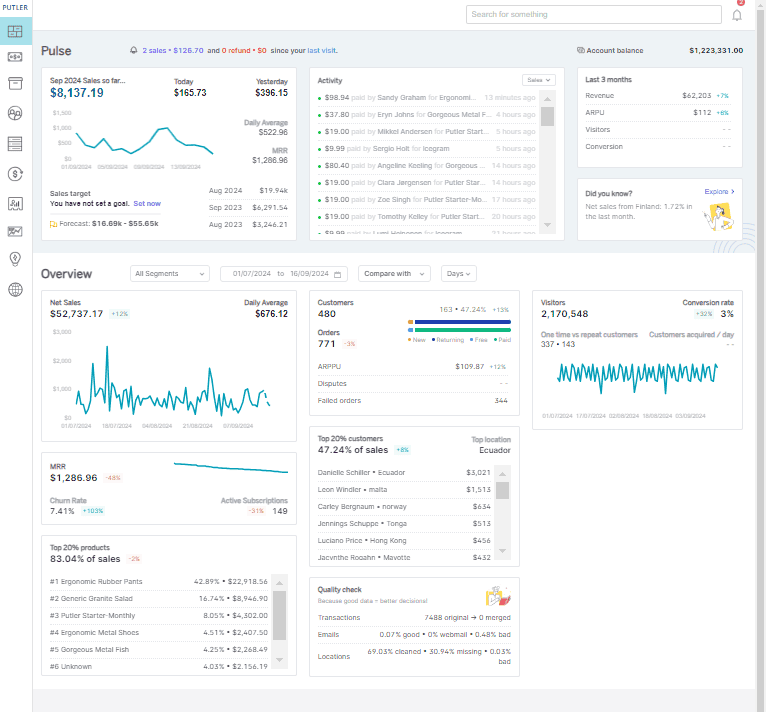
- Single view across all sources: Fetches, merges, cleans, and enriches data from multiple payment gateways and eCommerce shopping carts into one unified stripe analytics dashboard.
- Google Analytics integration: Offers a unified view of customer analytics by integrating with Google Analytics. It also has its own Web Analytics, offered for free.
- Per-store reporting: Toggle and view stripe reports of each store individually, or switch to a combined view across all connected stores.
- Multi-store management: Centralized management of multiple stores from a single dashboard.
- Real-time reporting: All data updates in real time so your numbers are always current.
- Advanced subscription metrics: Tracks MRR, CLTV, ARPPU, and 200+ other vital metrics, going far beyond what Stripe’s native dashboard provides.
- Customer insights and RFM segmentation: Customer analytics with RFM segmentation to identify your best, at-risk, and lapsed customers.
- Payment analytics and subscription management: Full Stripe payment analytics with subscription lifecycle tracking.
- Goal tracking and forecasting: Set revenue goals and use built-in forecasting to track progress against them.
- Weekly email reports: Automated weekly emails keep your team updated without logging in every day.
- Team sharing: Collaborative team access so multiple stakeholders can work from the same data.
- Performance comparison reports: Compare performance across time periods, stores, and products.
Pricing: Putler offers two plans:
- Starter plan: Starts at $20/month. Connect up to 3 data sources.
- Growth plan: Starts at $50/month. Connect up to 15 data sources.
With Putler, you can connect multiple data sources combining WooCommerce stores, payment gateways, and more. If you’re also using PayPal alongside Stripe, Putler makes managing multiple PayPal accounts simple from a single dashboard. Once connected, you can generate unlimited stripe reports on sales, orders, customers, and transactions, with the option to export them in CSV.
Baremetrics
Another strong stripe analytics software for SaaS and subscription businesses, Baremetrics is purpose-built to track recurring revenue metrics in real time. It comes with a 14-day free trial. If you want to benchmark your metrics against similar companies or see exactly where churn is hitting hardest, Baremetrics gives you that depth.
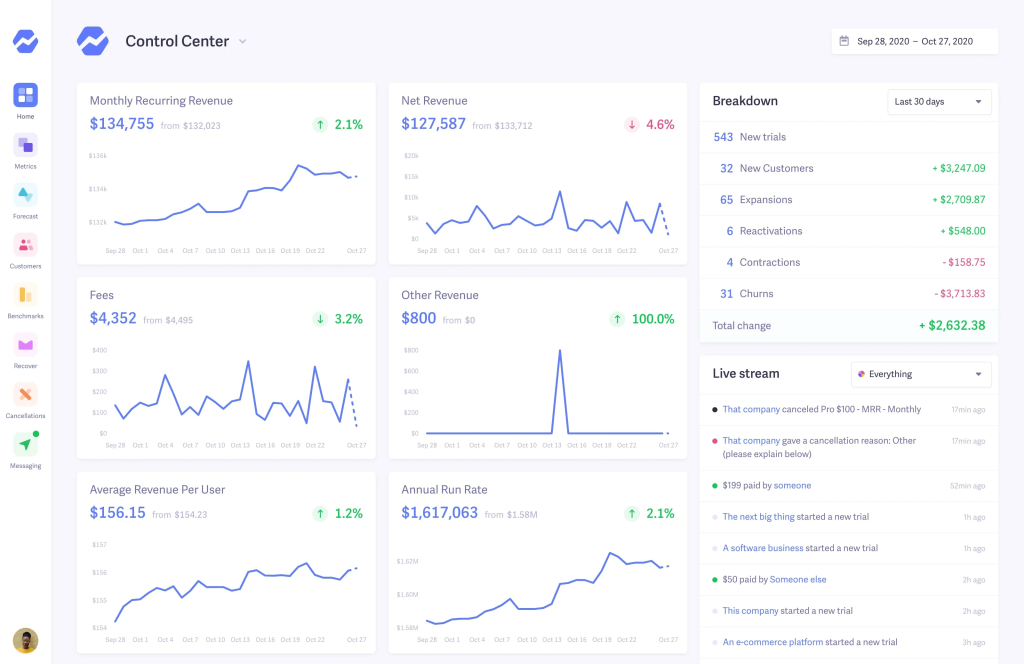
- Real-time SaaS metrics: Tracks MRR, ARR, LTV, ARPU, churn rate, and 20+ other subscription KPIs in real time, with customizable dashboards you can build to match your exact reporting needs.
- Benchmarking against peers: Compares your stripe reports against similar SaaS businesses, so you can tell whether your churn rate is an internal problem or an industry-wide trend.
- Recover (dunning management): Automatically retries failed payments and sends customizable email sequences to recover lost revenue. Available as a paid add-on.
- Cancellation Insights: Collects and analyses cancellation reasons directly from churned customers, giving you the qualitative data to act on, not just the numbers. Available as a paid add-on.
- Revenue forecasting: Projects future MRR, customer count, and cash flow based on current trajectory, helping you plan ahead with confidence.
- Multi-source integration: Connects with Stripe, Braintree, Recurly, Chargebee, Apple App Store Connect, and Google Play, making it useful beyond just Stripe-first businesses.
Keep in mind that Baremetrics is built for subscription businesses only. If you run an eCommerce store, a hybrid model, or accept one-time payments alongside subscriptions, it will show you an incomplete picture. Its stripe analytics dashboard is focused and deep, not broad.
Pricing: The Metrics plan starts at $108/month and scales with MRR. Recover and Cancellation Insights are available as separate MRR-based paid add-ons.
ChartMogul
ChartMogul has built a strong reputation among subscription businesses for turning raw billing data into clean, trustworthy metrics. It shines in multi-source environments where you’re pulling data from Stripe alongside other billing systems and need everything normalized before you can analyse it.
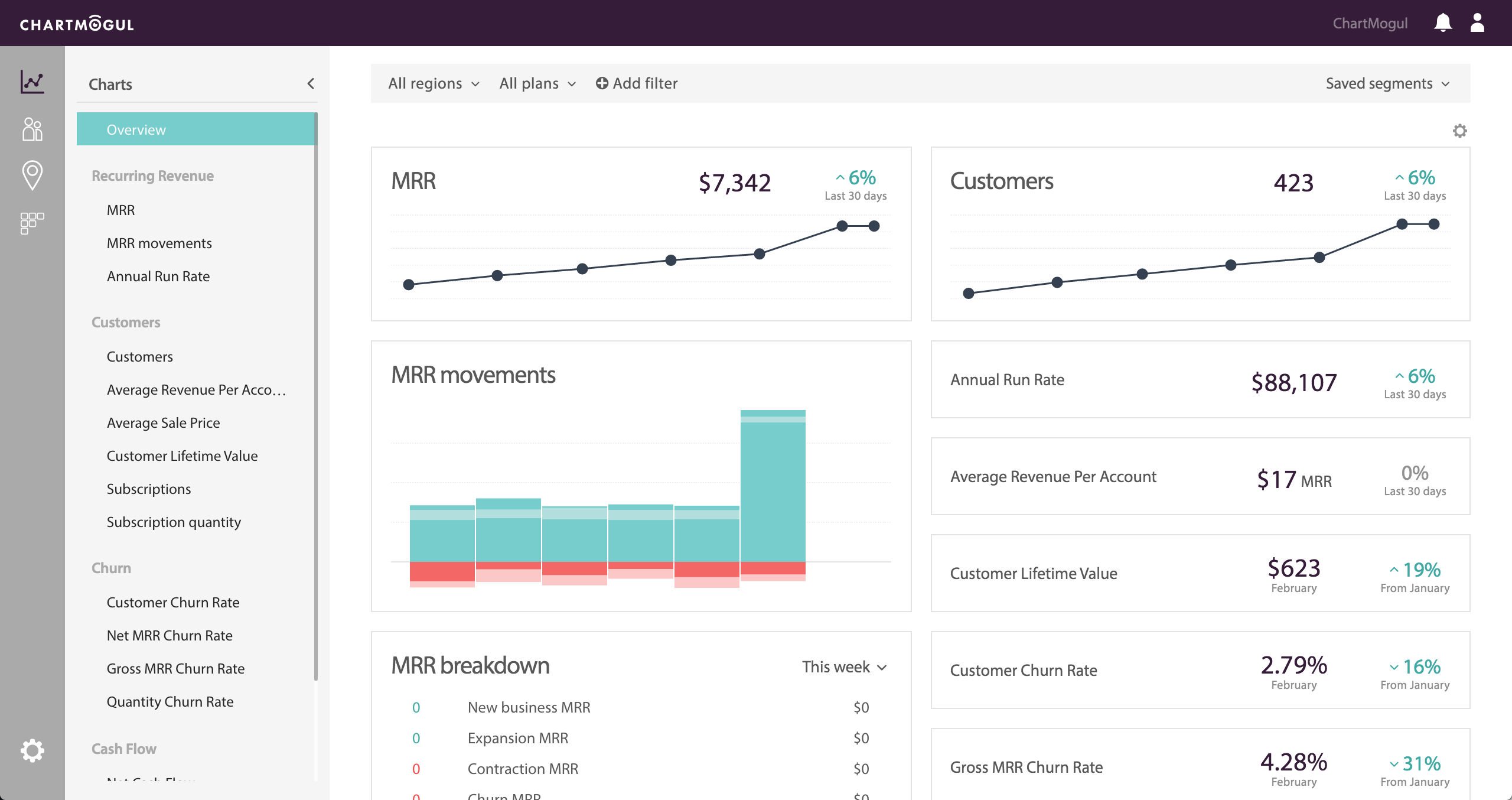
- Multi-source data import: Connects with Stripe, Braintree, Recurly, Chargebee, Paddle, and custom sources via API, handling normalization and deduplication automatically so your MRR numbers are accurate across all billing systems.
- Cohort analysis and retention curves: Breaks down retention by customer cohort, plan type, geography, or lead source, letting you trace exactly when and why customers churn.
- Segmentation and custom attributes: Filters and segments your stripe reports across dozens of dimensions, including MRR by marketing channel, churn by NPS score, and retention by sales rep.
- Built-in CRM: Includes CRM capabilities on every plan, with opportunity tracking, tasks, and team collaboration via @mentions. Each workspace includes one CRM Pro seat, with additional seats at $39/user per month.
- Data warehouse connections: Exports clean subscription data to your data warehouse, making it easy for engineering or analytics teams to build custom reporting on top of it.
- CSV import and audit tools: Lets you import historical data via CSV and provides tools to audit, edit, and merge subscriptions when your billing data doesn’t arrive cleanly.
The free plan supports businesses with under $10K MRR and is genuinely useful, not just a stripped-down preview. If you’re early stage and on Stripe, it’s one of the better no-cost stripe analytics tools available. For teams that need accurate stripe analytics across multiple billing sources without doing the normalization work themselves, ChartMogul is one of the most reliable options in this list.
Pricing: Free for under $10K MRR. Paid Starter plans begin around $59/month (billed annually) and scale with your revenue.
Grow
Grow is a no-code business intelligence platform that pulls data from 150+ sources, including Stripe, into customizable dashboards. Unlike dedicated stripe analytics tools, it’s a broader BI solution suited to teams that want one dashboard covering marketing, sales, finance, and operations together, rather than a focused view of subscription metrics.
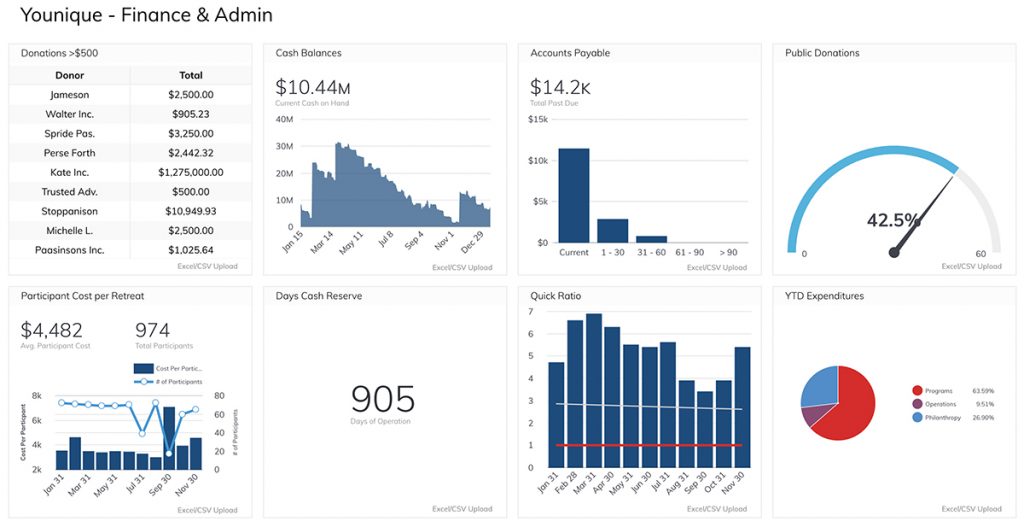
- 150+ data integrations: Connects to Stripe, Salesforce, Google Analytics, Shopify, HubSpot, and 145+ other tools, making it practical for businesses that need one view across all their platforms, not just payments.
- No-code dashboard builder: Builds dashboards using a drag-and-drop interface with no SQL required. For teams that want to go deeper, a SQL editor is also available for custom data transformations.
- Customer segmentation: Leverages collected data to filter and sort customers into segments, helping you spot which groups are driving the most value.
- Real-time data exports: Pushes your analytics data to other tools in your stack, keeping downstream systems updated without manual exports.
- Historical data snapshots: Stores historical snapshots of your data, so you can run time-series comparisons and track how metrics have shifted over time.
- Mobile and wearable access: Available on iOS and Android, with Apple Watch support, so your key metrics are accessible wherever you are.
Grow is best suited for teams that need cross-functional dashboards, not deep stripe analytics. If you’re specifically trying to track MRR, churn, or subscription health, a purpose-built stripe analytics software will give you more out of the box. Grow’s value is in breadth, not depth.
Pricing: Custom pricing. Contact Grow directly for a quote.
FirstOfficer
FirstOfficer provides focused stripe analytics for SaaS businesses built on Stripe. It was created by a former accountant, which shows in how the tool is designed: the emphasis is on accurate metric interpretation, not just dashboards full of numbers. If you’re a bootstrapped founder who needs clean stripe reporting tools without a complex setup, it’s worth a look.
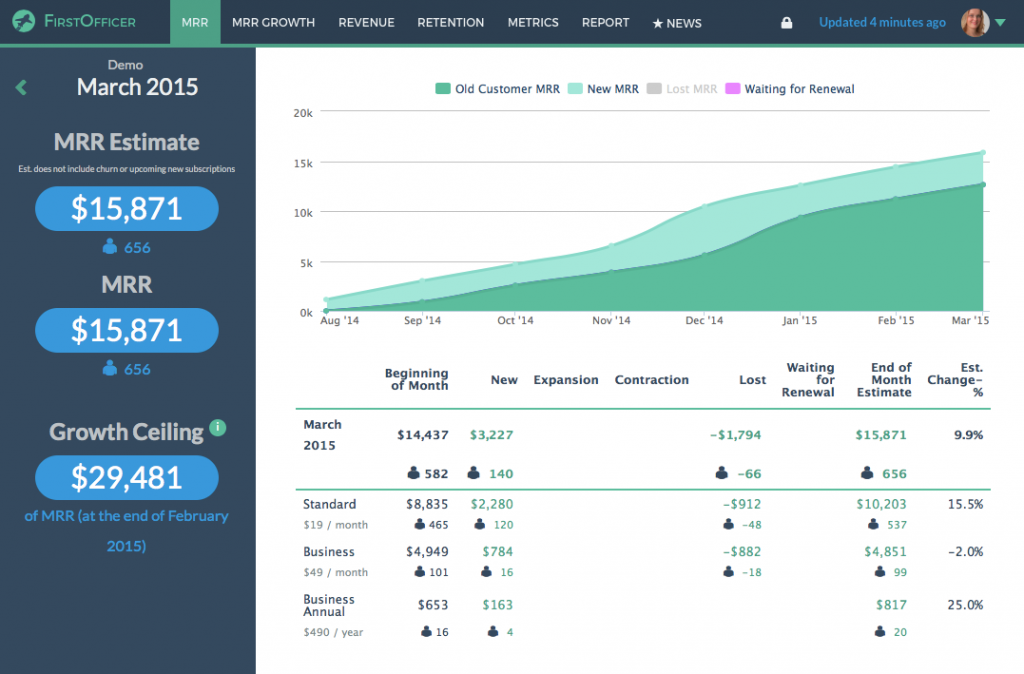
- Core SaaS metric tracking: Monitors MRR, ARR, new MRR, lost MRR, expansion MRR, CLTV, and churn rate, showing not just the headline numbers but what’s behind each movement.
- Cohort retention analysis: Breaks your customer base into cohorts to measure how well different groups are retained over time, and identifies which pricing plans or acquisition channels hold customers longest.
- Configurable LTV: Lets you define how lifetime value is calculated for your specific business model, rather than applying a one-size-fits-all formula.
- Rolling metrics: Uses rolling averages so you can spot whether a trend is genuinely improving or just fluctuating, making it easier to separate signal from noise in your stripe reports.
- Weekly email reports: Delivers key metrics directly to your inbox on a weekly cadence, so you stay informed without logging into your stripe analytics dashboard every day.
- Renewal schedule: Shows upcoming renewals month by month, so you know in advance how much revenue is expected to recur and can plan around it.
FirstOfficer is a lean, Stripe-only tool. It doesn’t support PayPal, WooCommerce, or other payment sources. That focus keeps it simple and accurate for pure Stripe businesses, but if your revenue comes from multiple platforms, you’ll need something broader. For pure Stripe businesses that want clean stripe analytics without complexity or cost overhead, it’s a solid starting point.
Pricing: Starts at $29/month. All plans include a 30-day free trial and email support.
ProfitWell Metrics by Paddle
ProfitWell Metrics, now owned by Paddle, is a free subscription analytics tool that connects to Stripe in about five minutes. It earns its place on this list for a simple reason: it delivers core SaaS metrics at no cost, which makes it one of the easiest ways to move beyond Stripe’s native dashboard without spending anything.
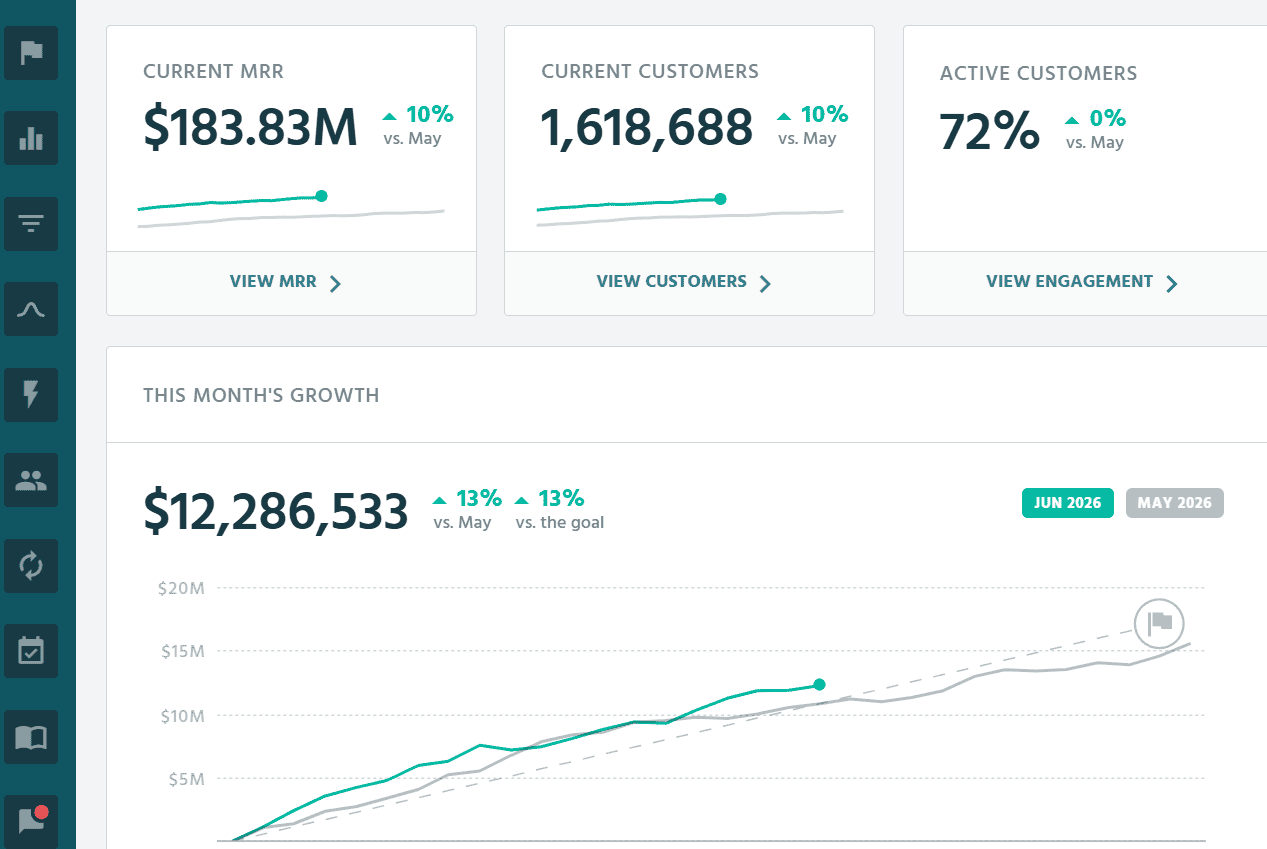
- Free core SaaS metrics: Tracks MRR, churn, LTV, ARPU, and cohort reports out of the box, presented in clean dashboards, with no charge regardless of revenue size.
- Industry benchmarking: Compares your performance against 30,000+ subscription companies, giving you context that most paid tools reserve for higher tiers.
- Segmentation and cohorts: Drills into customer segments, cohorts, and pricing-plan data to surface where growth and churn are actually coming from.
- Customer health signals: Uses activity data to flag customers most at risk of churning, so retention effort goes where it matters.
- Multi-billing support: Integrates with Stripe, Chargebee, Recurly, Zuora, and Paddle, plus third-party tools like Slack, HubSpot, and Intercom for sharing metrics.
ProfitWell is a strong free option for pure subscription businesses, particularly early-stage SaaS that wants accurate metrics without a bill. Its limits show when you need deep custom analysis or want to combine subscriptions with eCommerce and one-time revenue, where a broader stripe analytics software serves better. Dashboards refresh every few hours rather than instantly, which is rarely an issue at the stage this tool suits.
Pricing: Free.
DataBox
DataBox is a business intelligence platform that brings stripe reports alongside data from 130+ other tools into one unified dashboard. It’s a good fit for teams that track performance across multiple platforms and want payments, marketing, and operations visible in one place.
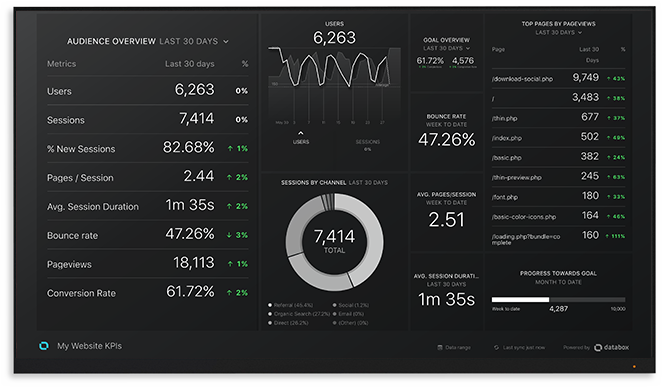
- 130+ integrations in one dashboard: Connects Stripe with Mixpanel, HubSpot, Google Analytics, PayPal, Xero, and 125+ other tools, so you’re not switching between platforms to piece together your stripe analytics.
- Pre-built Stripe metrics: Offers 1,000+ pre-built metrics across all connected sources, including Stripe-specific ones like charges, failed payments, CLTV, new subscriptions, and total customers, available without any custom setup.
- Custom metrics and data blending: Lets you create calculated metrics, apply filters, and blend data from different sources using a shared identifier, useful for cross-referencing stripe reports with marketing spend.
- Goals and forecasting: Set revenue or metric targets, track progress in real time, and run best-case and worst-case scenario forecasts based on your historical data.
- AI-powered insights: Generates plain-language summaries and recommendations alongside your stripe analytics dashboard automatically, available on higher plans.
- Mobile and wearable access: Available on iOS and Android, with an Apple Watch app, so your key numbers are always on hand.
DataBox prices by the number of connected data sources rather than users, so the real cost depends on how many tools you link. For teams tracking only Stripe, it can feel like a lot of overhead. Its real value shows when you’re combining stripe analytics tools with several other data sources and need one unified view.
Pricing: A free plan is available for individuals and small teams. Paid plans start around $159/month, with additional data sources charged on top.
Treasure Data
Treasure Data sits in a different category from the stripe analytics software listed above. It’s an enterprise-grade Customer Data Platform (CDP) built for large organizations that need to unify customer data across dozens of sources at scale. While it integrates with Stripe among 100+ other services, it’s not a dashboarding tool for a SaaS founder checking MRR. It’s infrastructure for enterprise marketing and data teams managing millions of customer profiles.
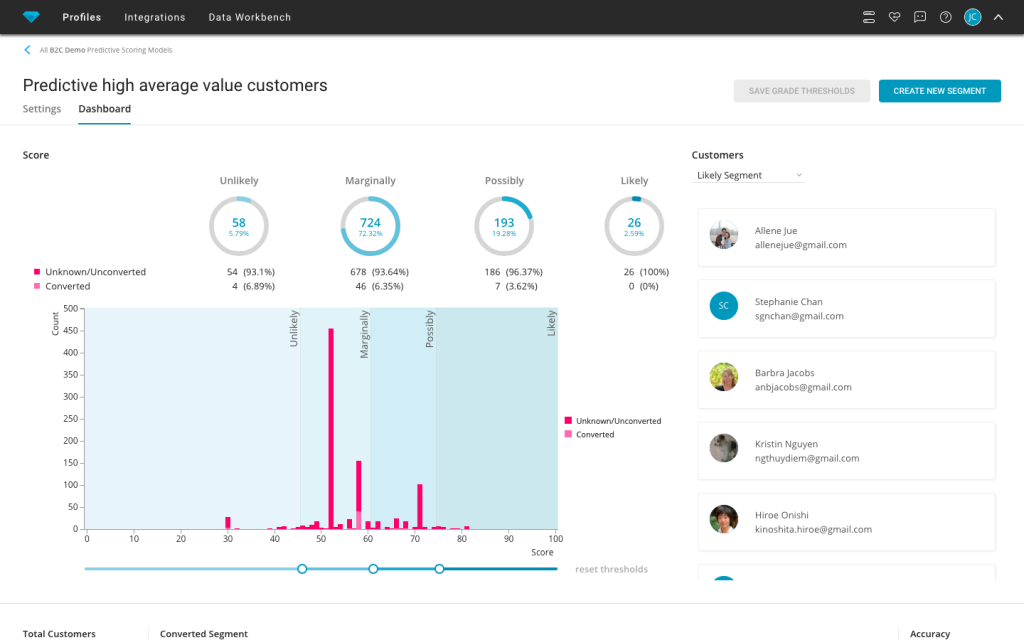
- Unified customer data platform: Consolidates first, second, and third-party customer data from 100+ sources including Stripe, Salesforce, HubSpot, and Marketo into a single deduplicated customer profile.
- Identity resolution: Matches and merges customer records across devices, channels, and brands, so marketing teams work from one accurate view of each customer rather than fragmented stripe reports.
- AI Marketing Cloud: Adds agentic AI capabilities including audience intelligence, campaign orchestration, and real-time personalization directly within the platform.
- Hybrid CDP architecture: Offers two modes: Complete Mode where Treasure Data acts as the source of truth, and Composable Mode where your cloud data warehouse remains the source of truth while Treasure Data handles real-time activation.
- Profile-based pricing: Pricing is based on the number of unified customer profiles and behavioral events rather than compute, making costs more predictable at enterprise scale.
- Flexible and secure data transfer: Moves data securely across systems with encrypted storage, meeting enterprise security and privacy compliance requirements.
Treasure Data is the right tool if you’re a global enterprise managing customer data across multiple brands, regions, and channels. For a growing SaaS or eCommerce business looking specifically for stripe analytics tools or stripe reporting tools, the other options in this list will serve you better and cost significantly less.
Pricing: Custom pricing. Contact Treasure Data for a quote.
Which stripe analytics software is right for your business?
As the world of online business demands accurate payment information for growth, choosing the right stripe analytics software becomes one of the more consequential decisions you make early on.
If you need billing automation and basic subscription tracking alongside your Stripe payments, Pabbly covers the fundamentals at a low cost. If you want accurate subscription metrics for free, ProfitWell Metrics is the easiest no-cost starting point. If you’re a pure SaaS business that needs clean, real-time subscription metrics, Baremetrics or ChartMogul will serve you well.
If you need cross-platform dashboards that pull Stripe data alongside marketing, sales, and operations data, Grow or DataBox are built for that use case.
For deep Stripe-specific SaaS analytics at a bootstrapper price point, FirstOfficer keeps things focused and affordable. For enterprise-scale customer data unification across dozens of sources, Treasure Data is the one to evaluate.
And if you need all of the above in one place, particularly across multiple payment gateways, multiple stores, and multiple currencies, Putler is built for exactly that.
Ready to see what your Stripe data can actually tell you? Give Putler a try. You can create a free account and explore all features with a 14-day trial, no strings attached.
FAQs
Does Stripe have analytics?
Yes, Stripe provides built-in analytics for payments, revenue, and customer metrics through its dashboard and Reports section. However, for advanced stripe analytics, multi-source data integration, and subscription health tracking, third-party stripe analytics software like Putler offers considerably deeper insights.
Are there free versions or trials available for the stripe analytics tools mentioned above?
Several tools offer free options. ProfitWell Metrics is free regardless of revenue. ChartMogul has a free plan for businesses under $10K MRR. DataBox offers a free plan for small teams. Putler provides a 14-day free trial to explore all features before committing.
Why is stripe analytics important for my business?
Stripe analytics helps you track sales trends, customer retention, subscription health, and business performance at a level that Stripe’s native dashboard cannot. With the right stripe analytics software, you can make data-driven decisions about pricing, product mix, and retention rather than relying on guesswork.
How do I access stripe analytics and stripe reports?
You can use Stripe’s built-in dashboard under the Reports section for basic stripe reports, or connect a third-party stripe analytics tool for more advanced and customizable reporting. Tools like Putler connect via your Stripe API key and pull all historical data automatically.
Can I combine Stripe data with other sources?
Yes. Tools like Putler integrate Stripe with Google Analytics, PayPal, WooCommerce, Shopify, and other payment processors and eCommerce platforms, giving you a consolidated stripe analytics dashboard across your entire business rather than one payment source at a time.
Which stripe analytics software is best for subscription businesses?
For pure subscription businesses on Stripe, Baremetrics and ChartMogul both offer focused SaaS metric tracking, and ProfitWell Metrics covers the basics for free. For subscription businesses that also run eCommerce stores or use multiple payment gateways, Putler is the more comprehensive option, covering 200+ metrics across sales, customers, products, and subscriptions from a single stripe analytics dashboard.
What is the best free stripe analytics tool?
ProfitWell Metrics is fully free and covers core SaaS metrics with Stripe integration. ChartMogul offers a capable free tier for businesses under $10K MRR. For a broader analytics view beyond subscriptions, Stripe’s own dashboard is free and covers basic stripe reports without any third-party setup required.
Can I use multiple stripe reporting tools at the same time?
Yes. Many businesses use Stripe’s native dashboard for day-to-day transaction tracking and a dedicated stripe analytics software for deeper reporting and strategic analysis. The tools do not conflict with each other since they each read from your Stripe data independently via API.