

The Etsy dashboard is where a shop is actually run. From tracking sales to managing listings, orders, finances, and marketing, the Etsy Shop Manager holds every tool a seller touches day to day. Knowing it well is the difference between a two-hour workday and a five-hour one.
This guide walks through the Etsy dashboard section by section, covers the 2026 updates most older guides miss, and shows where Etsy’s built-in analytics stop and a dedicated tool takes over.
Etsy Shop Manager: a complete guide
The Etsy Shop Manager is the backend dashboard where sellers manage their entire business: listings, orders, messages, finances, and marketing. Here’s how each part works.
How to access your Etsy dashboard
There are three ways to reach your Etsy Shop Manager, and knowing all three saves time:
- On desktop: Sign in at Etsy.com and click the Shop Manager icon in the top-right header. In 2026 it looks like a small shop stall with an awning. If you don’t see it, you may be signed in to a buyer-only account or haven’t finished shop setup.
- On mobile: Use the Etsy Seller app (iOS and Android). Note this is a separate app from the blue consumer Etsy app, which can’t manage a shop.
- Quick bookmark: Save etsy.com/your/shops/me for one-click access once you’re logged in.
Etsy dashboard
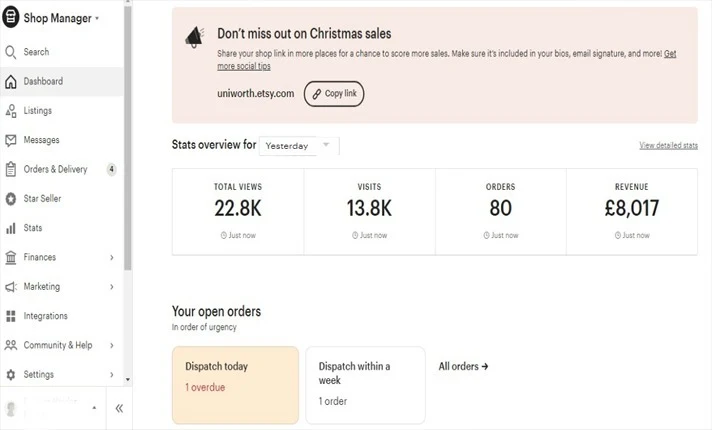
The Etsy dashboard is the landing page that greets you whenever you log in to your Etsy account. It’s a compact overview of your store’s pulse, with your most recent sales report front and center for a quick health check.
In 2026 the dashboard also surfaces a Top Tasks checklist that prioritizes what needs attention first, such as an unanswered message or a listing about to expire. Below it you’ll find shop reminders, stats on views, visits, orders, and revenue, and links to timely Etsy education. It’s built to tell you what to deal with next.
Search
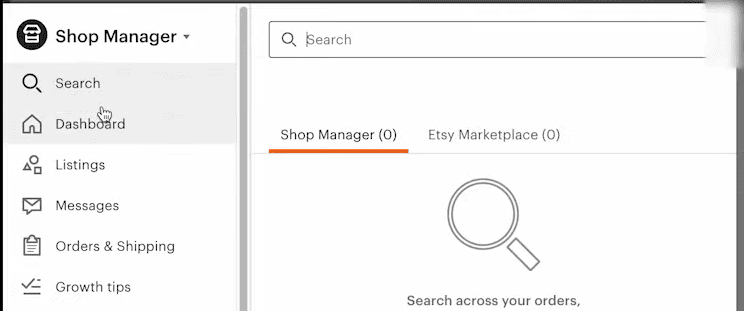
Etsy’s search does more than look up orders. It searches your product descriptions, buyer conversations, and more, which makes it a fast way to find anything across your shop without clicking through menus.
Listings
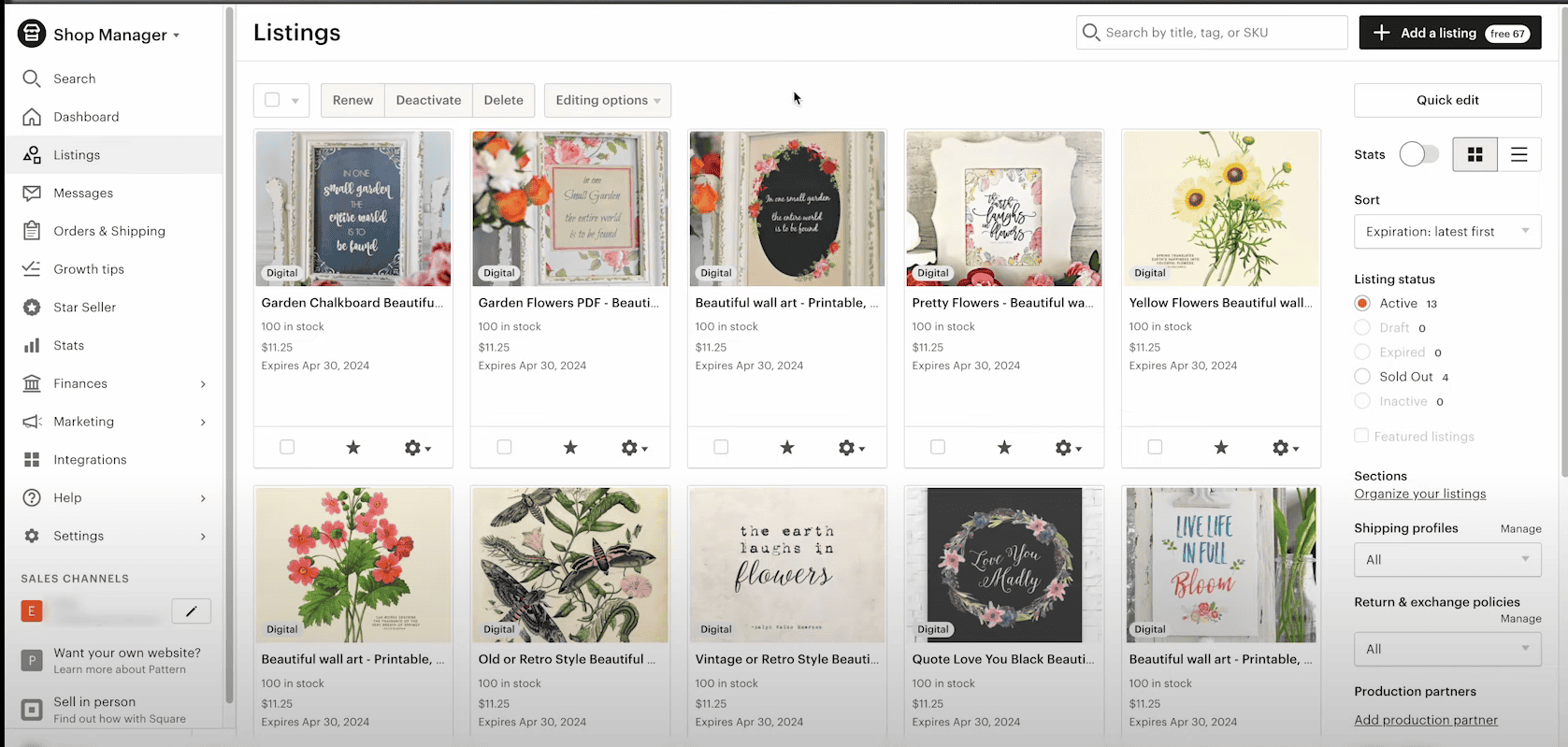
The listings page is the main event in the Etsy dashboard, a single place for all your product offerings. Select one or more items and a set of action buttons appears up top:
- Renew: Listings expire every 4 months if not sold, and renewing puts them back into rotation. Each renewal costs $0.20. There’s an “Automatic Renew” setting to skip doing it manually.
- Deactivate: Hides a listing temporarily without deleting it.
- Delete: Removes the listing for good, though it’s reversible.
Clicking a listing opens an editing page loaded with details. This is the same place you create listings from scratch when you hit “Add a new listing.”
On the right side, filters like “Expired” resurface sleeping listings so you can renew in bulk. In 2026 the fastest way to bulk-renew is the Quick Edit tool: select the listings, click Quick Edit, and choose Renew for all of them at once. And the “Stats” button drops down an analytics report for any listing right from the Etsy dashboard.
Messages
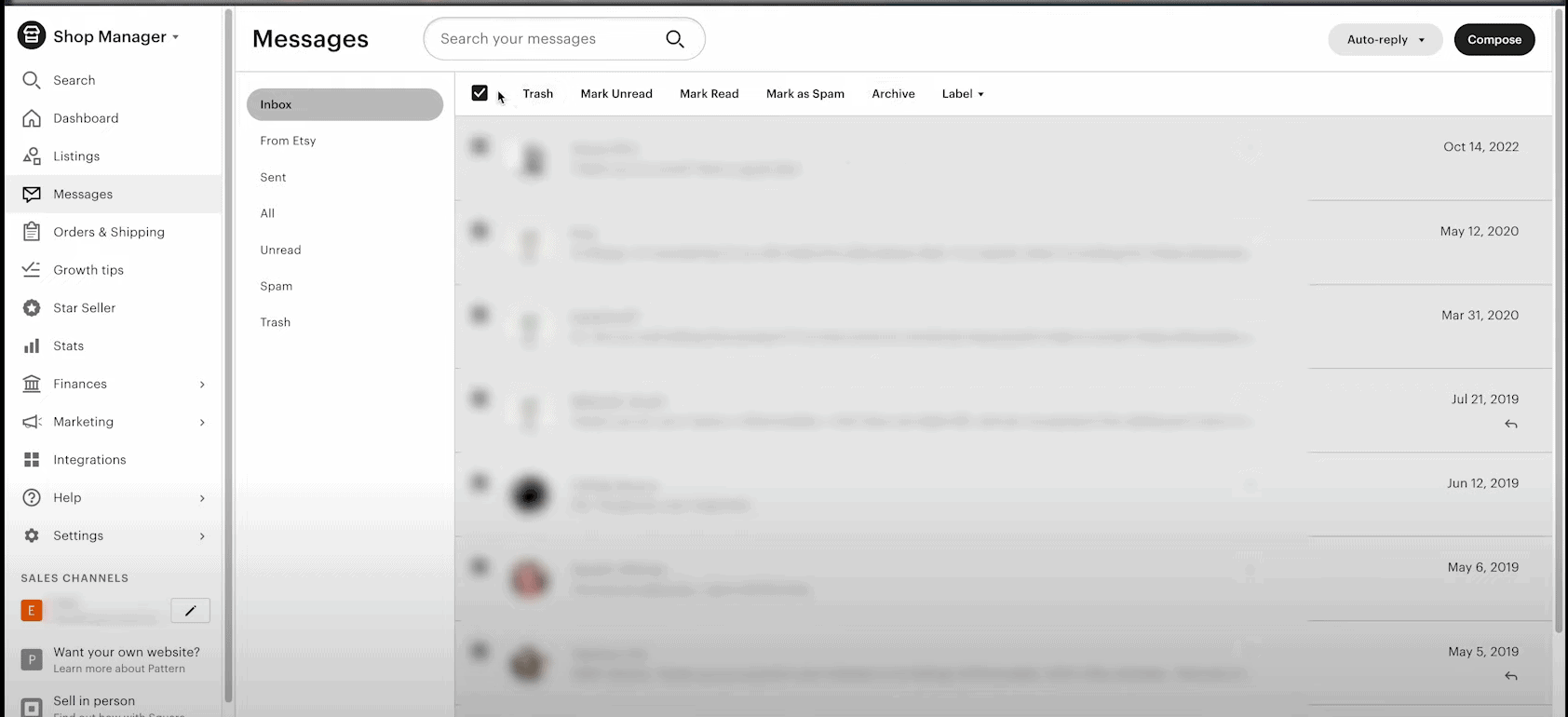
The Etsy Shop Manager also handles customer communication. This is where buyer questions and comments land, and it’s worth treating as more than an inbox. A short thank-you note after a purchase and a timely reply to questions both build the buyer relationship.
There’s a practical reason to stay on top of it too: replying to new messages within 24 hours is one of the criteria for keeping a Star Seller badge.
Orders and delivery
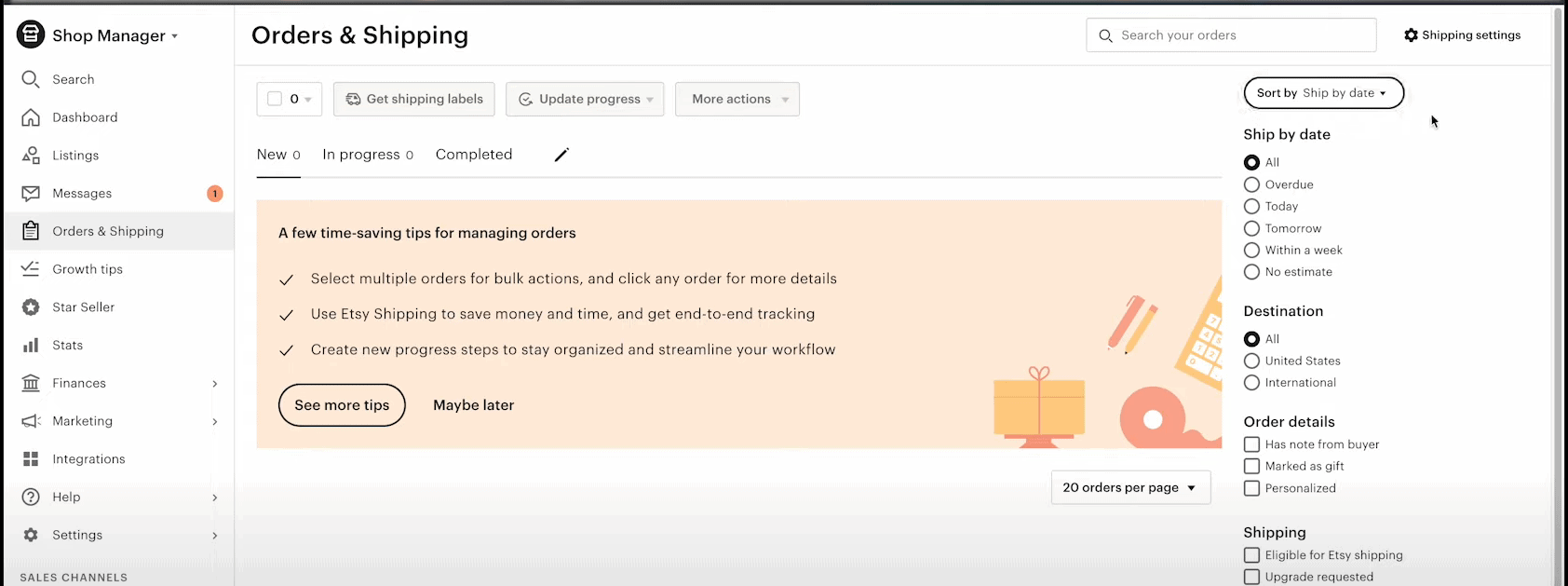
This page is command central for order management. When a new sale comes in, this is where the action happens. Once you’ve prepped and shipped an order, click it and mark it “Completed,” which notifies the buyer their package is on the way and flips the status on both ends.
Closing out orders properly keeps sales tracking and buyer communication clean. Marking orders shipped on time also protects your shop score, since late-shipment flags hurt it. For a deeper look at order management, see the complete guide to Etsy orders.
Finances
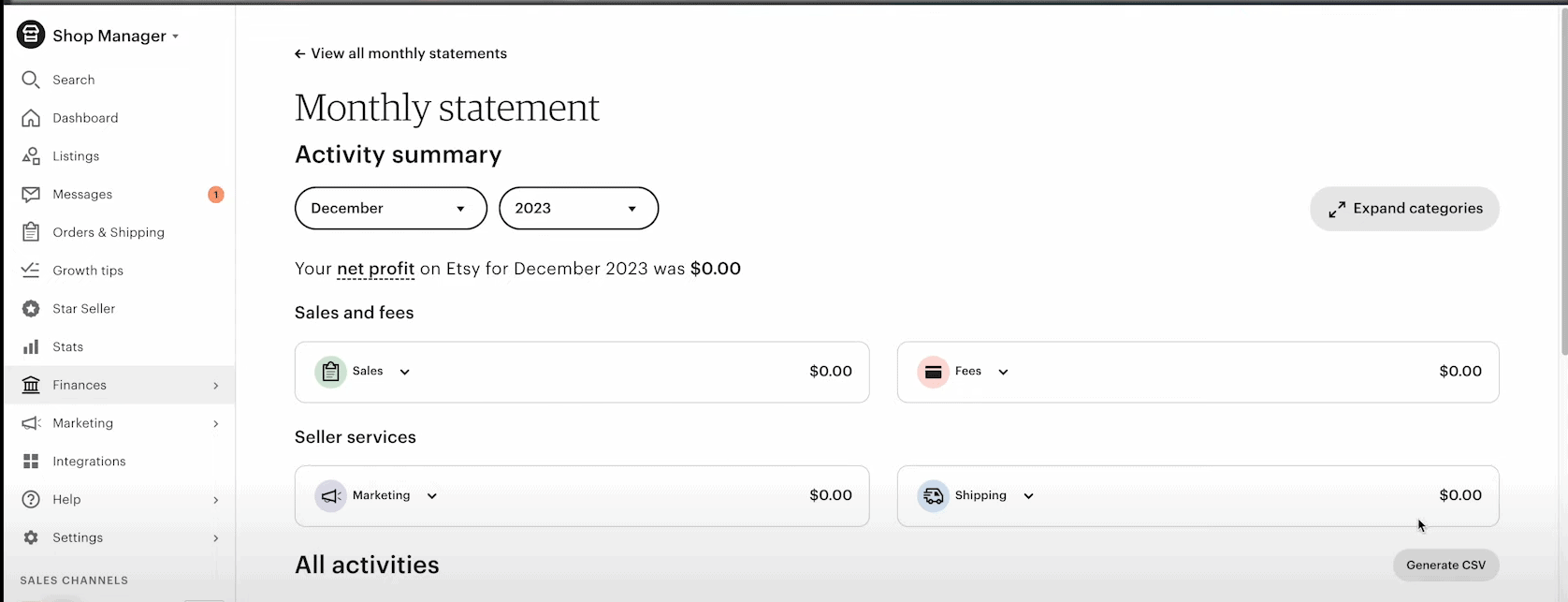
The Finances section splits into three parts.
Payment accounts: Here you can check your projected payout for the upcoming deposit, a detailed breakdown of each transaction with Etsy’s cut, a visual graph of income against expenses, and a customizable date range (the current month is the default).
Payment settings: The core money logistics you set up initially, organized into tabs:
- Payment methods for banking details
- Currency locked to your shop’s region
- Billing info for anything Etsy invoices you
- Business address for correspondence
- Tax withholding setup (don’t skip this one)
Legal and tax info: For most sellers these pages won’t apply, but the key points: non-US residents can usually ignore this, US sellers must provide a tax ID, and German sellers need VAT certificates uploaded. That covers the full financial scope, from money coming in to cash due to taxable figures, all in the Etsy dashboard.
Marketing
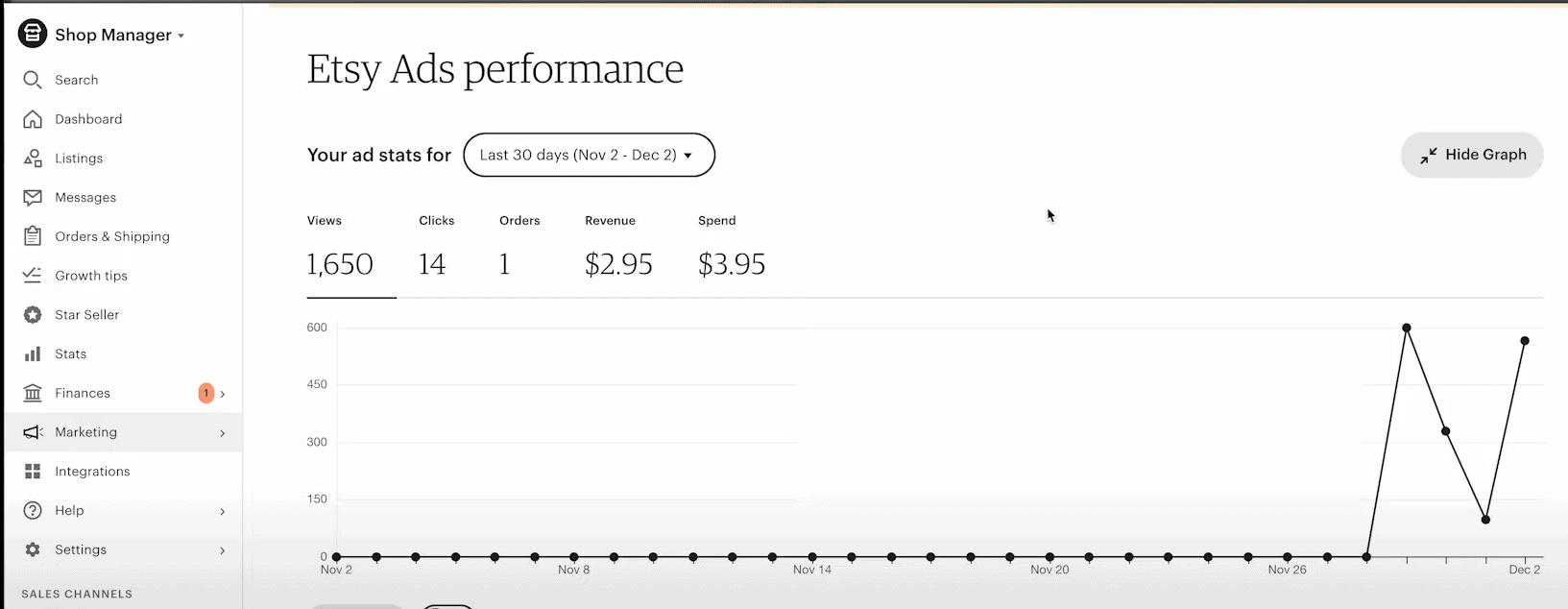
The Etsy seller dashboard includes built-in tools to boost your listings’ visibility.
Search analysis: This feature breaks down the actual customer search terms that landed on your store, which is direct intel for improving your listing SEO.
Sales and coupons: Run promotions and sales through Etsy, and create custom coupon codes to grab buyer attention.
Social media: Sync your store with Facebook, Pinterest, X (formerly Twitter), and Instagram. Connect the accounts and Etsy hands you ready-to-share listing photos and details.
Integrations
Etsy connects with other platforms and tools through integrations, which cut down on repetitive admin. For example, accounting integrations like QuickBooks let your transaction history flow into your books without manual entry.
The integration options in the Etsy shop dashboard keep growing to cover analytics apps, inbox managers, and more, so you spend less time on admin and more on strategy.
Etsy analytics
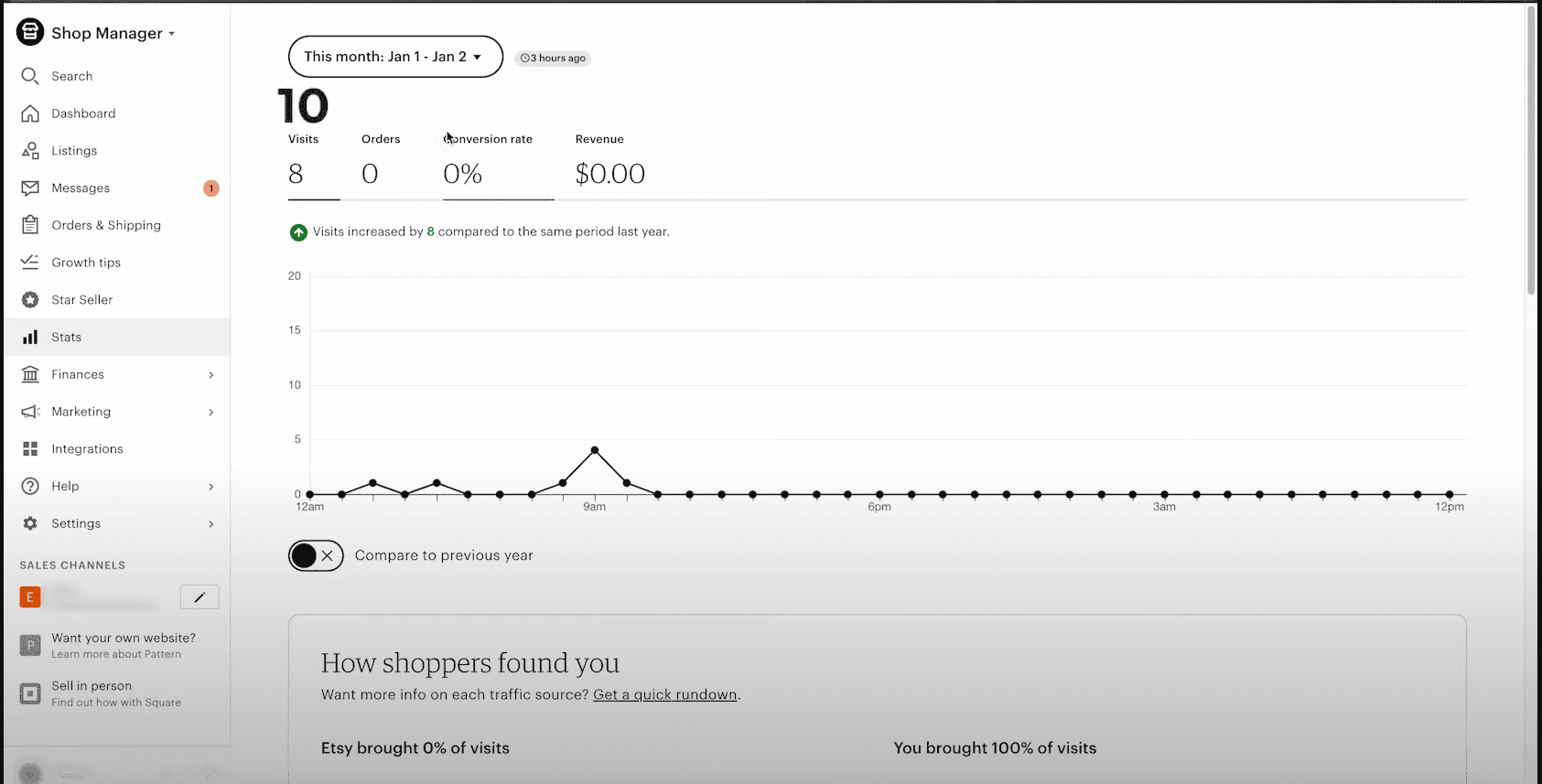
Keeping tabs on your shop’s performance is essential to growing sales, and the Etsy Shop Manager provides a dedicated Stats section for it.
Accessing Etsy Stats: Log in and go to Etsy Shop Manager > Stats.
The main metrics:
- Visits: How many people landed on your listings or storefront in total.
- Orders: Total sales completed within the period.
- Conversion rate: Percentage of visitors who completed a purchase.
- Revenue: Your earnings after accounting for expenses like shipping and taxes.
You can also compare current-period metrics to the same period last year if you’ve been operating that long.
Visits vs views: These sound alike but measure different things.
- Visits = number of unique people who checked out your listings or storefront
- Views = total times your listings were viewed, including multiple views by the same person
How shoppers found you: This breakdown shows where your traffic came from in the selected period. The main buckets are:
- Etsy – visitors from Etsy’s search, app, browse pages, and marketing.
- You – visitors you drove through social media, paid ads, and your own channels.
Watching these regularly helps you spot trends, drop-offs, and chances to optimize your listings and marketing. For a broader look at Etsy analytics tools, check out this guide.
Vacation Mode
Vacation Mode (called Holiday Mode in some regions) lets you pause your shop when you can’t run it, without closing it permanently. Find it under Shop Manager → Settings → Options → Vacation Mode.
When it’s on, your listings are hidden from Etsy search and from your storefront, and buyers can’t place new orders. A banner appears on your shop page, and visitors can sign up to be emailed when you return. You keep access to orders, cases, and messages, and you can still edit listings, issue refunds, and print shipping labels.
Two things to know before switching it on. First, if auto-renew is on, those listings still get charged the renewal fee while you’re away. Second, hidden listings lose search momentum, so short breaks recover far faster than long ones. For a quick pause of just a few products, deactivate those specific listings instead of closing the whole shop.
The shortcomings of Etsy’s native analytics
The Etsy Shop Manager is a solid starting point for tracking performance, but its analytics have limits that can leave you flying blind on growth. Here’s where Etsy’s native analytics fall short.
Basic top-line metrics only
Etsy’s data covers the fundamentals: visits, orders, revenue, and the Etsy conversion rate. Those high-level numbers matter, but there’s little under-the-hood detail. Trying to understand marketing sources, customer journeys, or acquisition funnels, and you hit a wall quickly.
Little to no segmentation
Etsy’s analytics can’t segment your data in meaningful ways. There’s no separating new buyers from loyal returners, no way to isolate your biggest spenders, and no segments to strategize around. You’re stuck with a one-size-fits-all view.
Shop performance only, not customer behavior
The data is shop-centric: visits, views, orders. There’s no window into customer behavior patterns, their paths, preferences, or long-term lifetime value. Just top-line performance stats.
Confined to the Etsy ecosystem
Etsy can only show what happens inside its own walls. Anything running on external channels, your website, social media, or email newsletters, is invisible in these analytics. You’d need separate tools to see the whole picture.
Zero demographic insights
There’s no way to glean demographic data about who your customers are: ages, locations, and the like. That intel is critical for persona development and product decisions, and Etsy leaves you in the dark on it.
Etsy’s analytics are handy for tracking the core vital signs of your shop. But if you run any kind of multi-channel operation or want deeper data to inform decisions, it likely won’t be enough.
Take your business further with Putler: better eCommerce data beyond Etsy
Etsy’s built-in analytics are a good starter package but lack the depth and multi-channel visibility to power a serious data-driven strategy. A dedicated eCommerce analytics tool like Putler fills that gap. Here are some of the ways it takes your data further.
Etsy segmentation
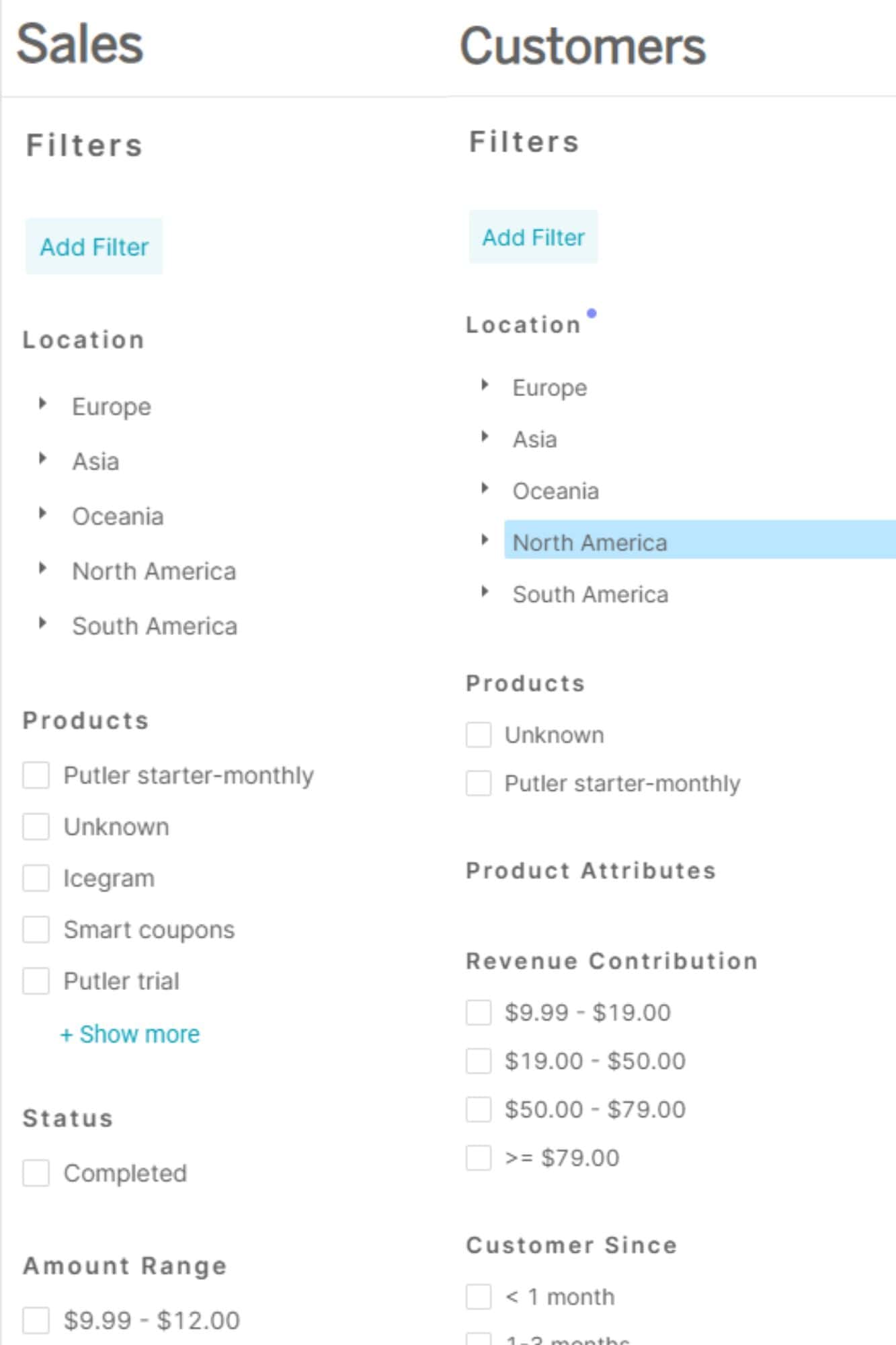
One of Etsy’s biggest analytics gaps is the lack of meaningful segmentation. Putler makes it easy to use advanced filters to group your audience many ways: by location, purchase behavior, customer type, and more. That segmentation power lets you run targeted campaigns for different buyer personas.
Individual customer 360° view
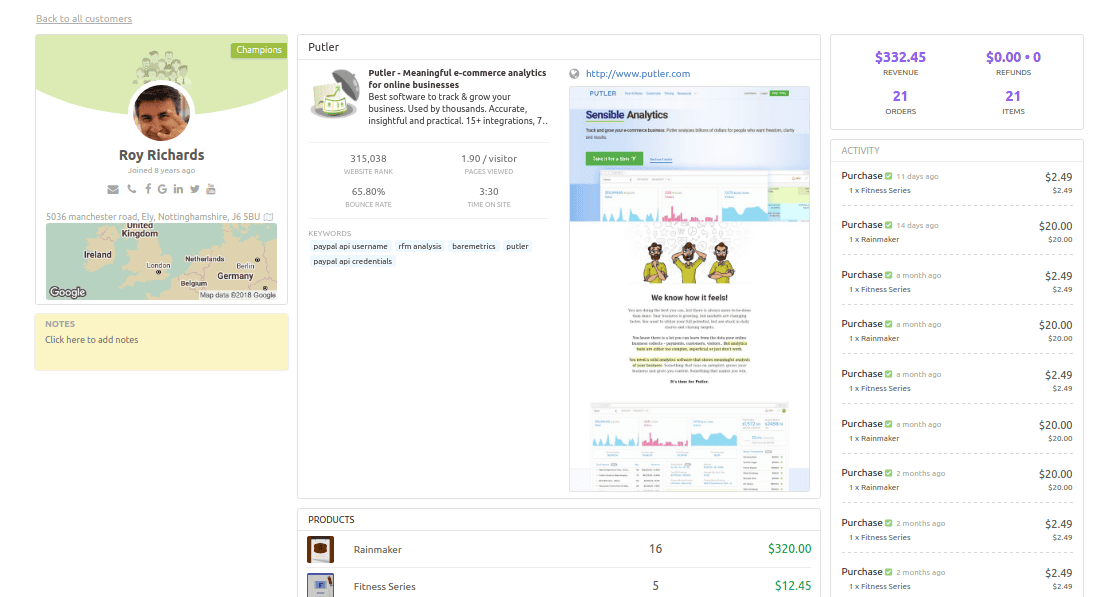
While Etsy’s stats stop at top-line shop performance, Putler zooms in with detailed individual customer tracking: real-time activity logs, purchase journeys, failed transactions, location, emails, and phone numbers. Those 360° profiles enable far more personalized customer relationships.
Multiple Etsy stores
Whether you run multiple Etsy stores or want to expand to other platforms, Putler collects data from every source for a complete view of your business. It integrates across 17+ revenue channels.
Connect eCommerce platforms like Shopify, WooCommerce, eBay, Amazon, and Etsy. Integrate payment processors such as PayPal, Stripe, Authorize.net, and Braintree. You can even link Google Analytics, email tools like MailChimp, and custom data sources. With Putler, all your data streams come together into one unified dashboard.
Rich demographic insights
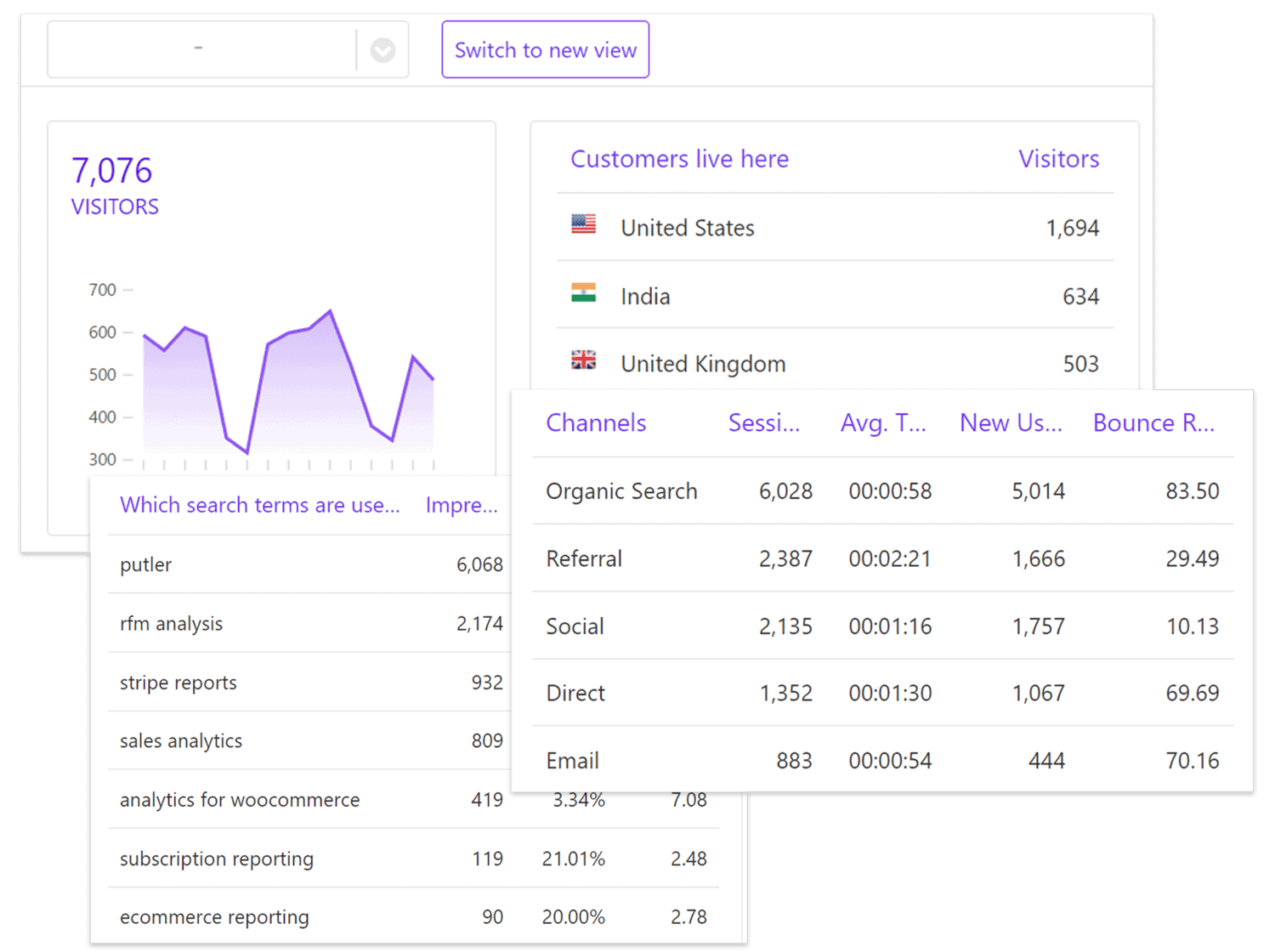
Putler provides demographic and psychographic data about your audience that Etsy can’t match: locations, traffic sources, device data, and social affinities. All the fine-grained detail you need to understand and segment your customers.
RFM segmentation
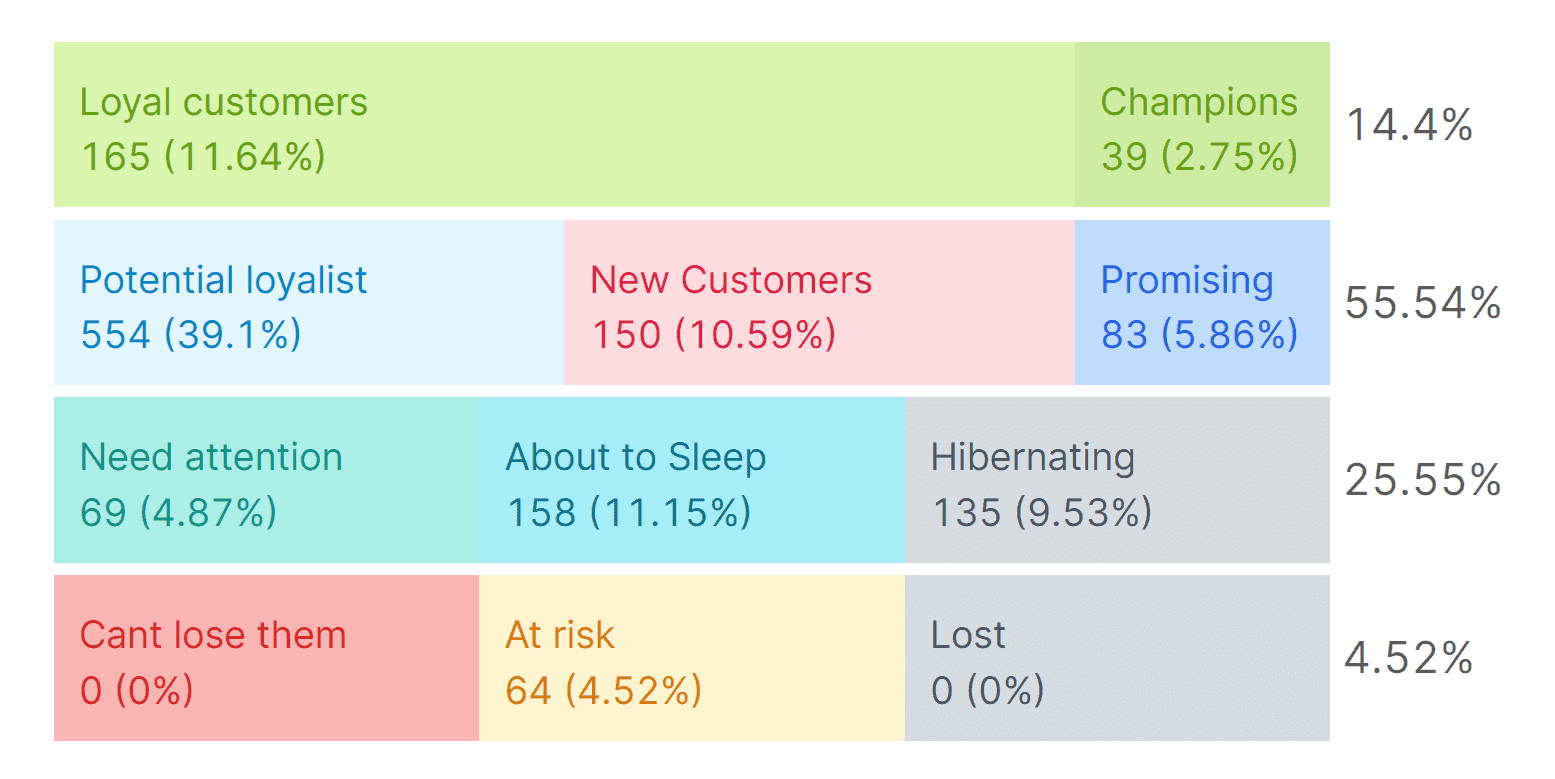
Putler’s RFM (recency, frequency, monetary) analysis segments customers by their purchasing behavior. It highlights your most valuable buyers for focused upsell campaigns, and those at risk of churning so you can launch win-back flows. It’s a strategic way to maximize customer LTV and retention.
Sales heatmap
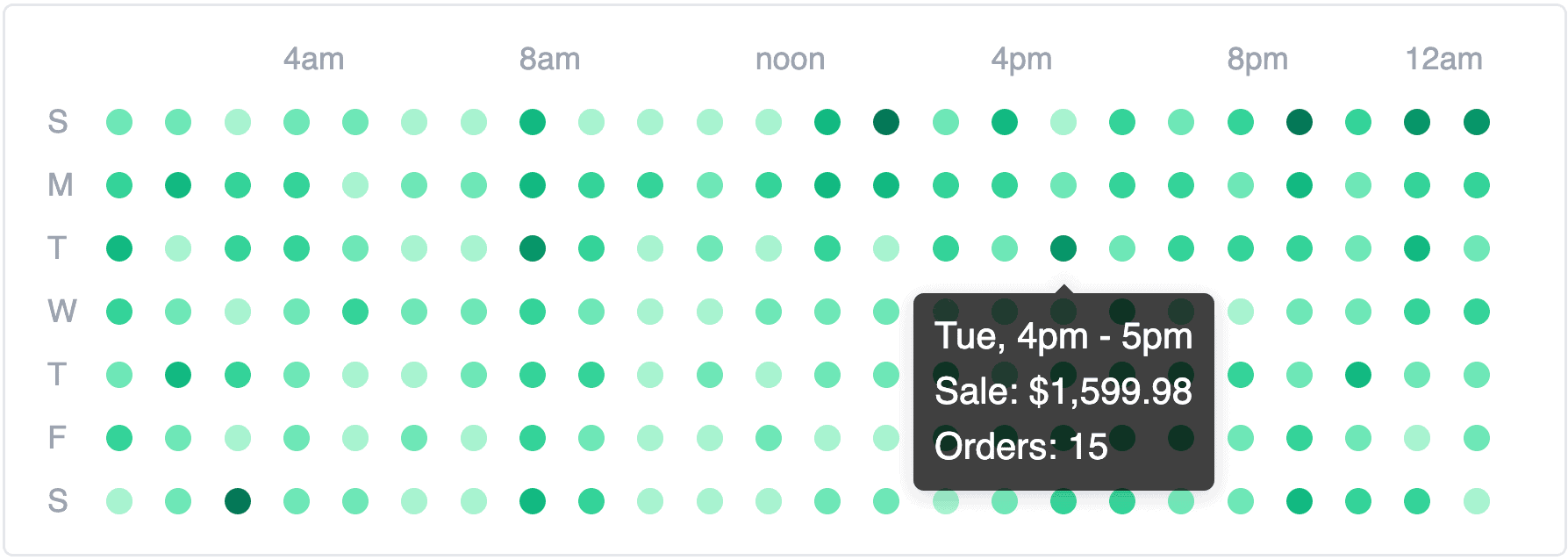
Putler’s Sales Heatmap visualizes your peak conversion windows, so you can time promotions, discounts, and marketing to align with those hot periods for maximum impact.
Upsell and bundle opportunities
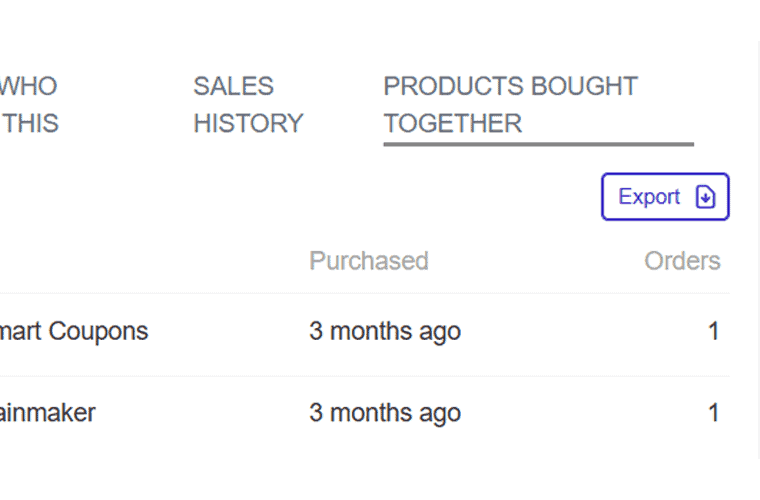
Within the Products dashboard, Putler analyzes which items customers frequently buy together, so you can spot prime upsell and bundle opportunities. A few simple bundles can lift your average order value.
Multi-currency support
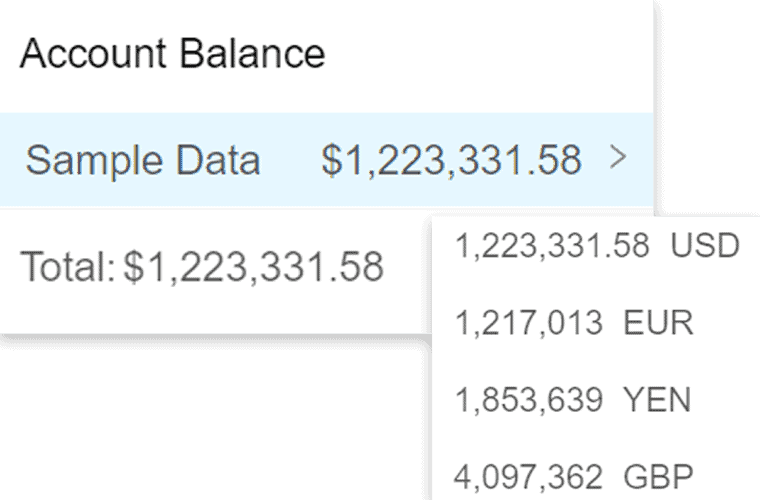
For Etsy sellers operating globally, Putler supports 36+ currencies out of the box. That means accurate, consistent sales data across regional markets without manual conversions, which keeps financial reporting clean.
Dedicated performance dashboards
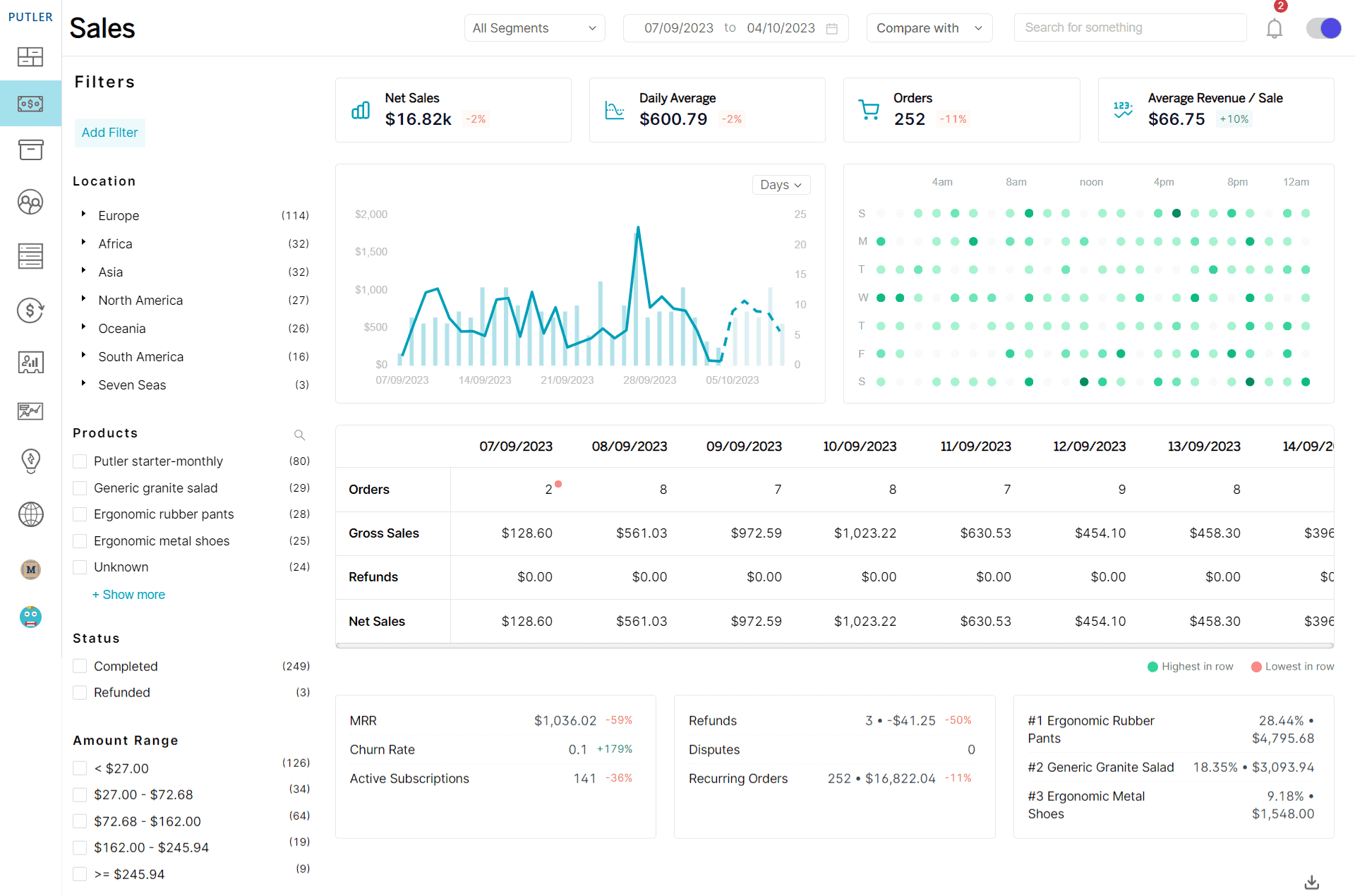
Rather than clunky reporting interfaces, Putler delivers purpose-built dashboards for every facet of your business.
Revenue forecasting
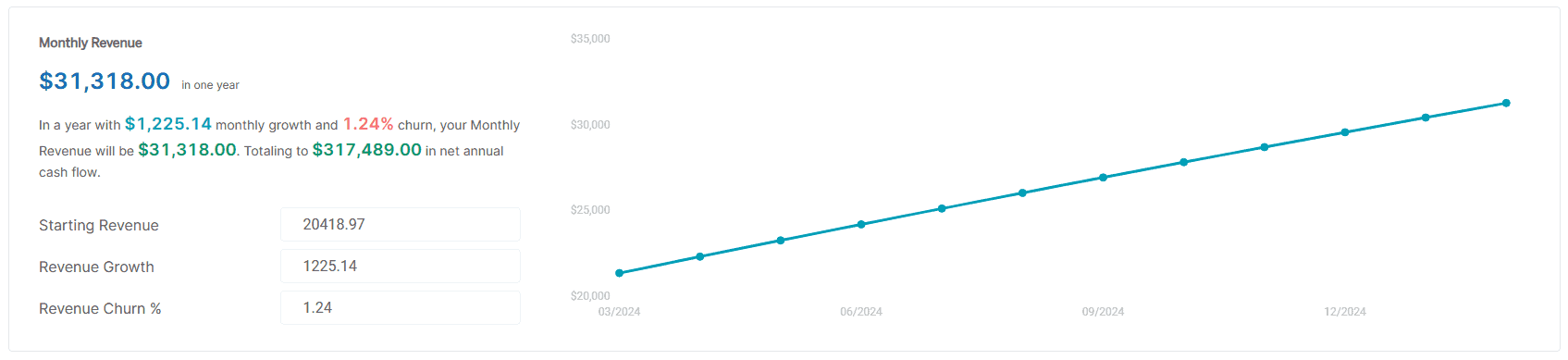
The Revenue Forecasting model predicts monthly revenue for the upcoming year, taking into account current revenue, its growth, and any potential reductions. That gives you actionable insight into future finances, so you can plan more effectively.
The level of insight Putler provides goes well beyond Etsy’s limited data scope. It’s analytics built for serious multi-channel sellers who want a real competitive edge from a data-driven strategy.
Wrapping up
The Etsy dashboard covers everything from checking stats to managing listings, orders, and finances, and knowing each section well keeps your shop running smoothly. For sellers who want to go beyond the basics, a tool like Putler adds the depth and multi-channel visibility Etsy’s native analytics leave out.